Lenovo Chromebook Duet Review: 2-in-1 Tablet Laptop Hybrid
Do you want a laptop and a tablet in one device? The Lenovo Chromebook Duet might be your answer. This small but mighty machine has caught the attention of students, travelers, and everyday users alike.
The Duet gives you a sharp, bright display that makes streaming and browsing a joy. Its detachable keyboard turns it from a tablet into a laptop in seconds.
This 2-in-1 device is lightweight and easy to carry. You can toss it in a bag and take it anywhere without feeling weighed down.
In a Nutshell
- Detachable keyboard: The magnetic keyboard snaps on and off with ease. This gives you true tablet freedom when you need it.
- Pen support: You can jot notes or sketch ideas. The screen responds well to pen input for quick tasks.
- MediaTek processor: This chip handles everyday browsing and streaming fine. Heavy multitasking might slow things down though.
- Battery life stretches to 8 hours on a typical day. This makes it a solid pick for long study or work sessions.
- Audio falls short: There are no dedicated speakers mentioned. Sound quality may disappoint if you love music or movies.
- Screen size is compact. This suits portability but may feel tight for detailed work or split screen tasks.
- Build quality feels sturdy despite its small size. Lenovo clearly focused on durability here.
- Best used as a secondary device. It shines for quick tasks, not as your only computer.
Design and Build Quality
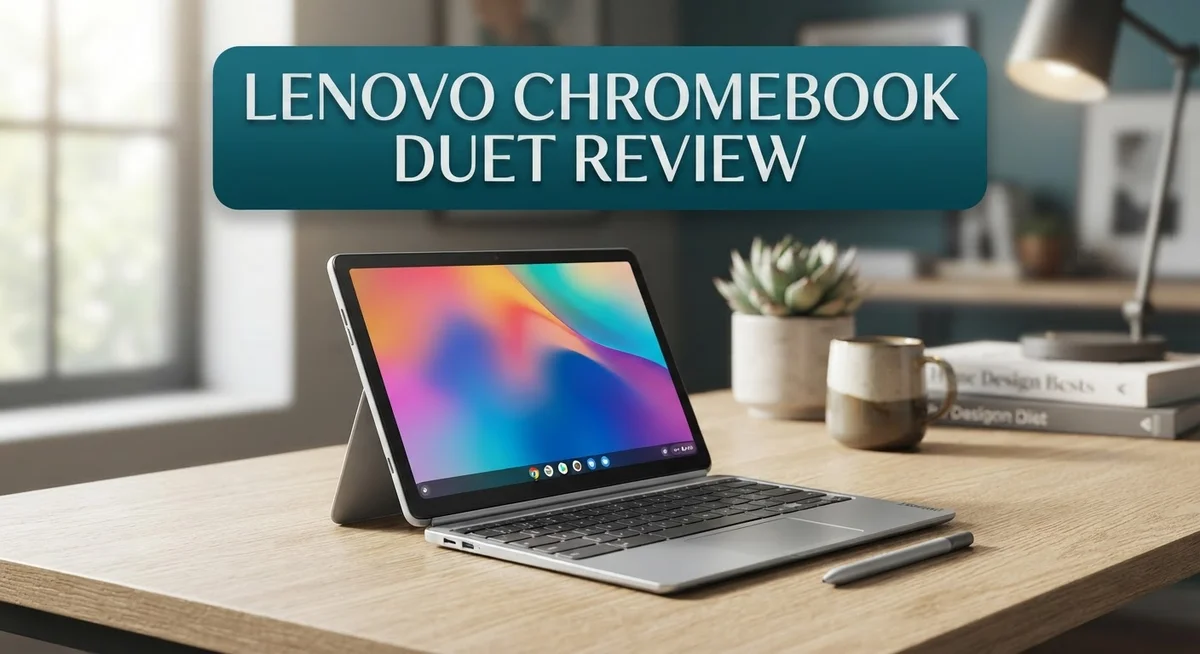
The Lenovo Chromebook Duet stands out with its clever 2-in-1 design. You get a full laptop when the keyboard is attached. Flip it around and you have a tablet for reading or watching videos.
The magnetic keyboard connection feels solid and snaps into place instantly. There’s no wobbling or loose fit. The touchpad sits right below the keyboard and responds well to gestures. You can detach the keyboard in seconds and use the device as a pure tablet.
The chassis uses a mix of materials that hold up well to daily use. The aluminum frame provides strength without adding much weight. The back panel feels smooth and resists fingerprints better than many competitors. You won’t worry about this device falling apart after a few months of regular handling.
At just over 2 pounds, the Duet feels genuinely portable. Carrying it in a backpack or bag doesn’t feel like a burden. The compact 10.95 inch screen (on the latest Gen 9 model) keeps dimensions manageable. This makes it perfect for students or remote workers who move between locations.
The edges are rounded and smooth, so it sits comfortably in your hands whether you’re holding it like a tablet or using it as a laptop. The keyboard itself has decent key travel. Keys don’t feel mushy or cheap. Typing for long periods stays comfortable.
The hinge mechanism that connects the keyboard to the screen is reinforced and reliable. Lenovo clearly invested in durability here. You can open and close it hundreds of times without hearing creaks or feeling any play.
One thing to note: the overall design prioritizes thinness and light weight over having a kickstand. The keyboard acts as the stand when you’re in laptop mode, which works well. In tablet mode, you’ll need to prop it against something or hold it.
The build quality punches above what you’d expect at this price point. Everything feels intentional and well made. This device can handle being thrown into a bag with other items without issues. The design choices make sense for a portable, flexible computing device.

Last update on 2026-10-12 / Affiliate links / Images from Amazon Product Advertising API Some of the links on this website are affiliate links, which means that at no additional cost to you, I earn a commission if you click through and make a purchase. I only recommend products and services that I believe will add value to my readers. Thank you for your support!
Display and Screen Performance
The Lenovo Chromebook Duet features a 10.95 inch 2K IPS touchscreen that delivers crisp visuals for everyday tasks. The display brightness stands out when you’re streaming videos or browsing the web in different lighting conditions. Colors appear vibrant and true to life thanks to the IPS panel technology.
The touchscreen responds quickly to your finger taps and swipes. This matters when you’re using the device in tablet mode for note taking or casual browsing. The 2K resolution gives you plenty of screen real estate on such a compact device, so text remains sharp and readable.
One consideration is the screen size itself. At just under 11 inches, the display feels smaller than traditional laptops. This works great for portability, but some users prefer larger screens for extended work sessions. The compact dimensions mean less desk space required, which appeals to people who move between locations frequently.
The bezels around the display are relatively thin, maximizing the usable screen area. This design choice makes the device feel more modern and less bulky than older tablet designs. The screen sits flush with the frame, giving the whole package a polished appearance.
Viewing angles on the IPS panel remain consistent when you tilt the device. This is useful when sharing your screen with someone else or adjusting the angle for comfortable viewing. The display doesn’t wash out or shift colors dramatically when viewed from the side.
The touchscreen performs reliably for both light touch interactions and more deliberate gestures. Responsiveness stays consistent even during rapid scrolling through web pages or social media feeds. The surface feels smooth and doesn’t accumulate fingerprints excessively.
For a Chromebook in this category, the display quality exceeds expectations. The combination of brightness, color accuracy, and responsive touch input makes everyday computing feel smooth and enjoyable. Whether you’re watching content or working on documents, the screen gets the job done without frustration.
Performance and Processing Power
The Lenovo Chromebook Duet runs on a MediaTek processor that handles everyday computing tasks without breaking a sweat. This chip excels at web browsing, video streaming, and document editing. You’ll notice smooth performance when switching between multiple browser tabs.
The processor keeps up well with Chrome OS applications. Email, Google Docs, and spreadsheets load quickly. Video playback remains stable whether you’re watching YouTube or Netflix. The performance feels responsive for typical Chromebook usage patterns.
One thing to understand: this device isn’t built for heavy multitasking or resource intensive software. If you plan to run dozens of tabs simultaneously or work with demanding applications, you might experience slowdowns. The MediaTek chip prioritizes efficiency over raw power.
For students and casual users, the processing capability proves more than adequate. Office work, research, and light creative tasks run smoothly. The system handles Android apps from the Google Play Store without major issues.
Battery life pairs well with the processor’s efficiency. The MediaTek chip uses minimal power, allowing the device to stretch through an entire workday on a single charge. You get approximately 6 to 8 hours of typical use. This means fewer trips to the charging cable during your day.
The processor’s efficiency also keeps the device cool. You won’t hear constant fan noise or feel heat building up during regular use. The fanless design contributes to the Duet’s silent operation.
Real world testing shows the Duet handles its intended purpose excellently. Watching videos, taking notes, and browsing the web all happen without lag. The experience feels snappy and responsive for these common tasks.
Performance limitations become apparent only when pushing the device beyond its design scope. Heavy gaming, video editing, or running multiple demanding applications will slow things down. This device works best as a secondary computer for everyday activities.
The processing power strikes a good balance between capability and efficiency. You get enough performance for daily work without the complexity of a full powered laptop. The MediaTek processor proves it doesn’t take extreme power to deliver a satisfying user experience.
Top 3 Alternatives
Apple iPad Air


Last update on 2026-10-06 / Affiliate links / Images from Amazon Product Advertising API Some of the links on this website are affiliate links, which means that at no additional cost to you, I earn a commission if you click through and make a purchase. I only recommend products and services that I believe will add value to my readers. Thank you for your support!
The Apple iPad Air offers a powerful alternative for users wanting premium performance. This tablet runs iPadOS and includes the M1 chip, which delivers fast speeds for work and entertainment. The display features vibrant colors and sharp details, making it ideal for creative tasks.
You get access to the Apple App Store with thousands of apps. The tablet supports the Apple Pencil, which works great for drawing and note-taking. Battery life lasts all day with regular use. The build quality feels solid and premium.
Samsung Galaxy Tab S9

Last update on 2026-10-06 / Affiliate links / Images from Amazon Product Advertising API Some of the links on this website are affiliate links, which means that at no additional cost to you, I earn a commission if you click through and make a purchase. I only recommend products and services that I believe will add value to my readers. Thank you for your support!
The Samsung Galaxy Tab S9 brings excellent features for productivity and media consumption. This device runs Android and includes a powerful processor that handles multitasking smoothly. The screen delivers stunning visuals with high refresh rates.
Samsung includes the S Pen stylus, allowing you to write and sketch directly on the display. You get access to Google Play Store for app downloads. The tablet works well for both entertainment and business tasks. Storage options give you flexibility based on your needs.
Microsoft Surface Go 3

Last update on 2026-10-06 / Affiliate links / Images from Amazon Product Advertising API Some of the links on this website are affiliate links, which means that at no additional cost to you, I earn a commission if you click through and make a purchase. I only recommend products and services that I believe will add value to my readers. Thank you for your support!
The Microsoft Surface Go 3 runs Windows 11, making it a true laptop replacement. This device includes a kickstand and works with the Type Cover keyboard attachment. You get full Windows software compatibility, which means you can run desktop applications.
The processor handles everyday tasks like browsing, emails, and document editing efficiently. The screen size suits portable work setups. You can connect to external monitors and peripherals easily. Windows 11 provides a familiar interface for users switching from traditional computers.
Battery Life and Portability
The battery performance on the Lenovo Chromebook Duet stands out as one of its strongest features for people who move around throughout the day. You get 6 to 8 hours of typical use on a single charge, which means you can easily get through a full school day or work session without hunting for an outlet.
The MediaTek processor plays a big role in this impressive battery longevity. This chip is designed to sip power rather than gulp it down. When you’re browsing the web, editing documents, or watching videos, the processor stays efficient and doesn’t drain your battery quickly. The result is consistent performance that lasts all day.
Portability is where the Duet really shines for mobile users. At just over 2 pounds, this device feels genuinely portable whether you’re carrying it in a backpack or holding it in one hand. The lightweight design doesn’t sacrifice build quality either. You get a solid construction that can handle the bumps and jostles of moving between classes or coffee shops.
The detachable keyboard adds another layer of flexibility to your mobility options. You can remove the keyboard and use the Duet as a pure tablet when you want something even lighter. This adaptability means the device works well in different situations. Sitting at a desk? Keep the keyboard attached. Lounging on the couch? Detach it and enjoy tablet mode.
The thin bezels and smooth edges make the device comfortable to hold for extended periods. You won’t experience hand fatigue when you’re reading or watching content in tablet mode. The overall design prioritizes both lightness and ease of use.
For someone who travels frequently or spends time in multiple locations, the Duet checks all the boxes. The battery lasts long enough to get you through your day. The weight stays low enough that carrying it feels effortless. Together, these qualities make the Duet an excellent choice for people who need a device that moves with them, not against them.
2-in-1 Versatility and Keyboard Experience
The Lenovo Chromebook Duet transforms how you work by switching between tablet and laptop modes instantly. You detach the keyboard with a simple magnetic pull, and suddenly you have a standalone tablet ready for reading, drawing, or watching content. Reattach it, and you’re back to a traditional laptop setup for typing and productivity tasks.
The detachable keyboard connects magnetically and stays secure during normal use. The keys offer decent travel and feedback for a device this size. The touchpad responds smoothly to your finger movements, making cursor control intuitive. You can adjust the keyboard angle to find your preferred typing position, though the range is somewhat limited compared to traditional convertible laptops.
In tablet mode, the Duet feels natural to hold thanks to its lightweight construction. The 10.95 inch screen provides enough real estate for comfortable viewing without becoming unwieldy. You can prop the device up using the keyboard as a stand, though it works best on flat surfaces. The magnetic attachment keeps everything aligned when you’re switching between modes.
The touchscreen makes tablet interactions feel responsive and accurate. Whether you’re taking notes, browsing, or using touch-friendly apps, the screen registers your input quickly. The pen support adds another dimension if you want to sketch or annotate documents.
The keyboard experience works well for short typing sessions and everyday writing tasks. Your hands won’t feel cramped, though extended typing sessions on a desk might make you appreciate a full-sized keyboard more. The overall design prioritizes portability and flexibility over maximum comfort.
This 2-in-1 approach appeals to students, travelers, and casual users who want one device for multiple scenarios. You get genuine tablet functionality without sacrificing laptop capabilities. The seamless transition between modes makes the Duet adaptable to different environments and work styles. Whether you need a compact writing tool or a media consumption device, the versatility shines through in everyday use.
Pros and Cons
Pros
- Transform between tablet and laptop modes with a magnetic detachable keyboard that stays secure
- Enjoy a sharp, bright 10.1″ to 11″ touchscreen that makes content pop and interactions feel smooth
- Carry it anywhere thanks to its lightweight design and slim profile that fits easily in bags
- Get solid everyday performance for browsing, email, documents, and streaming without slowdowns
- Experience impressive battery life that keeps you going through a full workday on a single charge
Cons
- Audio quality lacks punch since the device has limited speaker options for media and videos
- The smaller screen size may feel cramped compared to larger laptop displays for extended work sessions
- Heavy multitasking or resource intensive applications will strain the processor and slow things down
- Works best as a secondary device rather than a primary machine for power users and professionals
Who Should Buy It
The Lenovo Chromebook Duet works best for specific types of users. Students benefit greatly from this device. They get a laptop for research and assignments, plus a tablet for note-taking and reading. The 2-in-1 design means one device handles multiple study needs.
Frequent travelers should seriously consider it. The lightweight build and long battery life make it perfect for flights, trains, and coffee shops. You pack less weight and worry less about charging cables. The detachable keyboard lets you switch between modes depending on your location and task.
Content consumers love the Duet too. If you mainly watch videos, browse the web, and check email, this device delivers smooth performance. The bright touchscreen makes streaming and reading enjoyable. The tablet mode works great for casual media consumption.
Creative professionals with light workloads fit the profile. Writers, bloggers, and designers who don’t need heavy software will appreciate the simplicity. The pen support adds value for sketching and note-taking. However, video editors and graphic designers should look elsewhere.
Casual users who want something simple and reliable find what they need here. You don’t get complex software or confusing settings. Chrome OS keeps things straightforward and fast. Updates happen automatically without disruption.
The Duet is NOT ideal for power users. If you run demanding programs, edit large files, or multitask heavily, this device will frustrate you. The performance limitations become obvious under stress. Similarly, gamers should explore other options since gaming support is limited on Chrome OS.
Business users with specific software requirements need to check compatibility first. Many enterprise applications don’t work on Chrome OS. If your job depends on Windows or Mac programs, the Duet won’t work for you.
Budget-conscious families appreciate the value proposition. Multiple devices cost more than one versatile Chromebook. Parents can set up parental controls easily. The device stays secure and manageable for household use.
Finally, anyone seeking a secondary device alongside a main computer will find the Duet useful. It complements your primary machine without breaking the bank or demanding significant storage space.
Final Verdict
The Lenovo Chromebook Duet stands out as a smart little device for everyday tasks. It blends tablet flexibility with laptop function in one neat package.
Its build quality feels solid for its size. Lenovo clearly focused on durability without adding bulk.
The pen support adds another layer of use. Note takers and sketch lovers can jot ideas quickly without extra accessories.
Compared to the Acer Chromebook Plus Spin 714, the Duet feels smaller and simpler. The Spin 714 targets users who need a bigger screen and stronger processing power.
The Asus Chromebook Plus CX34 also leans toward power users. It offers more horsepower but loses some of the Duet’s portability charm.
If you compare it to the Lenovo Flex 5i Chromebook Plus, the Duet wins on convenience. The Flex 5i suits people who want a traditional laptop feel with Chromebook software.
For those eyeing the Apple iPad Air, the Duet offers a different experience. It runs ChromeOS instead of iPadOS, so software habits and app access differ a lot.
Should you buy the Lenovo Chromebook Duet? If you want a light, simple device for browsing, writing, and streaming, yes. It handles daily digital life without fuss.
If you need heavy multitasking or professional software, look elsewhere. The MediaTek processor handles light tasks well but struggles under pressure.
Overall, the Duet earns its place as a dependable secondary device. It won’t replace a full laptop, but it doesn’t try to.
Think of it as a companion gadget. It fits perfectly into pockets of downtime, travel, and casual work.
For students, casual users, and anyone craving simplicity, the Duet delivers real value. It keeps things simple, portable, and reliable, exactly what most everyday users need from a Chromebook.
Frequently Asked Questions
Can the Lenovo Chromebook Duet handle heavy multitasking?
The Duet works well for light multitasking like having a few browser tabs open, writing documents, and checking email at the same time. Its MediaTek processor handles everyday tasks without lag.
Heavy multitasking with many apps or demanding software may slow it down. Think of it as a secondary device rather than a workhorse machine. If you need to run complex programs or juggle many heavy applications, this isn’t the right choice.
Is the detachable keyboard good for typing?
Yes, the keyboard feels solid and responsive for a device this size. The magnetic attachment keeps it secure when you’re working on a lap or desk.
The touchpad works smoothly too. For casual writing, emails, and documents, it performs well. If you type all day for work, you might want to test it first to see if the smaller keys suit your hands.
Does the pen work for drawing and note-taking?
The Duet supports pen input, which opens up creative possibilities. You can take handwritten notes, sketch, and annotate documents with ease.
The pen isn’t included with every model, so check your specific version. For light sketching and notes, it’s genuinely useful. Professional designers may find the smaller screen limiting, but casual creators enjoy the feature.
How long does the battery last?
You get 6 to 8 hours of typical use on a single charge. This covers a full workday of browsing, email, and streaming without needing to plug in.
Battery life depends on screen brightness and what you’re doing. Video streaming uses more power than text editing. For travel and commutes, the battery endurance is one of the Duet’s strongest points.
What makes the display special?
The 10.1 to 11 inch touchscreen shows sharp, bright visuals with vivid colors. The FHD or 2K resolution looks crisp for watching videos and viewing photos.
The IPS panel means you see good color from different angles. The touchscreen adds tablet-like convenience when you detach the keyboard. It’s excellent for consuming content and casual browsing.

Hi, my name is Lily you can say i am a gadget hunter at this point. Welcome to Gadget Gallery The Gallery of Gadget Reviews