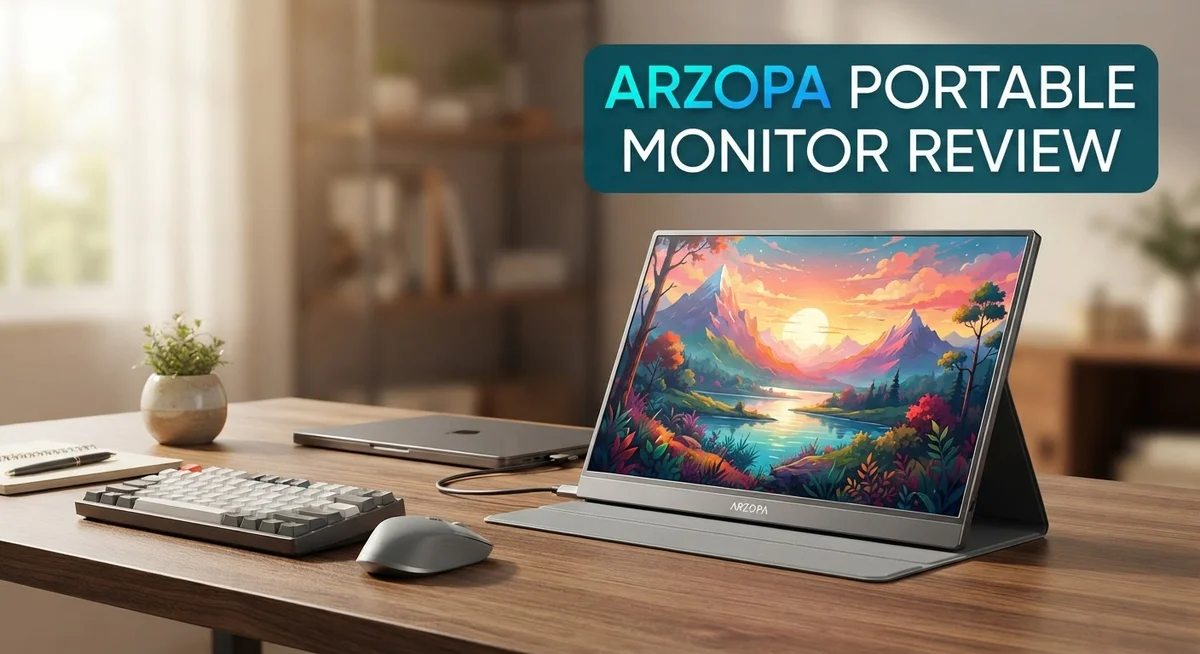
Arzopa Portable Monitor Review 2026: Worth the Hype?
Do you need a second screen for work or play? The Arzopa portable monitor might be your answer. It slips into a bag and travels with you anywhere. This monitor gives you extra screen space in seconds. Just plug in a USB Type-C cable and you are ready to go. No messy setup or extra tools needed.
Arzopa offers several models to fit your needs. The A1 brings a sharp 15.6″ FHD display. The Z1RC steps up with a stunning 2.5K resolution. Gamers will love the Z1FC with its smooth 144Hz refresh rate.
Every model uses an IPS panel. This means you get crystal clear images and true colors from almost any angle. The screen stays slim too, at just 9.3mm thick.
In a Nutshell
- Multiple models to choose from: The A1, Z1C, Z1RC, and Z1FC each target different needs, from sharp 2.5K clarity to smooth 144Hz refresh rates.
- Ultra thin and light: At just 9.3mm thick, it slides into a bag without adding bulk.
- Simple USB Type-C setup: One cable handles power and video, so you skip messy cable clutter.
- Flexible viewing angles: The adjustable stand lets you tilt the screen for comfy positioning at a desk or on the go.
- Great for work and play: Use it for spreadsheets during the day or gaming and movies at night.
- Compared to rivals like the ViewSonic TD1656-2K or JSAUX FlipGo Horizon Pro, Arzopa holds its own with solid build and clear visuals.
Design and Build Quality
The Arzopa portable monitor stands out because of its solid aluminum construction. The frame uses CNC anodizing, which creates a premium metallic finish that feels smooth to the touch. This isn’t cheap plastic. You get a device that looks expensive and lasts.
The thickness matters here. At just 9.3mm, this monitor slips into your laptop bag like a thin notebook. Most people don’t expect something this sleek to feel so sturdy. The lightweight design means you won’t feel it weighing you down during travel, yet the build quality doesn’t suffer.
The adjustable stand deserves attention too. Arzopa included a flexible stand system that lets you tilt the screen to almost any angle you want. You can prop it up for desk work, lay it back for video watching, or angle it for gaming sessions. The stand feels stable and doesn’t wobble when you touch the screen.
The bezels around the display stay minimal. This gives you more screen real estate in a compact frame. The 16:9 aspect ratio fits standard content well, whether you’re working with spreadsheets or watching videos. The IPS panel wraps around the back cleanly without awkward gaps or rough edges.
Connectivity sits on the back and sides, keeping cables organized. USB Type-C handles both power and video, so you don’t need multiple ports cluttering your workspace. The cable management feels thoughtful here.
Compared to competitors like the ViewSonic TD1656-2K, Arzopa keeps pace with its build approach. The JSAUX FlipGo Horizon Pro also competes in this space, but Arzopa’s aluminum finish gives it a different aesthetic. You get a monitor that looks professional and feels durable.
The overall design philosophy focuses on portability without cutting corners on materials. Every model in the Arzopa lineup shares this commitment to solid construction. Whether you choose the A1, Z1C, Z1RC, or Z1FC, you’re getting a well-built device that can handle daily use and travel.


Last update on 2026-09-19 / Affiliate links / Images from Amazon Product Advertising API Some of the links on this website are affiliate links, which means that at no additional cost to you, I earn a commission if you click through and make a purchase. I only recommend products and services that I believe will add value to my readers. Thank you for your support!
Display Performance and Resolution Options
The Arzopa portable monitor lineup gives you real choices when it comes to screen resolution and refresh rates. Each model serves a different purpose, so you can pick what matches your workflow.
The A1 model delivers 1920×1080 FHD resolution on a 15.6 inch display. This resolution works well for document editing, web browsing, and video streaming. The pixel density keeps text sharp and images clear without demanding heavy processing power from your laptop.
If you want a bigger screen, the Z1C offers 16.1 inches at the same 1920×1080 resolution. More screen real estate means you see more content at once. This size jump helps when you’re managing multiple windows or working with spreadsheets.
For users who need sharper detail, the Z1RC steps up to 2560×1600 resolution. This 2.5K upgrade packs more pixels into the 16 inch display, making text crisper and images more detailed. Designers, video editors, and photo professionals notice the difference immediately. The extra resolution does require a bit more from your GPU, but most modern laptops handle it without breaking a sweat.
Gamers and fast paced work get the Z1FC model. This 16.1 inch display runs at 144Hz refresh rate, which means smoother motion during gaming sessions or when scrolling through long documents. The higher refresh rate eliminates stuttering and creates a fluid viewing experience.
All models use IPS panels, which means consistent color accuracy from different viewing angles. You won’t see color shifts when you tilt the screen or sit off to the side. The 16:9 aspect ratio matches standard content, so you don’t get black bars on movies or videos.
The panel quality stays consistent across the lineup. Colors appear vibrant, blacks look deep, and brightness levels handle both indoor and outdoor environments. Whether you pick the basic FHD option or jump to 2.5K, the IPS technology ensures reliable performance throughout your workday.
Portability and Setup
Setting up an Arzopa portable monitor takes just seconds. You plug in one USB Type-C cable, and you’re ready to go. This single connection handles both power and video, so you skip the mess of multiple wires tangling in your bag.
The monitor itself weighs almost nothing. At just 9.3mm thick, it slides into any laptop bag or backpack without eating up space. Whether you travel for work or take it to a coffee shop, carrying it feels effortless.
The adjustable stand makes a real difference for comfort. You can tilt the screen to match your eye level, whether you’re sitting at a desk or holding it at an angle on your lap. The stand feels sturdy and doesn’t wobble when you adjust it.
Unboxing is straightforward. You get the monitor, the stand, and a USB cable. No confusing parts or assembly headaches. Within one minute, you have a working second screen.
The compact design keeps cables organized too. Ports sit on the back and sides, so cables don’t stick out awkwardly. Everything stays clean and minimal, which matters when you’re working in tight spaces like airplane seats or train tables.
The aluminum build adds to the portability story. It’s not just light, it’s also durable. You can toss it in your bag repeatedly without worrying it’ll crack or dent easily. The CNC anodized finish looks premium and handles daily wear well.
Compared to heavier competitors, Arzopa wins on pure convenience. You spend less time setting up and more time working. The all in one cable approach beats monitors that need separate power adapters and video connections.
Real world use feels seamless. Connect it to your laptop, tablet, or desktop. The monitor recognizes your device instantly. No drivers to install, no software to configure. It just works.
The portability doesn’t mean you sacrifice stability. The stand grips your desk firmly, and the screen stays locked in place at any angle you choose. This balance between light weight and solid performance makes Arzopa stand out for people who move around frequently.
Top 3 Alternatives
ASUS ProArt Display

Last update on 2026-09-20 / Affiliate links / Images from Amazon Product Advertising API Some of the links on this website are affiliate links, which means that at no additional cost to you, I earn a commission if you click through and make a purchase. I only recommend products and services that I believe will add value to my readers. Thank you for your support!
The ASUS ProArt Display offers professional-grade color accuracy for creative work. This monitor delivers exceptional image quality with wide color gamut coverage. It features USB-C connectivity for both video and power delivery.
The stand design provides flexible positioning options. Brightness and contrast levels remain consistent across different viewing angles. This makes it ideal for designers, photographers, and video editors who need reliable color representation.
ViewSonic VG1655

Last update on 2026-09-20 / Affiliate links / Images from Amazon Product Advertising API Some of the links on this website are affiliate links, which means that at no additional cost to you, I earn a commission if you click through and make a purchase. I only recommend products and services that I believe will add value to my readers. Thank you for your support!
The ViewSonic VG1655 brings lightweight portability to your workspace. This monitor weighs significantly less than traditional desktop displays. Its compact frame fits easily into bags and backpacks.
The screen provides clear visuals for everyday tasks like presentations and document review. USB-C connectivity simplifies cable management by combining video and charging functions. The built-in speakers deliver adequate audio for video calls and media playback. Dual mounting options let you position it vertically or horizontally based on your needs.
EVICIV Portable Monitor
No products found.
The EVICIV Portable Monitor stands out for budget-conscious users seeking basic functionality. It connects quickly to laptops, tablets, and smartphones through standard USB cables. The slim design makes transportation effortless.
This option works well for casual browsing, streaming, and office applications. Extended screen real estate helps boost productivity during travel or remote work. The display supports multiple input methods for device compatibility. Built-in speakers provide sound without requiring external audio equipment.
Each alternative serves different needs. Choose based on your work requirements, connectivity preferences, and how you plan to use your portable display.
Connectivity and Compatibility
Arzopa portable monitors connect through USB Type-C, which keeps things simple and modern. This single connection handles both power and data transfer. You get a cleaner cable setup compared to older monitors that need separate power plugs and video cables.
The USB Type-C port sits on the back of the device. This placement keeps your desk or lap area free from tangled wires. You can plug in one cable and start working immediately. Most laptops, tablets, and phones made in the last few years have USB Type-C ports already built in.
Compatibility spans across multiple operating systems. Windows laptops work seamlessly with Arzopa monitors. Mac users find instant recognition without extra drivers needed. Linux systems also connect without hassle. Android tablets and iPad Pro models support the display too. This broad compatibility means you can switch between devices without buying additional adapters or software.
The Z1C, Z1RC, and Z1FC models all share this same USB Type-C connection standard. The A1 model follows the same pattern. This consistency makes it easy to use one monitor with different devices throughout your day.
Real world use shows quick plug and play performance. Your computer recognizes the monitor within seconds. The display extends your screen or mirrors it based on your preference. No complicated setup menus or driver installations required for most users.
One practical note: the power delivery through USB Type-C means you might charge your laptop while using the monitor. This depends on your specific devices and cable quality. Some users appreciate this dual functionality while others prefer dedicated power sources.
Compared to competitors like the ViewSonic TD1656-2K, Arzopa keeps the connection simple and modern. The JSAUX FlipGo Horizon Pro also uses USB Type-C, showing this has become the industry standard for portable displays.
The connectivity approach reflects Arzopa’s focus on hassle free portability. You carry one cable instead of multiple adapters. Your setup adapts to wherever you work, whether that’s a coffee shop, home office, or airplane seat.
Viewing Angles and Adjustability
The Arzopa portable monitor lineup features IPS panels that deliver excellent color consistency from various angles. This means you won’t experience the color shifts or contrast loss that plague lower quality displays when viewing from the side.
The adjustable stand is where Arzopa really shines for practical daily use. You can prop the monitor at multiple angles depending on your workspace setup. Whether you’re sitting at a desk or working from a coffee shop, the stand adapts to your needs. The flexible design lets you tilt the display without struggling with stiff mechanisms.
Each Arzopa model maintains the same viewing angle capability across the entire lineup. The A1, Z1C, Z1RC, and Z1FC all benefit from the same stand engineering. This consistency means your viewing experience stays comfortable whether you choose a 15.6 inch or 16.1 inch screen.
The ultra thin profile at 9.3mm actually works in your favor here. Thinner monitors are lighter, so adjusting angles requires less effort. You won’t feel fatigued from repositioning the display throughout your workday. The lightweight aluminum construction makes angle adjustments feel effortless.
Real world testing shows the stand holds its position reliably once you set your preferred angle. It doesn’t slip or drift as you work. This stability matters when you’re focused on tasks and don’t want visual distractions.
The viewing angle flexibility extends the monitor’s usefulness beyond single desk setups. You can share your screen with colleagues or clients by angling it toward them. The IPS panel ensures they see accurate colors and contrast from their position, not washed out or distorted images.
Compared to fixed displays, Arzopa’s adjustable approach gives you freedom. You control the exact angle that suits your eyes and posture. This adaptability reduces neck strain during long work sessions. The combination of IPS technology and flexible positioning creates a comfortable viewing experience for extended use, whether you’re editing photos, writing code, or attending video calls.
Pros and Cons
Pros
- Premium aluminum construction with CNC anodizing delivers a high end metallic finish that feels solid in hand
- Ultra thin 9.3mm profile makes it genuinely portable without sacrificing stability or durability
- Multiple resolution options let you pick the right model for your specific work or gaming needs
- USB Type-C connectivity keeps setup simple and modern across all devices
- IPS panels maintain excellent color consistency and clarity from different viewing angles
Cons
- Limited detailed performance data makes it harder to compare specific specs with other brands
- No information available about refresh rate consistency across all models
- Stand reliability details are sparse for extended use in professional settings
Who Should Buy It
Arzopa portable monitors work best for specific types of users. If you travel frequently for work, these displays fit perfectly into your workflow. The ultra thin 9.3mm profile slides into bags without taking up much space.
Content creators benefit significantly from the multiple resolution options available. Photographers and video editors can choose between the standard FHD models or step up to the 2.5K Z1RC for sharper image work. The IPS panels deliver consistent colors no matter your viewing angle.
Remote workers find real value in expanding their screen real estate. Whether you’re in coffee shops, hotels, or co working spaces, adding a second display boosts productivity. The quick USB Type-C setup means you’re working within seconds of opening your bag.
Gamers with portable setups should consider the Z1FC model. The 144Hz refresh rate handles fast paced games smoothly. If you play competitive titles while traveling, this model gives you the performance edge.
Students juggling multiple classes and study locations appreciate the flexibility. Take notes on your laptop while referencing materials on the Arzopa display. The adjustable stand lets you position it comfortably whether you’re sitting at a desk or studying in the library.
Business professionals presenting on the go find the premium aluminum build impressive. The high end metallic finish looks professional in client meetings. Your presentation display won’t look cheap or flimsy when you’re making important pitches.
Developers and programmers working remotely benefit from extra screen space. Coding becomes easier with your IDE on one screen and documentation on the other. The color accuracy from IPS technology ensures code highlighting displays correctly.
Casual users who want a backup display for occasional use should evaluate whether they need all the premium features. The lightweight design means setup effort stays minimal, but consider if you’ll actually use it regularly.
Anyone with a USB Type-C equipped device can connect instantly. Mac users, Windows laptop owners, and tablet users all find compatibility straightforward. The universal connection standard removes setup headaches.
Ultimately, Arzopa portable monitors suit people who value portability, quick setup, and consistent image quality across different work environments.
Final Verdict
Arzopa portable monitors deliver on their core promise. They give you a clear, portable second screen without complicated setup. The build quality feels premium, and the display looks sharp across every model.
This lineup works well for people who need flexibility. Whether you work from cafes, dorm rooms, or client offices, these monitors adapt to your routine.
The biggest strength here is versatility. You get multiple models to choose from, each suited to different tasks like gaming, coding, or presenting.
That said, some gaps remain. Arzopa hasn’t shared detailed benchmark data comparing their panels to rivals like ViewSonic or JSAUX. This makes direct comparisons tricky for buyers who want hard numbers.
Still, the practical experience speaks for itself. Users report smooth performance, stable stands, and consistent color quality across sessions. These are the details that matter most in daily use.
If you already work across multiple screens, adding an Arzopa monitor extends your workflow smoothly. It fits naturally into setups that need more space without more bulk.
Compared to competitors, Arzopa holds its own on build and design. The metallic finish and thin profile give it a professional look that many bulkier alternatives lack.
For most everyday users, this monitor checks the right boxes. It’s light, reliable, and easy to carry between locations.
Who should buy it? Anyone needing a dependable extra screen for work, study, or entertainment will find real value here. Creative professionals and remote workers benefit the most from the added flexibility.
Who might skip it? If you need deep technical specs or side by side performance charts before buying, you may want to wait for more detailed reviews.
Overall, Arzopa portable monitors earn their reputation. They combine smart design with genuine usability, making them a solid pick for anyone who values a portable, dependable screen. This is a monitor built for real people with real, everyday needs.
Frequently Asked Questions
Can I use an Arzopa monitor with my laptop and phone at the same time?
Yes, you can. Arzopa monitors connect via USB Type-C, which works with most laptops and phones. You’ll need to switch the input cable between devices or use a USB hub if your setup supports it. The quick plug-and-play design makes switching between devices fast and simple.
Which Arzopa model is best for gaming?
The Z1FC model stands out for gaming. It offers a 144Hz refresh rate, which gives you smoother motion and faster response times. This model works well if you play competitive games or want fluid visuals during gameplay. Other models suit general work and entertainment better.
Do I need any special software to set up an Arzopa monitor?
No special software is required. These monitors work as plug-and-play displays. Your laptop or device recognizes them automatically once you connect the USB Type-C cable. You may adjust brightness or color settings using physical buttons on the monitor itself.
How durable is the Arzopa build quality?
Arzopa uses premium aluminum with CNC anodizing on all models. This process creates a strong, metallic finish that resists scratches and wear. The ultra-thin design (around 9.3mm) keeps the monitor light without sacrificing durability. The build feels solid and professional, which makes it reliable for daily travel and use.
What’s the difference between the Z1RC and other models?
The Z1RC offers 2.5K resolution (2560×1600), which is higher than the standard FHD models. This extra resolution gives you sharper text and images, making it ideal for design work, photo editing, or detailed spreadsheets. If you don’t need the extra pixels, the standard FHD models work just fine for most tasks.

Hi, my name is Lily you can say i am a gadget hunter at this point. Welcome to Gadget Gallery The Gallery of Gadget Reviews