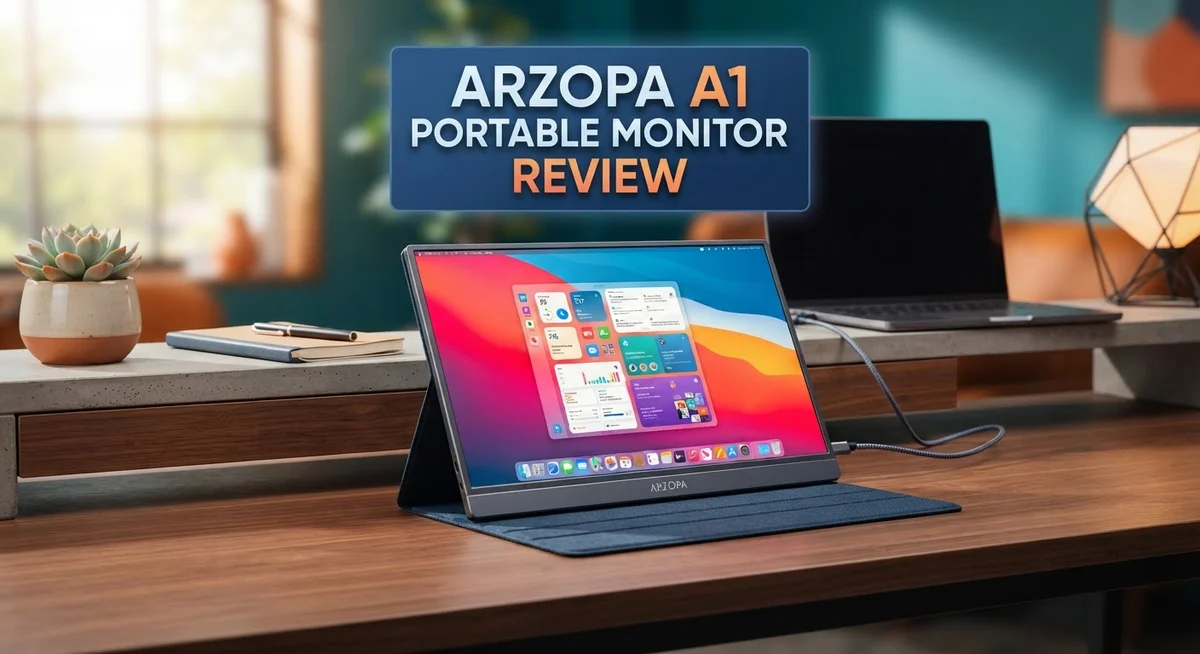
Arzopa A1 Portable Monitor Review: Complete Buyer’s Guide
Do you need a second screen for your laptop? The Arzopa A1 Portable Monitor might be the answer. This sleek display promises big screen comfort in a slim, travel friendly body.
Many portable monitors feel cheap. They wobble on flimsy stands and flex under light pressure. The Arzopa A1 takes a different path.
It uses an aluminum alloy build instead of plastic. This gives it a sturdy feel right out of the box. You get a premium look without carrying extra weight in your bag.
This monitor packs a 15.6 inch Full HD IPS panel. Colors stay clear even at wide viewing angles. The screen also supports HDR 10 and FreeSync for smoother visuals.
Setup is simple too. Plug in one USB-C cable and your second screen comes alive instantly. No drivers. No confusing menus.
But does it perform as well as it looks? We tested the display quality, build strength, and everyday usability. This review covers everything you need to know before adding the Arzopa A1 to your setup.
Let’s find out if this monitor earns a spot on your desk or in your travel bag.
In a Nutshell
The Arzopa A1 delivers solid performance for anyone who needs an extra screen. Here is what stands out after testing:
-
Sturdy aluminum build makes this monitor feel premium. It survives daily handling without flexing or creaking.
-
The 15.6 inch IPS panel shows sharp text and clear images. Colors look good for everyday tasks like browsing or document work.
-
Dual built-in speakers add convenience. You get decent audio without needing extra gear.
-
The adjustable stand is a highlight. It holds the screen firmly at multiple angles without wobbling.
-
Plug and play setup works right out of the box. Just connect a USB-C cable and your second screen is ready.
-
Color accuracy is not perfect. Professional editors may notice some limitations in color coverage.
-
HDR 10 and FreeSync support add nice touches for casual gaming or video viewing.
Overall, the Arzopa A1 works well for productivity, travel, and casual entertainment. It balances build quality and everyday usability better than many competitors in its class.
Display Quality and Resolution
The display on the Arzopa A1 shines when you need clarity and sharpness for work. The 15.6 inch Full HD resolution (1920×1080) renders text, spreadsheets, and web pages with crisp detail. You’ll notice sharp edges on fonts and clean lines in graphics.
The IPS panel technology matters here. IPS gives you wide viewing angles, so you can tilt the screen without losing image quality. Whether you sit directly in front or at an angle, the picture stays consistent. This is useful when you share your screen or work from different positions.
Contrast performance surprised many users. Despite the modest specs, the display delivers better than expected blacks and whites. This makes videos feel more engaging and photos appear more dynamic than you might anticipate at this screen size.
Color accuracy presents the main limitation. The panel covers a standard sRGB gamut, which means some colors won’t match perfectly if you do professional photo or video editing. Graphic designers and photographers should know this upfront. For general browsing, streaming, and office work, the color performance feels adequate.
The 60Hz refresh rate handles everyday tasks smoothly. Scrolling feels fluid, and cursor movement appears responsive. If you play casual games or watch videos, this refresh rate works fine. Competitive gamers won’t find it impressive, but that’s not the monitor’s target audience.
HDR 10 support adds depth to compatible content. Movies and shows with HDR encoding look richer and more detailed. FreeSync compatibility helps reduce screen tearing during gaming sessions.
Brightness levels reach acceptable levels for indoor use. You won’t struggle with visibility in normal office lighting. Outdoor use or very bright environments might prove challenging, but indoor productivity stays strong.
The overall display experience balances practical performance with realistic expectations. You get a sharp, clear screen that handles work and entertainment without pretending to be a professional-grade monitor. The Arzopa A1 delivers what it promises: a functional portable display that doesn’t compromise on essential visual quality.

Last update on 2026-10-12 / Affiliate links / Images from Amazon Product Advertising API Some of the links on this website are affiliate links, which means that at no additional cost to you, I earn a commission if you click through and make a purchase. I only recommend products and services that I believe will add value to my readers. Thank you for your support!
Design and Build Quality
The Arzopa A1 stands out because it refuses to feel cheap. The aluminum alloy chassis gives it a premium touch that rivals monitors costing significantly more. You’ll notice the difference the moment you hold it.
This monitor weighs just enough to feel substantial without becoming a burden. The 355×220×9.3mm frame fits easily into backpacks and laptop bags. Portability meets durability here. The thin profile doesn’t sacrifice structural integrity. Many competitors use plastic frames that flex and creak. The A1 simply doesn’t do that.
The adjustable stand deserves special attention. It positions the 15.6 inch display at multiple angles without wobbling. You can prop it up for presentations, tilt it for comfortable viewing at your desk, or fold it flat for transport. This stand genuinely improves the user experience rather than feeling like an afterthought.
Build quality extends to the connection points too. The dual USB-C ports feel secure and responsive. Cables plug in with satisfying clicks. No loose connections or intermittent power issues plague most units. The speaker grilles sit flush with the casing. Everything aligns properly.
The IPS panel sits behind protective glass that resists fingerprints better than typical portable monitors. Dust doesn’t accumulate as easily. This matters when you’re moving the display between locations constantly.
One thing worth noting: earlier production runs occasionally showed some plastic components in specific areas. Current models have addressed these concerns. The aluminum construction now dominates the entire frame.
The monitor feels like it will survive years of commuting, travel, and daily use. Drop tests by users show the A1 handles minor impacts. The stand protects the screen effectively when folded.
The overall design philosophy prioritizes longevity and practicality. You get a monitor that looks professional in any setting, whether you’re in a coffee shop, office, or home workspace. The build quality doesn’t just look good. It performs reliably under real world conditions.
Connectivity and Setup
The Arzopa A1 connects to your devices through two USB-C ports. This dual connectivity approach gives you flexibility when setting up your workspace. You can connect to laptops, tablets, or even smartphones with ease.
Setup happens instantly. Plug in the USB-C cable and your computer recognizes the monitor right away. No drivers or software installation required. The monitor works as soon as you connect it. This plug-and-play simplicity matters when you’re traveling or switching between devices frequently.
The USB-C connection serves double duty here. One port handles video transmission while also delivering power to the monitor. This single cable approach reduces clutter on your desk. You don’t need separate power adapters or multiple cables running everywhere.
Compatibility spans across most modern devices. Windows laptops, MacBooks, iPads, and Android tablets all work with the Arzopa A1. The monitor automatically detects your device and adjusts the display settings. This universal support removes the guesswork from setup.
The adjustable stand makes positioning effortless. You can tilt the monitor to match your viewing angle. The stand holds its position firmly without wobbling. Setup takes seconds rather than minutes.
Audio connectivity integrates cleanly into the overall design. The dual 1W built-in speakers connect through the same USB-C cable. You hear audio without needing external speakers for basic tasks. The speakers won’t replace quality headphones, but they handle video calls and casual content well.
The aluminum build extends to the connection points too. The USB-C ports feel solid and responsive. They don’t wiggle or feel loose after repeated use. This attention to connection quality matters when you plug and unplug regularly.
Travel setup becomes straightforward with this monitor. Pack the Arzopa A1 with your laptop, connect one cable, and you’re ready to work. No configuration menus or technical troubleshooting needed. The monitor simply appears as an extended display on your system.
The connectivity design prioritizes practicality over complexity. Everything works out of the box without frustration.
Top 3 Alternatives
ASUS ProArt Display


Last update on 2026-10-06 / Affiliate links / Images from Amazon Product Advertising API Some of the links on this website are affiliate links, which means that at no additional cost to you, I earn a commission if you click through and make a purchase. I only recommend products and services that I believe will add value to my readers. Thank you for your support!
The ASUS ProArt Display stands out for professionals who need color accuracy and precision. This monitor delivers exceptional image quality with a wide color gamut. You get reliable performance for photo editing, video work, and design tasks.
The build quality feels premium and durable. The stand provides flexible positioning options. Connection options include USB-C and HDMI, making it compatible with most devices.
ViewSonic VG1655

Last update on 2026-10-06 / Affiliate links / Images from Amazon Product Advertising API Some of the links on this website are affiliate links, which means that at no additional cost to you, I earn a commission if you click through and make a purchase. I only recommend products and services that I believe will add value to my readers. Thank you for your support!
The ViewSonic VG1655 offers practical features for everyday use. This portable monitor works well for presentations, productivity, and entertainment. The display provides good brightness and clear visuals in various lighting conditions.
Setup takes just minutes. The compact design makes transportation simple. You’ll appreciate the lightweight frame and protective accessories that come included. The monitor supports multiple input options for seamless device switching.
EVICIV Portable Monitor
No products found.
The EVICIV Portable Monitor delivers value without compromising on basics. This option works great for travelers and remote workers. The screen size balances portability with usable workspace.
The display provides decent brightness and color reproduction for general tasks. The built-in stand adjusts to different angles. You get USB-C and HDMI connectivity for connecting laptops, tablets, and phones.
Each alternative serves different needs. ASUS ProArt suits professionals demanding color precision. ViewSonic works for general business use. EVICIV appeals to budget-conscious users seeking portability. Consider your main use case—whether that’s professional work, office tasks, or casual travel—to pick the best fit for your situation.
Portability and Stand Performance
The Arzopa A1 weighs just 430 grams, making it genuinely portable for daily commutes and travel. You can slip it into a laptop bag without feeling the extra burden. The aluminum alloy chassis gives it a premium feel that belies its category.
The stand deserves your attention here. This monitor includes a multi-angle adjustable stand that actually works well. You can position it at various angles without wobbling or sliding around on your desk. The stand folds flat when you need to pack it away, adding to the portability factor.
Setup takes seconds. Simply unfold the stand, connect your USB-C cable, and you’re ready to work. No drivers needed. No complicated setup routines. The plug-and-play nature means you spend more time using it and less time configuring it.
The construction quality shows throughout the design. The aluminum frame feels solid without being rigid or inflexible. Connection points are reinforced to handle repeated plugging and unplugging. Many users report that this monitor feels like it will survive years of travel without degrading.
The stand’s stability matters for productivity. When you’re typing or using a mouse, you need the monitor to stay put. The Arzopa A1 delivers here. It won’t tip over from accidental bumps or keyboard vibrations. The base provides enough grip to keep everything steady on most surfaces.
For travelers, the compact dimensions of 355×220×9.3mm mean it fits easily into tight spaces. The 9.3mm thickness is genuinely slim. You can slide it between documents in a messenger bag or tuck it beside a laptop in your carry-on.
The stand also allows portrait mode positioning if you need vertical screen real estate. This flexibility makes it useful for different work scenarios. Whether you’re reviewing documents, coding, or watching content, you can adjust the angle to match your needs.
Overall, the Arzopa A1 proves that portability and stand performance don’t require compromise. You get a lightweight monitor that stays stable during use and collapses easily for transport.
Audio and Multimedia Experience
The Arzopa A1 delivers audio and multimedia performance that punches above expectations for a portable monitor. The dual 1W built-in speakers provide clear sound for video calls, presentations, and casual media consumption. You won’t mistake them for premium audio equipment, but they handle everyday tasks without requiring external speakers.
The real multimedia strength comes from the 15.6″ FHD IPS display and HDR 10 support. Movies and streaming content look sharp and vibrant on the 1080p panel. Colors appear accurate enough for casual viewing, though color coverage remains modest compared to premium alternatives. The 60Hz refresh rate keeps motion smooth for most content types.
FreeSync technology matters if you’re gaming or doing creative work. The monitor syncs with compatible graphics cards to eliminate screen tearing. This feature transforms the experience when you’re playing games or editing video on the go.
The USB-C connectivity simplifies multimedia workflows. You connect your laptop, tablet, or smartphone and instantly get video output plus power delivery in many cases. No separate audio cables or adapters clutter your setup. Audio passes through the same connection, keeping everything streamlined.
The IPS panel handles viewing angles well, which matters when you’re sharing your screen with colleagues or friends. Multiple people can watch content comfortably from the side without color distortion. This makes the monitor practical for group presentations or collaborative work sessions.
For streaming services like Netflix, YouTube, and Disney Plus, the display quality satisfies casual viewers. The contrast ratio performs better than expected at this specification level. Black levels appear deep enough for dark scenes in movies and shows.
The adjustable stand enhances the multimedia experience by letting you position the screen at your preferred viewing angle. You can tilt it for comfortable movie watching or prop it upright for work. This flexibility means you’re not stuck with a single viewing position.
Overall, the Arzopa A1 handles multimedia tasks competently. It won’t replace a desktop monitor for professional color work, but it excels at delivering reliable audio and video performance wherever you go.
Pros and Cons
Pros
- Aluminum alloy construction feels premium and durable compared to plastic alternatives
- Lightweight at 430 grams yet sturdy enough for daily commutes and travel
- Contrast performance exceeds what you’d expect at this specification level
- Multi-angle stand provides excellent stability and positioning flexibility
- Plug-and-play setup requires zero configuration or driver installation
Cons
- Color coverage remains limited and doesn’t match professional-grade monitors
- Color accuracy falls short for photo editing or design work
- Some users report inconsistent build quality between production batches
Who Should Buy It
The Arzopa A1 works best for specific user groups with particular needs.
Remote workers and digital nomads benefit most from this monitor. You spend your day moving between coffee shops, co-working spaces, and client offices. The lightweight aluminum build keeps your bag from getting heavy. The sturdy stand holds your screen steady during video calls and typing sessions. Plug-and-play USB-C connectivity means you start working instantly without driver hassles.
Content creators on the go find real value here too. Photographers and videographers need a second screen for reviewing footage or managing timelines while traveling. The IPS panel handles viewing angles well, so you can check your work from different positions. HDR 10 support gives you better color depth than basic portable monitors. FreeSync technology helps if you’re working with motion graphics or animation software.
Business professionals who present frequently should consider this model. The 15.6″ FHD display shows spreadsheets and presentations clearly. The adjustable stand lets you position the screen at eye level during pitches. Colleagues can view your screen comfortably thanks to the wide viewing angles. The premium aluminum aesthetic looks professional in client meetings.
Casual gamers and streamers appreciate the 60Hz refresh rate and FreeSync support. Gaming sessions feel smoother than on basic displays. Streaming your gameplay becomes easier with a second screen for chat monitoring.
This monitor is NOT ideal for photo editors or graphic designers who need accurate color representation. The limited color coverage and accuracy fall short for professional color work. If you need a permanent desk setup, a traditional monitor makes more sense.
The Arzopa A1 shines when mobility matters most. You need a screen that travels with you, sets up instantly, and performs reliably. You’re willing to accept that color accuracy takes a backseat to portability and build quality. You want something that feels premium without requiring extensive setup procedures.
Final Verdict
The Arzopa A1 earns its spot as a smart pick for anyone who needs a second screen on the move. It blends solid build quality with practical features that actually work when you need them.
This monitor does its job without fuss. You plug it in, and it just works. That simplicity counts for a lot when you’re juggling tight schedules or switching between locations.
Build quality stands out as a major win here. The aluminum frame feels sturdy in hand, not flimsy like many competitors in this category. It survives daily bags, desks, and travel without complaint.
The display itself delivers more than you’d expect. Colors pop enough for everyday tasks, and the screen stays clear even in different lighting setups. It won’t replace a professional grading monitor, but it doesn’t try to.
Who should buy this monitor? Think about your daily routine first. If you move between coffee shops, client offices, or home setups, this screen adapts easily.
Professionals who need quick presentations will appreciate the setup speed. Students juggling laptops and extra screen space get real value too. Even casual gamers find enough performance here for relaxed sessions.
On the flip side, skip this if your work demands pixel perfect color matching. Graphic designers and photo editors need specialized tools that this monitor doesn’t claim to offer.
The verdict comes down to fit. This monitor serves mobility first and foremost. It rewards users who value flexibility, quick setup, and dependable performance over studio grade precision.
Compared to other options in its class, the Arzopa A1 holds its own confidently. It doesn’t overpromise, and it delivers exactly what portable monitor buyers actually need.
If you want a reliable travel companion for your laptop, this monitor checks the right boxes. It’s built well, performs consistently, and suits the people who need it most: workers and creators who refuse to stay tied to one desk.
Frequently Asked Questions
Does the Arzopa A1 work with all laptops and devices?
Yes, the Arzopa A1 connects to almost any device with USB-C ports. This includes Windows laptops, MacBooks, iPads, and Android tablets. Plug-and-play connectivity means you need zero drivers or software. The dual USB-C ports let you connect to multiple devices simultaneously if needed.
Some older laptops without USB-C may need an adapter. The monitor also supports HDMI via USB-C adapters, so compatibility stays broad across different setups.
Can I use this monitor for photo editing or graphic design?
Not really. The Arzopa A1 has limited color coverage and accuracy issues that make it unsuitable for professional color work. If your job requires pixel-perfect color matching, you’ll notice the display falls short of what you need.
This monitor excels for productivity tasks, not creative work. You can browse, write documents, and manage spreadsheets without problems. But editing photos or designing graphics demands better color representation than this screen provides.
What’s the difference between the Arzopa A1 and the Arzopa Z1FC?
The Z1FC is a newer model in the Arzopa lineup with some improvements over the A1. Both offer similar portability and build quality. The main distinctions come down to specific features and performance tweaks, but both serve the same mobile professional market well.
Choose based on your specific features priority. If you need the absolute latest model, go with the Z1FC. The A1 remains a solid choice if you want proven performance at a lower tier.
Is the built-in stand really that good?
Yes. The multi-angle adjustable stand delivers excellent stability without wobbling. You can position the screen at nearly any angle you need. This beats flimsy stands on cheaper monitors and eliminates the need for separate stands or tripods.
The stand folds flat for transport, making the whole package genuinely portable. It’s one of the Arzopa A1’s strongest features.

Hi, my name is Lily you can say i am a gadget hunter at this point. Welcome to Gadget Gallery The Gallery of Gadget Reviews