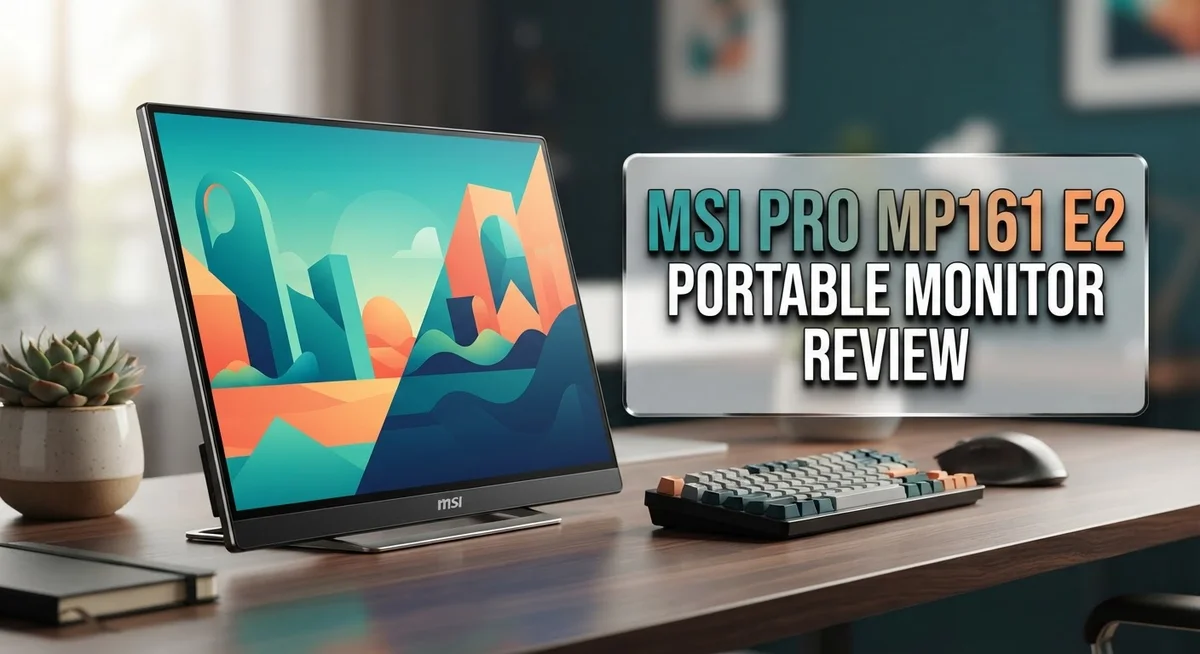
MSI PRO MP161 E2 Portable Monitor Review: Worth the Price Tag?
Do you need a second screen that fits in your bag? The MSI PRO MP161 E2 portable monitor might be your answer. This slim device brings extra screen space to your work and travel life.
This monitor packs a 15.6″ IPS display with full HD resolution. It measures just 0.7 inches thick. At 0.75 kg, you can carry it almost anywhere without strain.
Eye comfort stands out as a key feature here. The anti-glare surface and Eye Care certification help reduce strain during long work sessions. Your eyes will thank you after hours of use.
The built-in kickstand lets you set up your workspace in seconds. No extra stands or tools needed. Just open it and start working.
Business users and remote workers often need more screen space on the go. This monitor aims to solve that problem with its compact and lightweight build.
In this review, we will look at how the MSI PRO MP161 E2 performs in real life. We will cover its display quality, build design, and connectivity options. We will also compare it to other portable monitors on the market today.
Let’s find out if this screen deserves a spot in your tech bag.
In a Nutshell
The MSI PRO MP161 E2 gives you a quick snapshot of what to expect. Here is the summary:
-
Slim and light build: This monitor weighs just 0.75 kg. You can slide it into most bags without feeling extra weight.
-
Clear display quality: The 15.6″ IPS panel shows accurate colors. Viewing angles stay sharp from different positions.
-
Comfort for long sessions: Eye Care certification reduces strain during extended use. The anti-glare surface helps in bright rooms too.
-
Quick setup process: The ergonomic kickstand lets you prop up the screen fast. No extra tools or stands are needed.
-
Some connectivity hiccups: A few users report USB-C issues during setup. This can affect plug and play convenience.
-
Resolution limits: The 1080p display works well for daily tasks. It may fall short for users wanting sharper detail or higher resolution options.
This monitor suits people who need a simple, portable second screen. It handles basic productivity tasks well. Heavy visual work might need a different choice.
Display Quality and Resolution
The 15.6″ IPS display forms the core of what makes this monitor work for mobile professionals. The panel delivers accurate color reproduction across the sRGB spectrum, which matters when you edit photos or handle design work on the move.
Full HD resolution (1920 x 1080 pixels) sits at the standard for portable monitors today. This means text stays crisp, spreadsheets display clearly, and video content looks smooth. You won’t experience pixelation during regular office tasks or web browsing.
The IPS technology ensures consistent viewing angles. Tilt the screen side to side or top to bottom, and colors remain stable. This proves helpful when you share your screen with colleagues or clients during presentations.
The anti-glare surface reduces reflections from overhead lights and windows. This coating matters more than many realize when you work in coffee shops or bright offices. Your eyes experience less fatigue from constant glare battles throughout the day.
Eye Care certification indicates the monitor meets specific standards for blue light reduction and flicker-free operation. Extended work sessions feel less taxing on your vision. The panel avoids harsh brightness spikes that trigger eye strain.
However, some users note that 1080p feels limiting compared to higher resolution alternatives. If you work with detailed graphics, CAD files, or spreadsheets packed with data, you might find yourself zooming in more often. The screen real estate feels tighter than a 1440p or 4K portable option.
The display brightness reaches adequate levels for indoor use. Outdoor visibility drops in direct sunlight, a common limitation across portable monitors in this category. You’ll want to find shade or adjust your viewing angle when working outside.
Color accuracy sits at acceptable levels for business applications. Video editing professionals might prefer a calibrated reference monitor instead. For spreadsheets, documents, and general productivity, the display performs well enough.
The 18.8mm thickness keeps the entire unit slim and packable. This ultra-thin profile means the screen doesn’t add bulk to your laptop bag. The lightweight construction complements the display quality without forcing compromises on portability.

Last update on 2026-10-12 / Affiliate links / Images from Amazon Product Advertising API Some of the links on this website are affiliate links, which means that at no additional cost to you, I earn a commission if you click through and make a purchase. I only recommend products and services that I believe will add value to my readers. Thank you for your support!
Design and Portability
The MSI PRO MP161 E2 stands out for its ultra-slim profile. At just 18.8mm thick, this monitor slips into backpacks and laptop bags without taking up much space. You can carry it alongside your work gear without feeling the extra weight.
Weighing only 0.75 kg, the monitor feels light in your hands. This makes it practical for people who move between offices, coffee shops, or client sites. You won’t experience arm fatigue when carrying it from place to place.
The 15.6″ screen size hits a sweet spot for portability. It’s large enough to boost your productivity, yet small enough to remain genuinely mobile. The dimensions measure 362.26 x 233.84mm, making it comparable to a standard laptop screen in width and depth.
Build quality matters for portable gear, and this monitor delivers. The anti-glare surface protects your eyes during long work sessions. The ergonomic kickstand lets you position the screen at comfortable angles without fumbling with adjustments.
The kickstand design works on most flat surfaces. You can prop up the monitor on desks, airplane trays, or hotel tables. This flexibility means you set up your workspace anywhere within seconds, not minutes.
The device feels sturdy despite its lightweight construction. The materials resist flexing, which gives you confidence when packing it away. Business professionals appreciate this durability when traveling frequently.
Connectivity considerations do arise for some users. USB-C serves as the primary connection method, which simplifies cable management since most modern laptops use the same port. However, a small number of users report occasional connection drops, so you may want to test compatibility with your specific devices before relying on it for critical work.
The overall design philosophy centers on simplicity and function. MSI didn’t add unnecessary features that would increase bulk or weight. Instead, they focused on creating a monitor that travels well and performs reliably in various environments.
For remote workers and business travelers, this portable monitor transforms how you work outside the office.
Connectivity and Compatibility
The MSI PRO MP161 E2 connects to your devices through USB-C, which serves as both the power input and data connection. This single cable approach simplifies your setup. You plug it in and the monitor powers on while also receiving video signals from your laptop or tablet.
The USB-C port supports various modern devices. Laptops with USB-C outputs work seamlessly with this monitor. Tablets and phones that have USB-C can also connect, though you may need an adapter for some older models. This flexibility makes the monitor useful across different gadgets in your tech collection.
Some users report occasional connectivity hiccups when first setting up the device. The USB-C connection sometimes requires driver installation on Windows machines. Mac users typically experience smoother plug-and-play functionality. These initial setup challenges usually resolve quickly with a simple restart or driver update.
The monitor works well with business laptops from major manufacturers. Dell, HP, Lenovo, and ASUS devices connect without major issues. The 1080p resolution matches what most work applications display optimally. Your email, spreadsheets, and web browsers all run smoothly on this screen.
Compatibility extends to creative professionals too. The IPS panel and accurate color reproduction make it suitable for photo editing and basic design work. Video editors appreciate the extra screen real estate for timeline viewing. Content creators benefit from having a second display for reference materials.
The ultra-slim design means you can pack this monitor into your laptop bag alongside your computer. The compact form factor doesn’t sacrifice connectivity options. You get reliable connections without bulky ports sticking out from the device edges.
One limitation to note: the monitor requires a USB-C power source. Standard USB-A ports won’t work directly. You’ll need either a USB-C port on your device or a USB-C power adapter. Most modern laptops include USB-C, so this rarely becomes a real problem.
The straightforward connectivity makes this monitor practical for mobile professionals. Setup takes minutes rather than hours. Your workflow stays uninterrupted when you need a second screen on the go.
Top 3 Alternatives
ASUS ProArt Display PA148CTC

Last update on 2026-10-06 / Affiliate links / Images from Amazon Product Advertising API Some of the links on this website are affiliate links, which means that at no additional cost to you, I earn a commission if you click through and make a purchase. I only recommend products and services that I believe will add value to my readers. Thank you for your support!
This monitor works well for professionals who need accurate color reproduction. The display uses IPS technology, which gives you consistent colors from different viewing angles. You get a 14-inch screen that fits easily into your bag or backpack.
The touchscreen feature makes it simple to interact with your content directly. You can rotate the display between portrait and landscape modes based on your work. The built-in speakers provide basic audio without needing external equipment.
Connection options include USB-C, HDMI, and DisplayPort. This gives you flexibility when working with different devices. The stand adjusts to multiple angles, so you can find your perfect viewing position.
ViewSonic VG1655 Portable Monitor


Last update on 2026-10-06 / Affiliate links / Images from Amazon Product Advertising API Some of the links on this website are affiliate links, which means that at no additional cost to you, I earn a commission if you click through and make a purchase. I only recommend products and services that I believe will add value to my readers. Thank you for your support!
ViewSonic focuses on productivity and comfort with this 15.6-inch option. The monitor delivers sharp visuals with its full HD resolution. You’ll appreciate the lightweight design that makes travel simple.
The USB-C connection powers your device while transferring data simultaneously. This single cable setup reduces clutter and simplifies your workspace. The monitor includes a built-in kickstand that holds steady during use.
Color accuracy meets professional standards, making it suitable for content creators. The anti-glare coating reduces eye strain during extended work sessions. Response time performance suits both office tasks and light gaming.
EVICIV Portable Monitor 15.6
No products found.
EVICIV delivers affordability without sacrificing quality. The 15.6-inch display provides ample screen space for most tasks. You get full HD resolution that keeps images and text sharp.
Multiple connection ports give you options when linking to your devices. The lightweight frame makes this monitor perfect for frequent travelers. The adjustable stand lets you customize your viewing angle easily.
This monitor works with laptops, tablets, and smartphones through various cables. The battery-free design means you only power what you actually use. Built-in speakers handle basic audio needs for video calls and media playback.
Eye Care and Comfort Features
Your eyes spend hours staring at screens every day. The MSI PRO MP161 E2 understands this reality and puts eye comfort front and center. Eye Care certification proves the monitor meets strict standards for protecting your vision during extended work sessions.
The display uses flicker-free technology to eliminate the invisible flickering that causes eye strain. Your eyes won’t feel as tired after a full day of video calls, spreadsheets, or document editing. Blue light reduction works alongside this feature to minimize sleep disruption if you work late into the evening.
The 15.6″ IPS panel delivers consistent colors from different viewing angles. You won’t need to sit directly in front of the monitor to see clear images. This flexibility matters when you work in coffee shops, airports, or shared office spaces where your seating position changes throughout the day.
The anti-glare surface stops light reflections from overhead fixtures and windows. Glossy screens bounce light directly into your eyes, creating glare that forces you to adjust your position constantly. This matte finish keeps reflections minimal without sacrificing image clarity.
Brightness levels stay adequate for indoor environments. You can work comfortably in standard office lighting without straining to see your content. The display doesn’t wash out or appear dim during typical daytime indoor use.
The ergonomic kickstand supports the monitor at a comfortable viewing angle. Proper screen positioning reduces neck and shoulder tension during long work sessions. When the monitor sits at the right height and angle, your eyes focus more naturally without excessive strain.
Comfort during extended use separates good portable monitors from great ones. This MSI model prioritizes your visual health through multiple features working together. The combination of flicker-free technology, blue light reduction, anti-glare coating, and proper brightness creates an environment where your eyes feel less fatigued.
For professionals who spend eight or more hours daily on screens, these eye care features make a real difference. Your vision matters more than convenience, and this portable monitor recognizes that priority.
Real-World Performance for Business Use
When you’re managing back-to-back meetings across different locations, this monitor adapts to your workflow. The 15.6″ display provides enough screen real estate for spreadsheets, email clients, and video calls without consuming precious desk space. Your productivity gains momentum when you have a second screen, and the MSI PRO MP161 E2 delivers exactly that.
Real-world scenarios show where this monitor excels. You’re working at an airport lounge and need to compare two documents side by side. You pull up your laptop, connect the monitor via USB-C, and suddenly you have a dual-screen setup. The process takes under a minute. No drivers to install. No complicated setup procedures.
The 1080p resolution handles business applications smoothly. Spreadsheets display clearly. Text remains sharp for reading long emails and reports. Video conferencing works without pixelation issues. For office tasks, the resolution meets professional standards without compromise.
Battery life matters for mobile workers. The monitor draws power from your laptop’s USB-C port, which means it doesn’t require a separate power brick. Your laptop battery drains slightly faster, but you gain the freedom of a completely wireless setup. Some professionals keep a portable power bank nearby to extend their work sessions beyond the office.
The anti-glare surface becomes valuable in real business environments. You’re presenting to clients in a brightly lit conference room. The screen remains visible without annoying reflections. Your audience sees your content clearly while you maintain comfortable viewing angles.
Switching between tasks feels natural with this monitor. You’re drafting a proposal on your laptop screen while monitoring email on the secondary display. Multitasking becomes less stressful when information sits in separate visual spaces. Your brain processes information faster when you’re not constantly minimizing and maximizing windows.
The lightweight construction means you actually carry this monitor daily. Some portable monitors end up sitting at home because they’re cumbersome. The MSI PRO MP161 E2 fits easily into your bag, so it travels with you. Business professionals report using it consistently because the friction to bring it along is minimal.
Pros and Cons
Pros
- Ultra slim 0.7″ design fits easily into laptop bags and travel cases
- Eye Care certified with flicker free technology reduces strain during long work sessions
- Lightweight at 0.75 kg means you actually want to carry it daily
- IPS panel shows consistent colors from any viewing angle for team presentations
- Anti glare surface eliminates reflections in bright office spaces and outdoor settings
Cons
- 1080p resolution feels basic compared to higher resolution portable monitors on the market
- USB C connectivity sometimes experiences hiccups during initial device setup
- Requires a USB C power source, limiting compatibility with older devices and chargers
Who Should Buy It
This monitor works best for professionals who move between offices, coffee shops, and client sites. If you spend your day in meetings across different locations, the 0.75 kg weight and 0.7″ slim design mean you’ll actually carry it without complaint.
Business users benefit most from this screen. Your workflow involves spreadsheets, email, presentations, and video calls. The 1080p resolution handles these tasks smoothly without lag or quality issues. The IPS panel ensures your team sees the same colors during presentations, whether they sit directly in front or to the side.
Remote workers find real value here. You need a second screen to boost productivity, but your home office setup changes weekly. This monitor adapts to any workspace. The ergonomic kickstand positions itself at comfortable angles for your desk, kitchen table, or airplane tray.
The eye care features matter if you work eight or more hours daily on screens. Flicker free technology stops invisible flickering that builds strain throughout your day. The anti glare surface eliminates reflections from overhead lights and windows. These features add up during long work sessions.
Content creators with modest needs work well with this monitor. Designers reviewing layouts, video editors checking cuts, and photographers culling images all benefit from the consistent IPS colors. However, if you need precise color grading or detailed photo editing, look elsewhere.
Students who study from different locations find this useful. Your textbooks, notes, and research materials spread across a larger screen than your laptop offers. The lightweight design means moving between library, dorm, and home requires minimal effort.
Skip this monitor if you need high resolution work. Video production professionals, graphic designers working on detailed projects, and gamers seeking sharp visuals should explore other options. The 1080p display feels basic for these uses.
Travelers and digital nomads appreciate the portability. Your laptop becomes a full workstation with this second screen. Setup takes seconds. Packing takes even less time. The USB C connectivity integrates with modern laptops, though some users report occasional connection hiccups during initial setup.
Final Verdict
The MSI PRO MP161 E2 earns its place as a solid companion for people who need a second screen on the go. It brings together a slim body, clear display, and comfortable viewing experience.
This monitor shines brightest for professionals who juggle tasks across different locations. It also works well for anyone who wants a simple, no fuss extra display without extra bulk.
Build quality feels sturdy despite the light frame. The kickstand holds steady during typical desk use, and the overall design feels thought out for daily grab and go use.
That said, this monitor has limits. Creative professionals who need precise color grading or sharper detail should look elsewhere. The resolution ceiling here caps how far this screen can stretch for specialized tasks.
Who should buy this monitor?
Buy it if you want a dependable extra screen for emails, documents, and video calls. Buy it if portability matters more than top tier specs.
Who should skip it?
Skip it if your work depends on fine visual detail or you often edit photos and videos professionally. Skip it if you already own a higher resolution portable screen that meets your needs.
Compared to alternatives like the FICIHP Triple Portable Monitor or the AOC Q24P2Q, the MSI MP161 E2 stands out for its simplicity. It does not try to be everything. It focuses on comfort, portability, and ease of use.
For most everyday users, this focus works in its favor. It avoids unnecessary complexity and delivers what it promises.
In short, the MSI PRO MP161 E2 makes sense for people who value a light, comfortable second screen. It fits neatly into a mobile lifestyle without demanding much setup or thought.
If your daily tasks stay within normal business use, this monitor earns a confident recommendation. For specialized creative work, consider other options with higher resolution support.
Frequently Asked Questions
Does the MSI PRO MP161 E2 work with my laptop?
Yes, it works with most modern laptops. You need a device with USB-C output. The monitor connects via USB-C for both video and power. Older laptops without USB-C ports won’t be compatible. Check your device specs before buying.
What’s the display quality like for everyday work?
The 15.6″ IPS panel delivers solid colors from any angle. You get 1080p resolution, which works fine for emails, documents, and video calls. The anti-glare surface cuts down reflections in bright spaces. If you do photo editing or detailed design work, you’ll notice the resolution feels basic. For spreadsheets and presentations, it performs well.
Is this monitor good for long work sessions?
The screen has eye care certification. It reduces strain during extended use. If you work eight or more hours daily on screens, this feature matters. The anti-glare coating also helps reduce fatigue. Most users report comfortable viewing for typical workdays.
Can I use this monitor while traveling?
Absolutely. At 0.75 kg and just 0.7″ thick, it slips into most bags easily. The ergonomic kickstand holds it steady on any desk. Digital nomads and frequent travelers appreciate the compact size. You’ll need to carry a USB-C power source, though. Older chargers won’t work.
Should I buy this or look at other portable monitors?
Choose the MSI MP161 E2 if you need a dependable second screen for productivity tasks. Skip it if your work requires high resolution or detailed visual work. Compared to alternatives, it stands out for portability and eye comfort. Business users and remote workers find real value here.

Hi, my name is Lily you can say i am a gadget hunter at this point. Welcome to Gadget Gallery The Gallery of Gadget Reviews