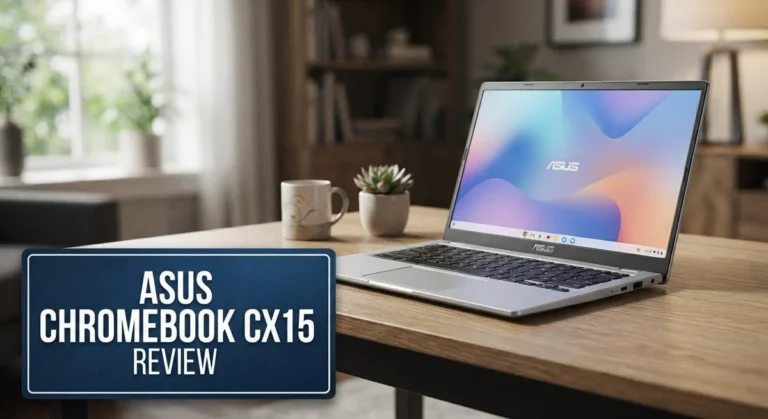
ASUS CX34 Chromebook Plus Review: Performance, Design, and Value
Looking for a Chromebook that does not feel like a cheap laptop? The ASUS CX34 Chromebook Plus might be your answer. This machine packs a punch with its Intel Core i3-1215U processor and solid performance for daily tasks.
Chromebooks often struggle with storage. This one does not. It comes with a massive 512GB of space. You can finally stop deleting files to make room for new ones.
The 14 inch FHD display offers clear visuals for work or play. A quality keyboard makes typing feel smooth and responsive. The 180 degree lay flat hinge adds flexibility you did not know you needed.
In a Nutshell
- Powerful chip options: You get an Intel Core i3 as standard. Upgrade paths reach all the way to an i7 for heavier tasks.
- Ample memory: Base models start at 8GB RAM. You can boost this to 16GB if you run many tabs or apps at once.
- Smart camera setup: The 1080p FHD camera includes a privacy shutter. This gives you peace of mind during video calls.
- Flexible hinge design: A 180 degree lay flat hinge lets you share your screen easily. It also makes the laptop more versatile for different setups.
- Comfortable typing experience: The keyboard feels solid and responsive. Typing long documents feels natural, not cramped.
- Some rough edges remain: The trackpad feels stiff compared to rivals. Battery life also falls short against some competitors in this category.
Key Features and Specifications
The ASUS CX34 Chromebook Plus packs several standout features that set it apart from typical Chromebook offerings. Let’s explore what makes this device worth your attention.
Processing power comes as your first advantage. You can choose between an Intel Core i3 or upgrade to an i7 processor. This gives you flexibility depending on your workload. Whether you handle basic browsing or run multiple apps at once, you’ll find the performance smooth and responsive.
Storage capacity deserves special mention. Most Chromebooks ship with 64GB or 128GB of storage. The CX34 jumps to 512GB standard, which eliminates the typical storage anxiety that plagues Chromebook users. You get room for offline files, downloads, and media without constantly managing space.
Display quality keeps things crisp. The 14 inch 1080p FHD screen delivers clear visuals for work documents, videos, and web browsing. Colors appear vibrant and text remains sharp at normal viewing distances.
Camera functionality includes a thoughtful privacy feature. The 1080p FHD camera comes with a physical privacy shutter. This means you control when the camera can see you. For video calls and online meetings, the image quality performs well.
Design flexibility shines through the 180 degree lay flat hinge. You can flip the screen all the way back and share your display with someone sitting across from you. This works great for presentations or collaborative work.
Keyboard and input feel solid overall. The keys provide good travel and feedback for extended typing sessions. However, the trackpad feels noticeably stiff compared to competing models. It still functions properly, but it requires more deliberate clicks and gestures.
Connectivity options cover your bases. You get Wi-Fi support and Bluetooth 5.4 for wireless peripherals. Multiple USB ports and other connection types round out the package.
Battery performance reaches approximately 10 hours of usage time. This covers a full workday but falls short of some rival Chromebooks that stretch toward 12 to 15 hours.
The CX34 combines practical features with everyday usability. You get a processor that handles real work, storage that doesn’t run out, and a design built for flexibility.

Last update on 2026-10-07 / Affiliate links / Images from Amazon Product Advertising API Some of the links on this website are affiliate links, which means that at no additional cost to you, I earn a commission if you click through and make a purchase. I only recommend products and services that I believe will add value to my readers. Thank you for your support!
Design and Build Quality
The ASUS CX34 Chromebook Plus shows real attention to detail when you hold it. The chassis feels solid, not flimsy like some budget Chromebooks you’ll find in stores.
The build uses quality materials throughout. The lid and base don’t flex or creak when you grip them. The overall construction feels premium without being flashy or over the top. This laptop won’t embarrass you in a coffee shop or classroom.
The 180 degree lay flat hinge deserves special praise here. It opens completely flat, which means you can flip it back for presentations or sharing your screen with someone sitting across from you. The hinge mechanism moves smoothly and holds its position well. You won’t feel like it’s going to snap or collapse on you.
The keyboard delivers a satisfying typing experience. Keys have decent travel and feedback. Your fingers land where you expect them to land. Long typing sessions feel comfortable, which matters if you use this for work or school projects.
One area that falls short is the trackpad. It feels stiff and less responsive than similar Chromebooks in this category. Clicking and dragging require more pressure than ideal. Scrolling doesn’t feel as smooth as competitors offer. If you spend lots of time using the trackpad, this could frustrate you. A mouse solves this issue quickly.
The overall dimensions keep things portable. The 14 inch screen doesn’t make the laptop feel bulky. You can toss it in a backpack without strain. The weight sits in a comfortable middle ground. It’s not the lightest option out there, but it won’t weigh you down.
The design language looks modern and clean. No unnecessary angles or aggressive styling here. The sleek appearance fits school, work, or casual use settings. The finish resists fingerprints reasonably well, though dust does show up occasionally.
Build quality sits above what you’d expect from a typical Chromebook. The lay flat hinge and solid keyboard shine. The stiff trackpad represents the main weakness in the physical design.
Performance and Processing Power
The ASUS CX34 Chromebook Plus delivers impressive processing power that handles everyday tasks without breaking a sweat. The Intel Core i3 1215U processor moves through web browsing, document editing, and video calls with ease. If you need extra performance, the i7 option pushes things even further for demanding applications.
Multitasking feels smooth thanks to the 8GB base RAM configuration. You can keep multiple browser tabs open, stream content, and run productivity apps simultaneously without slowdowns. The 16GB upgrade option gives you even more headroom if you work with heavier workloads or prefer maximum breathing room for your workflow.
The 512GB storage capacity sets this Chromebook apart from competitors. Most Chromebooks force you to rely heavily on cloud storage, but this model eliminates that anxiety. You get genuine local storage for files, downloads, and offline access to your content.
Real world performance shines when you’re working across different tasks. Document editing stays responsive. Video playback remains smooth. Web applications load quickly. The combination of processor, RAM, and storage creates a system that feels snappy and capable rather than sluggish or limited.
One thing to note: battery life doesn’t quite match the processing power. The 10 hour rating is decent, but some competitors in this category stretch further on a single charge. You’ll want to plan accordingly if you’re away from power outlets for extended periods.
The processor handles Chrome OS efficiently. The operating system runs lean and fast on this hardware. You won’t experience the lag or stuttering that sometimes appears on underpowered Chromebooks. Apps launch quickly. Switching between windows feels instant. Gaming and media streaming work without hiccups.
Overall, the performance and processing capabilities of the CX34 make it a solid choice for users who want a Chromebook that keeps up with their pace. The hardware works together well to create a responsive, capable machine that handles real work and entertainment without compromise.
Top 3 Alternatives
Lenovo IdeaPad Flex

Last update on 2026-10-12 / Affiliate links / Images from Amazon Product Advertising API Some of the links on this website are affiliate links, which means that at no additional cost to you, I earn a commission if you click through and make a purchase. I only recommend products and services that I believe will add value to my readers. Thank you for your support!
The Lenovo IdeaPad Flex offers impressive flexibility for students and professionals alike. This laptop features a convertible design that lets you switch between laptop and tent modes. You get a bright display that makes work easier on your eyes.
The keyboard feels responsive and comfortable during long typing sessions. Battery life keeps up with your daily tasks without constant charging. The build quality feels solid, and the device remains lightweight for carrying between classes or meetings.
HP Pavilion x360

Last update on 2026-10-06 / Affiliate links / Images from Amazon Product Advertising API Some of the links on this website are affiliate links, which means that at no additional cost to you, I earn a commission if you click through and make a purchase. I only recommend products and services that I believe will add value to my readers. Thank you for your support!
The HP Pavilion x360 delivers strong performance with its rotating hinge design. You can fold the screen back completely for tablet-like use. The touchscreen responds quickly to your fingers and stylus input.
This model runs smoothly for everyday computing needs. The speakers produce clear audio for videos and calls. The trackpad gives you precise control without frustration. Cooling stays effective even during moderate workloads.
Dell Inspiron 14

Last update on 2026-10-06 / Affiliate links / Images from Amazon Product Advertising API Some of the links on this website are affiliate links, which means that at no additional cost to you, I earn a commission if you click through and make a purchase. I only recommend products and services that I believe will add value to my readers. Thank you for your support!
The Dell Inspiron 14 provides reliable everyday computing in a straightforward package. This traditional laptop design focuses on practicality and durability. The display offers good color accuracy for content creation work.
The keyboard layout feels natural and reduces typing fatigue. Storage capacity handles your files and applications without issues. The processor handles multitasking smoothly throughout your workday. Connectivity options include modern ports for your peripherals and external drives.
Each option brings different strengths to the table. The Lenovo emphasizes flexibility with its convertible form. The HP combines touchscreen capability with rotation functionality. The Dell keeps things simple with classic laptop performance. Your choice depends on whether you want conversion features or straightforward reliability.
Display, Camera, and Connectivity
The ASUS CX34 Chromebook Plus delivers a 14 inch 1080p FHD display that keeps everything sharp and clear. Text reads crisp during long work sessions, and videos play with good color accuracy. The screen brightness handles indoor and outdoor use well, so you won’t struggle with glare in most situations.
The 1080p FHD camera comes with a privacy shutter you can slide closed. This gives you peace of mind during video calls or when the laptop sits idle. The camera quality itself captures decent video for Zoom meetings and Google Meet sessions. The shutter is a smart touch that many competitors skip entirely.
Connectivity options on the CX34 are extensive. You get Wi-Fi for fast internet speeds and Bluetooth 5.4 for wireless peripherals. The 180 degree lay flat hinge means you can position the screen however you need. This flexibility works great for presentations, collaborative work, or just finding the perfect viewing angle.
One thing to note is that the display does have some limitations compared to higher end models. The resolution stays at 1080p, so if you need ultra sharp visuals for photo editing or detailed design work, you might want something different. The brightness is solid but not exceptional in very bright environments.
The camera performs well for everyday communication. It won’t replace a dedicated webcam for professional streaming, but it handles standard video calls without issues. The privacy shutter sets it apart from many Chromebooks in this category.
The connectivity suite covers all your basics. Wi-Fi 6 support means fast downloads and smooth streaming. Bluetooth 5.4 keeps your wireless accessories responsive. The lay flat hinge adds practical value by letting you use the laptop in multiple positions.
Overall, the display and camera combo serves everyday users well. The connectivity options ensure you stay connected without hassle. The privacy shutter shows ASUS thought about user concerns. These features work together to make the CX34 a solid choice for work, school, or general browsing.
Battery Life and Portability
The ASUS CX34 Chromebook Plus delivers a 10-hour battery runtime that handles a full workday of typical use. This means you can work through meetings, browse the web, and handle documents without constantly hunting for a power outlet.
The battery performance does show one limitation worth noting. Compared to some competitors in the Chromebook Plus category, the CX34 falls slightly short on endurance. If you’re comparing it directly to other premium Chromebooks, you might find alternatives that stretch closer to 12 hours. Real-world usage varies based on screen brightness and what apps you’re running, so your actual battery life may differ.
The portability factor works in the CX34’s favor. The 14-inch display keeps the overall footprint manageable, and the device won’t weigh you down during daily commutes or coffee shop work sessions. You get a screen size that feels comfortable for productivity without the bulk of larger laptops.
The 180-degree lay-flat hinge adds practical value here. You can position the screen at almost any angle, which means better viewing options when you’re working in different environments. This flexibility beats traditional fixed hinges when you need to adjust for lighting or share your screen with someone nearby.
The sleek design language makes the CX34 feel like a device you won’t mind carrying everywhere. It looks professional enough for client meetings while remaining approachable for casual settings. The modern, clean aesthetic doesn’t scream “budget device,” which matters when you’re presenting yourself professionally.
For frequent travelers, the combination of reasonable battery life and compact proportions makes sense. You’ll need to plan one recharge during longer travel days, but that’s realistic for most users. The device charges quickly enough that a brief stop can give you several more hours of usage.
Bottom line: the CX34 balances portability with decent battery performance for everyday professionals and students. It won’t set records for endurance, but the 10-hour runtime covers most standard workdays without stress.
Pros and Cons
Pros
- Intel Core i3 processor (with i7 option) handles multitasking smoothly without lag
- 512GB storage eliminates the typical Chromebook storage worry that plagues most models
- Quality keyboard makes typing comfortable for long work sessions
- 1080p FHD camera with privacy shutter works well for video calls and online meetings
- 180-degree lay-flat hinge and sleek design feel premium compared to budget Chromebooks
Cons
- Battery life falls short of what competitors offer in this category
- Trackpad feels stiff and doesn’t match the quality of the keyboard
- 1080p FHD display has limitations when compared to higher-end models
Who Should Buy It
The ASUS CX34 Chromebook Plus works best for professionals and students who need a reliable everyday machine. If you spend most of your day in Google Workspace, Gmail, or web apps, this Chromebook handles everything smoothly without slowdowns.
Content creators will appreciate the 512GB storage. Most Chromebooks force you to rely on cloud storage constantly. This model lets you keep files local and work offline without stress. Video editors and designers using web tools benefit from the processor power too.
Teachers and educators fit the profile well. The 1080p FHD camera with privacy shutter makes video conferencing comfortable. The quality keyboard means you can grade assignments and create lesson plans without hand fatigue. The lay-flat hinge opens new possibilities for classroom presentations.
Remote workers should consider this device. The 10-hour battery covers a full workday if you’re moving between meeting rooms or working from cafes. The display stays clear throughout the day, and the sleek design looks professional in any setting.
Students juggling multiple classes will like the balance here. The Intel processor handles switching between tabs and apps without lag. You can have research tabs open, a document in progress, and a video call running simultaneously.
Travelers and commuters find value in the compact form factor. The 180-degree hinge lets you prop the screen up on train tables or airplane trays. The portability doesn’t sacrifice build quality or feel cheap.
This Chromebook is not ideal for gamers or power users needing specialized software. If you rely on desktop applications like Adobe Creative Suite or complex coding environments, you need a Windows or Mac machine instead.
Budget-conscious buyers should note that other options exist. Compare features against the Lenovo IdeaPad Flex 5i Chromebook Plus and HP Chromebook Plus 14 to see what matters most to your workflow.
Bottom line: buy the CX34 if you live in the web browser, need solid everyday performance, and want a Chromebook that doesn’t feel like a compromise.
Final Verdict
The ASUS CX34 Chromebook Plus stands out as a solid choice for anyone who lives in a browser tab. It blends speed, storage, and comfort into one neat package.
This laptop shines brightest for people who need a dependable machine for work, school, or creative projects. The combination of a fast processor and generous storage makes daily tasks feel smooth.
ChromeOS users will appreciate how well this device fits into Google’s ecosystem. Syncing files, apps, and settings across devices feels effortless here.
The build quality gives this Chromebook a longer shelf life than many rivals. You get a machine that feels sturdy, not flimsy, even after months of regular use.
Software updates on ChromeOS tend to arrive smoothly and often. This means the CX34 should stay relevant and secure for years after you bring it home.
That said, this device has clear limits. Gamers and creative professionals who need heavy software like Adobe Premiere or Photoshop should look elsewhere.
Anyone who streams video constantly or runs demanding apps all day might notice the battery dip faster than expected. Keep that in mind before making a final call.
If a stiff trackpad bothers you during long sessions, test one in person first. Some users adapt quickly, but others might find it distracting over time.
Compared to competitors in this class, the CX34 holds its own on performance and storage. It doesn’t lead every category, but it rarely falls behind either.
The real question comes down to how you plan to use it. Light browsing, writing, video calls, and cloud based work all suit this Chromebook well.
Bottom line: the ASUS CX34 Chromebook Plus earns a recommendation for everyday users who want reliability without fuss. It handles common tasks with ease and feels built to last.
Buyers chasing peak battery life or buttery smooth trackpads might want to compare other models first. For everyone else, this Chromebook delivers where it matters most.
Frequently Asked Questions
Does the ASUS CX34 Chromebook Plus work for video editing and content creation?
Yes, it can handle basic video editing tasks. The 512GB storage gives you plenty of room for project files and media libraries. The Intel processor runs Chrome-based editing apps smoothly. However, heavy rendering or 4K work may slow things down. Content creators who stick to web-based tools will feel right at home here.
How long does the battery actually last during a full workday?
The official rating is 10 hours, but real-world use typically shows 6 to 8 hours depending on screen brightness and app usage. This falls short of what you get from competing Chromebook models. If you’re away from a charger all day, you may need to top up during lunch or carry a power bank.
Can I use Microsoft Office on this Chromebook?
Yes. You can access Microsoft Office through the web version or download the Chrome apps. Google Docs, Sheets, and Slides are also built into ChromeOS and work offline. Most office tasks run without any issues on this device. If you need desktop versions of Office, you’ll need a different machine.
Is the trackpad really that stiff?
Many users report the trackpad feels tight and requires more pressure than expected. It doesn’t match the quality of the keyboard. If you do a lot of clicking and scrolling, consider pairing this Chromebook with an external mouse for comfort during long sessions.
Who should skip this model?
Gamers and power users needing specialized software won’t find what they need here. Anyone who streams video constantly or runs demanding applications all day may notice battery drain faster than expected. If you work mostly offline or need Windows software, look elsewhere.

Hi, my name is Lily you can say i am a gadget hunter at this point. Welcome to Gadget Gallery The Gallery of Gadget Reviews