HP Chromebook 11a Review: Performance, Battery Life, and Value
Looking for a simple laptop that just works? The HP Chromebook 11a might be your answer. This compact device packs a punch for students, casual users, and anyone who wants a no fuss computer.
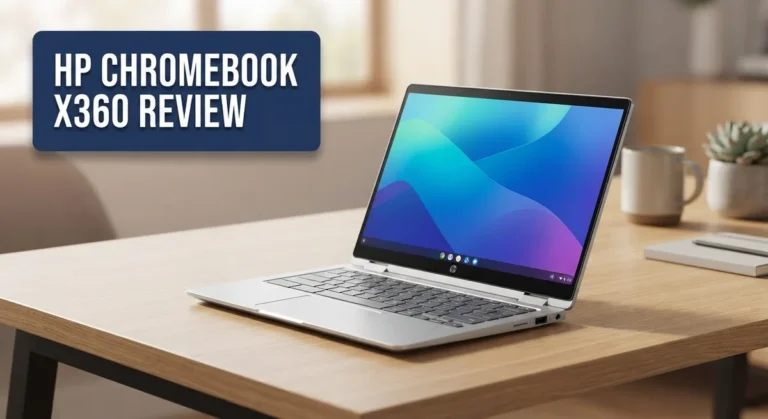
This Chromebook comes with an 11.6 inch touchscreen display. You can tap, swipe, and type with ease. It feels light in your bag and easy to carry anywhere.
Under the hood, you get either an AMD A4 9120C or MediaTek MT8183 processor. Paired with 4GB of RAM, it handles everyday tasks like browsing, emailing, and streaming without much fuss.
In a Nutshell
- Portability: This Chromebook is light and easy to carry. You can toss it in a bag without feeling the weight.
- Battery Life: It lasts a long time on a single charge. You won’t need to hunt for an outlet every few hours.
- Display: The touchscreen adds a nice touch. It lets you tap and swipe like a tablet.
- Keyboard: You get a full size keyboard. Typing feels comfortable and natural.
- Performance: The processor handles light tasks fine. It struggles a bit with heavier multitasking.
- Memory: RAM is soldered and fixed at 4GB. You cannot upgrade it later.
Key Features and Specifications
The HP Chromebook 11a packs several smart features that make it stand out for everyday computing. Let’s dig into what makes this device tick.
The 11.6 inch touchscreen is a key highlight. You can tap, swipe, and interact directly with the display. This adds flexibility when browsing, shopping online, or working with web apps. The touchscreen responds quickly and accurately to your inputs.
You get a choice between two processors. The AMD A4 9120C runs at 1.6 to 2.4 GHz and handles basic tasks smoothly. Alternatively, the MediaTek MT8183 offers similar performance for light workloads. Both chips come with integrated graphics, so you won’t need a separate graphics card. They’re perfect for streaming, email, document editing, and social media.
Storage and memory come with a trade off. The device includes 4GB of DDR4 RAM, which is soldered directly to the motherboard. This means you cannot upgrade it later. Storage options range from 32GB to 64GB using eMMC technology. If you work with large files or install many apps, the 64GB option gives you more breathing room.
The full size keyboard is a major advantage. Many ultraportable laptops sacrifice keyboard comfort, but this one doesn’t. Typing feels natural and responsive. Keys have decent travel distance, making long typing sessions less tiring.
Battery performance deserves special attention. This Chromebook runs Chrome OS, which is extremely efficient with power. You’ll easily get through a full school day or work day without hunting for an outlet. The battery drains slowly even during active use.
The lightweight design makes portability effortless. Slipping it into a backpack or bag takes seconds. You won’t feel weighed down carrying it around campus or between meetings.
Graphics capabilities are basic but adequate. The integrated Radeon R4 or MediaTek GPU handles web content, videos, and light creative work. You won’t run demanding games or video editing software, but that’s not the purpose here.
This device excels at cloud based work. Since everything syncs to your Google account, your files follow you everywhere. Starting fresh on another device takes just minutes.

Last update on 2026-10-07 / Affiliate links / Images from Amazon Product Advertising API Some of the links on this website are affiliate links, which means that at no additional cost to you, I earn a commission if you click through and make a purchase. I only recommend products and services that I believe will add value to my readers. Thank you for your support!
Design and Build Quality
The HP Chromebook 11a feels solid in your hands. The chassis uses a combination of plastic and metal materials that hold up well to daily use. You won’t worry about it breaking during your commute or in a backpack.
The 11.6 inch screen sits nicely on the lid without feeling cramped. The bezels are reasonable, giving you decent screen real estate without making the laptop too wide. The touchscreen adds flexibility for how you interact with the device.
Weight matters when you carry a laptop everywhere. This model tips the scales at just over 2.6 pounds, making it genuinely portable. Students and professionals who move between classes or offices appreciate this lightness. You can slip it into most bags without strain.
The keyboard deck feels spacious despite the compact screen size. Full size keys give you proper spacing for typing, which beats the cramped keys on some smaller laptops. The trackpad sits below and responds well to your touch commands.
Port placement is practical. You get USB Type C and USB Type A connections on the sides. These positions let you plug in devices without awkward cable angles. The headphone jack remains in a logical spot.
The hinge opens smoothly and stays put at any angle you choose. This stability matters when you’re working on a lap or uneven surface. The screen doesn’t wobble when you type, which keeps your focus on work rather than hardware.
Heat management works quietly here. The fanless design means no noise distractions during your day. Air vents stay hidden from view, maintaining the clean aesthetic.
Build quality feels consistent across the entire device. Seams align properly, and nothing rattles when you move it around. The materials don’t feel cheap or flimsy. Edge treatments are smooth, so your wrists won’t catch on anything uncomfortable.
Overall, the design prioritizes function over flashiness. Everything serves a purpose. The HP Chromebook 11a proves you don’t need premium materials or fancy styling to create a reliable machine that works hard for everyday computing.
Performance and Processing Power
The HP Chromebook 11a handles everyday computing tasks with respectable efficiency. Its processor choices give you flexibility depending on your needs and availability. The AMD A4 9120C variant runs at speeds between 1.6 and 2.4 GHz, while the MediaTek MT8183 option offers an alternative for specific markets.
Real world performance focuses on what matters most: browsing, document editing, and streaming. This Chromebook excels at these activities without lag or stuttering. You can open multiple browser tabs, work in Google Docs, and watch videos simultaneously without experiencing slowdowns. The 4GB of RAM handles this workload smoothly for typical users.
Integrated graphics keep things running efficiently. The Radeon R4 (on AMD models) or MediaTek’s integrated solution handles light visual tasks competently. You won’t run demanding games or heavy video editing software, but that’s not what this device targets anyway. Cloud based applications run beautifully here.
The processor’s modest power actually works in your favor. Lower processing demands mean less heat generation and extended battery life. You get a cooler, quieter machine that won’t drain power unnecessarily. This is a smart trade off for students and remote workers.
Storage performance matters too. The 32GB or 64GB eMMC options load applications and files quickly. Chrome OS itself takes minimal space, leaving plenty of room for your files and offline content. Access speeds feel responsive throughout daily use.
One important limitation exists: RAM is soldered directly to the motherboard. You cannot upgrade memory later. This means your 4GB configuration stays fixed for the device’s entire lifespan. Consider this when deciding between models, as it affects long term usability.
For light productivity, research, and entertainment, this Chromebook delivers consistent performance. It won’t impress power users seeking intense processing capability. But for students attending online classes, professionals handling email and documents, and casual users streaming content, the HP Chromebook 11a provides exactly the performance you actually need. It’s honest, straightforward computing without unnecessary complexity.
Top 3 Alternatives
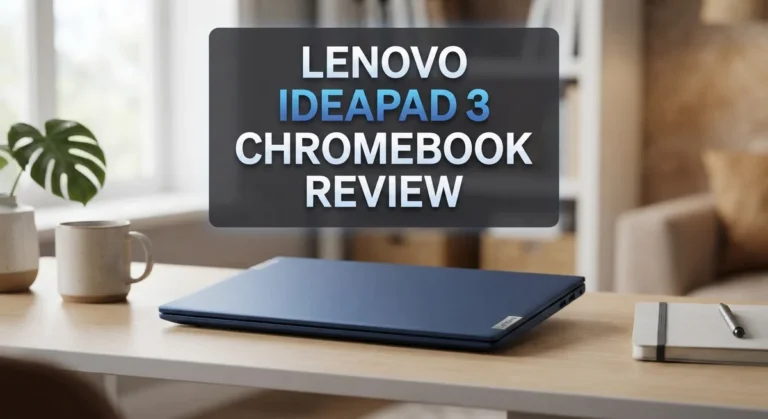
Lenovo IdeaPad 3

Last update on 2026-10-07 / Affiliate links / Images from Amazon Product Advertising API Some of the links on this website are affiliate links, which means that at no additional cost to you, I earn a commission if you click through and make a purchase. I only recommend products and services that I believe will add value to my readers. Thank you for your support!
The Lenovo IdeaPad 3 offers solid performance for everyday computing. This laptop delivers reliable processing power through its Intel or AMD processor options. You get a bright display that makes working and streaming enjoyable. The keyboard feels responsive and comfortable during long typing sessions.
Battery life runs strong throughout your workday. The device stays cool and quiet even during multitasking. Storage options give you enough space for documents, photos, and applications. The build quality feels sturdy and durable for daily use.
ASUS Chromebook 14

Last update on 2026-10-12 / Affiliate links / Images from Amazon Product Advertising API Some of the links on this website are affiliate links, which means that at no additional cost to you, I earn a commission if you click through and make a purchase. I only recommend products and services that I believe will add value to my readers. Thank you for your support!
The ASUS Chromebook 14 brings excellent value to the Chromebook market. This model features a vibrant 14-inch screen perfect for productivity and entertainment. The processor handles multiple browser tabs and applications without lag. Fast boot times get you working instantly.
The keyboard layout feels natural and spacious. Touchpad responsiveness makes navigation smooth. The device weighs light enough for portability between rooms or offices. Battery performance easily covers a full day of use. The cooling system keeps noise levels minimal during operation.
Acer Chromebook 15

Last update on 2026-10-07 / Affiliate links / Images from Amazon Product Advertising API Some of the links on this website are affiliate links, which means that at no additional cost to you, I earn a commission if you click through and make a purchase. I only recommend products and services that I believe will add value to my readers. Thank you for your support!
The Acer Chromebook 15 stands out with its larger 15-inch display. This extra screen real estate benefits spreadsheet work and video watching. The processor provides quick performance for web browsing and cloud applications. The display clarity makes text sharp and images vibrant.
The keyboard and touchpad offer comfortable input options. Weight distribution feels balanced for lap use. The device runs Chrome OS smoothly without slowdowns. Battery endurance supports extended work sessions. The design includes practical ports for connecting external devices. Speakers deliver decent audio quality for video calls and media playback.
Battery Life and Portability
The HP Chromebook 11a shines when it comes to keeping you mobile without constant charging interruptions. Battery endurance stands as one of this device’s strongest features, delivering all day performance for typical users. You can expect solid runtime that handles a full school day or work shift without needing an outlet.
The lightweight design makes this Chromebook genuinely portable. At just over 2.6 pounds, it won’t weigh down your backpack or shoulder bag. The compact 11.6 inch form factor means you slip it into most bags without any fuss. Students moving between classrooms find this size perfect for quick note taking sessions.
Portability extends beyond just weight, though. The slim profile fits easily into tight spaces. Your commute becomes simpler when your laptop doesn’t demand much room. The durable construction means you can toss it into a messenger bag without constant worry.
Real world battery performance depends on your usage habits. Web browsing and document editing drain the battery slowly. Streaming video uses more power, but you still get several hours of viewing time. Video calls through Google Meet or similar apps run efficiently without draining the battery rapidly.
The touchscreen adds another dimension to portability. You interact with the device in different ways, which can actually extend battery life in certain situations. Light tapping uses less power than constant trackpad clicking.
Charging takes a reasonable amount of time. The power adapter is compact enough that carrying it doesn’t defeat the purpose of portability. You’ll want to keep it nearby for longer trips away from power sources.
The combination of lightweight design and strong battery life creates a genuinely portable experience. This Chromebook goes where you go without becoming a burden. Whether you’re a student moving between classes or a remote worker seeking flexibility, the portability factor delivers real value. The device simply doesn’t tie you to a desk, making it ideal for anyone prioritizing freedom of movement.
Display and Touchscreen Experience
The 11.6 inch touchscreen on the HP Chromebook 11a delivers a genuinely useful viewing experience for everyday computing. The display offers bright, clear visuals that make web browsing and document work comfortable throughout the day.
The touchscreen functionality transforms how you interact with this device. You can tap, swipe, and scroll through Chrome OS applications with natural finger gestures. This capability adds flexibility to your workflow, especially when you’re working in cloud based applications or streaming content.
Color accuracy on this display sits at a solid level for general use. You’ll notice vibrant hues when watching videos or viewing photos. The screen handles text rendering well, making reading emails and documents easy on your eyes during extended sessions.
The bezels around the screen are reasonably thin, which maximizes the viewing area without making the device feel bulky. The display sits nicely within the lid, giving the overall device a balanced appearance.
Brightness levels reach a comfortable intensity for indoor use. You can adjust the screen brightness through Chrome OS settings to match your environment. Outdoor visibility works adequately, though direct sunlight does reduce the screen’s effectiveness somewhat.
The touchscreen’s responsiveness feels accurate and immediate. Your finger commands register without delay or missed taps. This smoothness makes navigation feel intuitive rather than frustrating.
One practical advantage emerges when you’re using the touchscreen in tandem with the full size keyboard. You can switch between typing and touching the screen fluidly, adapting to whatever task demands your attention at that moment.
The display’s refresh rate maintains standard performance for a Chromebook in this category. You won’t experience any jarring stutters when scrolling through web pages or moving between applications.
The matte finish on the screen reduces glare from overhead lights and windows. This coating helps keep reflections minimal, so you focus on content rather than seeing your own face staring back at you.
The viewing angles remain consistent as you shift your position. The screen maintains color and brightness even when viewed from the side, which matters when you’re sharing content with someone sitting beside you.
Pros and Cons
Pros
- Exceptional battery life keeps you working all day without hunting for an outlet
- Lightweight and compact design makes this Chromebook easy to carry anywhere
- Full size keyboard provides comfortable typing for extended work sessions
- Touchscreen adds interactive flexibility to your daily computing tasks
- Integrated graphics handle streaming, browsing, and document editing smoothly
Cons
- RAM and storage cannot be upgraded after purchase since memory is soldered to the motherboard
- Limited configuration options mean you get what you buy with no customization flexibility
- Processor power remains modest, so demanding applications will struggle or run slowly
- Storage maxes out at 64GB, which fills quickly with offline content and large files
Who Should Buy It
Students benefit most from this Chromebook. The device handles online classes, Google Classroom, and research tasks without breaking a sweat. Battery life means you stay productive through back-to-back lectures without searching for outlets.
Teachers also find real value here. Classroom management becomes easier with the touchscreen. You can annotate documents, display content, and interact with educational software smoothly. The lightweight design makes it simple to move between classrooms.
Business professionals who travel frequently should consider this model. The 11.6 inch display fits easily into bags and backpacks. You get enough screen space for email, spreadsheets, and video calls. The touchscreen adds convenience for presentations and client interactions.
Remote workers appreciate the portability combined with all day battery performance. You can work from coffee shops, libraries, or home without constant charging concerns. The full size keyboard ensures comfortable typing during long work sessions.
Parents looking for a kid friendly device find this Chromebook useful. Chrome OS includes built in parental controls and security features. The touchscreen engages younger users while keeping them safe. Durability matters for devices in family hands, and this model handles everyday use well.
Content creators working with light tasks can make this work. Video editing and photo work require modest resources here. Streaming content, writing, and basic design projects run smoothly. Demanding applications will struggle, so check your specific software needs first.
Casual users who mainly browse, email, and stream videos get everything they need. This Chromebook handles these tasks effortlessly. The touchscreen adds fun to everyday computing. You won’t feel limited for general use.
Skip this model if you need heavy processing power or plan to upgrade components later. The soldered memory means you cannot add RAM or storage after purchase. Demanding software, video editing at professional levels, and gaming require more capable machines.
The HP Chromebook 11a works best for people who value portability and simplicity. You get a dependable device for everyday computing, learning, and light work tasks. The combination of battery life, lightweight design, and touchscreen functionality creates a practical tool for mobile users.
Final Verdict
The HP Chromebook 11a earns its place as a solid pick for everyday computing. It handles simple tasks with ease and keeps things running smoothly day to day.
Chrome OS plays a big part in this experience. It boots fast, updates itself automatically, and keeps security tight without extra effort from you.
This laptop leans on cloud storage rather than local space. Your files, photos, and documents stay safe online, so you don’t need a huge hard drive to feel covered.
Build quality feels sturdy for a device in this class. It can handle drops, bumps, and the occasional spill that comes with daily use.
When you compare it to rivals like the Dell Chromebook 11 or Samsung Chromebook 2, the HP model holds its own. Each option brings something different, but the HP Chromebook 11a stands out for its touchscreen and comfortable keyboard combo.
The Lenovo IdeaPad 120S offers a similar lightweight build, yet it misses the touchscreen feature. That gap makes the HP model feel more flexible for mixed use cases.
If your daily routine includes writing emails, browsing the web, watching videos, or working on documents, this Chromebook fits right in. It won’t struggle with these common tasks.
However, if your work involves heavy editing, large files, or demanding software, look elsewhere. This device wasn’t built for that kind of load.
Simplicity is the heart of this laptop’s appeal. It does a few things well instead of trying to do everything.
For anyone who wants a no fuss, reliable laptop for school, work, or casual use, the HP Chromebook 11a delivers exactly that. It’s a smart pick for people who value ease over power.
In short, this Chromebook won’t win speed tests, but it wins on convenience and reliability. That balance makes it a worthy addition to your tech lineup.
Frequently Asked Questions
Can I upgrade the RAM or storage later?
No, you cannot. The RAM is soldered directly to the motherboard, which means it stays fixed at 4GB. The storage also comes locked in at either 32GB or 64GB depending on your model. Once you buy it, those specs do not change.
This is something to think about before purchasing. If you need more space down the road, you will have to buy a different device.
What processor does the HP Chromebook 11a use?
The HP Chromebook 11a comes with two processor options. You might get an AMD A4-9120C that runs between 1.6 and 2.4 GHz, or a MediaTek MT8183 chip. Both are modest processors designed for basic tasks.
They handle web browsing, email, and video streaming without trouble. Heavy applications or multitasking with many open tabs may slow things down.
Is the touchscreen worth having?
Yes, the touchscreen adds real utility to your experience. You can tap, swipe, and pinch directly on the 11.6 inch display. This makes navigation more intuitive and lets you interact with content in ways a regular laptop cannot.
For students taking notes or anyone who likes hands on computing, the touchscreen becomes a genuine asset.
How long does the battery last?
The HP Chromebook 11a delivers excellent battery life. You can work through a full day of regular use without needing to plug in. This makes it perfect for students moving between classes or professionals working at different locations.
The lightweight design pairs with this stamina to create a truly portable machine.
What makes this different from the Dell Chromebook 11?
Both are solid 11 inch Chromebooks, but the HP model includes a touchscreen while the Dell typically does not. The HP also feels more refined in build quality. However, the Dell often offers better processor options in some configurations.
Choose based on whether touchscreen matters to your workflow.

Hi, my name is Lily you can say i am a gadget hunter at this point. Welcome to Gadget Gallery The Gallery of Gadget Reviews