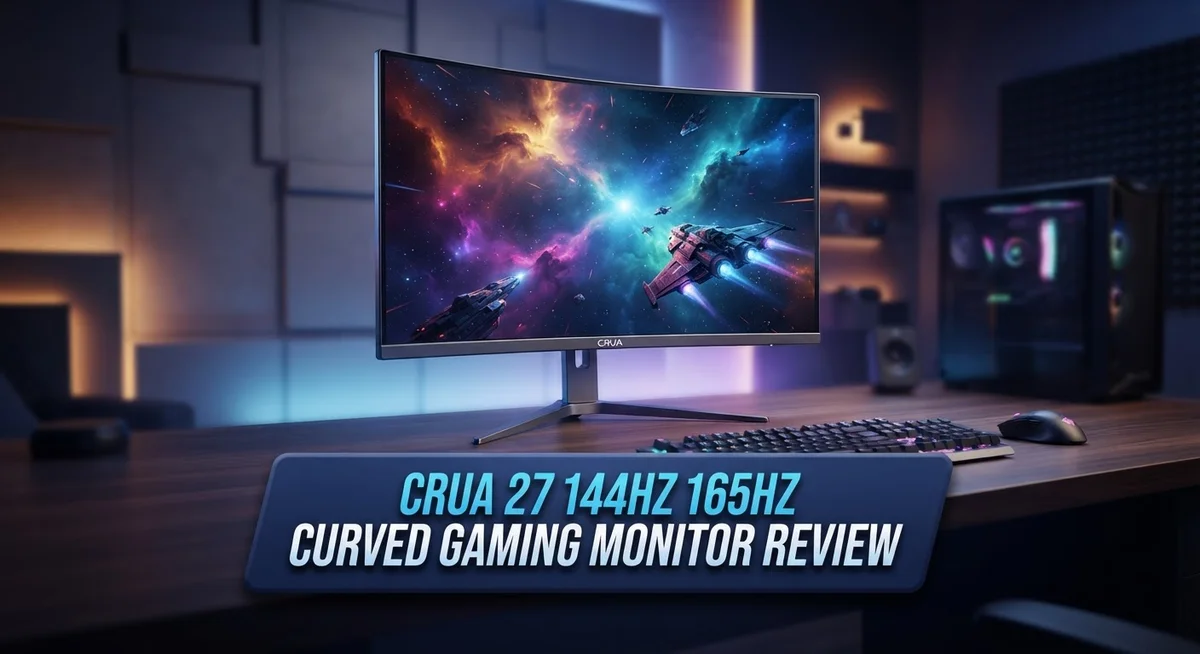
CRUA 27 Curved Gaming Monitor 144Hz 165Hz Review: Still Worth It?
Gaming feels better on a curved screen. The Crua 27 inch curved gaming monitor brings smooth visuals and quick response times to your desk. It fits well for players who want fast, clear action on screen.
This monitor offers 144Hz, 165Hz, and 180Hz refresh rate options. You get fluid motion during fast paced games. The 1800R curve wraps the screen around your view. This creates an immersive feel during long gaming sessions.
This review looks closely at the Crua 27 inch monitor. We cover its display quality, performance, and build. We also compare it to the 2K QHD variant from Crua. Read on to see if this monitor fits your gaming setup.
In a Nutshell
- Build quality feels sturdy. The metal stand adds stability during intense gaming sessions. It stays firm even with quick desk movements.
- FreeSync technology works well. It removes screen tearing and stuttering. Your gameplay stays smooth even during fast action scenes.
- Assembly is quick and easy. You won’t need extra tools or long setup time. The monitor is ready to use within minutes.
- Brightness falls short of competitors. Some users notice this monitor runs dimmer than similar models. This might matter in bright rooms.
- Resolution stays at FHD. This means lower pixel density compared to 2K QHD alternatives. Text and images may look less sharp up close.
- A 2K QHD version exists. Crua also makes a 165Hz/180Hz variant with 2560x1440p resolution. This gives buyers more choice based on their needs.
Display Specifications and Panel Technology
The VA panel technology in this monitor delivers strong contrast performance. You get a 3000:1 contrast ratio, which means dark blacks appear deeper and richer than standard panels. This matters when you play games with dark scenes or watch movies.
The 1920x1080p FHD resolution fills the 27 inch screen. At this size, pixel density sits lower than you’d find on smaller monitors. Some gamers notice individual pixels if they sit close to the screen. Upgrading to the 2K QHD variant gives you sharper images with better detail clarity.
The 1800R curve wraps around your field of vision. This curvature creates an immersive viewing experience during fast action sequences. Your eyes track movement more naturally across the curved surface. The curve also reduces glare from side angles.
Color accuracy reaches 120% sRGB gamut coverage. This means the monitor displays vibrant, saturated colors without overshooting. Gamers get punchy visuals without the washed out look of poor color spaces. The panel reproduces reds, greens, and blues with consistency across the screen.
Response time measures 1ms GTG (gray to gray). This speed eliminates ghosting and motion blur during quick camera pans. Competitive players benefit from this responsiveness in fast paced titles. The monitor keeps up with your mouse movements and in game action.
FreeSync technology syncs the refresh rate with your graphics card output. This eliminates screen tearing and stuttering without input lag. You experience smooth, fluid gameplay even when frame rates fluctuate. The feature works across all three refresh rate options: 144Hz, 165Hz, and 180Hz.
Connectivity includes HDMI and DisplayPort inputs. DisplayPort delivers the highest bandwidth for maximum refresh rates. The 100x100mm wall mount pattern lets you attach an arm mount if you prefer. This flexibility helps you position the monitor at your ideal viewing angle and height.
The panel sits comfortably in the mid range for gaming displays. It balances performance with practical specifications that suit most gamers.

Last update on 2026-09-20 / Affiliate links / Images from Amazon Product Advertising API Some of the links on this website are affiliate links, which means that at no additional cost to you, I earn a commission if you click through and make a purchase. I only recommend products and services that I believe will add value to my readers. Thank you for your support!
Refresh Rate and Response Time Performance
The refresh rate options on this monitor give you flexibility based on your gaming needs. You can choose between 144Hz, 165Hz, or 180Hz depending on your graphics card capability. Higher refresh rates mean smoother motion on screen, which makes a real difference in fast paced games.
The 1ms GTG response time keeps motion blur minimal during intense gameplay. This speed matters most in competitive titles where quick reactions count. Your crosshair stays sharp even when you pan rapidly across the map.
FreeSync technology syncs your monitor’s refresh rate with your GPU output in real time. This eliminates screen tearing, which happens when your graphics card and monitor get out of sync. You’ll notice the difference immediately in games where objects move quickly across the screen.
The VA panel technology supports these fast refresh rates while maintaining strong contrast ratios. The 3000:1 contrast ratio means blacks appear deeper and whites stay bright. This contrast boost helps you spot enemies hiding in dark corners during gameplay.
Running at 1920x1080p resolution at 144Hz or higher keeps frame rates achievable on mid range graphics cards. You don’t need top tier hardware to hit these refresh rates consistently. This makes the monitor accessible to more gamers.
The 1800R curve enhances your perception of motion smoothness. Your eyes track movement more naturally across a curved screen compared to flat displays. Combined with the fast response time, this creates an immersive experience during gameplay.
Input lag remains low thanks to the responsive panel and modern connectivity options. DisplayPort and HDMI connections both support these refresh rates without issues. You can switch between different gaming systems without performance drops.
Competitive gamers benefit most from this performance level. The combination of fast response time, high refresh rate options, and FreeSync creates tear free, smooth visuals. Whether you play shooters, fighting games, or fast action titles, this monitor keeps up with your gameplay demands.
Design, Build Quality, and Ergonomics
The metal stand on this monitor feels solid and supports the curved panel without wobble. The stand uses a sturdy base that keeps everything stable during gameplay sessions. You can adjust the height, tilt, and swivel to match your desk setup.
The 27 inch curved screen sits in a plastic bezel that’s relatively thin. The bezel design keeps the focus on the display without taking up excessive desk space. The back panel houses all the cable connections and mounting points cleanly.
Assembly takes just a few minutes. The stand clicks into the monitor base with minimal effort. Most users report having the monitor ready to use within 5 to 10 minutes of unboxing. No special tools are required for basic setup.
The ergonomic adjustments make a real difference during long gaming sessions. You can move the monitor up and down to align the center with your eye level. Tilting and swiveling options let you find your ideal viewing angle. The 100x100mm VESA mount pattern also works with third party arm solutions if you prefer wall mounting or arm mounting instead.
The curved design follows a 1800R curve radius. This curve wraps around your field of vision naturally. The curvature enhances immersion without feeling extreme or uncomfortable. Your eyes stay closer to the screen edges, which some gamers find reduces eye strain.
The monitor’s overall construction uses quality materials throughout. The plastic panels feel durable and resistant to damage from daily use. The cable management area at the back keeps wires organized and out of sight. Ventilation slots prevent heat buildup inside the monitor housing.
Weight distribution feels balanced across the stand. The monitor doesn’t tip easily, even when you adjust it to extreme angles. The base footprint is compact enough for most gaming desks. Desk space remains available for keyboards, mice, and other peripherals.
Build quality matches what you’d expect from a gaming monitor at this specification level. The combination of metal components and quality plastics creates a reliable product. Everything feels put together with attention to durability rather than just cost reduction.
Top 3 Alternatives
ASUS VP28UQG Gaming Monitor


Last update on 2026-09-20 / Affiliate links / Images from Amazon Product Advertising API Some of the links on this website are affiliate links, which means that at no additional cost to you, I earn a commission if you click through and make a purchase. I only recommend products and services that I believe will add value to my readers. Thank you for your support!
The ASUS VP28UQG brings 4K resolution to your gaming setup with a 28-inch screen. This monitor delivers sharp visuals that make games look incredibly detailed. The 1ms response time keeps fast-paced action smooth and responsive.
You get HDR support, which means brighter highlights and darker shadows in your games. The 60Hz refresh rate suits single-player games and slower-paced titles well. The monitor includes multiple connectivity options, so connecting your PC or console is straightforward.
BenQ EW2880U Professional Monitor

Last update on 2026-09-20 / Affiliate links / Images from Amazon Product Advertising API Some of the links on this website are affiliate links, which means that at no additional cost to you, I earn a commission if you click through and make a purchase. I only recommend products and services that I believe will add value to my readers. Thank you for your support!
The BenQ EW2880U focuses on color accuracy and professional work. This 28-inch monitor displays 4K resolution with excellent color reproduction. It’s perfect if you do photo editing, video work, or design alongside gaming.
The monitor features USB-C connectivity, which charges your laptop while transmitting video. The 60Hz refresh rate works great for productivity tasks. The built-in KVM switch lets you control multiple devices easily. The screen has minimal bezels, giving you more viewing space.
LG 27GP850 Ultragear Monitor

Last update on 2026-09-19 / Affiliate links / Images from Amazon Product Advertising API Some of the links on this website are affiliate links, which means that at no additional cost to you, I earn a commission if you click through and make a purchase. I only recommend products and services that I believe will add value to my readers. Thank you for your support!
The LG 27GP850 matches the Crua 27-inch size with 165Hz refresh rate performance. This monitor delivers smooth gameplay with 1ms response time, making it ideal for competitive shooters and fast action games.
The 1440p resolution offers a good balance between visual clarity and performance. You get AMD FreeSync support, which reduces screen tearing during gameplay. The monitor includes USB ports and headphone jacks for convenient connectivity. The 27-inch curved design provides an immersive viewing experience without overwhelming your desk space.
Color Accuracy and Visual Quality
The CRUA 27″ curved monitor delivers solid color performance for gaming and everyday use. The 120% sRGB gamut coverage means colors appear vibrant and true to life across most content you’ll encounter. This gamut sits in the sweet spot for gaming, where you get rich colors without the extreme requirements of professional color grading.
The VA panel technology plays a big role in how colors look on screen. VA panels naturally produce deeper blacks compared to IPS or TN panels. You’ll notice this most when playing darker games or watching movies with shadowy scenes. The 3000:1 contrast ratio gives you excellent separation between light and dark areas, making details pop in both bright and dim environments.
One important consideration: this monitor runs noticeably dimmer than many competing gaming displays. You may need to adjust your room lighting or boost the brightness settings to get the best visual experience. Brighter monitors can feel more punchy, so this is worth knowing before you commit to extended gaming sessions.
The 1920x1080p resolution on a 27″ screen creates a different pixel density than smaller monitors. Pixels sit slightly larger, which some gamers prefer for competitive shooters where clarity matters. Others might find text appears less sharp than on higher resolution displays. This trade-off lets you hit higher frame rates with mid-range graphics cards.
Color consistency across the curved panel remains steady from edge to edge. The 1800R curve doesn’t create obvious color shifts as your eyes move across the screen. This matters during long sessions when you’re tracking movement or reading on-screen text.
For gaming, this monitor excels at showing fast motion clearly. The 1ms response time combined with high refresh rates means moving objects appear crisp without ghosting or blur trails. Colors stay accurate during action sequences, so you won’t miss visual details when things heat up in competitive matches.
The monitor handles both vibrant indie games and realistic AAA titles well. HDR content isn’t supported, but standard color performance covers most gaming libraries effectively. You get a reliable, consistent visual experience across different game genres and settings.
Connectivity and Compatibility
The CRUA 27″ curved gaming monitor connects to your PC through multiple input options. You get both HDMI and DisplayPort connectivity, which gives you flexibility in how you link your system. DisplayPort handles the higher refresh rates smoothly, especially when pushing 144Hz, 165Hz, or 180Hz performance.
AMD FreeSync support is a major compatibility advantage. This technology syncs your monitor’s refresh rate with your graphics card output in real time. If you own an AMD GPU, you’ll notice tearing and stuttering disappear during gameplay. The synchronization happens automatically once you enable FreeSync in your monitor settings.
The monitor works well with both older and newer graphics cards. Mid range GPUs handle 1920x1080p at 144Hz without breaking a sweat. High end cards can push even higher refresh rates if your games support them. The 1ms GTG response time stays consistent across all refresh rate modes.
Wall mounting is straightforward with the 100x100mm VESA mount pattern. This standard size fits most monitor arms and wall brackets on the market. You can remove the metal stand entirely and switch to your preferred mounting solution. The curved design works fine whether you use the stand or mount it to a wall.
Cable management works smoothly thanks to the connectivity layout. Both ports sit on the back panel in accessible locations. You won’t struggle to plug in cables or swap between HDMI and DisplayPort. The physical design leaves room for proper cable routing.
Compatibility extends beyond gaming as well. The monitor connects to laptops, desktops, and even some streaming devices with HDMI. This versatility means you can use it for work tasks, media consumption, and gaming all from one display.
The curved VA panel maintains stable performance across all connection types. You won’t see any compatibility issues or refresh rate drops when switching between different input sources. The monitor remembers your settings for each input, so switching back and forth feels seamless during your gaming sessions.
Pros and Cons
Pros
- Fast 1ms response time keeps competitive gaming smooth and responsive
- AMD FreeSync eliminates screen tearing and stuttering during gameplay
- Sturdy metal stand holds the curved panel without wobble or movement
- Quick assembly process gets you gaming in minutes
- VA panel delivers strong contrast and vibrant colors for immersive visuals
Cons
- Display brightness runs noticeably lower than most competing gaming monitors
- 1920x1080p resolution on a 27″ screen means lower pixel density than smaller displays
- Limited to FHD resolution when higher resolution variants exist in the same product line
Who Should Buy It
You should buy this CRUA 27″ curved gaming monitor if you play fast paced games where responsiveness matters. The 1ms response time and high refresh rate options keep your gameplay smooth and competitive. FreeSync support eliminates screen tearing, which makes a real difference during intense matches.
This monitor works best for gamers using AMD graphics cards. Your GPU syncs perfectly with the display refresh rate. You’ll notice fewer visual glitches and smoother frame delivery during gameplay sessions.
Competitive players benefit most from the curved design. The 1800R curve pulls your vision toward the center of the screen. Your eyes track moving objects more easily, and your reaction time improves in fast shooters and action games.
The VA panel excels at contrast and color depth, making it ideal if you play story driven games or explore detailed game worlds. Dark scenes reveal more detail than you’d see on standard panels. Explosions and bright effects pop without washing out.
You should skip this monitor if you need maximum brightness for a very bright room. The display runs noticeably dimmer than competing models. You might struggle to see details in bright daylight or well lit spaces.
Casual gamers who don’t need 144Hz+ refresh rates should consider other options. The high refresh rate matters most to competitive players. Slower paced games don’t benefit as much from this specification.
If you want sharper text and UI elements, look at the higher resolution variant in the CRUA lineup. The 1920x1080p resolution on a 27″ screen creates lower pixel density. Text appears slightly softer than on smaller 27″ displays with higher resolution.
Budget conscious buyers should compare this monitor against other 144Hz curved options. Multiple brands offer similar specs. Your choice depends on whether you value the specific features this model provides.
This monitor fits perfectly if you want a curved gaming display with solid build quality and fast performance. The metal stand feels sturdy, and assembly takes just minutes. You get a dependable gaming monitor without unnecessary complexity.
Final Verdict
The CRUA 27 curved gaming monitor delivers a strong overall package for gamers who want smooth motion and immersive visuals. Its blend of 144Hz, 165Hz, and 180Hz options gives players real flexibility based on their setup.
This monitor shines brightest in fast paced environments. Shooters, racing games, and competitive titles all benefit from the quick response time and curved display.
The build feels solid from the moment you unbox it. Sturdy construction means this monitor can handle daily use without concerns about durability.
Anyone building a gaming station from scratch will find this monitor a smart starting point. It covers the core needs most players have without overcomplicating the setup process.
Home theater fans might also enjoy this display. The curve adds depth to movies and shows, making it a flexible pick beyond just gaming sessions.
Think about your room lighting before buying. Bright rooms with lots of natural light may not showcase this screen at its best.
Resolution matters too. If you spend hours reading text or working with detailed spreadsheets, the FHD panel might feel limiting compared to sharper alternatives.
Overall, this monitor fits players who value smooth performance over pixel density. Speed and responsiveness matter more here than raw visual sharpness.
Competitive gamers chasing an edge in fast titles will likely feel satisfied with this pick. The refresh rate options and quick response time support that kind of gameplay well.
Casual users or those wanting crisp text should look elsewhere in the CRUA lineup. Higher resolution models exist for that specific need.
For most gaming setups focused on speed and smooth visuals, this monitor checks the right boxes. It handles the basics well and adds a curved design that many gamers appreciate.
Final thought: this display works best as a dedicated gaming screen rather than an all purpose monitor. Match your expectations to that role, and you will likely enjoy what it offers.
Frequently Asked Questions
Does the CRUA 27″ work with NVIDIA graphics cards?
Yes, it works with NVIDIA cards. The monitor uses AMD FreeSync technology, which syncs your refresh rate to your GPU output. NVIDIA cards support FreeSync through driver updates on most modern models. You’ll get smooth gameplay without screen tearing on both AMD and NVIDIA systems.
What’s the difference between the 144Hz, 165Hz, and 180Hz versions?
All three versions use the same 27″ curved panel and 1ms response time. The main difference is refresh rate. Higher refresh rates mean more frames per second on screen. The 144Hz model suits most gamers. The 165Hz and 180Hz options appeal to competitive players chasing every frame advantage in fast paced shooters.
Is the brightness issue a real problem?
The monitor runs dimmer than many competitors. In a dark or moderately lit room, this isn’t an issue. If your gaming space gets very bright natural sunlight, you might notice the lower brightness. Test it in your actual room setup before committing if lighting is a concern for you.
Can I use this monitor for work and gaming?
Yes, absolutely. The VA panel delivers strong contrast and vibrant colors. The 1920x1080p resolution works fine for most office tasks like email and spreadsheets. However, if you spend hours editing photos or designing graphics, the lower pixel density at 27″ might feel cramped compared to higher resolution displays.
Should I buy the FHD version or upgrade to the 2K variant?
Choose FHD if you prioritize smooth motion and fast response times. Pick the 2K option if sharper text and UI elements matter more to you. The 2K variant gives you higher pixel density but may have slightly different refresh rate performance.

Hi, my name is Lily you can say i am a gadget hunter at this point. Welcome to Gadget Gallery The Gallery of Gadget Reviews