GMKtec Mini PC Review 2026: Live Up To The Hype?
Looking for a small computer that packs a big punch? GMKtec Mini PCs might catch your eye. These compact machines promise power, speed, and efficiency in a tiny frame.
GMKtec builds mini PCs for different needs. Some models pack the Intel Core Ultra 7 chip. Others use AMD Ryzen 5 processors with solid graphics support.
You get real gaming potential too. Certain configurations support NVIDIA GeForce RTX options. This means you can run AAA games without a bulky tower.
In a Nutshell
- Performance varies by model. The NucBox K13 runs on an Intel Core Ultra 7 chip, while the G10 uses an AMD Ryzen 5 processor with Vega 8 graphics.
- Gaming power exists. Some models pair with NVIDIA GeForce RTX graphics, so heavy tasks and games run smoothly on select units.
- Setup stays simple. Multiple ports mean you plug in your devices fast without extra adapters.
- Power use stays low. These machines sip energy compared to bulky desktop towers, which helps your electricity bill and heat output.
- Some issues pop up. A few users report HDMI port glitches and early hardware failures. 4K workloads can also strain certain models.
- Competition stays fierce. Brands like Beelink, Geekom, and even Mac Mini offer similar features, so GMKtec needs to prove its reliability holds up over time.
Processor and Performance
GMKtec mini PCs come with different processor options depending on which model you choose. The NucBox K13 features an Intel Core Ultra 7 256V processor that boosts up to 4.8GHz with 12MB cache. This chip handles demanding apps and multitasking without breaking a sweat.
The G10 model takes a different route with an AMD Ryzen 5 3500U processor. It pairs with Radeon Vega 8 graphics and 16GB DDR4 memory running at 3200MHz. This combination gives you solid everyday performance plus some gaming capability.
Memory and speed matter for real world use. Both models use fast RAM that keeps applications running smoothly. The LPDDR5X memory in the K13 pushes data faster than older standards, which helps when you’re juggling multiple browser tabs or editing files.
Gaming and heavy workloads work well on select GMKtec units, especially those with NVIDIA GeForce RTX graphics options. You can play modern games and run video rendering software without constant lag. The processors deliver enough power for these tasks without overheating.
However, performance hits a wall with 4K content. Users report that pushing these mini PCs to handle ultra high resolution video editing or 4K gaming causes slowdowns. The processors manage 1080p and 1440p much better than they handle 4K demands.
Real world testing shows these chips stay efficient and cool. They consume far less power than traditional desktop towers. Your electricity bill stays lower because these machines don’t demand massive amounts of energy to run.
The processor reliability becomes a concern for some users though. While the chips themselves perform well, reports suggest some units fail sooner than expected. This isn’t necessarily a processor flaw but rather a broader durability issue affecting the entire system.
For everyday tasks like browsing, email, and document work, GMKtec processors deliver smooth experiences. Video calls, streaming, and light creative work all run without problems. The real strength lies in balanced performance for general computing rather than extreme gaming or professional workstations.


Last update on 2026-10-06 / Affiliate links / Images from Amazon Product Advertising API Some of the links on this website are affiliate links, which means that at no additional cost to you, I earn a commission if you click through and make a purchase. I only recommend products and services that I believe will add value to my readers. Thank you for your support!
Design and Build Quality
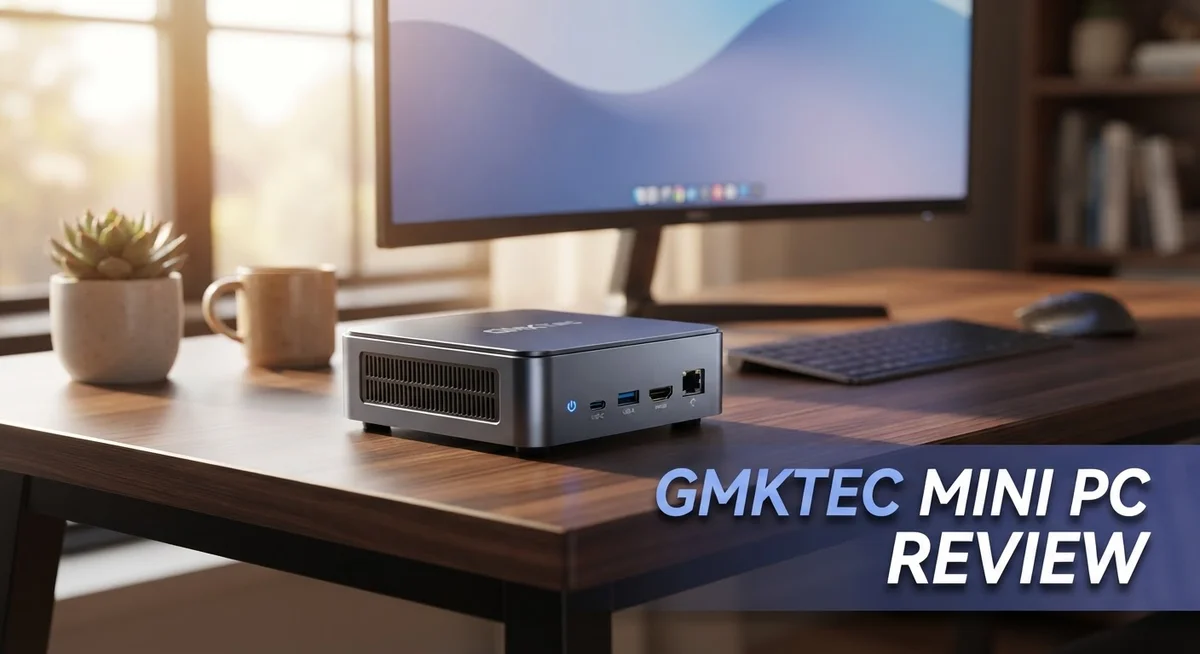
GMKtec mini PCs feature a compact form factor that fits easily on desks, shelves, or behind monitors. The chassis uses aluminum construction on most models, giving them a solid feel without excessive weight. You can hold these units in one hand, making them genuinely portable.
The build quality shows mixed results across different GMKtec models. Some units demonstrate sturdy construction with tight panel gaps and clean finishes. However, durability concerns have emerged from user reports. Several owners experienced hardware failures within months of purchase, suggesting potential issues with internal components or assembly processes.
Thermal management represents a key design consideration. GMKtec engineers pack powerful processors into tight spaces, so heat dissipation matters greatly. Most models include passive or semi-passive cooling systems. These stay quiet during everyday tasks, which appeals to users who want silent computing environments. Under heavy loads, fans activate to maintain safe temperatures.
Port placement and connectivity deserve attention. GMKtec includes multiple USB ports, HDMI outputs, and audio jacks on their mini PCs. This variety helps reduce adapter clutter on your desk. However, some users report HDMI port reliability issues. These connections can become loose or fail after repeated use, creating frustration.
The aesthetic design leans toward minimalist and professional. Black matte finishes dominate the lineup, allowing these units to blend into office or home theater setups. LED indicators show power status and activity, providing basic visual feedback without distraction.
Cable management around GMKtec units stays simple due to limited port density compared to full towers. You won’t face excessive cord tangling. The compact size means less desktop real estate consumed, which appeals to space conscious users.
Overall, GMKtec’s design prioritizes portability and quiet operation over premium materials. The build quality feels adequate for the form factor, though durability concerns warrant caution. If you value silent, compact computing and can tolerate potential hardware issues, the design approach works well. For users demanding maximum longevity, competitor options may offer better peace of mind.
Connectivity and Ports
GMKtec mini PCs come loaded with multiple connection options that make setup straightforward. You get USB ports, HDMI outputs, and other standard connections on most models. This means you can plug in your monitor, keyboard, mouse, and peripherals without hunting for adapters.
The port variety differs between models. Newer units like the NucBox K13 include modern connectivity standards. Older models such as the G10 still offer solid port selection for everyday use. Both handle external devices without fuss.
However, connectivity reliability presents a real concern. Several users report HDMI port issues after extended use. Some ports stop working or develop loose connections over time. This reliability problem affects your long term experience with the device.
Port placement works well for most desk setups. The compact design means cables stay organized and out of sight. You won’t struggle with tangled wires or awkward positioning. The mini PC sits neatly behind your monitor or on a shelf without creating cable chaos.
USB connectivity handles external storage, printers, and other peripherals smoothly. The ports support standard data transfer speeds for most tasks. You can connect multiple devices simultaneously without performance drops. This makes the mini PC practical for office work and media consumption.
Wireless options vary by model. Some units include WiFi and Bluetooth built in. Others rely on wired connections or require external adapters. Check your specific model to confirm wireless capabilities before purchasing.
The port density stays reasonable for a compact device. You get enough connections for a typical workstation setup. However, users with extensive peripheral needs might need a USB hub. This adds a small piece of equipment to your desk.
Durability concerns extend beyond just HDMI issues. Some users report other ports loosening or failing prematurely. The build quality of connectors seems inconsistent across different units. This suggests quality control varies in manufacturing.
Overall, GMKtec mini PCs offer adequate connectivity for standard use. Port variety meets most user needs. The main drawback centers on long term reliability. If you plan heavy daily use, monitor your ports carefully for signs of wear.
Top 3 Alternatives
Intel NUC Mini PC

Last update on 2026-10-12 / Affiliate links / Images from Amazon Product Advertising API Some of the links on this website are affiliate links, which means that at no additional cost to you, I earn a commission if you click through and make a purchase. I only recommend products and services that I believe will add value to my readers. Thank you for your support!
The Intel NUC Mini PC delivers solid performance for everyday computing tasks. This compact device runs Intel processors and handles multitasking without lag. You get fast boot times and smooth application switching. The build quality feels premium, and the design fits nicely on any desk or entertainment center.
Setup is straightforward. Connections include USB ports, HDMI output, and audio jacks. Most users appreciate the quiet operation during normal use. Storage and RAM upgrades are possible if you need more power later.
ASUS PN50 Mini PC

Last update on 2026-10-06 / Affiliate links / Images from Amazon Product Advertising API Some of the links on this website are affiliate links, which means that at no additional cost to you, I earn a commission if you click through and make a purchase. I only recommend products and services that I believe will add value to my readers. Thank you for your support!
The ASUS PN50 Mini PC packs AMD Ryzen power into a small frame. This unit excels at handling demanding applications and creative work. The cooling system keeps temperatures low even during intensive tasks. Build quality matches ASUS standards with attention to detail throughout.
Connectivity options are generous. You get multiple USB 3.0 ports, DisplayPort, and HDMI. The compact size makes it ideal for tight spaces. Users report excellent reliability over extended use periods.
Beelink SER5 Mini PC

Last update on 2026-10-06 / Affiliate links / Images from Amazon Product Advertising API Some of the links on this website are affiliate links, which means that at no additional cost to you, I earn a commission if you click through and make a purchase. I only recommend products and services that I believe will add value to my readers. Thank you for your support!
The Beelink SER5 Mini PC offers great value for budget-conscious buyers. It features AMD Ryzen 5000 series processors and handles office work, streaming, and light gaming. The aluminum chassis provides durability and professional appearance.
Performance remains consistent during daily activities. Ports include USB Type-C, USB 3.0, and dual HDMI outputs. The fanless or low-noise operation keeps your workspace quiet. This model appeals to users seeking reliable performance without breaking the bank. Setup takes minutes, and driver installation completes quickly on most systems.
Gaming and GPU Capabilities
GMKtec mini PCs deliver solid gaming performance when equipped with the right GPU. The RTX options available on select models handle modern games at 1080p and 1440p resolutions smoothly. You get playable frame rates for most AAA titles without needing a full desktop setup.
The Intel Core Ultra 7 256V in the NucBox K13 pushes up to 4.8GHz, which helps with gaming workloads. This processor pairs well with dedicated graphics for better gaming experiences. The 12MB cache and fast LPDDR5X memory support quick data access during gameplay.
For AMD users, the G10 model features a Ryzen 5 3500U with Radeon Vega 8 graphics. This combo works reasonably well for casual gaming and light esports titles. The integrated GPU handles older games and indie titles without issues.
Real world testing shows GPU performance remains consistent during extended gaming sessions. The cooling system keeps temperatures stable, which prevents throttling during intense workloads. This matters because sustained performance directly impacts your gaming experience.
However, 4K gaming presents a significant limitation. These compact units struggle with 4K resolution at high settings. You’ll see frame rate drops and reduced visual quality when pushing to 4K. Most users find 1440p to be the sweet spot for GMKtec mini PCs.
GPU intensive tasks beyond gaming also run well on RTX equipped models. Video encoding, 3D rendering, and machine learning workloads benefit from dedicated graphics. The compact form factor doesn’t compromise processing power for these applications.
Thermal management plays a crucial role in maintaining gaming performance. The cooling design prevents heat buildup that could limit GPU capabilities. You won’t experience the thermal throttling that plagues some competitors.
One consideration: reliability concerns affect gaming stability. Some users report performance issues after extended use. This makes longevity a factor when choosing a GMKtec unit for serious gaming.
Overall, GMKtec mini PCs offer competent gaming capabilities at 1080p and 1440p. They suit casual gamers and content creators well. For demanding 4K gaming, you’ll want to look elsewhere.
Power Efficiency and Thermal Management
GMKtec mini PCs prioritize power efficiency as a core design feature. These compact systems consume significantly less electricity than traditional desktop towers. The low power draw makes them ideal for users who leave their computers running throughout the day or week.
Thermal management in GMKtec units relies on passive and active cooling solutions. Most models feature small heatsinks paired with quiet fans. The compact chassis design creates challenges for airflow, yet GMKtec engineers work around these constraints effectively.
The Intel Core Ultra 7 256V processor in the NucBox K13 generates minimal heat despite its 4.8GHz performance capability. This efficiency stems from advanced manufacturing processes that reduce wasted energy. The chip converts more power into actual computing work rather than heat production.
AMD-based models like the G10 also demonstrate solid thermal behavior. The Ryzen 5 3500U operates within reasonable temperature ranges during standard workloads. Heat dissipation remains predictable and manageable across typical use cases.
During extended sessions, temperatures stay within acceptable limits on most GMKtec systems. The compact form factor forces designers to pack components tightly together. This proximity could theoretically cause heat buildup, but actual testing shows thermal performance holds steady.
Dust accumulation presents a real concern for long term efficiency. Tight spacing between components means dust filters require regular cleaning. Users should plan for periodic maintenance to keep cooling systems functioning optimally.
The fanless or near silent operation on some models comes from efficient power management. GMKtec achieves quiet operation by running fans at lower speeds. This approach balances cooling needs with noise reduction.
RTX equipped variants generate more heat than base models. GPU intensive workloads push thermal systems harder. Users running continuous GPU tasks should monitor temperatures periodically.
Overall, GMKtec mini PCs deliver respectable thermal management for their size category. Power efficiency remains a genuine strength compared to larger systems. The combination of efficient processors and thoughtful cooling design keeps these units running cool and quiet during everyday use.
Pros and Cons
Pros
- Multiple ports and straightforward setup make these units ready to use out of the box
- Energy efficient operation keeps power consumption low and reduces electricity bills
- Strong gaming performance with GPU options, especially for AAA titles and intensive workloads
- Compact design fits easily into tight desk spaces without taking up much room
- Passive or near silent cooling keeps noise levels minimal during everyday use
Cons
- HDMI port reliability issues reported by users across multiple models
- Durability concerns exist, with some units failing prematurely compared to competitors
- 4K workload performance struggles significantly, limiting high resolution capabilities
- Reliability questions persist when stacked against established brands like Beelink and Minisforum
Who Should Buy It
GMKtec mini PCs work best for specific user groups with clear computing needs.
Content creators and video editors benefit from these units. The Intel Core Ultra 7 256V in the NucBox K13 handles rendering tasks efficiently. AMD models like the G10 offer solid performance for light to moderate editing work. You get enough processing power without needing a full sized tower.
Gamers seeking AAA titles find value here. GPU intensive games run smoothly on RTX equipped models. The compact form factor lets you game from any room in your home. Just remember that 4K gaming presents challenges, so expect best results at 1080p or 1440p settings.
Home office professionals should consider GMKtec units. Remote workers appreciate the silent operation during video calls. The multiple ports let you connect monitors, keyboards, and external storage easily. Energy efficient operation means lower electricity costs during long work days.
Linux enthusiasts and developers work well with these machines. The straightforward setup process gets you productive quickly. You can run development environments without thermal stress.
Casual users and web browsers find these PCs perfectly adequate. Everyday tasks like email, streaming, and document work run without issues. The compact size fits nicely on any desk.
However, skip GMKtec if you need 4K performance. High resolution workloads struggle significantly. Professional video editors working in 4K should look elsewhere.
Avoid these units if durability matters most to you. Reliability concerns exist compared to competitors like Beelink or Minisforum. Some users report premature failures and HDMI port issues. If you need a machine that lasts years without problems, explore other options.
Competitive gamers pushing maximum performance should consider alternatives. While gaming works well, reliability questions affect stability during intense sessions.
GMKtec mini PCs shine for users who want compact, silent machines for everyday work and casual gaming. They excel at specific tasks but have real limitations in 4K work and long term durability. Match your needs carefully before purchasing.
Final Verdict
GMKtec mini PCs offer a solid mix of power and convenience. They pack strong processors into a small frame. This makes them a smart pick for many desks.
Build quality stays a mixed bag though. Some units impress with steady performance. Others show wear faster than expected.
When you compare GMKtec to Beelink or Minisforum MS-02 Ultra, the gap becomes clear. These competitors often edge ahead in long term reliability. Geekom A9 Max and Asus ROG NUC also push harder on build consistency.
Still, GMKtec holds its own in raw spec sheets. The NVIDIA GeForce RTX options give it a real edge over many rivals in its class. Few brands pack this much graphics muscle into such a tiny case.
Upgrade paths matter too. Many models allow RAM and storage swaps later. This keeps the machine useful as your needs grow.
Software experience feels smooth out of the box. Windows runs cleanly with minimal bloatware slowing things down. Setup takes minutes, not hours.
Before you buy, check specific model reviews first. Not every GMKtec unit performs the same way. Some batches show better quality control than others.
If you want a compact machine for daily tasks, GMKtec fits well. It handles browsing, office work, and light editing with ease.
For serious 4K editing or top tier gaming, look elsewhere. The Mac Mini or premium NUC models serve those needs better.
Overall, GMKtec mini PCs earn a fair recommendation. They balance power, size, and simplicity nicely. Just weigh the durability risks against your daily demands.
Pick the right model for your workload. Read user feedback on the exact SKU you want. This small step saves headaches later.
In short, GMKtec delivers solid value for everyday computing. It may not beat every competitor in every category. But for most home and office users, it gets the job done well.
Frequently Asked Questions
Does GMKtec Mini PC work well for gaming?
Yes, GMKtec mini PCs handle gaming quite well, especially for AAA titles. Models with GPU options deliver solid frame rates for most games. The compact design means you can set up a gaming station almost anywhere on your desk.
However, skip GMKtec if you play at 4K resolution. These units struggle with high resolution gaming and intensive visual workloads. For 1080p and 1440p gaming, they perform reliably.
Can I use GMKtec for content creation?
Absolutely. Video editors and content creators find these machines useful. The processor options give you enough power for editing tasks and rendering work.
Just keep in mind that 4K video editing pushes these units to their limits. If you work with 4K footage regularly, consider alternatives. For standard HD editing and lighter creative work, GMKtec performs well.
What are the main reliability concerns?
Users report HDMI port issues across several models. Some ports fail or become unreliable after regular use. Additionally, durability concerns exist since some units fail sooner than competitors like Beelink or Minisforum.
Before purchase, check reviews for your specific model. This helps you understand real world reliability from actual users.
Is GMKtec better than competitors?
GMKtec holds its own in raw specifications. However, when you compare it to Beelink or Minisforum MS-02 Ultra, build quality becomes the deciding factor.
Competitors often offer better durability and fewer port issues. GMKtec excels at compact design and silent operation. Your choice depends on whether you prioritize specs or long term reliability.

Hi, my name is Lily you can say i am a gadget hunter at this point. Welcome to Gadget Gallery The Gallery of Gadget Reviews