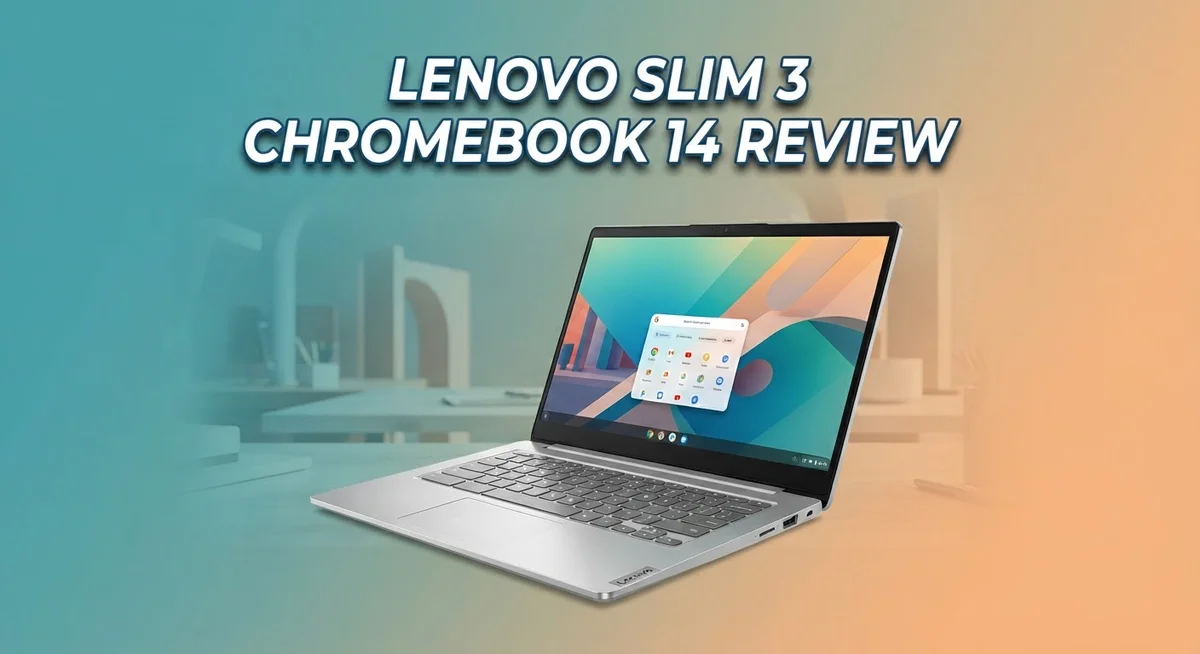
Lenovo Slim 3 Chromebook 14 Review: Worth Buying?
Looking for a simple laptop for daily tasks? The Lenovo Slim 3 Chromebook 14 might catch your eye. It offers a clean design and handles basic computing needs with ease.
This Chromebook comes with a 14″ FHD touchscreen display. You get smooth scrolling and tapping for everyday browsing and media viewing.
Under the hood, it runs on a MediaTek Kompanio 520 processor. This 8-core chip works well for web browsing, document editing, and streaming videos.
One standout feature is the battery life. You get around 13.5 hours of use on a single charge. That means less time near a charger and more time getting things done.
The lightweight build makes it easy to carry around. You can toss it in a bag and take it anywhere, from coffee shops to classrooms.
Top-firing speakers add decent sound for video calls and casual entertainment. WiFi 6 support also keeps your connection fast and stable.
In this review, we break down everything this Chromebook offers. We cover its strengths, its limitations, and whether it fits your daily computing needs.
In a Nutshell
Here’s a quick rundown of what this Chromebook brings to the table:
-
Everyday performance: The 8-core processor handles basic tasks smoothly. It works well for browsing, streaming, and typing documents. Heavy multitasking isn’t its strength though.
-
Storage and memory limits: With 4GB RAM and 64GB storage, this device suits light users. Students and casual browsers will find it enough. Power users may feel the pinch.
-
Display quality: The touchscreen offers decent clarity for everyday viewing. It’s not a premium panel, but it gets the job done. Colors look fine for casual media watching.
-
Connectivity: WiFi 6 support ensures fast and stable internet connections. This helps with video calls and online streaming. You get a modern wireless experience here.
-
Who it’s for: This Chromebook suits students, casual users, and anyone needing a secondary device. It’s not built for gaming or heavy editing work. Think simple tasks done well.
-
Competition check: Compared to the Acer Chromebook 314 and Asus Chromebook Plus CX34, this model holds its own. It competes on portability and battery life mainly.
Key Features and Specifications
The Lenovo Slim 3 Chromebook 14 packs several standout features that make it practical for everyday computing. Let’s explore what sets this device apart from the competition.
Display and visuals stand out immediately. You get a 14-inch FHD touchscreen that responds smoothly to your touch inputs. The built-in 720p camera works well for video calls and online meetings. Colors appear vibrant, and the screen brightness handles both indoor and outdoor use without major complaints.
The processor and performance rely on a MediaTek Kompanio 520 chip with 8 cores. This handles web browsing, Google Docs, email, and streaming without breaking a sweat. Don’t expect gaming or heavy video editing here. The device shines when you stick to its intended purpose: light productivity and entertainment.
Memory and storage come in at 4GB RAM and 64GB eMMC storage. You won’t run dozens of browser tabs simultaneously, but typical daily work stays smooth. Cloud storage through Google Drive becomes your best friend since local space fills up fast.
The battery life reaches approximately 13.5 hours on a single charge. This means you can work through a full school day or office shift without hunting for an outlet. The thin, lightweight design makes carrying it between classes or meetings effortless.
Audio quality gets a boost from top-firing speakers. Video calls sound clear, and casual music or podcast listening works fine. Don’t expect cinema-quality sound, but it beats many competitors in this category.
Connectivity features include WiFi 6 support for speedy, stable internet. You stay connected to fast networks wherever they’re available. Chrome OS runs smoothly on this hardware, offering automatic updates and built-in security features.
This Chromebook excels at basic computing tasks. Students writing essays, professionals answering emails, and casual users streaming content all find value here. The touchscreen adds convenience for navigation and creativity apps. If your work involves light productivity and entertainment, this device delivers exactly what you need without unnecessary complexity.

Last update on 2026-10-12 / Affiliate links / Images from Amazon Product Advertising API Some of the links on this website are affiliate links, which means that at no additional cost to you, I earn a commission if you click through and make a purchase. I only recommend products and services that I believe will add value to my readers. Thank you for your support!
Design and Build Quality
The Lenovo Slim 3 Chromebook 14 impresses with its thin and lightweight construction. You can slip this device into a backpack or bag without feeling the weight. The chassis feels solid under your hands, and the build quality matches what you expect from Lenovo’s lineup.
The touchscreen display adds practical value to your daily work. The 14 inch FHD panel gives you enough screen real estate for document editing, web browsing, and video streaming. The touch functionality makes navigation smoother, especially when you’re multitasking between apps. Colors appear crisp, and viewing angles remain consistent from different positions.
The keyboard and trackpad deliver a comfortable typing experience. Keys have decent travel and respond quickly to your input. The trackpad is spacious enough for smooth gestures and precise cursor control. Both components feel responsive during extended work sessions.
Build materials use a mix of plastic and metal accents. The lid and base maintain rigidity without flexing easily. Hinges feel sturdy and open smoothly to a wide angle. Ports include USB Type C and USB Type A connections, giving you flexibility with accessories and peripherals.
The overall design philosophy focuses on portability and simplicity. The slim profile keeps the device compact, making it ideal for students and travelers. The neutral color scheme fits any setting, whether at home, school, or a coffee shop. Air vents are positioned strategically to manage heat without creating noise during normal use.
Weight distribution feels balanced when you hold the device. The bottom bezel stays minimal, maximizing screen space. Top bezels accommodate the 720p camera, which sits at eye level during video calls. Speakers are positioned on top, directing sound toward you rather than away.
Overall construction quality reflects a device built for everyday use rather than premium performance. Nothing feels cheap or poorly assembled. The materials and engineering show Lenovo’s attention to creating a reliable Chromebook that withstands regular handling and transport. This makes it a practical choice for users who value durability and portability equally.
Performance and Processing Power
The MediaTek Kompanio 520 processor powers this device with its 8-core architecture. This chip handles everyday computing tasks with ease. You’ll notice smooth performance when browsing websites, editing documents, and streaming videos.
The 4GB RAM works well for light multitasking. You can open several browser tabs without experiencing slowdowns. However, heavy workloads or running multiple demanding apps may cause lag. This device focuses on basic productivity rather than intensive computing.
Real world performance shines during typical daily activities. Web browsing feels responsive and quick. Google Docs, Sheets, and Gmail run without hiccups. Video playback stays smooth on YouTube and Netflix. Email management and social media use work flawlessly.
The processor struggles with resource intensive tasks. Heavy photo editing, video rendering, or gaming will push its limits. Chromebook users typically don’t expect gaming performance anyway. The device simply isn’t designed for those demanding activities.
Thermal management works effectively on this Chromebook. The device stays cool even during extended use. You won’t hear loud fan noise because the fanless design keeps things quiet. This makes it ideal for libraries, classrooms, and quiet offices.
App launch times feel quick and responsive. Chrome OS loads applications fast from the Google Play Store. Switching between apps happens smoothly without noticeable delays. The overall speed feels snappy for general computing.
Storage performance impacts how fast files load. The 64GB eMMC storage provides adequate speed for most users. File transfers happen at reasonable speeds. You won’t experience significant bottlenecks during daily work.
The WiFi 6 connectivity complements the processor well. Fast internet speeds mean web based apps run at their best. Streaming quality improves with stable connections. Cloud storage access becomes seamless and quick.
This Chromebook delivers consistent, reliable performance for its intended audience. Students writing essays will find it more than capable. Remote workers handling email and documents experience no frustration. Casual users streaming content get exactly what they need.
The performance ceiling exists, but most users won’t hit it. For web centric computing, this processor proves more than sufficient. The device excels at what it’s designed to do.
Top 3 Alternatives
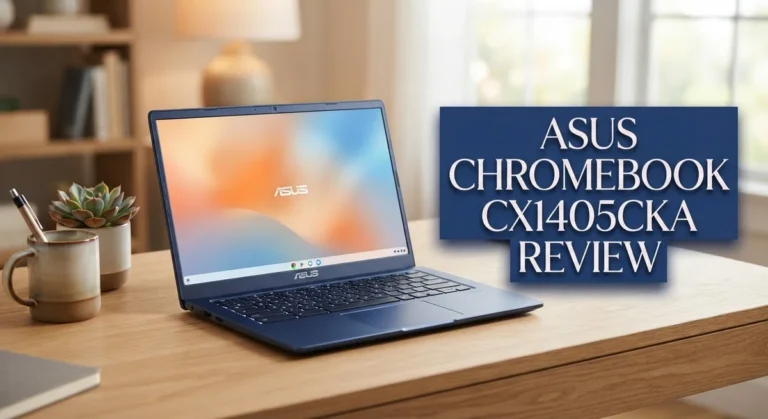
ASUS Chromebook 14

Last update on 2026-10-07 / Affiliate links / Images from Amazon Product Advertising API Some of the links on this website are affiliate links, which means that at no additional cost to you, I earn a commission if you click through and make a purchase. I only recommend products and services that I believe will add value to my readers. Thank you for your support!
The ASUS Chromebook 14 offers solid performance for everyday tasks. This device runs Chrome OS smoothly and handles web browsing, email, and document editing without lag. The 14-inch display provides enough screen space for comfortable viewing during work sessions.
The keyboard feels responsive and the trackpad works well for navigation. Battery life keeps you going through a full workday. The build quality feels sturdy, making it a reliable choice for students and professionals who need a portable machine.
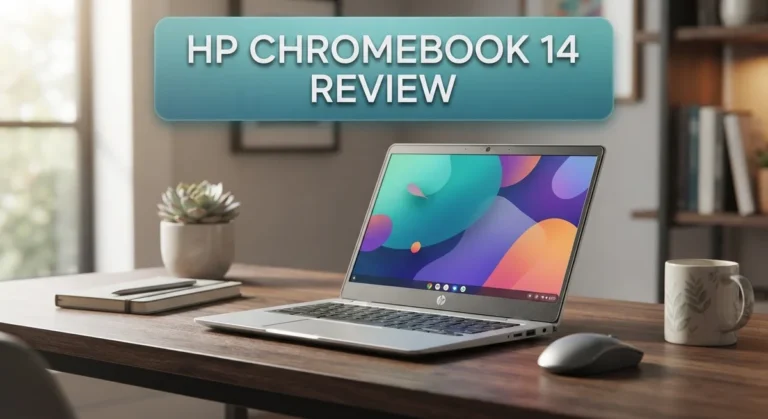
HP Chromebook 14

Last update on 2026-10-12 / Affiliate links / Images from Amazon Product Advertising API Some of the links on this website are affiliate links, which means that at no additional cost to you, I earn a commission if you click through and make a purchase. I only recommend products and services that I believe will add value to my readers. Thank you for your support!
HP’s Chromebook 14 brings practical features to the table. The display quality stands out with vibrant colors and good brightness levels. You’ll appreciate the lightweight design when carrying it between classes or meetings.
The processor handles multitasking reasonably well, allowing you to switch between apps without noticeable delays. The speakers deliver decent audio for video calls and streaming. The keyboard layout feels intuitive, and typing sessions feel natural. The device boots up quickly, which saves time during your daily workflow.
Acer Chromebook 14

Last update on 2026-10-12 / Affiliate links / Images from Amazon Product Advertising API Some of the links on this website are affiliate links, which means that at no additional cost to you, I earn a commission if you click through and make a purchase. I only recommend products and services that I believe will add value to my readers. Thank you for your support!
The Acer Chromebook 14 delivers reliable everyday computing. This machine excels at basic productivity tasks and casual web use. The display offers good color accuracy, making it suitable for content consumption and creative work.
The cooling system keeps the device quiet during normal operation. You won’t hear annoying fan noise interrupting your focus. The ports provide adequate connectivity for external devices like USB drives and headphones. The overall design feels modern and professional, fitting well in any environment. Performance remains consistent throughout extended use sessions without thermal throttling issues.
Display and Audio Quality
The 14 inch FHD touchscreen is the real star here. Colors pop with good vibrancy, and the 1920 x 1080 resolution delivers crisp text for reading and working. The touchscreen responds smoothly to taps and swipes, making navigation feel natural and intuitive.
Brightness levels work well indoors and outdoors. You won’t struggle to see the screen in most lighting conditions. The anti glare coating helps reduce reflections, which is nice when you’re working near windows or bright lights.
The viewing angles are solid. You can tilt the display without colors washing out or contrast dropping sharply. This matters when multiple people want to watch content together or when you’re working at different positions.
Audio quality gets a real boost from the top firing speakers. Sound projects upward into your ears instead of away from you. This placement makes videos, music, and video calls sound noticeably better than typical laptop speakers.
The speakers deliver surprising clarity for their size. Mids and highs come through well, so dialogue in videos and podcasts sounds crisp. Bass is limited, as expected from a thin laptop, but it’s not muddy or unpleasant.
Volume levels reach comfortable levels for personal listening. You won’t need external speakers for casual content consumption. For serious music production or professional audio work, you’d want external speakers, but that’s not the intended use case here.
The touchscreen display and audio combination make media consumption genuinely enjoyable. Streaming shows, watching YouTube videos, and listening to music feel better than you’d expect from an entry level Chromebook.
The display handles everyday tasks smoothly. Web browsing feels responsive, and document editing is clear and easy. The touchscreen speeds up navigation in Chrome OS, letting you interact with apps more directly.
Overall, the display and audio quality exceed what you’d expect at this level. The FHD touchscreen provides practical value for daily work and entertainment. The top firing speakers ensure that sound quality matches the visual experience.
Battery Life and Portability
The Lenovo Slim 3 Chromebook 14 shines when it comes to battery endurance and how easy it is to carry around. This device keeps running for approximately 13.5 hours on a single charge, which means you can work through a full day without hunting for an outlet.
That battery performance matters most when you’re away from your desk. You can attend back to back meetings, take the Chromebook to a coffee shop, or use it during travel without anxiety. The long runtime lets you focus on your work instead of worrying about power levels.
The physical design complements the battery strength perfectly. This Chromebook feels light in your hands and fits easily into backpacks or laptop bags. The thin profile means it won’t weigh you down during commutes or when moving between rooms. Portability becomes a genuine advantage rather than just a marketing term.
The lightweight construction makes this device ideal for students, remote workers, and anyone who moves frequently. You won’t experience arm fatigue when carrying it, and it takes up minimal space on crowded desks or airplane tray tables. The balance between screen size and weight works in your favor here.
WiFi 6 connectivity adds another layer of practicality to portable use. You can connect quickly to networks wherever you go, whether that’s your home, office, or public spaces. Faster wireless speeds mean downloads and streaming happen smoothly even when you’re mobile.
Real world usage shows that the battery estimate holds up well. Normal web browsing, document editing, and video watching all fit comfortably within that 13.5 hour window. Power intensive tasks drain the battery faster, but typical daily activities keep the device running strong.
The combination of long battery life and portable design makes this Chromebook a solid companion for people on the move. You get genuine freedom to work from anywhere without constantly thinking about charging cables. This particular strength sets the Slim 3 apart from heavier competitors that demand more frequent power top ups.
Pros and Cons
Pros
- Long battery life keeps you working for roughly 13.5 hours without needing to charge
- 14 inch FHD touchscreen makes scrolling and tapping feel natural and responsive
- Top firing speakers project sound upward so you hear crisp audio during videos and calls
- Lightweight and thin design fits easily into backpacks for students and remote workers
- WiFi 6 connectivity ensures fast and stable internet connection throughout your day
Cons
- 4GB RAM limits multitasking when you open many browser tabs or apps at once
- 64GB storage fills up quickly if you download large files or install many applications
- HD resolution feels less sharp than higher end displays, especially for detailed work
- Entry level processor struggles when you run heavy applications or complex tasks
Who Should Buy It
Students benefit most from this Chromebook. The lightweight design and 13.5 hour battery life mean you carry it between classes without worry. You can attend lectures, take notes, and work on assignments all day without hunting for a charger.
Remote workers find real value here too. If you spend your day in coffee shops, libraries, or coworking spaces, this device keeps up with your schedule. The touchscreen makes document editing and web browsing feel natural and quick.
Content consumers love the display and speakers. You stream videos, watch tutorials, and enjoy online media comfortably. The FHD touchscreen shows clear images, and the top firing speakers deliver sound that reaches your ears directly.
Teachers and educators work well with this model. Chrome OS handles Google Classroom, Docs, and Sheets without any lag. You manage student work and create lesson plans easily throughout your day.
Casual home users get a capable machine for everyday tasks. Browsing the web, checking email, and video calls work smoothly. The touchscreen adds convenience for scrolling and navigating websites.
You should skip this model if you need heavy multitasking. The 4GB RAM struggles when you open 20 browser tabs or run multiple apps simultaneously. Professional video editors and developers need more power and storage than this offers.
Gamers looking for performance will feel disappointed. The MediaTek processor handles light games but not demanding titles. This Chromebook focuses on productivity and media, not gaming.
People who download large files frequently hit storage limits quickly. The 64GB storage fills fast with movies, documents, and applications. You’ll need cloud storage solutions or external drives regularly.
This Chromebook excels for people who live online. If your work and entertainment happen through a web browser, this device delivers. The combination of portability, battery life, and touchscreen creates a solid experience for students, remote workers, and casual users who stay connected and mobile.
Final Verdict
The Lenovo Slim 3 Chromebook 14 earns its place as a dependable everyday device. It handles simple tasks with ease and keeps you connected throughout the day.
This laptop shines brightest for people who stick to light digital routines. Writing, browsing, and streaming all feel smooth on this machine.
Compared to the Acer Chromebook 314, the Slim 3 offers similar screen quality but stands out with its battery endurance. The Asus Chromebook Plus CX34 brings more processing power, though it sacrifices some portability.
If you want a slightly faster option, the Lenovo Chromebook Plus 14 gives you better specs for heavier workloads. The Lenovo Chromebook Plus 2 in 1 adds flexibility with its convertible design, which suits people who like switching between laptop and tablet modes.
Still, the Slim 3 holds its own in this lineup. It focuses on doing a few things really well instead of trying to do everything.
This model fits people who value simplicity over speed. It works great as a secondary device or a first laptop for someone just starting out.
Think about your daily habits before deciding. If your tasks rarely go beyond typing, browsing, and watching videos, this Chromebook meets your needs without fuss.
However, if your routine includes editing large files, running multiple apps, or gaming, look at other models in this list. The hardware here simply was not built for that kind of load.
In short, the Lenovo Slim 3 Chromebook 14 delivers a smooth experience for straightforward computing. It keeps things simple, reliable, and easy to carry.
For students, casual users, and anyone who lives in a browser tab most of the day, this Chromebook makes a smart choice. It may not lead the pack in power, but it earns trust through consistency and comfort.
Frequently Asked Questions
Does the Lenovo Slim 3 Chromebook 14 have a touchscreen?
Yes, it does. The 14 inch FHD touchscreen lets you tap, swipe, and scroll directly on the display. This feature works great for web browsing and navigating Chrome OS apps. The touchscreen makes everyday tasks feel more intuitive and responsive.
How long does the battery last?
The battery runs for approximately 13.5 hours on a single charge. This means you can work through a full school day or office shift without hunting for a power outlet. The long battery life makes this Chromebook perfect for people who move between classrooms, coffee shops, or home offices.
Can I edit photos or videos on this Chromebook?
Light editing is possible with Chrome OS apps and web based tools. However, the 4GB RAM and entry level processor may slow down if you work with large video files or complex projects. For basic photo adjustments or simple video trimming, this machine handles the job fine. If you do heavy creative work regularly, consider a more powerful model.
How does this compare to the Acer Chromebook 314?
Both laptops offer 14 inch FHD touchscreens and similar performance. The Slim 3 stands out with superior battery endurance and a thinner, lighter design. The Acer holds its own as a solid alternative if you prefer different build quality or keyboard feel. Your choice depends on which features matter most to your daily routine.
Is 64GB storage enough?
It depends on your habits. If you stream movies, use Google Drive, and stick to web apps, 64GB works fine. Storage fills up quickly if you download large files or install many applications offline. Most Chromebook users rely on cloud storage anyway, so this limitation rarely causes real problems.

Hi, my name is Lily you can say i am a gadget hunter at this point. Welcome to Gadget Gallery The Gallery of Gadget Reviews