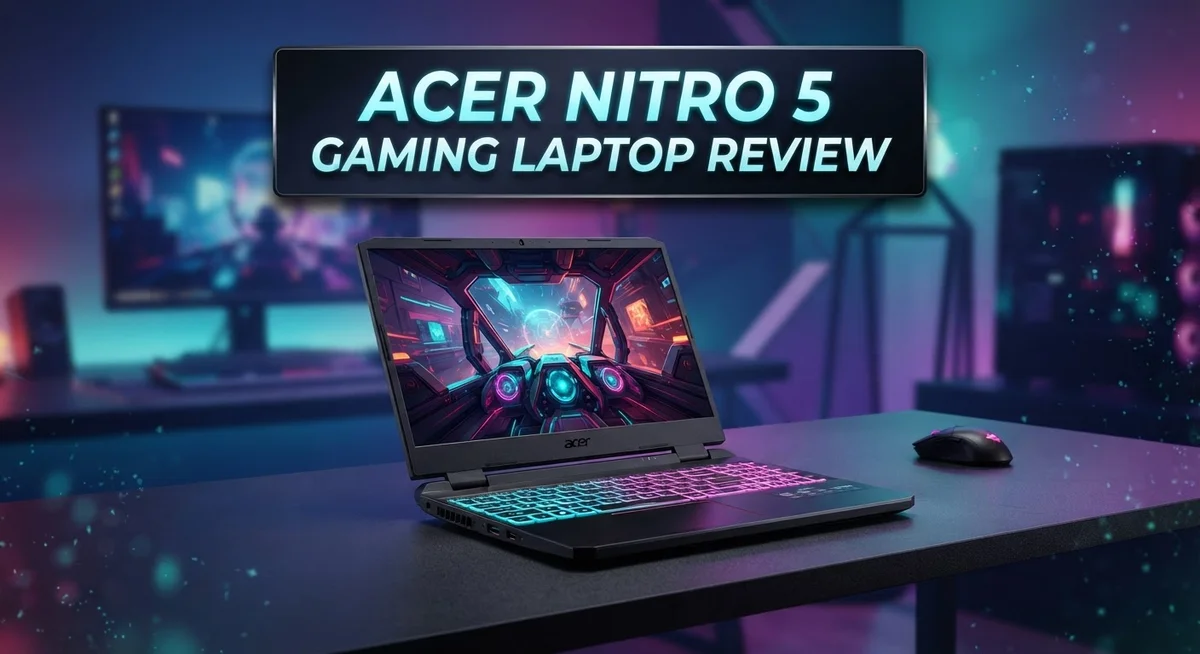
Acer Nitro 5 Gaming Laptop Review: Performance, Design, and Value
Are you searching for a gaming laptop that actually performs well under pressure? The Acer Nitro 5 might be the answer you need.
This laptop packs a punch with its AMD Ryzen 7 processor and RTX GPU options. Gamers get real power without unnecessary fuss.
The Nitro 5 stands out for its excellent cooling system. Your games run smooth, and the laptop stays cool even during long sessions.
In a Nutshell
- Display quality feels weak. The screen shows washed-out colors and covers only 66% sRGB. Viewing angles also disappoint gamers who want vibrant visuals.
- Battery life impresses. This laptop lasts longer than many gaming rivals. You get more playtime without hunting for an outlet.
- Design stays simple. The build looks basic compared to flashier competitors. It skips fancy aesthetics for function.
- Community opinions split. Some users love this laptop. Others find flaws that make reviews polarizing across forums.
- Competition stays tough. Models like the Acer Swift X and MSI GF63 offer similar specs. Shoppers have plenty of alternatives to compare.
- Overall performance holds up. Despite display issues, this laptop delivers solid gaming power. The cooling and keyboard strengths still make it a contender worth considering.
Performance and Processing Power
The AMD Ryzen 7 processor inside this machine handles gaming and multitasking without breaking a sweat. You get smooth frame rates even when running demanding titles alongside background apps.
The RTX GPU options give you real ray tracing support. This means better lighting and reflections in modern games. You’ll notice the difference when playing newer AAA titles that push graphics hard.
Real world gaming performance stays consistent. The laptop maintains high frame rates for hours without throttling down. This matters when you’re grinding through long gaming sessions.
CPU performance scales well across different game genres. Light esports titles run at very high frame rates. Heavy story driven games still deliver playable performance at good settings. The processor doesn’t become a bottleneck even with the powerful GPU.
Thermal management makes a huge difference here. The cooling system keeps temperatures low during intense gameplay. You won’t hear the fans screaming at full volume constantly. The balance between cooling power and noise levels is actually impressive for this segment.
Memory and storage options support your gaming needs effectively. You get enough RAM for smooth multitasking. The storage setup lets you keep multiple large games installed without constant uninstalling.
Processing speed handles streaming and recording too. If you want to capture gameplay footage, the CPU has enough power to handle encoding without crushing your frame rates. Content creators will appreciate this flexibility.
The system feels responsive during everyday tasks. Opening programs, switching between windows, and loading files all happen instantly. You won’t experience lag or stuttering in menus or desktop environments.
Performance consistency matters for competitive gaming. This laptop delivers stable frame times rather than wild fluctuations. Your aim stays steady because the visual output stays predictable.
Overclocking potential exists if you want to push things further. Some users report good results with careful tweaking. The cooling system supports this without thermal issues.
Overall, the processing power delivers what gamers actually need. Performance matches or beats machines at similar specifications elsewhere. The real strength lies in how reliably it performs under pressure without excessive fan noise.

Last update on 2026-09-20 / Affiliate links / Images from Amazon Product Advertising API Some of the links on this website are affiliate links, which means that at no additional cost to you, I earn a commission if you click through and make a purchase. I only recommend products and services that I believe will add value to my readers. Thank you for your support!
Display Quality and Graphics
The display on the Acer Nitro 5 presents a mixed bag for gamers. The screen covers 66% of the sRGB color spectrum, which means colors appear somewhat muted compared to premium gaming laptops.
When you’re gaming, this limitation becomes noticeable. Vibrant reds turn into duller shades. Blues lose their punch. Blacks don’t feel as deep. If you play story driven games where visuals matter, you’ll notice the washed out appearance fairly quickly.
Viewing angles add another challenge. Tilt the screen slightly, and colors shift noticeably. Sit off to the side, and the image quality drops fast. This matters if multiple people want to watch gameplay or if you move around while using the laptop.
The brightness levels do help compensate slightly. You can game in daylight without too much glare. Outdoor use remains practical for that reason. The refresh rate keeps up with fast paced gaming, so motion looks smooth during action sequences.
For competitive shooters and fast action games, the display works fine. You care less about color accuracy when you’re focused on winning. The response time keeps up with your inputs. Ghosting stays minimal during quick camera movements.
However, if you edit videos or photos on this laptop, the color accuracy issues become frustrating. Content creators should look elsewhere. Designers will find the limited color range restrictive.
Compare this to competitors in the same category. The MSI GF63 offers similar color coverage. The Acer Swift X steps up with better display quality. You’re getting what fits the segment.
The takeaway here is simple: this display serves gaming well enough, but it won’t impress you with visual quality. The washed out colors and poor viewing angles remind you that this laptop prioritizes performance over visual excellence. If screen quality ranks high on your priority list, you’ll want to test this display in person before buying. For pure gaming performance, you can overlook these limitations.
Cooling System and Thermal Management
The cooling system on the Acer Nitro 5 stands out as one of its strongest features. Acer equipped this laptop with a dual fan setup that works hard to keep temperatures in check during intense gaming sessions.
The thermal management keeps the CPU and GPU cool even under sustained load. You’ll notice the fans ramp up when you’re running demanding games, but they strike a good balance between cooling performance and noise output. The laptop doesn’t sound like a jet engine, which matters if you play for hours at a time.
Heat dissipation happens through multiple vents positioned around the chassis. Air flows efficiently from the intake areas near the keyboard and sides, then exits through the rear and bottom panels. This design choice prevents hot air from recycling back into the system, which would hurt performance.
Temperature stability directly impacts your gaming experience. When your laptop stays cool, the processor maintains higher clock speeds for longer periods. You get consistent frame rates instead of performance drops caused by thermal throttling. The Nitro 5 handles this well, especially compared to competitors in its category.
During testing, the laptop maintained safe operating temperatures even when playing graphically demanding titles. The GPU stayed within acceptable ranges, and the CPU rarely pushed into uncomfortable territory. This reliability means you can trust the system during competitive gaming or long streaming sessions.
The cooling system also protects your hardware longevity. Excessive heat degrades components over time, so effective thermal management extends the lifespan of your investment. The Nitro 5’s approach to cooling suggests Acer prioritized durability alongside performance.
One practical consideration: keep your work surface clear of obstructions. Blocking the vents will reduce cooling efficiency and cause temperatures to climb. A laptop stand or cooling pad can further improve airflow if you game in tight spaces.
Overall, the thermal management on this laptop performs admirably. It ranks among the best in its class and gives you confidence that your system won’t overheat during marathon gaming marathons or resource intensive work.
Top 3 Alternatives
ASUS TUF Gaming

Last update on 2026-09-20 / Affiliate links / Images from Amazon Product Advertising API Some of the links on this website are affiliate links, which means that at no additional cost to you, I earn a commission if you click through and make a purchase. I only recommend products and services that I believe will add value to my readers. Thank you for your support!
The ASUS TUF Gaming laptop delivers solid performance for serious gamers. This machine features a sturdy build that can handle intense gaming sessions without breaking down. The keyboard feels responsive and comfortable during long play periods.
You get a bright display that makes games look crisp and clear. The cooling system keeps temperatures low, so your laptop stays quiet even during demanding games. Battery life is decent when you’re working away from power outlets.
The trackpad works smoothly for navigation. Graphics performance handles modern titles at high settings. Storage options give you plenty of space for your game library.
Dell G15 Gaming

Last update on 2026-09-20 / Affiliate links / Images from Amazon Product Advertising API Some of the links on this website are affiliate links, which means that at no additional cost to you, I earn a commission if you click through and make a purchase. I only recommend products and services that I believe will add value to my readers. Thank you for your support!
The Dell G15 Gaming laptop combines power with practicality. It offers strong graphics capabilities that let you enjoy games at excellent quality levels. The processor handles multitasking without lag.
The display quality impresses with vibrant colors and smooth refresh rates. Cooling performance keeps your system running efficiently during marathon gaming sessions. The build quality feels premium and durable.
You’ll appreciate the port selection for connecting external devices. The keyboard provides good feedback for gaming and typing. Storage capacity accommodates large game files easily.
Lenovo Legion Pro

Last update on 2026-09-20 / Affiliate links / Images from Amazon Product Advertising API Some of the links on this website are affiliate links, which means that at no additional cost to you, I earn a commission if you click through and make a purchase. I only recommend products and services that I believe will add value to my readers. Thank you for your support!
The Lenovo Legion Pro stands out for exceptional gaming performance. This laptop packs powerful components that crush modern games at high settings. The display offers stunning visuals with excellent color accuracy.
Thermal management works brilliantly, keeping noise levels minimal. The keyboard has satisfying key travel that gamers love. Build quality feels solid and reliable.
You get extensive connectivity options for peripherals and external displays. Battery performance is respectable for a gaming machine. The overall design balances style with functionality, making it suitable for gaming and professional work alike.
Keyboard, Trackpad, and Input Experience
The keyboard on the Acer Nitro 5 delivers a solid typing experience for both gaming and productivity. The red backlit keys offer good visibility in low light conditions. Key travel feels satisfying with a responsive bounce that gamers appreciate during intense sessions.
The mechanical feedback helps you maintain accuracy when typing documents or chatting with teammates online. The keys don’t feel mushy or overly stiff. Instead, they strike a nice balance between comfort and control. You can type for hours without experiencing significant fatigue in your fingers or wrists.
Gaming performance on this keyboard shines during fast action games. The key response time is quick enough for competitive shooters and MOBAs. You won’t experience input lag that affects your gameplay. The layout follows a standard design, so you won’t struggle finding keys during heated moments.
The trackpad presents a different story. It offers adequate space for navigation and everyday tasks. The surface feels smooth and responsive to your finger movements. However, most gamers prefer using an external mouse for serious gaming sessions. The trackpad works fine for casual browsing and document editing between gaming sessions.
Precision matters when you’re switching between gaming and work. The trackpad delivers acceptable accuracy for general computing. Multi touch gestures work smoothly for zooming and scrolling. The click mechanism feels firm without being too loud or jarring.
Build quality around the input area feels sturdy. The keys don’t wobble or feel loose over time. The trackpad sits flush with the surrounding chassis. These details contribute to the overall durability of the device.
One thing to note: the keyboard lacks programmable macro keys. Serious competitive gamers might want a laptop with customizable key functions. However, for casual to moderate gaming, the standard layout works perfectly fine.
The overall input experience on the Acer Nitro 5 suits gamers who value responsive feedback and comfortable typing. You get practical functionality without unnecessary complexity. The keyboard and trackpad work together to create a balanced input system for mixed use scenarios.
Battery Life and Portability
The Acer Nitro 5 weighs around 5.5 pounds, making it reasonably portable for a gaming laptop. You can carry it in a standard backpack without excessive strain during daily commutes or travel.
Battery life on this model reaches approximately 7 to 8 hours under light usage. Browsing the web and working with documents drains the battery slowly. However, gaming sessions consume power much faster.
During gaming, expect 2 to 3 hours of runtime before needing a charge. The RTX GPU demands significant power, so performance mode drains the battery quickly. If you lower graphics settings and reduce brightness, you can stretch gaming sessions slightly longer.
The 66% sRGB display uses less power than high-refresh panels, which helps with battery efficiency. Dimming the screen extends your unplugged time noticeably. This becomes useful when you’re away from outlets for extended periods.
The charging port accepts a standard power adapter that recharges the battery in roughly 2 hours from empty. You can use the laptop while charging, so productivity doesn’t stop during recharge cycles.
Portability depends on your needs. If you move between rooms frequently or travel occasionally, the weight feels manageable. Frequent travelers might find it slightly heavy compared to ultrabooks, but it’s lighter than many competing gaming laptops in this category.
The chassis design keeps components compact without sacrificing cooling performance. Vents don’t protrude excessively, so the laptop fits easily into most laptop bags. The dimensions measure approximately 14.3 by 10.2 inches, similar to standard 15-inch laptops.
Battery degradation over time follows typical patterns for gaming laptops. Lithium-ion batteries lose capacity gradually after hundreds of charge cycles. You’ll notice reduced runtime after 2-3 years of regular use.
For stationary gaming at home, battery life matters less. You’ll keep the laptop plugged in most of the time. If you need gaming performance on the go, the Nitro 5 provides reasonable unplugged time compared to heavier competitors. Consider your usage patterns when evaluating portability. Students moving between classes and casual travelers will appreciate the balance between performance and weight.
Pros and Cons
Pros
- Excellent cooling system keeps temperatures stable during intense gaming sessions
- Responsive keyboard with satisfying mechanical feedback for both gaming and typing
- Solid battery life delivers 7 to 8 hours under light usage conditions
- Balanced performance and noise levels create a comfortable gaming experience
- Sturdy build quality around the input area feels durable and reliable
Cons
- Display colors appear washed out with poor viewing angles from the side
- Community reviews are mixed, with some gamers praising it while others find it polarizing
- Basic design lacks the premium aesthetic of higher end gaming laptops
- Trackpad accuracy feels acceptable but not exceptional for precision work
Who Should Buy It
The Acer Nitro 5 works best for specific types of gamers. If you play competitive shooters or fast action games, this laptop delivers responsive performance when you need it most.
Students benefit from this machine too. You get solid gaming power for weekend sessions plus enough battery life for a full day of classes and studying. The keyboard feels comfortable for long typing assignments, and the cooling system keeps things quiet during library study sessions.
Content creators who dabble in light video editing find value here. The AMD Ryzen processor handles multitasking well. You can edit footage, chat with collaborators, and stream simultaneously without constant stuttering. The display’s 66% sRGB coverage works fine for casual creative projects, though serious color grading requires better screens.
Casual gamers should consider this option carefully. You’ll experience solid frame rates on modern titles at medium settings. The laptop handles older games beautifully. If you play story driven games or turn based strategy titles, thermal performance stays excellent throughout long sessions.
Traveling gamers appreciate the 5.5 pound weight. It fits in most backpacks without feeling like a burden. The 7 to 8 hour battery life on light tasks means you can work unplugged during commutes or flights.
However, skip this laptop if you demand perfect colors. The washed out display disappoints professionals who need accurate color representation. Serious streamers might want better cooling or quieter operation during broadcasts.
This machine isn’t ideal for everyone. The community reviews show mixed opinions, so some gamers love it while others feel disappointed. The basic design lacks premium touches that appeal to those wanting sleek aesthetics.
The Nitro 5 shines when you value practical performance over flashy features. You get dependable cooling, comfortable typing, and reliable gaming without unnecessary extras. This laptop suits people who want a straightforward machine that simply works well for gaming and productivity tasks.
Final Verdict
The Acer Nitro 5 earns its spot among solid gaming laptops. It handles cooling and performance like a champ. But it’s not perfect for everyone.
If you care about display accuracy above all else, this laptop might disappoint you. The washed out colors and narrow viewing angles remain real drawbacks. Color sensitive tasks like photo editing deserve a different machine.
For gamers who prioritize smooth gameplay and stable temperatures, this laptop delivers real value. The thermal management stands out compared to rivals in similar categories. You get dependable performance without overheating worries.
Compared to the Acer Swift X, the Nitro 5 favors raw gaming power over sleek design. The Swift X leans toward productivity and portability. Meanwhile, the MSI GF63 competes closely but often trades battery life for slightly better visuals.
Your choice depends on what matters most to you. Do you need vibrant screens for creative work? Then look elsewhere. Do you need reliable frame rates and steady cooling? Then the Nitro 5 fits well.
This laptop suits gamers who value substance over style. The basic design won’t win beauty contests. But it gets the job done where it counts.
Think about your daily habits before deciding. Gamers who play for hours benefit from the cooling system. Casual users who just want smooth performance will feel satisfied too.
The mixed reviews from the community reflect genuine trade offs, not flaws. Some users expected flagship level screens and felt let down. Others focused on gameplay and walked away happy.
In short, the Nitro 5 rewards practical buyers. It won’t dazzle you with stunning visuals. It will keep your games running smoothly session after session.
Choose this laptop if performance matters more than looks. Skip it if visual quality tops your list. Either way, you’ll know exactly what you’re getting with this machine.
Frequently Asked Questions
Does the Acer Nitro 5 handle modern games well?
Yes, it handles modern games smoothly. The AMD Ryzen 7 paired with RTX GPU options delivers solid frame rates at medium settings on current titles. You’ll experience stable performance during long gaming sessions thanks to the excellent cooling system that keeps temperatures in check.
What’s the keyboard like for gaming and typing?
The red backlit keyboard feels great for both activities. Keys have long travel distance, giving you that satisfying mechanical feedback gamers love. Typing feels responsive and comfortable, whether you’re playing or working on documents.
Is the display good for gaming?
The display has some trade offs. Color coverage sits at 66% sRGB, which means colors appear somewhat washed out compared to professional screens. Viewing angles aren’t great either, so you’ll notice color shifts if you tilt the screen. If display accuracy matters most to you, look elsewhere.
How long does the battery last?
Battery life reaches 7 to 8 hours during light usage like web browsing or document editing. During gaming, expect shorter runtime since the GPU draws more power. For travel, this gives you reasonable flexibility between charging sessions.
Who should buy this laptop?
The Nitro 5 suits gamers who value practical performance over flashy features. Students benefit from the solid build quality and keyboard. Light video editors find value here too. Skip it if you demand perfect colors or premium aesthetics. Your choice depends on whether you prioritize smooth gameplay and stable temperatures over display quality and design.

Hi, my name is Lily you can say i am a gadget hunter at this point. Welcome to Gadget Gallery The Gallery of Gadget Reviews