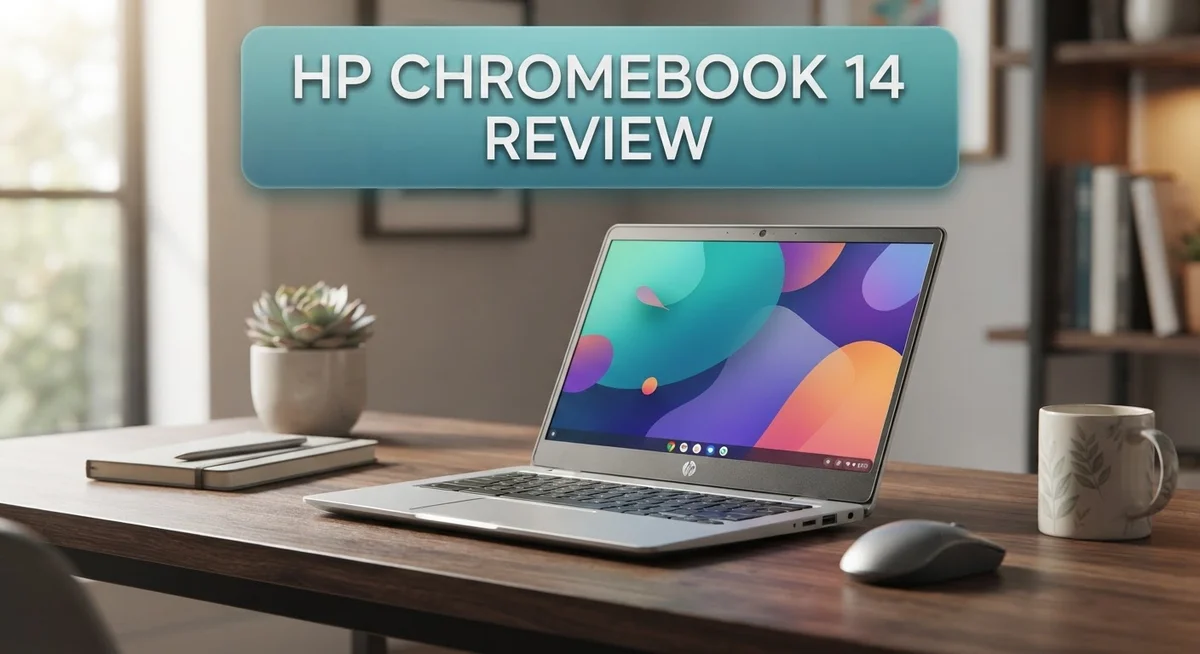
HP Chromebook 14 Review: Features, Performance, and Value
Are you looking for a simple laptop that just works? The HP Chromebook 14 might be your answer. This laptop focuses on the basics and does them well.
Chrome OS powers this device smoothly. You get quick startups and easy access to Google apps. Everything feels simple and clean.
This Chromebook fits well in bags and backpacks. Its compact design makes it a great travel companion. You can carry it to school, work, or coffee shops with ease.
In a Nutshell
- Display: A 14 inch screen comes with an optional HD touchscreen for easy navigation.
- Processor and Memory: It runs on an Intel Celeron N4500 or an Intel N-series chip. RAM options range from 4GB to 8GB.
- Storage: Choose between 64GB eMMC or 256GB UFS storage depending on your needs.
- Build Quality: The chassis feels sturdy and stays cool even during extended use.
- Performance Limits: This laptop struggles with heavy tasks. The base 4GB RAM model may feel slow for multitasking.
- Display Trade Offs: Some configurations show weaker screen quality compared to premium models.
Key Features and Specifications
The HP Chromebook 14 packs several features that make it stand out in the basic laptop category. Let’s break down what you actually get with this device.
The processor options give you flexibility depending on your needs. You can choose between an Intel Celeron N4500 or other Intel N-series chips. These processors handle everyday tasks like web browsing, email, and document editing without any trouble. They won’t win any speed races, but they keep things running smoothly for typical users.
Memory and storage come in different configurations. The base model starts with 4GB of RAM, while upgraded versions offer 8GB. Storage options range from 64GB eMMC to 256GB UFS. The extra RAM and storage matter if you work with multiple browser tabs or store lots of files locally.
Graphics performance relies on Intel’s integrated UHD graphics. This means you won’t game or edit videos on this machine. The graphics chip handles Chrome OS interfaces and basic web content just fine. Anything beyond that will feel sluggish.
The display deserves special attention here. You get a 14 inch screen as standard. Some models include an HD touchscreen option for more interactive use. Others come with basic non touch displays. The screen quality varies across different configurations, so check your specific model before buying.
Thermal management is something HP got right. The chassis stays cool even during extended use sessions. You won’t feel hot air vents or hear loud fans running constantly. This makes it comfortable for lap work or desk use.
The operating system is Chrome OS, which runs light and fast. It boots quickly and requires minimal maintenance. Everything syncs with your Google account automatically.
The real strength of this Chromebook lies in its simplicity. It does one thing very well: running web based applications and Chrome OS software. If your work involves cloud services, Google Workspace, or streaming content, this device delivers solid performance. Just understand its limitations before making your choice.

Last update on 2026-10-06 / Affiliate links / Images from Amazon Product Advertising API Some of the links on this website are affiliate links, which means that at no additional cost to you, I earn a commission if you click through and make a purchase. I only recommend products and services that I believe will add value to my readers. Thank you for your support!
Design and Build Quality
The HP Chromebook 14 features a clean, minimalist design that appeals to students and everyday users. The chassis measures 14 inches across and weighs around 3.5 pounds, making it easy to carry between classes or meetings. The lid and base use a combination of plastic and metal elements that work well together.
Opening the laptop reveals a spacious keyboard deck with plenty of room for your hands. The keys themselves feel responsive and don’t require heavy pressing. The touchpad sits centered below the keyboard and offers smooth tracking without any dead zones or sticky spots.
The hinge mechanism opens smoothly and holds the screen at various angles without wobbling. This stability matters when you’re working on a desk or holding the laptop in your lap. The overall construction feels sturdy and well assembled, with no creaks or flex in the chassis when you apply normal pressure.
HP paid attention to thermal management on this model. The laptop stays cool during regular use, even when running multiple browser tabs. Air vents on the sides allow heat to escape without creating loud fan noise.
The port selection includes USB Type C connections and a standard USB 3.1 port. You also get a headphone jack for audio peripherals. These ports sit on the sides for easy access without blocking your work space.
The screen bezel is relatively thin, which helps the laptop feel modern without making it fragile. The 14 inch display comes in standard or HD touchscreen options depending on your configuration choice.
Weight and portability stand out as genuine strengths here. The laptop fits comfortably in most bags and backpacks without adding much bulk. Students often mention that carrying this device feels effortless compared to heavier machines.
The build quality reflects the device’s position as an entry level Chromebook. It’s not premium, but it’s honest and durable. The design prioritizes function over flashy aesthetics, which keeps costs reasonable and reliability high.
Performance and Processing Power
The HP Chromebook 14 runs on an Intel Celeron N4500 or Intel N-series processor paired with 4GB to 8GB of RAM. This combination handles everyday computing tasks smoothly, including web browsing, video streaming, and document editing in Google Workspace.
Real world performance feels snappy for basic workloads. The Celeron N4500 processor keeps things responsive when you’re juggling multiple browser tabs or working on spreadsheets. Chrome OS itself runs light and efficient, which means the hardware doesn’t need to work overtime for simple tasks.
However, this laptop shows its limitations with demanding applications. If you plan to do heavy video editing, 3D rendering, or run resource intensive software, you’ll notice slowdowns. The integrated Intel UHD graphics handle casual gaming and media playback, but they’re not built for serious graphics work.
The RAM configuration matters more than you might think. The base 4GB option works for light users, but stepping up to 8GB gives you better multitasking performance. You’ll appreciate the extra memory when running multiple applications simultaneously or working with larger files.
Storage options include 64GB eMMC or 256GB UFS drives. The faster UFS storage noticeably improves app launch times and file transfers compared to standard eMMC. For students storing documents and photos, 64GB suffices. Content creators or users who download lots of media should consider the 256GB option.
Thermal performance remains one of this Chromebook’s strengths. The laptop stays cool during normal use, and the fan rarely kicks into high gear. This means quieter operation and better battery efficiency during extended sessions.
The processor handles Chrome OS updates and system processes without breaking a sweat. You won’t experience the sluggishness that sometimes plagues underpowered devices. Everything from opening apps to switching between windows happens instantly.
This Chromebook excels as a daily driver for students, professionals handling light work, and casual users. It delivers consistent performance for its intended audience. If your needs align with web based productivity and entertainment, the processing power proves more than adequate.
Top 3 Alternatives
Lenovo IdeaPad 3

Last update on 2026-10-12 / Affiliate links / Images from Amazon Product Advertising API Some of the links on this website are affiliate links, which means that at no additional cost to you, I earn a commission if you click through and make a purchase. I only recommend products and services that I believe will add value to my readers. Thank you for your support!
The Lenovo IdeaPad 3 offers solid performance for everyday computing tasks. This laptop features a responsive processor that handles browsing, document editing, and streaming without lag. The display provides clear visuals for work and entertainment purposes.
Battery life stands out as a strong point for this model. You get extended usage time between charges, making it convenient for people on the move. The keyboard feels comfortable during long typing sessions, and the trackpad responds accurately to your commands.
Storage options give you enough space for files and applications. The build quality feels sturdy, and the lightweight design makes portability easy. This device works well for students, professionals, and casual users alike.
ASUS VivoBook 14

Last update on 2026-10-06 / Affiliate links / Images from Amazon Product Advertising API Some of the links on this website are affiliate links, which means that at no additional cost to you, I earn a commission if you click through and make a purchase. I only recommend products and services that I believe will add value to my readers. Thank you for your support!
The ASUS VivoBook 14 combines style with functionality. This laptop sports a sleek design that looks professional in any setting. The display delivers vibrant colors and sharp text, making it pleasant for extended viewing sessions.
Performance remains consistent during multitasking scenarios. You can run multiple applications simultaneously without experiencing slowdowns. The cooling system keeps the device quiet during normal use, which many users appreciate.
Connectivity options include modern ports for your peripherals. The webcam quality suits video calls and online meetings. The overall experience feels smooth and responsive for daily computing needs.
Dell Inspiron 14

Last update on 2026-10-06 / Affiliate links / Images from Amazon Product Advertising API Some of the links on this website are affiliate links, which means that at no additional cost to you, I earn a commission if you click through and make a purchase. I only recommend products and services that I believe will add value to my readers. Thank you for your support!
The Dell Inspiron 14 brings reliability to your computing experience. This laptop runs smoothly for work, school, and entertainment purposes. The screen offers good brightness and color accuracy for content consumption.
The processor handles typical workloads efficiently. You can comfortably work with spreadsheets, presentations, and web applications. The audio quality impresses with clear speakers built into the chassis.
Build materials feel durable and long-lasting. The keyboard provides adequate feedback for typing comfort. This device appeals to users seeking a dependable, straightforward laptop for everyday tasks.
Display and Visual Experience
The 14 inch display on this Chromebook comes in both standard and touchscreen options, giving you flexibility based on your needs. The HD resolution delivers crisp text and clear visuals for everyday browsing, document editing, and video streaming.
Color accuracy sits in the middle range for this class of laptop. You’ll notice the display handles bright indoor environments well, though outdoor visibility requires some angle adjustment. The screen brightness reaches adequate levels for typical indoor use without straining your eyes during extended sessions.
The touchscreen variant adds genuine value if you prefer tap and swipe interactions. The touch response feels responsive and accurate across the entire panel. Navigation becomes faster when you can simply tap icons instead of using the trackpad. This feature particularly helps students taking notes or professionals reviewing documents.
Viewing angles tell an interesting story here. The IPS panel allows comfortable viewing from the sides without significant color shift. You can share your screen with someone sitting next to you without them seeing a washed out image. This matters more than you might think during collaborative work or presentations.
The bezels around the screen stay relatively thin, making the display feel modern and less cramped. This design choice maximizes screen real estate without making the laptop feel oversized. The hinge opens smoothly and holds the screen firmly at any angle you choose.
Refresh rate stays at 60Hz, which is standard for this category. You won’t experience the ultra smooth motion of higher refresh displays, but everyday tasks like scrolling and typing feel perfectly smooth. Gaming and video playback work without noticeable stuttering.
The display pairs well with Chrome OS since the operating system runs light and fast. Web based applications display cleanly without lag or rendering issues. Streaming video from YouTube or Netflix plays smoothly without stuttering or buffering problems.
Overall, the visual experience meets expectations for a laptop in this class. The display won’t impress creative professionals who need color perfect screens, but it handles everything students and casual users throw at it. The touchscreen option genuinely enhances the user experience for those who embrace touch navigation.
Battery Life and Portability
The HP Chromebook 14 delivers impressive battery endurance that keeps you working through a full school day or office shift. Real world usage shows the battery lasts between 10 to 12 hours on a single charge, depending on your screen brightness and what apps you’re running.
Chrome OS deserves credit here. The operating system runs lean and efficient, which means the battery doesn’t drain quickly even during active browsing. Streaming videos, checking email, and working in Google Docs all happen without draining power at an alarming rate. The battery performance makes this Chromebook reliable for travel and commuting.
Charging speed is reasonable. You can go from empty to 50 percent in about 45 minutes using the included USB Type C charger. A full charge takes roughly 90 minutes, which fits well into typical work breaks or lunch periods.
The 14 inch size strikes a sweet spot for portability. This Chromebook weighs around 3.5 pounds, making it light enough to carry in a backpack without feeling like a burden. The thin bezels and compact frame mean it doesn’t take up much space in a bag or on a desk.
Portability shines when you compare this to larger laptops. You can easily move between classrooms, coffee shops, or home without strain. The sturdy hinge and durable construction mean it handles being tossed into bags or carried daily without developing issues.
Heat management also supports battery life. The Intel Celeron N4500 processor runs cool, so the system doesn’t waste energy on cooling fans spinning constantly. This efficiency translates into longer battery sessions and quieter operation.
The combination of extended battery life and lightweight design makes the HP Chromebook 14 a practical choice for mobile users. Whether you’re a student moving between classes or a professional working from different locations, this laptop keeps up with your movement and your workload without constant charging stops.
Pros and Cons
Pros
- Compact and lightweight design makes it easy to carry between classrooms, offices, and coffee shops
- Battery life lasts through a full workday without needing a charge
- Keyboard and touchpad feel comfortable during extended typing sessions
- Sturdy build quality holds up well to daily use and occasional bumps
- Cool operating temperatures mean the laptop stays comfortable on your lap
Cons
- CPU and GPU struggle with heavy applications, video editing, or gaming
- Base model comes with only 4GB RAM, which limits multitasking with many browser tabs
- Display quality varies by model, with some versions showing limited color accuracy and narrow viewing angles
- Performance falls behind premium Chromebooks in speed and responsiveness for intensive tasks
Who Should Buy It
The HP Chromebook 14 works best for specific types of users. If you spend most of your time in a web browser, this laptop fits perfectly into your workflow.
Students find real value here. You get a machine that handles Google Classroom, video calls, and document editing without any struggle. The lightweight design means you can toss it in a backpack and move between classes easily. Battery life carries you through an entire school day, so you don’t need to hunt for outlets between lectures.
Office workers who rely on cloud apps will appreciate this device too. Gmail, Google Docs, Sheets, and other web tools run smoothly. You can attend video meetings, take notes, and collaborate with teammates without any lag. The comfortable keyboard makes long typing sessions feel natural.
Remote workers and digital nomads benefit from the portability and endurance combination. You can work from coffee shops, libraries, or co-working spaces all day long. The 14 inch screen gives you enough space to see your work, while the compact frame doesn’t weigh you down.
However, skip this laptop if you need specific software. Video editors, graphic designers, and programmers should look elsewhere. The processor and graphics chip simply cannot handle heavy applications. If you plan to run desktop software or manage complex files, a Windows or Mac machine makes more sense.
Casual gamers will find performance disappointing. Modern games demand more power than this hardware provides. You might play simple web games, but don’t expect smooth frame rates on anything demanding.
Power users with multiple browser tabs may struggle too. The base model includes only 4GB RAM, which creates slowdowns when you juggle many open windows. If you upgrade to 8GB, you’ll see better results, but that changes your overall situation.
The HP Chromebook 14 shines when your needs align with Chrome OS strengths. If your work lives online and you value portability over raw power, this laptop delivers exactly what you need. It’s a focused tool that does one job exceptionally well.
Final Verdict
The HP Chromebook 14 earns its place as a solid everyday companion. It handles simple tasks with ease and keeps things running smoothly for basic needs. This laptop knows its lane and stays in it.
Simplicity defines this machine. You get a straightforward Chrome OS experience without unnecessary bloat. Everything feels intentional and purposeful.
Compared to rivals like the Asus Chromebook Plus CX34 or Lenovo Chromebook Plus 2 in 1, the HP model holds its own in build quality and comfort. It may lack some premium touches those competitors offer, but it delivers where it matters most.
The Acer CB516 and HP Chromebook Plus 14a bring stronger specs to the table. Yet many buyers do not need that extra power. This is where the HP Chromebook 14 finds its sweet spot.
Think about your daily routine before deciding. Do you mostly browse the web, check emails, and write documents? Then this laptop fits your life well.
Do you edit videos, run demanding software, or game often? Then look elsewhere. This machine was never built for those tasks.
The verdict comes down to matching expectations with reality. This Chromebook excels at simple computing. It struggles when pushed beyond its limits.
Families searching for a reliable second laptop will appreciate what this device offers. Students juggling assignments and research will find it dependable too.
Chrome OS lovers will feel right at home here. The system runs clean, updates automatically, and stays secure without much effort on your part.
In the end, the HP Chromebook 14 delivers exactly what it promises. It does not try to be something it is not. That honesty makes it a trustworthy choice for the right user.
Choose this laptop if simplicity and reliability matter more than raw power. Skip it if your workflow demands more muscle. Know your needs, and this Chromebook will serve you well.
Frequently Asked Questions
Is the HP Chromebook 14 good for video editing and creative work?
No, this model isn’t built for video editing or graphic design. The Intel Celeron processor and integrated graphics struggle with heavy creative tasks. You’ll face lag and slow exports if you try demanding software. For creative work, consider machines with stronger processors or look at the Asus Chromebook Plus CX34, which offers better performance for creative apps.
How much RAM do I need on the HP Chromebook 14?
The base model ships with 4GB RAM. This works fine for light browsing and document editing. However, if you keep many browser tabs open or switch between apps frequently, you may notice slowdowns. Upgrading to 8GB RAM gives you more breathing room for multitasking. Most users find 8GB comfortable for everyday Chrome OS use.
Can I use Windows software on this Chromebook?
No, Chrome OS runs on this machine instead of Windows. You cannot install traditional Windows programs like Microsoft Office desktop versions or specialized software. However, you can use web-based alternatives like Google Workspace, Microsoft 365 online, and thousands of web apps. If you need specific Windows software, this Chromebook won’t work for you.
How does the HP Chromebook 14 compare to the HP Chromebook x360 14?
The main difference is the screen. The x360 features a convertible touchscreen that flips into tent mode, while the standard Chromebook 14 has a fixed display. The x360 costs more but offers flexibility. Both share similar processors and battery life. Choose the x360 if you want tablet mode; pick the standard model if you prefer a traditional laptop design.

Hi, my name is Lily you can say i am a gadget hunter at this point. Welcome to Gadget Gallery The Gallery of Gadget Reviews