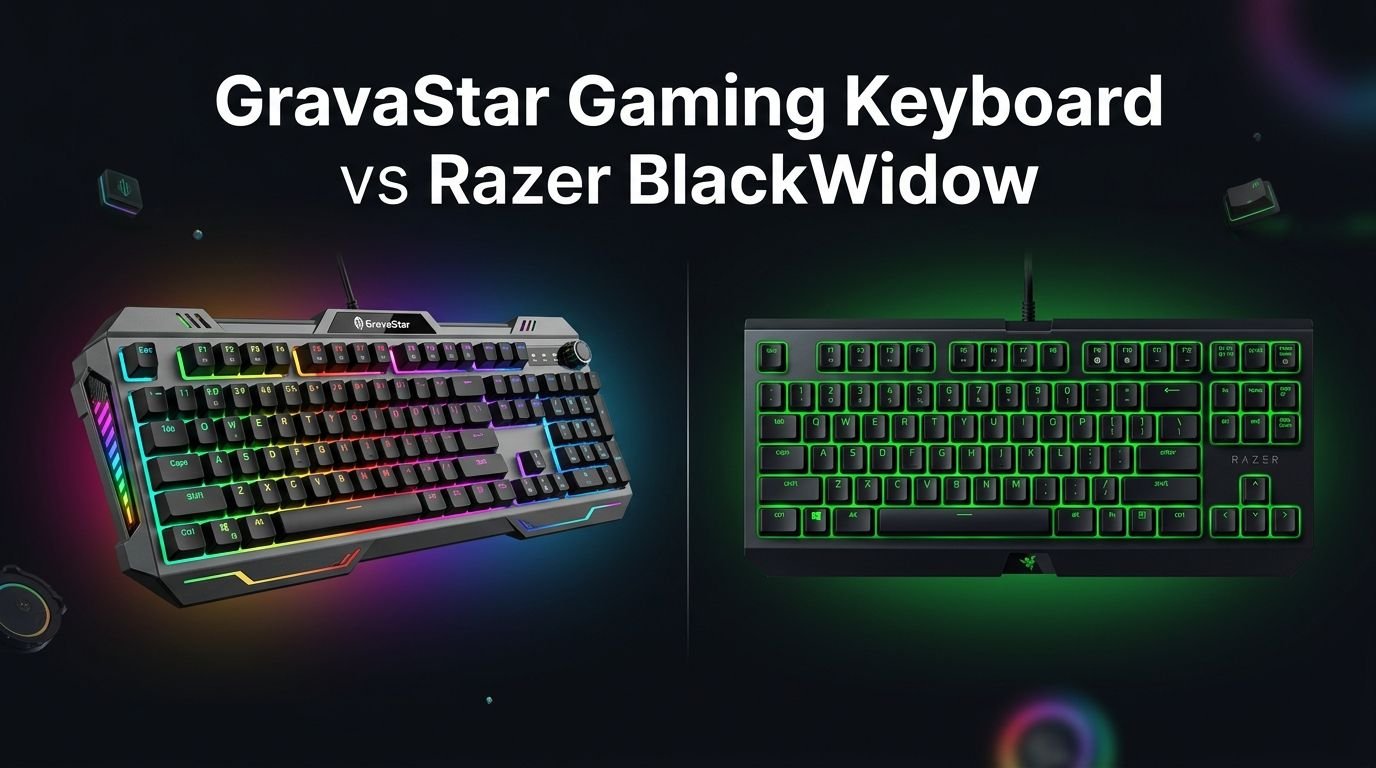
GravaStar Gaming Keyboard vs Razer BlackWidow
Are you stuck between a GravaStar gaming keyboard and the legendary Razer BlackWidow? You are not alone. These two brands take very different paths to deliver a premium typing and gaming experience.
vaStar brings a bold sci-fi aesthetic with aluminum alloy builds, wireless freedom, and hot-swappable switches. Razer counters with decades of gaming credibility, ultra-low latency, dedicated macro keys, and the iconic Razer Synapse ecosystem.
This comparison breaks down every detail that matters. We cover design, switches, build quality, RGB lighting, software, latency, battery life, and overall value. By the end of this post you will know exactly which keyboard fits your desk, your playstyle, and your budget. Let’s jump right in.
Key Takeaways
- GravaStar Mercury K1 Pro uses a 75% compact layout with a futuristic aluminum alloy frame, wireless connectivity (Bluetooth 5.0, 2.4GHz, and USB-C), and an 8,000mAh battery rated for up to 470 hours of use. It supports hot-swappable switches right out of the box.
- Razer BlackWidow V4 is a full-size wired keyboard with Razer Green or Yellow mechanical switches, 6 dedicated macro keys, a magnetic leatherette wrist rest, and Razer Chroma RGB with per-key lighting. It supports up to an 8,000Hz polling rate.
- GravaStar focuses on design and portability. The K1 Pro weighs just 2.5 lbs and fits easily into a backpack. Razer focuses on raw gaming performance with very low and consistent latency.
- GravaStar’s companion software is Windows only. Razer Synapse works on both Windows and macOS, offering deeper customization and cloud profile storage.
- If you want wireless freedom and a unique look, GravaStar is the better pick. If you need dedicated macro keys and competitive-grade latency, the Razer BlackWidow V4 is hard to beat.
- The GravaStar K1 Pro retails around $179.95 while the Razer BlackWidow V4 full-size starts around $169.99, making both keyboards competitive at the mid-to-premium price point.
GravaStar Mercury K1 Pro Overview

Last update on 2026-10-11 / Affiliate links / Images from Amazon Product Advertising API Some of the links on this website are affiliate links, which means that at no additional cost to you, I earn a commission if you click through and make a purchase. I only recommend products and services that I believe will add value to my readers. Thank you for your support!
The GravaStar Mercury K1 Pro is a 75% wireless mechanical gaming keyboard. It features a striking aluminum alloy exoskeleton frame that looks like it belongs in a sci-fi movie. The keyboard uses custom GravaStar x Kailh Linear Mint switches with a 40gf actuation force, 2mm pre-travel, and 3.6mm total travel.
It connects three ways: Bluetooth 5.0, 2.4GHz wireless, and USB-C wired. The massive 8,000mAh battery delivers up to 470 hours of use on a single charge. Double-shot PBT keycaps resist shine and oil buildup over time.
GravaStar includes dual independent RGB backlighting systems. The keys glow in one color while the edges of the frame light up in another. Hot-swappable switch sockets accept both 3-pin and 5-pin mechanical switches.
Pros:
- Stunning futuristic aluminum alloy design
- Triple connectivity with Bluetooth, 2.4GHz, and USB-C
- Massive 8,000mAh battery lasts up to 470 hours
- Hot-swappable switches for easy customization
- Dual independent RGB lighting zones
- Double-shot PBT keycaps
Cons:
- Companion software is Windows only
- Limited stock switch options
- 75% layout lacks a dedicated number pad
- Spacebar can sound slightly hollow on some models
Razer BlackWidow V4 Overview


Last update on 2026-10-07 / Affiliate links / Images from Amazon Product Advertising API Some of the links on this website are affiliate links, which means that at no additional cost to you, I earn a commission if you click through and make a purchase. I only recommend products and services that I believe will add value to my readers. Thank you for your support!
The Razer BlackWidow V4 is a full-size wired mechanical gaming keyboard. It comes with Razer Green (clicky and tactile) or Razer Yellow (linear and silent) switches. The keyboard has a 5052 aluminum alloy top plate and doubleshot ABS keycaps.
Razer includes 6 dedicated macro keys on the left side. A multi-function roller and 4 media keys sit on the top right corner. The included magnetic plush leatherette wrist rest attaches seamlessly to the keyboard body.
It supports up to an 8,000Hz polling rate, which delivers extremely low input latency. Razer Chroma RGB provides per-key lighting with access to millions of color combinations through Razer Synapse software.
Pros:
- Ultra-low latency with up to 8,000Hz polling rate
- 6 dedicated macro keys for productivity and gaming
- Magnetic plush leatherette wrist rest included
- Full Razer Synapse and Chroma RGB ecosystem
- Full-size layout with number pad
- Cross-platform software support (Windows and macOS)
Cons:
- Wired only with no wireless option
- Switches are not hot-swappable
- Doubleshot ABS keycaps may develop shine over time
- Heavier and larger footprint on the desk
Design and Build Quality Comparison
The GravaStar K1 Pro and Razer BlackWidow V4 take very different design approaches. GravaStar builds the K1 Pro with a bold exoskeleton frame made from aluminum alloy. The cyberpunk-inspired aesthetic turns heads immediately. It weighs about 2.5 lbs and measures roughly 13.5 x 6.14 x 1.81 inches.
The Razer BlackWidow V4 uses a more traditional gaming keyboard design. Its 5052 aluminum alloy top plate gives it a solid feel. The full-size layout makes it significantly larger and heavier than the K1 Pro. Razer keeps things clean with a matte black finish and subtle branding.
Both keyboards feel premium and sturdy in hand. GravaStar wins on visual uniqueness and portability. Razer wins on classic ergonomics and the included wrist rest. Your choice depends on whether you want a conversation-starter or a battle-tested workhorse.
Switches and Typing Experience
The GravaStar K1 Pro ships with custom GravaStar x Kailh Linear Mint switches. These require 40gf of actuation force with a 2mm pre-travel distance. The typing feel is smooth and buttery with a creamy sound profile. Gasket-mount construction reduces vibrations and eliminates metallic pings.
The Razer BlackWidow V4 offers Razer Green or Razer Yellow switches. Green switches are clicky and tactile with a distinct audible click at the actuation point. Yellow switches are linear and silent, requiring just 45g of force with a 1.2mm actuation distance. Both switch types perform well for gaming and typing.
A major difference is hot-swap support. GravaStar lets you swap switches without soldering. The BlackWidow V4 does not support hot-swapping. If you like to experiment with different switch types, GravaStar gives you more long-term flexibility.
RGB Lighting and Aesthetics
GravaStar uses a dual independent RGB backlighting system. Per-key RGB illuminates each keycap. A separate edge-lighting system wraps around the aluminum frame. The two zones can display different colors and effects simultaneously. This creates a stunning visual layered effect.
Razer counters with Razer Chroma RGB, one of the most advanced lighting ecosystems in gaming. Per-key RGB supports millions of colors and dozens of preset effects. Chroma integrates with hundreds of games and apps, reacting to in-game events in real time.
Both keyboards look incredible on a desk at night. GravaStar’s dual-zone system feels more artistic and unique. Razer Chroma is more functional and deeply integrated with gaming software. If you want reactive lighting that responds to your gameplay, Razer has the edge.
Gaming Performance and Latency
For competitive gaming, latency is everything. The Razer BlackWidow V4 supports up to an 8,000Hz polling rate. RTINGS measured it as having very low and consistent latency. This makes the BlackWidow V4 one of the fastest wired gaming keyboards available.
The GravaStar K1 Pro has a 1,000Hz polling rate when connected via 2.4GHz or USB-C. This is solid for most gamers but falls behind the BlackWidow V4 in raw speed. Bluetooth adds a small amount of extra latency, so wired or 2.4GHz is recommended for gaming sessions.
In real-world play, both keyboards register inputs reliably. Casual and mid-level gamers will not notice a meaningful difference. Professional or competitive players who need every possible advantage should lean toward the Razer BlackWidow V4.
Connectivity and Wireless Options
Last update on 2026-10-11 / Affiliate links / Images from Amazon Product Advertising API Some of the links on this website are affiliate links, which means that at no additional cost to you, I earn a commission if you click through and make a purchase. I only recommend products and services that I believe will add value to my readers. Thank you for your support!
This category is a clear win for GravaStar. The K1 Pro connects via Bluetooth 5.0, 2.4GHz wireless dongle, and USB-C wired. You can pair up to 3 devices over Bluetooth and switch between them with a keyboard shortcut. This makes the K1 Pro perfect for multi-device setups.
The Razer BlackWidow V4 is wired only. It uses a braided USB-C to USB-A cable. There is no Bluetooth or wireless dongle option. If your setup is always at a desk, this is fine. But if you want to move between a PC, tablet, and phone, GravaStar offers far more flexibility.
The K1 Pro’s 8,000mAh battery supports up to 470 hours of usage on a single charge. That translates to weeks or even months of use before you need to plug it in. This is a huge advantage for portability and clean desk setups.
Software and Customization
Razer Synapse is one of the most powerful keyboard software suites on the market. It runs on Windows and macOS. You can remap every key, create complex macros, adjust lighting effects, set up game-specific profiles, and store settings in the cloud. Chroma Studio lets you design custom RGB animations layer by layer.
GravaStar’s companion software is functional but limited. It lets you remap keys, adjust both RGB zones, record macros, and update firmware. The interface has a bold aesthetic but is Windows only. macOS users cannot access the software at all, even though the keyboard ships with macOS keycaps.
If deep customization and cross-platform support matter to you, Razer Synapse wins easily. GravaStar’s software handles the basics well, but it lacks the depth and polish of Razer’s ecosystem.
Keycaps and Build Materials
The GravaStar K1 Pro ships with double-shot PBT keycaps. PBT plastic resists oil, shine, and wear better than ABS. The keycaps feature side-printed legends that glow through shine-through material when backlighting is active. They feel textured and grippy under your fingers.
The Razer BlackWidow V4 uses doubleshot ABS keycaps. ABS is slightly smoother and lighter than PBT. Over months of heavy use, ABS keycaps may develop a glossy shine. Razer’s legends are top-printed and clearly visible at all times, with or without backlighting.
For long-term durability, PBT keycaps on the GravaStar are the better choice. For immediate readability and a more familiar feel, Razer’s ABS keycaps work well. Both keyboards use doubleshot construction, so the legends will never fade regardless of material.
Ergonomics and Comfort
Last update on 2026-10-07 / Affiliate links / Images from Amazon Product Advertising API Some of the links on this website are affiliate links, which means that at no additional cost to you, I earn a commission if you click through and make a purchase. I only recommend products and services that I believe will add value to my readers. Thank you for your support!
Razer includes a magnetic plush leatherette wrist rest with the BlackWidow V4. The wrist rest snaps onto the keyboard magnetically and provides soft cushioning for your palms. This is a big deal during long gaming or typing sessions. The full-size layout also gives you a dedicated number pad.
The GravaStar K1 Pro does not include a wrist rest. Its 75% layout is compact, which saves desk space but removes the number pad and some navigation keys. The gasket-mount design provides a slight bounce and cushion while typing, which reduces finger fatigue over time.
If you spend 8 or more hours at your desk daily, the Razer’s wrist rest adds meaningful comfort. GravaStar’s compact size is better for smaller desks and portable setups. Consider your desk space and daily usage pattern before choosing.
Price and Value for Money
The GravaStar Mercury K1 Pro retails at approximately $179.95. You get wireless connectivity, a hot-swappable PCB, PBT keycaps, dual RGB zones, and a premium aluminum alloy frame. That is a lot of value packed into a compact package.
The Razer BlackWidow V4 starts around $169.99 for the full-size model. You get Razer’s proven mechanical switches, 6 macro keys, a wrist rest, an 8,000Hz polling rate, and full Razer Synapse support. The wired-only design keeps the cost slightly lower than GravaStar’s wireless offering.
Both keyboards sit at a similar price point and offer strong value. GravaStar gives you more hardware flexibility with wireless and hot-swap. Razer gives you better software, lower latency, and included accessories. Neither keyboard feels overpriced for what it delivers.
Who Should Buy the GravaStar K1 Pro?
The GravaStar Mercury K1 Pro is ideal for people who value aesthetics and flexibility. If you want a keyboard that looks unlike anything else on your desk, GravaStar delivers. The sci-fi exoskeleton design draws attention in any setup.
Choose the K1 Pro if you need wireless connectivity. Bluetooth, 2.4GHz, and USB-C give you maximum freedom. The 8,000mAh battery means you rarely think about charging. Multi-device users who switch between a PC and tablet will appreciate the seamless pairing.
Keyboard hobbyists who enjoy swapping switches and experimenting with different sound profiles will love the hot-swap feature. The PBT keycaps and gasket-mount design provide a satisfying typing experience right out of the box.
Who Should Buy the Razer BlackWidow V4?
The Razer BlackWidow V4 is built for serious gamers and power users. If low latency and fast response times drive your purchase decisions, the 8,000Hz polling rate gives you a real competitive edge. Razer’s switches are battle-tested across millions of gaming setups worldwide.
Choose the BlackWidow V4 if you need dedicated macro keys. Content creators, streamers, and MMO players benefit from 6 programmable macro keys without needing third-party software. The multi-function roller adds quick media control.
If you already own Razer peripherals, the Chroma RGB ecosystem ties everything together. Synced lighting across your mouse, headset, keyboard, and mousepad creates a unified look. Razer Synapse’s cloud profiles let you carry your settings between computers.
Final Verdict: GravaStar vs Razer BlackWidow
Both the GravaStar Mercury K1 Pro and the Razer BlackWidow V4 are excellent mechanical keyboards. They just serve different priorities.
Pick GravaStar if you want wireless freedom, hot-swappable switches, PBT keycaps, a futuristic design, and long battery life. Pick Razer if you want the lowest possible latency, dedicated macro keys, a free wrist rest, and the deepest software ecosystem in gaming.
There is no wrong choice here. Both keyboards will serve you well for years of gaming and typing. Match the keyboard to your specific needs and you will be happy with either one.
Frequently Asked Questions
Is the GravaStar K1 Pro good for gaming?
Yes. The GravaStar K1 Pro handles gaming very well with its 1,000Hz polling rate over 2.4GHz or USB-C. The linear switches register inputs quickly and consistently. It is a solid choice for casual and mid-level gaming. Competitive esports players may prefer the Razer BlackWidow V4 for its higher polling rate.
Does the Razer BlackWidow V4 have wireless connectivity?
No. The Razer BlackWidow V4 full-size is a wired-only keyboard. It connects via a braided USB-C to USB-A cable. If you need wireless, consider the Razer BlackWidow V4 Low-Profile HyperSpeed or the GravaStar K1 Pro.
Can I swap switches on the Razer BlackWidow V4?
No. The Razer BlackWidow V4 does not support hot-swappable switches. The switches are soldered to the PCB. The Razer BlackWidow V4 75% model does support hot-swapping if that feature matters to you.
Which keyboard has better keycaps?
The GravaStar K1 Pro uses double-shot PBT keycaps, which are more durable and resistant to shine. The Razer BlackWidow V4 uses doubleshot ABS keycaps, which are smooth but may develop a glossy surface over time. PBT is generally considered the better material for long-term use.
Are both keyboards compatible with macOS?
Both keyboards work with macOS for basic typing and gaming. The GravaStar K1 Pro ships with spare macOS keycaps but its software is Windows only. Razer Synapse supports both Windows and macOS, giving Razer the advantage in cross-platform software support.
Which keyboard offers better value for money?
Both keyboards offer strong value at similar price points. The GravaStar K1 Pro ($179.95) adds wireless and hot-swap features. The Razer BlackWidow V4 ($169.99) adds macro keys, a wrist rest, and a higher polling rate. Your best value depends on which features matter most to your daily use.

Hi, my name is Lily you can say i am a gadget hunter at this point. Welcome to Gadget Gallery The Gallery of Gadget Reviews