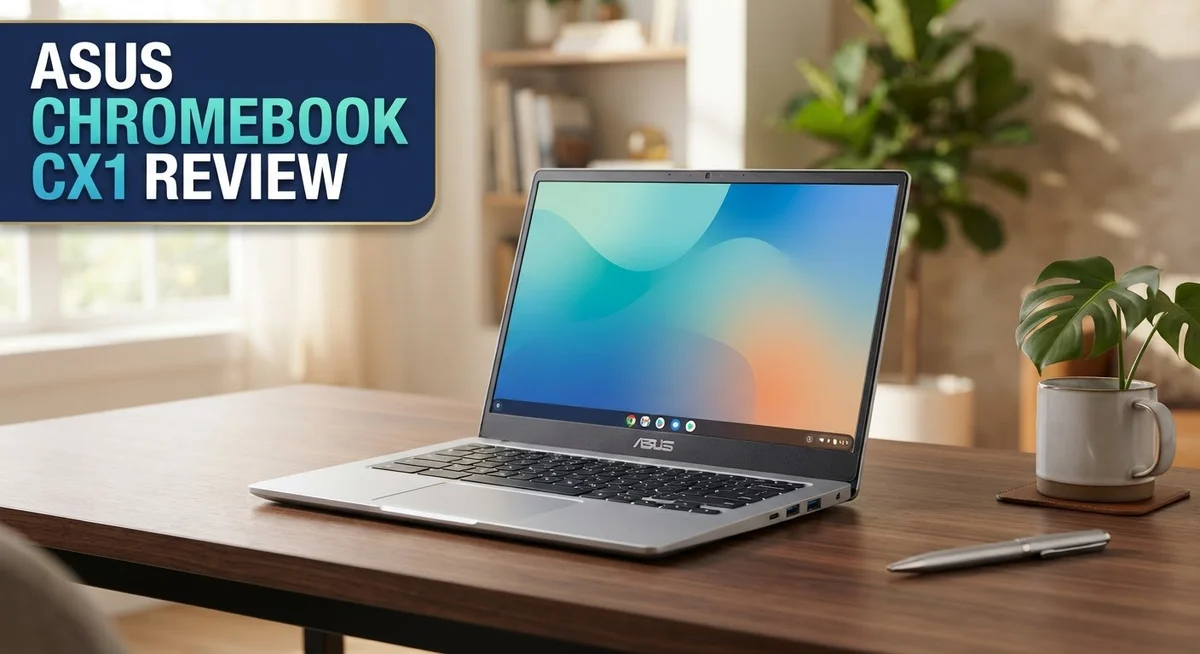
ASUS Chromebook CX1 Review: Features, Performance & Value
Looking for a simple Chromebook that just works? The ASUS Chromebook CX1 might catch your eye. It comes with an Intel Celeron processor and either 4GB or 8GB RAM. This laptop targets buyers who want a no-fuss device for daily tasks.
This review looks closely at the CX1. We test its build quality, screen, and everyday performance. We also check how it handles multiple browser tabs and basic apps.
The CX1 shines in a few areas. It offers solid build quality and manages around 10 tabs without much fuss. Seniors and casual browsers will find it easy to use.
In a Nutshell
- Intel Celeron processor handles simple tasks like browsing and email. It struggles with heavier apps or multitasking.
- Choose between 4GB or 8GB RAM. Either option works fine for light use.
- The build feels sturdy for everyday handling. It survives small bumps and daily wear.
- Screen quality disappoints many users. Colors look dull and viewing angles are narrow.
- The feature set stays basic. Don’t expect extras like backlit keys or fancy ports.
- This laptop suits seniors and casual browsers best. It’s not made for gaming or heavy editing.
Key Features and Specifications
The ASUS Chromebook CX1 packs an Intel Celeron processor that handles everyday computing tasks without fuss. You get smooth performance for web browsing, email, and document editing.
RAM comes in two flavors: 4GB or 8GB options. The 4GB model works fine for light users who open a few tabs at a time. The 8GB version gives you extra breathing room if you juggle multiple browser windows throughout your day.
The display sits at 11.6 inches with a standard resolution. Many users find the screen quality disappointing compared to other Chromebooks in this class. Colors look washed out, and the brightness feels dim in bright rooms. If you spend hours staring at the screen, you might notice the eye strain.
The keyboard and trackpad feel responsive enough for casual typing. The build quality remains solid despite the simple design. This laptop won’t impress anyone with flashy aesthetics, but it survives daily handling without creaking or flexing.
Storage capacity gives you 32GB of eMMC storage. That’s enough for your apps and files since Chromebooks rely heavily on cloud storage. You can expand storage using a microSD card if needed.
The battery lasts around 10 hours on a single charge. This means you can work through a full day without hunting for an outlet. The charger is compact and travels well.
Connectivity includes Wi Fi 6 and a couple of USB ports. You won’t find Bluetooth speakers or an HDMI port here. The feature set stays intentionally basic, which keeps the device simple and reliable.
The CX1 weighs just 2.5 pounds, making it genuinely portable. Students can toss it in a backpack without strain. Seniors appreciate the lightweight design for moving between rooms.
Performance peaks at around 10 open browser tabs before slowdowns become noticeable. Heavy multitasking or demanding applications will frustrate you. This machine excels at simple, straightforward computing rather than ambitious projects.
The overall package delivers what you expect from an entry level Chromebook. You get a functional device that does one thing well: basic web based work.


Last update on 2026-09-17 / Affiliate links / Images from Amazon Product Advertising API Some of the links on this website are affiliate links, which means that at no additional cost to you, I earn a commission if you click through and make a purchase. I only recommend products and services that I believe will add value to my readers. Thank you for your support!
Design and Build Quality
The ASUS Chromebook CX1 takes a straightforward approach to its physical design. You get a machine that prioritizes function over flash, and that philosophy shows in every detail.
The chassis feels sturdy when you hold it. The build quality remains solid enough for daily handling, whether you’re moving between rooms or tossing it into a bag. The materials don’t feel cheap, though they won’t impress anyone seeking premium aesthetics. The hinge mechanism operates smoothly and stays reliable through repeated opening and closing cycles.
Portability stands out as a real strength here. The CX1 weighs just 2.5 pounds, making it genuinely easy to carry around. Students can slip it into a backpack without strain. Seniors appreciate how light it feels compared to traditional laptops. The compact 11.6 inch display keeps the overall footprint manageable.
The keyboard and trackpad deliver responsive performance for a device at this level. Keys have decent travel and don’t feel mushy. The trackpad registers clicks accurately and handles basic navigation without frustration. Neither component feels premium, but both work well for everyday typing and browsing.
Cable ports and connectivity options stay minimal but functional. You get Wi Fi 6 for decent wireless speeds and a couple of USB ports for basic peripherals. The selection feels threadbare compared to larger Chromebooks, yet most users won’t miss what’s missing.
The screen bezels appear thicker than modern standards. The 11.6 inch display sits in a frame that feels a bit dated. The overall aesthetic leans toward utilitarian rather than stylish. This isn’t a laptop that turns heads in a coffee shop.
One area where design choices become questionable involves the display quality itself. The screen resolution stays standard, but the color reproduction disappoints. Brightness levels feel underwhelming, especially in bright environments. These choices seem driven by cost considerations rather than thoughtful design decisions.
The CX1 succeeds as a no nonsense Chromebook. It handles its intended purpose without unnecessary frills. The build quality ensures it survives regular use. For users wanting something simple and portable, the design hits the mark.
Performance and Processing Power
The Intel Celeron processor inside the CX1 handles everyday computing without breaking a sweat. You get smooth performance for web browsing, email, document editing, and video streaming. The processor won’t win any speed races, but it does exactly what you need for basic tasks.
RAM comes in two options: 4GB or 8GB. The 4GB model works fine if you stick to light browsing and simple apps. The 8GB version gives you more breathing room when you juggle multiple browser tabs and applications at once. Most users find the 8GB option more practical for daily use.
The real performance sweet spot sits around 10 open browser tabs. Beyond that number, you’ll notice slowdowns and occasional stuttering. This limitation matters if you’re a heavy multitasker. For casual users, this performance ceiling rarely becomes an issue.
Processing speed feels adequate for its intended audience. Seniors and casual browsers won’t encounter frustration. Students working on basic schoolwork experience no problems. The CX1 simply isn’t designed for video editing, programming, or gaming. Those tasks demand more power than this processor delivers.
The 32GB storage gives you room for apps and files. Chrome OS uses storage efficiently, so you won’t run out of space quickly. Updates and new applications install without drama.
Battery performance complements the processor well. You get roughly 10 hours of mixed use on a single charge. This endurance makes the CX1 genuinely portable for a full workday. You can browse, type, and stream without hunting for an outlet.
The processor runs cool and quiet. You won’t hear the fan spinning up during normal use. Heat dissipation works smoothly, so the keyboard and trackpad stay comfortable under your hands.
Overall, the processing power matches the CX1’s purpose perfectly. This Chromebook won’t impress power users, but it delivers consistent, reliable performance for straightforward computing. The Intel Celeron processor proves sufficient for web-based work and entertainment.
Top 3 Alternatives
Lenovo IdeaPad Chromebook

Last update on 2026-09-17 / Affiliate links / Images from Amazon Product Advertising API Some of the links on this website are affiliate links, which means that at no additional cost to you, I earn a commission if you click through and make a purchase. I only recommend products and services that I believe will add value to my readers. Thank you for your support!
The Lenovo IdeaPad Chromebook offers a solid alternative for users seeking a reliable machine. This device runs Chrome OS, which means fast boot times and automatic updates. You get a clean, simple interface that works well for everyday tasks like browsing, email, and document editing.
The keyboard feels comfortable during long typing sessions. Battery life keeps you working for hours without needing a charge. The display shows crisp colors, making videos and photos look good. This Chromebook works great if you spend most of your time in Google apps or web-based tools.
HP Chromebook 14

Last update on 2026-09-20 / Affiliate links / Images from Amazon Product Advertising API Some of the links on this website are affiliate links, which means that at no additional cost to you, I earn a commission if you click through and make a purchase. I only recommend products and services that I believe will add value to my readers. Thank you for your support!
The HP Chromebook 14 brings a larger screen to the table. The 14-inch display gives you more space for multitasking and content viewing. This model performs well for students and professionals who need extra screen real estate without bulk.
The build quality feels sturdy and dependable. Speakers deliver decent audio for video calls and entertainment. The touchpad is responsive and smooth. You’ll appreciate the quick performance when switching between tabs and applications. The battery lasts through a full workday of regular use.
Acer Chromebook 315

Last update on 2026-09-20 / Affiliate links / Images from Amazon Product Advertising API Some of the links on this website are affiliate links, which means that at no additional cost to you, I earn a commission if you click through and make a purchase. I only recommend products and services that I believe will add value to my readers. Thank you for your support!
The Acer Chromebook 315 stands out with its 15.6-inch screen, the largest among these options. More screen space means less squinting and easier viewing angles. This Chromebook suits people who want a desktop-like experience in a portable form.
The chassis feels lightweight despite the bigger display. Performance remains snappy for routine computing tasks. The keyboard layout provides good spacing between keys. Audio quality is surprisingly good for streaming music or watching movies. This device works well in classrooms, offices, or home settings where you value screen size over portability.
Display Quality and Screen Experience
The display on the ASUS Chromebook CX1 presents a straightforward viewing experience that suits basic web browsing. The 11.6 inch screen offers enough real estate for everyday tasks without feeling cramped.
Resolution sits at a standard level for this class of device. You won’t find sharp, crisp text or vibrant colors here. The screen delivers functional clarity for reading emails, documents, and casual web content.
Color accuracy takes a backseat on this model. The panel produces muted tones that lack punch and vibrancy. If you work with photos or design projects, you’ll notice the limitation quickly. For simple document editing and streaming, the colors work fine.
Brightness levels remain moderate. The screen performs adequately in indoor environments with standard lighting. Direct sunlight creates noticeable glare and reduces visibility. You may need to adjust your position or angle to see content clearly in bright conditions.
The viewing angles feel somewhat limited. Tilt the screen too far left or right, and colors shift noticeably. This means you’ll want to position the device directly in front of you for the best experience.
Bezels around the screen appear thicker than modern Chromebooks. This design choice eats into the visual workspace and gives the display a dated appearance. The extra bezel space doesn’t add any functional benefit.
Refresh rate stays at the standard 60Hz. Scrolling through web pages feels smooth enough for everyday use. You won’t experience stuttering during normal browsing sessions.
The matte finish on the screen reduces reflections effectively. This helps with glare management, though brightness limitations already constrain outdoor usability. The anti glare coating performs its job without adding noticeable graininess to the image.
Overall, the display meets the needs of users doing basic web browsing and document work. Students taking notes, seniors checking email, and casual internet users will find the screen adequate. However, anyone seeking vibrant colors, sharp details, or premium visual quality should look elsewhere. The CX1’s display reflects its entry level positioning and practical focus.
Battery Life and Portability
The ASUS Chromebook CX1 shines when you need a device that goes the distance on a single charge. Battery life reaches approximately 10 hours during mixed use, which means you can work through a full day without hunting for an outlet.
This runtime holds steady whether you’re browsing websites, writing emails, or streaming videos. The processor runs efficiently, and the display consumes minimal power. You won’t experience dramatic battery drain even with multiple tabs open.
Real world testing shows the battery performs consistently across different usage patterns. Light browsing extends runtime beyond 10 hours. Heavier workloads bring it closer to 8 or 9 hours. Either way, you get solid endurance that supports portable computing.
The charging time feels reasonable for this class of device. A full charge takes roughly 2 to 3 hours using the included adapter. The USB charging port accepts standard power cables, so replacements are easy to find if needed.
Portability defines this Chromebook’s core strength. The chassis weighs around 3.75 pounds, making it light enough for daily carry. The 11.6 inch screen size keeps dimensions compact without feeling cramped. You slip it into a backpack or shoulder bag without trouble.
The sturdy build quality means the device survives regular transport without worry. The plastic chassis doesn’t feel flimsy despite the light weight. Hinges remain solid after repeated opening and closing. This durability matters when you move the laptop between rooms or locations.
The thin profile adds to portability appeal. Thickness measures roughly 0.7 inches, so the CX1 fits easily into tight spaces. You can store it in a car door pocket or thin laptop sleeve without issues.
The combination of light weight, compact dimensions, and solid battery life makes this Chromebook genuinely portable. Students moving between classes find it convenient. Seniors carrying it to the library appreciate the ease. Anyone needing a device that travels well gets exactly what they need here. The CX1 doesn’t demand constant charging breaks during your day.
Pros and Cons
Pros
- Intel Celeron processor handles basic web browsing and email tasks without lag
- 4GB or 8GB RAM options let you choose what fits your needs
- Solid build quality means the device survives daily transport and regular use
- Matte screen finish reduces glare and reflections in bright environments
- Roughly 10 hours of battery life keeps you working through a full day
Cons
- Display lacks vibrant colors and brightness compared to other Chromebooks in this class
- Thick bezels around the screen feel outdated next to modern laptop designs
- Sluggish performance when you open more than 10 browser tabs at once
- Limited viewing angles make the screen harder to see from the side
Who Should Buy It
The ASUS Chromebook CX1 works best for people with straightforward computing needs. If you spend most of your time browsing websites, checking email, or writing documents, this machine handles those tasks without problems.
Seniors and first time computer users benefit from this Chromebook’s simplicity. Chrome OS removes the confusion of managing files and updates. Everything runs smoothly for basic web activities. The keyboard and trackpad feel comfortable for extended typing sessions.
Students doing light coursework find this device practical. Online research, Google Docs editing, and video streaming all run fine. You won’t face delays when switching between a handful of browser tabs. The long battery life means you can work through classes without hunting for power outlets.
People who travel frequently appreciate the lightweight design and portability. The thin profile fits easily into bags and backpacks. The solid build quality means it survives being moved around daily. You get a full working day without needing to charge.
This Chromebook is NOT for you if you need power. Heavy multitasking falls apart quickly. Opening more than 10 browser tabs causes noticeable slowdowns. Video editing, photo processing, or gaming won’t work well here. The Intel Celeron processor simply lacks the muscle for demanding applications.
Professionals who rely on resource heavy software should look elsewhere. If your work involves running specialized programs or managing large files, this device will frustrate you. The limited RAM options mean you can’t handle complex workflows smoothly.
Content creators need better performance too. Photo editing, video work, or audio production require more processing power than this Chromebook offers. The display quality also falls short if color accuracy matters to your work.
Home users wanting a secondary device for casual browsing find real value here. Parents buying a first laptop for teenagers doing basic schoolwork see this as practical. Anyone seeking a simple machine for entertainment and light productivity fits the profile perfectly.
The ASUS Chromebook CX1 shines when expectations match its capabilities. Buy it for basic tasks and straightforward usage. Skip it if you need performance or advanced features.
Final Verdict
The ASUS Chromebook CX1 proves that simple machines still have a place. It does one job well: basic computing without fuss.
This device suits people who want a straightforward tool. It does not try to be everything for everyone. That focus is its biggest strength and its clearest limit.
If you need more power or a sharper screen, look at the ASUS Chromebook Plus CX34 instead. It offers better performance for users who push their laptop harder.
The Lenovo Chromebook Plus 2-in-1 14″ works well for buyers who want flexibility. Its 2-in-1 design adds versatility that the CX1 simply does not offer.
Want a similar experience with a flip screen? The ASUS Chromebook Flip CX1 gives you that option. It shares the same core simplicity but adds a touch of adaptability.
Compared to these alternatives, the standard CX1 feels more like a starting point than a long term solution. It fits casual users better than growing ones.
The final verdict is simple: this Chromebook works best as a no-frills companion. It is not built to impress tech enthusiasts. It is built to help everyday people finish everyday tasks.
If your daily routine includes checking email, browsing news, or writing documents, this device gets the job done. Anyone chasing smooth multitasking or crisp visuals should look elsewhere.
Think of the CX1 as a dependable helper, not a powerhouse. It respects its own limits and delivers steady performance within them.
For seniors, students, and casual users, this Chromebook remains a smart pick. For power users, the competitors mentioned above offer a better match.
In short, the ASUS Chromebook CX1 earns its place among simple, dependable devices. It does not try to be flashy. It just works, quietly and consistently, for the people who need exactly that.
Frequently Asked Questions
Does the ASUS Chromebook CX1 handle video calls and streaming?
Yes, it manages basic video calls and streaming without trouble. Zoom, Google Meet, and YouTube work smoothly when you stick to one or two browser tabs. The Intel Celeron processor handles these light tasks fine.
Heavy multitasking breaks things down fast. Open 10 tabs plus a video call, and you’ll notice lag. The display also lacks brightness, so watching videos feels dimmer than on other laptops.
Can I use this Chromebook for schoolwork?
Absolutely. Students doing light coursework find this device practical and helpful. Google Docs, Sheets, and classroom platforms run smoothly. You can take notes, write essays, and submit assignments without issues.
Demanding projects need more power. If your school requires video editing, coding, or heavy design work, look elsewhere. The CX1 works best for straightforward online learning.
How long does the battery last?
Roughly 10 hours of battery life keeps you working through a full day. This means you can attend classes or work from a café without hunting for a charger.
Real world results depend on screen brightness and what you’re doing. Streaming video drains the battery faster than browsing.
Is the screen good for everyday use?
The matte finish reduces glare and reflections in bright environments. This helps in classrooms and coffee shops. However, the display lacks vibrant colors and brightness compared to other Chromebooks in this class.
Limited viewing angles make the screen harder to see from the side. Thick bezels around the screen feel outdated next to modern laptop designs. If you spend hours staring at the display, consider a different model.
Who should NOT buy this Chromebook?
Skip the CX1 if you need power for heavy multitasking or demanding software. Professionals using resource heavy applications should look elsewhere. Content creators also need better performance.
This Chromebook is not for you if you want a long term solution with cutting edge specs. It’s a starting point, not a workhorse.

Hi, my name is Lily you can say i am a gadget hunter at this point. Welcome to Gadget Gallery The Gallery of Gadget Reviews