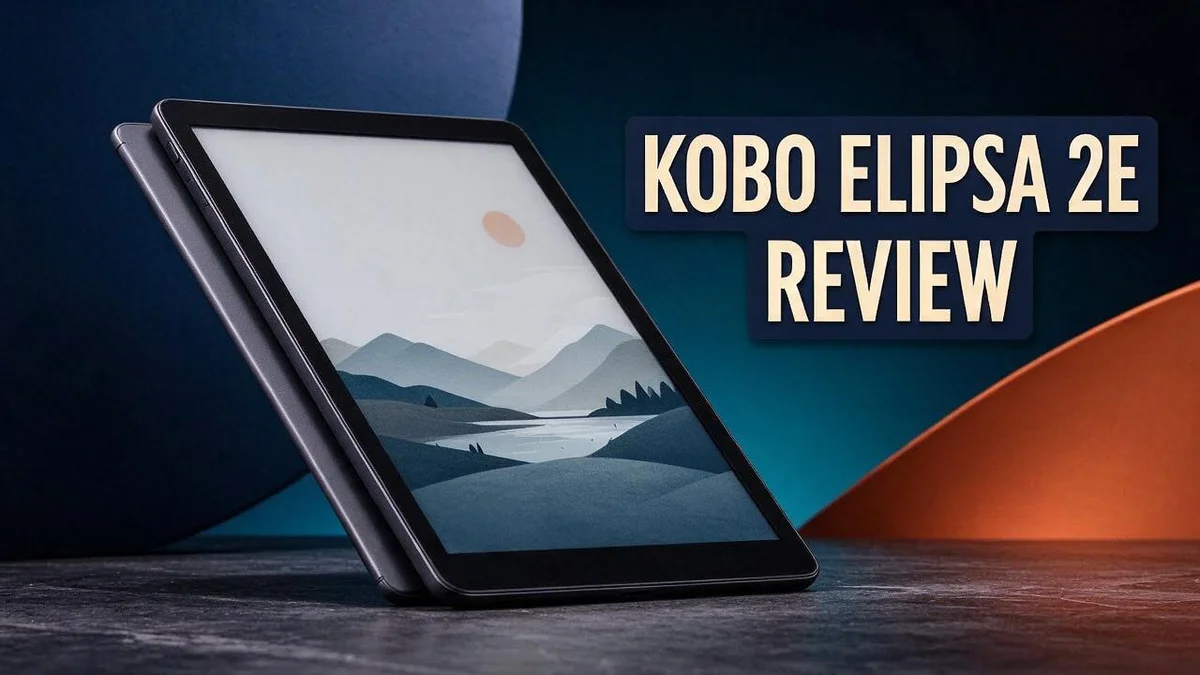
Kobo Elipsa 2E Review: Is This 10.3-Inch E Ink Writing Tablet Worth It?
Are you looking for a big screen ereader that feels more like paper? The Kobo Elipsa 2E might be the answer. It is the largest Kobo in the lineup, and it brings a lot to the table.
Its 10.3 inch glare free E Ink touchscreen sits front and center. The matte finish makes reading feel calm and easy on the eyes. Long reading sessions feel more comfortable.
The included digital pen adds another layer. You can write notes, mark up pages, and sketch ideas right on the screen. Students, readers, and note takers often find this feature a real game changer.
In this review, we will look at the design, the display, the pen, and the parts that could use work. By the end, you will know if this device fits your reading life.
In a Nutshell
- Made for note takers: The stylus lets you mark up pages, sketch ideas, and jot quick thoughts right in the margins.
- Strong reader feedback: Rakuten Kobo reviewers gave it an 8.1 out of 10, which shows solid overall performance.
- Room for a big library: The 32 GB of storage holds about 20,000 books, so you rarely need to delete titles.
- Easy on the eyes at night: Adjustable color temperature and dark mode help you read comfortably after sunset.
- Durability is a question: One user found the build not sturdy enough for daily heavy use, so handle it with care.
- Compare the rivals: Kindle Scribe and reMarkable Paper Pro are close competitors, while Kobo Sage suits readers who want less focus on writing.
Display and Reading Experience

Last update on 2026-10-31 / Affiliate links / Images from Amazon Product Advertising API Some of the links on this website are affiliate links, which means that at no additional cost to you, I earn a commission if you click through and make a purchase. I only recommend products and services that I believe will add value to my readers. Thank you for your support!
Reading on the Kobo Elipsa 2E feels calm from the first page. The display mimics ink on paper, so your eyes can relax during longer sessions.
Text stays crisp at every size. You can change fonts, line spacing, and margins to suit your taste. Small changes make a big difference over a long book.
Page turns feel smooth most of the time. Quick flips through a chapter may bring a short pause as the screen refreshes.
Because the screen shows only black and white, it suits novels, textbooks, and documents best. Comics and magazines with rich color lose some charm.
The front light leans cool, so the glow feels crisp rather than warm. Readers who love amber tones before bed may notice the difference.
Glare stays low in sunlight. The matte finish cuts reflections near windows. You can read outdoors without squinting on a sunny patio.
Large pages show more text at once. Long reading sessions may feel heavier in one hand, so a stand or case can help.
Who gains the most? Students, researchers, and readers of dense material enjoy the space. Casual readers who only want a pocket companion may prefer something smaller.
Overall, the reading experience favors focus. Words sit front and center, while distractions stay out of sight. That quiet space keeps you turning pages.
Text options deserve a closer look. Font size, weight, and spacing adjust in a few taps. Dyslexic readers may appreciate the extra room between lines.
Page layout also changes the feel. Margins can grow wider for a calm look. Narrow margins fit more words on each screen.
Long chapters feel easier to follow. The large page keeps paragraphs in view, so you lose less context between scenes.
Light reading sessions suit the device too. Short bursts on the train or during a lunch break feel quick and simple.
Most readers adjust quickly within a day. Give it a few days and the layout will feel natural.
Writing and Annotation Tools
Writing on the Kobo Elipsa 2E feels like a natural part of reading. You never need to switch devices to jot a thought.
The pen charges through the same port as the reader. One cable covers both tools, so your bag stays light.
Start with your highlights. Select a passage first, then add your own words beside it.
Build a simple system for your notes. Pick a few symbols, such as a star for big ideas or a question mark for doubts. Consistent marks make review faster.
Sketching works well for quick diagrams. Flowcharts, mind maps, and rough sketches fit easily on the large page. Keep your strokes bold so they stay clear on this black and white screen.
Handwriting takes practice on any tablet. Hold the pen like a normal pen and let it glide. Small, steady strokes produce cleaner lines.
Organize your files before you start. Create folders for each course or project. This habit keeps every page of notes easy to find.
Long study sessions reward a clear plan. Write a short summary at the end of each chapter. Then review your notes before the next reading session.
Wide diagrams can feel cramped on smaller screens. The large page gives them room to breathe.
Who benefits most? Students who mark textbooks and professionals who review contracts gain the most. Writers who brainstorm on the go also benefit from this setup.
Keep the limits in mind, though. Fast writing can leave faint trails on the screen. Slow, deliberate strokes keep the page tidy.
Pack a charged pen for class. A quick top up before a lecture keeps your notes flowing all day.
Practice a few pages before exams or meetings. A short warm up helps you feel comfortable with the pen. Confidence grows with each page.
Overall, the pen turns the Elipsa into a true study partner. It helps readers think, not just read.
Design, Build and Durability
The Kobo Elipsa 2E looks clean and simple at first glance. Its wide frame surrounds the screen evenly. Most of the front stays flat, so the device rests neatly on a desk.
The design favors function over flash. There are no loud decorations or extra buttons. Everything points your attention to the page.
Because the screen is so large, many readers prefer holding it with both hands. Holding it this way during long sessions feels more natural.
Protection matters more with a device this size. A larger screen has more surface area that can crack or scratch. A simple folio cover adds a helpful layer of safety.
Keep the screen clear of heavy books in your bag. Pressure from other items can cause damage over time.
Daily care keeps the matte finish looking its best. Wipe the glass with a soft, dry cloth. Avoid harsh cleaners, since they can dull the coating. Oil from your fingers can show up over time, so a quick wipe helps.
The pen needs its own care too. Store it in a pocket or pencil case, so the tip stays protected. A small pouch also reduces the risk of losing it.
Keep the reader away from direct sunlight and hot surfaces for long periods. Heat can affect the battery and the display over time.
Think about where you will use it most. A desk offers the most stable spot for taking notes. A soft bag works well for commuting. A hard case gives stronger protection.
Writing on a tilted surface can feel awkward at first. A flat table keeps the screen steady under your pen.
Weight also shapes how you use the device. Long reading trips can feel heavier than a small ereader, so plan a few breaks.
Who should focus on durability most? Students who carry the device between classes should choose a sleeve. Professionals who travel often benefit from a case with corner padding.
Small steps protect the device for the long run. Treat the Kobo Elipsa 2E with simple care, and it should serve you well for years. Good habits matter more than any single feature.
Top 3 Alternatives
reMarkable Paper Pro

Last update on 2026-10-31 / Affiliate links / Images from Amazon Product Advertising API Some of the links on this website are affiliate links, which means that at no additional cost to you, I earn a commission if you click through and make a purchase. I only recommend products and services that I believe will add value to my readers. Thank you for your support!
If you want a device that feels like real paper, the reMarkable Paper Pro is a great pick. It has a large color screen, and the pen glides smoothly across it. Writing and sketching feel natural. It works well for note taking, planning, and reading PDF files.
Its color display helps with diagrams and highlights. The device also syncs with cloud apps, so your files stay easy to find. Best for: people who spend most of their day writing and drawing.
Kindle Scribe


Last update on 2026-10-31 / Affiliate links / Images from Amazon Product Advertising API Some of the links on this website are affiliate links, which means that at no additional cost to you, I earn a commission if you click through and make a purchase. I only recommend products and services that I believe will add value to my readers. Thank you for your support!
The Kindle Scribe mixes reading and writing in one device. Its large screen shows books, documents, and notes clearly. You can write in the margins and add notes to your books. This makes it a smart choice for readers who also like to take notes.
It connects to the Kindle store, so buying and reading books stays simple. Best for: readers who want a familiar library with a pen built in.
Boox Note Air 4C

Last update on 2026-10-31 / Affiliate links / Images from Amazon Product Advertising API Some of the links on this website are affiliate links, which means that at no additional cost to you, I earn a commission if you click through and make a purchase. I only recommend products and services that I believe will add value to my readers. Thank you for your support!
The Boox Note Air 4C runs on Android, so you get access to many apps. It has a color E Ink screen and a flexible layout for multitasking. You can split the screen to read and write at the same time. This gives you more freedom than many other readers offer.
Because it runs Android, you can install your favorite reading and note apps. Best for: users who want apps, color, and extra control.
Storage, Connectivity and Charging
Storage on the Kobo Elipsa 2E feels generous for most readers. The device offers 32 GB of space. That room holds about 20,000 books, so you rarely need to delete anything.
Large files take up more room than novels. Scanned textbooks and PDF files can fill space faster. Check your library every few weeks to stay in control.
Your handwritten notes also use storage. Every page you write or sketch adds data to the device. Save important notebooks in a second place so nothing gets lost.
Connectivity comes through a dual band wireless connection. The reader supports the 802.11 b/g/n/ac standards. That means downloads and syncing finish quickly on most home networks.
Bluetooth adds another way to link compatible accessories. The wireless connection still does most of the work. Most readers use it far more often.
Download new titles while you have a strong connection. Large downloads can take longer on weak signals. Move closer to your router for a stronger signal and a faster process.
Charging works through the USB port on the body. Plug in a standard cable and let the reader fill up. Charge it overnight before a long study week.
Make charging a simple habit. Set a weekly reminder to charge the reader. A full battery keeps you ready for class, travel, or meetings.
Remove old files you no longer read. This frees room for new titles and notes. A quick cleanup each month keeps the device fresh.
Quick top ups help too. Never let the battery drop low before a trip. A few minutes on the charger can make a big difference.
Storage and connection choices shape your daily routine. Think about how you move files and where you sync. A simple plan saves time later.
Plan your routine around these basics. Store your files, connect often, and charge before long sessions. Then the device works well every time.
Pros and Cons
Pros
– Easy on the eyes when you read for long stretches.
– Dark mode helps you read late at night.
– The pen feels quick for jotting down ideas.
– Reviewers rated the overall design highly.
– You can carry a whole library in one device.
Cons
– The light only has a cool tone.
– Warm evening reading is not an option.
– One owner felt the body was not sturdy enough for daily heavy use.
– It may feel bulky for people who want a light travel device.
Who Should Buy It
Students make a strong match. A big screen shows textbook pages with room for notes. The pen helps with highlights and margin comments during long study sessions.
Teachers and tutors can mark up worksheets and lesson plans with ease. Large pages make it simple to compare several sections at once.
Professionals who review documents may like it too. Contracts, reports, and research papers look clear on the matte display. Marking them up feels natural with the digital pen.
Writers and planners can use it as a thinking space. Mapping out plots or project timelines works well on the big canvas.
Long novel fans can enjoy it as well. Generous margins and clear text make marathon reading sessions feel calm.
Hybrid workers may find it helpful too. A single device can hold reading material, meeting notes, and marked up drafts. Fewer gadgets on the desk means less clutter.
Who should skip it? Casual readers who only read a few pages on the bus may find it too large. Comic fans and anyone who wants color pages should look elsewhere.
Think about your daily habits before you decide. A device this size fits best when it has a fixed spot in your routine. Ask yourself how often you will write on it.
If you want a lighter setup for casual reading, the Kobo Sage may suit you better. It offers a simpler experience with less focus on writing.
Still unsure? Try to hold one in a store if you can. Write a few lines and see how it feels in your hands.
Ask yourself what you need most from a reader. If reading comes first, a smaller model may fit better.
If writing and reading share equal time, this model stands out. That balance is the real test for most buyers.
Most buyers feel confident once they match the device to their routine.
Final Verdict
The Kobo Elipsa 2E earns a strong place on the shortlist. It does one job very well. It turns reading and note taking into one smooth habit.
Reviewers gave it an 8.1 out of 10 score at Rakuten Kobo. That score reflects a large, sharp display and a responsive pen working together.
The main question is light. The cold only backlight may bother people who read in bed every night. If warm evening light matters to you, look at other options first.
Competitors each offer a different strength. The Kindle Scribe suits readers who want a simple, familiar setup.
The reMarkable Paper Pro appeals to people who want a paper feel for planning and sketching. The Boox models add color, which this device lacks.
Choose it for focus, not for color. Readers who want a large, clear page for reading and writing will likely feel at home. Those who need color or warm light should compare more carefully.
Think about the setup you already own. If you already use Kobo, the transition feels natural. Switching from another library may take a little extra work.
Compare the pen experience too. Some rivals offer a more paper-like texture, while this model focuses on quick, clean strokes. Test both if you can.
Your final choice should match your habits. Light readers may prefer a smaller device. Heavy note takers will likely enjoy the extra space.
Buyers who value a calm, distraction free screen will appreciate the matte finish. That feature alone can make long study sessions far more comfortable.
In short, the Kobo Elipsa 2E is a focused tool for serious readers and note takers. It shines when you need a big, calm screen and a reliable pen. The verdict is clear: this device fits people who write as much as they read.
Frequently Asked Questions
Is the large screen good for PDFs and textbooks?
Yes, the 10.3 inch display gives documents extra room. Pages show more text at once. Less scrolling helps you study long files without losing your place.
What image formats does it support?
The device supports BMP and TIFF image files. These formats help when you store scanned pages or artwork. Check your file type before you transfer it to the reader.
How does it compare with the Kindle Scribe?
Both devices suit people who read and write on one screen. The Kobo Elipsa 2E focuses on a matte finish and a calm reading experience. Compare the bookstores and libraries you already use before you choose.
Does it connect to other devices?
Yes, it supports Bluetooth and USB-C. These connections help you link accessories and charge the unit. Wireless internet covers your daily syncing needs.
Can it handle a very large book collection?
Yes, the 32 GB storage holds about 20,000 books. Most readers never fill that space. You can keep a full reading library ready for travel or long study sessions.

Hi, my name is Lily you can say i am a gadget hunter at this point. Welcome to Gadget Gallery The Gallery of Gadget Reviews