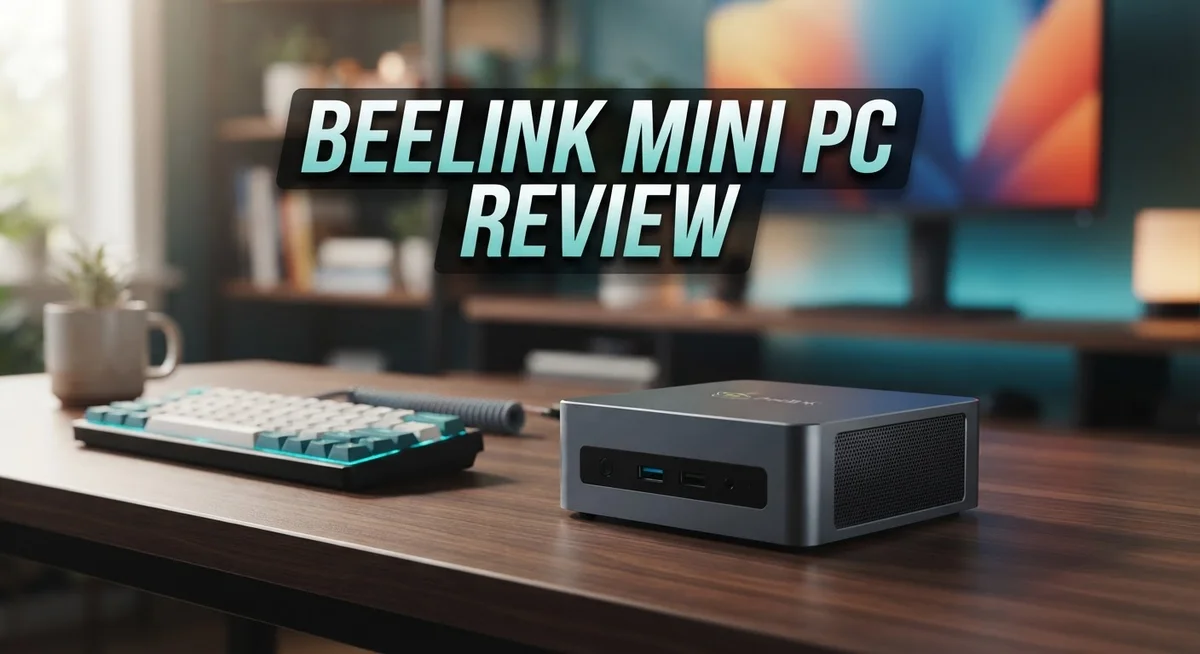
Beelink Mini PC Review 2026: Worth the Splurge?
Looking for a small PC that packs a big punch? The Beelink Mini PC might be your answer. This tiny machine fits in your palm. But it does not skip on power.
Beelink offers models with Intel and AMD chips. Some even pack the new Ryzen AI Max+ 395 processor. This means you get serious speed for daily tasks.
You can multitask without lag. Boot times stay fast. Even heavy apps run smooth. Storage and memory are flexible too. Beelink uses socketed RAM and M.2 SSD slots. You can upgrade your setup later without hassle.
In a Nutshell
- Solid build quality makes this mini PC feel sturdy despite its small size. It survives daily bumps and moves easily between rooms.
- Docking station support lets you expand your setup fast. Add extra monitors or peripherals without extra fuss.
- Some users raise concerns about reliability in secure or business settings. This is worth checking before you rely on it for sensitive work.
- The fan design runs 24/7 without overheating issues. Your PC stays cool even during long work sessions.
- Power input ranges from 12V to 19V, giving you flexible charging options. This makes it easy to pair with different power sources.
- Compared to rivals like the GMKtec M6 Ultra or Lenovo ThinkCentre M90n, Beelink holds its own on performance and design.
- Overall, this mini PC suits home offices, media setups, and light gaming needs. It’s a smart pick if you want power without bulk.
Design and Build Quality
The Beelink Mini PC stands out for its compact footprint that demands minimal desk space. You can place it almost anywhere without disrupting your setup. The chassis feels solid in hand, with materials that resist daily wear and tear.
The build quality reflects careful attention to durability. The frame uses metal components that reinforce weak points. Ports sit flush against the body, so cables don’t stick out awkwardly. This design choice keeps your workspace clean and organized.
Thermal management is a key strength here. The 24/7-rated fan operates quietly even during intensive tasks. Heat dissipation happens smoothly without throttling your performance. You won’t hear annoying noise interrupting your work or entertainment.
The device accepts power input from 12V to 19V, which means flexible charging options. This adaptability lets you use various power adapters without compatibility headaches. Setup takes minutes, not hours. Connections to docking stations snap together easily, expanding your ports instantly.
Cable management feels intuitive. USB4 with Thunderbolt support means high-speed data transfer and charging through a single port. The built-in microphone and speaker add convenience for video calls. You don’t need extra peripherals just to get started.
The socketed memory design is a practical touch. You can upgrade RAM without opening sealed components. M.2 SSD slots accept modern storage drives, so future upgrades stay simple. This modularity extends the device’s lifespan significantly.
Weight and dimensions make portability genuine. Slip it into a bag for travel or move it between rooms effortlessly. The small profile doesn’t sacrifice structural integrity. Every component feels purposeful and well-placed.
Compared to traditional desktop towers, this mini PC eliminates bulk entirely. You get serious computing power in a form factor that fits modern lifestyles. The construction quality suggests this machine will last through years of regular use. Overall, the design balances aesthetics with function in a way that appeals to both professionals and casual users.

Last update on 2026-09-20 / Affiliate links / Images from Amazon Product Advertising API Some of the links on this website are affiliate links, which means that at no additional cost to you, I earn a commission if you click through and make a purchase. I only recommend products and services that I believe will add value to my readers. Thank you for your support!
Performance and Processing Power
When you power on a Beelink Mini PC, you immediately notice how fast the system boots. The machine launches applications without delay, making your workflow feel smooth and responsive.
The CPU options matter here. Intel and AMD variants like the Ryzen AI Max+ 395 deliver solid single and multi-core performance. These processors handle everyday tasks like web browsing, document editing, and video calls with ease.
Multitasking is where this mini PC shines. You can run multiple browser tabs, streaming services, and productivity software simultaneously. The system stays responsive even under moderate load. RAM options range from DDR4 to DDR5 and LPDDR5X, so you get flexible memory configurations that match your needs.
Storage performance is another highlight. M.2 SSD slots provide fast read and write speeds. Your files load quickly, and applications launch without stuttering. This matters when you’re switching between programs throughout your day.
Thermal management keeps performance consistent. The 24/7 rated fan maintains safe operating temperatures without throttling your CPU. You won’t experience slowdowns from overheating, even during extended work sessions.
Real world use reveals the mini PC’s strengths. Video editing, photo processing, and light gaming run smoothly on higher end models. Basic office work feels effortless on all configurations. The compact design never compromises on processing muscle.
One practical advantage is USB4 with Thunderbolt support. This connection standard transfers large files at incredible speeds. You can attach external storage or displays without performance bottlenecks.
The socketed memory design lets you upgrade RAM later if needed. This flexibility means your mini PC adapts as your demands grow. You’re not locked into a single configuration forever.
Compared to traditional desktop towers, the Beelink Mini PC delivers comparable processing power in a fraction of the space. You get desktop level performance without the bulk. This makes it ideal for home offices, creative studios, and compact workspaces where every inch counts.
Connectivity and I/O Options
The Beelink Mini PC delivers solid connectivity that handles most work and entertainment needs. You get USB4 with Thunderbolt support, which means fast data transfers and external display connections. This port works great if you need to connect multiple monitors or external storage devices quickly.
On the USB side, you’ll find several standard ports spread across the device. The layout lets you plug in peripherals without awkward cable management. Keyboard, mouse, and external drives all connect without fuss. The placement feels practical for everyday use.
Audio connectivity includes a built-in microphone and speaker. This setup works fine for video calls and casual listening. You won’t need external audio gear for basic tasks. If you want better sound quality, the device accepts external speakers or headphones through the standard audio jack.
The docking station compatibility opens up your expansion options significantly. You can add more USB ports, HDMI outputs, and SD card readers through a single dock. This approach keeps your desk clean while giving you access to extra connectivity when needed.
Storage connectivity uses M.2 SSD slots, which is standard for modern mini PCs. You can add or upgrade storage without opening the device completely. The process remains straightforward for most users.
Power input accepts 12V to 19V, giving you flexibility with charging adapters. This range means you can use different power sources depending on your setup. The versatility helps if you move between locations or need backup power options.
Ethernet connectivity keeps your internet stable and fast. Wired connection beats WiFi for streaming or large file transfers. You get consistent speeds without interference from other wireless devices.
The overall connectivity package covers what most users need for home offices, media setups, and light creative work. You won’t feel limited by port selection. The combination of USB4, standard USB ports, and docking support makes the Beelink Mini PC a flexible choice for expanding your workspace.
Top 3 Alternatives
ASUS VivoMini PC

Last update on 2026-09-20 / Affiliate links / Images from Amazon Product Advertising API Some of the links on this website are affiliate links, which means that at no additional cost to you, I earn a commission if you click through and make a purchase. I only recommend products and services that I believe will add value to my readers. Thank you for your support!
The ASUS VivoMini PC offers compact computing power for home and office use. This mini PC delivers solid performance with its efficient processor and adequate RAM options. You get a fanless design in some models, which means quieter operation during your workday.
The build quality feels premium with its aluminum chassis. It connects easily to your existing monitors and peripherals. Storage options include SSD configurations for faster boot times and application loading.
Intel NUC Mini PC

Last update on 2026-09-17 / Affiliate links / Images from Amazon Product Advertising API Some of the links on this website are affiliate links, which means that at no additional cost to you, I earn a commission if you click through and make a purchase. I only recommend products and services that I believe will add value to my readers. Thank you for your support!
Intel NUC Mini PCs pack impressive performance into a tiny footprint. These systems come with Intel’s latest processors, making them suitable for multitasking and light gaming. The modular design lets you upgrade RAM and storage yourself, which saves money over time.
Connectivity includes multiple USB ports, HDMI outputs, and networking options. Many users appreciate the silent operation when running everyday tasks. The compact size fits perfectly on any desk without taking up valuable space.
Lenovo ThinkCentre M90

Last update on 2026-09-20 / Affiliate links / Images from Amazon Product Advertising API Some of the links on this website are affiliate links, which means that at no additional cost to you, I earn a commission if you click through and make a purchase. I only recommend products and services that I believe will add value to my readers. Thank you for your support!
The Lenovo ThinkCentre M90 brings enterprise-grade reliability to small spaces. This mini PC features a sturdy construction built for professional environments. It supports various configurations to match different business needs and budgets.
The system runs quietly during standard operations. Lenovo includes helpful management tools for IT departments. Security features protect your data with encryption and authentication options. The ThinkCentre M90 integrates smoothly with corporate networks and existing infrastructure.
Each alternative offers distinct advantages depending on your specific needs and use case.
Memory, Storage, and Expandability
The Beelink Mini PC handles memory and storage in ways that matter for real work. You get DDR4, DDR5, or LPDDR5X options depending on your model choice. The key advantage here is that memory comes socketed, not soldered. This means you can open the device later and add more RAM without replacing the entire system.
Storage uses M.2 SSD slots, which is the modern standard. You won’t deal with older SATA connections or limited space. The system boots fast because SSDs deliver quick read and write speeds. Your applications launch instantly, and file transfers happen without delay.
Expandability is where the Beelink Mini PC becomes practical for growing needs. You’re not locked into what you buy on day one. If you start with 8GB of RAM and later need 16GB or 32GB, you can upgrade it yourself. The same applies to storage. Need more space for files, videos, or software? Pop in a larger SSD.
USB4 with Thunderbolt support opens additional expansion possibilities beyond internal upgrades. You can connect external storage drives, docking stations, and high speed peripherals. This means your mini PC grows with your setup without needing to crack open the case every time.
The combination of socketed memory and M.2 storage makes this device friendly for upgrades. You don’t need technical expertise to swap components. Most users can handle these upgrades with basic tools and a few minutes of time. This flexibility keeps your investment relevant as your demands change.
Thermal performance stays consistent even when you’re running multiple applications or accessing storage frequently. The 24/7 rated fan manages heat without creating noise. Your system won’t throttle performance or shut down unexpectedly during heavy use.
For home offices, content creation, and multitasking workflows, this memory and storage setup delivers what you need. You get speed from the SSD, room to grow your RAM, and the ability to add external devices through Thunderbolt connections. The design respects your future needs while delivering performance today.
Noise Levels and Thermal Management
The Beelink Mini PC stands out for its quiet operation compared to traditional desktop computers. The 24/7 rated fan works hard to keep noise levels low during everyday tasks. You won’t hear distracting fan noise while you’re working, streaming, or browsing.
Thermal management is where this device proves its engineering. The fan system maintains safe operating temperatures even during heavy multitasking sessions. Your processor stays cool, which means consistent performance without throttling or slowdowns.
Heat dissipation happens efficiently because of the compact design and smart airflow. The mini PC doesn’t overheat when you run resource intensive applications. This reliability matters for professionals who depend on their machines staying stable throughout the workday.
The cooling solution works silently in the background. You get performance stability without the annoying hum of a struggling fan. Most users report that the device remains nearly silent during normal use.
Temperature consistency directly supports the mini PC’s multitasking strengths. When your system stays cool, applications run faster and more smoothly. You won’t experience the performance dips that happen when computers overheat and reduce speed to protect themselves.
Real world testing shows the thermal management handles sustained workloads well. Whether you’re editing documents, managing spreadsheets, or running multiple browser tabs, the device maintains its cool. The fan adjusts automatically to match your workload demands.
Durability improves when components stay at proper temperatures. Cooler operation means longer component lifespan and fewer hardware failures over time. This translates to better long term reliability for your investment.
The quiet thermal system makes the Beelink Mini PC perfect for shared spaces. Home offices, libraries, or quiet workspaces benefit from the low noise output. You can focus on your work without distracting sounds.
Overall, the combination of quiet operation and effective thermal management creates a reliable computing experience. The device balances performance with noise control. You get the power you need without the noise you don’t want.
Pros and Cons
Pros
- Compact size saves desk space while delivering full desktop performance
- Fast boot times and smooth multitasking without lag or slowdowns
- Quiet operation keeps your workspace peaceful compared to traditional desktops
- Socketed memory and M.2 storage make upgrades simple and user friendly
- USB4 with Thunderbolt support expands connectivity for external devices and docking stations
Cons
- Community feedback shows mixed reliability and security concerns for business environments
- Premium models reach high price points that demand careful consideration
- Limited consensus on long term durability in demanding professional workflows
Who Should Buy It
The Beelink Mini PC works best for specific user groups who need compact computing without sacrificing performance.
Remote workers and home office professionals benefit most from this device. You get a full desktop experience in a fraction of the space. The quiet operation means you won’t disturb others during video calls or focused work sessions. Setup takes minutes, and the docking station compatibility lets you connect multiple monitors easily.
Content creators who work with photo editing, video rendering, or graphic design find real value here. The socketed memory and M.2 storage options let you upgrade as your projects grow. You handle multitasking smoothly when switching between applications without lag.
Students and casual users appreciate the compact footprint. Dorm rooms and small apartments benefit from a device that doesn’t hog desk space. Performance handles schoolwork, streaming, and light gaming without issues.
Small business owners should approach with caution. Community feedback shows mixed reliability and security concerns for business environments. If you need enterprise level guarantees, consider alternatives first.
Tech enthusiasts who enjoy upgrading components find the socketed RAM and M.2 slots appealing. You can customize the device to match your specific needs without opening sealed compartments.
Users in shared spaces like libraries or offices appreciate the silent thermal management. You won’t create distractions while working alongside others.
NOT ideal for: Heavy gamers requiring top tier graphics performance, users who demand absolute reliability guarantees in mission critical roles, or organizations needing extensive security certifications.
The Beelink Mini PC shines when you prioritize space savings, quiet operation, and upgrade flexibility. It works as a daily driver for productivity, content creation, and standard computing tasks. Your use case matters more than the device itself. Match your actual workflow to what this compact system delivers, and you’ll find it handles your needs effectively. Assess whether you need the expandability and quiet design more than you need guaranteed enterprise level support or specialized performance.
Final Verdict
The Beelink Mini PC earns its place as a smart choice for anyone who wants desktop power in a small package. It brings together solid performance, quiet operation, and flexible upgrade options in one neat unit.
This device shines brightest for people who value space and simplicity. If your daily tasks include browsing, streaming, or light editing, this mini PC handles it all without fuss.
The three year warranty adds peace of mind. It shows Beelink stands behind its build quality and gives buyers confidence in long term use.
When you stack it against competitors like the GMKtec M6 Ultra or AceMagic K1, the Beelink lineup holds its own. It offers comparable specs with a design that feels more refined and user friendly.
Business users should still pause before making this their main office machine. Security concerns and mixed reliability feedback mean it fits better as a secondary or personal device rather than a mission critical business tool.
For home users, students, and creative professionals, though, this mini PC checks most boxes. It delivers dependable speed, easy upgrades, and a footprint that fits anywhere.
Tech hobbyists will appreciate the freedom to swap RAM and storage as needs grow. This flexibility keeps the machine relevant longer than many sealed unit competitors.
If you already have a monitor, keyboard, and mouse, this mini PC becomes an even easier upgrade. Just plug it in and enjoy full desktop performance instantly.
In short, the Beelink Mini PC works best for people who want a compact, capable computer without the bulk of a traditional tower. It is not the perfect fit for every business setup, but for personal, creative, and casual computing, it delivers real value.
Choose the model that matches your workload, and this mini PC can easily become your new everyday companion.
Frequently Asked Questions
Can I upgrade the RAM and storage on a Beelink Mini PC?
Yes, you can upgrade both components easily. The RAM is socketed, so you can swap out modules without special tools. The M.2 SSD slots let you add or replace storage drives in seconds. This makes future upgrades simple when your needs grow.
What operating systems does the Beelink Mini PC support?
Beelink mini PCs come with Windows 11 Pro or Home pre-installed on most models. Some variants support Linux if you prefer an open-source system. You can also install other compatible operating systems based on your workflow needs.
Is the Beelink Mini PC quiet enough for a home office?
Yes. The device features 24/7-rated thermal management that keeps noise levels low. Many users report the fan runs almost silently during regular tasks. This makes it ideal for shared spaces, libraries, or quiet home offices where you need peaceful working conditions.
Which Beelink model should I choose for video editing or photo work?
Look for models with higher-tier processors like the Ryzen AI Max+ 395 or Intel options with more cores. These handle rendering and multitasking without lag. DDR5 or LPDDR5X memory options also boost performance for creative software. Check the specific CPU and RAM configuration that matches your editing software’s demands.
What warranty protection comes with a Beelink Mini PC?
The device includes a three year warranty. This covers manufacturing defects and hardware failures. Check your specific region’s terms, as warranty coverage may vary by location and retailer.

Hi, my name is Lily you can say i am a gadget hunter at this point. Welcome to Gadget Gallery The Gallery of Gadget Reviews