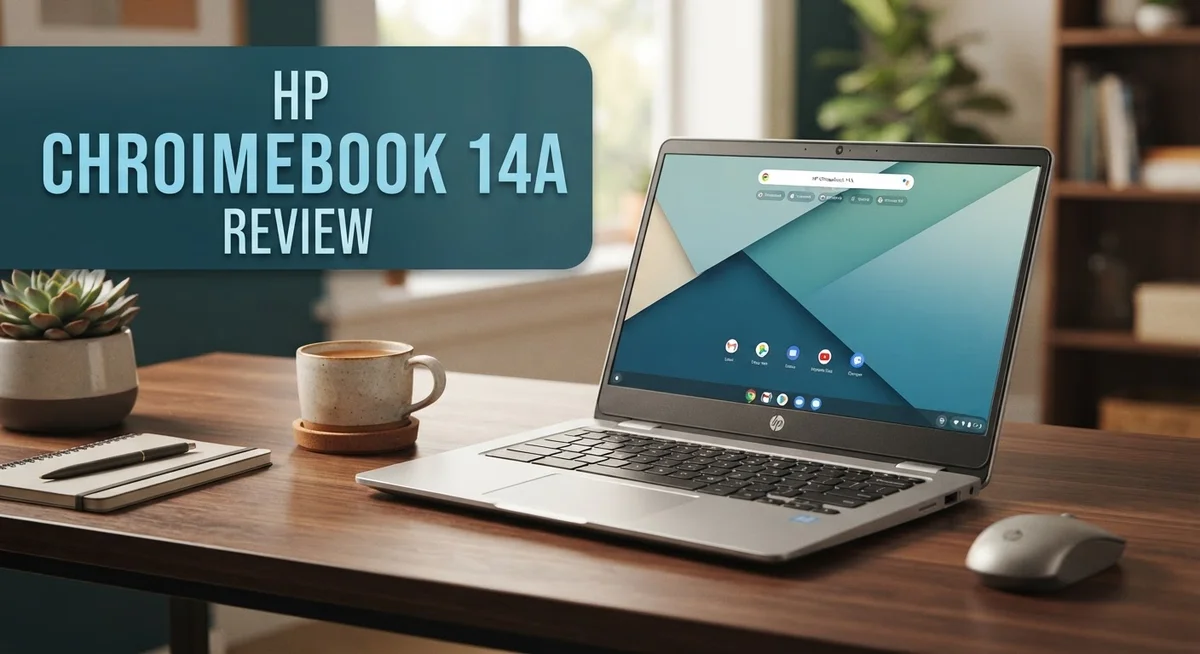
HP Chromebook 14a Review: Does It Really Work?
Looking for a reliable laptop that handles daily tasks with ease? The HP Chromebook 14a might be your answer.
This Chromebook brings together solid performance and a clean design. It fits perfectly into student life, work tasks, and everyday browsing.
The 14 inch HD display offers sharp visuals. You get clear text and vivid colors for videos, documents, and web pages.
Under the hood, the Intel Celeron processor keeps things running smoothly. Whether you choose 4GB or 8GB RAM, multitasking feels simple and smooth.
Battery life stands out as a major highlight. This device can last through a full day of classes or work without needing a charge.
Students will love the free year of cloud storage that comes with select models. This feature adds extra value for anyone who deals with large files or important documents.
In this review, we break down everything you need to know. We cover the display quality, keyboard comfort, speaker performance, and how this laptop stacks up against competitors like Lenovo and Acer.
Let’s find out if the HP Chromebook 14a deserves a spot on your desk.
In a Nutshell
Here’s what makes the HP Chromebook 14a worth your attention:
-
Smooth performance for everyday tasks. The Intel Celeron processor handles browsing, streaming, and schoolwork without lag.
-
Memory and storage options give you flexibility. Choose 4GB or 8GB RAM based on your needs. Storage comes in 64GB or 128GB configurations.
-
Lightweight build makes it easy to carry. At under 4 pounds, this laptop fits easily in a backpack or bag.
-
All day battery life keeps you productive. You get up to 9.25 hours on a single charge.
-
Comfortable typing experience thanks to a quality keyboard. Long typing sessions feel natural and easy.
-
Some users notice minor drawbacks. A few models have a duller screen or weaker speakers. Base storage might feel tight for heavy users.
Overall, this Chromebook delivers strong value for students and everyday users. It balances performance, portability, and battery life well. If you want a dependable laptop for daily tasks, this one checks the right boxes.
Display Quality and Screen Performance
The 14 inch HD anti glare display is where the HP Chromebook 14a truly shines. This screen delivers crisp visuals that make reading documents and browsing the web a pleasure. The anti glare coating reduces reflections, so you can work comfortably in bright rooms or near windows without squinting.
Colors appear vibrant and text remains sharp even when you’re viewing spreadsheets or taking notes for hours. The HD resolution provides enough detail for most everyday tasks. Whether you’re watching videos, editing photos, or working on presentations, the display handles it all well.
Screen brightness performs solidly in various lighting conditions. You can adjust it easily through Chrome OS settings to match your environment. Indoor use feels natural, and outdoor visibility is respectable for a laptop in this category.
One thing to note: some users report that certain model variations have a slightly duller appearance compared to others. This depends on the specific production batch and year. If brightness matters to you, check the exact model specifications before purchasing.
The display bezels are reasonably thin, giving you more screen space without making the laptop feel bulky. This design choice helps the 14a feel modern while keeping the overall footprint manageable.
Viewing angles are decent for a budget friendly Chromebook. You can tilt the screen back comfortably, and the image remains clear when viewing from the side. This matters if you share your screen with others or work in different positions throughout the day.
The anti glare finish does an excellent job preventing fingerprints and smudges from being visible. Your screen stays looking clean longer, which is helpful if you travel frequently.
For students taking notes in class or professionals working on documents, this display performs admirably. The combination of sharpness, brightness, and anti glare technology creates a solid viewing experience. You won’t feel like you’re compromising on screen quality, even though this is an entry level Chromebook.

Last update on 2026-10-06 / Affiliate links / Images from Amazon Product Advertising API Some of the links on this website are affiliate links, which means that at no additional cost to you, I earn a commission if you click through and make a purchase. I only recommend products and services that I believe will add value to my readers. Thank you for your support!
Processor Performance and Multitasking
The Intel Celeron N4120 processor powers the HP Chromebook 14a, and it handles everyday computing tasks without breaking a sweat. This quad core chip processes web browsing, document editing, and video streaming with smooth performance that matches what most students and professionals need daily.
Multitasking feels natural on this machine. You can open multiple browser tabs, run Google Docs simultaneously, and switch between apps without noticeable lag. The processor keeps up well because Chrome OS itself runs lean and efficient. You won’t experience the slowdowns that plague heavier operating systems on similar hardware.
RAM options matter here. The base 4GB model works fine for light users who stick to one or two tasks at a time. If you juggle many browser tabs or use multiple applications together, the 8GB RAM upgrade gives you breathing room. Most users find 8GB strikes the right balance between performance and practicality.
Real world performance shows this Chromebook excels at its intended purpose. Document collaboration in Google Workspace runs smoothly. Streaming video from YouTube or Netflix plays without stuttering. Email stays responsive even with large attachments. Video calls on Zoom or Google Meet maintain clear audio and video quality.
The processor does have limits. Demanding software like video editing or 3D rendering will struggle. Heavy gaming pushes the hardware to its edges. But these tasks fall outside the Chromebook’s design purpose anyway. For what this device targets, performance stays solid.
Storage speed also affects how snappy the system feels. The 64GB eMMC storage on base models loads applications quickly enough. The 128GB UFS option on higher configurations offers slightly faster performance. Either way, boot times remain quick, and opening programs happens almost instantly.
Battery life ties directly to processor efficiency. The N4120 uses power wisely, which helps the Chromebook reach its impressive 9 plus hour battery claim. You get a full school day or work day without hunting for outlets.
Overall, the processor and multitasking capabilities deliver exactly what you’d expect from a device in this category. It won’t win performance benchmarks, but it excels at practical, everyday computing that keeps you productive all day long.
Battery Life and Portability
The HP Chromebook 14a keeps you working all day without searching for an outlet. This machine delivers up to 9.25 hours of battery life on a single charge, which means you can power through classes, meetings, and creative projects without interruption.
Real world usage shows the battery easily handles a full school or work day. Whether you’re browsing the web, editing documents, or streaming videos, the power lasts. The Intel Celeron N4120 processor runs efficiently and doesn’t drain your battery quickly. This efficiency matters when you’re constantly on the move.
Carrying the HP Chromebook 14a feels effortless. At just 3.74 pounds, this laptop weighs less than most textbooks. Your shoulder won’t feel the strain during your commute to campus or the office. The 14 inch screen gives you plenty of workspace without adding bulk to your bag.
Portability and battery life work together to create a device you can take anywhere. Students appreciate how light it is when moving between classes. Remote workers love that they can work from coffee shops, libraries, or parks without worrying about power.
The slim design fits easily into backpacks and messenger bags. You won’t need a specialized laptop case to protect it during travel. The lightweight construction doesn’t sacrifice durability, so your investment stays safe.
Battery management on Chrome OS helps extend your power even further. The operating system runs lean and doesn’t waste resources like heavier systems do. You’ll notice the difference when you compare this to traditional laptops.
Long battery life plus light weight equals freedom. You get the flexibility to work where you want, when you want. No more hunting for charging stations or feeling tethered to a desk. The HP Chromebook 14a adapts to your lifestyle, whether you’re a student, professional, or someone who simply values independence and mobility.
Top 3 Alternatives
Lenovo IdeaPad 3

Last update on 2026-10-12 / Affiliate links / Images from Amazon Product Advertising API Some of the links on this website are affiliate links, which means that at no additional cost to you, I earn a commission if you click through and make a purchase. I only recommend products and services that I believe will add value to my readers. Thank you for your support!
The Lenovo IdeaPad 3 offers solid performance for everyday computing tasks. This laptop features a clean operating system and straightforward interface. You get decent battery life that keeps you productive throughout the day. The keyboard feels comfortable for extended typing sessions. Storage options provide enough space for documents, photos, and files. The display delivers clear visuals for work and entertainment. This machine handles multitasking without significant lag. It’s a practical choice for students and professionals on a budget.
ASUS VivoBook 14


Last update on 2026-10-12 / Affiliate links / Images from Amazon Product Advertising API Some of the links on this website are affiliate links, which means that at no additional cost to you, I earn a commission if you click through and make a purchase. I only recommend products and services that I believe will add value to my readers. Thank you for your support!
The ASUS VivoBook 14 brings modern design to the laptop market. This device features a lightweight frame that travels easily. The screen offers vibrant colors and good brightness levels. Processing power handles everyday applications smoothly. The keyboard and touchpad respond accurately to your inputs. Battery performance keeps you working for several hours. Fast startup times mean less waiting and more productivity. The build quality feels premium despite the affordable positioning. It works well for streaming, browsing, and document editing.
Acer Aspire 5

Last update on 2026-10-12 / Affiliate links / Images from Amazon Product Advertising API Some of the links on this website are affiliate links, which means that at no additional cost to you, I earn a commission if you click through and make a purchase. I only recommend products and services that I believe will add value to my readers. Thank you for your support!
The Acer Aspire 5 delivers balanced performance across different use cases. This laptop includes a larger display that reduces eye strain. The processor handles both light and moderate workloads efficiently. Storage capacity gives you room for files and applications. The cooling system keeps temperatures down during extended use. Build materials feel sturdy and reliable. Good port selection lets you connect multiple devices simultaneously. Audio quality is respectable for video calls and entertainment. This machine suits users who want more screen real estate without sacrificing portability.
Keyboard, Trackpad, and User Experience
The keyboard on the HP Chromebook 14a strikes a solid balance between comfort and practicality. Keys offer satisfying feedback when you type, and the layout follows a standard design that feels familiar right away. Typing speed improves when you’re working on documents or emails because the key travel distance works well for extended sessions.
The trackpad responds accurately to your finger movements and gestures. Multi-touch commands work smoothly, so you can scroll through web pages and switch between windows without frustration. The surface feels smooth, and palm rejection keeps accidental clicks from interrupting your work.
Overall user experience on the HP Chromebook 14a centers on simplicity and efficiency. Chrome OS removes unnecessary complexity from your computing. You open the browser, access your apps, and get to work immediately. There’s no bloatware slowing things down or confusing menus to navigate.
The keyboard and trackpad combination makes productivity tasks straightforward. Whether you’re writing essays, creating spreadsheets, or taking notes in class, the input devices respond predictably. You won’t fight against the hardware while trying to focus on your actual work.
One thing worth noting: the keyboard build quality feels solid without being premium. It’s designed for students and everyday users who need reliability more than luxury features. The keys won’t feel mushy or cheap, but they also won’t match high-end laptop keyboards.
Switching between keyboard and trackpad feels natural during your workflow. You can type a paragraph, then quickly use the trackpad to click a link or adjust formatting. This seamless transition keeps your momentum going.
The spacing between keys prevents accidental presses, which matters when you’re working quickly. Hand positioning feels comfortable even during longer typing sessions. The trackpad sits at an appropriate distance from the keyboard, so your palms won’t bump it accidentally while typing.
Chrome OS integration means the keyboard and trackpad work together with the operating system smoothly. Keyboard shortcuts execute instantly, and trackpad gestures respond without lag. This harmony between hardware and software creates a cohesive typing experience that supports productive work without distractions.
Storage and Memory Options
The HP Chromebook 14a comes with two memory configurations to match different user needs. You can choose between 4GB or 8GB of RAM. The 4GB option handles basic web browsing, email, and document editing smoothly. The 8GB version gives you extra breathing room for heavy multitasking and running multiple browser tabs simultaneously.
Storage capacity directly impacts how many files you can keep locally. The base model includes 64GB of eMMC storage. This amount works well for students and professionals who primarily use cloud services like Google Drive and Gmail. The 128GB UFS option provides nearly double the space for users who prefer storing more files on their device.
The difference between eMMC and UFS matters more than you might think. UFS storage reads and writes data faster than eMMC. This means your system boots quicker and apps launch with less waiting. If you frequently transfer files or work with large documents, the UFS upgrade makes a noticeable difference in daily speed.
Chrome OS itself doesn’t consume much storage space. The operating system runs lean and efficient. This leaves most of your storage available for personal files, downloads, and offline content. Google’s cloud integration means you rarely feel cramped for space, even with the 64GB option.
Consider your actual usage patterns when choosing between configurations. Students working primarily on Google Docs and Sheets thrive with 4GB RAM and 64GB storage. Content creators, developers, or power users benefit from the 8GB RAM and 128GB UFS combination. The extra memory prevents lag when juggling many applications at once.
Upgrading storage or RAM after purchase isn’t possible on most Chromebook models. The components are soldered to the motherboard. This makes your initial choice important. Think about whether you’ll need that extra capacity over the device’s lifespan. Most users find the middle ground of 8GB RAM with 128GB storage strikes the right balance between performance and practicality.
Pros and Cons
Pros
- The 14″ HD anti-glare display delivers sharp visuals that reduce eye strain during long study or work sessions
- Intel Celeron N4120 processor handles multitasking smoothly for everyday productivity tasks
- Battery runs up to 9.25 hours, keeping you working through a full school or work day without charging
- Lightweight at 3.74 lbs, so carrying it in a backpack or messenger bag feels effortless
- Plus model includes a free year of cloud storage to expand your digital workspace
Cons
- Some models ship with a duller display that doesn’t match the advertised quality standards
- Speakers on older variants produce weak audio that requires external speakers for video calls or media
- Base configuration only includes 64GB eMMC storage, which fills up quickly if you download many files locally
Who Should Buy It
The HP Chromebook 14a works best for students who rely on Google Workspace. If you spend most of your day in Google Docs, Sheets, and Classroom, this machine delivers everything you need. The battery lasts through a full school day, and the lightweight design fits easily into any backpack.
Teachers also benefit from this Chromebook. You can manage assignments, grade papers, and conduct video calls without performance hiccups. The anti-glare display reduces eye strain during long grading sessions, which matters when you’re working for hours at a time.
Remote workers appreciate the simplicity here too. If your job centers on email, web browsing, and cloud applications, the Celeron processor handles your workload smoothly. The solid keyboard and responsive trackpad make extended work sessions comfortable and productive.
Content creators who use web-based tools will find this machine capable. Photo editing through browser apps, video conferencing, and document collaboration all run well. The 9.25-hour battery keeps you going through meetings and creative sessions without searching for an outlet.
This Chromebook suits people who want straightforward computing without complexity. Chrome OS means no software installation headaches, no virus concerns, and automatic updates. If you prefer a simple, secure experience over customization options, you’ll appreciate what this device offers.
Casual users and seniors find the interface intuitive. The setup process takes minutes, and navigating between apps feels natural. You don’t need technical knowledge to be productive on this machine.
However, skip this device if you need specific Windows or Mac software. Professional designers working in Photoshop, developers using specialized tools, or gamers looking for performance should look elsewhere. The Celeron processor and Chrome OS simply don’t support those demands.
People who work offline frequently should reconsider too. This Chromebook assumes consistent internet access. While some apps work offline, the full experience requires a stable connection.
Storage-limited users might feel restricted. The base model’s 64GB fills quickly if you download many files locally. If you store everything in cloud services, this won’t bother you. But if you prefer keeping files on your device, consider the upgraded configuration.
Final Verdict
The HP Chromebook 14a stands out as a smart pick for anyone who lives in the Google ecosystem. It handles daily tasks without lag and keeps your work synced across devices.
This laptop shines brightest for students and remote workers who need a simple, reliable tool. The build feels solid, and the overall package delivers more than you’d expect from a Chrome OS device.
Compared to similar models from Lenovo, Asus, and Acer, the HP Chromebook 14a holds its own. Each brand offers something slightly different, but this model balances performance and comfort well.
Chrome OS updates run automatically in the background. You won’t deal with manual downloads or long update cycles that slow you down.
Security stays tight too. Google pushes safety patches directly to your device, so you stay protected without lifting a finger.
If you want a laptop that just works, this one fits the bill. It won’t replace a gaming rig or a video editing powerhouse, but that’s not its job.
Think about your daily habits before buying. If you spend most of your time in a browser, this Chromebook will serve you well for years.
The verdict is simple: choose the HP Chromebook 14a if you want ease, speed, and dependable performance in one package. Skip it only if your work demands heavy software outside the Chrome ecosystem.
For light users, students, and anyone tired of complicated setups, this device offers a breath of fresh air. It strips away unnecessary clutter and focuses on what matters, getting things done.
Final thought: this Chromebook proves that simple computing can still feel powerful. It handles real work, stays light in your bag, and keeps you connected all day.
Give it a try if you want a stress free computing experience that just gets out of your way.
Frequently Asked Questions
Does the HP Chromebook 14a work for video calls and streaming?
Yes, it handles both well. The Intel Celeron N4120 processor keeps video calls smooth on Google Meet, Zoom, and Teams. Streaming on YouTube or Netflix runs without lag.
Note: Older model variants have weak speakers. You may want headphones or external speakers for better audio during calls. The display quality is sharp on newer units, making video calls clear and enjoyable.
Can I use Microsoft Office on this Chromebook?
You can access Microsoft Office through the web version at Office.com. Google Docs, Sheets, and Slides work as your main productivity tools on Chrome OS.
If you need the desktop version of Microsoft Office, this device won’t work for you. Chrome OS doesn’t support Windows or Mac software. Web-based alternatives are your best option here.
How much storage do I get?
Base models come with 64GB eMMC storage. Higher configurations offer 128GB UFS storage, which is faster.
Important: The Plus model includes a free year of cloud storage to expand your digital workspace. Cloud storage helps if local storage feels tight. Most users find 64GB sufficient for documents, photos, and browser files since Chrome OS uses less space than Windows.
Is the battery really good for a full day?
The HP Chromebook 14a runs up to 9.25 hours on a single charge. This covers a full school or work day without needing a charger.
Real battery life depends on screen brightness and what you’re doing. Light browsing and document work extend battery time. Streaming video drains it faster, but you’ll still get through most days comfortably.
How does this compare to Lenovo or ASUS Chromebooks?
The HP Chromebook 14a holds its own against similar models from Lenovo, ASUS, and Acer. Performance is solid for everyday tasks. The display quality and keyboard are strong points.
Your choice depends on specific features you need. Compare exact specs, keyboard feel, and display brightness across brands before deciding.

Hi, my name is Lily you can say i am a gadget hunter at this point. Welcome to Gadget Gallery The Gallery of Gadget Reviews