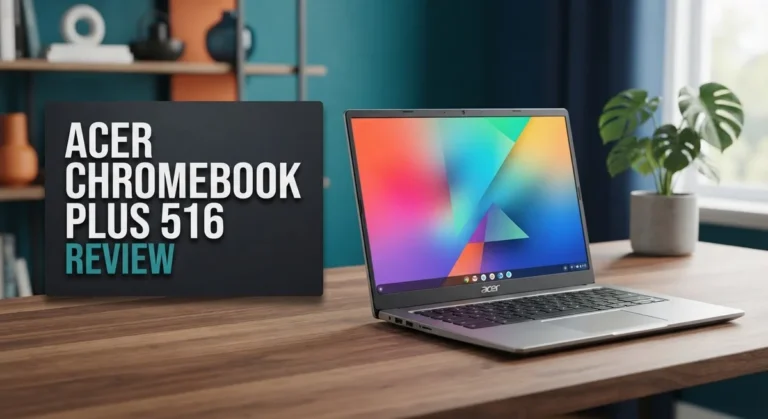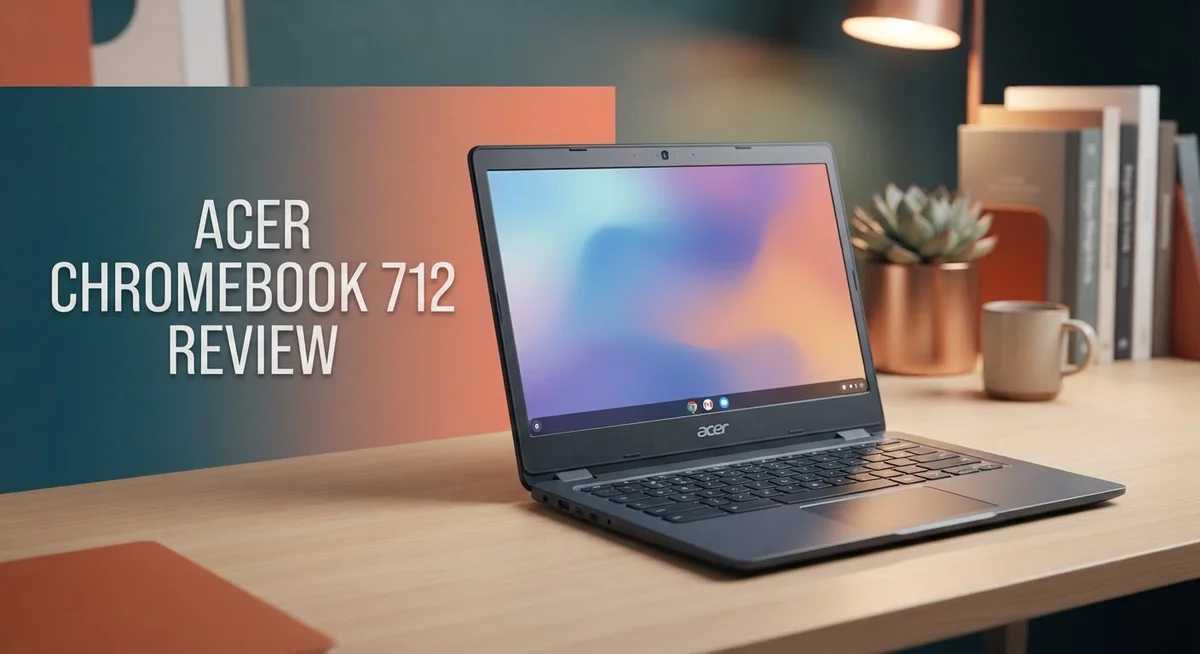
Acer Chromebook 712 Review: A Comprehensive Guide
Looking for a Chromebook that survives daily bumps and drops? The Acer Chromebook 712 might be your answer. This laptop stands out with its rugged build and long lasting battery.
Students and professionals need a device that works all day. The 712 delivers over 10 hours of battery life. You can work, study, or stream without hunting for an outlet.
The screen is another highlight. This Chromebook uses a 3:2 aspect ratio instead of the usual 16:9 format. That means you get 18% more screen space to view documents, browse the web, or multitask.
In a Nutshell
- Display: The 12 inch IPS screen uses a 3:2 aspect ratio. This gives you 18% more vertical space than typical 16:9 laptops.
- Performance: Choose between an Intel Core i3-10110U or a Celeron 5205U chip. Both pair with 8GB RAM and 64GB storage for smooth multitasking.
- Connectivity: You get Wi-Fi 6 for faster wireless speeds. Bluetooth 5.0 keeps your accessories connected without lag.
- Battery Life: This Chromebook runs for over 10 hours on a single charge. It easily lasts through a full school or work day.
- Build Quality: The chassis feels tough and durable. However, some users report that the hinges can be fragile if dropped.
- Known Issues: A few owners mention random shutdowns. Stock can also be limited depending on your region.
- Alternatives: If you want other options, look at the Asus Chromebook Plus CX34 or the Acer Chromebook Spin 713.
Key Features and Specifications
The Acer Chromebook 712 packs features that appeal to students, professionals, and everyday users. Let’s explore what makes this device tick.
The 12 inch IPS display stands out with its 3:2 aspect ratio. This shape gives you 18% more vertical screen space compared to standard 16:9 laptops. You get better visibility for documents, spreadsheets, and web browsing. The 1366 x 912 resolution keeps text sharp and images clear on this compact screen.
You can choose between two processors. The Intel Core i3-10110U offers stronger performance for multitasking and demanding apps. The Celeron 5205U provides a lighter option for basic tasks like email and document editing. Both handle everyday Chrome OS work smoothly.
Memory and storage come standard with 8GB DDR4 RAM and 64GB storage. This combination handles multiple browser tabs and files without lag. Chrome OS apps and web services run efficiently with this setup.
Connectivity features impress on this model. Wi-Fi 6 technology delivers faster wireless speeds and better range. Bluetooth 5.0 connects smoothly to headphones, mice, and other devices. A 720p webcam works fine for video calls and online classes.
The Intel UHD Graphics handle everyday visual tasks. You can watch videos, edit photos, and use creative tools without problems. Dual speakers provide decent audio for meetings and entertainment.
Battery performance reaches over 10 hours per charge. This means you work through a full school day or office shift without hunting for an outlet. The rugged construction protects against daily bumps and drops, though some users report hinge concerns with hard impacts.
The combination of screen real estate, processor options, and all day battery life creates a practical package. This Chromebook works for classrooms, offices, and travel. The solid build quality means it survives typical daily use. Whether you need something for light browsing or moderate productivity, this device delivers the essentials without unnecessary complexity.

Last update on 2026-09-17 / Affiliate links / Images from Amazon Product Advertising API Some of the links on this website are affiliate links, which means that at no additional cost to you, I earn a commission if you click through and make a purchase. I only recommend products and services that I believe will add value to my readers. Thank you for your support!
Design and Build Quality
The Acer Chromebook 712 feels solid in your hands from the moment you pick it up. The chassis uses materials built to handle daily wear and tear. You get a device that resists scratches and minor impacts without falling apart.
The 12 inch form factor strikes a nice balance between portability and usability. The laptop weighs just enough to feel substantial yet remains light enough to carry in a backpack. The keyboard deck sits at a comfortable angle, and the trackpad responds smoothly to your touch.
One area deserves attention here. The hinges show some vulnerability if the device experiences a hard drop. Several users report hinge stress after accidental falls, so you may want protective padding if you travel frequently. The rest of the build quality compensates for this weak point quite well.
The bezels around the screen stay reasonably thin without sacrificing durability. The top bezel houses a 720p webcam that works fine for video calls. Dual speakers flank the keyboard and deliver clear audio for meetings and media.
The 3:2 aspect ratio screen gives you 18% more vertical space compared to standard 16:9 displays. This extra room helps when you work with documents or browse websites. You scroll less and see more content on screen at once.
The chassis materials feel premium for the category. The lid opens smoothly and stays put at any angle you set. The keyboard doesn’t flex excessively when you type, which improves the overall typing experience.
Weight distribution works well across the device. The battery sits positioned to keep the center of gravity balanced. You won’t feel the device tip forward or backward when it sits on your lap.
The port layout includes everything you need on the sides. USB connections sit in accessible spots. The charging port stays out of the way of your wrists while typing.
Overall, the Acer Chromebook 712 delivers a well constructed experience that handles everyday use. The build quality justifies the rugged reputation this model earned. Just keep those hinges protected during transport, and you will have a reliable device for years.
Performance and Processing Power
The Acer Chromebook 712 delivers solid performance for everyday computing tasks. You get two processor options to choose from based on your needs. The Intel Core i3-10110U offers stronger performance for multitasking and demanding applications. The Celeron 5205U provides capable performance for basic web browsing and document work.
Both processors handle Chrome OS efficiently. The operating system runs light and fast on these chips. You won’t experience lag when switching between tabs or running multiple applications simultaneously. The system stays responsive during typical school or office work.
The 8GB of DDR4 RAM ensures smooth multitasking without slowdowns. Apps load quickly and run without stuttering. You can comfortably keep 20 or 30 browser tabs open without performance issues. The memory allocation works well for the Chromebook’s lightweight software environment.
The Intel UHD Graphics handle video playback and basic creative work. Streaming content plays smoothly in high definition. Photo editing and light graphic tasks run without problems. Gaming performance stays modest but acceptable for casual titles.
Real world usage shows strong results across various scenarios. Students can attend video calls while taking notes without lag. Professionals can edit spreadsheets and presentations without delays. Teachers can stream educational videos smoothly to classrooms.
Some users report occasional random shutdown issues. These cases appear rare but worth noting. Most owners experience consistent, reliable performance over extended periods. The system rarely crashes or freezes during normal use.
The processor choice matters for your specific workload. Choose the Core i3 if you plan heavy multitasking or video conferencing. The Celeron works fine if you focus mainly on web browsing and document creation. Both options deliver reliable performance that matches the Chromebook’s intended purpose.
Overall, the Acer Chromebook 712 performs as expected for its category. The hardware specifications align well with Chrome OS demands. You get a responsive, capable machine that handles education and professional tasks without frustration.
Top 3 Alternatives
Dell Chromebook 3100

Last update on 2026-09-17 / Affiliate links / Images from Amazon Product Advertising API Some of the links on this website are affiliate links, which means that at no additional cost to you, I earn a commission if you click through and make a purchase. I only recommend products and services that I believe will add value to my readers. Thank you for your support!
The Dell Chromebook 3100 serves students and professionals who need reliable computing. This device runs Chrome OS, which means fast boot times and simple software updates. The keyboard feels responsive, and the trackpad responds well to your touch.
Battery life extends throughout a full school or work day. The display shows clear visuals, though brightness could be stronger in direct sunlight. The build quality feels sturdy enough for daily use in classrooms or offices.
HP Chromebook 14


Last update on 2026-09-17 / Affiliate links / Images from Amazon Product Advertising API Some of the links on this website are affiliate links, which means that at no additional cost to you, I earn a commission if you click through and make a purchase. I only recommend products and services that I believe will add value to my readers. Thank you for your support!
The HP Chromebook 14 offers a larger screen that makes content easier to view. This model appeals to users who want more screen real estate without sacrificing portability. The keyboard provides comfortable typing for extended work sessions.
Performance stays consistent during everyday tasks like browsing and document editing. The speakers deliver decent audio for video calls and streaming. The design feels premium, and the hinge opens smoothly to different angles.
Lenovo Chromebook Duet

Last update on 2026-09-17 / Affiliate links / Images from Amazon Product Advertising API Some of the links on this website are affiliate links, which means that at no additional cost to you, I earn a commission if you click through and make a purchase. I only recommend products and services that I believe will add value to my readers. Thank you for your support!
The Lenovo Chromebook Duet combines a tablet and laptop in one device. The detachable keyboard means you can use it as a standalone tablet when needed. This flexibility works well for creative professionals and students who switch between different work styles.
The screen resolution impresses with vibrant colors and sharp text. The kickstand holds the device at various angles for viewing or typing. Processing power handles most tasks smoothly, though heavy multitasking may slow things down slightly.
Each option brings different strengths. Your choice depends on whether you prioritize screen size, build quality, or versatile form factors.
Display Quality and Screen Real Estate
The 12 inch IPS display on the Acer Chromebook 712 delivers crisp visuals for work, learning, and entertainment. The 1366 x 912 resolution provides sharp text and clear images without pixelation during everyday tasks.
What makes this screen stand out is the 3:2 aspect ratio. This shape gives you more vertical space than traditional widescreen displays. You get 18% additional screen real estate compared to standard 16:9 laptops. This extra vertical room helps when reading documents, browsing websites, or working with spreadsheets.
The IPS panel technology ensures consistent colors and brightness from different viewing angles. You can tilt the screen back and forth without losing image quality or color accuracy. This matters when you share your screen with colleagues or classmates sitting beside you.
The display brightness performs well in most indoor environments. You can comfortably use this laptop in classrooms, offices, and coffee shops. Direct sunlight exposure may require screen angle adjustments, but indoor lighting rarely causes visibility issues.
Color accuracy on the IPS panel suits general computing needs. Photos appear natural, and videos play with good color representation. The screen handles streaming content smoothly without color banding or washing out.
The bezels stay reasonably thin around the display edges. This design choice maximizes screen space while keeping the overall laptop compact. Thin bezels also contribute to the modern appearance without compromising durability.
Refresh rate sits at a standard 60Hz, which is typical for Chromebooks in this category. This refresh rate works fine for document editing, web browsing, and video playback. Gaming or fast action content displays smoothly at this rate.
Screen glare remains minimal thanks to the matte finish on the display. Reflections don’t interfere with your work, even when working near windows or bright lights. This anti glare coating reduces eye strain during extended use sessions.
The 12 inch form factor balances screen real estate with portability. The display size feels comfortable for lap use without being too cramped. You get enough space to work productively while maintaining the device’s lightweight profile.
Battery Life and Portability
The Acer Chromebook 712 shines when it comes to battery performance. You get 10+ hours of real world usage on a single charge. This means you can work through a full school day or office shift without hunting for an outlet.
The 12 inch screen paired with the compact design makes this device genuinely portable. You slip it into a backpack or bag without strain. Students and professionals appreciate how light it feels during commutes or between meetings.
Battery endurance matters for mobile workers. The 712 handles extended use sessions without performance drops as the battery drains. You won’t experience throttling or slowdowns in the final hours of charge. This consistency keeps your workflow smooth throughout the day.
The rugged construction supports the portable lifestyle. The durable chassis absorbs bumps and minor drops without issues. Teachers moving between classrooms or field workers on job sites benefit from this reliability. The hinges do show some fragility concerns if dropped hard, so protective cases help extend device life.
Weight distribution across the device feels natural when you hold it. The materials don’t feel cheap or flimsy despite the light weight. You can comfortably use it on your lap for extended periods without arm fatigue.
Portability extends beyond physical size. The Wi-Fi 6 connectivity means you stay connected in more locations. Bluetooth 5.0 lets you pair wireless peripherals easily. These features support flexible working arrangements whether you’re at home, in coffee shops, or at the office.
The combination of battery life and portability makes the 712 ideal for mobile users. You move freely without constantly managing power concerns. The device handles your full workday on one charge, then recharges quickly overnight.
For education settings especially, this balance proves invaluable. Students carry devices between classes, libraries, and home. The reliable battery means less dependency on finding charging stations throughout campus.
Overall, the Acer Chromebook 712 delivers practical portability with impressive staying power. The battery performance removes one major source of daily frustration for mobile users.
Pros and Cons
Pros
- Battery lasts 10+ hours on a single charge, keeping you productive throughout the day
- Rugged build quality withstands daily wear and accidental bumps in classrooms or offices
- The 3:2 screen ratio gives you 18% more vertical space than standard 16:9 displays
- Runs smoothly with either the Intel Core i3 or Celeron processor for everyday tasks
- Compact 12 inch design makes it genuinely portable without sacrificing usable screen space
Cons
- Hinges show fragility if the device gets dropped or experiences impact damage
- Some users report random shutdowns that interrupt work sessions unexpectedly
- Limited availability in certain regions makes purchasing options challenging
Who Should Buy It
The Acer Chromebook 712 works best for specific user groups. Students benefit from the rugged build and long battery life. Classroom environments demand devices that survive drops and constant use. This Chromebook handles that punishment well.
Teachers appreciate the 12 inch screen for classroom presentations. The 3:2 aspect ratio gives more vertical space than typical laptops. This matters when you’re showing documents or spreadsheets to a room full of students.
Mobile professionals find value here too. The compact size fits easily into bags and backpacks. You can work from coffee shops, libraries, or client offices without feeling weighed down. The 10+ hour battery means you won’t hunt for outlets constantly.
Business users who rely on web applications and Google Workspace should consider this model. Chromebooks excel at these tasks. The Intel Core i3 option handles multitasking smoothly. The Celeron processor works fine for lighter workloads and basic browsing.
Healthcare workers and field technicians benefit from the durability. Hospitals and clinics need devices that resist spills and accidental impacts. The rugged construction protects your investment in messy environments.
However, specific users should look elsewhere. If you need desktop applications like Adobe Creative Suite or specialized software, this isn’t your machine. Chromebooks run Chrome OS, which limits you to web apps and Android apps from the Google Play Store.
Gamers won’t find what they need here. The Intel UHD Graphics handle light gaming only. Serious gaming demands more powerful hardware.
Video editors and designers require native software that doesn’t exist on Chrome OS. Consider Windows or Mac laptops for these tasks.
Users in areas with unreliable internet should pause. Chromebooks depend on cloud connectivity. Poor internet means limited functionality.
The 712 shines for education, business web work, and portable computing. It struggles when you need specialized software or offline functionality. Think about your actual daily tasks before buying. Match the device to your real needs, not just the specs.
Final Verdict
The Acer Chromebook 712 stands out as a smart choice for anyone who values durability and long lasting power. It brings together practical features that work well for daily tasks.
This laptop shines brightest in environments where reliability matters most. Schools, offices, and field work all benefit from what this device offers.
Chrome OS keeps things simple and secure. You get quick startups, automatic updates, and a clean interface that doesn’t slow you down.
The fragile hinges remain a real concern worth noting. If you tend to drop devices often, this could become an issue over time.
Random shutdowns reported by some users add another layer of caution. These issues seem inconsistent, but they’re worth knowing before you commit.
Storage capacity sits on the smaller side for users who store large files locally. Cloud based work suits this machine much better than heavy local storage needs.
Wifi 6 support ensures your connection stays fast and stable. This helps when you’re streaming, video calling, or syncing files across devices.
The dual speakers deliver clear audio for video calls and media playback. Sound quality feels balanced without being overly bass heavy or tinny.
Compared to competitors like the Asus Chromebook Plus CX34 or the Lenovo Chromebook Plus 2 in 1, the 712 holds its own. It offers a different screen ratio and build style that some users prefer.
The Acer Chromebook Spin 713 offers similar DNA but leans more toward flexibility with its 2 in 1 design. The 712 sticks to a traditional laptop form that many still prefer for stability.
Overall, this Chromebook fits a specific niche well. It’s built for people who need a dependable, no fuss device for web based tasks.
If your daily routine centers around browsing, writing, and video calls, this model delivers solid performance. Just weigh the hinge durability concerns against how carefully you handle your devices.
For the right user, the Acer Chromebook 712 proves to be a dependable companion for work and study alike.
Frequently Asked Questions
Does the Acer Chromebook 712 work for video conferencing and remote work?
Yes, it handles both tasks well. The 720p webcam captures clear video for meetings. Dual speakers deliver crisp audio during calls. Wi-Fi 6 keeps your connection stable and fast. The 12 inch screen gives you enough space to see participants without strain.
The Intel Core i3 or Celeron processor runs Google Meet, Zoom, and Microsoft Teams smoothly. You won’t experience lag during video calls. Battery life exceeds 10 hours, so you can work through a full day without charging.
What should I know about the hinge durability?
The hinges show weakness if the device gets dropped or experiences impact. Users report this as a real concern. If you handle your laptop roughly or work in high traffic environments, consider this carefully.
Normal daily use shouldn’t cause problems. The hinges work fine with regular opening and closing. Protective cases can help reduce damage risk if accidents happen.
Can I use the Acer Chromebook 712 offline?
Chrome OS limits offline functionality compared to Windows or Mac. You can access files stored locally and use offline versions of Google apps. However, most features require an internet connection.
If your area has unreliable connectivity, this device may frustrate you. Users in regions with consistent internet access get the full experience. Cloud storage becomes essential since local storage tops out at 64GB.
How does the 3:2 screen ratio help daily work?
The 3:2 aspect ratio provides 18% more vertical space than standard 16:9 displays. This extra height matters for reading documents, browsing websites, and spreadsheet work. You scroll less and see more content at once.
The 12 inch size stays portable while the tall screen makes productivity easier. Teachers appreciate this for presentations. Mobile professionals find the vertical space useful for multitasking.

Hi, my name is Lily you can say i am a gadget hunter at this point. Welcome to Gadget Gallery The Gallery of Gadget Reviews