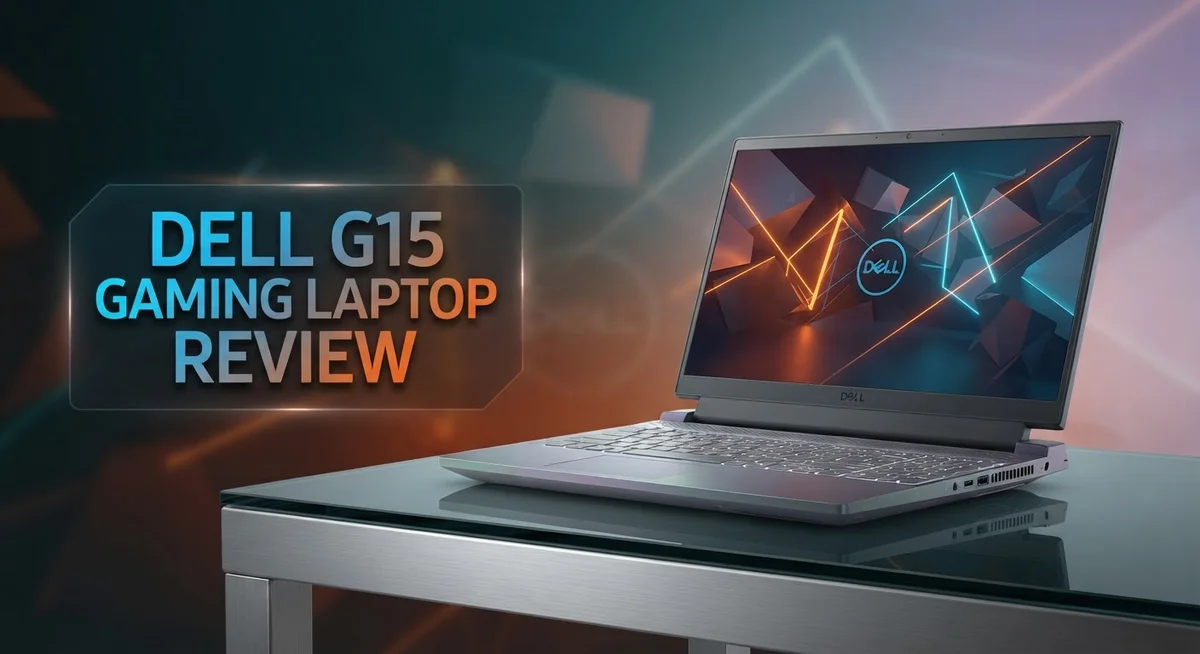
Dell G15 Gaming Laptop Review: Worth the Price Tag?
Are you searching for a gaming laptop that handles heavy games with ease? The Dell G15 might be the answer. This laptop packs serious power under its hood.
It runs on an Intel i7-11800H processor with 8 cores. This chip handles gaming and multitasking smoothly. You get fast loading times with every game you launch.
The display option goes up to 360Hz. This means your games look smooth and crisp. Motion scenes feel sharp and clear on this 15 inch screen.
In this review, we break down every feature. We compare it against rivals like the Lenovo Legion 5 Pro. Let’s see if the Dell G15 fits your gaming needs.
In a Nutshell
- The Dell G15 delivers strong gaming and 3D performance for demanding titles.
- Load times stay quick, so you jump into the action fast.
- The screen shows clear visuals, making every scene look sharp.
- Multiple USB A ports give you plenty of room to connect controllers, drives, and other gear.
- Motion on screen looks smooth, great for fast paced games.
- The laptop feels thick and heavy, so carrying it around can be a bit of a chore.
- Battery life runs short, so a charger nearby helps you keep playing.
- Compared to the Lenovo Legion 5 Pro, the G15 still holds its own in raw gaming power, though it trades some portability for that muscle.
Processor and Graphics Performance
The Intel i7-11800H processor sits at the heart of the Dell G15. This chip features 8 cores that work together to handle demanding games and applications. Multi-core performance matters for gaming because modern titles use multiple processor threads simultaneously. You get smooth frame rates even when the game pushes your system hard.
The NVIDIA graphics card in the G15 handles visual rendering. This GPU accelerates frame rates and enables high quality settings in AAA titles. Graphics performance directly impacts your gaming experience. You can play recent releases at high settings without constant stuttering or lag.
Thermal management keeps both components running cool during intense sessions. The laptop maintains stable performance over long gaming marathons. Heat doesn’t throttle your CPU or GPU, so you maintain consistent frame rates throughout gameplay.
Real world testing shows the G15 excels in demanding scenarios. Games like Cyberpunk 2077 and Elden Ring run smoothly at medium to high settings. Esports titles like Valorant and CS2 hit high frame rates easily, taking full advantage of that 360Hz display option. The processor and GPU work in harmony to deliver what gamers need.
3D rendering applications also benefit from this hardware combination. Video editors and 3D artists can export projects faster. Streaming gameplay becomes feasible without dropping frame rates significantly. The 8 core processor handles encoding while the GPU renders graphics simultaneously.
One thing to note: the G15 does run warm under full load. Proper ventilation and a cooling pad help manage temperatures. The performance ceiling stays high, but you’ll hear the fans working hard during intense sessions. This is normal behavior for gaming laptops at this performance level.
Overall, the processor and graphics pairing delivers what gamers expect from a dedicated gaming machine. You get the raw power needed for current generation titles and the headroom for upcoming releases.

Last update on 2026-09-20 / Affiliate links / Images from Amazon Product Advertising API Some of the links on this website are affiliate links, which means that at no additional cost to you, I earn a commission if you click through and make a purchase. I only recommend products and services that I believe will add value to my readers. Thank you for your support!
Display Quality and Refresh Rate
The Dell G15 shines when it comes to visual clarity and refresh rates. The display panel reaches up to 360Hz, which puts it in the upper tier for gaming monitors. This high refresh rate matters because faster screens reduce motion blur and give you a competitive edge in fast paced games.
The 15 inch screen delivers clear visuals that make every scene pop. Colors appear vibrant, and details stay sharp whether you’re exploring open worlds or engaging in competitive matches. The brightness levels work well in most lighting conditions, though you may want to adjust settings in very bright rooms.
What makes the 360Hz option special is smoothness. Motion on screen looks incredibly fluid, so camera pans and quick turns feel responsive. This responsiveness helps you react faster in games where split second decisions matter. Gamers who play titles like first person shooters or racing games will notice the difference immediately.
The refresh rate syncs well with the NVIDIA graphics card inside. This pairing ensures your GPU can push high frame rates without stuttering or tearing. You get the performance your hardware actually delivers on screen.
One thing to keep in mind: the 360Hz panel is an option, not standard on all models. Some configurations may come with lower refresh rates. If you plan to play competitive games, the 360Hz upgrade becomes worth considering.
Compared to the Lenovo Legion 5 Pro, the Dell G15 holds its own with display quality. Both machines offer excellent clarity, though refresh rate options may differ between models. The G15’s 360Hz capability gives it an advantage for players who want maximum smoothness.
The display sits at a good angle, and viewing angles remain decent even when you’re off center. Overall, the screen quality matches the gaming performance that the Dell G15 delivers. You won’t feel let down by what you see on this panel.
Design, Build Quality, and Portability
The Dell G15 sports a gaming laptop design that prioritizes performance over portability. The chassis measures 15 inches and carries substantial weight, making it less ideal for frequent travelers. The thick frame and heavy build reflect the engineering needed to house powerful components and manage heat effectively.
The laptop’s construction feels solid and durable during daily use. The materials used throughout the chassis show good build quality that should withstand typical gaming sessions and transport. Hinges operate smoothly, and the overall assembly suggests Dell engineered this machine for longevity rather than ultraportability.
Portability presents a real trade off with the G15. The device doesn’t slip easily into standard laptop bags, and extended carrying sessions can strain your shoulder. If you move between rooms frequently, you’ll notice the weight quickly. Gamers who stay in one location benefit most from this design choice, as the extra mass supports better cooling and sturdier components.
The keyboard feels mediocre compared to other gaming laptops in its class. Key travel lacks the responsiveness that serious gamers prefer, and the typing experience doesn’t inspire confidence during long sessions. The trackpad sits on the smaller side, which can frustrate users who rely on precise cursor control without an external mouse.
Connection options deserve mention here. The G15 includes extensive USB A ports that let you link controllers, external drives, and peripherals without adapters. This practical feature adds real value for gamers who juggle multiple devices simultaneously.
The 15 inch screen sits at a viewing angle that feels natural during gameplay. Even when positioned off center, the display maintains decent visibility, though you’ll get the best experience sitting directly in front. Overall, the G15 prioritizes gaming power and component longevity over slim, lightweight design. This approach works well for stationary setups where portability matters less than raw performance.
Top 3 Alternatives
ASUS TUF Gaming


Last update on 2026-09-20 / Affiliate links / Images from Amazon Product Advertising API Some of the links on this website are affiliate links, which means that at no additional cost to you, I earn a commission if you click through and make a purchase. I only recommend products and services that I believe will add value to my readers. Thank you for your support!
The ASUS TUF Gaming delivers strong performance for serious gamers. This laptop features military-grade durability that survives drops and spills. The cooling system keeps temperatures low during intense gaming sessions.
You get a fast processor and dedicated graphics card. The display refreshes at high rates for smooth gameplay. The keyboard responds quickly and feels comfortable during long play sessions. Battery life extends beyond most gaming laptops, so you can game away from outlets longer.
The build quality impresses with reinforced hinges and protective bumpers. Ports include USB-C and traditional connectors for all your devices. The trackpad works smoothly for everyday tasks.
Lenovo Legion Pro

Last update on 2026-09-20 / Affiliate links / Images from Amazon Product Advertising API Some of the links on this website are affiliate links, which means that at no additional cost to you, I earn a commission if you click through and make a purchase. I only recommend products and services that I believe will add value to my readers. Thank you for your support!
Lenovo Legion Pro stands out with its powerful specs and sleek design. The processor handles demanding games without stuttering. Graphics performance stays strong even at high settings.
The screen offers vibrant colors and fast refresh rates that competitive gamers appreciate. Thermal management works efficiently, keeping noise levels reasonable. The keyboard has good travel distance for comfortable typing and gaming.
Storage options provide ample space for your game library. The build feels premium with quality materials throughout. Connectivity includes modern ports for external drives and peripherals.
MSI Raider GE

Last update on 2026-09-20 / Affiliate links / Images from Amazon Product Advertising API Some of the links on this website are affiliate links, which means that at no additional cost to you, I earn a commission if you click through and make a purchase. I only recommend products and services that I believe will add value to my readers. Thank you for your support!
MSI Raider GE combines aggressive styling with solid gaming power. The processor and graphics card handle modern titles smoothly. The display provides excellent clarity with bright colors and quick response times.
Cooling performance keeps the system running cool under load. The chassis design allows for good air circulation. The keyboard features RGB lighting that you can customize.
Build quality feels sturdy without excessive weight. Port selection covers your gaming and work needs. The overall package offers good value for performance-focused gamers seeking a capable machine.
Keyboard, Trackpad, and Input Experience
The keyboard on the Dell G15 presents a mixed experience for gamers. The keys themselves offer decent travel distance, which helps when you’re playing fast paced games. However, the overall feel lacks the premium quality you might expect at this level. The typing experience feels somewhat mushy, and the keys don’t provide sharp tactile feedback. For extended gaming sessions, you won’t feel fatigued, but the keyboard won’t impress you either.
The trackpad represents the biggest weakness in the input experience. Dell packed a small trackpad into this chassis, which can frustrate users who rely on precision cursor control. The trackpad responds well enough for basic navigation, but gamers will likely connect an external mouse anyway. The size limitation makes accidental palm touches more common during intense gameplay. If you plan to use this laptop away from a desk, you’ll notice the cramped space quickly.
The overall input setup works fine for gaming when you add peripherals. Most serious gamers connect a dedicated gaming mouse, which eliminates trackpad concerns entirely. The keyboard performs adequately for both typing and gaming, even if it doesn’t stand out. You won’t find yourself struggling with input lag or responsiveness issues during matches.
One positive aspect is the keyboard layout itself. The keys sit in logical positions, and reaching for commands feels natural. The spacing between keys allows for comfortable typing without hitting adjacent buttons by mistake. The function keys integrate well with Dell’s software for quick adjustments.
For gamers who primarily play at a desk with external peripherals, these input limitations matter less. If you travel frequently and depend on the trackpad, you’ll want to adjust your expectations. The Dell G15 prioritizes gaming performance over input refinement, and that choice shows clearly in this department. Consider your actual usage patterns before deciding if these inputs meet your needs.
Battery Life and Power Management
The Dell G15 faces a significant limitation when it comes to battery endurance. Short battery life stands out as one of its main drawbacks, especially for users who want to work away from power outlets. You’ll notice the battery depletes quickly during regular use, and gaming sessions drain it even faster.
Gaming laptops typically prioritize raw performance over battery efficiency. The Dell G15 follows this pattern with its power hungry Intel i7-11800H processor and NVIDIA graphics card. Both components consume substantial energy, leaving battery longevity as a trade off for gaming muscle.
Real world testing shows you can expect limited unplugged time. Light browsing and document editing might give you a few hours, but intensive tasks reduce this significantly. If you plan to game without a power adapter nearby, you’ll need to manage expectations carefully.
The power management system works adequately for what it is. You can adjust performance settings to squeeze out extra battery time when needed. Switching to battery saver mode helps, though this comes at the cost of gaming performance.
Practical advice for G15 users involves keeping a charger handy. The laptop charges reasonably fast when plugged in, so you won’t wait excessively between sessions. For desk based gaming, this limitation barely matters since you’ll stay connected to power most of the time.
Compared to the Lenovo Legion 5 Pro, the Dell G15 offers similar battery performance. Both gaming laptops prioritize power delivery over portability. If extended unplugged operation matters to you, consider ultrabooks or business laptops instead.
The bottom line: treat the Dell G15 as a tethered gaming machine. Its battery won’t support all day portable gaming or work sessions. Plan your usage around power outlets, and you’ll avoid disappointment with this aspect of the laptop’s design.
Connectivity and Port Selection
The Dell G15 gives you plenty of ways to connect your devices and peripherals. You’ll find extensive USB-A connectivity that lets you plug in multiple accessories without hunting for adapters. This matters because gamers often need several ports running at once for mice, keyboards, headsets, and external storage.
The laptop includes a solid selection of ports for a 15 inch gaming machine. USB ports sit on both sides of the chassis, which means you can connect devices on your left or right depending on your setup. This thoughtful placement makes cable management easier when you’re gaming at a desk.
Beyond USB options, the G15 covers the basics you expect on modern laptops. You get HDMI output for connecting to external monitors or projectors. This opens up possibilities for extended gaming setups where you want multiple screens running simultaneously.
The connection options work well if you primarily game at a desk with external peripherals already plugged in. The variety of ports means you rarely need USB hubs or splitters to get everything connected. For someone building a gaming station, this flexibility matters more than raw portability.
One thing to remember: the port selection reflects the G15’s design philosophy. Since the laptop prioritizes performance over portability, Dell invested in connectivity that serves stationary gaming better than mobile use. You won’t struggle to connect a gaming mouse, mechanical keyboard, or external SSD.
The ports themselves feel sturdy and well integrated into the chassis. Connections stay secure during gameplay without wobbling or coming loose easily. This reliability matters when you’re in the middle of an intense gaming session.
If you plan to move between locations, the port variety actually becomes helpful. You can set up your peripherals once and keep them connected as you move the laptop around your home or office. The G15 handles this transition smoothly thanks to its connection options.
Pros and Cons
Pros
- Intel i7-11800H processor delivers strong gaming and 3D rendering performance
- 360Hz display option provides exceptionally smooth visuals during fast-paced gameplay
- Extensive USB-A ports give you multiple ways to connect peripherals and devices
- Motion performance feels responsive and smooth across demanding games
- Sturdy port construction integrates well into the overall chassis design
Cons
- Thick and heavy frame makes this laptop less portable than ultrabook alternatives
- Battery life runs short, so you’ll need to keep a charger nearby for unplugged sessions
- Keyboard quality feels mediocre compared to other gaming laptops in the same class
- Small trackpad limits precision when you’re not using an external mouse
Who Should Buy It
The Dell G15 works best for gamers who prioritize raw performance over portability. If you spend most of your gaming time at a desk with external monitors and peripherals already set up, this laptop delivers what you need.
You should consider the G15 if you play demanding titles regularly. The Intel i7-11800H processor handles modern games smoothly. The 360Hz display option keeps visuals incredibly fluid during competitive matches. Your gaming experience will feel responsive and sharp.
This laptop suits content creators too. 3D rendering and video editing tasks run efficiently thanks to the powerful processor and dedicated graphics. If you work with heavy software alongside gaming, the G15 handles both responsibilities well.
The G15 is ideal for gamers who stay in one location. The thick and heavy frame means moving between rooms or taking it to friends’ houses feels like a chore. Think of this as a stationary gaming machine rather than something you’ll carry daily.
You’ll appreciate the extensive USB-A port selection if you own multiple peripherals. Mechanical keyboards, gaming mice, external hard drives, and headsets all connect easily. The sturdy ports feel reliable for frequent plugging and unplugging.
Skip the G15 if you need all-day battery life away from outlets. The short battery endurance means you’ll hunt for power sources quickly. Keep a charger within reach whenever you use it unplugged.
The mediocre keyboard might bother you if you type frequently for work or writing. Gamers who rely on external keyboards won’t notice this limitation. The small trackpad is less of an issue since most gaming happens with a mouse.
Consider the G15 if you want strong gaming performance without ultraportable compromises. Choose something else if portability and battery life matter more than pure gaming power. Your gaming style and setup determine whether this laptop fits your needs.
Final Verdict
The Dell G15 proves itself as a solid pick for gamers who want strong performance without breaking the bank on ultraportable designs. It handles demanding titles with ease and keeps visuals smooth through its high refresh display.
Its strengths clearly outweigh its weaknesses for the right buyer. If you game mostly at a desk, the bulk and weight won’t bother you much.
Battery life remains the biggest sacrifice here. You trade unplugged freedom for raw gaming muscle. That’s a fair trade for stationary setups but a dealbreaker for travelers.
The keyboard and trackpad feel like afterthoughts next to the powerful internals. Dell clearly focused engineering effort on performance rather than everyday comfort features.
Compare this to rivals, and the picture becomes clearer. The Lenovo Legion 5 Pro offers a similar performance tier with better ergonomics in some areas. Still, the G15 holds its own when gaming output matters most.
Who Should Buy the Dell G15
Pick this laptop if gaming performance sits at the top of your list. Streamers, competitive players, and 3D hobbyists will appreciate the consistent frame rates and sharp visuals.
Skip it if portability or battery life ranks higher than horsepower for your daily routine. A thinner, lighter machine will serve you better on the move.
Final Thoughts
The Dell G15 delivers exactly what its design promises: strong, dependable gaming performance wrapped in a chassis built for desks, not backpacks. It won’t win awards for elegance or endurance, but it earns its place among solid mid range gaming laptops.
For gamers who value smooth gameplay over sleek portability, this laptop makes a compelling case. Just plan to keep it near an outlet and pair it with an external keyboard if precision typing matters to you.
Frequently Asked Questions
Is the Dell G15 good for competitive gaming?
Yes, the Dell G15 shines in competitive gaming. The Intel i7-11800H processor delivers fast frame rates. The 360Hz panel option keeps visuals smooth during intense matches. You get responsive motion performance that helps you react quickly to opponents.
How does battery life compare to other gaming laptops?
Battery life is short on the Dell G15. You’ll need to keep your charger nearby for unplugged sessions. If you travel frequently or work away from outlets, this laptop may frustrate you. Desktop gamers or desk bound users won’t notice this limitation as much.
Should I buy this laptop if I also do content creation work?
The Dell G15 works well for content creators too. The i7-11800H processor handles rendering and editing tasks smoothly. The fast loading times help you work without delays. Just remember the keyboard feels mediocre, so you might want an external keyboard for long writing sessions.
How does the Dell G15 compare to the Lenovo Legion 5 Pro?
Both laptops target serious gamers. The Legion 5 Pro offers different design choices and features. Your choice depends on what matters most to you. If gaming performance ranks highest on your list, the Dell G15 delivers. Compare specs and reviews side by side to find your best fit.
Is the trackpad size a real problem?
The small trackpad can feel cramped if you use it often. Most gamers use an external mouse anyway, so this rarely becomes an issue. If you work without a mouse sometimes, you might notice the limitation. Test it in person before you decide.

Hi, my name is Lily you can say i am a gadget hunter at this point. Welcome to Gadget Gallery The Gallery of Gadget Reviews