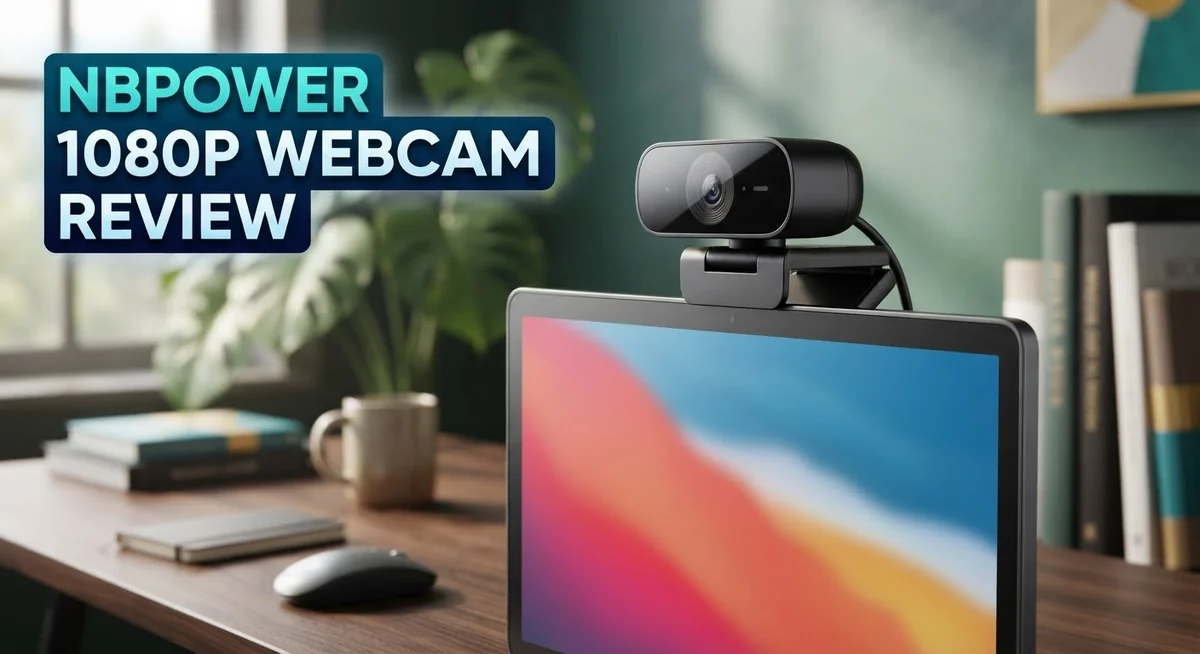
NBPower 1080p Webcam Review: Features, Performance, and Value
Looking for a webcam that just works without fuss? The NBPower 1080p Webcam might catch your eye. It promises sharp video and smooth performance for everyday use.
This webcam offers 1080p resolution at 60fps. That means your video calls and streams look clear and fluid.
A built in microphone picks up your voice. You skip the hassle of extra gear cluttering your desk.
The RGB fill light is a standout feature. It brightens your face automatically, even in dim rooms.
Autofocus with face tracking keeps you sharp on camera. Move around during a call or stream, and it follows you smoothly.
This device works on both Windows and Mac. You can plug it into a laptop or desktop with ease.
But does it deliver on every promise? Some users report concerns about video clarity and audio performance.
In this review, we break down what works and what falls short. You will learn if this webcam fits your streaming or video call needs. Let’s take a closer look at what makes it tick.
In a Nutshell
Here is the quick summary for anyone short on time.
-
Lightweight and compact: This webcam fits easily on any laptop or monitor. You can carry it around without hassle.
-
Great for casual streaming: If you stream occasionally or hop on video calls, this camera gets the job done. It is not built for professional broadcasting though.
-
Fast autofocus shines: The face tracking feature keeps moving subjects sharp. This works well during active video calls or vlogs.
-
Build quality feels basic: Some users notice the materials feel less sturdy than premium options. It still works fine for everyday use.
-
Audio needs improvement: The built in microphone works but does not match dedicated audio devices. Consider a separate mic for important recordings.
-
Best suited for beginners: New streamers or remote workers will find this camera simple to use. It skips complicated setup steps entirely.
Overall, the NBPower 1080p Webcam works well for casual users. It may not satisfy professional content creators seeking flawless quality.
Key Features and Specifications
The NBPower 1080p Webcam packs several features that make it stand out for video calls and streaming. Let’s explore what makes this camera tick.
Resolution and Frame Rate
This webcam captures video at 1080p resolution and delivers 60 frames per second. That means you get clear, smooth video during your streams or meetings. The higher frame rate keeps motion fluid, which matters when you’re moving around on camera.
Lighting Performance
The built-in RGB fill light is a major highlight here. This light source sits right on the camera and brightens your face automatically. You won’t need to buy extra lamps or adjust your room lighting just to look presentable on video. The light adjusts to different environments, so it works in dim rooms and bright spaces alike.
Autofocus and Face Tracking
The autofocus system works quickly to keep you sharp. The face tracking feature locks onto your face and follows you as you move. This is especially useful during live streams when you might shift positions or turn your head.
Built-In Microphone
Audio comes straight from the camera itself. The microphone picks up your voice for calls and recordings. Keep in mind that it won’t match the quality of a dedicated microphone, but it handles basic communication just fine.
Compatibility
This camera works on both Windows and Mac systems. It connects to laptops and desktop monitors without fuss. Setup takes just minutes, and most video apps recognize it automatically.
Physical Design
The compact, lightweight build makes it portable. You can clip it to your monitor or laptop screen easily. The small size means it won’t clutter your desk or take up much space.
Who Should Consider It
This webcam suits people who need reliable video for casual streaming, remote work, or regular video calls. New streamers will appreciate the simple setup and face tracking. If you demand professional-grade video and audio, you’ll want to look at higher-end options instead.

Last update on 2026-10-21 / Affiliate links / Images from Amazon Product Advertising API Some of the links on this website are affiliate links, which means that at no additional cost to you, I earn a commission if you click through and make a purchase. I only recommend products and services that I believe will add value to my readers. Thank you for your support!
Video Quality and Resolution Performance
The NBPower 1080p Webcam delivers solid performance in its core function. You get full HD resolution at 60 frames per second, which means smooth video during live calls and streaming sessions.
In real world use, the camera captures detail reasonably well. The 1080p sensor handles standard lighting conditions without major issues. You will see crisp text on your screen during presentations and clear facial features during video meetings.
The autofocus system performs quickly. It tracks your face as you move, keeping you sharp throughout your session. This feature works especially well if you shift positions or gesture while speaking. The face tracking prevents that annoying blur when you lean toward or away from the camera.
The RGB fill light makes a noticeable difference in video appearance. The light source sits built into the device, so you do not need extra lamps. It brightens your face naturally and reduces harsh shadows. This is particularly helpful in dimly lit rooms or during evening video calls.
However, some users report concerns about overall video clarity. The image can appear slightly soft in certain conditions. Low light situations show more grain than premium webcams. Motion blur occasionally appears when you move quickly across the frame.
The 60fps capture rate helps reduce motion blur compared to standard 30fps cameras. This makes the video feel smoother and more natural during fast movements. For streaming games or active presentations, this frame rate provides a noticeable advantage.
Color accuracy sits at an acceptable level. Skin tones appear reasonably natural under normal lighting. The white balance adjusts automatically without requiring manual tweaking.
The lightweight build means the camera sits stable on most laptop screens, yet it remains portable if you need to move it. The compact size does not take up much desk space.
Overall, the video quality matches what you would expect from a camera in this category. It performs the job adequately for casual streaming, remote work, and video conferencing. Users seeking cinema quality or professional streaming setups should look elsewhere. For everyday video needs, the performance is dependable and straightforward.
Audio Quality and Built-in Microphone
The built-in microphone on the NBPower 1080p Webcam handles basic audio capture for video calls and streaming. It picks up your voice clearly during standard conversations and conference meetings.
Audio clarity works well in quiet environments. When you sit in a calm room without background noise, the microphone captures your speech with decent quality. Most people on the receiving end will hear you without trouble during casual video chats.
The microphone does struggle in noisier settings. If you have traffic outside, multiple people talking nearby, or a fan running, the audio quality drops noticeably. Background noise gets picked up along with your voice, which can make conversations feel cluttered.
Compared to dedicated external microphones, the built-in option has limits. If you stream regularly or record videos for content creation, you may want a separate mic. The webcam’s audio won’t match the professional sound quality that external devices deliver. However, for occasional calls and light streaming, the built-in mic does its job.
The microphone sits well for standard use cases. Remote workers who jump on video calls throughout the day will find it sufficient. Casual streamers who go live occasionally won’t feel held back by the audio performance. The convenience of having everything in one device appeals to people who want simple setup.
Sound levels stay consistent throughout recording. You won’t experience sudden volume drops or unexpected spikes. The audio remains stable, which makes for a reliable experience during important meetings or streams.
One thing to note: the microphone has a limited range. You need to stay reasonably close to the camera for best results. If you sit far away from your monitor, audio quality will fade.
For beginners testing out streaming or remote work, this microphone serves its purpose well. You get functional audio without extra gear. Just keep realistic expectations. If your work demands professional sound quality or you broadcast in loud spaces, investing in an external microphone makes sense. The built-in option works best as a convenient solution for typical video communication needs.
Top 3 Alternatives
Logitech C920 Webcam

Last update on 2026-10-13 / Affiliate links / Images from Amazon Product Advertising API Some of the links on this website are affiliate links, which means that at no additional cost to you, I earn a commission if you click through and make a purchase. I only recommend products and services that I believe will add value to my readers. Thank you for your support!
The Logitech C920 delivers clear video for streaming and video calls. This webcam captures footage at 1080p resolution with a 78-degree field of view. The autofocus feature keeps your face sharp even when you move around. Built-in stereo microphones pick up your voice without extra equipment. The C920 works with most computers and software platforms. Many content creators choose this model because it performs well in different lighting conditions.
Razer Kiyo Webcam


Last update on 2026-10-13 / Affiliate links / Images from Amazon Product Advertising API Some of the links on this website are affiliate links, which means that at no additional cost to you, I earn a commission if you click through and make a purchase. I only recommend products and services that I believe will add value to my readers. Thank you for your support!
The Razer Kiyo stands out with its built-in ring light. This light helps you look better on camera without buying separate lighting gear. The webcam records at 1080p and offers a 60-degree field of view. The autofocus system adjusts quickly to keep your image clear during streams. The Kiyo includes a USB connection for easy setup. Streamers and gamers often pick this model because the ring light improves video quality instantly.
Microsoft LifeCam HD

Last update on 2026-10-13 / Affiliate links / Images from Amazon Product Advertising API Some of the links on this website are affiliate links, which means that at no additional cost to you, I earn a commission if you click through and make a purchase. I only recommend products and services that I believe will add value to my readers. Thank you for your support!
The Microsoft LifeCam HD provides solid performance for everyday video calls. This webcam captures 720p video and features a 68-degree field of view. The TrueColor technology adjusts automatically to different lighting situations. The built-in microphone works for basic conversations. The LifeCam HD connects through USB and requires no extra drivers on Windows systems. This option works well if you need a simple, reliable webcam for work meetings and casual video chats.
Autofocus, Face Tracking, and Lighting
The autofocus system on the NBPower 1080p Webcam responds quickly when you move. The camera locks onto your face and keeps it sharp without lag.
Face tracking works by detecting your position in the frame. When you shift left or right, the autofocus adjusts automatically. This feature helps during video calls where you move around naturally. The system performs well for typical streaming distances of 1 to 3 feet from your screen.
The RGB fill light makes a real difference in how you appear on camera. Harsh overhead lighting or dim rooms become less of a problem with this built-in light. The light spreads evenly across your face and reduces shadows. You get warmer tones that look more natural than standard webcam footage.
The fill light has adjustable brightness settings. You can turn it down in bright rooms or increase it when lighting is poor. This flexibility means you don’t need separate lighting equipment for basic streaming or calls.
One thing to note: the autofocus works best when you stay within normal camera distance. If you move too close to the lens, focus can take a moment to catch up. Extreme movements or rapid head turns may cause brief blurring before the system refocuses.
Lighting performance depends on your room setup. In offices with good natural light, you might not need the fill light at all. In darker spaces or evening streaming sessions, the RGB light becomes essential. The color temperature stays consistent, so your skin tone looks the same throughout your video.
The combination of autofocus and face tracking means you can focus on your content instead of camera adjustments. You won’t need to manually refocus or reposition constantly. This makes the NBPower 1080p Webcam practical for people who stream regularly or attend frequent video meetings.
The lighting system uses standard USB power, so no extra cables are needed beyond the main connection.
Compatibility and Setup
Getting the NBPower 1080p Webcam up and running takes just a few minutes. The setup process works the same whether you use Windows or Mac. Simply plug the USB cable into your computer, and the system recognizes it automatically.
No driver downloads are needed for most setups. Your operating system handles the installation in the background. Within seconds, the camera appears as an available device in your video application.
The webcam connects to both laptops and desktop computers without any issues. You can mount it on your monitor using the included clip, or position it on a desk if you prefer. The lightweight design means it stays put once you adjust the angle.
Compatibility across platforms works smoothly. Zoom, Teams, Google Meet, and OBS Studio all detect the camera right away. Streaming software recognizes it instantly without extra configuration steps.
The USB cable length gives you flexibility in where you position the camera. You can place it at eye level or slightly above, which helps create a more flattering video angle. The compact size means it doesn’t take up much desk space.
For Mac users, the setup process mirrors the Windows experience. Plug in the cable, and macOS automatically configures the device. No special software installation is required on either platform.
The built-in microphone connects through the same USB cable, so you don’t need separate audio setup. Your video application picks up the microphone automatically when you select the NBPower camera as your input device.
If you use multiple monitors, the camera works with any display arrangement. The mounting clip accommodates various monitor thicknesses without slipping. You can also use a tripod if you want a different positioning option.
The plug and play nature makes this camera ideal for quick switching between devices. You can move it from one computer to another without reinstalling anything. Just unplug from one USB port and connect to another device.
Compatibility extends to most video conferencing platforms and content creation software. Whether you stream, attend meetings, or record tutorials, the NBPower camera integrates smoothly into your existing setup.
Pros and Cons
Pros
- 1080p resolution at 60fps delivers smooth, clear video for streaming and calls
- RGB fill light adjusts brightness to improve your appearance in any room lighting
- Autofocus with face tracking keeps you sharp and centered without manual adjustments
- Compact, lightweight design fits easily on any monitor or laptop screen
- Works instantly on Windows and Mac with no driver installation needed
Cons
- Video quality drops noticeably in low light situations despite the fill light
- Built in microphone struggles with background noise in busy environments
- Overall build quality feels plastic and less durable than premium alternatives
- Autofocus can lag if you move too far outside the normal camera distance
Who Should Buy It
The NBPower 1080p Webcam works well for specific users. If you stream regularly, this camera delivers smooth video at 60fps with face tracking that keeps you centered automatically.
Content creators on a tight schedule benefit from the plug and play setup. You don’t install drivers or spend time configuring software. Just plug in the USB cable and start recording within minutes.
Remote workers find value here too. The autofocus stays sharp during video calls, and the RGB fill light improves how you look on screen. Your manager and colleagues see a professional appearance without extra lighting equipment cluttering your desk.
Students and hobbyists appreciate the simplicity. Whether you record tutorials, attend online classes, or test streaming for fun, this camera handles basic tasks without frustration. The lightweight design moves easily between devices.
Online teachers should consider this option. The built in microphone works for most classroom settings, though you might add a separate mic if you teach in noisy environments. The face tracking feature keeps students focused on you, not a wandering camera.
However, some users should look elsewhere. If you work in dim lighting consistently, the fill light helps but has limits. Professional streamers wanting cinematic quality need cameras with better sensors. Gamers who demand crystal clear video in all conditions should explore other options.
This camera isn’t ideal if you record in high motion environments. The autofocus works best when you stay at normal viewing distance. Constant movement or extreme zoom might cause focus hunting.
Podcast hosts who rely heavily on audio need a separate microphone. The built in mic picks up background noise, so quiet rooms matter. If your space has traffic noise or HVAC sounds, audio quality suffers.
The NBPower 1080p Webcam fits users who want straightforward functionality without complexity. You get solid performance for streaming, teaching, and video calls in reasonable lighting. If you need professional grade quality or advanced features, premium alternatives exist. This camera serves those who value simplicity and quick setup over cutting edge technology.
Final Verdict
The NBPower 1080p Webcam earns its place as a solid pick for everyday video needs. It handles calls, streams, and casual recording with ease. The setup stays simple and the performance feels consistent for most daily tasks.
This camera shines brightest when you need something reliable without extra fuss. Simplicity is its biggest strength. You plug it in, and it just works.
That said, this webcam has clear limits. It won’t replace a professional setup for serious broadcasters or filmmakers. Those limitations become obvious once you compare it against premium streaming cameras built for heavy use.
Still, most people don’t need professional grade gear. Casual users benefit more from ease of use than from advanced features. This webcam fits that gap nicely.
Compared to other budget options in its class, the NBPower holds its own. It offers similar core features without major drawbacks that separate it from the pack. You get a comparable experience across most entry level webcams in this category.
Against premium brands, the gap widens. Higher end cameras offer better low light handling and sharper audio clarity. But those extra features come with added complexity that casual users rarely need.
Think about your actual use case before deciding. If you need a webcam for quick video calls or light streaming, this camera delivers enough. If you need broadcast quality footage, look toward higher tier options instead.
The NBPower 1080p Webcam works best as a starter camera or a backup option. It suits anyone who wants dependable video without diving into complicated settings or expensive upgrades.
In short, this webcam does its job well for its intended audience. It won’t impress professional creators, but it doesn’t try to. It aims for simplicity and mostly delivers on that promise.
If your needs match that description, this camera deserves a spot on your desk. If your needs go beyond that, consider exploring other options instead.
Frequently Asked Questions
Does the NBPower 1080p Webcam need drivers to work?
No, it doesn’t. The camera connects via USB and works instantly on both Windows and Mac. You plug it in, and your device recognizes it right away. No software installation is required.
Can this webcam track my face automatically?
Yes, it can. The autofocus system includes face tracking technology. It keeps you sharp and centered in the frame without you adjusting anything manually. This works well for video calls and streaming sessions.
What’s the fill light actually like?
The RGB fill light adjusts to match your room’s brightness. It helps improve how you look on camera in dim spaces. However, the light has limits. If your room is very dark, the video quality will still drop noticeably despite the light being on.
Is the built in microphone good enough?
The microphone works for basic video calls. It picks up your voice clearly in quiet environments. In busy spaces with background noise, it struggles. If you record podcasts or do serious content creation, a separate microphone is a better choice.
Who should buy this webcam?
The NBPower works best for people who need straightforward functionality. Remote workers, online teachers, and students find real value here. Content creators on tight schedules appreciate the plug and play setup. It’s also a solid backup camera or starter option. Skip this if you record in high motion environments or rely heavily on audio quality.

Hi, my name is Lily you can say i am a gadget hunter at this point. Welcome to Gadget Gallery The Gallery of Gadget Reviews