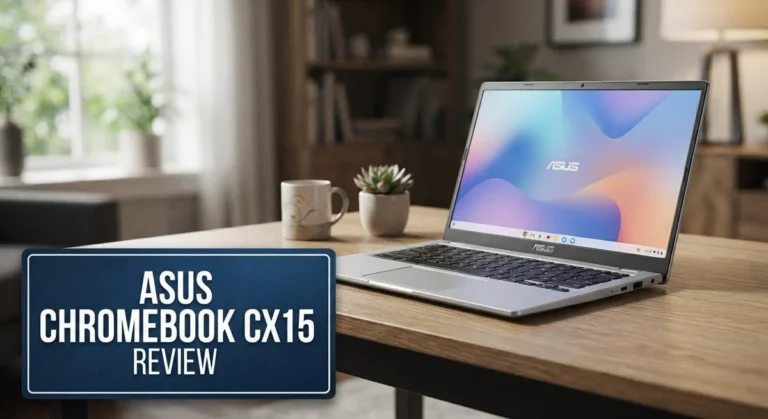
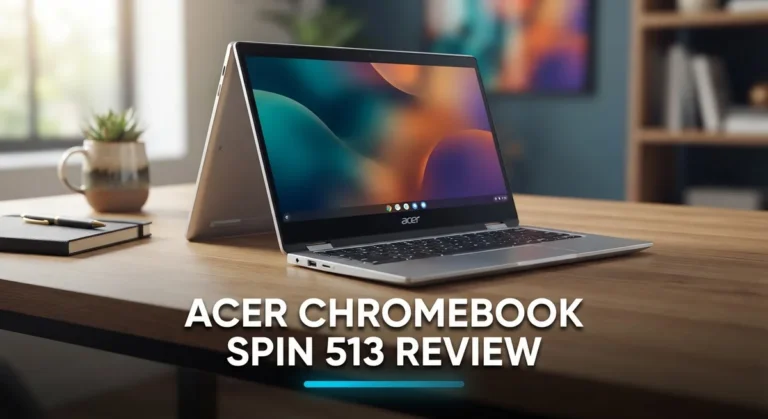
Acer Chromebook Plus 514 Review: Performance, Features, and Value
This device packs a 14 inch WUXGA touchscreen into a light, portable frame. The screen has a matte finish. It stays bright and resists glare, even in tricky lighting.
Under the hood, you get options like the AMD Ryzen 7520 C Series or Intel i3 N305. Both pair with 8GB of LPDDR5X RAM and a 512GB SSD. That means smooth multitasking and fast storage for your files.
Battery life is a real highlight here. You can expect 5 to 8 hours of use on a single charge. This makes the 514 a solid pick for school, work, or travel.
In a Nutshell
- Sturdy build quality with multiple ports, including dual USB 3.2 Gen1 Type-A and a MicroSD reader. Wi-Fi 6E and Bluetooth 5.1 keep you connected fast.
- The base model skips a keyboard backlight, but you can add it as an upgrade if you type in low light often.
- Some users report chassis flex when pressure is applied. It’s not a dealbreaker, but worth knowing.
- Color options are limited. Design stays simple and plain, without much flair.
- A few buyers noted odd hardware quirks. These seem rare, but they exist.
- Compared to rivals like the Lenovo Chromebook Plus 14 or HP 14″ x360, this model holds its own with a bright matte touchscreen and solid portability.
- If you want a convertible option, check out the Acer Chromebook Plus Spin 514 instead.
Display and Design
The display on the Acer Chromebook Plus 514 is one of its strongest features. You get a 14 inch WUXGA touchscreen with a 16:10 aspect ratio that delivers sharp visuals and plenty of screen space for work and entertainment.
The matte anti-glare finish makes a real difference in daily use. You can work outdoors or near windows without annoying reflections washing out your content. The brightness levels are solid, so you won’t struggle to see what’s on screen even in moderately bright rooms.
Touch responsiveness feels smooth and accurate. Whether you’re scrolling through web pages or using Chrome OS touch features, the screen keeps up with your inputs without lag. The 1920×1200 resolution gives you enough pixels to see fine details without feeling cramped.
Design wise, the Chromebook Plus 514 takes a practical approach. The chassis is lightweight and portable, making it easy to carry between rooms or take on trips. You’ll appreciate the compact footprint if you work from different locations.
Build quality is generally sturdy. The materials feel solid under normal use. However, some users have reported chassis flex when you apply pressure to the keyboard deck or palm rest area. This isn’t a dealbreaker for most people, but it’s worth knowing if you prefer ultra rigid laptops.
The color options are limited. Acer keeps things simple with basic finishes that don’t stand out visually. If you want a laptop that makes a design statement, you won’t find it here. The focus is clearly on function over flashy aesthetics.
Port placement is thoughtful. You get dual USB 3.2 Gen1 Type-A ports, a MicroSD reader, and other connectivity options positioned conveniently around the edges. The keyboard itself is comfortable for typing, though the base model skips backlighting. An optional backlit keyboard is available if you frequently type in dim lighting.
Overall, the display and design package hits the right balance. The touchscreen is genuinely useful and bright. The build feels capable for everyday tasks. The design won’t win beauty contests, but it delivers practicality where it counts.

Last update on 2026-09-17 / Affiliate links / Images from Amazon Product Advertising API Some of the links on this website are affiliate links, which means that at no additional cost to you, I earn a commission if you click through and make a purchase. I only recommend products and services that I believe will add value to my readers. Thank you for your support!
Processor and Performance
The Acer Chromebook Plus 514 offers two processor choices that handle everyday computing with ease. You can pick the AMD Ryzen 7520 C Series or the Intel i3 N305 depending on your needs. Both chips deliver smooth performance for web browsing, document editing, and streaming content without lag.
Real world performance feels responsive and quick. Apps open fast, and switching between multiple browser tabs happens without stuttering. The 8GB LPDDR5X RAM keeps everything running smoothly even when you juggle several tasks at once. This memory configuration is solid for a Chromebook, as Chrome OS doesn’t demand huge amounts of RAM like Windows or macOS.
The 512GB SSD provides plenty of space for your files and apps. Storage access is noticeably quick, so your system boots up fast and files load instantly. You won’t experience the slowdowns that older models with slower storage sometimes show.
Performance in daily use feels snappy across the board. Video playback streams without interruption. Zoom calls run smoothly with no audio or video drops. Google Workspace apps like Docs and Sheets respond immediately to your typing and clicks. Light photo editing through web tools works without frustration.
Heavy gaming isn’t what this Chromebook targets, and that’s fine. It simply isn’t designed for demanding 3D games or intense video rendering. For what it does, it does well. The processor handles light gaming through browser based options without issues.
The combination of processor, RAM, and SSD creates a device that feels fast and capable for typical user needs. You get reliable performance without any real bottlenecks during normal work. The system stays cool and quiet, even under moderate load. Fans rarely kick in, which keeps distractions away when you’re focused on your work.
If your tasks involve web browsing, email, video calls, and document work, this Chromebook delivers the performance you need. The hardware matches what Chrome OS demands, creating a balanced and efficient system overall.
Battery Life and Portability
The Acer Chromebook Plus 514 packs a battery that keeps up with your day. You’ll get 5 to 8 hours of real-world usage on a single charge, which works well for students, remote workers, and casual users alike.
This runtime means you can power through a full workday without hunting for an outlet. Streaming videos, browsing the web, and handling documents all drain the battery at similar rates. Heavy multitasking may pull you toward the lower end of that range, while lighter tasks can stretch closer to 8 hours.
Portability is where this Chromebook shines. The 14-inch display fits comfortably in most backpacks and laptop bags. The lightweight frame makes it easy to carry between classes, coffee shops, or home offices. You won’t feel weighed down during your commute.
The touchscreen adds to the appeal without sacrificing battery efficiency. Unlike some convertibles that drain power faster, this traditional clamshell design keeps energy consumption reasonable. The matte anti-glare finish also means you can use it outdoors without draining the battery faster to boost brightness.
Connection options matter for portability too. Wi-Fi 6E keeps your internet fast and responsive, so you stay productive wherever you go. Bluetooth 5.1 pairs smoothly with wireless mice, headphones, and other devices without lag.
One practical note: battery life depends on your habits. Screen brightness, background apps, and how many browser tabs you keep open all affect runtime. If you dim the display and stick to essential apps, you might exceed 8 hours regularly.
The Acer Chromebook Plus 514 strikes a solid balance between portability and endurance. It’s light enough for daily transport yet offers enough battery life to handle a full day of work or school without constant charging anxiety. For anyone seeking a portable machine that doesn’t demand constant power outlet access, this Chromebook delivers realistic, usable battery performance.
Top 3 Alternatives
ASUS Chromebook Plus

Last update on 2026-09-17 / Affiliate links / Images from Amazon Product Advertising API Some of the links on this website are affiliate links, which means that at no additional cost to you, I earn a commission if you click through and make a purchase. I only recommend products and services that I believe will add value to my readers. Thank you for your support!
The ASUS Chromebook Plus offers a solid alternative for users seeking reliable performance. This device features a sharp display that makes streaming and web browsing enjoyable. The keyboard feels responsive, and the trackpad responds smoothly to your touch.
Battery life keeps you working through a full day without hunting for outlets. The build quality feels sturdy, and the lightweight design means you can carry it anywhere. Processing power handles multiple tabs and apps without slowing down. The screen refresh rate delivers smooth scrolling when you navigate websites.
Lenovo IdeaPad Flex

Last update on 2026-09-17 / Affiliate links / Images from Amazon Product Advertising API Some of the links on this website are affiliate links, which means that at no additional cost to you, I earn a commission if you click through and make a purchase. I only recommend products and services that I believe will add value to my readers. Thank you for your support!
The Lenovo IdeaPad Flex brings flexibility to your computing experience. Its convertible design lets you flip the screen into tent mode or tablet mode depending on your needs. The hinge mechanism feels durable after extended use.
The display brightness adjusts well in different lighting conditions. You get adequate processing power for everyday tasks like document editing and video calls. Storage space accommodates your apps and files without constant cleanup. The keyboard detaches cleanly, though it takes practice to get comfortable with the setup. Battery performance lasts through a typical workday.
HP Chromebook x360

Last update on 2026-09-17 / Affiliate links / Images from Amazon Product Advertising API Some of the links on this website are affiliate links, which means that at no additional cost to you, I earn a commission if you click through and make a purchase. I only recommend products and services that I believe will add value to my readers. Thank you for your support!
The HP Chromebook x360 stands out with its versatile design and solid construction. The 360-degree hinge rotates smoothly, letting you use it as a laptop, tent, or tablet. The touchscreen responds accurately to your finger inputs and stylus interactions.
The speakers deliver clear audio for video meetings and entertainment. Processing handles multitasking without stuttering. The keyboard offers good travel and feedback for typing comfort. The display covers a wide color range, making photos and videos look vibrant. Overall, this device works well for users who want flexibility without sacrificing everyday performance.
Connectivity and Ports
The Acer Chromebook Plus 514 gives you a solid set of connection options that work well for most users. You get Wi-Fi 6E, which means faster wireless speeds and better performance when multiple devices connect to your network.
Bluetooth 5.1 keeps your wireless peripherals linked without lag. You can pair headphones, mice, and speakers without any fuss. The connection stays stable even when you move around your workspace.
The dual USB 3.2 Gen1 Type-A ports let you plug in external drives, printers, and other accessories. These ports transfer data quickly, so moving files on and off the device feels fast. You won’t struggle with slow data transfers here.
A MicroSD card reader sits on the device for easy storage expansion. This is practical if you work with photos, videos, or documents that need extra space. You can swap cards without opening any panels or tools.
Port placement follows a logical design. The USB ports sit on the sides where you expect them, so cables don’t get in your way while you work. This thoughtful arrangement keeps your desk clean and your workflow smooth.
One thing to note: the Chromebook Plus 514 doesn’t include USB-C ports. If your peripherals use USB-C, you’ll need adapters. Most users with older USB devices won’t face this issue, but it’s worth checking your setup first.
The Wi-Fi 6E connection shines when you stream video or join video calls. You get faster speeds and more stable connections compared to older Wi-Fi standards. This matters if you rely on cloud apps or video conferencing for work.
Bluetooth range performs well indoors. Your wireless mouse or headphones stay connected even when you step away from your desk. The connection doesn’t drop unexpectedly during normal use.
Overall, the connectivity setup handles everyday tasks without problems. Web browsing, email, video calls, and document work all benefit from these connection options. The combination of Wi-Fi 6E, Bluetooth 5.1, and dual USB ports gives you enough flexibility for a productive Chromebook experience.
Chromebook Plus AI Features
The Acer Chromebook Plus 514 comes packed with AI features that make your computing experience smarter and more efficient. These tools work behind the scenes to help you get more done without extra effort.
Google’s AI-powered features are built into ChromeOS on this device. Magic Eraser lets you remove unwanted objects from photos with a single tap. This feature uses AI to understand your image and clean up distractions automatically. You don’t need photo editing skills to use it.
Real Tone technology ensures your photos capture skin tones accurately. This AI feature adjusts color processing so everyone looks natural in your pictures. It’s especially useful if you take lots of selfies or video calls on this Chromebook.
Help Me Write is another standout AI tool. This feature assists you when composing emails, documents, or messages. It suggests improvements to your writing, offers different tones, and helps you express ideas more clearly. The AI learns your style over time.
Hold for Me uses AI to manage phone calls on your behalf. When you’re waiting on hold, the Chromebook’s AI can wait for you. It alerts you when a representative picks up. This saves you time and frustration during customer service calls.
The Chromebook Plus 514 also includes adaptive battery features. The AI learns your usage patterns and adjusts power consumption accordingly. Apps you use frequently get priority, while background processes use less energy. This keeps your battery lasting longer throughout the day.
Google Photos integration works seamlessly with these AI tools. Your photos sync automatically, and you can access AI editing features across devices. The Magic Eraser, Face Unblur, and other tools work right in the Photos app.
These AI features don’t slow down your device. They run efficiently thanks to the AMD Ryzen 7520 or Intel i3-N305 processor. The 8GB RAM handles multiple tasks without stuttering.
One important note: some AI features require a Google account and internet connection. A few advanced features need ChromeOS updates to work. Check Google’s official documentation for the latest AI tool availability on your specific model.
Pros and Cons
Pros
- Bright 14″ touchscreen with matte finish resists glare and fingerprints during everyday use
- Battery runs 5 to 8 hours, powering you through a full workday without an outlet hunt
- Lightweight and portable design makes it easy to carry between rooms or locations
- Chromebook Plus AI features like Real Tone and Help Me Write boost your productivity
- Sturdy build quality with multiple ports for connecting accessories and external storage
Cons
- Base model lacks keyboard backlight, making typing in dim lighting harder
- Chassis shows some flex under pressure, which affects rigidity feel
- Design and color options feel limited and uninspired compared to competitors
- No USB-C ports means older USB-A peripherals work better than newer devices
Who Should Buy It
The Acer Chromebook Plus 514 suits several types of users well.
Students benefit most from this device. You get a lightweight laptop that moves between classes easily. The touchscreen helps with note taking and interactive learning. Battery life keeps you working through a full day of lectures without searching for an outlet. The AI writing tools help you draft essays and assignments faster.
Remote workers find real value here. The Wi-Fi 6E connection handles video calls smoothly. You can join meetings from anywhere in your home or office. The matte touchscreen reduces glare during long work sessions. Multiple ports let you connect external monitors, keyboards, and storage drives when you need a full setup.
Content creators appreciate the AI features. Real Tone technology captures accurate skin tones in photos and videos. Help Me Write assists when you need to compose emails or social media posts. These tools speed up your creative workflow without slowing down your device.
Casual users love the simplicity. If you mainly browse the web, check email, and stream videos, this Chromebook handles everything smoothly. The touchscreen makes navigation feel natural. You won’t deal with complex software updates or security patches like Windows devices require.
People who travel frequently should consider this model. The lightweight design fits easily into backpacks. Battery life gets you through flights and airport time. The durable build quality means it survives the bumps of frequent movement.
Families sharing one device work well together. Multiple user accounts keep everyone’s files separate. Kids can use it for schoolwork. Parents can handle emails and browsing. The sturdy construction withstands daily use from different people.
One important note: this device works best if you’re comfortable using web based apps and cloud storage. Chromebooks don’t run traditional Windows or Mac software. If you need specialized programs like professional video editing tools or specific business software, look elsewhere. But for everyday computing, communication, and learning, the Chromebook Plus 514 delivers what most people actually need.
Final Verdict
The Acer Chromebook Plus 514 stands out as a smart pick for everyday computing. It blends a bright touchscreen with strong battery life and handy AI tools. This combo makes daily tasks feel smooth and simple.
The 16:10 aspect ratio gives you extra vertical space. You see more of a webpage or document without scrolling constantly. This small design choice makes a real difference during long work sessions.
You can choose between an AMD Ryzen or Intel i3 processor. Both options handle typical Chromebook tasks well. Pick the one that fits your workflow best, since either chip keeps things running smoothly.
The 512GB SSD gives you plenty of room for files, photos, and apps. You won’t need to rely heavily on cloud storage. This is a nice bonus for anyone who juggles multiple projects.
Some rivals like the Lenovo Chromebook Plus 14 and HP 14″ x360 offer similar features. But the 514 holds its own with a durable matte screen and solid port selection. If you want a convertible option, the Acer Chromebook Plus Spin 514 is worth a look too.
Sure, the chassis flex and limited color choices are minor drawbacks. They don’t overshadow the laptop’s core strengths. Most users won’t even notice these issues during regular use.
This Chromebook fits a wide range of needs. Students, remote workers, and casual browsers all get real value from its features. The AI tools add extra convenience without complicating the experience.
If you want a reliable, well rounded Chromebook, this model delivers. It combines practical hardware with smart software in one lightweight package. Overall, the Acer Chromebook Plus 514 earns a strong recommendation. It handles everyday computing with ease and adds AI powered perks that genuinely help. Few laptops in this segment balance simplicity and smart features this well.
Frequently Asked Questions
Does the Acer Chromebook Plus 514 have a touchscreen?
Yes, it does. The 14 inch WUXGA display (1920×1200) is fully touchscreen enabled. The matte finish reduces glare, so you can work comfortably indoors or near windows. The 16:10 aspect ratio gives you extra vertical space for browsing and document work.
Which processor should I choose between AMD and Intel?
Both options work well for everyday tasks. The AMD Ryzen 7520 C-Series and Intel i3-N305 deliver similar performance for web browsing, email, and streaming. Pick AMD if you prefer consistent power efficiency. Choose Intel if you want slightly faster single-core performance. Either way, 8GB of RAM handles multitasking smoothly.
How long does the battery last on a single charge?
You get 5 to 8 hours of real-world use. This keeps you productive through a full workday without hunting for an outlet. Battery life depends on screen brightness and what apps you run. Video calls drain it faster than simple web browsing.
Is the keyboard backlit on all models?
No. The base model comes without keyboard backlighting. This makes typing in dim lighting trickier. However, an optional backlit keyboard is available as an upgrade. If you work in low light often, consider this add-on.
Can I expand storage with external drives?
Yes. The Chromebook has a MicroSD card reader and dual USB 3.2 Gen1 Type-A ports. You can plug in external drives, flash drives, or SD cards to add storage. The 512GB SSD handles most files, photos, and apps locally.

Hi, my name is Lily you can say i am a gadget hunter at this point. Welcome to Gadget Gallery The Gallery of Gadget Reviews