Kindle Colorsoft Review: Full-Color E-Reader Tested
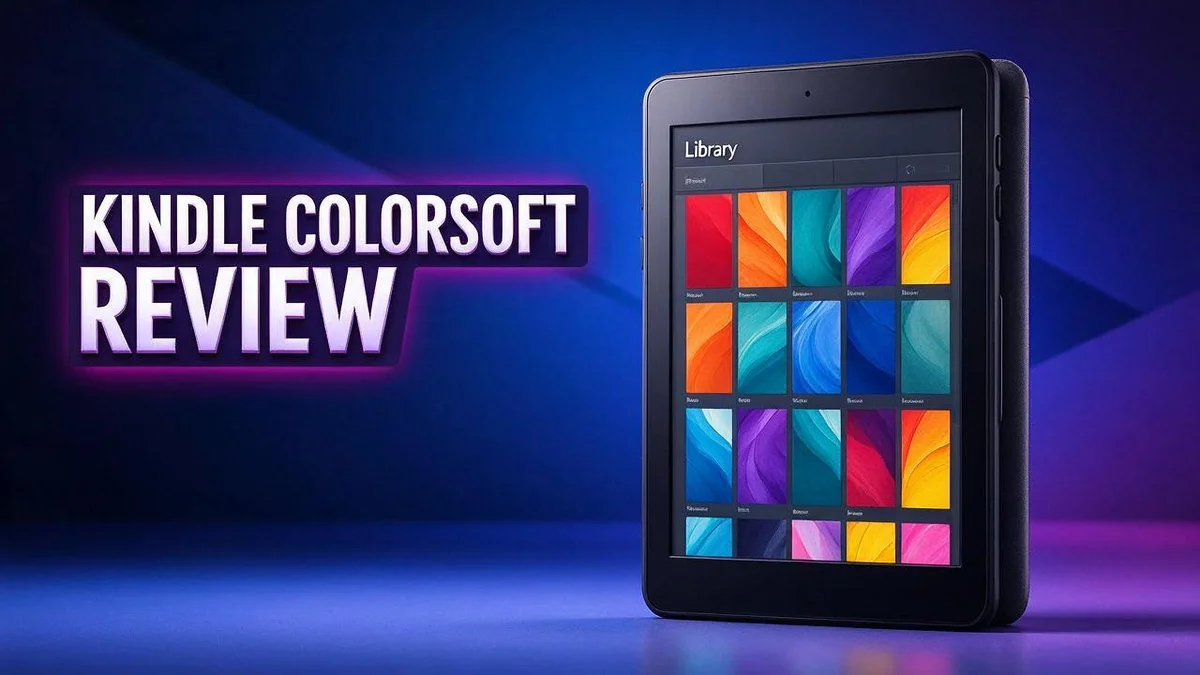
Are you looking for an e-reader that shows real color? The Kindle Colorsoft might be the answer. It brings full-color pages to the Kindle experience you already know.
Reading on a screen can feel tiring after a long day. This device uses a 7 inch E Ink Kaleido 3 display, so text stays sharp and easy on the eyes. You can also adjust the light to suit any room.
Color matters for readers who love comics, cookbooks, and illustrated books. The screen also supports multicolor highlighting, so you can mark key ideas your own way.
Take it anywhere. The Colorsoft feels light in your hand, and its waterproof design handles splashes with ease. Its battery life can last up to 28 hours on the Signature Edition, so you can read for days between charges.
In a Nutshell
-
Real color on a 7 inch screen: The Kindle Colorsoft uses E Ink Kaleido 3 technology. Photos, maps, and artwork show true tones that feel lively and clear.
-
Multicolor highlighting: You can mark passages in several shades. This makes it easy to sort your notes by topic or mood.
-
Long battery life: The Signature Edition runs for up to 28 hours. You can charge it less often, so your reading stays uninterrupted on long trips.
-
Adjustable built in light: The front light shifts from bright daytime settings to soft evening tones. Your eyes stay relaxed in any room.
-
Waterproof build: Splashes at the pool or the bath cause no trouble. You can read with confidence in damp or humid spaces.
-
Quick page turns and sharp text: Pages respond fast when you swipe. Text stays crisp at 300 ppi on the Signature Edition, and the device feels light in your hands.
Display and Color Performance


Last update on 2026-10-31 / Affiliate links / Images from Amazon Product Advertising API Some of the links on this website are affiliate links, which means that at no additional cost to you, I earn a commission if you click through and make a purchase. I only recommend products and services that I believe will add value to my readers. Thank you for your support!
The display sets the Kindle Colorsoft apart from most other e-readers. Many devices show only shades of gray. This model adds a color screen that still feels like paper.
Colors look softer than they do on a phone or tablet. The E Ink panel has a matte finish, so colors appear muted rather than glowing. Many readers find this gentle look easier on the eyes during long sessions.
Text remains the star of the show. Black and white words display at 1264 by 1680 resolution on the 2025 16GB edition. The Signature Edition reaches 300 ppi, so letters look crisp even in small fonts.
Color images need some patience. Comics and cookbooks look best when the artwork is bold and the page has room. Photos can appear lighter than the originals, so set your expectations early.
Charts and maps also benefit from color. Color helps readers tell apart lines, labels, and sections in travel guides or textbooks. Tiny details can still look fine grained, so zooming in often helps.
Rivals such as the Kobo Libra Colour and the Boox Go Color 7 Gen II also offer color screens. Each one takes a slightly different approach to the same goal. Shoppers should compare how each screen handles their favorite books.
Who benefits most from this screen? Fans of graphic novels, recipe collections, and children’s picture books gain the most. Readers who stick to plain novels may barely notice the color at all.
Shared reading works well here, too. Parents can show picture books to children side by side. The bright artwork helps young readers stay focused on the story.
The result feels balanced. Text looks like printed paper, and color appears where it matters most. This mix makes the Kindle Colorsoft a strong pick for readers who want both comfort and color.
Design and Portability
The Kindle Colorsoft feels comfortable in the hand. Its body stays light, so holding it through a long chapter does not cause strain. Many readers settle into a relaxed position on the couch or in bed without much fuss.
The edges feel smooth and even. You can rest a thumb along the side while you read. The grip feels secure, so the device sits easily in your palm for longer sessions.
Portability shines in everyday life. It slides into a tote bag, a jacket pocket, or a small backpack. You can pack it for a commute, a waiting room, or a long flight without adding much bulk.
A simple cover adds protection during trips. Many people choose a folding case that also props the screen up. That stand comes in handy on a kitchen counter when you follow a recipe while cooking.
Reading outdoors brings a different test. Some screens wash out in bright sun, but the reflective display stays readable on a sunny patio or a park bench. You can read comfortably without squinting or searching for shade.
Shared reading also feels natural. You can pass the device across a table to show a favorite illustration to a child. The low weight makes handing it over quick and easy.
The overall fit feels natural. Carrying it becomes a habit rather than a chore. Whether you read at home, on the road, or in a quiet corner of a café, the design keeps up with your routine.
Battery Life and Page-Turn Speed
Battery life can shape your whole reading routine. Nobody enjoys hunting for a cable before bed. The Kindle Colorsoft helps you avoid that small stress.
E Ink screens use power mainly when the page changes. A still page costs very little energy. This design keeps the device ready long after many tablets would need a charge.
Color pages may take a little more power and time to refresh. Most readers will still finish several chapters before the battery runs low. Lowering the brightness can stretch the charge even further on a quiet evening.
Page turns shape the feel of a story. Fast swipes keep the flow going during a fast paced thriller. Fewer pauses between scenes help you stay absorbed in the plot.
Think of the page turn like flipping paper in a quiet room. The motion feels natural, so your attention stays on the words and pictures. Comic panels move past without a stutter, which keeps the fun alive.
Travel shows the battery at its best. Pack the charger, but you may never need it during a week away. A long train ride or a beach afternoon can pass without a single worry about power.
Try a simple charging habit. If you read about an hour each day, plug in the device once a week. Keep the cable in a bag or a drawer near your favorite chair. This small step makes the charge feel like part of your day.
Smooth pages and steady power work together. You can read longer sessions without interruptions. Your eyes stay on the story, not on a battery icon. That calm focus is what makes this reader feel so pleasant to use.
Top 3 Alternatives
Kobo Clara Colour

Last update on 2026-10-31 / Affiliate links / Images from Amazon Product Advertising API Some of the links on this website are affiliate links, which means that at no additional cost to you, I earn a commission if you click through and make a purchase. I only recommend products and services that I believe will add value to my readers. Thank you for your support!
Kobo Clara Colour is a great pick for casual readers who want a compact device. It has a 6-inch color E Ink screen that shows book covers, comics, and illustrations in vivid shades. The screen stays easy on the eyes, even during long reading sessions.
The device is light and small enough to slip into a bag. It also carries an IPX8 rating, so splashes and bath time reading pose no real problem.
Kobo Libra Colour

Last update on 2026-10-31 / Affiliate links / Images from Amazon Product Advertising API Some of the links on this website are affiliate links, which means that at no additional cost to you, I earn a commission if you click through and make a purchase. I only recommend products and services that I believe will add value to my readers. Thank you for your support!
Kobo Libra Colour offers a larger 7-inch color screen for readers who want more room on the page. The extra space makes magazines and graphic novels easier to enjoy.
Physical page turn buttons make one-handed reading feel natural. You can also adjust fonts, margins, and line spacing to suit your eyes. This model works well for anyone who likes full control over the reading experience.
Boox Go Color 7

Last update on 2026-10-13 / Affiliate links / Images from Amazon Product Advertising API Some of the links on this website are affiliate links, which means that at no additional cost to you, I earn a commission if you click through and make a purchase. I only recommend products and services that I believe will add value to my readers. Thank you for your support!
Boox Go Color 7 suits people who want more than a simple e-reader. It runs on Android, so you can install note apps, calendars, and other useful tools. The 7-inch color E Ink display handles reading and sketching with ease.
Students, note takers, and planners often choose this model for its flexibility. If you want a device that does reading, writing, and organizing in one place, this option deserves a close look.
Software and Reading Ecosystem
The software feels simple from the first setup. You sign in with an Amazon account, and your library appears within moments.
The Kindle store puts a huge catalog within reach. You can search, sample, and download titles without leaving the device.
Send to Kindle is a handy tool for personal files. You can email documents, PDFs, or web articles straight to your screen.
Whispersync keeps your reading place in sync. Your current page, bookmarks, and notes follow you across devices.
Start a novel on the Colorsoft during breakfast. Pick it up on your phone during a lunch break and continue right where you stopped.
The Kindle app runs on phones, tablets, and computers. This makes switching between screens feel natural.
Reading lists and collections help you stay organized. You can group titles into shelves and sort them by recent reads.
Search works across your whole library. Type a character name or a phrase, and the device finds matches in seconds.
The ecosystem is closed, though. Kindle works best with Amazon content. Files from other sources may need extra steps.
That closed design can frustrate readers who collect books from many places. Some people prefer a more open setup.
Many public libraries offer ebook loans that work with Kindle. Check your local library app before you settle on a reading plan.
Kobo devices like the Libra Colour often appeal to readers who value file flexibility. Their software welcomes a wider mix of formats.
Tap a word to see its definition right away, which helps language learners.
Updates arrive over a wireless connection, so new features appear without a cable.
Settings are easy to find. Font size, margins, and line spacing change in a few taps, so each page suits your eyes.
The big takeaway is simple. This device suits readers who enjoy the Amazon world and want everything in one place.
Pros and Cons
Pros
– Multicolor highlights help you sort ideas by topic.
– Waterproof design makes poolside or bath reading easy.
– Adjustable light keeps night reading comfortable.
– Sharp text stays clear for long sessions.
– Color art brings children’s books and comics to life.
Cons
– Colors look muted next to a tablet or phone screen.
– Some readers may miss a system-wide dark mode.
– Note taking feels basic without a dedicated stylus.
– Color magazines may not look as rich as printed pages.
Who Should Buy It
The Kindle Colorsoft suits devoted readers best. If you finish several books each month, you need a device that keeps up.
People who already buy from Amazon gain the most. Your purchases, samples, and downloads sit in one place. Setup feels smooth, so you can start reading fast.
Fans of long series can carry many volumes without extra bulk. A slim body makes that easy. You can bring the whole saga along on any trip.
Students with heavy reading lists may also like it. The Signature Edition offers 32GB of storage. That room holds a large collection of books and personal documents.
Readers who keep big libraries should choose the Signature Edition. Casual readers may not need that extra space. The extra storage keeps old favorites close at hand.
Gift buyers can also find a good match here. Pick it for a reader who wants a fresh, colorful screen. Many readers enjoy the change from paper.
Buyers who want another ecosystem should compare alternatives. The Kobo Libra Colour suits people who prefer the Kobo store. The Boox Go Color 7 Gen II offers another color option for readers who like variety.
Note takers who love writing by hand may look elsewhere. The reMarkable Paper Pro and Kindle Scribe Colorsoft focus more on pen work. Writers who sketch ideas on the go might also check the Kobo Elipsa 2E.
Readers who mainly want a simple book reader will feel at home. Its clear screen keeps distractions low.
In short, this reader fits avid readers, Amazon fans, and gift buyers. Check your reading habits before you decide.
Final Verdict
The Kindle Colorsoft earns a spot on most reading shortlists. It suits people who want color without losing the calm feel of a classic reader.
Think of it as a reading room, not a tablet. Notifications, videos, and social feeds have no place here. That focus helps many readers finish more books.
The device also works well for families. Kids can enjoy color illustrations while parents keep a simple tool that stays out of the way.
Who should buy it? Heavy readers who already live inside the Amazon library will feel the most at home. Students and fans of comics or graphic novels also gain real benefits.
Who should look elsewhere? People who write long notes by hand may prefer a device built for handwriting. Readers who want a Kobo library should compare options before they decide.
The color screen has limits. Magazines and art can look softer than printed pages or bright phone screens. Setting clear expectations helps avoid disappointment.
Think about where you read most often. E Ink screens reflect light like paper, so glare stays low in bright rooms and outdoors. Readers who sit near windows will notice the difference right away.
Over time, reading on the device can become a calm daily habit. Many people find it easier to put down a screen at night and pick up a book instead.
Overall, the Colorsoft delivers a calm and focused reading experience. It does not try to do everything. That narrow focus is its biggest strength.
Before deciding, count how many books you finish each month. Then choose the model that fits the size of your library. Taking a few minutes to compare your habits saves regret later.
Final thought: the Kindle Colorsoft is a confident pick for devoted readers. It may not be perfect, but it does its main job very well.
Frequently Asked Questions
How long does the battery last on a trip?
The Signature Edition lasts up to 28 hours on one charge. That covers several long flights or a full week of short commutes. Pack a charging cable anyway, so you never worry about running out.
Does it feel quick when I turn pages?
Yes, the page turns feel fast and responsive. Fast readers can move through chapters without waiting on the screen. The display keeps up with your reading pace, so the story never stalls.
Is it easy to carry on a daily commute?
It is light enough for a tote bag, backpack, or coat pocket. Many commuters slip it into a jacket and read on the train. A simple sleeve adds protection without adding much weight.
Is it a good first e-reader for a beginner?
Yes, it keeps things simple. New readers can start reading within minutes. The controls stay easy to learn, and the focus stays on the book. Beginners often enjoy that calm, distraction-free setup.

Hi, my name is Lily you can say i am a gadget hunter at this point. Welcome to Gadget Gallery The Gallery of Gadget Reviews