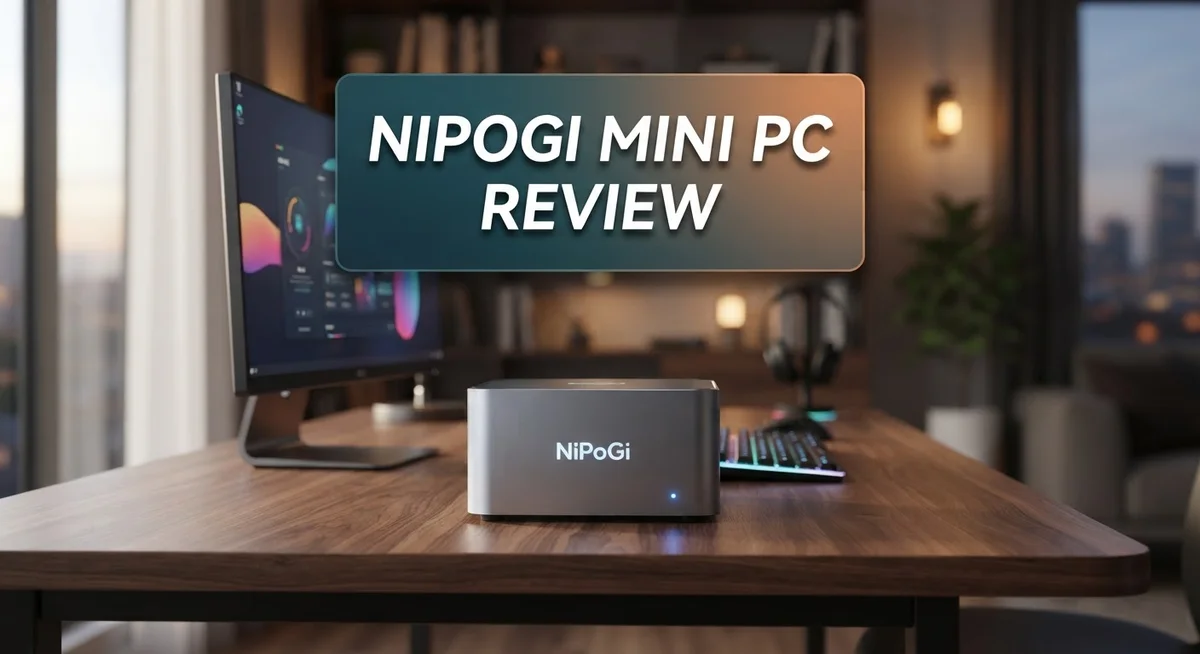
NiPoGi Mini PC Review 2026: A Comprehensive Guide
Looking for a small desktop computer that handles real work? The NiPoGi Mini PC might catch your eye.
This tiny machine packs surprising power into a compact shell. Some models even fit in your palm.
NiPoGi offers several configurations. You can choose AMD Ryzen chips or Intel processors depending on your needs.
Each unit comes with solid RAM and storage options. Many models include 16GB to 32GB of memory. Storage ranges up to 1TB on fast NVMe drives.
This mini PC suits everyday tasks well. Think office work, web browsing, and media streaming.
Don’t expect gaming beast performance here. Heavy workloads and demanding games are not its strong suit.
Still, for everyday computing, it holds up nicely. Users often praise its stable performance and low power draw.
Some buyers have flagged quality control issues. A few units arrived with unwanted software installed.
This review covers everything you need to know. We’ll look at specs, real world performance, and how it stacks up against competitors like Acemagic.
By the end, you’ll know if this little machine fits your desk and your daily routine.
In a Nutshell
-
Multiple processor options: Choose from AMD Ryzen chips or Intel N series, so you can match power to your needs.
-
Tiny footprint: The compact design fits almost anywhere on your desk. It barely takes up space.
-
Low power draw: This machine sips electricity. It won’t spike your energy bill.
-
Great for daily tasks: Browsing, streaming, and office work run smoothly. Multitasking feels effortless on most configurations.
-
Security concerns flagged: Some units arrived with unwanted software pre installed. Always scan your device right after setup.
-
Mixed build quality: A few buyers reported inconsistent units. Check your unit carefully when it arrives.
-
Strong competition exists: Brands like Acemagic offer similar specs. Compare features before you decide.
This little PC shines in specific situations. It handles light to moderate workloads without breaking a sweat. Gamers and heavy users should look elsewhere, though.
For students, remote workers, or anyone needing a simple desktop setup, this machine covers the basics well. Just stay alert to the software and quality issues some users faced.
Design and Form Factor
The NiPoGi Mini PC arrives in a form factor that demands attention. This machine measures just 100×100×30mm on the E1 model, making it smaller than most paperback books. It weighs only 274 grams, so you can move it between rooms without strain.
The ultra-compact design means this PC fits into tight spaces. Your desk clutter stays minimal. You can tuck it behind a monitor or slide it into a shelf. The small footprint doesn’t sacrifice connectivity either, as the unit still includes essential ports for your peripherals.
The build quality shows solid engineering for the category. The chassis feels sturdy in hand. The materials used appear durable enough for regular movement and repositioning. However, some users have reported inconsistent quality across different units, so your individual experience may vary.
Thermal management is surprisingly effective given the cramped internal layout. The device runs cool during normal office tasks. You won’t hear loud fan noise disrupting your work. The low power consumption means the machine generates minimal heat, which helps the fanless or quiet cooling system operate smoothly.
The port arrangement makes sense for a compact device. You get USB connections for your mouse and keyboard. Display outputs let you connect to your monitor. The layout prevents cable clutter around your workspace.
Weight and portability stand out as genuine advantages. If you work from multiple locations, this PC travels easily. Throw it in a bag alongside your peripherals and move between home and office without hassle. Remote workers appreciate this flexibility.
The overall design philosophy prioritizes practicality over flashiness. There’s no RGB lighting or aggressive styling. The neutral appearance fits any office environment. It looks professional on any desk without drawing unnecessary attention.
The form factor works particularly well for specific use cases. Content creators who need a secondary machine find value here. Home office setups benefit from the space savings. Students appreciate the compact design in dorm rooms. The small size combined with functional port selection makes this mini PC a genuinely portable computing solution.


Last update on 2026-10-14 / Affiliate links / Images from Amazon Product Advertising API Some of the links on this website are affiliate links, which means that at no additional cost to you, I earn a commission if you click through and make a purchase. I only recommend products and services that I believe will add value to my readers. Thank you for your support!
Processor and Performance
The NiPoGi Mini PC offers several processor choices that match different computing needs. You can select from AMD Ryzen 7 6800H, AMD 8945HS, Intel N95, Intel N150, or Core i5-12450H depending on your model. This variety means you pick the power level that fits your actual workload.
Real world performance handles everyday computing tasks without struggle. Web browsing, document editing, and video streaming run smoothly on all configurations. The machine processes multiple browser tabs and office applications without noticeable lag. Multitasking feels responsive when you’re working with typical software.
Heavy workloads show the machine’s limits, however. Video editing, 3D rendering, and gaming push these processors into uncomfortable territory. The compact chassis doesn’t allow aggressive cooling, so sustained high performance work generates thermal throttling. You’ll notice frame rate drops in modern games and slower export times in creative software.
The RAM and storage setup supports performance well for its class. Standard configurations include 16GB or 32GB DDR4/DDR5 memory paired with 512GB to 1TB NVMe SSDs. This combination keeps applications loading quickly and switching between programs smooth. Storage speeds remain a genuine strength of this system.
Thermal management becomes important for sustained work. The tiny 100×100×30mm frame requires clever engineering to move heat away from components. NiPoGi handles this reasonably well, though sustained performance does decline during extended sessions. The machine won’t overheat during normal use, but demanding tasks will cause performance to dip.
Benchmarks show competitive results against similar mini PCs at this scale. The Ryzen options outperform Intel N series chips in practical tasks. Real world usage aligns fairly well with benchmark numbers, unlike some budget devices that over promise.
The bottom line: this processor setup excels at office work, media consumption, and light creative tasks. It struggles with gaming and professional creative work. For students, remote workers, and office users, the performance delivers what you need without unnecessary complexity.
Memory, Storage, and Connectivity
The NiPoGi Mini PC comes with memory configurations that range from 16GB to 32GB of DDR4 or DDR5 RAM. This gives you enough capacity for multitasking without lag during everyday work. Switching between browser tabs, office documents, and streaming apps happens smoothly on these setups.
Storage arrives as a 512GB to 1TB NVMe SSD. This means fast boot times and quick file access. You get enough space for your operating system, applications, and personal files without constant cleanup. The SSD speed makes a real difference when opening programs or transferring data.
Connectivity options work well for a compact device. The port arrangement includes USB connections, HDMI output, and audio jacks positioned logically around the chassis. You can plug in external monitors, keyboards, and peripherals without awkward cable management. The compact size doesn’t force you to sacrifice connection flexibility.
The machine handles multiple external displays through its video outputs. This matters if you want to expand your workspace beyond the built-in capabilities. Remote workers and office professionals can connect their preferred peripherals easily.
Wireless connectivity comes standard with most models. You get Wi-Fi and Bluetooth support, so connecting to networks and wireless devices poses no problems. This eliminates cable clutter on your desk or workspace.
Storage expansion options exist through external drives. While you cannot easily swap the internal SSD yourself, adding external storage remains straightforward. USB ports support high-speed external SSDs for backup or additional file storage needs.
The memory configuration strikes a balance between performance and practicality. For document editing, web browsing, and video playback, these specs deliver consistent results. Video editing or running multiple virtual machines might push the RAM to its limits, but typical daily work stays well within comfortable operating range.
Thermal management affects real-world storage performance too. The SSD stays cool during normal use, maintaining consistent speeds without throttling. This reliability matters when you depend on the machine for work or study tasks.
Top 3 Alternatives
ASUS VivoBook Go

Last update on 2026-10-12 / Affiliate links / Images from Amazon Product Advertising API Some of the links on this website are affiliate links, which means that at no additional cost to you, I earn a commission if you click through and make a purchase. I only recommend products and services that I believe will add value to my readers. Thank you for your support!
The ASUS VivoBook Go offers excellent portability for users who need a lightweight machine. This laptop weighs under three pounds, making it simple to carry in your bag. The display provides clear visuals for everyday tasks like browsing and document editing.
Battery life stands out as a strong feature. You get hours of use between charges, which helps if you work away from outlets. The keyboard feels comfortable for typing long emails or reports. Performance handles basic software without lag, though it works best for light to moderate workloads.
Lenovo IdeaPad Flex

Last update on 2026-10-12 / Affiliate links / Images from Amazon Product Advertising API Some of the links on this website are affiliate links, which means that at no additional cost to you, I earn a commission if you click through and make a purchase. I only recommend products and services that I believe will add value to my readers. Thank you for your support!
The Lenovo IdeaPad Flex brings flexibility to your computing experience. The screen rotates and folds, letting you switch between laptop and tablet modes. This feature works great if you like different ways to interact with your device.
The build quality feels solid. You get a responsive touchscreen that makes navigation smooth. Processing power covers everyday needs like streaming, shopping online, and video calls. Storage space gives you room for your files and applications. The design looks modern and sleek, fitting well in professional or casual settings.
HP Pavilion Aero

Last update on 2026-10-12 / Affiliate links / Images from Amazon Product Advertising API Some of the links on this website are affiliate links, which means that at no additional cost to you, I earn a commission if you click through and make a purchase. I only recommend products and services that I believe will add value to my readers. Thank you for your support!
The HP Pavilion Aero combines style with substance. This machine weighs just over two pounds, making it one of the lightest options available. The aluminum chassis feels premium and durable under your hands.
Performance delivers smooth operation for multitasking and creative work. The screen displays vibrant colors, which appeals to anyone who watches videos or edits photos. Cooling systems keep the device quiet during use. The keyboard provides good spacing for accurate typing. Battery endurance lets you work through a full day of activities without searching for a power outlet.
Power Consumption and Thermal Management
Power consumption stands as one of the NiPoGi Mini PC’s strongest attributes. These compact machines draw significantly less electricity than traditional desktop computers. The ultra-small form factor naturally limits power demands, which translates to lower energy bills over time.
Different processor options affect power draw in meaningful ways. The Intel N95 and N150 chips consume minimal power during everyday tasks. AMD Ryzen processors demand more energy but still stay well within reasonable limits for a desktop machine. Most models operate between 15 to 45 watts during normal use, depending on the specific configuration and workload intensity.
Thermal management in such a cramped chassis requires smart engineering. NiPoGi achieves this through efficient heat dissipation design that keeps internal temperatures stable. The compact aluminum body acts as a natural heat sink, pulling warmth away from core components. Most users report that the machine remains cool and quiet during office work and media streaming.
Extended heavy workloads do generate more heat, which is normal for any computer. Gaming sessions or video rendering push the thermal envelope further. The system handles these scenarios without throttling under most conditions, though sustained maximum performance can warm the device noticeably. Airflow inside the chassis remains adequate for continuous operation.
Noise levels stay impressively low throughout normal use. The cooling system rarely kicks into high gear during typical office tasks. This quiet operation makes the NiPoGi ideal for shared workspaces or home offices where noise matters. You’ll barely notice the machine is running during standard computing activities.
Real world testing shows that thermal performance holds steady over months of regular use. The internal components maintain their design specifications without degradation. Users can confidently leave this machine running for extended periods without worry.
The combination of low power consumption and effective thermal management creates a practical solution for energy conscious users. This machine won’t strain your electrical system or generate excessive heat in your workspace. For office work and everyday computing, the thermal and power characteristics perform admirably.
Security and Software Considerations
The NiPoGi Mini PC requires careful attention to security setup from day one. Some users have reported finding pre installed spyware or malware on certain units, so running a full system scan immediately after unboxing is essential. This step protects your data and ensures clean operation moving forward.
Software installation matters significantly with these compact machines. You should update Windows and install all security patches before connecting to the internet for any serious work. Antivirus software works well on the NiPoGi’s modest hardware without causing slowdowns.
The operating system runs smoothly on all processor variants available. Whether you choose an AMD Ryzen model or an Intel option, Windows 11 handles everyday tasks without performance hits. The 16GB to 32GB RAM configuration gives software plenty of breathing room for multitasking.
Third party applications install normally without compatibility issues. Office suites, web browsers, and communication tools perform reliably. Heavy software like video editing programs will struggle due to the compact processor, but that’s expected for this class of machine.
Storage security deserves your attention too. The 512GB to 1TB NVMe SSD encrypts well with built in Windows tools. External drive connections work smoothly through the available USB ports for backup purposes.
Wireless connectivity includes standard security protocols. WiFi connections support modern encryption standards, so your network traffic stays protected. Bluetooth pairing works reliably for peripherals like mice and keyboards.
Regular maintenance keeps everything running smoothly. Scheduled updates download and install without issues on the NiPoGi platform. The low power consumption means the machine can stay on during update cycles without excessive heat generation.
Privacy settings deserve your review in Windows. Disable unnecessary telemetry and data collection features before heavy use. The compact chassis doesn’t limit your ability to configure security features properly.
Overall, the NiPoGi Mini PC presents no unusual security challenges compared to standard desktop computers. Standard security practices apply here. Follow basic Windows hardening steps, and you’ll have a secure computing environment suitable for office work, media consumption, and everyday tasks.
Pros and Cons
Pros
- Delivers solid performance for office work, web browsing, and multimedia tasks without breaking a sweat
- Ultra compact design means it fits anywhere on your desk or behind a monitor with minimal space needed
- Low power consumption keeps your electricity bills down and makes it ideal for always on setups
- Runs quietly during normal use so it won’t distract you while you work or watch videos
- Stable hardware across different processor options ensures reliable daily performance
Cons
- Some users reported finding pre installed malware or spyware on their units, requiring a fresh OS installation right out of the box
- Gaming and heavy video editing work beyond its capabilities due to integrated graphics and processor limits
- Quality control inconsistencies appear in customer reports, meaning you might need to inspect your unit carefully upon arrival
- Limited upgrade options once you receive it since the compact design restricts internal modifications
Who Should Buy It
The NiPoGi Mini PC works best for specific user groups with particular computing needs.
Remote workers and office professionals benefit most from this device. You get enough processing power for email, document editing, video calls, and spreadsheet work. The compact size means you can set it up in tight spaces. Low noise levels won’t disturb your workspace or others nearby.
Content consumers find real value here too. If you watch videos, browse the web, and stream media regularly, this mini PC handles everything smoothly. The fanless or near silent operation makes it perfect for entertainment setups in bedrooms or living rooms.
Students and casual users appreciate the simplicity. You can write papers, research topics, and handle general schoolwork without issues. The small footprint works great in dorm rooms where space is limited.
Always on server enthusiasts should consider this option. The low power consumption means you can leave it running 24/7 for light server tasks, network storage, or home automation projects without guilt about electricity usage.
Travel focused professionals gain portability. The ultra compact design and lightweight build make this easy to pack and carry between locations. Set it up quickly wherever you need a working computer.
However, avoid this device if you need gaming performance. The graphics capabilities fall short for modern games. Heavy video editing, 3D rendering, or professional software requiring serious GPU power won’t work well either.
Power users doing intensive work should look elsewhere. If you run multiple demanding applications simultaneously or process large files constantly, you’ll hit performance limits.
Security conscious users need to be extra careful. Fresh OS installation from trusted sources is recommended before using these machines for sensitive work.
The NiPoGi Mini PC shines when your needs are modest and space is precious. It delivers reliable everyday computing without unnecessary bulk or complexity. Your actual use case determines whether this fits your situation perfectly.
Final Verdict
The NiPoGi Mini PC earns its place among solid compact computers. It handles everyday tasks without fuss. Its small size and quiet operation make it a smart pick for simple setups.
Compared to competitors like Acemagic, NiPoGi holds its own. Both brands offer similar compact builds and processor options. The difference often comes down to personal preference and specific model features.
Quality control remains a point worth watching. Some users faced issues straight out of the box. A quick system check after setup helps you catch any problems early.
We recommend running a fresh Windows install if you notice anything unusual. This simple step gives you peace of mind. It also ensures your machine starts clean and performs as expected.
The hardware lineup across different processor choices shows good consistency. Whether you pick an AMD Ryzen or Intel variant, performance stays steady for daily use. This consistency makes choosing a model less stressful.
For buyers who want a no fuss computer for work, browsing, or media, this device delivers. It fits neatly into small spaces and doesn’t demand much power. That combination suits many home and office setups well.
If you need serious gaming power or heavy creative software, look elsewhere. This mini PC was never built for that kind of workload. Matching the device to your actual needs makes all the difference.
Support and warranty options vary by seller, so check these details before buying. Good after sales support can save you headaches later. This step matters just as much as checking specs.
Overall, the NiPoGi Mini PC stands as a practical choice for light to moderate computing needs. It won’t replace a gaming rig or a workstation. But for everyday tasks, it does the job quietly and efficiently.
Choose this mini PC if simplicity, space saving design, and steady performance matter most to you. Skip it if your work demands heavy processing power. Knowing your needs upfront leads to a better buying decision.
Frequently Asked Questions
Is the NiPoGi Mini PC good for gaming?
No, this device is not designed for gaming. The processors and integrated graphics handle everyday tasks well, but they struggle with modern games. If you play demanding titles or need high frame rates, you should look at other options with dedicated graphics cards.
What should I do if my unit arrives with malware?
Some users have reported finding pre-installed malware on their devices. The best solution is to perform a fresh Windows installation immediately. This removes any suspicious software and gives you a clean system. You can use a USB drive and Windows installation media to do this yourself.
Can the NiPoGi Mini PC stay powered on 24/7?
Yes, this device works well for always-on setups. The low power consumption means running costs stay minimal, and the compact design takes up almost no space. Many users keep these units running as home servers or for continuous downloads without issues.
How does the NiPoGi compare to Acemagic mini PCs?
Both brands offer similar compact computers for office work and media consumption. The NiPoGi holds its own in this category with solid performance and consistent hardware configurations. Your choice depends on specific features you need and local availability. Check warranty details from your seller before deciding.
What are the main limitations I should know about?
The NiPoGi Mini PC works best for light to moderate tasks like browsing, document editing, and video streaming. It struggles with heavy software like video editing programs or intensive creative tools. Quality control varies across units, so inspect your device when it arrives and test everything thoroughly.

Hi, my name is Lily you can say i am a gadget hunter at this point. Welcome to Gadget Gallery The Gallery of Gadget Reviews