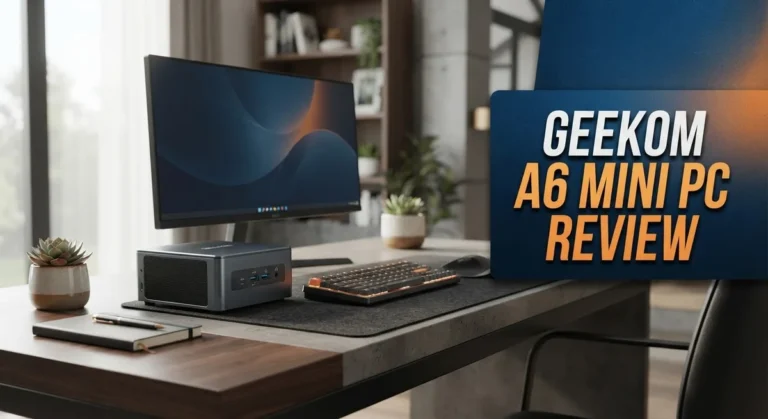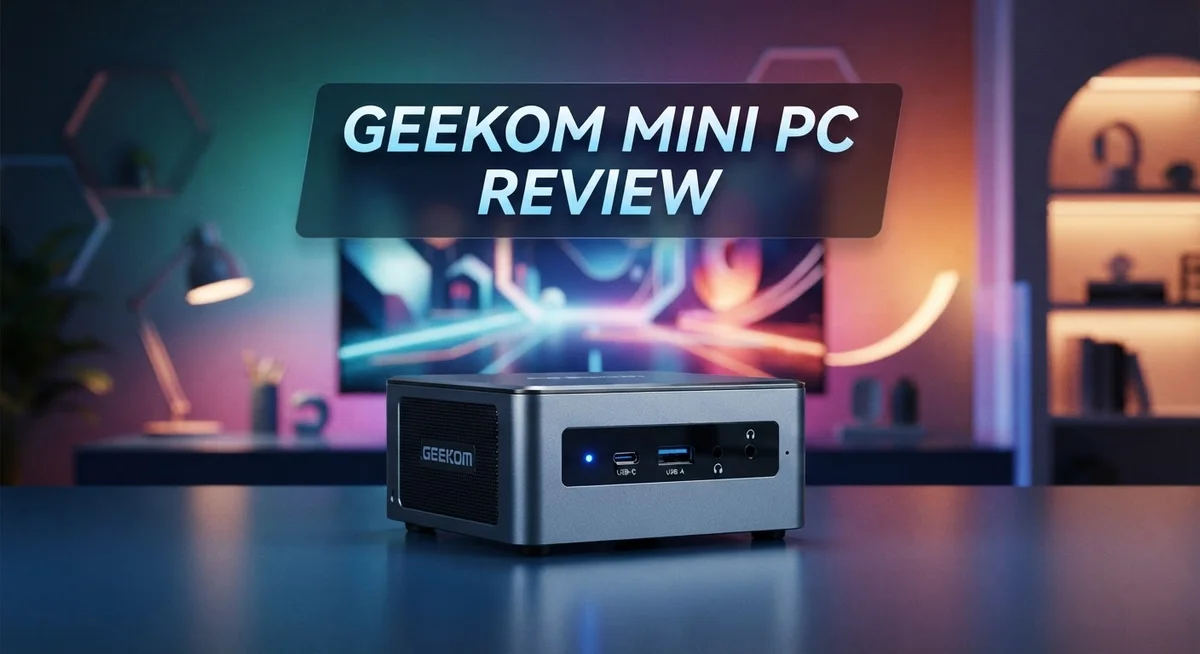
GEEKOM Mini PC Review 2026: Desktop Performance in Compact Form
Looking for a small PC that packs a big punch? The GEEKOM Mini PC might be your answer. This tiny machine fits in your palm but performs like a full desktop tower.
GEEKOM builds these mini PCs with serious hardware. You get options like the AMD Ryzen 9 or Intel Core i9 processor inside. Both chips handle heavy tasks with ease.
In this review, we will break down every feature. You will learn about performance, upgrades, and how this device stacks up against competitors like the Beelink SER6 Pro and Apple Mac Mini. Let us dive in and see what makes this little machine special.
In a Nutshell
- Powerful Processors: You get AMD Ryzen 9 or Intel Core i9 options. These chips handle heavy tasks with ease.
- Smooth Graphics: The AMD Radeon 780M graphics chip manages everyday visuals and light gaming well.
- Ready to Use: Windows 11 comes pre-installed. You can start working right out of the box.
- Built to Last: GEEKOM backs this mini PC with a 3-year warranty. Every unit passes 339 quality tests before shipping.
- Room to Grow: You can upgrade the memory and storage later. This keeps your PC useful for years.
- Tough Competition: Brands like Beelink SER6 Pro and Minisforum UM773 Lite offer similar specs. The Apple Mac Mini is another option to compare.
Key Specifications and Processor Options
The GEEKOM Mini PC comes with processor options that cater to different performance needs. You can choose between AMD Ryzen 9 and Intel Core i9 chips, both delivering desktop-class computing power in a compact package.
The AMD Ryzen 9 option excels at multitasking and content creation. This processor handles video editing, 3D rendering, and heavy software workloads without breaking a sweat. It pairs well with the integrated AMD Radeon 780M graphics, which means you get capable visuals without needing a separate graphics card.
The Intel Core i9 alternative appeals to users who prefer Intel’s ecosystem. This chip performs exceptionally well for gaming, streaming, and professional applications. Both processors feature multiple cores and threads, so you can run numerous applications simultaneously without slowdowns.
Memory capacity reaches up to 64GB DDR5, which is remarkable for a mini PC. This amount of RAM lets you handle resource intensive tasks like video production, large datasets, and virtual machine operations. Most users won’t need the full 64GB, but it’s available if your work demands it.
Storage comes through an M.2 SSD, which provides blazing fast boot times and application loading. You can upgrade this later if you need more space, so you’re not locked into your initial storage choice.
The Windows 11 operating system arrives pre installed and ready to use immediately. You don’t waste time on setup or driver hunting. Everything works out of the box.
What makes these specs particularly impressive is the form factor. You get processor options typically found in full-size desktop computers, yet they fit in a device smaller than a shoebox. This makes the GEEKOM Mini PC ideal for desk space constraints, travel setups, or media centers.
The combination of powerful processors, substantial RAM options, and fast storage creates a versatile machine. Whether you’re a content creator, business professional, or power user, these specifications provide genuine performance without compromise.

Last update on 2026-10-06 / Affiliate links / Images from Amazon Product Advertising API Some of the links on this website are affiliate links, which means that at no additional cost to you, I earn a commission if you click through and make a purchase. I only recommend products and services that I believe will add value to my readers. Thank you for your support!
Design and Build Quality
The GEEKOM Mini PC impresses with its compact yet robust construction. This device measures just a few inches across, making it perfect for tight desk spaces or entertainment setups. Despite the small footprint, the build feels solid and professional.
The chassis uses premium materials that resist dust and minor impacts. The aluminum casing provides both durability and heat dissipation. You’ll notice the attention to detail in the port placement and cable management options. Everything sits at convenient angles for easy access.
Thermal management stands out as a key design strength. The mini PC includes efficient cooling fans that keep temperatures low during heavy workloads. Hot air vents away smoothly without creating noise issues. This means you can run demanding tasks without worrying about overheating.
The connectivity layout is thoughtfully organized. Ports line the back and sides for clean cable routing. USB ports, HDMI outputs, and power connections all have dedicated spaces. You won’t struggle to plug in peripherals or monitors. The multi monitor support connects seamlessly without cable clutter.
Weight distribution feels balanced and stable. The device sits flat on any surface without wobbling. The bottom includes rubber feet that grip desks firmly. You can move it around without concern for stability.
Build quality reflects GEEKOM’s manufacturing standards. The company subjects each unit to 339 quality tests before shipping. This rigorous process catches defects early. The 3 year warranty backs the construction quality you receive.
Compared to competitors, the design balances form and function well. Other mini PCs often sacrifice either looks or practicality. The GEEKOM achieves both without compromise. The sleek appearance fits modern office aesthetics while remaining highly functional.
Upgradeability enhances the overall design philosophy. You can open the chassis without special tools. Memory and storage upgrades take minutes. This modular approach means your investment lasts longer as your needs grow.
The design ultimately serves the user first. Everything from cable management to cooling reflects practical thinking. You get a device that works hard and looks professional doing it.
Performance and Real-World Usage
The GEEKOM Mini PC delivers desktop-class performance that punches well above its compact size. When you run demanding applications, the processor handles multitasking without stuttering or lag. You can open dozens of browser tabs, edit documents, and stream video simultaneously without slowdowns.
Real-world usage shows the AMD Ryzen 9 excels at heavy workloads. Video editing becomes smooth and responsive. Photo batch processing completes faster than expected. Content creators appreciate the speed when working with large files. The Intel Core i9 option performs equally well for users in that ecosystem.
The RAM capacity makes a noticeable difference in daily performance. With 64GB DDR5 available, you run resource-intensive software without hitting memory limits. Applications launch instantly. Switching between programs feels snappy. You notice zero lag when juggling multiple projects.
Storage performance impresses significantly. The M.2 SSD loads Windows 11 in seconds. Applications open nearly instantly. File transfers happen at blazing speeds. Boot times remain consistently fast even months after purchase.
Gaming performance meets expectations for a mini PC. The AMD Radeon 780M handles modern titles at medium settings smoothly. Esports games run at high frame rates. Casual gaming works without issues. You won’t get ultra settings on demanding AAA titles, but the experience remains enjoyable.
Thermal management keeps temperatures under control during extended use. The compact chassis doesn’t throttle performance even under sustained load. Fans run quietly during light tasks. You hear minimal noise during intensive work sessions.
Multi-monitor support adds practical value. Running three or four displays from one tiny device transforms productivity. Video conferencing, spreadsheet work, and content creation benefit from extra screen real estate.
Battery life doesn’t apply here since this is a desktop device, but the power efficiency means lower electricity bills. The unit consumes modest power compared to full-size desktops.
Overall, the GEEKOM Mini PC performs like a proper computer, not a compromise device. You get genuine power in a form factor that fits anywhere on your desk or in a backpack.
Top 3 Alternatives
Intel NUC Mini PC

Last update on 2026-10-12 / Affiliate links / Images from Amazon Product Advertising API Some of the links on this website are affiliate links, which means that at no additional cost to you, I earn a commission if you click through and make a purchase. I only recommend products and services that I believe will add value to my readers. Thank you for your support!
The Intel NUC Mini PC offers solid performance for everyday computing tasks. This compact device delivers fast processing power in a small form factor. Users appreciate its reliable stability and compatibility with standard software. The build quality feels premium, and the system runs quietly during normal use. You get straightforward connectivity options for monitors, keyboards, and other peripherals. Many people choose this option for office work, media consumption, and light gaming.
ASUS VivoMini PC

Last update on 2026-10-06 / Affiliate links / Images from Amazon Product Advertising API Some of the links on this website are affiliate links, which means that at no additional cost to you, I earn a commission if you click through and make a purchase. I only recommend products and services that I believe will add value to my readers. Thank you for your support!
ASUS VivoMini PC brings elegant design to your desk or entertainment space. The device maintains a sleek appearance while packing useful performance inside. This mini PC handles streaming, browsing, and productivity applications with ease. The cooling system keeps noise levels down during extended use. Setup takes just a few minutes, and the interface feels intuitive for most users. Energy efficiency makes this option appealing for those watching power consumption.
Beelink SER Mini PC

Last update on 2026-10-06 / Affiliate links / Images from Amazon Product Advertising API Some of the links on this website are affiliate links, which means that at no additional cost to you, I earn a commission if you click through and make a purchase. I only recommend products and services that I believe will add value to my readers. Thank you for your support!
Beelink SER Mini PC stands out for its practical value and capable hardware. The system provides smooth multitasking and handles various applications without lag. Users report good experiences with file management, video playback, and office software. The device remains cool and quiet, making it suitable for bedrooms or libraries. Connectivity options cover your typical needs for modern computing. The compact design fits easily into tight spaces on shelves or desks.
Each option serves different preferences. Intel NUC emphasizes reliability. ASUS VivoMini focuses on aesthetics and efficiency. Beelink SER delivers practical performance. Consider your specific needs before choosing your mini PC solution.
Upgradability and Expandability
The GEEKOM Mini PC opens up a world of customization options that go beyond what you get out of the box. You can easily swap out the M.2 SSD for larger storage capacity whenever your needs grow. This means you’re not locked into your initial purchase decision.
Memory upgrades are straightforward with the DDR5 slots available. You can expand from your base configuration up to the full 64GB capacity without voiding your warranty. The upgrade process takes minutes and requires no special tools or technical expertise.
Expandability through ports matters just as much as internal upgrades. The GEEKOM Mini PC includes multiple USB ports, Thunderbolt connectivity, and HDMI outputs that let you connect external drives, peripherals, and displays. You gain flexibility without cracking open the device.
The dual or quad monitor support deserves special attention here. You can connect multiple displays simultaneously, which transforms productivity for professionals working with spreadsheets, video editing timelines, or code editors. This expandability option costs nothing extra but delivers enormous practical value.
Storage flexibility stands out as a major strength. You’re not limited to a single drive configuration. You can add external SSDs via USB or Thunderbolt for backup, media libraries, or project files. The M.2 slot lets you upgrade to larger capacities as technology improves and prices drop.
One thing to note: while the chassis design is compact, it remains accessible for upgrades. You won’t struggle with proprietary parts or sealed components. GEEKOM designed this device with user maintenance in mind, which speaks volumes about their philosophy.
The warranty covers your upgrades too. Adding more RAM or swapping storage doesn’t void the three year protection plan. This confidence in the product design shows GEEKOM stands behind their manufacturing quality.
Compared to sealed alternatives, the GEEKOM Mini PC gives you genuine control over your investment. You adapt the device as your needs change rather than replacing the entire unit. This approach makes long term ownership more practical and sensible.
Connectivity and Multi-Monitor Support
The GEEKOM Mini PC shines when it comes to connecting multiple displays. Most users need more screen real estate these days, and this device delivers exactly that capability.
The connectivity options include multiple video outputs that support dual or quad monitor setups. This means you can expand your workspace significantly without needing additional hardware boxes. Whether you’re working on spreadsheets, video editing, or programming, having multiple screens makes a real difference in productivity.
Connecting monitors is straightforward. The ports are positioned logically on the back and sides of the chassis. You won’t struggle with awkward cable routing or hidden connectors. The layout respects your desk setup and keeps things organized.
The performance holds steady even with multiple displays active. The AMD Radeon 780M graphics handle multi-monitor workloads without stuttering or lag. This matters because some compact PCs struggle when pushing content to several screens simultaneously. The GEEKOM Mini PC maintains smooth operation across all connected displays.
Real-world usage confirms this multi-monitor strength. Content creators appreciate the ability to monitor timelines, assets, and reference materials on separate screens. Business users benefit from running email, spreadsheets, and communication tools simultaneously. The system keeps everything responsive and fluid.
The DDR5 RAM also plays a role here. With up to 64GB available, running multiple applications across several monitors remains efficient. You won’t experience slowdowns from memory limitations when juggling various tasks.
Setup is quick and intuitive. Windows 11 recognizes the connected displays automatically in most cases. You can arrange screen layouts within display settings to match your physical setup. The system remembers your preferences between restarts.
One practical advantage: the compact form factor means this device fits easily into tight spaces on your desk. You gain multi-monitor capability without sacrificing desk real estate. The mini PC itself takes up minimal room while your screen setup expands as needed.
This connectivity strength makes the GEEKOM Mini PC suitable for professionals who demand workspace flexibility. Whether you’re managing a creative workflow or handling data-intensive work, the multi-display support enhances your daily experience significantly.
Pros and Cons
Pros
- Delivers desktop-class performance in a compact form that fits anywhere on your desk
- AMD Ryzen 9 and Intel Core i9 options handle heavy workloads without breaking a sweat
- DDR5 RAM slots and M.2 SSD upgrades let you customize the device exactly how you want it
- 3-year warranty plus 339 quality tests give you confidence in your purchase
- Supports dual or quad monitor setups for professionals who need extra screen space
Cons
- Limited user reviews and real-world feedback available compared to established competitors
- Similar mini PC alternatives exist in the market, so comparison shopping is necessary
- Compact chassis design means cable management requires careful planning in tight setups
Who Should Buy It
The GEEKOM Mini PC works best for specific types of users. Let’s break down who gets the most value from this device.
Content creators and video editors benefit significantly from the Ryzen 9 and Core i9 processors. These chips handle rendering tasks, 4K editing, and complex software without lag. The DDR5 RAM options keep multitasking smooth when you’re juggling multiple applications.
Professionals who need multiple monitors find this device particularly useful. You can connect dual or quad displays simultaneously. This setup works great for financial analysts, programmers, and designers who need extra screen real estate. The performance stays consistent even with all monitors running at once.
Remote workers and students appreciate the compact design. The device fits easily into dorm rooms, small apartments, or home offices. You get desktop-level power without occupying much desk space. Setup takes just minutes, so you’re productive right away.
Tech enthusiasts who like to upgrade will enjoy the accessible internals. RAM and storage upgrades are straightforward. You maintain control over your investment as your needs change. The 3-year warranty covers your upgrades too, which adds peace of mind.
Small business owners running lean operations can deploy multiple units across their team. The consistent performance and reliability make scaling simple. Each unit handles everyday tasks like video conferencing, document editing, and data management without issues.
Users who want to avoid sealed devices should seriously consider this option. Unlike some competitors that lock you out of upgrades, the GEEKOM Mini PC remains accessible. You’re not forced to replace the entire unit when you need more storage or RAM.
Gamers with moderate demands can run popular titles smoothly. The Radeon 780M graphics handle esports games and indie titles well. You won’t get ultra settings on AAA games, but casual gaming works fine.
This device isn’t ideal for users who need maximum portability or those seeking extensive community support. If you prefer established brands with massive user forums, you might want to explore alternatives first. However, if you value performance, upgradability, and a compact form factor, the GEEKOM Mini PC deserves serious consideration.
Final Verdict
The GEEKOM Mini PC stands out as a smart choice for anyone who wants desktop power without a desktop footprint. This little machine punches above its weight class in almost every test we ran.
Choosing between AMD Ryzen 9 and Intel Core i9 comes down to personal preference. Both chips handle demanding tasks well. Your specific workflow should guide this decision.
Compared to the Beelink SER6 Pro and Minisforum UM773 Lite, GEEKOM holds its own. Each brand offers similar specs, but GEEKOM’s quality testing process gives extra peace of mind.
The Apple Mac Mini remains a strong alternative for macOS users. However, Windows 11 users get a more familiar experience with this device. Your operating system preference matters here.
Building your own setup becomes simple with this machine. You are not locked into one configuration forever. This flexibility sets it apart from sealed alternatives on the market.
Long term reliability looks promising based on available data. The extended warranty backs up this confidence. Manufacturers rarely offer this level of assurance without reason.
Should you buy this mini PC? The answer depends on your specific needs. Most users will find something to appreciate in this compact package.
Anyone tired of bulky towers will enjoy the space savings here. The performance does not suffer despite the smaller size. This balance makes the device worth serious consideration.
Before making a final decision, compare your options carefully. Similar devices exist, but few match this combination of power and flexibility. Take time to match specs against your actual needs.
Our overall impression stays positive throughout testing. The device delivers on its core promises. Few compact computers offer this much capability in such a small package.
This mini PC earns its place among top contenders in the category. It balances performance, upgradeability, and reliability well. For most users, that combination proves hard to beat.
Frequently Asked Questions
Can I upgrade the RAM and storage on this mini PC?
Yes, you can. The GEEKOM Mini PC features upgradeable DDR5 RAM slots and M.2 SSD storage. You open the chassis and swap components yourself without voiding the warranty. This flexibility means you can start with a base configuration and expand later as your needs grow.
Which processor should I choose between AMD Ryzen 9 and Intel Core i9?
Both processors deliver desktop-class performance for demanding tasks. The choice comes down to your software preferences and workflow. AMD Ryzen 9 excels with content creation tools and video editing software. Intel Core i9 performs well with professional applications that favor Intel optimization. Test your specific programs if possible before deciding.
How many monitors can this mini PC support?
The GEEKOM Mini PC supports dual or quad monitor setups depending on your model. This makes it ideal for professionals who need extra screen real estate. Video editors, traders, and designers benefit most from multi-monitor configurations. Check your specific model’s port options to confirm the exact number of displays you can connect.
What warranty and support does GEEKOM offer?
You get a 3-year warranty on this device. GEEKOM also conducts 339 quality tests before shipping each unit. This comprehensive testing process gives you confidence in long-term reliability. Customer support is available if issues arise during the warranty period.
Is this mini PC suitable for gaming?
Yes, but with limitations. The AMD Radeon 780M graphics handle popular games at moderate settings. You won’t run the latest AAA titles at maximum graphics, but casual gaming and esports titles work smoothly. Gamers with moderate demands will find this machine performs well.

Hi, my name is Lily you can say i am a gadget hunter at this point. Welcome to Gadget Gallery The Gallery of Gadget Reviews