Why Does My Smart Thermostat Keep Switching To Eco Mode?
Your living room feels warm. You glance at the thermostat. It says Eco Mode is on. Again. You did not touch it. Nobody in the house touched it. Yet your smart thermostat keeps slipping into Eco Mode and pushing your temperature settings out of comfort range.
This problem frustrates thousands of Nest, ecobee, Honeywell, and Amazon smart thermostat owners every day. The good news is the cause is almost always a setting, a sensor, or a routine that you can adjust in minutes.
This guide walks you through every reason your thermostat keeps flipping to Eco Mode and the exact steps to stop it. You will learn how presence sensing works, why your phone may be tricking the thermostat, and how to keep energy savings without losing comfort.
Key Takeaways
- Eco Mode is usually triggered automatically, not randomly. Your thermostat senses something (a missing phone, a quiet room, a utility signal) and shifts to a saving temperature. The fix is finding which trigger is active.
- Home and Away Assist or Presence Sensing is the top cause on Google Nest devices. If your phone loses signal or you turn off location, the thermostat thinks the house is empty.
- Ecobee uses Eco+ features like Community Energy Savings, Time of Use, and Smart Home/Away. Each one can switch your thermostat without warning during peak energy hours.
- Schedules and learned behavior can also push your thermostat into Eco. If your Nest learned that you usually leave at 9 a.m., it may go Eco at that time even on weekends.
- You can fully disable Eco Mode on most thermostats by turning off auto features, removing geofencing, and setting a fixed schedule. We cover both Nest and ecobee steps below.
- Some Eco triggers come from your utility company, not the thermostat brand. Checking your enrollment in demand response programs is often the missing piece.
What Eco Mode Actually Does On A Smart Thermostat
Eco Mode is a power saving setting built into most smart thermostats. When it turns on, the device stops following your normal temperature schedule. Instead, it lets the home drift to a wider range, such as 62°F to 80°F, to reduce HVAC runtime.
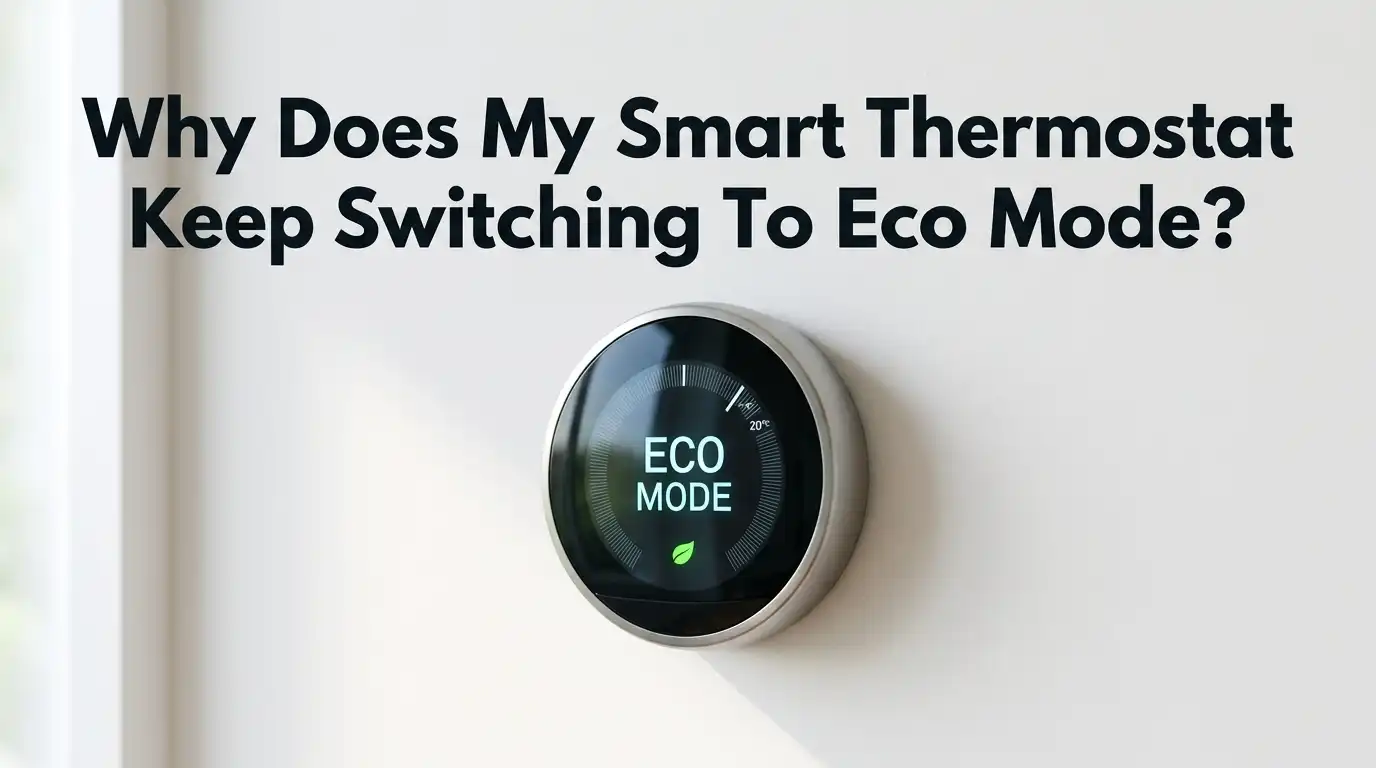
On a Nest thermostat, Eco Mode shows a green leaf icon. On an ecobee, the feature is called Eco+, and it includes several sub features. Honeywell and Amazon thermostats have similar smart away or smart save modes.
Eco Mode is helpful when nobody is home. The problem starts when the thermostat thinks the house is empty even though you are sitting on the couch. Knowing what Eco Mode does helps you see that the system is not broken. It is just listening to the wrong signal.
Reason 1: Home And Away Assist Is Misreading Your Phone
The number one cause of unwanted Eco Mode on Nest thermostats is Home and Away Assist. This feature uses your phone’s location to decide if anyone is home. When all phones leave the geofence, it switches to Eco.
The trouble is that phones lose GPS signal indoors, batteries die, and Wi-Fi disconnections confuse the system. If your phone’s location service turns off for even a minute, the thermostat may decide you left.
How to fix it step by step:
- Open the Google Home app.
- Tap your home name, then tap the gear icon.
- Select Presence Sensing.
- Turn off motion sensing on the thermostat itself.
- Keep only one trusted phone as a presence device, or turn the whole feature off.
Pros: Fast fix, no hardware changes needed. Cons: You lose automatic away savings, so you must remember to set Eco manually before vacations.
Reason 2: The Thermostat’s Own Motion Sensor Sees No Activity
Both Nest and ecobee thermostats include a built in motion sensor. If the device sits in a hallway, near a back wall, or in a low traffic spot, it may not see anyone for hours. It then assumes the house is empty.
This often happens when the thermostat is mounted in a poor location. Bedrooms with closed doors, basements, and entryways are common problem spots.
How to fix it:
- On Nest, go to Settings, then Home and Away Assist, then turn off the thermostat as a sensing device.
- On ecobee, open the app, tap Sensors, and disable Use this sensor for Smart Home/Away.
- Consider adding a remote room sensor in a busier room.
Pros: Stops false away triggers immediately. Cons: You may lose accurate occupancy data for room by room comfort. Adding a remote sensor solves this but costs extra.
Reason 3: Eco+ Community Energy Savings Is Active
Ecobee owners often see Eco+ turn on during hot summer afternoons. This is because of Community Energy Savings, a program where your utility company sends signals to precool or preheat the house and then back off during peak hours.
Many users sign up without realizing it during ecobee setup. The thermostat shows a small leaf and adjusts your temperature by 2°F to 4°F for a few hours.
How to fix it:
- Open the ecobee app.
- Tap Main Menu, then eco+.
- Scroll to Community Energy Savings and toggle it off.
- Also check Time of Use and disable it if your utility charges flat rates.
Pros: You regain full control over temperature. Cons: You may lose utility rebates or bill credits offered for staying enrolled. Check your provider’s program before opting out.
Reason 4: Auto Schedule Or Learning Is Setting Eco Periods
The Nest Learning Thermostat watches your habits for weeks. If you turn the heat down at night or before leaving, it adds those changes to a schedule. Over time, Nest may schedule Eco periods you never asked for.
Ecobee’s Smart Recovery and Smart Home/Away do something similar. They learn when the house tends to be empty and shift early.
How to fix it on Nest:
- Open the Nest app and select your thermostat.
- Tap the schedule icon.
- Look for any block that shows the green leaf.
- Long press the block and choose Remove.
How to fix it on ecobee: Go to Settings, then Preferences, and turn off Smart Home/Away and Smart Recovery.
Pros: Schedule becomes predictable. Cons: You lose the small efficiency gains from learning. You will need to build your own schedule manually.
Reason 5: The Thermostat Lost Wi Fi And Defaulted To Eco
Some thermostats fall back to a safe Eco temperature when they cannot reach the cloud. This protects pipes from freezing and prevents runaway cooling. If your Wi Fi router reboots overnight, you may wake up to a chilly house.
A weak signal causes repeated drops. Mesh networks with band steering sometimes confuse Nest and ecobee devices.
How to fix it:
- Test signal strength near the thermostat using a phone speed test.
- Move your router closer or add a mesh point.
- Restart the thermostat by removing it from the wall plate for 30 seconds.
- Reconnect to a 2.4 GHz network rather than 5 GHz, since most thermostats prefer the longer range band.
Pros: Stable Wi Fi solves many other smart home problems too. Cons: Mesh node or extender cost. Setup may take an hour for first time users.
Reason 6: A Google Home Or Alexa Routine Is Triggering Eco
Voice assistant routines can change thermostat settings on a schedule or by command. You may have set up a Goodnight or Leaving Home routine months ago and forgotten about it.
These routines often include a line like Set thermostat to Eco. They run silently and override your manual settings.
How to fix it:
- Open Google Home or the Alexa app.
- Tap Routines in the menu.
- Review every routine for thermostat actions.
- Delete or edit any line that mentions Eco, Away, or temperature changes you do not want.
Pros: Cleaning up old routines improves whole home automation reliability. Cons: You may need to rebuild a few routines from scratch if you delete the wrong one.
Reason 7: Manual Away Mode Was Turned On By Mistake
Sometimes the issue is simple. A family member tapped Away in the app, or a guest set the house mode while visiting. Nest and ecobee both link Away mode directly to Eco temperatures.
Check if your home is showing Away even though everyone is home. This is a five second fix that many users miss.
How to fix it:
- Open the Google Home or ecobee app.
- Look for the home status at the top of the screen.
- If it says Away, tap and switch to Home.
- The thermostat should leave Eco within a minute.
Pros: Instant fix with no settings changes. Cons: Does not prevent the issue from happening again. Educate household members or remove their app access if needed.
Reason 8: A Software Update Reset Your Settings
Smart thermostats receive automatic firmware updates. Sometimes these updates reset preferences to default. Eco features that you turned off may turn back on after a major update.
This is more common on Nest after Google merged accounts and on ecobee after eco+ rolled out new features.
How to fix it:
- Check the firmware version in your app.
- After any update, revisit your Eco and presence settings.
- Take screenshots of your preferred settings so you can restore them quickly.
- Join the official user forums to learn about update changes early.
Pros: Updates often add helpful features and security patches. Cons: You must recheck settings every few months. There is no way to opt out of updates on most devices.
Reason 9: Low Battery Or Power Issues On The Thermostat
A Nest thermostat without a C wire charges from the HVAC system. When the battery drops below a safe level, it may switch to Eco to reduce calls for heating or cooling. The display might also dim.
Ecobee devices need a C wire or the Power Extender Kit. Without steady power, they can reboot and apply default Eco settings.
How to fix it:
- Check the battery level in the technical info screen.
- If below 3.6 volts on Nest, charge the device by USB for an hour.
- Have an electrician add a C wire if your system lacks one.
- Confirm the Power Extender Kit is wired correctly on ecobee.
Pros: Solving power issues prevents many other glitches. Cons: Adding a C wire may cost between 100 and 300 dollars depending on your setup.
Reason 10: Demand Response Program Enrollment
Many utility companies in the United States and Canada offer rebates for enrolling your smart thermostat in demand response. During peak grid load, the utility raises your setpoint by a few degrees. The thermostat shows this as Eco or Energy Saving.
You may have enrolled when buying the device or through your power bill account.
How to fix it:
- Log into your utility account online.
- Look for Connected Thermostat Program or Bring Your Own Thermostat.
- Unenroll if you do not want temperature events.
- Confirm the change takes effect on the thermostat within 24 hours.
Pros: Choosing the right balance saves money or comfort based on your needs. Cons: Unenrolling forfeits annual rebates that can range from 25 to 100 dollars.
How To Permanently Disable Eco Mode On Most Smart Thermostats
If you want to stop Eco Mode entirely, follow this combined checklist. It works for the most common brands.
For Nest: Turn off Home and Away Assist, disable presence sensing, remove eco entries from the schedule, and set Eco Temperatures to a wide safe range like 45°F and 90°F so they rarely activate.
For ecobee: Open eco+ settings and disable every feature one by one. Turn off Smart Home/Away. Unenroll from utility programs. Switch the schedule to Hold Until I Change It.
For Honeywell and Amazon: Turn off Smart Response, Smart Away, and Hive Actions. Set a fixed weekly schedule.
Pros: You get full predictable control. Cons: You give up automated savings, which could raise your energy bill by 5 to 15 percent depending on your habits.
When To Contact Support Or Replace The Thermostat
If you have tried every fix and the thermostat still slips into Eco, you may have a hardware fault. A failing motion sensor or stuck relay can cause strange behavior.
Look for these warning signs: the screen flickers, the device reboots on its own more than once a week, or temperatures swing more than 5°F from the setpoint.
How to handle it:
- Note the firmware version, model number, and a brief log of when Eco activates.
- Contact Google Nest or ecobee support through the official app.
- Ask about warranty replacement if the device is less than two years old.
- Consider replacing with a model that lets you fully disable smart features.
Pros: A new or repaired device often solves the issue for good. Cons: Replacement costs and reinstall time. Some users prefer non smart thermostats after repeated issues.
Frequently Asked Questions
Why does my Nest thermostat say Eco when I am home?
Your Nest is using Home and Away Assist, and it thinks the house is empty. This usually happens because your phone lost location signal or the thermostat’s motion sensor did not see anyone for a while. Turn off presence sensing in the Google Home app to stop it.
Does turning off Eco Mode increase my energy bill?
It can raise your bill by a small amount, often 5 to 10 percent, depending on your habits. You can balance comfort and savings by setting a manual schedule with slightly lower or higher temperatures during sleep and work hours instead of relying on Eco.
Can I disable Eco+ on ecobee permanently?
Yes. Open the ecobee app, go to the eco+ menu, and toggle off every feature including Community Energy Savings, Time of Use, and Smart Home/Away. The settings stay off until a major firmware update, so recheck them every few months.
Why does my thermostat go to Eco at the same time every day?
Your device most likely learned a schedule based on past behavior, or a Google Home or Alexa routine is firing at that time. Check both your thermostat schedule and your voice assistant routines for any entry that triggers Eco or Away.
Will removing the thermostat from the wall reset Eco settings?
A power cycle restarts the device but does not erase your account preferences. Eco Mode triggers come from cloud settings, so you must change them in the app. Pulling the thermostat off the wall only helps with frozen screens or Wi Fi glitches.

Hi, my name is Lily you can say i am a gadget hunter at this point. Welcome to Gadget Gallery The Gallery of Gadget Reviews