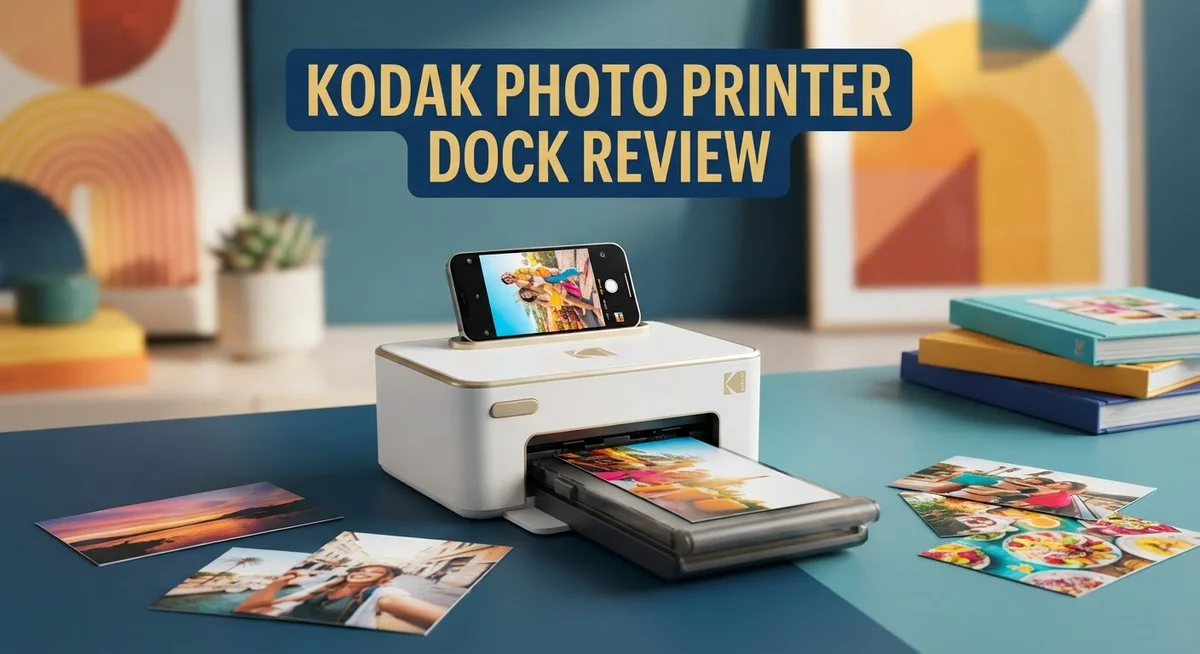
Kodak Photo Printer Dock Review 2026: Worth the Splurge?
Do you want to print photos straight from your phone? The Kodak Photo Printer Dock makes this simple. It turns your favorite memories into real, glossy prints in minutes.
This printer connects to your smartphone through Bluetooth. You control everything from an easy app. Edit your photos, then print them right away.
The Dock Plus Retro (PD460) model stands out in the Kodak lineup. It creates vivid 4×6 instant photos with crisp details. Many users love how good these small prints look.
You can also print from a USB thumb drive. This gives you more ways to get your pictures onto paper.
But is this printer truly worth your attention? Some users report color misalignment and blurry prints. Others praise its simple setup and bright, punchy colors.
In this review, we break down everything you need to know. We will cover real performance, design, and how it compares to brands like Canon and Liene.
Let’s find out if the Kodak Photo Printer Dock deserves a spot on your desk.
In a Nutshell
Here’s a quick snapshot of what this printer offers and where it falls short.
- Glossy finish: Every print comes out with a shiny, vibrant look that makes photos pop.
- Built for convenience: The cartridge and accessory kit comes included, so you get a ready to print setup from day one.
- App powered editing: The smartphone app lets you crop, filter, and tweak photos before printing.
- Portability trade off: This dock feels more like a desktop companion than a travel buddy. It is not the lightest option out there.
- Quality can vary: Some users love the crisp output, while others notice inconsistent results between prints.
- Facing strong competition: Brands like Canon and Liene offer similar instant printers, so this Kodak model has rivals to beat.
- Build feels premium: The dock has a solid, sturdy design that matches its retro style branding.
Overall, this printer shines when it comes to color vibrancy and ease of use. But if consistency and portability matter most to you, weigh those cons carefully before deciding.
Print Quality and Image Output
The Kodak Photo Printer Dock produces photos with vivid colors and crisp details that jump off the page. Each 4×6 print emerges with a glossy finish, giving your images a polished, professional appearance that feels satisfying to hold.
Colors appear bright and saturated on the prints. The dock handles skin tones well and captures vibrant blues and greens without washing them out. Details remain sharp across most of your photos, especially when you start with high resolution smartphone images.
However, color accuracy varies between prints. Some users report that certain photos print with slightly off hues compared to what appears on their phone screen. This inconsistency can be frustrating when you print multiple photos in one session.
Blurriness appears in some prints, particularly if your original image has low resolution or poor lighting. The printer struggles to compensate for soft focus photos. Starting with clear, well lit source images helps you avoid this issue.
The smartphone app gives you control before printing happens. You can crop, adjust brightness, and apply filters to improve results. This editing step helps you catch potential quality problems before wasting paper and ink.
Print speed is respectable. Each photo takes around one minute from tap to finished print. This makes the dock practical for printing a handful of photos without long waits.
Edge to edge printing means your images cover the full 4×6 space with no white borders. Some people love this look, while others prefer traditional photo margins.
The glossy coating resists fingerprints better than matte finishes. Your prints stay vibrant even after handling them repeatedly.
Overall, image quality lands in the impressive range for a compact printer. You get excellent results most of the time, but occasional mishaps with color or sharpness remind you this is not a professional lab printer. The dock works best when you manage your expectations and select your source photos carefully. It excels at printing casual smartphone memories rather than edited professional shots.

Last update on 2026-10-18 / Affiliate links / Images from Amazon Product Advertising API Some of the links on this website are affiliate links, which means that at no additional cost to you, I earn a commission if you click through and make a purchase. I only recommend products and services that I believe will add value to my readers. Thank you for your support!
Connectivity and Smartphone Integration
The Kodak Photo Printer Dock connects wirelessly to your smartphone via Bluetooth. This wireless link makes printing feel instant and effortless. You simply open the app on your phone, select your photo, and send it to print.
The smartphone app serves as your command center. You can crop photos to fit the 4×6 format perfectly. Filters let you adjust brightness, contrast, and saturation before printing starts. This editing power means you control the final look of every print.
Beyond Bluetooth, the dock accepts USB thumb drives. This flexibility helps if you want to print photos stored offline. You can also transfer images from your computer to a thumb drive and print without using your phone at all.
Setup happens quickly. The printer pairs with your phone in minutes. The app guides you through each step. No confusing menus or technical jargon slow you down.
One thing to note: connection stability matters. Some users report occasional disconnections, especially if your phone moves far from the printer. Keeping your device within 10 to 15 feet ensures smooth printing sessions.
The app also stores your print history. You can reprint favorite photos anytime without hunting through your phone’s gallery. This feature saves time when you want multiple copies of the same image.
Battery life on the printer itself is solid. You won’t need to charge it constantly. However, it does require a power outlet, so portability remains limited compared to truly mobile printers.
The integration between app and hardware feels smooth and intuitive. Printing becomes a two step process: open app, tap print. That simplicity appeals to users who want zero learning curve.
If you print frequently from your phone, this dock delivers convenience. The Bluetooth connection works reliably indoors. The app puts editing tools at your fingertips. Together, these features make printing photos feel like a natural extension of your smartphone experience.
Design, Portability, and Build Quality
The Kodak Photo Printer Dock Plus Retro arrives as a compact desktop device. Its glossy black finish gives it a modern yet retro appeal that looks sharp on any shelf. The printer measures roughly the size of a small speaker, making it fit comfortably in home offices or living spaces.
Build quality feels solid throughout. The casing uses durable plastic that resists scratches well. The paper tray slides smoothly, and the cartridge slot clicks into place with a satisfying feel. Everything appears designed to last through regular use without wobbling or creaking.
Portability presents a real trade off here. This dock weighs enough that casual travel feels awkward. Unlike pocket sized instant cameras, you’ll want a dedicated bag if you move it around. The power cord adds another item to pack. Think of this as a “stay put” printer rather than a nomadic one.
The control interface keeps things simple. A small button sits on top for basic functions. Most work happens through your smartphone app, so you won’t fumble with confusing menus. The app connects via Bluetooth, and pairing takes just seconds.
Connectivity options give you flexibility. Bluetooth wireless printing works smoothly for phone users. A USB port lets you print directly from thumb drives without needing an app. This dual approach means multiple people can use it different ways.
The dock feels stable on tables and desks. Rubber feet prevent sliding, even when the printer runs. Heat dispersal works effectively, so the device stays cool during printing sessions.
Setup happens quickly out of the box. The included cartridge and accessory kit mean you can print within minutes of opening the package. No hunting for missing parts or compatibility issues.
One consideration: this printer takes up more space than truly portable alternatives. If your desk space is tight, you’ll notice it. However, if you have room for a permanent printing station, the Kodak Dock delivers a well made, user friendly device that looks good while it works.
Top 3 Alternatives
Canon Selphy Printer
No products found.
The Canon Selphy Printer offers compact photo printing with impressive speed. This device prints 4×6 photos in about 40 seconds. The printer uses dye-sublimation technology for vivid colors and sharp details.
Setup is straightforward. You connect via USB or wireless options. The printer handles various paper sizes, giving you flexibility. Many users appreciate the compact design that fits easily on desks or shelves.
HP Sprocket Printer
![HP Sprocket Portable Photo Printer (2nd Edition) – Instantly print 2x3' sticky-backed photos from your phone – [Luna Pearl] [1AS85A]](https://gadgetgallery.blog/wp-content/plugins/aawp/public/image.php?url=YUhSMGNITTZMeTl0TG0xbFpHbGhMV0Z0WVhwdmJpNWpiMjB2YVcxaFoyVnpMMGt2TkRGbVdXZEdlSE5vYlV3dVgxTk1NVFl3WHk1cWNHYz18MTc5Mjk3MzE1Mg=)

Last update on 2026-10-21 / Affiliate links / Images from Amazon Product Advertising API Some of the links on this website are affiliate links, which means that at no additional cost to you, I earn a commission if you click through and make a purchase. I only recommend products and services that I believe will add value to my readers. Thank you for your support!
The HP Sprocket Printer delivers pocket-sized printing convenience. This portable device prints 2×3 inch photos with sticky backs. You can print directly from your smartphone using the HP app.
Battery life is solid for on-the-go printing. The printer works with Bluetooth connectivity. Photos come out with good color accuracy and quick drying times. The sticky-back feature makes these prints perfect for scrapbooks or decorating.
Fujifilm Instax Share

Last update on 2026-10-18 / Affiliate links / Images from Amazon Product Advertising API Some of the links on this website are affiliate links, which means that at no additional cost to you, I earn a commission if you click through and make a purchase. I only recommend products and services that I believe will add value to my readers. Thank you for your support!
The Fujifilm Instax Share brings instant film printing to your digital workflow. This printer connects wirelessly to your smartphone or computer. You get that classic instant film look with modern convenience.
Print quality matches traditional Instax film. The device produces credit card-sized photos. You can print directly from social media or your phone’s photo library. The compact size makes it portable for parties and events. Film comes in various fun colors and designs.
Each option serves different printing needs. The Canon Selphy works best for standard photo sizes. The HP Sprocket excels at portable, sticky-back prints. The Fujifilm Instax Share gives you authentic instant film results with digital convenience.
Ease of Use and App Features
The smartphone app transforms how you interact with your photos before printing. You can crop, adjust brightness, and fix colors right on your phone screen. The editing tools feel responsive and intuitive. Most users appreciate the straightforward interface. You don’t need to be a photo expert to make your images look better.
The app connects to your printer through Bluetooth, and pairing happens in seconds. Once connected, your phone communicates with the dock wirelessly. This wireless connection removes cable clutter from your desk. The app remembers your printer, so future connections are instant. Connection stability matters here. Most users report reliable connections within 10 feet of the printer.
Beyond the app, you have other input options. USB thumb drives work directly with the printer. You can load photos onto a thumb drive and print without touching your phone. This flexibility appeals to people who want multiple ways to print. The printer reads common image formats without fussing.
The app stores your print history automatically. You can see what you’ve printed before and reprint old favorites. This feature proves useful when you want consistency across multiple prints. Your photo library stays organized within the app.
Setup takes only minutes from unboxing. The app walks you through connection steps. The included cartridge means you print your first photos right away. No extra purchases needed before you start. The control interface keeps things simple. You see your main options without hunting through menus.
One thing to remember: connection stability depends on your phone and environment. Some users report occasional drops in Bluetooth range. Moving your phone far from the printer can interrupt the connection. Keeping your phone close ensures smooth printing sessions.
The app also lets you adjust print quantity before sending your order. You can print one copy or multiple copies of the same image. This batch printing feature saves time when you want duplicates. Overall, the software experience feels polished and user friendly for casual photographers.
Reliability and Consistency Issues
The Kodak Photo Printer Dock Plus Retro shows strengths in color reproduction, but reliability concerns emerge when you examine user feedback closely. Several owners report color misalignment problems that affect print quality over time. This means reds, blues, and greens may shift slightly out of register, creating visible color fringing on edges.
Inconsistent output quality represents another reliability challenge. Some prints emerge sharp and vibrant. Other prints from the same device show blurriness or faded tones, even when using identical settings and photo files. This unpredictability frustrates users who expect consistent results from print to print.
The blurred print issue appears in multiple user reports. Photos that look crisp on your smartphone screen sometimes arrive soft or lacking detail. This gap between screen preview and actual output suggests calibration drift or mechanical inconsistency within the printer itself.
Connection stability plays a role in reliability too. While the Bluetooth pairing typically works smoothly, maintaining a stable connection requires your phone to stay within range. Moving away from the printer mid job or switching between apps can interrupt the printing process. Environmental factors like interference from other wireless devices may also affect performance.
Print head maintenance becomes important for long term reliability. The dock requires regular cleaning to prevent color banding and nozzle clogs. Users who skip maintenance steps report faster degradation in output quality. The included documentation covers this, but not all owners follow the recommended schedule.
Temperature sensitivity also matters. The Kodak dock performs best in climate controlled environments. Extreme heat or cold can cause color shifts and mechanical issues. Users in warmer climates sometimes experience more frequent problems than those in moderate zones.
Overall, the Kodak Photo Printer Dock delivers solid results initially, but reliability varies based on usage patterns and maintenance habits. Consistent performance requires attention to connection stability, regular cleaning, and proper environmental conditions. Users seeking rock solid reliability across thousands of prints may find this dock frustrating. Those printing occasionally and maintaining the device properly typically experience better outcomes.
Pros and Cons
Pros
- Vivid colors and crisp details make photos look sharp and professional
- Glossy photo finish gives prints a premium appearance
- Smartphone app lets you edit and adjust photos before printing
- Bluetooth connectivity works smoothly with quick pairing to your phone
- Includes cartridge and accessory kit so you print right away
Cons
- Color misalignment issues reported by some users affect final output
- Blurred prints appear occasionally despite initial quality expectations
- Heavier weight makes casual travel and moving inconvenient
- Output quality varies between print sessions unpredictably
Who Should Buy It
The Kodak Photo Printer Dock Plus Retro works best for people who love instant photos and want prints on demand. If you enjoy capturing moments with your smartphone, this printer bridges that gap perfectly.
Casual photographers benefit most from this device. You snap a photo, edit it through the app, and print a physical copy within minutes. The Bluetooth connection makes the process smooth and intuitive.
This printer suits social gatherings and events well. Parties, weddings, and family reunions become more interactive when guests can see printed photos immediately. You create memories people can hold in their hands.
Content creators and Instagram enthusiasts find value here too. You can print your best smartphone shots with vivid colors and crisp details. The glossy finish gives prints a professional appearance that looks great in frames or albums.
People who value convenience over portability should consider this option. The printer sits well on a desk, shelf, or table. It stays in one place, which works perfectly for home use or a dedicated creative space.
However, skip this printer if you need portability. The heavier weight and larger footprint make casual travel inconvenient. Truly portable alternatives might suit you better.
Also avoid this printer if you demand perfect consistency in every single print. Some users report occasional blurred prints or color misalignment issues. Your results may vary between print sessions.
This printer isn’t ideal for high volume printing. It works great for selective printing of your favorite photos, not mass production.
Professional photographers seeking backup printing solutions should explore other options. This device excels at fun, casual printing rather than professional workflows.
The ideal buyer owns a smartphone, enjoys instant gratification, and accepts that occasional quality variations happen. You appreciate the convenience of printing from your phone without visiting a store or waiting for online orders.
If you want physical photos from your digital life and don’t mind occasional hiccups, this printer deserves consideration. You get a straightforward solution that delivers mostly reliable results for personal photo printing needs.
Final Verdict
The Kodak Photo Printer Dock Plus Retro earns its place among popular instant photo printers. It brings fun back to printing memories at home.
This device works well for quick, casual use. It fits nicely into social settings where instant gratification matters more than flawless output.
Canon and Liene models offer similar features. Yet Kodak’s app experience and glossy finish give it a unique charm for everyday users.
If you want a printer that just works most of the time, this dock delivers. It handles editing, printing, and sharing with simple steps anyone can follow.
Think about your printing habits before buying. Someone who prints occasionally will enjoy this device more than someone printing daily. Frequent use may expose quality issues faster.
Compare this to the Kodak Dock ERA Plus 4PASS if you want a different printing technology. Each model serves different user needs and expectations.
Families and friend groups will likely enjoy this printer the most. It turns phone photos into real keepsakes without much effort.
Students and hobbyists who want tangible memories will also find this device appealing. It adds a nostalgic touch to modern digital photos.
However, if flawless prints matter every single time, look elsewhere. Professional-grade consistency isn’t this printer’s strongest trait.
Overall, the Kodak Photo Printer Dock Plus Retro remains a solid pick for casual, fun focused printing. It brings instant photos to life with decent quality and easy controls.
Just keep expectations realistic. Occasional hiccups shouldn’t overshadow the convenience and joy this printer brings to gatherings, parties, and everyday memory making.
In short, this dock shines for people who value quick access to printed photos. Those seeking perfection in every print might want to explore other brands first.
For most users though, this printer offers a fun, simple way to turn phone photos into shareable keepsakes worth holding onto.
Frequently Asked Questions
Does the Kodak Photo Printer Dock Plus Retro connect to all smartphones?
Yes, this printer works with both iOS and Android devices. You download the Kodak app and pair your phone via Bluetooth. The connection happens quickly and stays stable during printing sessions.
What happens if my prints come out blurry or misaligned?
Some users report occasional blurry prints or color shifts. These issues don’t happen every time, but they do occur randomly. You might get perfect prints one day and slightly off results the next. Cleaning the print heads and checking your photo file quality can help reduce these problems.
Can I print from USB drives or just my phone?
You can use both options. The printer accepts USB thumb drives directly, so you don’t always need your smartphone. This gives you flexibility depending on where your photos are stored and how you prefer to work.
How long does each photo take to print?
The printer produces a 4×6 glossy photo in just a few minutes. Exact timing depends on your phone connection and the printer’s current state. Most users find the speed reasonable for casual printing at home or small gatherings.
Is this printer easy to set up and use?
Setup takes just a few minutes. You charge the device, insert the cartridge that comes in the box, and download the app. The interface feels intuitive, and printing feels straightforward once you understand the basic steps. New users typically get comfortable within their first few sessions.

Hi, my name is Lily you can say i am a gadget hunter at this point. Welcome to Gadget Gallery The Gallery of Gadget Reviews