Asus ROG Ally X Review 2026: Worth Buying?
The ROG Ally X came out in 2024. Since then, Asus has released the ROG Xbox Ally X, and several other handhelds have arrived. So the obvious question is whether the older Ally X still makes sense in 2026. We think it does for many players, and the answer depends on your budget and the games you play.
In this review, we cover the unboxing, how it feels in your hands, how games run, and how long the battery lasts.
We also spend time on the things it does badly. If you plan to spend real money on a handheld this year, this review will help you decide.
In a Nutshell
- Big battery, big gain: The 80Wh battery is twice the size of the one in the original Ally. Long gaming sessions on the go are now realistic, and you can finally leave the charger at home on short trips.
- Smooth everyday performance: The AMD Ryzen Z1 Extreme chip and 24GB of fast LPDDR5X memory run most modern games at 720p to 1080p. You will lower settings in demanding AAA titles, but play stays smooth.
- Comfortable, refined design: Asus reshaped the grips, improved the D pad, and gave it a black finish. It weighs 678 grams, a bit more than before, but the deeper grips spread that weight well.
- Windows is better than before: The Xbox full screen experience and Armoury Crate SE make Windows easier to use on a small screen. Some rough edges are still there, especially with updates and launchers.
- Price makes it smart in 2026: It launched at $799. It now often sells for less, which makes it a strong value against the pricier ROG Xbox Ally X.
- Not perfect: The LCD screen can’t match OLED rivals, the fans get loud in Turbo mode, and the newer Z2 Extreme chip beats it on efficiency.
Asus ROG Ally X Overview

Last update on 2026-10-13 / Affiliate links / Images from Amazon Product Advertising API Some of the links on this website are affiliate links, which means that at no additional cost to you, I earn a commission if you click through and make a purchase. I only recommend products and services that I believe will add value to my readers. Thank you for your support!
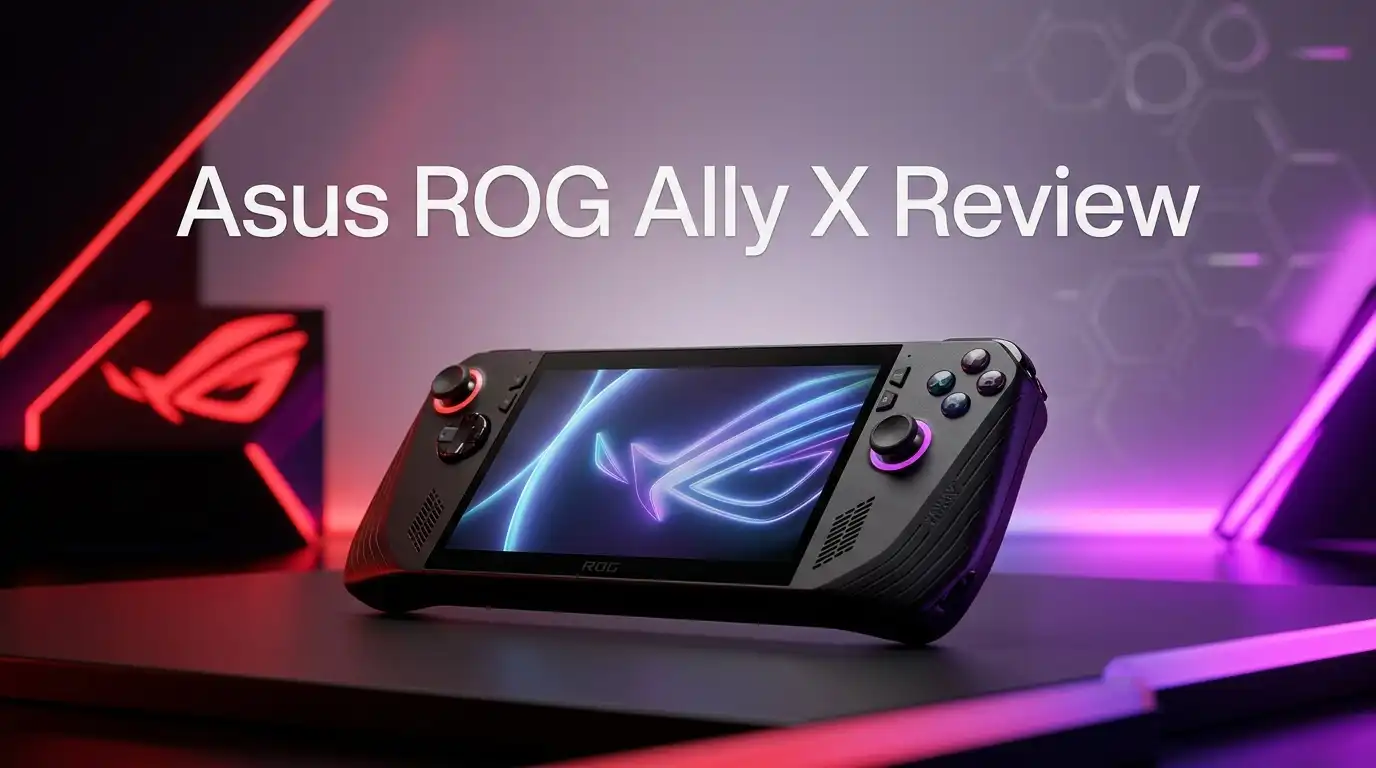
The Asus ROG Ally X is a handheld Windows 11 gaming PC. It runs Steam, Xbox Game Pass, Epic, GOG, Battle.net, and almost any PC launcher. That freedom is its biggest selling point.
Inside, it has the AMD Ryzen Z1 Extreme processor with eight Zen 4 cores and RDNA 3 graphics. It pairs that with 24GB of LPDDR5X memory at 7500 MT/s and a 1TB M.2 2280 SSD. The screen is a 7 inch 1080p IPS panel with a 120Hz refresh rate.
Think of it as a Ryzen gaming laptop that fits in your backpack pocket. Asus kept the original Ally’s chip and fixed most of its weak spots instead. The result is a mature, dependable device and one of the most balanced Windows handhelds you can buy.
Unboxing Experience
The box is simple and sturdy, with ROG branding and a clean black look. Lift the lid and the Ally X sits right on top in a protective sleeve. It feels like a premium product from the first second.
Under the console you will find a 65W USB C charger (included in the US) along with the usual quick start guide and warranty papers. There is no carrying case, which is a letdown at this price. You will want to buy one separately.
One small tip: a note on the packaging says to plug in the charger before the first power on. Some owners skipped this and worried the device was dead. Once it boots, Windows setup takes around 20 to 30 minutes, including updates. Grab a snack, because the first update round is slow.
Design and Build Quality
The Ally X feels solid. The plastic shell has no creaks, and the black finish hides fingerprints better than the white original. The grips are deeper and rounder, so your palms rest more naturally.
Asus redesigned the D pad, and it now feels more precise for fighting games and platformers. The joysticks are durable, and the triggers have a smooth pull. The rear macro buttons got smaller so you press them less often by accident.
The weight rose to 678 grams from 608 grams on the first Ally. You will notice it during long sessions held up in bed. Even so, the better weight balance keeps hand strain low. Overall, the build quality matches its premium price.
Top 3 Alternative for Asus ROG Ally X
ASUS ROG Xbox Ally X

Last update on 2026-11-20 / Affiliate links / Images from Amazon Product Advertising API Some of the links on this website are affiliate links, which means that at no additional cost to you, I earn a commission if you click through and make a purchase. I only recommend products and services that I believe will add value to my readers. Thank you for your support!
Valve Steam Deck OLED 1TB

Last update on 2026-10-29 / Affiliate links / Images from Amazon Product Advertising API Some of the links on this website are affiliate links, which means that at no additional cost to you, I earn a commission if you click through and make a purchase. I only recommend products and services that I believe will add value to my readers. Thank you for your support!
Lenovo Legion Go S

Last update on 2026-11-20 / Affiliate links / Images from Amazon Product Advertising API Some of the links on this website are affiliate links, which means that at no additional cost to you, I earn a commission if you click through and make a purchase. I only recommend products and services that I believe will add value to my readers. Thank you for your support!
Display Quality
The 7 inch screen runs at 1920 x 1080 resolution and 120Hz. It supports FreeSync Premium, so games feel smooth even when frame rates drop. Text is sharp, and colors look lively for an LCD.
Asus advertises 500 nits of brightness. In practice, tested brightness falls a little short of that number. It is fine indoors and in the shade, but direct sunlight washes it out.
The bigger issue is competition. The Steam Deck OLED and the newer ROG Xbox Ally X20 use OLED panels. OLED gives deeper blacks and stronger HDR, and side by side the Ally X looks a bit flat. Gorilla Glass Victus protects the panel, which is a nice touch. For most gamers the screen is good, though not the best on the market.
Performance in Real Games
The Z1 Extreme chip is not new, but it still holds up. Thanks to the faster 24GB memory, the Ally X performs better than the original Ally on the same chip. Integrated graphics depend heavily on memory speed, so this upgrade matters.
In demanding AAA games, aim for 720p to 900p with low to medium settings. Use FSR or AMD frame generation, and many titles reach 45 to 60 frames per second. Lighter games like Hades, Hollow Knight, or Rocket League easily hit high frame rates at 1080p.
There are three power modes: Silent, Performance, and Turbo. Turbo runs at 25W, or 30W when plugged in. Performance mode at 17W gives the best balance for most players. Brand new 2026 releases can struggle, so expect compromises in the heaviest games.
Battery Life
Battery life is the headline upgrade. The 80Wh battery doubles the original Ally’s 40Wh pack, and you feel the difference every day.
In heavy AAA games at 25W, expect about two and a half to three hours. At 15W in lighter or indie games, you can stretch it to five or six hours. Video playback runs much longer, and Asus quotes up to 14.5 hours.
The original Ally often died in about 90 minutes in big games. The Ally X fixed that problem. You can now play through a full flight or a long train ride. The newer Z2 Extreme handhelds are slightly more efficient, but the gap is small. This battery alone is a reason to pick the Ally X over the base Ally.
Software and Windows Experience
Windows 11 is both a blessing and a curse. You get access to every PC store and Game Pass, which SteamOS can’t fully match. But Windows was built for a mouse and keyboard, not a 7 inch touch screen.
Asus helps with Armoury Crate SE, which handles power modes, controller mapping, and driver updates. In 2026, the Ally X also supports the Xbox full screen experience. It boots straight into a console style interface and skips much of the desktop clutter.
It is a big step forward, though it still has flaws. Windows updates can pop up at bad times, and some launchers need a touch screen to log in. Sleep and resume work better than before but are less reliable than on a Steam Deck. Patience helps during the first week.
Controls and Ergonomics
Controls are an Ally X strength. The analog triggers feel smooth, and the face buttons have a satisfying click. The improved D pad now gives clear presses for each direction.
The joysticks sit in a symmetric layout like a PlayStation controller. Some players prefer the offset Xbox style, so try it in a store if you can. The rear macro buttons are smaller and less prone to accidental presses, and you can remap them in Armoury Crate SE.
HD haptics add subtle feedback during play. Hands of all sizes found the deeper grips comfortable. After two hours, you may feel the 678 grams in your wrists. A small stand or a kickstand case solves this during long sessions.
Ports, Storage and Upgrades
The Ally X has two USB C ports. One is USB4 with 40Gbps speed, which supports external GPUs and fast docks. The other is USB 3.2 Gen 2. Having two ports lets you charge and connect accessories at the same time.
Asus moved the microSD card reader away from the hot exhaust vent. This fixes a known card failure problem on the first Ally. There is also a 3.5mm headphone jack, WiFi 6E, and Bluetooth 5.2.
Storage is a 1TB SSD in the full size M.2 2280 format. That is great news, because full size drives are cheaper and easier to find. Upgrading to 2TB or 4TB takes about 15 minutes with a screwdriver. The Ally X dropped the XG Mobile port, but the USB4 port covers that need.
Heat and Fan Noise
Asus improved the cooling system on the Ally X. Air flows better, and the surface stays comfortable where your hands rest. The top vent gets warm, but your fingers never touch it during normal play.
Fan noise depends on the power mode. Silent and Performance modes stay quiet enough for a living room. Turbo mode is a different story, especially when plugged in at 30W. The fans become loud enough to hear over the speakers.
Earbuds or headphones fix this problem quickly. For late night gaming beside a sleeping partner, Performance mode works best. Thermal throttling is rare, so your frame rates stay steady even during long sessions.
What the ROG Ally X Does Not Do Well
An honest review needs to cover the weak spots. First, the LCD screen trails OLED rivals. Blacks look gray in dark scenes, and HDR is limited. If you play mostly at night, an OLED screen feels much better.
Second, the Z1 Extreme chip is now one generation old. The ROG Xbox Ally X uses the Ryzen AI Z2 Extreme, which runs a bit faster and more efficiently. The newest AAA games push the Ally X hard.
Third, Windows still causes small annoyances. Updates, launcher logins, and occasional sleep bugs can break your flow. Fourth, it is heavier than the original Ally. Finally, the box includes no carrying case. None of these are dealbreakers, but you should know about them before buying.
Pros and Cons
Pros
- The 80Wh battery doubles the original Ally’s capacity and gives long, practical play sessions.
- 24GB of fast LPDDR5X memory improves frame rates over the first Ally.
- The 1080p 120Hz screen with FreeSync Premium feels smooth and sharp.
- Two USB C ports, including USB4, support docks and external GPUs.
- The full size M.2 2280 SSD makes storage upgrades cheap and easy.
- Deeper grips and an improved D pad make it comfortable for long sessions.
- Windows 11 gives access to Steam, Game Pass, Epic, and every other PC store.
Cons
- The LCD panel can’t match the contrast and HDR of OLED rivals.
- The Z1 Extreme chip is a generation behind the newer Z2 Extreme.
- Fans get loud in Turbo mode, especially when plugged in.
- At 678 grams, it is heavier than the original Ally.
- Windows still shows occasional bugs with updates, logins, and sleep.
- No carrying case comes in the box.
Who Should Buy It
The Ally X suits PC gamers who want one device for every store. If you play Game Pass titles or own games on Epic, Battle.net, or GOG, Windows gives you full access with no workarounds.
It also fits budget conscious buyers in 2026. The ROG Xbox Ally X costs much more for a modest performance gain. A discounted Ally X gives you most of that experience for far less money.
Skip it if you want the best screen, since an OLED handheld will please you more. Skip it as well if you live inside Steam and hate Windows, because the Steam Deck OLED is simpler. Upgraders from the original Ally will love the huge battery jump.
Final Verdict
So, is the Asus ROG Ally X worth buying in 2026? Yes, especially at a discounted price. It remains one of the most complete Windows handhelds on the market.
The big battery, fast memory, comfortable grips, and USB4 port make it a polished, reliable machine. It runs most games well with sensible settings. It feels like the Ally that Asus should have released in the first place.
It is not perfect. The LCD screen, older chip, and Windows quirks hold it back from a perfect score. But for most players, value and versatility win out. If you want Windows handheld gaming without paying top price for the newest model, the Ally X is an easy pick.
FAQs
Is the ROG Ally X still good in 2026?
Yes. The Z1 Extreme chip and 24GB of memory still run most games well at 720p to 1080p. It offers great value now that it often sells below its launch price.
What is the difference between the ROG Ally X and ROG Xbox Ally X?
The ROG Xbox Ally X uses the newer Ryzen AI Z2 Extreme chip and has Xbox style grips. It runs slightly faster and more efficiently but costs much more.
How long does the ROG Ally X battery last?
Expect two and a half to three hours in heavy AAA games at 25W. Lighter games at 15W can last five to six hours.
Can I upgrade the SSD in the ROG Ally X?
Yes. It uses a standard M.2 2280 SSD, so you can swap in a 2TB or 4TB drive with basic tools.
Does the ROG Ally X have an OLED screen?
No. It uses a 7 inch 1080p 120Hz IPS LCD panel. It looks sharp and smooth but lacks the deep blacks of OLED.
Can the ROG Ally X play Xbox Game Pass games?
Yes. It runs Windows 11, so it supports Game Pass for PC, cloud gaming, and the Xbox app natively.
Is the ROG Ally X better than the Steam Deck OLED?
The Ally X is faster and supports every PC store. The Steam Deck OLED has a better screen and simpler software. Your choice depends on what matters most to you.

Hi, my name is Lily you can say i am a gadget hunter at this point. Welcome to Gadget Gallery The Gallery of Gadget Reviews