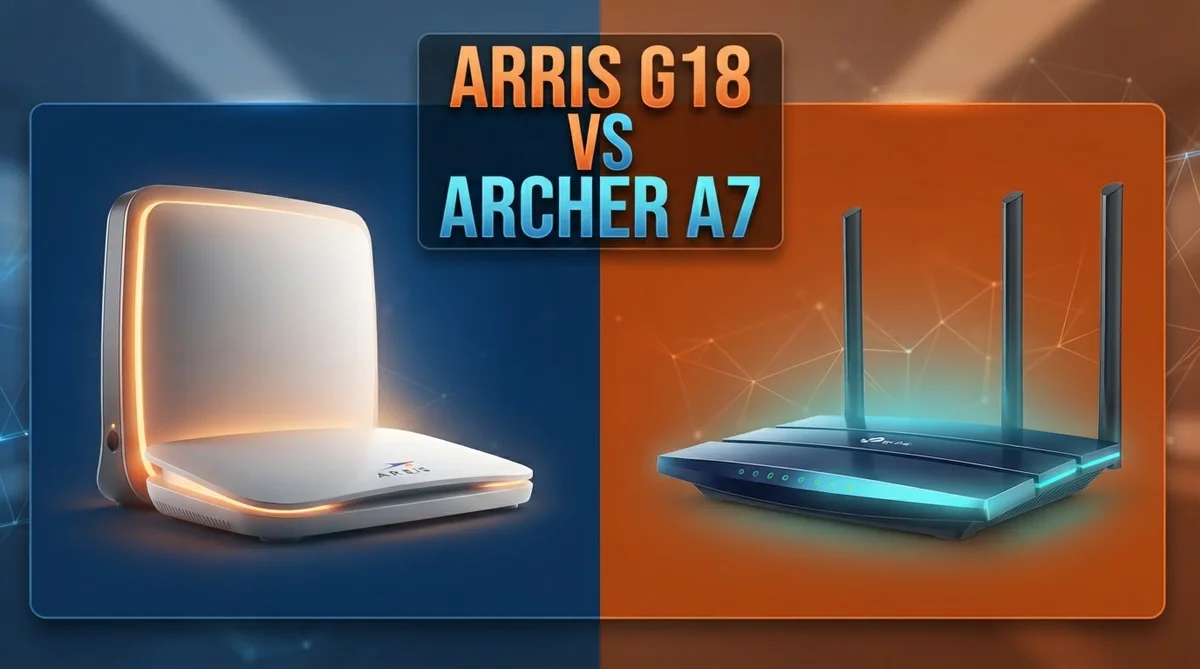
Arris G18 vs Archer A7: Who Takes the Crown?
Picking the right networking gear can feel confusing. Arris G18 and Archer A7 both promise reliable home internet.
But they work in very different ways.
The Arris G18 combines a modem and router in one device. It uses Wi-Fi 6 technology and supports DOCSIS 3.1 cable internet.
This makes it a smart pick for people who want less equipment cluttering their space.
The Archer A7 is a router only. It runs on Wi-Fi 5 and needs a separate modem to work.
Quick Comparison: Arris G18 vs Archer A7
| Feature | Arris G18 | Archer A7 |
|---|---|---|
| Device Type | Modem + Router combo | Router only |
| Wi-Fi Standard | Wi-Fi 6 (802.11ax) | Wi-Fi 5 (802.11ac) |
| Speed Rating | AX1800, up to 1 Gbps | AC1750 |
| Ethernet Ports | Two 1 Gbps ports | 1 WAN + 4 Gigabit LAN |
| Processor | Not specified | Qualcomm 750 MHz |
| Coverage Range | Decent range | ~2,500 sq ft |
| Design | Compact vertical tower | Three high-gain antennas |
| Best Use Case | Cable users wanting integrated device | Budget basic Wi-Fi coverage |
Arris G18 Review

Last update on 2026-10-11 / Affiliate links / Images from Amazon Product Advertising API Some of the links on this website are affiliate links, which means that at no additional cost to you, I earn a commission if you click through and make a purchase. I only recommend products and services that I believe will add value to my readers. Thank you for your support!
The Arris G18 is a 2-in-1 modem and router that combines DOCSIS 3.1 cable modem technology with Wi-Fi 6 connectivity in one compact tower-shaped device. It’s built for cable internet subscribers who want to eliminate separate equipment and save space.
This unit delivers up to 1 Gbps speeds on cable connections and covers homes with solid Wi-Fi 6 (AX1800) dual-band performance. You get two 1 Gbps Ethernet ports for wired devices, making it reliable for streaming, gaming, and remote work without extra clutter.
The vertical design fits neatly on shelves or desks, and the integrated modem means fewer cables and boxes to manage. Real-world testing shows stable wired connections and decent wireless range throughout most homes, with strong performance in the 5 GHz band.
The main trade-off is that Wi-Fi 6 doesn’t fully flex its capabilities on this model, and the limited Ethernet ports may feel restrictive if you have many wired devices.
Pros
- Space-saving 2-in-1 modem-router combo eliminates extra equipment
- Delivers steady speeds up to 1 Gbps on cable networks
- Stable wired connections with two Gigabit Ethernet ports
- Modern Wi-Fi 6 technology for faster wireless speeds
Cons
- Wi-Fi 6 performance doesn’t reach its full potential on this device
- Only two Ethernet ports limits wired device connectivity
Archer A7 Review


Last update on 2026-10-13 / Affiliate links / Images from Amazon Product Advertising API Some of the links on this website are affiliate links, which means that at no additional cost to you, I earn a commission if you click through and make a purchase. I only recommend products and services that I believe will add value to my readers. Thank you for your support!
The Archer A7 is a Wi-Fi 5 router that handles basic home internet needs without extra complexity. It works as a standalone router, so you need a separate modem to connect to your internet service provider.
This unit delivers AC1750 speeds across its dual-band setup, with 1300 Mbps on the 5GHz band and 450 Mbps on 2.4GHz. Three high-gain antennas help spread coverage across homes up to 2,500 square feet, making it suitable for small to medium spaces.
The build includes one WAN port and four Gigabit LAN ports, plus a USB 2.0 connection for network storage or printers. It runs a Qualcomm 750 MHz processor and offers basic parental controls for household management.
Real-world performance stays consistent for streaming, browsing, and light gaming in typical homes. The Archer A7 suits users who want straightforward Wi-Fi coverage without modern Wi-Fi 6 features or advanced networking tools.
Pros
- Three high-gain antennas deliver solid 5GHz range and coverage
- Four Gigabit LAN ports provide wired connections for multiple devices
- Simple setup and basic parental controls included
- Covers up to 2,500 square feet effectively
Cons
- Wi-Fi 5 technology is older compared to newer Wi-Fi 6 standards
- Limited advanced features and performance for demanding applications
- Slower speeds than higher-tier router models
Head to Head: Key Differences
The Arris G18 and Archer A7 serve different needs because they are fundamentally different devices. The G18 combines a cable modem and Wi-Fi 6 router in one unit, while the A7 is a standalone Wi-Fi 5 router that requires a separate modem.
Your internet source matters here. If you have cable internet, the G18 eliminates the need for a separate modem box, reducing clutter and setup complexity.
The A7 works with any internet type but requires you to own or rent a modem elsewhere.
Speed differences are noticeable in real use. The G18 delivers up to 1 Gbps over cable connections with Wi-Fi 6 (AX1800), while the A7 maxes out at AC1750 speeds with older Wi-Fi 5 technology.
For streaming 4K video or video calls, the G18 handles more simultaneous devices without slowdowns.
Port availability favors the A7 in one way. It includes four Gigabit LAN ports for wired devices, whereas the G18 only has two Ethernet ports.
If you need to plug in multiple devices like printers, gaming consoles, or security cameras, the A7 gives you more wired options.
Coverage and antenna design differ too. The A7 uses three high-gain antennas optimized for 5GHz range, making it solid for medium sized homes around 2,500 square feet.
The G18’s vertical tower design prioritizes compact placement over antenna performance.
The real choice comes down to your setup. Pick the G18 if you have cable internet and want one device handling everything. Choose the A7 if you already have a modem, need many wired ports, or prefer simplicity over cutting edge technology.
Which One Should You Buy
The Arris G18 takes the win in this matchup. It brings modern Wi-Fi 6 technology and combines your modem and router into one neat device.
This integration makes it a smart pick for cable internet subscribers. You get better speeds and less clutter on your desk.
The Archer A7 still holds its own for simpler needs. It works well as a standalone router for basic home networking.
Best for each buyer
- Arris G18: Cable internet subscribers wanting a space-saving, integrated modem-router combo with modern Wi-Fi 6 performance.
- Archer A7: Users needing a basic standalone router with decent coverage for simple, non-demanding home networking needs.
Frequently Asked Questions
Do I need a modem if I choose the Archer A7?
Yes, you do. The Archer A7 is a router only.
It connects to whatever modem you already have or rent from your internet provider. If you don’t have a modem yet, you’ll need to get one separately.
This gives you flexibility to pick your own modem or use your provider’s equipment.
The Arris G18 works differently because it combines both devices in one unit. You skip the separate modem step entirely if you have cable internet.
Which one handles more devices at once?
The Arris G18 performs better when many devices connect simultaneously. Its Wi-Fi 6 technology and integrated modem let it manage streaming, video calls, and downloads on multiple devices without noticeable slowdowns.
The Archer A7 works fine for typical households with basic activities. Heavy use like 4K streaming on several screens at once may cause performance dips.
Can I use the Archer A7 with cable internet?
Technically yes, but you’d need to add a separate cable modem. The Archer A7 itself doesn’t have modem capabilities.
You’d essentially be buying two separate pieces of equipment instead of one combined unit.
If you have cable internet and want everything in one box, the Arris G18 eliminates this extra step and saves space on your shelf or desk.
Which setup is more compact?
The Arris G18 wins here. Its vertical tower design fits neatly into tight spaces.
One device handles both modem and router functions.
The Archer A7 is just a router, so it’s compact too. But if you add a separate cable modem, you’re managing two devices instead of one.

Hi, my name is Lily you can say i am a gadget hunter at this point. Welcome to Gadget Gallery The Gallery of Gadget Reviews