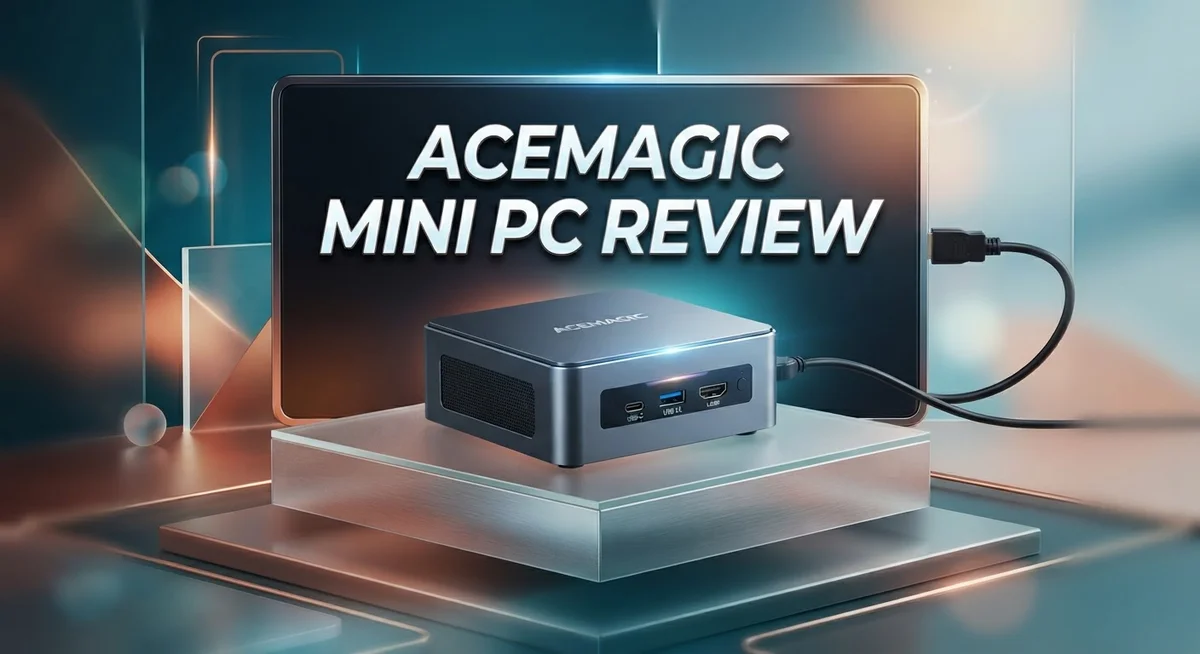
ACEMAGIC Mini PC Review 2026: Performance, Design, and Value
Looking for a small PC that still packs a punch? The ACEMAGIC Mini PC might be what you need. It fits in your palm but works like a full desktop.
This little machine runs on AMD Ryzen processors. You can pick from the Ryzen 5 7640HS, Ryzen 5 7430U, or Ryzen 7 7730U. Each option brings solid power for daily tasks.
It comes with 16GB of LPDDR4X RAM and a 512GB SSD. These specs help it handle multiple apps without slowing down. The Radeon 760M graphics add smooth visuals for work and play.
In a Nutshell
- Triple display support lets you connect up to three 4K screens at once. This makes multitasking simple for work or play.
- The Radeon 760M graphics handle everyday tasks and light gaming with ease. You get smooth visuals without extra hardware.
- Dual 2.5G LAN ports give you fast and stable wired internet. This is great for video calls or large file transfers.
- Optimized cooling keeps the system running smooth during long sessions. It stays quiet even under heavy use.
- This mini PC fits well in offices, media centers, and gaming setups. It adapts to different spaces and needs.
- Some buyers noted pricing inconsistencies during flash sales. Always check current deals before you buy.
- Overall, it offers strong performance in a small frame. It suits people who want power without a bulky tower.
Processor and Performance
The ACEMAGIC Mini PC gives you real processing power in a tiny package. You get to choose between three AMD Ryzen options. The Ryzen 5 7640HS delivers solid all-around performance. The Ryzen 5 7430U focuses on efficiency for lighter tasks. The Ryzen 7 7730U steps up for users who demand more speed.
Raw performance matters, and this machine handles it well. The processors work with 16GB of LPDDR4X RAM to keep everything smooth. You can run multiple applications at once without slowdowns. Switching between programs feels quick and responsive.
Storage speed plays a big role in overall performance. The 512GB SSD boots your system fast and loads files instantly. Applications launch without delays. You notice the difference when you work with large files or edit media.
The Radeon 760M graphics deserve special attention. This GPU handles everyday computing tasks without breaking a sweat. You can watch videos, edit photos, and do light gaming. It won’t max out demanding triple A games, but it performs well for casual gaming and creative work.
Real world usage shows strong results. Office workers report smooth multitasking. Content creators appreciate the balanced performance. Gamers find it suitable for older titles and lighter games.
Cooling optimization keeps performance consistent. The system doesn’t throttle under sustained workloads. Long sessions remain stable. You won’t hear excessive fan noise during normal use.
The processor and graphics combination hits a sweet spot. You get enough power for professional work. You also get enough efficiency to keep the system quiet and cool. This balance makes the ACEMAGIC Mini PC versatile.
Processing speed depends on your specific needs. Light browsing and document work feel instant. Video editing and rendering take longer, but the system handles it. Gaming performance varies by title, but casual gaming runs smoothly.
The real strength lies in consistency. Performance remains steady whether you work for an hour or all day. The system doesn’t degrade over time. This reliability in performance makes it a solid choice for various users.

Last update on 2026-09-17 / Affiliate links / Images from Amazon Product Advertising API Some of the links on this website are affiliate links, which means that at no additional cost to you, I earn a commission if you click through and make a purchase. I only recommend products and services that I believe will add value to my readers. Thank you for your support!
Design and Build Quality
The ACEMAGIC Mini PC impresses with its physical design that prioritizes space efficiency without sacrificing functionality. The compact form factor fits easily on desks, shelves, or behind monitors, making it ideal for users who value a clean workspace setup.
Build quality reflects careful engineering throughout. The chassis uses durable materials that protect internal components while maintaining a professional appearance. The device remains lightweight enough to move between locations, yet sturdy enough to handle regular use. The construction feels solid during handling and setup.
Thermal management represents a key design strength. The system incorporates optimized cooling pathways that prevent overheating during intensive tasks. Air circulation flows efficiently through strategically placed vents. Users running extended work sessions or gaming sessions benefit from consistent performance without throttling concerns.
Connectivity ports are thoughtfully positioned for easy access. The USB4 port supports high speed data transfer and display connectivity. Dual 2.5G LAN ports sit prominently for quick network connections. WiFi 6 and Bluetooth 5.2 provide wireless flexibility. The triple display support capability means you can expand your workspace significantly without adding external hardware.
Physical dimensions make this mini PC a genuine space saver compared to traditional desktop towers. The footprint rivals many laptop docking stations, yet delivers desktop level processing power. Cable management becomes simpler thanks to the compact layout and multiple connectivity options clustered logically.
The design philosophy balances aesthetics with practicality. A sleek exterior appearance suits modern office environments and home setups equally well. The matte finish resists fingerprints and dust accumulation better than glossy alternatives.
One consideration involves the compact size requiring careful attention to ventilation space. Users should avoid blocking air vents with papers or other objects. Placing the unit on hard, flat surfaces ensures optimal cooling performance.
Overall, the ACEMAGIC Mini PC demonstrates thoughtful industrial design. Every element serves a purpose, from the cooling system to the port placement. The build quality supports extended daily use across various environments. Whether you need a portable workstation or a permanent desk fixture, the physical design adapts well to different scenarios.
Connectivity and Expansion
The ACEMAGIC Mini PC packs serious connectivity features into its small frame. You get USB4 support, which means fast data transfers and the ability to connect external graphics cards if you need extra power later.
Networking is where this machine really shines. The dual 2.5G LAN ports let you connect two wired networks simultaneously. This setup works great if you need redundancy or want to split your internet traffic. You also get WiFi and Bluetooth 5.2 for wireless devices.
Display connectivity deserves special attention here. The mini PC supports triple 4K display output. You can run three monitors at once without any special adapters. This makes it perfect for productivity work where you need lots of screen space.
The USB4 port opens up expansion possibilities. You can add external storage drives for backup purposes. You can also connect high-speed peripherals without bottlenecks. This future-proofs your setup if you decide to upgrade later.
WiFi connectivity keeps things flexible. You don’t always need to rely on cables. Bluetooth 5.2 pairs smoothly with wireless mice, keyboards, and headphones. The range is solid, and connection stability remains consistent in most environments.
The dual LAN setup is unusual for mini PCs. Most compact systems offer just one network port. Having two means you can run multiple connections simultaneously. This helps if you stream video while uploading files to a server.
One thing to note: all these ports fit into the compact chassis. Cable management requires some planning, but it’s definitely manageable. The ports are positioned logically around the device for easy access.
The expansion options feel generous for a mini PC. You won’t feel locked into the base configuration. Storage can be upgraded later if needed. Peripherals connect reliably without performance drops.
Overall, the ACEMAGIC Mini PC gives you serious connectivity flexibility. The combination of USB4, dual LAN, and triple display support covers most user needs. Whether you need a workstation or media center, the ports and expansion options deliver real functionality.
Top 3 Alternatives
ASUS VivoMini PC

Last update on 2026-09-17 / Affiliate links / Images from Amazon Product Advertising API Some of the links on this website are affiliate links, which means that at no additional cost to you, I earn a commission if you click through and make a purchase. I only recommend products and services that I believe will add value to my readers. Thank you for your support!
The ASUS VivoMini PC offers a compact computing solution for users seeking performance in a small form factor. This device delivers solid processing power while maintaining a minimalist design that fits easily on any desk or entertainment center.
The system features efficient cooling technology and runs quietly during everyday tasks. You get reliable performance for web browsing, office work, and media consumption. The build quality reflects ASUS’s reputation for durability and attention to detail.
Intel NUC Mini PC

Last update on 2026-09-17 / Affiliate links / Images from Amazon Product Advertising API Some of the links on this website are affiliate links, which means that at no additional cost to you, I earn a commission if you click through and make a purchase. I only recommend products and services that I believe will add value to my readers. Thank you for your support!
Intel NUC Mini PC stands out as a powerhouse in compact computing. These devices pack impressive processing capabilities into a box smaller than most external hard drives.
The NUC line offers flexibility with various configuration options to match different needs. Whether you need basic productivity or more demanding applications, Intel provides models across multiple performance tiers. The system runs efficiently and generates minimal noise, making it ideal for quiet environments. Expandability options allow you to upgrade storage and memory as your needs grow.
Beelink SER Mini PC

Last update on 2026-09-19 / Affiliate links / Images from Amazon Product Advertising API Some of the links on this website are affiliate links, which means that at no additional cost to you, I earn a commission if you click through and make a purchase. I only recommend products and services that I believe will add value to my readers. Thank you for your support!
Beelink SER Mini PC delivers strong performance at a practical size. This option appeals to users who want desktop-like capabilities without a traditional tower setup.
The device handles multitasking smoothly and supports various connectivity options for peripherals and displays. The fanless or low-noise operation makes it suitable for offices and home environments where silence matters. The compact design doesn’t compromise on ports or functionality, giving you access to USB connections, audio jacks, and display outputs you actually need.
Each alternative brings different strengths to the mini PC market, offering choices based on your specific computing requirements and preferences.
Cooling and Thermal Management
The ACEMAGIC Mini PC keeps your system running cool even during intense workloads. The compact chassis might seem like a challenge, but the engineers designed smart airflow paths throughout the unit. Air moves efficiently from intake vents to exhaust ports without getting trapped in dead zones.
Thermal sensors monitor temperatures in real time. This means the cooling system adjusts fan speed automatically based on what you’re doing. Light office work runs almost silently. Heavy gaming or video editing ramps up the fans only when needed. You get the best of both worlds: quiet operation and reliable cooling.
The Ryzen processors in this machine generate moderate heat compared to full sized desktop CPUs. The Radeon 760M graphics also stay within reasonable temperature ranges. This combination helps the cooling system work less hard overall. Your system stays stable without excessive noise pollution on your desk.
Heat dissipation happens through multiple pathways. Metal components conduct warmth away from the processor. Aluminum chassis panels act as passive radiators. The fan system moves hot air out of the case continuously. This multi layer approach prevents hot spots from building up inside.
Ventilation space matters more than you might think. You need to keep the intake and exhaust vents clear. Placing the mini PC on an open shelf works better than tucking it into a closed cabinet. Even a few inches of clearance around the unit improves cooling performance noticeably. Poor ventilation can reduce efficiency and increase noise levels.
Under normal conditions, internal temperatures stay well within safe operating ranges. The system won’t throttle performance or shut down unexpectedly due to heat. Users report consistent performance throughout extended work sessions and gaming marathons.
The thermal management design reflects careful engineering. Everything from component placement to vent positioning contributes to the overall cooling strategy. This attention to detail means you can focus on your work without worrying about your machine overheating. The ACEMAGIC Mini PC handles heat like a machine built for real world use, not just marketing promises.
Display and Multi-Monitor Support
The ACEMAGIC Mini PC shines when it comes to display flexibility. This machine supports up to four displays simultaneously, which opens doors for serious multitasking setups. Whether you work with spreadsheets, video editing software, or financial dashboards, you can spread your workflow across multiple screens without breaking a sweat.
The 4K triple display support is particularly impressive for a device this compact. Most mini PCs force you to choose between portability and screen real estate. This one lets you have both. You can run one 4K monitor while keeping two additional displays active, giving you genuine productivity gains.
Connection options matter here. The USB4 port acts as your primary display gateway, supporting high bandwidth video signals. This means you get crisp, lag free image transmission even at maximum resolution. The port handles data transfer and video simultaneously, so you’re not sacrificing speed for screen space.
Multiple display configurations work seamlessly with the ACEMAGIC’s graphics setup. The Radeon 760M GPU distributes processing power efficiently across all connected monitors. You won’t experience the stuttering or performance drops that plague some compact systems under heavy display loads.
For professionals, this capability transforms the ACEMAGIC into a legitimate workstation replacement. Designers can monitor reference images on one screen while working on another. Traders can watch multiple data feeds at once. Content creators benefit from extended editing timelines and preview windows.
The compact chassis doesn’t limit your expansion ambitions. All display connections remain easily accessible without requiring desk rearrangement. Cable management stays simple because ports sit on the back and sides, keeping your workspace clean.
One practical consideration: running multiple 4K displays does increase power consumption. Your cooling system works harder, though the thermal design handles this gracefully. Most users report stable performance even with maximum display configurations active for extended periods.
The display versatility makes the ACEMAGIC particularly valuable for anyone transitioning from a traditional desktop setup. You maintain your multi monitor workflow while gaining the space efficiency of a mini PC. That’s a genuine advantage worth noting.
Pros and Cons
Pros
- Compact design saves desk space without sacrificing performance
- Energy efficient operation keeps power consumption low
- Multiple connectivity options including USB4 and dual 2.5G LAN ports
- Works well for office tasks, gaming, and media center setups
- Optimized cooling system handles demanding workloads quietly
Cons
- Some users report reliability concerns that warrant consideration before purchase
- Flash sale pricing shows inconsistencies across different retailers
- Running multiple 4K displays simultaneously increases power draw noticeably
- Limited long term durability data available from independent sources
Who Should Buy It
The ACEMAGIC Mini PC works best for specific user groups. Content creators and video editors benefit from the 4K triple display support. You get more screen real estate without needing a large desk footprint. The Ryzen processors handle video rendering tasks smoothly.
Remote workers and office professionals find this machine ideal. The compact design fits any workspace. USB4 and dual 2.5G LAN ports keep your data moving fast. Video conferencing runs without lag. You can connect multiple monitors for increased productivity.
Gaming enthusiasts should consider this device. The Radeon 760M graphics handle modern games at solid frame rates. The optimized cooling system keeps performance stable during long gaming sessions. The compact chassis means you can move it between rooms easily.
Media center builders love this form factor. Stream content to your TV. Connect gaming consoles. The multiple connectivity options make integration simple. Energy efficient operation means lower electricity bills.
Students and casual users appreciate the space savings. Dorm rooms and small apartments benefit from the compact design. Basic tasks like web browsing, document editing, and streaming work perfectly. The 16GB RAM handles multitasking without stuttering.
Small business owners can use this as a server or workstation. The dual 2.5G LAN ports support network setups. Multiple display support helps manage business operations from one device.
However, some users should wait. If reliability is your top concern, research more independently. Some discussions mention durability questions. If you need maximum performance, a full desktop might serve you better. The ACEMAGIC prioritizes efficiency over raw power.
If you run multiple 4K displays constantly, expect higher power consumption. This matters for energy conscious users. If you prefer long term support and extensive warranty coverage, verify what the manufacturer offers.
The ACEMAGIC Mini PC shines for people who value space efficiency and connectivity. You get desktop performance in a tiny package. The real question is whether your specific workflow matches what this device does well.
Final Verdict
The ACEMAGIC Mini PC earns its spot as a smart choice for many buyers. Its blend of power and portability stands out in a crowded market. This device proves that small size does not mean small performance.
Throughout this review, we have looked at specs, features, and real world use cases. The AMD Ryzen processors handle everyday tasks with ease. The Radeon 760M graphics add extra muscle for creative work and light gaming.
Should you buy this mini PC? The answer depends on your specific needs. If you want a machine that fits neatly into a home office or living room setup, this is a strong pick.
Who benefits most? Anyone tired of bulky desktop towers will appreciate this shift. The compact frame does not force you to compromise on ports or performance. You get a machine that adapts to your workspace instead of dominating it.
That said, buyers should weigh the reported reliability issues against the benefits. Every product has tradeoffs, and this one is no exception. Reading recent user feedback before purchase remains a smart step.
Think about your daily workflow before deciding. Do you need triple display support? Do you juggle multiple tasks that demand steady performance? If yes, this mini PC likely fits your needs well.
For those who prioritize a tidy setup without giving up capability, this device delivers real value. It brings desktop level function into a footprint that fits almost anywhere.
In short, the ACEMAGIC Mini PC works best for people who value efficiency and flexibility over sheer bulk. It handles office work, streaming, and moderate gaming without breaking a sweat.
Final thought: this mini PC is not for everyone, but it serves its target audience well. If you fall into the categories we outlined, this machine deserves serious consideration. Just stay informed about the concerns we mentioned, and you should find it a reliable addition to your setup.
Frequently Asked Questions
Can the ACEMAGIC Mini PC handle 4K video editing?
Yes, it can handle 4K editing with the right software. The Ryzen 7 7730U processor and Radeon 760M graphics provide enough power for this task. You’ll get smooth performance with most editing applications. Keep in mind that rendering times depend on your project complexity.
The 16GB RAM helps, but demanding timelines may slow things down. Consider upgrading storage for faster file access during projects.
Does this mini PC work for gaming?
Absolutely. The Radeon 760M handles modern games at 1080p and 1440p settings. You’ll see solid frame rates in popular titles. The compact design doesn’t mean weak performance here.
Cooling stays efficient even during long gaming sessions. Just know that ultra high end AAA games at maximum settings may need adjustments.
What’s the real world power consumption like?
The ACEMAGIC Mini PC runs very efficiently during everyday tasks. Office work and web browsing use minimal electricity. Gaming and video work increase power draw noticeably, especially when running multiple 4K displays simultaneously.
Most users report low energy bills compared to full size desktops.
Is this reliable for long term use?
Some users have reported reliability concerns worth noting. You should research current owner feedback before committing. The cooling system works well, which helps longevity.
Limited independent durability data exists, so consider the warranty carefully.
Who should actually buy this device?
Remote workers, office professionals, and media enthusiasts get the most value. Students love the space savings. Small business owners use it as a compact server. Anyone tired of bulky towers will appreciate the shift.
If you need a flexible, efficient machine, this fits the bill.

Hi, my name is Lily you can say i am a gadget hunter at this point. Welcome to Gadget Gallery The Gallery of Gadget Reviews