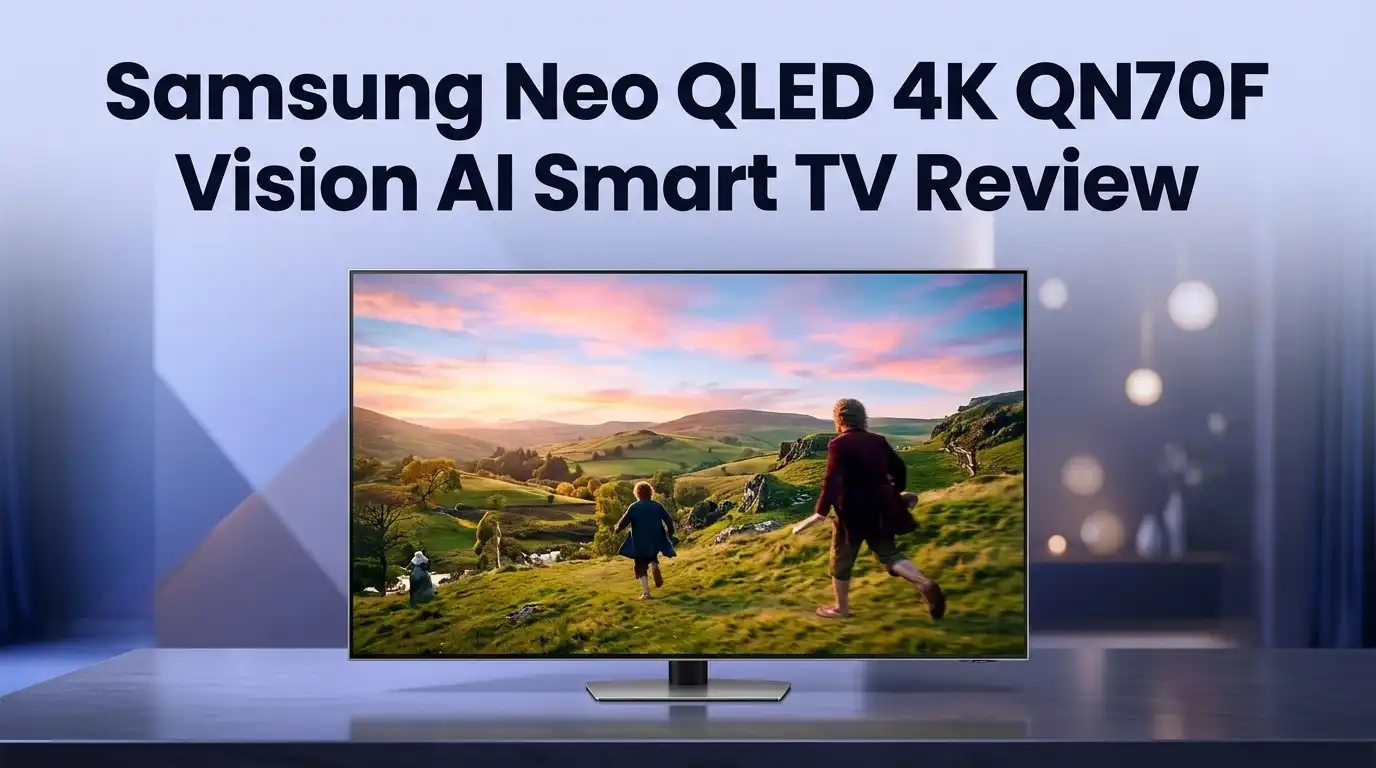
Samsung Neo QLED 4K QN70F Vision AI Smart TV Review
Buying a Mini LED TV in 2026 feels confusing. Every brand shouts about AI, nits, and dimming zones. The Samsung QN70F sits right in the middle of that noise, and it keeps showing up in shopping carts because the price looks tempting.
I spent weeks with this TV in a normal living room, not a lab. I watched football on Sunday afternoons, played console games at night, and streamed a lot of average quality content. This review covers what actually happened, including the parts Samsung does not advertise.
You will get real picture impressions, honest sound complaints, gaming numbers, and a clear list of who should skip this TV completely. No fluff, no copied spec sheet.
In a Nutshell:
- Picture quality is strong for the money. The QN70F measures roughly 750 nits in real content, which beats most standard LED TVs. Colors look rich, motion looks smooth, and 4K discs look excellent. This is a clear step above Samsung’s cheaper Q7F series.
- The backlight is Edge Mini LED, not full array Mini LED. Samsung places the LEDs along the bottom edge instead of behind the whole panel. You still get local dimming and better contrast, but you do not get the deep black levels of a full array Mini LED TV.
- Gaming is the standout feature. Four HDMI 2.1 ports support 4K at 144Hz, plus AMD FreeSync Premium Pro and a fast Game Bar. Very few TVs at this price give you four full bandwidth ports.
- The sound is the weakest part. The 20W Object Tracking Sound Lite system handles dialogue fine and collapses on action scenes. Budget for a soundbar on day one.
- There is no Dolby Vision, ever. Samsung supports HDR10+ and HDR10 only. Most streaming apps default to Dolby Vision, so you watch the HDR10 fallback instead.
- Vision AI is useful, not magical. Click to Search and Live Translate work well. AI Picture Mode helps casual viewers and annoys purists.
Samsung Neo QLED 4K QN70F Vision AI Smart TV

Last update on 2026-08-22 / Affiliate links / Images from Amazon Product Advertising API Some of the links on this website are affiliate links, which means that at no additional cost to you, I earn a commission if you click through and make a purchase. I only recommend products and services that I believe will add value to my readers. Thank you for your support!
The QN70F is Samsung’s entry point into the Neo QLED family for the 2025 and 2026 shopping seasons. It arrives in 50, 55, 65, 75, and 85 inch sizes, so most rooms have an option.
Inside sits the NQ4 AI Gen2 processor. This chip runs 20 neural networks for upscaling and noise reduction. Samsung’s pricier sets use the Gen3 chip with 128 networks, and that gap shows on weak cable channels.
The panel uses quantum dots with Edge Mini LED backlighting. Samsung calls the system Quantum Matrix Slim. In plain language, tiny LEDs sit along the bottom of the screen and a light guide spreads that light across the panel.
The refresh rate runs from 60Hz up to 144Hz. That covers movies at 24fps, console games at 120fps, and PC games above that. Motion Xcelerator handles the interpolation duties.
Software runs on Tizen with the One UI layout. Samsung promises seven years of Tizen upgrades on this generation, which matters more than any single feature.
Peak brightness lands near 750 nits on real HDR scenes. Color volume is excellent thanks to the quantum dot layer. This TV was built for bright family rooms, not dark home cinemas.
Unboxing and First Impressions
The box is huge and surprisingly light for a 65 inch TV. Samsung uses the standard flat pack design with two large foam clamshells and a cardboard sled for the accessories.
Two people should handle the lift. The panel itself weighs about 48 pounds with the stand, and the screen flexes if you grip it wrong.
Inside the accessory tray you get the SolarCell remote, a power cable, the stand feet with screws, and a small quick start card. Samsung includes an HDMI cable in some retail bundles, so check your listing.
The SolarCell remote deserves a mention. It charges from room light or USB C, so you never buy batteries again. That small detail still feels clever after three years of Samsung using it.
Assembly took me eleven minutes alone. The two feet slot into rails on the bottom of the chassis and lock with four screws. No stand plate, no fiddly alignment.
First power on triggers a WiFi setup and a Samsung account login. The setup wizard pushes hard on Samsung TV Plus and Bixby, and you can skip both.
The very first thing I noticed was the panel’s gloss. It reflects lamps and windows clearly. Samsung saved the matte filter for pricier models, and you feel that decision immediately.
Design and Build Quality
Samsung kept the QN70F simple. The bezel measures a few millimetres on three sides, and the bottom chin carries a thin metallic strip with the logo.
The rear panel is textured plastic with a shallow cable channel. Nothing looks premium back there, but nothing rattles either.
Depth is the honest talking point. This set measures around 1.1 inches thick at the top and thickens near the base where the electronics live. It looks slim on a wall from straight on and less slim from the side.
The feet sit near the outer edges of the panel. Your TV stand needs to be almost as wide as the screen, which caught me off guard. Measure before you order.
Foot height gives you roughly two inches of clearance. A slim soundbar fits underneath. A tall soundbar will block the bottom of the screen.
Wall mounting uses a standard 400 x 300 VESA pattern on the 65 inch model. All ports face sideways, so the TV sits reasonably flush.
Build quality feels solid rather than luxurious. There is some panel flex when you carry it, and the plastic creaks slightly under pressure near the top corners. For a TV in this price bracket, that is completely normal.
Top 3 Alternatives for Samsung QN70F

Last update on 2026-08-22 / Affiliate links / Images from Amazon Product Advertising API Some of the links on this website are affiliate links, which means that at no additional cost to you, I earn a commission if you click through and make a purchase. I only recommend products and services that I believe will add value to my readers. Thank you for your support!
Hisense 65 Inch U7 Mini LED ULED 4K Google TV


Last update on 2026-08-22 / Affiliate links / Images from Amazon Product Advertising API Some of the links on this website are affiliate links, which means that at no additional cost to you, I earn a commission if you click through and make a purchase. I only recommend products and services that I believe will add value to my readers. Thank you for your support!
TCL 65 Inch QM6K Series QD Mini LED 4K Google TV

Last update on 2026-08-22 / Affiliate links / Images from Amazon Product Advertising API Some of the links on this website are affiliate links, which means that at no additional cost to you, I earn a commission if you click through and make a purchase. I only recommend products and services that I believe will add value to my readers. Thank you for your support!
LG 65 Inch QNED evo AI QNED85A Series Mini LED 4K Smart TV
Picture Quality in Real Viewing
Bright content is where this TV earns its money. Daytime sports look punchy, grass looks green rather than yellow, and skin tones stay natural in Filmmaker Mode.
4K Blu ray discs impressed me most. Fine detail in fabric and hair comes through clearly, and Samsung’s processing adds almost no visible noise.
Contrast is better than a normal LED TV and worse than a full array Mini LED set. The edge dimming zones run in vertical columns, so the TV brightens or darkens wide strips of the screen at once.
You see this in practice during letterboxed films. The black bars lift to a soft grey during bright scenes, then settle back down. It is not distracting from a normal seating distance, but you will notice it in a dark room.
Star fields, credits on black, and night scenes are the weak spots. Blacks look dark grey rather than black, and small bright objects carry a faint halo.
Color accuracy out of the box is good in Filmmaker Mode and oversaturated in Standard. Switch to Filmmaker Mode and leave it there for movies.
Upscaling handles 1080p well and struggles with 480p cable. The Gen2 processor smooths noise but softens fine detail when the source is genuinely bad.
Viewing angles are average. Colors wash out and black levels lift once you move past roughly 30 degrees off centre.
Brightness and Reflection Handling
Peak brightness sits around 750 nits in a 10 percent HDR window. Full screen white drops lower, closer to 500 nits.
Those numbers place the QN70F in the comfortable middle. It is far brighter than any basic LED TV and far dimmer than Samsung’s QN90F flagship.
In a room with two windows and afternoon sun, the picture held up well. HDR highlights still popped, and SDR content never looked washed out.
Reflection handling is the compromise. The glossy coating rejects a fair amount of light but still mirrors bright objects behind you.
I moved a floor lamp twice before I found a spot where it stopped appearing in dark scenes. A window directly behind your sofa will be visible on this screen.
HDR impact depends heavily on the content. Bright, colorful HDR10+ material looks genuinely impressive, with strong specular highlights on water and metal.
Dark, moody HDR films look flat by comparison. The TV cannot push a small highlight against deep black without lifting the surrounding area.
Automatic brightness sensing works quietly in the background. It dims the picture at night, and some viewers find that irritating. You can disable Ambient Light Detection in the picture settings menu.
Vision AI Features Explained
Vision AI is Samsung’s umbrella name for the 2025 and 2026 software features. Some are genuinely handy and some are demo material.
Click to Search is the highlight. Press the AI button during playback and the TV identifies actors, locations, and products on screen. It worked correctly maybe seven times out of ten in my testing.
Live Translate generates real time subtitles for live broadcasts in several languages. Accuracy is decent for clear speech and poor for fast dialogue with background noise.
AI Picture Mode analyses each scene and adjusts contrast, sharpness, and motion automatically. Casual viewers will like it. Anyone who cares about director intent should ignore it completely.
AI Upscaling attempts to rebuild detail in low resolution sources. The Gen2 chip does a fair job on 720p sports and a mediocre job on old standard definition content.
Generative Wallpaper creates artwork for the screen when the TV is idle. The QN70F also gets access to the Samsung Art Store, which used to be exclusive to The Frame.
Active Voice Amplifier raises dialogue volume when it detects room noise. This one surprised me and actually helps during noisy evenings.
The AI features run locally and through Samsung’s servers. Privacy conscious buyers can disable most of them during setup.
Tizen Smart TV Platform and Apps
Tizen with One UI is fast. Menus open instantly, and app switching rarely stutters, even after weeks of use.
App coverage is complete. Netflix, Disney Plus, Max, Prime Video, Apple TV, YouTube, Peacock, and Plex are all present and updated.
The home screen is busy. Samsung places advertisements, TV Plus channel tiles, and sponsored content above your actual apps.
You can reorder the app row and hide some rows. You cannot remove the promoted content entirely. This is my biggest complaint about Tizen in 2026.
Samsung TV Plus offers hundreds of free ad supported channels. It is genuinely useful background viewing, with old shows, news, and movie channels.
Voice control runs through Bixby and Alexa. Alexa handles smart home commands better, and Bixby handles TV settings better.
SmartThings integration is the real strength here. The TV becomes a hub for Samsung appliances, cameras, and lights, and the dashboard is easy to read.
Multi View splits the screen between a source and your phone. Sports fans will use this more than they expect.
Samsung commits to seven years of Tizen updates on this generation. That software promise adds real long term value to the purchase.
Gaming Performance Tested
Gaming is where the QN70F punches above its price. All four HDMI ports run at 48Gbps.
That means four devices can output 4K at 144Hz. Most competitors give you two HDMI 2.1 ports and two older ones.
Input lag measures around 9 to 10ms at 4K 60Hz in Game Mode. At 120Hz it drops closer to 5ms.
Variable refresh rate support covers HDMI Forum VRR, AMD FreeSync Premium Pro, and G Sync compatibility. Tearing disappeared completely on my PS5 and PC.
Auto Low Latency Mode kicks in automatically. The TV switches to Game Mode the moment a console wakes up.
The Game Bar overlay shows frame rate, VRR status, HDR status, and input lag. You can also change aspect ratio to ultrawide for PC play.
Samsung Gaming Hub streams Xbox Game Pass, GeForce Now, and Amazon Luna without a console. Cloud gaming on a 65 inch screen works better than I expected.
Black levels remain the limitation. Dark dungeon crawlers and space games reveal the edge dimming weakness clearly.
Bright, colorful games look fantastic. Racing titles, sports games, and open world adventures shine here. Competitive gamers on a budget should shortlist this TV.
Sound Quality and the Soundbar Problem
The QN70F ships with a 20W two channel speaker system. Object Tracking Sound Lite adds virtual positioning to that setup.
Dialogue clarity is the strong point. Voices sit clearly in the centre, and the Active Voice Amplifier lifts them further when needed.
The soundstage is wider than expected. OTS Lite pushes effects left and right convincingly during action sequences.
Bass barely exists. Explosions sound like taps, and music loses its entire bottom half.
Push the volume past 60 percent and the drivers start to compress. Loud scenes turn harsh rather than exciting.
This TV needs a soundbar. That is not a criticism unique to Samsung, but it is a real cost you must plan for.
Q Symphony is the redeeming feature. Pair a compatible Samsung soundbar and the TV speakers keep playing alongside it rather than switching off.
Wireless Dolby Atmos works with recent Samsung soundbars over WiFi. The setup takes about two minutes and removes one cable from your rack.
The TV supports Dolby Atmos passthrough over eARC. It does not support DTS decoding, which affects some Blu ray discs and older media files.
Set aside 150 dollars minimum for audio when you budget for this TV.
Connectivity and Ports
Port selection is generous. You get four HDMI 2.1 inputs, all at full 48Gbps bandwidth.
HDMI 3 carries eARC for soundbar and receiver connections. Using it still leaves three full speed gaming ports free.
There are two USB A ports on most models, plus an optical digital audio output. An Ethernet jack sits alongside for wired networking.
WiFi 5 handles wireless duties on this model. Samsung reserves WiFi 6E and 7 for higher tiers, and streaming 4K never buffered for me on a normal home network.
Bluetooth 5.2 pairs headphones, controllers, and keyboards. Audio latency over Bluetooth is acceptable for TV but poor for gaming.
All ports face sideways in a recessed bay. Wall mounting stays tidy as long as your cables have slim connectors.
There is no wireless One Connect box here. Samsung keeps that for The Frame Pro and flagship models.
ATSC 3.0 tuner support depends on your region and model number. Check the specific SKU if over the air broadcasts matter to you.
AirPlay 2 and Chromecast built in are both absent in the traditional sense. AirPlay 2 is supported, Google Cast is not.
What the QN70F Does Not Do Well
Honest reviews name the failures. Here are mine after weeks of daily use.
Dark room performance disappoints. Edge Mini LED cannot compete with full array dimming, and black bars glow grey during films.
No Dolby Vision support. Netflix, Disney Plus, and Apple TV all master content in Dolby Vision, and you get the HDR10 version instead.
No DTS audio decoding. Physical media collectors and Plex users will hit this wall.
Reflections are visible. The glossy panel mirrors windows and lamps behind your seating position.
Viewing angles narrow quickly. Wide sofas mean the person on the far end sees a duller picture.
The processor is a generation behind. NQ4 AI Gen2 handles bad sources less gracefully than the Gen3 chip in pricier Samsung models.
Ads live on the home screen. You paid for the TV and Samsung still promotes content on it.
Built in audio is thin. Plan for a soundbar or accept flat, bass free sound.
Local dimming creates visible blooming. Bright subtitles on dark backgrounds carry a soft glow around them.
None of these are dealbreakers in a bright room. Several are dealbreakers in a dedicated home cinema.
Pros and Cons
Pros
- Four full bandwidth HDMI 2.1 ports with 4K at 144Hz support, which is rare at this price
- Around 750 nits of peak brightness that handles daytime viewing confidently
- Excellent color volume from the quantum dot layer, with natural skin tones in Filmmaker Mode
- Very low input lag near 5ms at 120Hz, plus FreeSync Premium Pro and Game Bar
- Fast, polished Tizen interface with seven years of promised software updates
- Genuinely useful Vision AI tools including Click to Search and Active Voice Amplifier
- SolarCell remote removes battery replacements permanently
- Samsung Gaming Hub supports cloud gaming with no console attached
- Access to the Samsung Art Store for idle screen artwork
Cons
- Edge Mini LED backlight cannot deliver deep blacks or precise dimming
- Zero Dolby Vision support across all sizes and regions
- No DTS decoding for physical media and local files
- Glossy screen reflects windows and lamps clearly
- Thin 20W audio system with almost no bass response
- Narrow viewing angles that hurt wide seating arrangements
- Advertisements built into the Tizen home screen
- WiFi 5 only, with no WiFi 6E or 7
- Feet sit far apart and demand a wide TV stand
- NQ4 AI Gen2 processor lags behind the Gen3 chip on poor sources
Who Should Buy the Samsung QN70F
This TV suits specific buyers very well and disappoints others.
Buy it if you game seriously on a budget. Four 144Hz ports, low lag, and Gaming Hub make this one of the best value gaming panels of 2026.
Buy it if your room is bright. Daytime sports, news, and streaming look great here, and 750 nits keeps the picture alive against sunlight.
Buy it if you already own Samsung devices. SmartThings, Q Symphony, and phone mirroring all work seamlessly inside that ecosystem.
Buy it if you want a big screen for less. The 75 and 85 inch versions offer serious size for money compared to full array rivals.
Skip it if you watch films in a dark room. An OLED or a full array Mini LED set will serve you far better.
Skip it if Dolby Vision matters to you. TCL, Hisense, and LG all support it at similar prices.
Skip it if you refuse to buy a soundbar. The built in speakers will frustrate you within a week.
Match the TV to your room and your habits, not to a spec sheet.
Final Verdict
Last update on 2026-08-22 / Affiliate links / Images from Amazon Product Advertising API Some of the links on this website are affiliate links, which means that at no additional cost to you, I earn a commission if you click through and make a purchase. I only recommend products and services that I believe will add value to my readers. Thank you for your support!
The Samsung QN70F is a good TV with a clear personality. It is bright, colorful, fast, and built for rooms with light in them.
It is not a home cinema display. Edge Mini LED gives you better contrast than basic LED and nowhere near the precision of full array dimming.
The gaming package is the real reason to buy. Four full speed HDMI 2.1 ports at this price point remains genuinely unusual in 2026.
The missing Dolby Vision support is the real reason to hesitate. Competitors include it, and Samsung still refuses.
Sound is thin and you will replace it. Reflections are visible and you will rearrange a lamp.
Priced correctly during a sale, this TV represents strong value. At full list price, the Hisense U7 series becomes very tempting.
My rating sits at 7.5 out of 10. Excellent for bright living rooms and gaming, average for movie night in the dark.
Buy it with realistic expectations and a soundbar in the same cart. You will enjoy it for years.
Frequently Asked Questions
Does the Samsung QN70F support Dolby Vision?
No. Samsung supports HDR10, HLG, and HDR10+ only. No Samsung TV supports Dolby Vision, and that policy has not changed for 2026.
Is the QN70F a true Mini LED TV?
It uses Edge Mini LED backlighting. Small LEDs sit along the bottom edge rather than behind the entire panel, so dimming happens in vertical columns instead of individual zones.
How bright is the Samsung QN70F?
Peak brightness measures around 750 nits in a 10 percent HDR window. Full screen brightness sits closer to 500 nits, which is plenty for daytime viewing.
Does the QN70F support 4K at 144Hz?
Yes. All four HDMI 2.1 ports run at 48Gbps and support 4K at 144Hz with VRR and ALLM.
Do I need a soundbar with this TV?
Realistically, yes. The 20W speaker system handles dialogue well and produces almost no bass, so most buyers add a soundbar quickly.
What processor does the QN70F use?
It uses the NQ4 AI Gen2 chip with 20 neural networks. Samsung’s higher models use the Gen3 chip with 128 networks for better upscaling.
What sizes does the QN70F come in?
Samsung offers 50, 55, 65, 75, and 85 inch models depending on your region. The 65 inch version is the most popular size.
Is the QN70F good for PS5 and Xbox Series X?
Yes. Low input lag, VRR support, ALLM, and four full bandwidth ports make it a strong console TV, especially for bright rooms.
How long will Samsung support this TV with updates?
Samsung promises seven years of Tizen upgrades for this generation. That covers software features and security patches.
Can I remove ads from the home screen?
You can hide some rows and reorder apps. You cannot remove Samsung’s promoted content completely from the Tizen home screen.

Hi, my name is Lily you can say i am a gadget hunter at this point. Welcome to Gadget Gallery The Gallery of Gadget Reviews