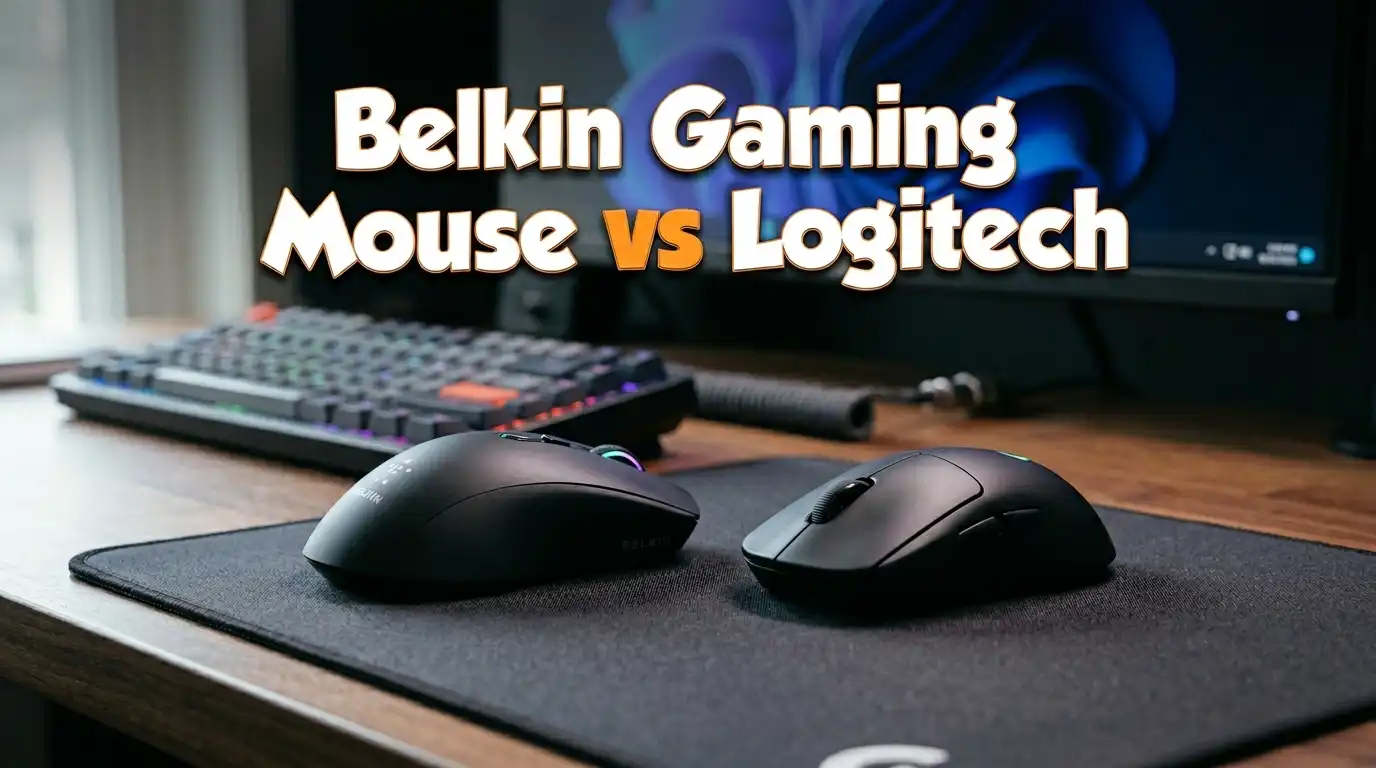
Belkin Gaming Mouse vs Logitech: Battle of the Best
Are you stuck choosing between a Belkin gaming mouse and a Logitech gaming mouse? You are not alone. Thousands of gamers search for the right mouse every day.
Belkin is a well known name in tech accessories. Logitech dominates the gaming mouse market with its G series lineup. Both brands offer different strengths and price points. But which one is actually better for gaming in 2026?
This post breaks down everything you need to know. We compare build quality, sensor performance, wireless technology, ergonomics, and value. You will find real product recommendations with pros and cons for each.
Key Takeaways
- Belkin does not make dedicated gaming mice in 2026. Belkin focuses on general productivity mice, charging accessories, and Nintendo Switch 2 peripherals. Their mice use basic 800 DPI optical sensors and lack gaming features like programmable buttons or high polling rates.
- Logitech leads the gaming mouse market with multiple product lines. The G PRO X Superlight 2, G502 X Plus, G305 Lightspeed, and the new PRO X2 SUPERSTRIKE are all top rated by reviewers and gamers.
- Sensor technology matters a lot for gaming. Logitech’s HERO 2 sensor offers up to 44,000 DPI and 8 kHz polling rates. Belkin mice cap out at 800 DPI. This gap is massive for competitive play.
- Wireless performance is a Logitech strength. Logitech’s LIGHTSPEED wireless technology delivers lag free connections. Belkin does not offer wireless gaming mice.
- Budget gamers still benefit from Logitech. The Logitech G305 Lightspeed costs under $30 on sale and delivers genuine gaming performance. A Belkin mouse may cost less upfront but lacks the features gamers need.
- The best choice depends on your use case. If you need a simple office mouse, Belkin works fine. If you want a mouse built for gaming, Logitech wins every comparison category.
Belkin Gaming Mouse: What Does Belkin Actually Offer?

Last update on 2026-08-23 / Affiliate links / Images from Amazon Product Advertising API Some of the links on this website are affiliate links, which means that at no additional cost to you, I earn a commission if you click through and make a purchase. I only recommend products and services that I believe will add value to my readers. Thank you for your support!
Belkin is famous for cables, chargers, and networking gear. The brand has a long history in tech accessories. However, Belkin does not produce a dedicated gaming mouse in 2026.
Their most popular mouse is the Belkin 3-Button Wired USB Optical Mouse. This is a basic office mouse with an 800 DPI optical sensor. It features a simple three button layout with a scroll wheel. The cord measures about five feet long.
Belkin did release gaming peripherals in the past. The Belkin Nostromo N52te was a popular gaming keypad. Razer later acquired the Nostromo line. Today, Belkin’s gaming focus is on Nintendo Switch 2 accessories like charging cases announced at CES 2026.
Pros:
- Very affordable price point
- Simple plug and play setup with no software needed
- Ambidextrous ergonomic design fits both hands
- Compatible with PC and Mac
- Lightweight and portable
Cons:
- Only 800 DPI optical sensor
- No programmable buttons
- No wireless option
- No RGB lighting or gaming features
- Not built for fast paced gaming
Logitech G PRO X Superlight 2: The Esports Favorite

Last update on 2026-08-23 / Affiliate links / Images from Amazon Product Advertising API Some of the links on this website are affiliate links, which means that at no additional cost to you, I earn a commission if you click through and make a purchase. I only recommend products and services that I believe will add value to my readers. Thank you for your support!
The Logitech G PRO X Superlight 2 is one of the most popular gaming mice in 2026. It weighs just 60 grams. That makes it one of the lightest wireless gaming mice on the market.
It uses the HERO 2 sensor with up to 32,000 DPI. The LIGHTSPEED wireless connection offers a 1 ms response time. You also get LIGHTFORCE hybrid optical mechanical switches for fast and reliable clicks.
Battery life reaches up to 95 hours on a single charge. It charges through USB-C. The mouse has five programmable buttons and zero additive PTFE feet for smooth gliding. Professional esports players use this mouse in tournaments worldwide.
Pros:
- Ultra lightweight at 60 grams
- HERO 2 sensor with 32,000 DPI
- LIGHTSPEED wireless with 1 ms response
- 95 hour battery life with USB-C charging
- LIGHTFORCE hybrid switches for crisp clicks
Cons:
- Premium price tag over $150
- No RGB lighting
- Ambidextrous shape may not suit everyone
- Limited to five buttons
- No Bluetooth connectivity for casual use
Logitech G502 X Plus: Best for Feature Lovers

Last update on 2026-08-23 / Affiliate links / Images from Amazon Product Advertising API Some of the links on this website are affiliate links, which means that at no additional cost to you, I earn a commission if you click through and make a purchase. I only recommend products and services that I believe will add value to my readers. Thank you for your support!
The Logitech G502 X Plus is the wireless RGB version of Logitech’s legendary G502. This mouse packs 13 programmable buttons. It also features LIGHTSYNC RGB lighting that reacts to your games.
The HERO 25K sensor delivers accurate tracking at up to 25,600 DPI. You get LIGHTFORCE hybrid switches for fast actuation. The infinite scroll wheel toggle lets you switch between ratcheted and free spinning modes instantly.
Battery life lasts up to 130 hours without RGB. The mouse supports Logitech’s POWERPLAY wireless charging pad. It weighs around 106 grams, which is heavier than the Superlight 2 but still comfortable for long gaming sessions.
Pros:
- 13 programmable buttons for MMO and productivity
- LIGHTSYNC RGB lighting is vibrant
- Infinite scroll wheel toggle is incredibly useful
- POWERPLAY wireless charging compatible
- HERO 25K sensor with 25,600 DPI
Cons:
- Heavier at 106 grams compared to lighter mice
- Right hand only design
- RGB drains battery faster
- Higher price point in the wireless plus variant
- Software required for full customization
Logitech G305 Lightspeed: Budget Gaming Done Right


Last update on 2026-08-23 / Affiliate links / Images from Amazon Product Advertising API Some of the links on this website are affiliate links, which means that at no additional cost to you, I earn a commission if you click through and make a purchase. I only recommend products and services that I believe will add value to my readers. Thank you for your support!
Not every gamer wants to spend $150 on a mouse. The Logitech G305 Lightspeed fills the budget gap perfectly. It uses a HERO sensor with up to 12,000 DPI. That is more than enough for competitive gaming.
The mouse connects through LIGHTSPEED wireless technology. You get the same lag free experience as Logitech’s premium mice. It runs on a single AA battery and lasts up to 250 hours.
It has six programmable buttons and onboard memory. The weight sits around 99 grams with the battery. You can reduce weight by using a lithium AA battery. This mouse regularly drops below $30 on Amazon sales.
Pros:
- Extremely affordable for a wireless gaming mouse
- LIGHTSPEED wireless with zero lag
- HERO sensor with 12,000 DPI
- 250 hour battery life on one AA battery
- Compact and portable design
Cons:
- Uses AA battery instead of rechargeable
- Plastic build feels less premium
- No RGB lighting
- Heavier than newer lightweight mice
- Limited to six buttons
Logitech PRO X2 SUPERSTRIKE: The 2026 Flagship

Last update on 2026-08-23 / Affiliate links / Images from Amazon Product Advertising API Some of the links on this website are affiliate links, which means that at no additional cost to you, I earn a commission if you click through and make a purchase. I only recommend products and services that I believe will add value to my readers. Thank you for your support!
The Logitech PRO X2 SUPERSTRIKE is Logitech’s newest flagship gaming mouse released in early 2026. It introduces customizable click haptics. You can adjust the click feel to match your preference.
It weighs just 61 grams and uses LIGHTSPEED wireless. The sensor tracks up to extremely high DPI levels with an 8 kHz polling rate. That polling rate means the mouse reports its position to your PC 8,000 times per second.
This mouse charges through USB-C and offers long battery life. The PTFE mouse feet provide a smooth glide on any surface. Esports professionals helped design this mouse, and it shows in every detail.
Pros:
- Customizable click haptics are a game changer
- 8 kHz polling rate for ultra responsive tracking
- Lightweight at 61 grams
- USB-C charging with strong battery life
- Designed with pro esports input
Cons:
- Most expensive Logitech gaming mouse
- New haptic tech may need adjustment time
- Limited color options at launch
- No RGB lighting
- Only available in ambidextrous shape
Logitech G PRO X Superlight 2 DEX: Right Hand Ergonomic Design

Last update on 2026-08-23 / Affiliate links / Images from Amazon Product Advertising API Some of the links on this website are affiliate links, which means that at no additional cost to you, I earn a commission if you click through and make a purchase. I only recommend products and services that I believe will add value to my readers. Thank you for your support!
Some gamers prefer an ergonomic right hand shape. The Logitech G PRO X Superlight 2 DEX solves this. It takes all the internals of the Superlight 2 and puts them in a right hand optimized shell.
You get the same HERO 2 sensor, LIGHTFORCE switches, and LIGHTSPEED wireless. The weight stays around 60 grams. The shape contours better to your right palm and fingers for a more natural grip.
This mouse launched in late 2024 and gained strong reviews through 2025 and into 2026. GamesRadar called it the best Logitech gaming mouse for its combination of performance and comfort. It also supports 8 kHz polling rate for competitive play.
Pros:
- Ergonomic right hand design improves comfort
- Same pro grade internals as Superlight 2
- 60 gram lightweight body
- 8 kHz polling rate
- LIGHTSPEED wireless connection
Cons:
- Only for right handed users
- Premium pricing
- No left hand version available
- Minimal button count at five
- No RGB lighting
Sensor Technology: Belkin vs Logitech Compared
Sensor quality separates a gaming mouse from a regular mouse. Belkin mice use basic 800 DPI optical sensors. These work fine for web browsing, document editing, and casual use. They do not offer adjustable DPI settings.
Logitech gaming mice use the HERO or HERO 2 sensor. The HERO 2 sensor tracks at up to 44,000 DPI with zero smoothing, filtering, or acceleration. This means your hand movements translate perfectly to screen movement.
The polling rate difference is also huge. Belkin mice run at a standard 125 Hz polling rate. Logitech’s latest mice reach 8,000 Hz (8 kHz). A higher polling rate reduces input delay. For fast paced games like first person shooters, this difference is clearly noticeable.
Wireless Technology and Connectivity
Belkin mice are wired only in their current lineup. The USB-A connection is reliable but limits your desk freedom. You get no wireless option from Belkin for any mouse product.
Logitech offers LIGHTSPEED wireless technology across most of its gaming lineup. LIGHTSPEED delivers a 1 ms report rate, which matches or beats wired connections. Many professional esports players use LIGHTSPEED wireless mice in tournaments.
Logitech also offers POWERPLAY wireless charging for select models like the G502 X Plus. This system charges your mouse through the mouse pad while you play. You never need to plug in a cable. Some Logitech mice also support Bluetooth for casual use alongside LIGHTSPEED for gaming.
Build Quality and Ergonomics
Belkin’s mouse uses a simple plastic shell with an ambidextrous shape. It fits both left and right hand users. The build is functional but basic. There are no textured grips, no adjustable weight systems, and no premium materials.
Logitech invests heavily in ergonomic research. The G PRO X Superlight 2 uses a carefully sculpted shape tested by professional gamers. The G502 X Plus features thumb rests, textured side grips, and an adjustable scroll wheel.
Logitech also offers multiple shape options. You can choose ambidextrous designs like the Superlight 2 or ergonomic right hand shapes like the DEX version. This variety means you can find a Logitech mouse that matches your grip style, whether you use palm, claw, or fingertip grip.
Software and Customization Options
Belkin mice require no software at all. This is good for plug and play simplicity. But it also means zero customization. You cannot change DPI, reassign buttons, or create macros.
Logitech gaming mice use Logitech G HUB software. G HUB lets you customize button assignments, adjust DPI in precise increments, create game specific profiles, and control RGB lighting. You can also set up macros for complex actions.
Many Logitech mice include onboard memory. This stores your profiles directly on the mouse. You can use your custom settings on any computer without installing G HUB. The G305, G502 X Plus, and Superlight 2 all support onboard memory profiles.
Price Comparison: Value for Your Money
The Belkin 3-Button Wired Mouse costs around $8 to $12 on Amazon. It is one of the cheapest mice you can buy from a known brand. For basic tasks, this price is hard to beat.
Logitech gaming mice range from $30 to $170 depending on the model. The G305 Lightspeed sits at the budget end around $30 to $50. The G502 X Plus costs around $120 to $150. The PRO X2 SUPERSTRIKE lands near $160 to $170.
The value calculation changes when you consider features. A Belkin mouse gives you basic pointing. A Logitech gaming mouse gives you a high precision sensor, wireless freedom, programmable buttons, and software customization. For gamers, spending more on a Logitech mouse is a worthwhile investment that improves performance and comfort.
Which Should You Buy: Belkin or Logitech?
This decision comes down to what you need the mouse for. If you need a cheap, reliable mouse for office work or basic computing, the Belkin wired mouse does the job. It costs less than a coffee and works right out of the box.
If you play any type of PC game regularly, a Logitech gaming mouse is the clear winner. The G305 Lightspeed is the best entry point. It costs under $50 and delivers genuine gaming performance with LIGHTSPEED wireless.
For competitive gamers, the PRO X Superlight 2 or the new PRO X2 SUPERSTRIKE offer top tier performance. MMO and productivity focused gamers should look at the G502 X Plus for its 13 buttons and infinite scroll. Logitech covers every budget and play style. Belkin simply does not compete in the gaming mouse space.
Final Verdict: Logitech Dominates Gaming Mice in 2026
The comparison between Belkin and Logitech for gaming is not a close contest. Belkin makes great chargers, cables, and Switch 2 accessories. They do not make gaming mice. Their basic wired mouse serves a different audience entirely.
Logitech has spent years perfecting gaming mouse technology. Their HERO sensors, LIGHTSPEED wireless, LIGHTFORCE switches, and new haptic click systems set the industry standard. Every major review site ranks Logitech mice among the top picks for 2026.
If gaming performance matters to you, choose Logitech. Pick the model that fits your hand, budget, and play style. You will notice the difference from the first click.
FAQs
Is Belkin a Good Brand for Gaming Accessories?
Belkin is a respected brand for general tech accessories. They make excellent chargers, cables, and screen protectors. At CES 2026, Belkin announced Nintendo Switch 2 charging cases. However, Belkin does not focus on PC gaming peripherals like mice or keyboards. Their mice target office and casual users.
Can a Belkin Mouse Work for Casual Gaming?
A Belkin mouse can handle casual games like turn based strategy or point and click adventures. The 800 DPI sensor is accurate enough for slow paced games. However, you will struggle with fast paced titles like first person shooters, battle royale games, or competitive multiplayer. The low polling rate and fixed DPI create noticeable input lag during quick movements.
What Is the Best Logitech Gaming Mouse for Beginners?
The Logitech G305 Lightspeed is the best starting point for new gamers. It offers LIGHTSPEED wireless, a HERO sensor with 12,000 DPI, and six programmable buttons. The price usually stays under $50 and frequently drops below $30 on sale. It gives beginners a genuine gaming mouse experience without a large investment.
Does Logitech Make Left Handed Gaming Mice?
Yes. The Logitech G PRO X Superlight 2 has an ambidextrous shape that works for both left and right hand users. Logitech also previously offered left hand specific models. The ambidextrous shape with removable side buttons gives left handed gamers a solid option in the current lineup.
How Long Do Logitech Gaming Mice Last?
Most Logitech gaming mice last two to five years with regular use. The LIGHTFORCE optical mechanical switches are rated for very high click durability. Battery health in wireless models stays strong for years. Logitech also offers warranties on their products. Proper care and a good mouse pad can extend the lifespan even further.

Hi, my name is Lily you can say i am a gadget hunter at this point. Welcome to Gadget Gallery The Gallery of Gadget Reviews