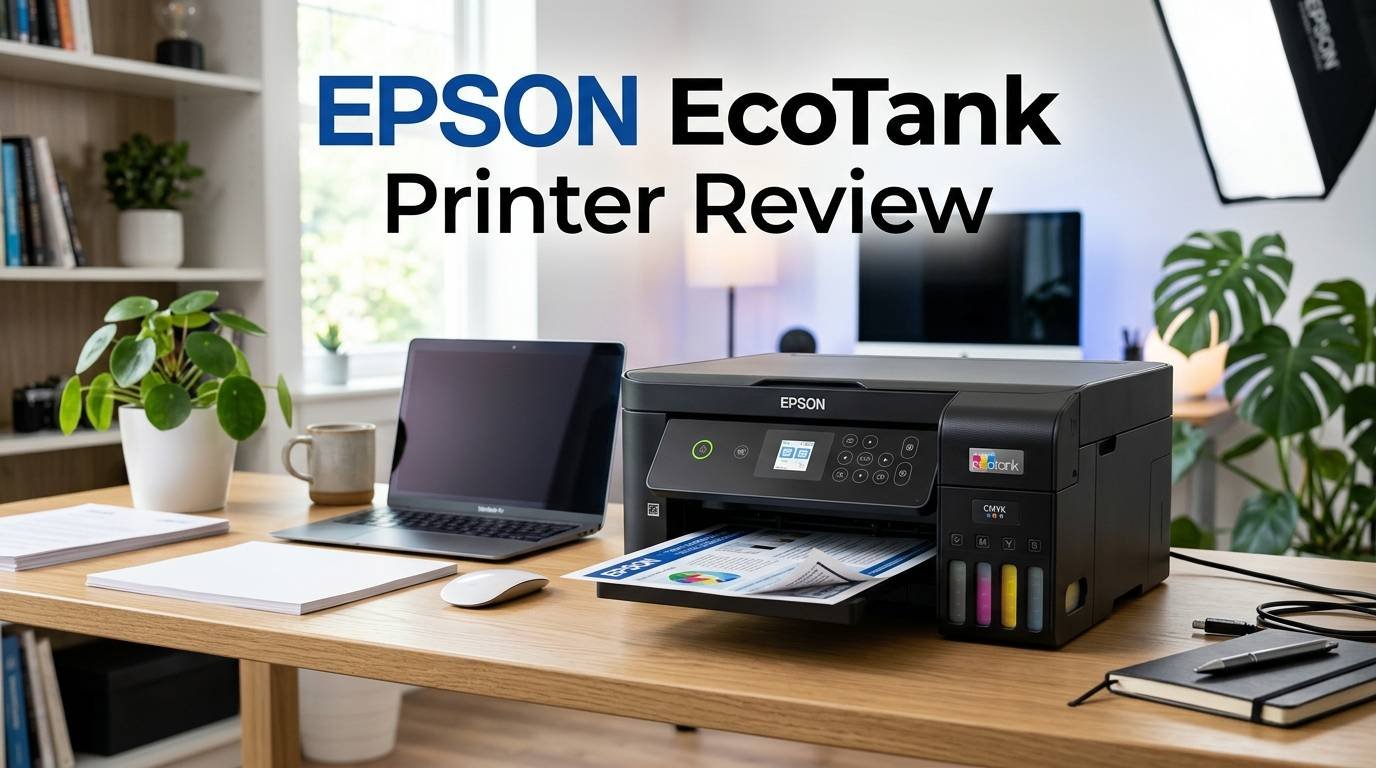
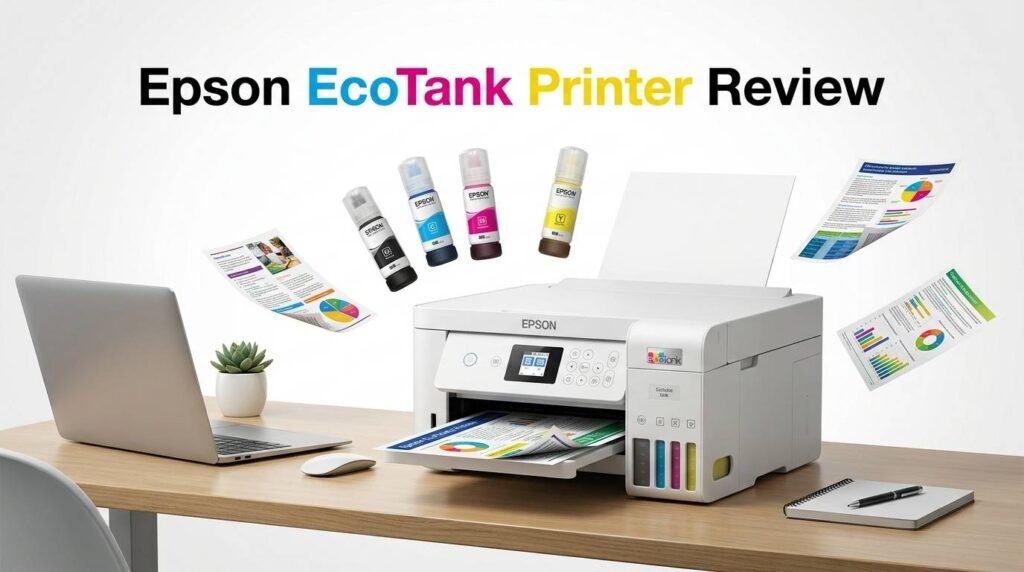
Epson EcoTank Printer Review 2026: Worth the Price?
Are you tired of spending a fortune on ink cartridges every few months? You are not alone. Millions of home and office users face the same frustration. Epson’s EcoTank printers promise to end that cycle with refillable ink tanks that can last up to 3 years on a single fill.
But does the EcoTank lineup truly deliver on its promises in 2026? We tested and researched the latest models to give you a clear, honest answer.
In this review, we cover the Epson EcoTank ET-4950, ET-2980, ET-3950, and more. We break down print quality, running costs, features, and real user experiences.
Key Takeaways
- Epson EcoTank printers eliminate expensive ink cartridges. They use refillable ink bottles that cost a fraction of traditional cartridges. Most users save up to 90% on ink over time compared to standard inkjet printers.
- The ET-4950 is the best all-around EcoTank for office use. It offers print, scan, copy, and fax functions. It also includes a touchscreen, auto document feeder, and Ethernet connectivity.
- The ET-2980 is ideal for budget-conscious home users. It prints up to 15 pages per minute and includes auto duplex printing. The included ink supply lasts up to 3 years of average home printing.
- Print quality is strong for documents but average for photos. EcoTank printers produce sharp text and clean graphics. However, they do not match dedicated photo printers for glossy print output.
- Upfront costs are higher than standard inkjet printers. EcoTank models range from about $200 to $500. The long-term ink savings more than cover this initial investment for most users.
- Setup is simple with Wi-Fi, USB, and mobile app support. Most models connect to the Epson Smart Panel app for easy wireless printing from phones and tablets.

Last update on 2026-10-13 / Affiliate links / Images from Amazon Product Advertising API Some of the links on this website are affiliate links, which means that at no additional cost to you, I earn a commission if you click through and make a purchase. I only recommend products and services that I believe will add value to my readers. Thank you for your support!
Epson EcoTank ET-4950: The Best Office EcoTank Printer
The Epson EcoTank ET-4950 stands out as the top office pick in the EcoTank family. It prints at 18 pages per minute in black and white. Color prints come out at 9 pages per minute. These speeds match many laser printers in a similar price range.
This model includes a 2.4-inch color touchscreen that makes menu options easy to access. You can start print, scan, copy, or fax jobs directly from the display. The 30-sheet auto document feeder speeds up multi-page scanning and copying tasks.
Connectivity options cover all bases. The ET-4950 supports Wi-Fi, Wi-Fi Direct, USB, and Ethernet. You can print from your phone using the Epson Smart Panel app, Apple AirPrint, or Android printing services. Ethernet support adds stability for shared office networks.
The printer ships with enough ink for up to 3 years of printing based on average use. Replacement ink bottles cost about $13 each. This brings the cost per black-and-white page to roughly 0.3 cents. That is a massive saving compared to cartridge-based printers.
Auto duplex printing saves paper on two-sided documents. The 250-sheet paper tray reduces the need for frequent refills. For a home office that prints regularly, the ET-4950 checks every box.
Epson EcoTank ET-2980: Best Budget EcoTank for Home Use

Last update on 2026-10-13 / Affiliate links / Images from Amazon Product Advertising API Some of the links on this website are affiliate links, which means that at no additional cost to you, I earn a commission if you click through and make a purchase. I only recommend products and services that I believe will add value to my readers. Thank you for your support!
The Epson EcoTank ET-2980 is the newest entry-level model in the EcoTank lineup. Epson released it as a replacement for the popular ET-2850. It costs around $250 and comes loaded with enough ink to print for up to 3 years.
Print speed reaches 15 pages per minute for black-and-white documents. Color printing clocks in at 8 pages per minute. These are solid numbers for everyday home use like school projects, recipes, and basic documents.
One welcome upgrade is the 1.44-inch color display on the front panel. The older ET-2850 lacked a color screen. This small screen makes it easier to check ink levels, select Wi-Fi networks, and manage print jobs without opening a computer.
The ET-2980 supports auto duplex (two-sided) printing out of the box. It handles standard letter and legal-size paper. The flatbed scanner produces clear scans at up to 1200 x 2400 dpi resolution.
The ink bottles use a spill-free design. Each bottle has a unique nozzle that fits only the correct tank. This prevents mixing colors during refills. It is a small detail that saves a lot of frustration.
For families and students who print moderate volumes, the ET-2980 delivers excellent value. It keeps ongoing costs extremely low while producing sharp, reliable output.
Epson EcoTank ET-3950: The Sweet Spot for Home Offices

Last update on 2026-10-13 / Affiliate links / Images from Amazon Product Advertising API Some of the links on this website are affiliate links, which means that at no additional cost to you, I earn a commission if you click through and make a purchase. I only recommend products and services that I believe will add value to my readers. Thank you for your support!
The Epson EcoTank ET-3950 sits between the ET-2980 and the ET-4950 in price and features. It offers everything a productive home office needs without the fax function. This makes it a solid choice if you never use fax but still want premium features.
Print speeds match the ET-4950 at 18 pages per minute in black and white. The 2.4-inch color screen provides a smooth interface for print settings and Wi-Fi setup. An auto document feeder handles multi-page scan and copy jobs with ease.
The ET-3950 includes dual-pass duplex scanning. This means it can scan both sides of a document automatically. The ET-2980 does not offer this feature. For anyone who scans contracts, receipts, or multi-page documents, this saves significant time.
Paper capacity is strong with a 250-sheet input tray. Auto duplex printing comes standard. The printer connects via Wi-Fi, USB, and Ethernet for flexible placement in any home office setup.
PCMag praised the ET-3950 for its fast simplex printing and automatic duplex scanning. It earned high marks as one of the best inkjet all-in-one printers available. At around $300, it offers a great balance of speed, features, and low running costs.
Top 3 Alternatives for Epson EcoTank Printers

Last update on 2026-10-13 / Affiliate links / Images from Amazon Product Advertising API Some of the links on this website are affiliate links, which means that at no additional cost to you, I earn a commission if you click through and make a purchase. I only recommend products and services that I believe will add value to my readers. Thank you for your support!

Last update on 2026-10-13 / Affiliate links / Images from Amazon Product Advertising API Some of the links on this website are affiliate links, which means that at no additional cost to you, I earn a commission if you click through and make a purchase. I only recommend products and services that I believe will add value to my readers. Thank you for your support!

Last update on 2026-10-13 / Affiliate links / Images from Amazon Product Advertising API Some of the links on this website are affiliate links, which means that at no additional cost to you, I earn a commission if you click through and make a purchase. I only recommend products and services that I believe will add value to my readers. Thank you for your support!
Print Quality: How Good Are EcoTank Prints?
Epson EcoTank printers deliver strong text and document quality. Black text prints look sharp with clean edges. This makes them ideal for reports, letters, invoices, and school assignments.
Color document printing is equally impressive. Charts, graphs, and colored text appear vivid and accurate. The newer models like the ET-4950 and ET-3950 use improved Micro Piezo printhead technology. This creates precise ink droplets for smoother color transitions.
Photo printing is where EcoTank printers show their limits. The standard four-color ink system (cyan, magenta, yellow, black) produces decent photos. However, the results lack the depth and vibrancy of six-color photo printers like the Epson EcoTank Photo ET-8550.
The ET-2980 offers a print resolution of 4800 x 1200 dpi. The ET-4950 and ET-3950 share similar resolution capabilities. These numbers produce detailed prints on standard and photo paper.
For everyday printing needs, EcoTank print quality is more than enough. If professional photo output is your top priority, consider stepping up to Epson’s photo-specific EcoTank models.
Ink Cost Savings: The Real Reason to Buy an EcoTank
The biggest selling point of any EcoTank printer is the dramatic reduction in ink costs. Traditional inkjet printers force you to buy expensive cartridges that run out fast. EcoTank flips that model on its head.
Each EcoTank model ships with a full set of ink bottles. These bottles provide enough ink for approximately 7,500 black pages and 6,000 color pages. A complete set of replacement bottles costs about $50 to $60.
Compare that to a typical inkjet printer. A set of replacement cartridges can run $60 to $100 and may print only 200 to 500 pages. Over two years, a cartridge printer user might spend $300 to $600 on ink alone. An EcoTank user spends a fraction of that.
Consumer Reports estimates the yearly ink cost for the ET-4950 at around $4. That is not a typo. Four dollars per year for average home printing. This figure makes the higher upfront price of EcoTank models easy to justify.
The savings grow even larger for high-volume printers. Small businesses, teachers, and families with school-age children print hundreds of pages per month. For these users, the EcoTank pays for itself within the first year.
Setup and Connectivity Options
Setting up an Epson EcoTank printer is straightforward. Every model includes a quick start guide and clear instructions for filling the ink tanks. The spill-free bottles snap into the correct tanks without mess.
Wi-Fi setup takes just a few minutes. You can connect through WPS push-button setup or enter your network credentials using the printer’s display. Models with touchscreens like the ET-4950 and ET-3950 make this process even simpler.
The Epson Smart Panel app works on both iOS and Android. It handles wireless printing, scanning to your phone, ink level monitoring, and basic troubleshooting. You can also print directly from cloud services like Google Drive and Dropbox.
For wired connections, USB 2.0 is available on all models. The ET-3950 and ET-4950 also include Ethernet ports for stable network connections. This is useful in offices where multiple computers need to share one printer.
Apple AirPrint and Mopria Print Service provide native printing support on Apple and Android devices. You do not need to install extra drivers on most modern devices. Fire OS printing is also supported for Amazon tablet users.
Build Quality and Design
Epson EcoTank printers have a clean, modern look. The newer 2025 and 2026 models feature a smoother exterior finish compared to older versions. The ET-4950 and ET-3950 come in both black and white color options.
The ink tanks sit on the front of the printer with transparent windows. You can check ink levels at a glance without opening any software. This visual indicator is one of the most practical features of the EcoTank design.
Build quality is solid for consumer printers. The paper trays feel sturdy. The scanner lids open and close smoothly. The auto document feeders on the ET-3950 and ET-4950 handle standard office paper without jams during our testing.
One minor concern some reviewers have noted is that the smoother finish on the ET-4950 shows fingerprints and minor scuffs more easily. A quick wipe keeps it clean, but it is worth knowing if appearance matters to you.
The printers are reasonably compact. The ET-2980 measures about 14.8 x 10.3 x 7.3 inches. The ET-4950 is slightly larger due to the auto document feeder and fax components. Both fit comfortably on a standard desk or shelf.
Scanner and Copier Performance
Every EcoTank model includes a flatbed scanner for single-page scanning. The ET-3950 and ET-4950 add an auto document feeder (ADF) that handles up to 30 pages at once. This ADF is essential for scanning multi-page contracts or copying stacks of forms.
Scan resolution reaches 1200 x 2400 dpi on most EcoTank models. This is sharp enough for document archiving, OCR text recognition, and basic photo scanning. Scans look clean with accurate color reproduction.
The ET-3950 offers a dual-pass duplex scanning feature. It scans both sides of each page by feeding the paper through twice. This is slower than single-pass duplex scanning but still faster than flipping pages by hand.
Copy speed is adequate for home and small office needs. The ET-4950 produces its first copy in about 11 seconds. Subsequent copies are faster. You can make up to 99 copies at a time directly from the control panel.
Scan-to-email and scan-to-cloud features are accessible through the Epson Smart Panel app. You can scan a document on the printer and send it directly to your email or cloud storage without touching a computer. This is a handy workflow for remote workers.
Paper Handling and Media Support
EcoTank printers handle a good range of paper types and sizes. Standard models support paper from 3.5 x 5 inches up to 8.5 x 14 inches (legal size). This covers envelopes, photo paper, card stock, and standard letter paper.
The ET-2980 has a 100-sheet rear paper feed. This is sufficient for light home use but may require frequent reloads for heavier print jobs. The ET-3950 and ET-4950 upgrade to a 250-sheet front-loading paper tray. This larger tray suits office environments better.
Auto duplex printing is available on the ET-2980, ET-3950, and ET-4950. Two-sided printing saves paper and creates professional-looking documents. The duplex mechanism works reliably and does not cause frequent jams.
The printers accept paper weights from 17 to 68 lb bond. This range covers most common paper types including copy paper, presentation paper, and photo paper. Glossy photo paper produces the best results for image printing.
If you need to print on cardstock or thicker media, the rear feed tray handles it better than the front cassette. This is a common trait across most inkjet printers and is not a flaw specific to EcoTank models.
Epson EcoTank Pro ET-5850: The Premium Choice

Last update on 2026-10-13 / Affiliate links / Images from Amazon Product Advertising API Some of the links on this website are affiliate links, which means that at no additional cost to you, I earn a commission if you click through and make a purchase. I only recommend products and services that I believe will add value to my readers. Thank you for your support!
The Epson EcoTank Pro ET-5850 is the flagship model in the EcoTank lineup. It targets small businesses and power users who need higher volume printing and professional features. The price sits around $500, making it the most expensive EcoTank option.
This model uses all-pigment ink instead of the dye-based ink found in other EcoTank printers. Pigment ink produces sharper text and more water-resistant prints. Documents will not smear if they get wet. This matters for invoices, shipping labels, and important business paperwork.
Print speed is fast at 25 pages per minute in black and white. The ET-5850 includes a 250-sheet front tray and a 50-sheet rear tray for a total input capacity of 300 sheets. An auto document feeder handles up to 30 pages for scanning and copying.
The 4.3-inch color touchscreen is the largest in the EcoTank family. It provides a clear, responsive interface for all printer functions. Ethernet connectivity ensures stable performance on business networks.
Rtings.com rated the ET-5850 as the best Epson printer they have tested. It earned top marks for office document quality and low running costs. If your printing volume is high and you need professional-grade output, the ET-5850 is worth the investment.
Who Should Buy an Epson EcoTank Printer?
EcoTank printers are ideal for anyone who prints regularly and wants to stop overpaying for ink. If you print at least a few pages per week, the savings add up fast. Families with school-age children benefit greatly from the low per-page cost.
Home office workers will appreciate the all-in-one functionality. Models like the ET-4950 combine printing, scanning, copying, and faxing in one device. This eliminates the need for separate machines.
Teachers and educators are another perfect audience. Printing worksheets, handouts, and classroom materials can burn through cartridges quickly. An EcoTank printer handles these volumes without draining your wallet.
Small businesses with moderate print volumes (up to a few hundred pages per month) will find the ET-5850 or ET-4950 a perfect fit. The low ink cost keeps overhead expenses down.
However, EcoTank printers may not suit everyone. If you print only a few pages per month, the higher upfront cost may not pay off quickly. Very occasional printers might prefer a cheaper standard inkjet. Also, the ink in EcoTank printers can dry out if left unused for long periods, so regular use is recommended.
Common Issues and How to Fix Them
No printer is perfect, and EcoTank models have a few known quirks. The most common complaint is slow photo printing. Large, high-quality photo prints can take several minutes. This is normal for inkjet technology at this price point.
Some users report Wi-Fi connectivity drops after firmware updates. Restarting the printer and reconnecting to Wi-Fi usually fixes this. Keeping the printer firmware updated through the Epson Smart Panel app prevents most connection issues.
Print head clogging can occur if the printer sits unused for weeks. Epson includes a built-in cleaning function that flushes the print heads. Running this utility every couple of weeks during idle periods keeps the heads clear. A quick nozzle check print takes less than a minute.
Paper jams are rare but can happen with wrinkled or damp paper. Store your paper in a dry location and fan the sheets before loading. Using the recommended paper types also reduces jam risk.
If ink levels appear incorrect on the display, manually resetting the ink counters through the maintenance menu corrects the readout. This happens occasionally after refilling tanks and is not a major concern.
Epson EcoTank vs. Laser Printers: Which Is Better?
Many buyers wonder whether an EcoTank printer or a laser printer makes more sense. The answer depends on your specific needs.
EcoTank printers win on color printing cost. A color laser printer has much higher toner costs per page compared to EcoTank ink bottles. If you print color documents, photos, or graphics regularly, EcoTank is the more affordable option.
Laser printers win on speed and text sharpness. A mid-range laser printer can output 30 to 40 pages per minute. Laser text also appears slightly crisper than inkjet text. For high-volume, text-only printing, laser still holds an edge.
EcoTank printers offer more versatile media handling. They print on photo paper, card stock, envelopes, and labels. Most laser printers handle only plain paper and basic card stock.
Maintenance differs between the two types. EcoTank printers need occasional print head cleaning. Laser printers need toner replacement and occasional drum changes. Both are low-maintenance overall.
For most home users and small offices, EcoTank printers provide better overall value. They handle a wider range of tasks at a lower ongoing cost. Laser printers remain the better choice for very high-volume, text-heavy environments.
Final Verdict: Is the Epson EcoTank Worth It in 2026?
Yes, Epson EcoTank printers are absolutely worth buying in 2026. The lineup offers something for every type of user. Budget buyers get excellent value with the ET-2980. Office users get a full-featured workhorse with the ET-4950. Power users get professional output with the ET-5850.
The ink savings alone justify the purchase for most regular printers. Spending $4 per year on ink instead of hundreds is a genuine game-changer. The newer 2025 and 2026 models improve on speed, display quality, and reliability.
Print quality meets the needs of everyday document printing. Color output looks vibrant for charts, school projects, and presentations. Photos look good on glossy paper, even if they do not match dedicated photo printers.
If you print at least a few times per week, an EcoTank printer will save you significant money over its lifetime. Pick the model that matches your feature needs and budget. You will not regret ditching expensive cartridges for good.
Frequently Asked Questions
How long does the ink last in an Epson EcoTank printer?
The included ink bottles last up to 3 years based on average home printing of about 50 pages per month. High-volume users may need replacement ink sooner. A full set of replacement bottles costs about $50 to $60 and delivers thousands of additional pages.
Can I use third-party ink in my Epson EcoTank printer?
Epson recommends using only genuine Epson ink bottles. Third-party ink may cause print quality issues, clogging, or void your warranty. Genuine Epson ink bottles are already very affordable, so the cost savings from third-party ink are minimal.
Is the Epson EcoTank ET-4950 good for photo printing?
The ET-4950 produces decent photo prints for casual use. It uses a four-color ink system that handles family photos and social media prints well. For professional-quality photo output, consider the Epson EcoTank Photo ET-8550, which uses six colors including photo black and gray inks.
Do Epson EcoTank printers work with Mac and Chromebook?
Yes, all current EcoTank models support macOS, Windows, and Chrome OS. They also work with iOS and Android devices through Wi-Fi and the Epson Smart Panel app. AirPrint support allows printing from any Apple device without extra drivers.
What happens if the EcoTank ink dries out?
If the printer sits unused for several weeks, the print heads may clog slightly. Running the built-in head cleaning cycle one or two times usually resolves this. To prevent drying, print at least one page per week. The printer also runs automatic maintenance cycles to keep the ink flowing.
Which Epson EcoTank model is best for a small business?
The Epson EcoTank Pro ET-5850 is the best choice for small businesses. It uses pigment ink for water-resistant prints, prints at 25 pages per minute, and has a 300-sheet total paper capacity. For lighter office needs, the ET-4950 offers a lower-priced option with fax, ADF, and Ethernet support.

Hi, my name is Lily you can say i am a gadget hunter at this point. Welcome to Gadget Gallery The Gallery of Gadget Reviews