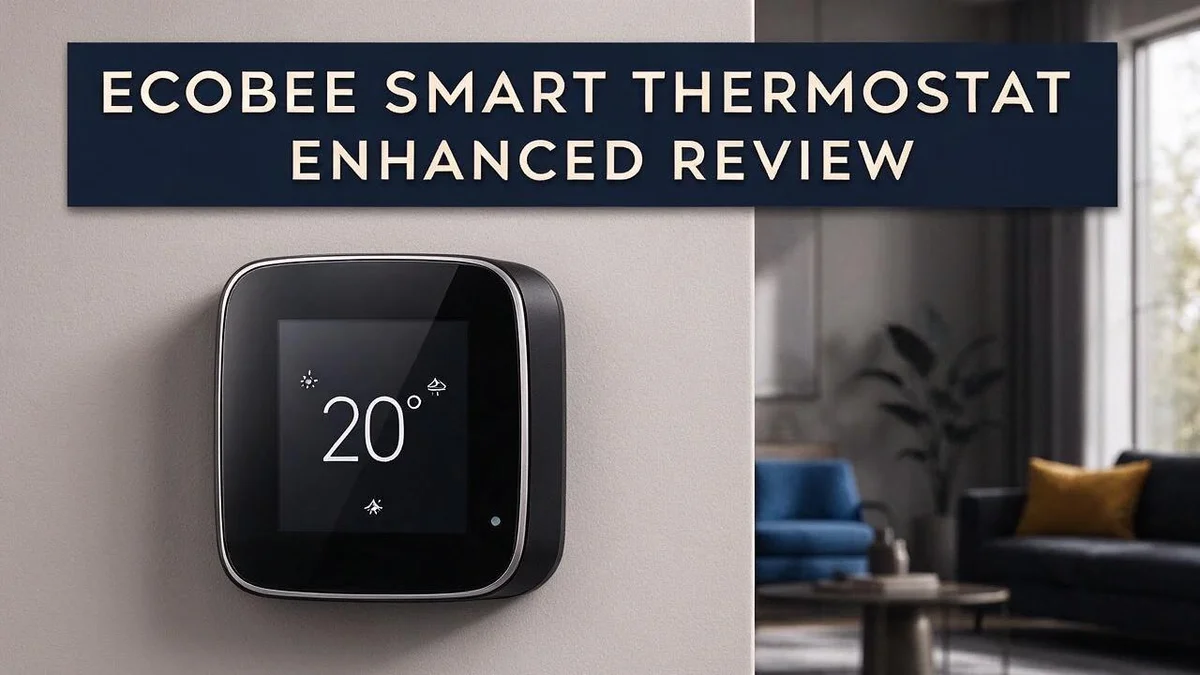
Ecobee Smart Thermostat Enhanced Review 2026: Worth the Splurge?
Is your home stuck with an old thermostat that wastes energy? A smart thermostat can change that fast. The Ecobee Smart Thermostat Enhanced sits in the middle of the Ecobee lineup and packs plenty of useful features into one device.
You can control it from your phone, wherever you are. The built in occupancy sensor helps the system know when someone is home. It also tracks humidity, so your rooms stay comfortable all year long.
Smart scheduling does much of the heavy lifting for you. The eco+ platform adds Schedule Assistant, Home and Away detection, and geofencing. It also works with Apple HomeKit and Alexa. Let us look at what this thermostat does well and where it falls short.
In a Nutshell
-
Humidity monitoring shows how damp or dry your rooms feel. You can spot comfort problems early and adjust your home fast.
-
A built-in occupancy sensor notices when someone is in the room. The system can then adjust heating and cooling to match.
-
Apple HomeKit and Alexa support connects the thermostat to your existing smart home setup. Voice commands make quick changes easy.
-
Geofencing and Home/Away detection switch settings when everyone leaves. Your comfort settings return before you walk back through the door.
-
Optional remote sensors measure temperature and occupancy in other rooms. This helps you balance warmth across the whole house.
-
Possible accuracy check: One reviewer reported a temperature reading 2.5°F off. The source does not confirm whether that unit was the Enhanced model, so compare readings with a separate thermometer after setup.
Key Features and Smart Scheduling

Last update on 2026-10-13 / Affiliate links / Images from Amazon Product Advertising API Some of the links on this website are affiliate links, which means that at no additional cost to you, I earn a commission if you click through and make a purchase. I only recommend products and services that I believe will add value to my readers. Thank you for your support!
Schedules can feel like a chore. The eco+ platform makes them easier to manage. Schedule Assistant helps you build routines without starting from zero.
Your daily habits drive most of your energy use. Think about when you wake up, leave for work, and head to bed. Each of those moments can shape a better temperature plan.
Home and Away detection works as a safety net. When your schedule changes, the thermostat can adjust without you touching a button. This keeps your plan on track during busy weeks.
The Enhanced model also offers Community Energy Savings. This feature lets your thermostat join a shared effort to ease demand on the power grid during busy periods. You get to support a greener local energy supply.
Many people overlook this part of the system. It adds a social angle to a device that often feels like a private gadget in the hallway.
Scheduling works best when you review it. Check your settings once a month. Look at how your home feels during each time block. Small tweaks can make a big difference over time.
Your comfort matters most. If the house feels too warm at night, shift the sleep block by 30 minutes. If mornings feel chilly, start the warm-up a little earlier.
Some households prefer a simple plan. Others want detailed control. The Enhanced model supports both styles, so you can start simple and add detail later.
Try one change at a time. Track how the house feels for a week. Then decide whether the next adjustment helps.
The right schedule feels invisible. You stop thinking about the thermostat. The house simply feels right when you walk in the door.
Comfort Sensing: Temperature, Humidity, and Occupancy
Comfort starts with accurate readings. A thermostat only knows what its sensors detect, so placement matters a lot. Avoid spots near windows, doors, or heating vents.
Direct sunlight or cooking heat can fool the sensor. Mount the unit on an interior wall at about chest height. Many homeowners skip this step, yet it shapes every decision the system makes.
Humidity changes how warm a room feels. Dry air can make a room feel cooler, while damp air can feel stuffy even at a lower setting. Moisture levels therefore matter as much as the number on the display.
Occupancy sensing adds another layer. The system can tell whether people are home, which keeps it from conditioning empty rooms. Presence data also shifts the plan through the day, so a busy evening can differ from a quiet morning.
Together, these signals paint a fuller picture. Temperature, moisture, and presence work as a team. The thermostat responds to real conditions instead of guesses.
Seasons change the picture too. Winter air often turns very dry once the heat runs, while summer air can feel heavy after rain. Watching humidity trends across the year helps you spot patterns early.
Bedrooms deserve special attention. Sleep quality depends on a steady, cool setting, and occupancy data can help the system protect that comfort at night. Pets and plants also feel these shifts, so comfort reaches beyond people.
Give the sensors a few days to settle. Then compare the thermostat reading with a separate room thermometer or hygrometer. Small gaps are normal, but a large or steady difference deserves a closer look.
Move the unit, review sensor options in the app, or retest after a week. Keep notes on what feels off, since patterns reveal the cause faster than guesses. Small adjustments often bring big comfort gains.
Smart Home Integration with HomeKit and Alexa
Voice control feels natural once the thermostat sits inside your favorite assistant. Ask Siri or Alexa to raise the heat, and the change happens right away.
Clear room names make this easier. Pick labels that everyone in the house understands, such as Living Room or Upstairs Hall.
Both platforms also let you build simple routines. For example, a bedtime routine can lower the temperature while you turn off the lights.
Morning routines can warm the house before anyone wakes up. This keeps the day starting on a comfortable note.
Grouping devices adds another layer of order. Place the thermostat in a room or zone inside the Home app.
Then add lights, fans, and blinds to the same scene. One tap can handle several jobs at once.
Setup goes faster with a few preparation steps. Update your phone and the Ecobee app first.
Confirm that your home network reaches the thermostat location. Weak signals often cause dropped commands.
Test each command once after setup. Say a simple phrase, watch the display, and check the app history.
If a command fails, remove the device and add it again. This clears most connection problems.
Scenes also help when schedules shift. A weekend scene can keep the house cozy later in the morning.
A travel scene can switch to a lighter setting when the trip begins. Scenes like these save time.
Try asking follow up questions too. Ask Alexa for the current temperature, or ask Siri whether the heat is on.
Quick checks save you from opening the app. They also confirm that the connection still works.
Households with several people benefit most from shared access. Invite family members to the Alexa or Home account.
Shared control reduces the back and forth about the dial. Everyone can adjust comfort without asking.
Keep an eye on privacy settings as well. Review which accounts and voice profiles can change the temperature.
This small check keeps your home settings in trusted hands.
Finally, give the system time to learn your routine. Adjust routines after a week of use.
Small tweaks lead to a comfortable and steady home.
Top 3 Alternatives
The Google Nest Thermostat, Honeywell Home T9, and Emerson Sensi Touch are all strong options. Each one offers different features, so you can pick the one that fits your home.
Google Nest Thermostat


Last update on 2026-11-04 / Affiliate links / Images from Amazon Product Advertising API Some of the links on this website are affiliate links, which means that at no additional cost to you, I earn a commission if you click through and make a purchase. I only recommend products and services that I believe will add value to my readers. Thank you for your support!
The Google Nest Thermostat is a simple choice for busy homes. It learns your daily habits and adjusts the temperature for you.
You can control it with the Google Home app or your voice. Its slim design fits well in most living rooms. It also shows your energy history, so you can spot patterns and save power over time.
Honeywell Home T9

Last update on 2026-11-04 / Affiliate links / Images from Amazon Product Advertising API Some of the links on this website are affiliate links, which means that at no additional cost to you, I earn a commission if you click through and make a purchase. I only recommend products and services that I believe will add value to my readers. Thank you for your support!
The Honeywell Home T9 works well for larger homes. It pairs with optional room sensors, so it reads temperature where you spend the most time.
*Sensors average readings across rooms for more even comfort. The clear display shows your settings at a glance. It also works with major voice assistants.
Emerson Sensi Touch

Last update on 2026-11-04 / Affiliate links / Images from Amazon Product Advertising API Some of the links on this website are affiliate links, which means that at no additional cost to you, I earn a commission if you click through and make a purchase. I only recommend products and services that I believe will add value to my readers. Thank you for your support!
The Emerson Sensi Touch gives you a large color touchscreen. The bright display is easy to read from across the room.
Setup takes only a few minutes with a standard C wire. Most homeowners install it without help from a professional. This model supports scheduling and remote access, so you can adjust settings while you travel.
Energy Savings and eco+ Automation
Energy savings often come from small, steady changes. Your heating and cooling system works hardest when nobody is home. The Enhanced model helps you ease off during those quiet hours.
Setback temperatures do much of the work. A setback means the house stays a few degrees warmer in summer or cooler in winter while you are away. The system then needs less effort to reach your comfort level.
Think about your sleep schedule too. Many people sleep better in a cooler room. You can set a gentle drop overnight and let the house warm back up before your alarm goes off.
The geofencing feature watches your phone location. When you leave the zone you set, the thermostat can shift into a lower energy mode. When you head home, it returns to comfort mode so the house feels ready.
Timing matters as much as temperature. Heating a cold house takes longer than keeping it warm. Start the warm up early enough to be comfortable, but not so early that you waste fuel.
Check the app for long running periods on mild days, if your screen shows them. Those patterns often reveal where a small adjustment could save energy.
Small tweaks add up over time. Lower the heat by one degree in winter and see how it feels. Many people barely notice the change, yet the savings build month after month.
Seal drafts around doors and windows, too. Leaky gaps force your system to run longer than it should. Pair the thermostat with these simple habits for better results.
Energy savings should never cost you comfort. Start with one change, watch the results for a week, and adjust from there. Your home will feel steady, and your energy use will reflect smarter choices.
App Experience and Remote Control
The app turns your phone into a remote control. Wi-Fi keeps the thermostat online, so you can adjust it from almost anywhere with a signal.
The home screen shows the current reading and the target setting. You can see what the system is doing without opening a single menu.
Quick changes take only a tap. Raise the temperature before you head home from work. Lower it when you leave for a weekend trip.
Many people forget a setting before they leave the house. The app lets you fix that from the car or the office. Small checks like this keep your home comfortable.
Notifications help you stay informed. Open the settings to choose which alerts you want. You then decide what to do next, based on what the app tells you.
Sharing access helps families manage the home together. Each person can make changes without asking others first. Make sure everyone knows how the app works before you invite them.
Check the reports for a clear picture. Some views show when the system ran and when settings changed. This helps you spot patterns that you might miss in daily life.
Keep the app updated on your phone. New versions often bring fixes and cleaner menus. Updating takes only a minute.
Remote control needs a steady connection. If the app shows the thermostat as offline, check your phone’s internet first. Then log out, log back in, and try again.
Think about privacy too. Use a strong password. Turn on two step login if the app offers it. This keeps outsiders away from your home settings.
Overall, the app makes daily control simple. You can adjust settings, share access, and fix small issues without standing at the wall. A little practice goes a long way.
Pros and Cons
Pros
– Sits in the midrange spot of the Ecobee lineup, between Essential and Premium.
– Includes a built-in occupancy sensor that detects activity in the room.
– Tracks indoor humidity along with temperature.
– Supports optional remote sensors for rooms that run too hot or cold.
– Schedule Assistant helps you set a daily timetable with less effort.
Cons
– One reviewer reported a temperature reading that was 2.5°F off.
– The source does not confirm whether that issue affected this exact model.
– Full specs, like dimensions and power needs, are hard to confirm.
– Independent test data is limited, so read several reviews before you decide.
Who Should Buy It
Some households will feel right at home with this model. It suits people who want more control than a basic dial offers. Smart scheduling and app access sit at the center of the experience.
If you already use Alexa or Apple Home, setup feels easier. The thermostat fits into voice routines and home automations you may already run. You can ask for a temperature change while you cook dinner.
Busy households often gain the most. People with unpredictable work hours can adjust settings from almost anywhere. Roommates with different schedules can also use the app to keep the house comfortable.
Daytime comfort can shift quickly when you work from home. Your office or living room may feel cooler after lunch. Adjusting the setting from your desk keeps the room steady.
Hobbyists and data lovers will enjoy this device. You can review patterns, check runtime views, and refine your routine over several weeks. Small adjustments tend to show clear results.
Some buyers should look elsewhere. If you want a simple unit with almost no settings, a basic model may suit you better. People who strongly prefer the Google ecosystem might compare the Google Nest Thermostat first.
Accuracy matters for some homes. Test the reading against a trusted thermometer during your first week. This simple check helps you decide if the device meets your expectations.
Ask yourself a few quick questions before you commit. Do you already own compatible smart devices? Do you want app control from anywhere? Do you enjoy managing your home comfort through an app? If you answered yes, this thermostat could be a strong match.
Lastly, think about your comfort goals. Some people want steady warmth all day. Others want routines that change while they sleep or travel. Either approach can work with this model when you set your schedule carefully.
Final Verdict
Our final take is simple. The Ecobee Smart Thermostat Enhanced suits people who want more than a basic dial. It handles scheduling, sensing, and smart home links in one device. Many households find that this mix saves time each week.
The eco+ platform does much of the heavy lifting. Geofencing and Smart Home and Away detection can adjust comfort when you leave or return. Community Energy Savings adds another layer to the experience. You can focus on your day instead of your thermostat. Many owners like seeing their home run on autopilot.
Compare it with the competition before you buy. The Google Nest Thermostat is the main rival. The sibling Ecobee Essential and Premium models sit on either side of this one. Look closely at which features you truly need. A simple home may not need every extra, while a busy household may use them daily.
Know the gaps in the current evidence. Full details such as dimensions, power needs, and a complete compatibility list were not available in the research. Verified test data is also thin. Treat this verdict as a strong starting point rather than a final guarantee. Keep this in mind when you compare options side by side.
Ask a few honest questions about your home. Do you have rooms that run too hot or too cold? Do you want alerts when someone leaves? Are you comfortable with a device that tracks occupancy and humidity? Clear answers make the decision much easier for you.
Our recommendation leans positive for most homes. This model offers a well rounded mix of control, sensing, and smart home support. If your needs match its strengths, you can enjoy steady comfort for years. Shoppers who prefer simple daily routines will likely feel at ease with the setup process and the app. It is a confident choice for a modern living space.
Frequently Asked Questions
Does the Enhanced model work with Alexa and Apple Home?
Yes. The Ecobee Smart Thermostat Enhanced works with Apple HomeKit and Alexa. The research does not list Google Home, so check that link before you buy if you use Google devices.
Where does the Enhanced model sit in the Ecobee lineup?
It is the middle option. It ranks between the Essential and Premium models. Pick it if you want more features than the basic model offers, without moving to the top tier.
What is Community Energy Savings?
Community Energy Savings is part of the eco+ platform. It appears in the feature list, but the research does not explain how it works. Ask the manufacturer for details before you rely on it.
How does it compare with the Google Nest Thermostat?
The Google Nest Thermostat is the main rival. Compare the two side by side, focusing on your voice assistant and smart home app. Your existing devices matter most in this choice.

Hi, my name is Lily you can say i am a gadget hunter at this point. Welcome to Gadget Gallery The Gallery of Gadget Reviews