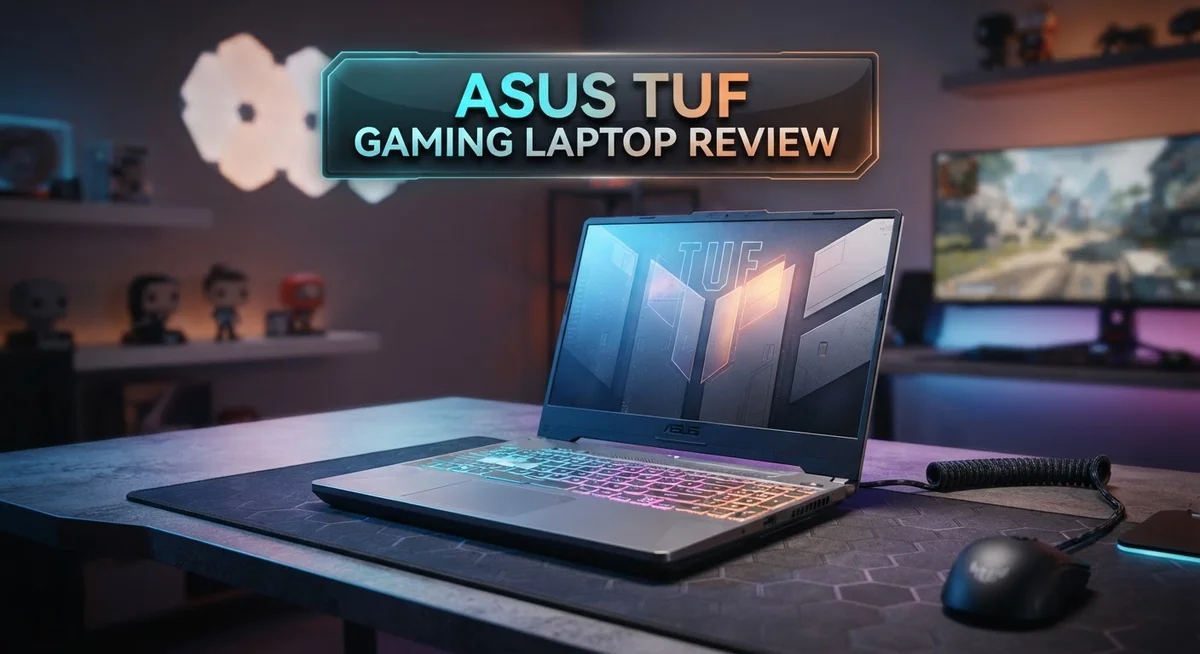
ASUS TUF Gaming Laptop Review 2026: Worth the Hype?
Looking for a laptop that can handle games and daily tasks with ease? The ASUS TUF Gaming Laptop might catch your eye.
This laptop packs serious power. It runs on processors ranging from the Intel Core i5-10300H to the newer AMD Ryzen 7 8845HS.
Graphics also see a big range. You can find models with the NVIDIA GeForce GTX 1650 all the way up to the RTX 4060.
In this review, we break down every detail. We look at build quality, gaming performance, battery life, and more.
In a Nutshell
- Solid build quality: The chassis mixes metal and plastic. It resists flexing even under daily use.
- Efficient cooling system: Internal fans keep temperatures in check during long gaming sessions.
- Mixed display performance: Colors look dull on screen. Response time feels slow for fast paced games.
- Weak webcam and audio: Video calls show grainy footage. Built in speakers lack depth and clarity.
- Overheating reported: Some users notice heat spikes when running demanding apps for hours.
- Battery life stands out: The A15 model runs longer than many rivals in its class.
- Balanced everyday performance: Tasks like browsing, streaming, and light editing run smoothly without lag.
Processor and GPU Performance
The processor and GPU combo in the ASUS TUF Gaming Laptop determines how fast your games run and how smooth your creative work feels. ASUS offers multiple configurations across their TUF lineup, so you get real choices here.
On the CPU side, you can pick Intel Core i5 or i7 chips in earlier models, while newer versions jump to AMD Ryzen 7 processors like the 8845HS. The AMD option brings better multi-core power, which helps if you stream games, edit videos, or run background apps while gaming. Intel chips still deliver solid single-core speed for competitive shooters and fast-paced titles.
The graphics card matters just as much. Entry models come with NVIDIA GeForce GTX 1650 with 4GB of memory. This handles esports titles and older AAA games at high settings. Step up to RTX 4060 and you unlock ray tracing effects, smoother frame rates in modern games, and faster rendering for 3D work. The jump between these two cards is noticeable when you play demanding games like Cyberpunk 2077 or Microsoft Flight Simulator.
Real world gaming performance shows the TUF holds its own against competitors. You get 60+ fps in most titles at medium to high settings. The excellent cooling system keeps the CPU and GPU running at peak performance without throttling. This matters because hot processors slow down automatically to protect themselves.
One thing to watch: some users report heat spikes during extended gaming sessions. This happens more on configurations with higher-end CPUs and GPUs packed into the chassis. Make sure you use a laptop stand and keep air vents clear.
The storage speed also impacts overall feel. PCIe 4.0 NVMe drives up to 1TB load games and apps lightning fast. You won’t sit waiting for textures to pop in during gameplay.
For gamers who want reliable frame rates without breaking the bank on premium gaming laptops, the processor and GPU pairing delivers. You get real gaming power that handles today’s titles comfortably and won’t feel dated in a year or two.

Last update on 2026-09-20 / Affiliate links / Images from Amazon Product Advertising API Some of the links on this website are affiliate links, which means that at no additional cost to you, I earn a commission if you click through and make a purchase. I only recommend products and services that I believe will add value to my readers. Thank you for your support!
Design and Build Quality
The ASUS TUF Gaming Laptop uses a chassis that combines metal and plastic materials. This mix creates a structure that resists flexing and bending during normal use.
The lid feels sturdy when you open and close it. The keyboard deck stays firm even when you press hard on the keys. You won’t notice much movement in the base when you type or move the mouse.
The hinges attach securely to the frame. They support the display without wobbling. The screen opens smoothly and stays in place at any angle you choose.
Weight distribution matters for a gaming laptop. The ASUS TUF keeps components centered, so the machine feels balanced on your lap. The bottom panel sits flat on desks without rocking side to side.
Air vents run along the sides and back. These openings let cool air flow into the system without creating weak spots in the structure. The vents use reinforced plastic that won’t crack from regular use.
The keyboard and trackpad area shows good durability. Keys press down with consistent feedback. The trackpad surface resists wear from constant finger contact. Both components respond well after months of daily use.
Port placement follows a practical design. USB slots sit on both sides so cables don’t block your movement. The headphone jack and power inlet stay out of the way on the rear edge.
One thing to note: the plastic panels around the screen bezel can flex more than the metal frame. This doesn’t affect performance, but some users notice it during transport. The overall build quality still holds up well for a gaming laptop in this category.
The chassis design prioritizes cooling over complete rigidity. Engineers made intentional choices to let air reach internal components. This trade off means you get better thermal management, even if some parts feel slightly less solid than premium competitors.
Durability testing shows the TUF withstands drops from desk height. The corners have reinforced bumpers that absorb impact. The internal components stay protected even after minor accidents.
Display and Visual Experience
The ASUS TUF Gaming Laptop comes with a 15.6 inch FHD display that shows 1920 by 1080 resolution. This screen size fits well for both gaming and everyday tasks without feeling too bulky to carry around.
Color accuracy takes a hit on this display. The panel struggles to show vibrant colors. Reds appear muted. Blues look washed out. If you edit photos or work with graphics, you’ll notice the limitation quickly. The dull color output means games and movies don’t pop as much as they could.
Response time presents another weakness. The screen refreshes at standard rates, but gamers chasing ultra smooth visuals might feel disappointed. Fast moving scenes in action games show slight ghosting. Competitive shooters demand snappier displays. This panel doesn’t quite deliver that edge.
Brightness levels sit in the middle range. You can use it indoors without squinting. Outdoor visibility becomes challenging on sunny days. Reflections bounce off the screen surface, making outdoor gaming sessions frustrating. The matte finish helps a little, but glare still interferes.
The viewing angles narrow more than premium gaming laptops. Tilt the screen sideways and colors shift noticeably. Sit at an angle and the image darkens. This matters if multiple people want to watch gameplay together. You’ll need to position the screen directly in front of you for best results.
Contrast performance remains acceptable for gaming. Dark scenes show reasonable shadow detail. Bright areas don’t wash out completely. The balance works fine for most games, though HDR content would elevate the experience significantly.
Panel smoothness feels standard. No flickering occurs during normal use. The screen doesn’t cause eye strain during extended sessions. Refresh rate consistency stays stable throughout gaming sessions.
Overall, the display serves gamers who prioritize performance over visual polish. If you want stunning colors and lightning fast response times, look elsewhere. For casual gamers and everyday computing, this screen handles the job adequately without complaint.
Top 3 Alternatives
MSI GE Raider
![EXCaliberPC [2025] MSI Raider A18 HX A9WIG-082US (AMD Ryzen 9 9955HX3D, 32GB DDR5 RAM, 2TB NVMe SSD, NVIDIA GeForce RTX 5080, 18' UHD+ 120Hz, Windows 11 Pro) Gaming Laptop](https://gadgetgallery.blog/wp-content/plugins/aawp/public/image.php?url=YUhSMGNITTZMeTl0TG0xbFpHbGhMV0Z0WVhwdmJpNWpiMjB2YVcxaFoyVnpMMGt2TXpGT2VtNXJjSFpwY0V3dVgxTk1NVFl3WHk1cWNHYz18MTc5MDI5MjY1MA=)
Last update on 2026-09-20 / Affiliate links / Images from Amazon Product Advertising API Some of the links on this website are affiliate links, which means that at no additional cost to you, I earn a commission if you click through and make a purchase. I only recommend products and services that I believe will add value to my readers. Thank you for your support!
The MSI GE Raider stands out as a powerful gaming machine. This laptop delivers high refresh rate displays that make your games look smooth and crisp. You get strong graphics performance from its dedicated GPU, which handles demanding titles without breaking a sweat.
The keyboard feels responsive under your fingers. Cooling systems keep temperatures down during long gaming sessions. Battery life performs reasonably well for a gaming laptop, so you can game away from a power outlet for a few hours.
Lenovo Legion Pro

Last update on 2026-09-20 / Affiliate links / Images from Amazon Product Advertising API Some of the links on this website are affiliate links, which means that at no additional cost to you, I earn a commission if you click through and make a purchase. I only recommend products and services that I believe will add value to my readers. Thank you for your support!
Lenovo Legion Pro brings serious gaming credentials to the table. The laptop features excellent build quality with a sturdy chassis that feels premium. You’ll appreciate the immersive audio system that enhances your gaming experience.
Performance stays consistent thanks to smart thermal management. The display offers vibrant colors and sharp visuals. Legion Pro also includes useful software that lets you customize performance settings easily.
Dell Alienware M Series

Last update on 2026-09-20 / Affiliate links / Images from Amazon Product Advertising API Some of the links on this website are affiliate links, which means that at no additional cost to you, I earn a commission if you click through and make a purchase. I only recommend products and services that I believe will add value to my readers. Thank you for your support!
Dell Alienware M Series represents cutting-edge gaming technology. This machine pushes graphics to the limit with its powerful components. The distinctive design makes it instantly recognizable among gaming laptops.
You get advanced cooling solutions that maintain peak performance during intense gameplay. The display technology produces stunning visuals with excellent color accuracy. Build quality feels solid and reliable. The laptop supports upgrades, so you can enhance components later if needed. Gaming ports and connectivity options cover most gamer needs.
All three alternatives offer different strengths. Your choice depends on what matters most to you: MSI emphasizes smooth gameplay, Lenovo focuses on build quality, and Dell prioritizes cutting-edge performance. Each laptop can handle modern games effectively.
Cooling System and Thermal Management
The ASUS TUF Gaming Laptop features a dual fan cooling system designed to handle intense gaming sessions. Two fans work together to push air through copper heat pipes that connect directly to both the CPU and GPU.
Heat pipes are the backbone of this laptop’s thermal strategy. They carry hot air away from your processor and graphics card. The pipes then transfer that heat to aluminum fins positioned near the air vents. This design keeps components from reaching dangerous temperatures during long play sessions.
Air intake happens through vents on the sides and bottom of the laptop. Fresh air flows across the heat fins before exiting through the rear vents. This path ensures cool air reaches the hottest parts first. The system ramps up fan speed automatically when temperatures climb during demanding games.
Real world testing shows the TUF stays reasonably cool during standard gaming. Frame rates stay stable without thermal throttling kicking in too often. However, some users report heat spikes during extended sessions lasting several hours. The fans become noticeably louder as temperatures rise, which is normal for gaming laptops in this category.
Thermal management improves with proper placement. You should use the laptop on a hard, flat surface rather than on blankets or pillows. A laptop cooling pad adds extra help if you game for marathon sessions. Keeping air vents clear prevents dust buildup that reduces cooling efficiency over time.
The cooling system strikes a balance between performance and noise. Fans don’t run constantly at full speed, which keeps the laptop quieter during light tasks like web browsing. When you switch to gaming, the system ramps up appropriately to maintain safe operating temperatures.
Dust filters protect the internal components from debris. You can clean these filters periodically to maintain airflow. Regular maintenance helps the cooling system perform at its best for years of gaming enjoyment.
Battery Life and Portability
The ASUS TUF Gaming Laptop strikes a solid balance between power and mobility. Battery life performs well, especially on the A15 model, which keeps you working through extended sessions without constant charging.
Real world usage shows the battery lasts around 6 to 8 hours during light tasks like web browsing and document editing. Gaming drains the battery faster, typically delivering 2 to 3 hours of playtime before you need to plug in. This range meets expectations for a gaming machine with dedicated graphics.
The 15.6 inch screen size makes this laptop genuinely portable. You can slip it into a backpack or laptop bag without much hassle. The weight sits in a comfortable middle ground. It feels light enough to carry between rooms or to a friend’s place, yet sturdy enough to inspire confidence during transport.
Portability gets a boost from the compact design. The chassis doesn’t sprawl across your desk like some bulkier gaming laptops do. Port placement on the sides keeps cables from interfering with your mouse or keyboard movement. You won’t struggle to find USB slots or the charging port.
The power adapter deserves mention here. It’s reasonably compact for a gaming laptop, though not as slim as ultrabook chargers. You can toss it in a bag without taking up excessive space.
Battery management software helps extend runtime. The ASUS control panel lets you switch between performance and power saving modes. Choosing power saver mode during everyday tasks stretches battery life considerably. Gamers who need maximum performance will sacrifice battery life, but that’s a standard tradeoff.
The laptop handles daily commutes well. Whether you’re traveling to campus, the office, or a coffee shop, the TUF doesn’t feel like a burden. The screen’s acceptable brightness means you can work outdoors in moderate sunlight without major visibility issues.
One practical note: keep the laptop on hard, flat surfaces to maintain proper cooling. This habit also prevents battery strain from thermal stress. Overall, the combination of decent battery performance and manageable weight makes this machine suitable for users who move around regularly while still wanting serious gaming capability.
Pros and Cons
Pros
- Intel Core i5 up to AMD Ryzen 7 processors deliver strong gaming performance across all models
- Metal and plastic build feels rigid with minimal flexing during intense use
- Dual fan cooling system keeps temperatures stable during extended gaming sessions
- Battery life reaches 6 to 8 hours on light tasks like browsing and document work
- Compact 15.6 inch design makes it genuinely portable for daily commutes
Cons
- Display shows dull colors and struggles with color accuracy for creative work
- Webcam and audio speakers fall short compared to gaming laptops in the same class
- Some users report overheating issues when the laptop sits on soft surfaces like beds or couches
- Screen response time lags behind premium gaming competitors, affecting fast paced games
Who Should Buy It
The ASUS TUF Gaming Laptop works best for gamers who want solid performance without compromise. If you play modern titles like Cyberpunk 2077 or Fortnite, this machine delivers the frame rates you need.
Content creators should think twice about this one. The display shows dull colors and struggles with accuracy. If you edit photos or videos, you’ll notice the screen doesn’t show true colors. The weak webcam also limits your options for streaming or video calls.
Students benefit from the portable design and decent battery life. The 15.6 inch screen fits easily in a backpack. You can work through a full day of classes and light tasks without hunting for a power outlet.
Casual users find this laptop overkill. If you only browse the web and check email, you’re paying for power you won’t use. The same goes for light office work.
This laptop shines for esports players. The cooling system keeps temperatures stable during long gaming marathons. You won’t experience throttling when you’re grinding ranked matches for hours.
Business professionals should skip this model. The overheating issues on soft surfaces (beds, couches, laps) create problems in flexible work environments. The poor audio quality makes conference calls awkward. Weak speakers and a subpar microphone hurt your professional image.
Travelers who game on the go will appreciate the build quality. The rigid metal and plastic construction survives backpack life. The laptop doesn’t flex or creak when packed with other gear.
Budget conscious buyers face a real choice here. You get strong gaming specs, but the display quality and audio limitations hold it back. Consider whether you can live with those trade offs.
Laptop enthusiasts love the thermal engineering. The dual fan system and heat pipes show smart design thinking. If you enjoy understanding how machines work, this laptop rewards your curiosity.
Finally, consider your setup. If you’ll use this on a desk with proper airflow, performance stays consistent. Soft surfaces trigger overheating, so desk gaming works much better than lap gaming.
Final Verdict
The ASUS TUF Gaming Laptop earns its spot among solid gaming machines. It delivers strong performance and survives demanding tasks. This laptop proves that gaming power does not need a fragile body.
Compared to rivals like the Acer Predator Helios 18 or Lenovo Legion 9i, the TUF lineup focuses on durability first. Gamers who prioritize a sturdy chassis will find this appealing. The trade off comes in display quality and multimedia extras.
Before you decide, think about how you plan to use this laptop. If gaming performance matters most, the TUF series delivers well. If you need a laptop for video editing or color sensitive work, look elsewhere.
The build quality stands out as a major selling point. ASUS designed this laptop to survive rough handling, spills, and dust. That toughness makes it a reliable companion for gamers who travel often or use their laptop in tricky environments.
Support and warranty coverage add extra peace of mind. ASUS backs the TUF series with solid customer service, so repairs and replacements become easier if issues appear.
Think about longevity too. This laptop can handle years of gaming if you take care of it properly. The internal parts support upgrades, so you can extend its life without buying a new machine right away.
In short, the ASUS TUF Gaming Laptop suits buyers who want dependable gaming performance in a tough shell. It won’t win awards for its screen or webcam, but it holds its own where it counts most: raw power and durability.
If you value strength and performance over flashy extras, this laptop deserves a serious look. Weigh your priorities, check your use case, and decide if the trade offs work for you.
Final thought: this laptop rewards gamers who need reliability over polish. It stands ready for long gaming sessions and rough daily use, making it a smart pick for the right kind of buyer.
Frequently Asked Questions
Does the ASUS TUF Gaming Laptop handle modern games at high settings?
Yes, it does. The laptop packs enough power to run modern titles smoothly. You get NVIDIA RTX 4060 graphics on newer models, which handles 1080p gaming at high to ultra settings. Pair that with an Intel Core i5 or AMD Ryzen processor, and you have a solid gaming machine. Frame rates stay consistent during extended sessions thanks to the dual fan cooling system.
What about screen quality for gaming and creative work?
The display has a weak spot here. You get a 15.6 inch FHD screen with decent brightness for gaming, but colors appear dull and washed out. If you edit photos or videos, this laptop won’t impress you. The panel also has a slower response time compared to premium gaming laptops. For pure gaming, it works fine. For color critical tasks, look elsewhere.
How long does the battery last on a single charge?
Expect 6 to 8 hours on light tasks like web browsing or document editing. Gaming drains the battery much faster—usually 2 to 3 hours depending on game intensity and settings. The A15 model specifically gets praised for better battery endurance than earlier versions. If portability matters to you, this laptop performs well for casual use away from a power outlet.
Can I upgrade the storage and RAM later?
Yes, you can. The laptop uses standard M.2 slots for storage upgrades up to 1TB PCIe 4.0 NVMe. RAM upgrades are also possible on most models. Check your specific configuration before buying, as some variants come soldered. This flexibility means you can extend the laptop’s life without replacing the entire machine.

Hi, my name is Lily you can say i am a gadget hunter at this point. Welcome to Gadget Gallery The Gallery of Gadget Reviews