Astro A10 Gen 2 Review: A Comprehensive Guide
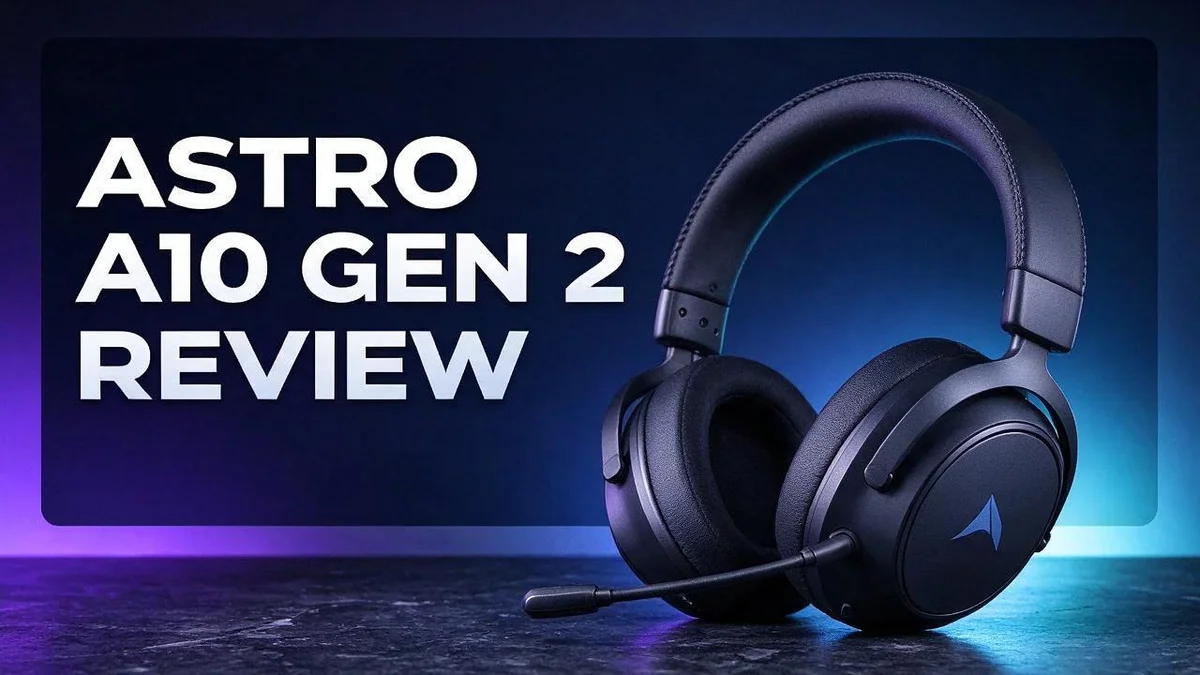
Looking for a headset that sounds great and feels good for hours? The Astro A10 Gen 2 could be the one you need.
Gamers on many platforms love this headset. It works with Xbox, PlayStation, Nintendo Switch, PC, and Mac. You can move between your favorite games with ease.
Inside, you get 32mm custom tuned dynamic drivers for smooth, bass heavy sound. The memory foam ear pads keep things cozy during long sessions.
The headband feels flexible and tough. A flip to mute mic and inline volume control add handy everyday touches.
In this review, we will look at sound, comfort, mic quality, and what reviewers say. Let’s dive in.
In a Nutshell
-
Clear mic with a quick mute: Reviewers praise the mic quality for voice chat. A flip up mute lets you silence yourself in seconds, so teammates hear only what you want them to hear.
-
Easy volume control on the cable: The inline volume control lets you adjust sound without pausing your game. You can make quick changes during a busy match.
-
Soft padding for long sessions: The memory foam ear pads help you play for hours. One Reddit user found the first model less comfortable, but no one raised that issue for the Gen 2.
-
Standard jack for wide use: The 3.5mm jack fits many controllers, laptops, and phones. This makes it easy to switch between devices.
-
Mixed notes on performance: The reviewer at Headphonesty calls the performance inconsistent. Test the headset in your own setup before you decide.
-
Strong marks overall: Reviewers say this headset does well on sound, mic quality, and comfort. It suits players who want these features most.
Sound Quality
No products found.
Sound quality is where many players first notice the Astro A10 Gen 2. The headset leans toward a warm and full tone. This style suits action games, racing titles, and open world adventures.
The low end stands out first. Bass hits feel thick and punchy. Explosions and engine rumbles carry real weight, so big moments feel even bigger.
Mid tones handle voices with care. Dialogue in story games sounds clear and natural. Characters stay easy to follow during loud battle scenes.
The high end sounds softer than the lows. Cymbals and bright effects lack some sparkle. Listeners who love crisp treble may want more shine.
The sound stage feels fairly close and focused. Wide, airy soundscapes may feel less spacious than expected.
Results can shift from one game to the next. Testing a few favorite titles helps you judge the sound fairly.
Many consoles and PCs include an equalizer setting. Raising the treble slightly can add clarity to footsteps and voices. Small tweaks often make a big difference.
Music lovers will enjoy the full low end. Pop and hip hop tracks sound lively and warm. Acoustic songs may feel a bit thick in the middle.
Loud action scenes stay comfortable to hear. The smooth tone helps during long sessions.
Headset fit also affects sound. A snug fit keeps the bass feeling strong. Loose ear cups can thin out the low end.
Pairing the headset with a good audio source helps too. Clean signals keep the tone clear. Weak ports or poor cables can dull the sound.
Fans of cinematic games will likely enjoy this tone. Competitive players who rely on sharp directional cues should listen first. A quick test in your own setup is the best way to decide. Overall, the sound suits relaxed play and big cinematic moments.
Comfort and Ear Pads
Comfort decides whether you keep a headset on after the first hour. The Astro A10 Gen 2 puts real effort into its ear pads and fit.
Ear cup room matters more than most players think. Your ears need space inside the cup. Pressing ears against the padding can cause pain fast.
Good pads spread pressure across a wider area. This helps reduce sore spots on the sides of your head. Many players feel less fatigue as a result.
Gen 2 comfort did not draw criticism from reviewers. One Reddit user found Gen 1 comfort lacking. That gap matters if you upgrade from the first model.
Heat can build under any headset during long matches. Memory foam may trap some warmth around your ears. A short break helps you cool down.
Clamp force is the next thing to check. A headset that squeezes too hard can cause headaches. Gentle pressure suits most players best.
Glasses wearers should pay close attention to fit. Thick frames can push against the pads. This can weaken the seal around your ears.
Adjust the headband until the cups sit evenly over your ears. Then check that neither side feels tighter. Small changes can make a big difference.
Take the headset off every hour or so. Rest your ears and jaw for a few minutes. This keeps comfort steady through a full night of play.
Pads can wear down after months of daily use. Check for flattened foam or loose stitching. Replacement pads, if available, can restore a snug feel.
Warm weather can make the pads feel stickier. Wipe sweat away with a light, dry cloth. Clean pads help the headset feel fresher each session.
Overall, comfort feels strong for many players. The pads suit a range of head shapes. Still, test the fit yourself before you commit.
Microphone and Controls
Mic placement makes a bigger difference than most players expect. Bend the arm so the tip sits a short distance from your mouth. Your teammates hear you without harsh breathing sounds.
Check your mic in the console settings. Most platforms let you hear your own voice in a test or party menu. This quick check shows whether your chat levels sound right before a match starts.
Learn where each control sits by feel. Practice reaching for the cable before a big match. Muscle memory keeps your hands on the game instead of the headset.
Cable routing keeps the controls out of the way. Clip the cable to your shirt or chair arm so it does not tug. Less tugging means fewer accidental bumps to your mic position.
Mute habits matter in group chats. Mute yourself when you step away. Background noise from doors, snacks, or pets can reach the whole group. A simple habit keeps chats calm.
Seat the jack firmly before each session. A loose connection can cause crackling or a silent mic. Test both sound and mic on every device you use.
Glance at the mute status before you speak. Many players forget they are muted during a fast match. A quick look at your console or PC chat panel saves embarrassment.
Small habits make the mic and controls feel natural. Good placement, quick tests, and tidy cable routing help you focus on the game. Keep these steps in mind for every session.
Pay attention to how the mic sounds after a long session. Pads and cable pull can shift the arm over time. Check the position every few weeks.
Make small adjustments early. Fixing mic position at the start of a session saves time later. Your squad will notice the difference in every voice chat. Calm audio keeps everyone focused on winning.
Top 3 Alternatives
HyperX Cloud II


Last update on 2026-10-21 / Affiliate links / Images from Amazon Product Advertising API Some of the links on this website are affiliate links, which means that at no additional cost to you, I earn a commission if you click through and make a purchase. I only recommend products and services that I believe will add value to my readers. Thank you for your support!
The HyperX Cloud II is a favorite among gamers. It feels light and comfy during long sessions. The padded ear cups keep your ears relaxed and your head happy.
The sound is clear with strong bass. You get a detachable microphone that picks up your voice well. Many players love its solid build and simple setup.
Razer BlackShark V2 X

Last update on 2026-10-21 / Affiliate links / Images from Amazon Product Advertising API Some of the links on this website are affiliate links, which means that at no additional cost to you, I earn a commission if you click through and make a purchase. I only recommend products and services that I believe will add value to my readers. Thank you for your support!
The Razer BlackShark V2 X gives you crisp audio for fast-paced games. Its lightweight frame helps you stay comfortable all day. The ear cushions feel soft against your skin.
Footsteps and gunfire stand out clearly. The microphone captures your voice with less background noise. This headset works well for players who want sharp sound and clear chat.
SteelSeries Arctis Nova 1

Last update on 2026-10-28 / Affiliate links / Images from Amazon Product Advertising API Some of the links on this website are affiliate links, which means that at no additional cost to you, I earn a commission if you click through and make a purchase. I only recommend products and services that I believe will add value to my readers. Thank you for your support!
The SteelSeries Arctis Nova 1 brings a sleek look to your gaming setup. Its light design makes it easy to wear for hours. The headband adjusts smoothly to fit most head sizes.
The audio profile is balanced and clear. You can use it for gaming, music, and movies. The microphone works well for team chat and voice calls.
Build and Durability
The Astro A10 Gen 2 is built to handle everyday play. Its frame uses flexible plastic that can take a bit of stress.
A stiff frame can crack after a few hard knocks. A bendy frame gives way and then returns to shape.
The headband takes the most wear. Each time you put the headset on or take it off, the band flexes.
Over months, that repeated motion can test any material. A durable band keeps its shape, so the cups stay in place on your head.
Sliding adjusters need gentle handling too. Pushing them past their limits can strain the plastic. Move them smoothly until the fit feels right.
Cable strain is another weak spot. Pulling the cord hard can loosen the connection at the jack. Coil the cable loosely when you store it.
Inline controls take a lot of handling. Volume wheels and mute switches get pressed often. Plastic parts like these can loosen over time, so a light touch goes a long way.
Consoles and controllers also see plenty of plugging and unplugging. Always pull the plug by the connector, not the wire. This habit protects the jack and the cable.
Travel adds another test. Bags, backpacks, and car seats expose the headset to bumps and pressure. A hard case or padded pouch is the safest choice when moving it.
The mute mic arm needs care as well. Bending it back and forth can stress the joint. Move it slowly and avoid forcing it past its stop.
Dust and crumbs can collect around the ear cups and vents. A dry cloth removes most of it. Skip harsh cleaners, since they can dull the plastic.
Good storage habits extend the life of any headset. Hang it on a hook or place it on a shelf. Keep it away from hot dashboards and direct sunlight.
Overall, the build feels practical for regular gaming. Reviewers praise the durable headband, and that supports this view. With simple care, the headset can stay in good shape for a long time.
Platform Compatibility
The Astro A10 Gen 2 fits many gaming setups. It supports Xbox, PlayStation 4, PlayStation 5, Nintendo Switch, PC, and Mac. That wide range makes it a flexible choice for homes with more than one device.
The headset uses one 3.5mm jack for every platform. This means most players do not need special adapters. Plug the cable into any controller or device with a headphone port.
Controllers matter more than many players expect. Confirm that your controller has a 3.5mm port before you start. Some newer controllers include one, while older models may not.
Xbox controllers with a 3.5mm port let you hear game audio and chat together. PlayStation 5 controllers work the same way. Older PlayStation 4 controllers also include a jack.
Look at the port location before each session. Port spots vary between controllers, so check before you plug in.
Nintendo Switch players should check each mode. Handheld play and docked play can use different ports. Test the audio once in each mode to confirm the mic and sound work.
PC and Mac users can plug in straight to the computer. Many laptops use a combo jack that handles both sound and mic input. If the mic does not work, try a separate mic input or a USB audio adapter.
Set the headset as the default device. Open your sound settings and choose the Astro A10 Gen 2 for output and input. This step keeps audio from playing through speakers by accident.
Quick tests also reveal problems early. Play a short round after setup to confirm sound and mic before a long session. A quick check of ports, controllers, and settings saves time, and your setup then works across every platform you own.
Pros and Cons
Pros
- Smooth sound with a strong bass lean.
- Memory foam ear pads feel soft during long sessions.
- Reviewers praise the mic quality for clear voice chat.
- Reviewers say the sound quality and comfort both hold up well.
- The headset works with Xbox, PlayStation, Nintendo Switch, PC, and Mac.
Cons
- Reviewer Headphonesty calls the performance inconsistent.
- One Reddit user found the Gen 1 model less comfortable, so fit views are mixed.
- Current reviews offer few direct comparisons with top rival headsets.
Who Should Buy It
Players who want a relaxed, everyday headset should take a close look. This model suits people who game for fun rather than chasing every tiny audio detail. Think weekend sessions with friends or easy evenings after work.
Casual couch players will enjoy the sound. Movie nights and open world adventures feel full and rich. Music lovers often like the warm tone too.
Families and roommates often benefit most. One headset can move between a living room console, a bedroom PC, and a handheld. Shared setups see plenty of use, so a comfortable fit keeps everyone happy.
Voice chat fans gain a lot from this headset. Party games and team shooters depend on clear talking. Many reviewers say the mic holds up well, which helps squads stay in sync.
Students and small-space gamers should also consider it. Dorm rooms and shared apartments often limit where you can play. A headset that stays comfortable through late study breaks can make those sessions far more enjoyable.
Marathon gamers may appreciate the soft ear pads. Long campaigns and slow-paced RPGs demand comfort that lasts. Fit opinions are mixed, so trying it on first makes sense when possible.
Competitive players should weigh the downsides carefully. Reviewer Headphonesty calls performance inconsistent. Ranked players chasing precise sound cues may want more proof before they commit.
Skip this headset if you want a neutral, studio-style sound. Its bass-heavy tuning will not suit everyone. Buyers who want a direct comparison with rival models will also find few tests that match them side by side.
Final thought: this headset fits relaxed, social players who value sound and comfort. Think about your play style first. Then decide with confidence.
Final Verdict
The Astro A10 Gen 2 earns a strong final verdict. It suits most players who want a simple, dependable headset.
Its smooth sound and bass lean make games and movies feel rich. Some reviewers, however, find performance inconsistent.
The comfort and mic quality also stand out. Memory foam pads and a durable headband help during long sessions.
Think of this headset as a reliable option for most players. It does not chase flashy extras. Instead, it focuses on the basics that matter most.
The inline volume control and flip-to-mute mic add everyday convenience. You can adjust sound or silence chat without reaching for a menu. That small touch matters during fast-paced matches.
The main catch is consistency. Some sessions may feel different from others, based on the reviews we studied. Competitive players who rely on precise audio cues should test it carefully.
Audiophiles chasing detailed, neutral sound may look elsewhere. This headset favors fun and bass over analytical precision.
The Gen 2 model avoids the comfort complaints that one Reddit user raised about Gen 1.
The flexible headband also suits people who handle gear often. Its very durable build can take daily wear.
Shoppers should set clear priorities first. If you care most about reliable chat, comfort, and easy setup, this headset fits well.
Some players may want more. Those chasing the most precise audio should look at a few rival headsets first.
Give it a fair test across several sessions. Early impressions can change once the fit settles and you learn the sound.
Our recommendation is clear. Choose this headset if you want comfort, clear chat, and wide device support. Check your port location, set the default device, and you can start playing right away.
Final verdict: a dependable pick for everyday gaming.
Frequently Asked Questions
What does inconsistent performance mean in daily use?
Reviewer Headphonesty calls the performance inconsistent. In practice, this means the sound may feel stronger in some games than in others. Try a few different games or shows during your first week. This helps you spot any uneven moments early.
How can I test the fit before I commit?
Start with a short session and check for pressure points. Notice whether the ear pads stay comfortable after an hour. Also check that the headband sits well on your head without sliding. Small tests like this show you how the headset feels in your own routine.
Should I compare it with rival headsets?
Yes, you should. Current reviews offer few direct comparisons with top rival headsets, so you need to do some of that work yourself. Look at side-by-side videos or user photos. Pay close attention to how each option handles voice chat and bass.
Who should skip this headset?
Some players will want something different. If you need a very detailed, neutral sound for critical listening, look elsewhere. Likewise, if you want the most consistent performance from one session to the next, check recent feedback before you decide.

Hi, my name is Lily you can say i am a gadget hunter at this point. Welcome to Gadget Gallery The Gallery of Gadget Reviews