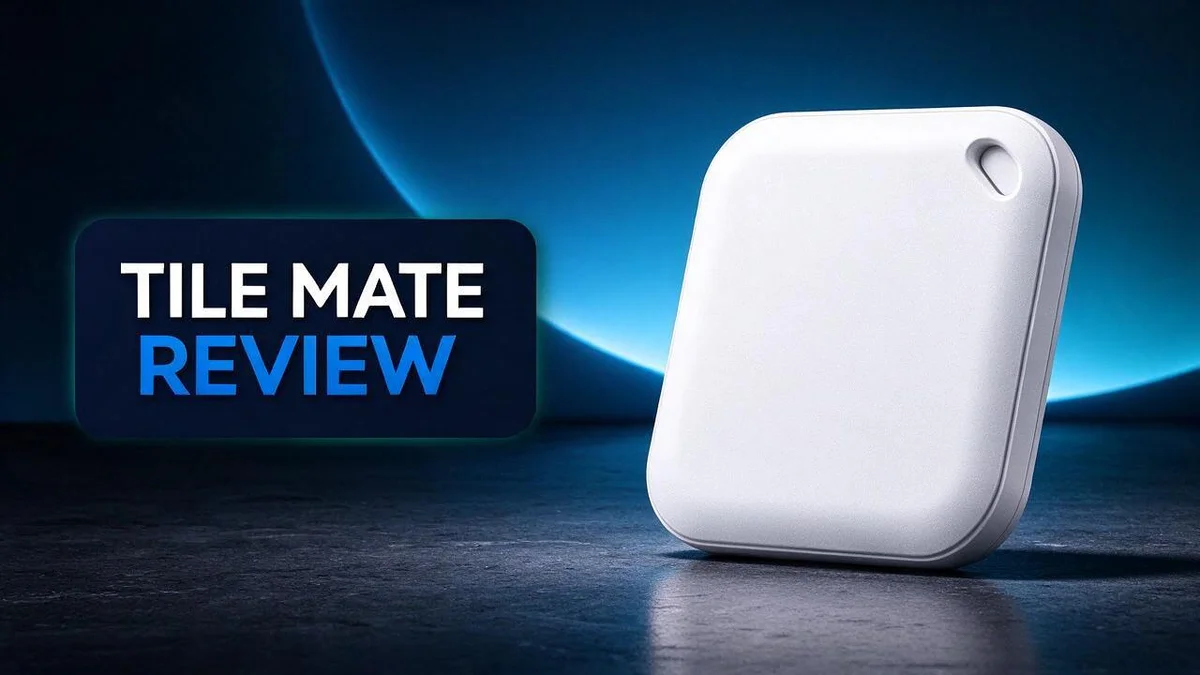
Tile Mate Review 2026: Features, Battery Life, and Privacy
Losing your keys is frustrating. Losing your bag or wallet can be even worse. That is where a tracker like the Tile Mate steps in.
Tile Mate attaches to your keyring with ease. It offers a Bluetooth range of about 100 feet at best and a battery that lasts up to three years. You also get a seven day location history and an SOS button in the two pack.
Many people like the unified map that tracks Tiles and family members together. Smart assistant support and an excellent app make daily use simple. Still, it helps to know where it falls short.
In this review, we will look at what works well, what does not, and whether this tracker fits your daily life.
In a Nutshell
- Long battery life: Tile Mate can run for 3 years on one battery. You rarely need to think about charging it.
- Helpful location history: The tracker keeps a 7 day record of where your item was last seen. This helps you retrace your steps.
- Solid build: Reviewers say the tracker handles daily bumps well. One comparison lists an IP67 rating for dust and water resistance.
- Extra safety option: The 2 Pack includes an SOS button for urgent moments.
- Bluetooth limits: Tile Mate relies on Bluetooth, not true GPS. Its range reaches about 100 feet at best, so distant items may be hard to find.
- Privacy concerns: One Reddit user called Tile a “data pirate” and said the service has become far worse. Read the privacy terms before you commit.
Key Features

Last update on 2026-11-04 / Affiliate links / Images from Amazon Product Advertising API Some of the links on this website are affiliate links, which means that at no additional cost to you, I earn a commission if you click through and make a purchase. I only recommend products and services that I believe will add value to my readers. Thank you for your support!
Tile Mate packs several useful features into one small tracker. Here is a closer look at what it can do for you each day.
Range is one of the tracker’s best traits. It reaches about 100 feet at best, which covers most rooms, yards, and parked cars. Walls and metal objects can shorten that distance.
Water resistance adds another layer of protection. One comparison lists the tracker as IP67 rated. This means it resists dust and brief dips in water.
The Find feature helps you ring a lost tracker from your phone. One reviewer said it worked reliably during their testing.
Smart assistant support lets you ask for your item’s location by voice. This makes searching feel quick and natural.
Reviewers often call the app excellent. It gives you a clear view of your tracked items and their status.
The compact size helps it blend into daily life. It can slip into a pocket or clip onto a bag without adding much bulk.
Using these features takes only a few steps. Open the app, pick the tracked item, and choose the Find option. Then listen for the ring to find it nearby.
Bluetooth trackers like this depend on a nearby phone. So the Find feature shines most at home, at work, or during daily errands.
Daily use should feel simple for most people. Keep the tracker attached to items you use often. That habit gives you the best chance of quick recovery when something goes missing.
This tracker suits people who misplace things often. Busy parents, students, and frequent travelers can benefit most from its quick search tools.
Smart choices lead to better results. Focus on the features you value most, like the Find option and voice control.
Design and Build
Pick up a Tile Mate and you notice its simple shape right away. It sits flat in your palm and feels light.
The design focuses on one clear job. It stays out of your way until you need to find something.
Edges matter more than most people think. Smooth edges slide into pockets and bags without catching on fabric.
Keyring fit deserves a closer look. A loose ring can rattle against your other keys all day long. A snug fit keeps the tracker quiet and steady.
Thickness plays a big role in comfort. A thin tracker feels less bulky in a jacket pocket than a thick one would.
Comfort during long days counts. A small tracker should not poke into your leg when you sit or dig through a purse.
Weight also affects how you feel about carrying it. Very light trackers rarely feel like a burden on a crowded keyring.
Noise and movement can be annoying. When keys jingle in a bag, a secure hold keeps the tracker from clacking against metal.
Think about how you open your door. Some people hold keys in one hand while they unlock. A compact shape leaves room for the other fingers.
The surface also matters when you wipe off dirt. A smooth finish cleans up with a quick swipe of a cloth.
Wear and tear tells the real story. Keys get tossed into bags, dropped on counters, and jammed into cupholders. A design that handles this stress keeps working for months.
Think about where you will place it. A keyring spot suits people who never leave home without their keys.
Small details like these shape daily satisfaction. A tracker you like holding is one you keep using.
Overall, the design favors simplicity. It suits people who want a tracker that fades into the background until they need it.
Tracking Range and Reliability
Every tracker promises to find lost items. The real test is how far it can reach. With Tile Mate, the number to know is about 100 feet at best.
That figure assumes a clear path. Walls, floors, and furniture can weaken the signal. Think of the range as a ceiling, not a guarantee.
Here is a simple way to picture it. If your keys sit in the living room, your phone in the kitchen may still locate them. If you leave the house, the trail goes cold fast.
Reliability depends on your phone too. Bluetooth trackers need a nearby phone to report a location. So the tracker works best when your phone stays close by.
One reviewer found the Find feature worked reliably. That experience matters, but one report is not a full picture. Test it yourself before you rely on it.
Try a quick check at home. Walk away from the tracker one room at a time. Note where the Find feature still rings it. This shows you the real working distance in your space.
Crowded places can also change results. Busy offices, apartment buildings, and shopping centers have many devices nearby. Results may vary from one place to the next.
Expect the best results in open areas. Expect weaker results inside thick buildings or underground. Set your expectations early and you avoid frustration later.
Pay attention to small changes. If the app shows a last seen time that looks old, act quickly. Walk your usual route first, since your item may have dropped nearby.
Keep your expectations realistic and your results will feel better. Tile Mate works well for nearby searches, especially around home or work.
Reliability grows when you combine habits with the tracker. Keep it on keys or a bag you always carry. Check the app often so you know its last seen spot.
Top 3 Alternatives
Apple AirTag


Last update on 2026-11-04 / Affiliate links / Images from Amazon Product Advertising API Some of the links on this website are affiliate links, which means that at no additional cost to you, I earn a commission if you click through and make a purchase. I only recommend products and services that I believe will add value to my readers. Thank you for your support!
Apple AirTag fits well for people with iPhones. It works with the Find My app.
You can play a sound to locate lost items nearby. The Find My network also helps when your item is far away.
Setup is quick and simple. Place the tag near your iPhone and follow the prompts.
Chipolo ONE

Last update on 2026-11-04 / Affiliate links / Images from Amazon Product Advertising API Some of the links on this website are affiliate links, which means that at no additional cost to you, I earn a commission if you click through and make a purchase. I only recommend products and services that I believe will add value to my readers. Thank you for your support!
Chipolo ONE supports both Android and iPhone users. That makes it a flexible choice for mixed households.
Its speaker is loud enough to hear across a room. You can also use the app to set a separate alert when you leave an item behind.
Many people like its slim, bright design. It clips onto bags and keys with ease.
Samsung SmartTag2

Last update on 2026-11-04 / Affiliate links / Images from Amazon Product Advertising API Some of the links on this website are affiliate links, which means that at no additional cost to you, I earn a commission if you click through and make a purchase. I only recommend products and services that I believe will add value to my readers. Thank you for your support!
Samsung SmartTag2 is a strong option for Galaxy phone owners. It connects through the SmartThings Find network.
The tag uses nearby devices to help locate items you have lost. Users can ping the tag from their phone when items are close by.
The tag also has a button you can press. Use it to help your phone find your keys or wallet.
Battery Life and Longevity
Battery life matters more than most people think. A dead tracker cannot help you find anything at all.
The listing gives Tile Mate about three years of battery life. That means you can attach it and rely on it for a long stretch.
Many owners will not think about the battery for years.
Three years sounds long, but real results vary. Temperature, frequent use, and battery age all affect how long power lasts.
Cold weather can drain a coin cell faster than usual. Keep that in mind if you use the tracker outdoors in winter.
Replacing the battery is usually a quick job. This means you can keep the same tracker going instead of starting over.
Check the app now and then. If it shows a low battery alert, act on it soon. A warning gives you time to act before the tracker goes silent.
Keep a spare battery on hand. This small habit prevents a gap in coverage when your keys matter most.
Think about where you attach the tracker, too. A spot that gets hot inside a parked car may wear out the battery sooner.
Set a yearly reminder. A calendar alert helps you replace the battery before it runs out.
Write the install date on a small label or in a note. Many people forget the date after a few months, and a record makes battery changes easier to plan.
Battery life also shapes trust in the tracker. A reliable tracker feels like a safety net. A failed one leaves you guessing where your belongings went, so steady power matters.
Think of three years as a useful estimate, not a guarantee.
Watch for sudden drops in signal strength. A weak connection may point to a fading battery, especially when the range was strong before.
Overall, battery life is a real strength for Tile Mate. With a little planning, you can keep it working for years.
Privacy and Data Practices
Location history is the main privacy question. The research shows that Tile Mate keeps a 7 day location history. This means the app can show where your item was seen during that window.
Older points drop off once the window closes. Look in the app for any options about history so you know what gets stored.
Family sharing adds another layer. Life360 places your tracker and family members on one unified map. Think about who can view that map before you set it up.
One Reddit user called Tile a “data pirate” and said it had become “far worse.” That opinion comes from one person, but it shows why people ask hard questions.
Read the privacy policy before you sign up. Look for what information gets collected, who receives it, and how you can delete it. Policies can change, so check them now and then.
Review your phone permissions too. Location access set to always gives the app more reach than you may need. Choose the setting that matches how you use the tracker.
Share access only with people you trust. Remove anyone who no longer needs to see your location. This habit keeps your circle small and your information safer.
Use a strong, unique password for your account. A password reused across many sites raises the risk if one site gets breached.
Compare the policies of each competitor too. AirTag, Tile Pro, and SmartTag2 each have their own rules. A quick side by side look helps you pick the option that fits your comfort level.
Ask yourself what you need the tracker to show. A simple answer helps you choose the right settings from the start.
Keep your app updated as well. Updates often fix security issues, so turn on automatic updates if your phone allows it.
Privacy is a habit, not a single setup task. Check your settings every few months. Small reviews keep your data under control and your peace of mind intact.
Pros and Cons
Pros
- A built-in keyring makes it easy to attach to bags and keys.
- The SOS button, included in the 2-Pack, gives you a quick way to ask for help.
- Smart assistant integration lets you use voice commands with ease.
- The app feels polished and simple to use.
- The sturdy build and IP67 rating handle everyday bumps and splashes.
Cons
- It is not a true GPS device, so it depends on Bluetooth signals.
- It runs on Bluetooth only, which limits how it works without a nearby phone.
- Rivals like AirTag, Tile Pro, and SmartTag2 offer close alternatives.
Who Should Buy It
Tile Mate suits people who misplace everyday items. Keys, wallets, and bag keychains often disappear inside the house or office. This tracker helps with those quick, nearby searches.
Students and busy parents may find it handy too. Backpacks, lunch bags, and sports gear go missing fast. A tracker gives everyone a quicker way to check what is gone.
Commuters who rush out the door can benefit most. A quick look in the app shows whether the keys made it into the bag. That small check can prevent a stressful search.
Renters and frequent movers can keep one tracker through a move. Boxes and house keys often get separated in the chaos. A tracker on the main key set keeps the search simple.
Shared households can give each person a separate tracker. Each person attaches one to a personal item. That way, nobody fights over a single device.
Pet owners can try it on a collar loop, but with caution. A dog that roams far beyond phone range will leave the signal behind. Short walks in familiar areas work best.
People who need live tracking should choose a different tool. A child walking alone or an older relative with memory loss needs a dedicated safety device. This tracker focuses on lost items instead.
Beginners often find the setup simple. Most people pair the tracker in the app and attach it to a key ring within minutes. Clear steps make the process easy to follow.
Gift buyers for forgetful relatives may find it useful. A tracker on a set of keys can ease daily worry for a loved one.
Anyone who loses items often should ask one question first. What do you lose most, and where does it usually go missing? If the answer is small everyday things near home, this tracker fits well.
Final Verdict
So, is Tile Mate worth your time? For most people who lose everyday items, the answer is yes. It does the job it was built for with very little fuss.
The long battery life means you can forget about charging for years. Three years of runtime is a big win for busy households. The tracker stays quiet in the background until you need it.
Still, it is not the right pick for every situation. Bluetooth tracking needs a phone nearby. If you want to follow a car across town, look at a true GPS device instead.
Range matters too. The signal reaches about 100 feet at best, so walls and distance can cut it short. Think of Tile Mate as a finder for the house, the office, and the local park, not a global locator.
Many people buy a tracker and then forget about it. Tile Mate fits that habit well. A quick check in the app before leaving home can save minutes of stress each morning.
Test it before you rely on it. Attach it to your keys for a few days. Walk away from the house and see whether the app shows a clear location. Real results in your own routine tell you more than any review.
Trust your own findings over online opinions. Reviews vary, and one person’s good experience may not match yours. Your phone, your home layout, and your daily habits shape the results.
Overall, Tile Mate offers a simple and low stress way to stop searching. It does not replace a GPS tracker, yet it solves the small daily problem of lost items very well. If that problem fits your life, Tile Mate deserves a spot on your short list.
Frequently Asked Questions
Can Tile Mate show my family on the same map?
Yes, it can. The unified map shows your Tiles next to family members through Life360. This helps you see both your belongings and your people in one place.
How far back does the location history go?
The app keeps a 7-day location history. You can check where an item was last seen during that window. Older activity will not appear, so act fast after a loss.
How do I set up Tile Mate for the first time?
Open the app and add your tracker. Then follow the on-screen prompts. Give each tracker a clear name, such as “Blue backpack” or “House keys,” so you know which item it protects.
Should I worry about privacy?
Some users have raised concerns. One Reddit user called Tile a “data pirate” and said it had become far worse. Read the privacy settings in the app and decide what you feel comfortable sharing before you go further.
What should I check if my tracker stops showing up?
Start with the basics. Make sure Bluetooth is on for your phone and that the app has permission to use it. Then walk around the area where you last saw the item. Simple checks often fix the problem within minutes.

Hi, my name is Lily you can say i am a gadget hunter at this point. Welcome to Gadget Gallery The Gallery of Gadget Reviews