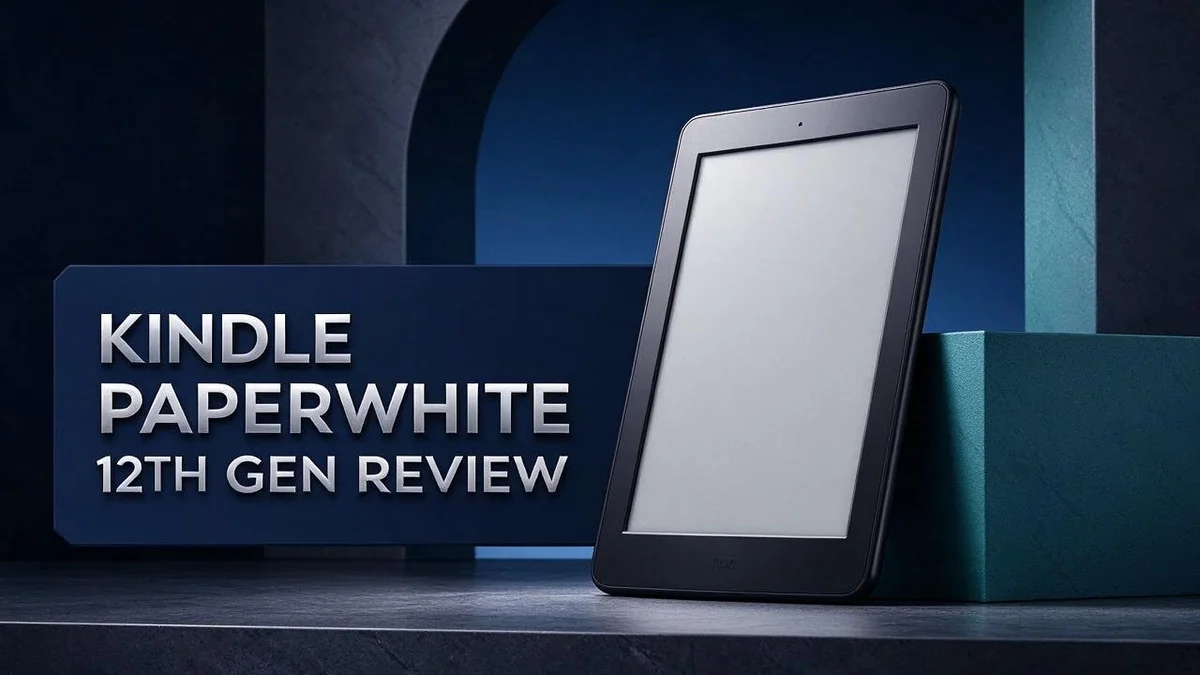
Kindle Paperwhite 12th Gen Review: Screen, Battery And Design
Looking for an e-reader that feels fresh and fast? The Kindle Paperwhite 12th Gen could be your next favorite device.
The seven inch screen is a step up from the older model. The Carta 1300 display brings sharper text and higher contrast. Reviewers say it has the best contrast on a Kindle yet.
Page turns feel 25% faster than before. The device is also waterproof and thinner. Reading by the pool or in the bath becomes much easier.
Still, this is a minor refresh. Most of the upgrades focus on the screen. Lockscreen ads also appear, so keep that in mind.
Ready to see if this reader suits your habits? Keep reading to find out what matters most.
In a Nutshell
This e-reader focuses on comfort and convenience for daily reading. Here are the key points to know.
- Reading in bright sunlight gets easier. The Carta 1300 screen offers higher contrast, so text stays sharp on a sunny porch or at the beach.
- Night reading feels gentler. The warm light setting helps your eyes relax before bed.
- Water is no longer a worry. The device is waterproof, so you can read in the bath or by the pool.
- Packing for trips is simple. The slimmer body fits easily into a bag, and one charge can last up to 8 weeks.
- Your library has room to grow. The 16 GB base storage holds a large collection of books.
- Lockscreen ads are the main drawback. Readers who dislike ads should keep this in mind before buying.
Overall, this model suits readers who want better screen clarity and water resistance. If you want a bigger change in design, you may want to compare it with rival devices like the Kobo Clara BW or the Boox Go Color 7.
Display and Reading Comfort


Last update on 2026-10-21 / Affiliate links / Images from Amazon Product Advertising API Some of the links on this website are affiliate links, which means that at no additional cost to you, I earn a commission if you click through and make a purchase. I only recommend products and services that I believe will add value to my readers. Thank you for your support!
Long reading sessions can strain your eyes. The Kindle Paperwhite 12th Gen aims to ease that strain with a screen that feels close to real paper. Your eyes can rest during long chapters.
Text size is a big part of comfort. You can change the font, size, and line spacing until words feel right. Small changes make a big difference for tired eyes.
Font choice shapes how easy text feels. Serif fonts look like printed books, while sans serif fonts look clean and modern. Try both and keep the one that feels natural.
Margins matter too. Wider margins give your eyes a calm place to rest on each page. Narrow margins fit more words, but they can feel crowded.
The screen shows only black and white. Some readers will miss colour in comics or picture books. If colour matters to you, look at the Kobo Clara Colour or the Boox Go Color 7 first.
Glare is less of a problem than on a tablet. The screen does not act like a mirror in bright rooms. Your reading stays steady in many spaces, even near a window.
Many readers with dry eyes or screen fatigue prefer screens that look like paper. A bright tablet can feel harsh after an hour. This style of display often feels gentler.
Distractions matter for comfort too. This device has no social feeds, videos, or games. Your attention stays on the book, which keeps reading calm.
Look for a setting that matches your daily routine. A commuter may read in short bursts, while a weekend reader may enjoy long chapters. Match the font and layout to your pattern.
Comfort also depends on your habits. Read a few pages at night and notice how your eyes feel. Adjust the settings until the page looks right for you.
Finally, try the device before you commit to daily use. Spend one week with your favorite book. You will know quickly if the display suits you.
Design, Build and Portability
Holding the device feels natural. Your hand can rest along the edge while your thumb turns pages. Reading in bed or on a commute becomes easier.
The slim frame helps it balance well in one hand. Long chapters feel less tiring when your wrist does not bear extra weight.
Page turns stay within thumb reach. Most readers can move through a book without shifting their grip. Smooth motion keeps the reading flow steady.
Think about where you read most. A nightstand, a desk, or a sofa each suits a different hold. Try a few positions before you settle on one.
Cases add grip and protection. A cover with a raised edge can make the device easier to hold. Choose one that does not block the power button or the charging port.
A clear border around the screen gives your fingers a place to rest. This keeps your hand away from the words you are reading.
Handle it gently in daily use. Store it in a sleeve when you carry it in a bag. A soft pouch helps guard the screen from keys and coins.
Turning pages with either hand takes little adjustment. Readers who use the left hand or the right hand both find it easy to use.
Comfort in the hand matters as much as the screen. Good design helps you read for longer stretches. Pick a grip that feels right for you.
Desk stands and reading positions matter too. A simple stand can prop the device at a comfortable angle. Angle matters because a low screen can strain your neck during long sessions.
Commutes suit this size well. A jacket pocket or small tote can hold it with ease. Check the fit of any cover before you leave home.
Your habits shape how weight feels. A device held in bed feels different from one resting on a table.
Small details add up. Edges, corners, and buttons all affect comfort. Notice them during your first week.
Battery Life and Storage
The battery is the part most readers think about first. However, the listed run time is a best case. Your daily routine decides how long each charge truly lasts.
Brightness is the biggest lever. Lowering the light level saves power and still keeps text clear. Many readers find a middle setting works well at night and during the day.
Wireless features use power too. Turning off Bluetooth when you do not need it helps the battery hold charge longer. Airplane mode is another option when you read offline for days.
Charging habits also matter over time. Letting the battery drop very low again and again can shorten its life. Topping up before it runs empty keeps the device ready.
Storage works differently than many readers expect. Purchased books stay in your cloud library, even after you remove them from the device. You can download them again at any time. This keeps internal space free.
Cloud access changes how you manage space. You never need to delete a favourite book for good. Your full collection stays safe in your account, even when the device feels full.
Bookmarks and notes need very little room. Your reading progress, highlights, and bookmarks take up only a small part of the space.
Simple habits make the biggest difference. Check your storage page once in a while. Remove finished titles and keep only the books you plan to reopen soon.
Download before a trip. Pack your next book before you leave home. Downloads need a stable connection. So you can read anywhere, even when signal is weak.
Check the battery level before a long trip. A quick look at the battery status helps you plan. Keep the charging cable in your bag for backup.
Think about your daily reading time. A short commute uses less power than a full evening of reading. Plan your charging around your routine, and the battery will rarely surprise you.
Small steps keep your device ready for every page.
Top 3 Alternatives
If you want a different ereader, these three options deserve a close look. Each one makes reading simple and comfortable.
Kobo Clara BW

Last update on 2026-10-21 / Affiliate links / Images from Amazon Product Advertising API Some of the links on this website are affiliate links, which means that at no additional cost to you, I earn a commission if you click through and make a purchase. I only recommend products and services that I believe will add value to my readers. Thank you for your support!
The Kobo Clara BW is a light and compact ereader. It fits easily in a bag or coat pocket.
Its clear screen shows black and white text like real paper. You can adjust the font size and warm light with ease. Long reading sessions feel relaxed on this device.
Kobo Libra Colour

Last update on 2026-10-31 / Affiliate links / Images from Amazon Product Advertising API Some of the links on this website are affiliate links, which means that at no additional cost to you, I earn a commission if you click through and make a purchase. I only recommend products and services that I believe will add value to my readers. Thank you for your support!
The Kobo Libra Colour adds a color screen for comics, magazines, and book covers.
It also includes physical page turn buttons. Many readers enjoy pressing these buttons when they hold the device with one hand.
You can sync your library with the Kobo app on your phone.
Boox Go 10.3

Last update on 2026-10-31 / Affiliate links / Images from Amazon Product Advertising API Some of the links on this website are affiliate links, which means that at no additional cost to you, I earn a commission if you click through and make a purchase. I only recommend products and services that I believe will add value to my readers. Thank you for your support!
The Boox Go 10.3 offers a large 10.3 inch screen for documents and PDFs.
This extra space helps when you study or review notes. You can write with a stylus and keep your handwriting in one place.
Students and teachers often choose this device for its open system and roomy display.
Pick the ereader that matches your reading habits. A small, light model suits daily reading, while a larger or color screen suits notes and magazines. Try each option in a store if you can, so you find the best fit for you.
Software, Lockscreen Ads and Ecosystem
The software keeps things simple. The Kindle opens straight to your library, so you reach your books in seconds. Menus stay clear and easy to follow. Most readers learn the basics in one short sitting.
Lockscreen ads are the first thing many buyers notice. They appear on the sleep screen when the device rests. Your book pages stay free of ads, so reading feels calm. Still, some people find them distracting, so keep that in mind.
The ads show only when the device sits idle. Tapping the power button wakes it right back to your place. Your reading view does not change, so you can pick up a story without any delay.
The Amazon ecosystem ties everything together. Your purchases, samples, and wish lists sync across devices. You can start a chapter on your phone during a commute, then continue on the same page at home. Your progress moves with you, so you never lose your spot.
Many libraries offer free e-books too. Library titles can reach the device through a simple sending process. This option helps readers who want variety without adding more shelves at home.
Rival devices follow different paths. The Kobo Clara Colour and Kobo Clara BW use their own store and support many file types. The Boox Go Color 7 runs on an Android system, which gives you more app choice. The Apple iPad Air (2025) offers the widest app range, yet it feels more like a tablet than a dedicated reader.
Choose the ecosystem you already trust. If you buy most books from Amazon, this device fits well. If you use another store, check file support first. The Amazon Fire 7 shares the same store, so it suits readers who also want video and games.
Software updates arrive over the internet. Keep the device connected now and then so new features and fixes reach it. A quick check every few weeks keeps the experience smooth.
Pros and Cons
Pros
– The screen is sharper with higher contrast.
– Page turns are 25% faster.
– The body is waterproof, so you can read near water.
– The device is thinner than earlier models.
– The warm light helps your eyes at night.
Cons
– The upgrades are modest and mostly focus on the screen.
– The display is monochrome, so there is no color.
– Ads appear on the lock screen.
Who Should Buy It
This Kindle suits readers who spend long hours with text. If you read novels, long articles, or study materials most evenings, the sharper display makes each page easier to follow. The higher contrast makes words stand out, even on a dull afternoon.
Think about your reading habits before you decide. Someone who reads a few pages on the bus each day may not notice big changes. A heavy reader will feel the difference far more often.
Students and researchers also gain a lot here. Many study guides, reports, and long essays turn into a pleasant read on a monochrome screen. Text stays clean and easy to scan, so you can focus on the ideas.
Frequent travelers make a strong case for this model. The slim body slips into a jacket pocket or a small tote bag. Airport waits and long train rides suddenly feel like good reading time.
Parents who want a calm reading tool for teenagers may also like this device. It keeps attention on the book rather than on notifications and social apps. Young readers can build good habits with fewer distractions.
Readers who already own an older Kindle should weigh the upgrade carefully. The changes are mostly about the screen. If your current device still works well, you may not need to switch right away.
First time buyers who want a dedicated reading device will find this model a sound choice. It focuses on books rather than videos, games, or web browsing. That focus helps many people read more often.
Color lovers should look elsewhere. The display is monochrome, so comics, colorful textbooks, and picture books will appear in grayscale. Anyone who needs color for those titles should consider a different device.
Night readers also benefit from this model. The warm light setting helps reduce strain when the room is dark. Warm light makes bedtime reading feel calmer and more relaxed.
Look at your daily routine before you choose. If you read often, travel regularly, or want a focused screen for books, this model fits well. If you mainly want a tablet for video or apps, another device will serve you better.
Final Verdict
The Kindle Paperwhite 12th Gen is a solid pick for most readers. It does not reinvent the device. It refines the reading experience in clear ways.
The main question is simple. Do you need this upgrade? If you already own a recent Kindle, the answer may be no. The changes feel modest in daily use.
Still, the faster page turns matter. Reading feels smoother when each page changes quickly. You notice this most during long sessions.
Battery life also stands out. The device can run for up to eight weeks on a single charge. That means fewer chargers to pack on trips.
Think about how you read before you choose. Someone who reads a few chapters each week will enjoy the long battery life. Someone who reads every night will feel the faster page turns more.
Students and researchers may find this model useful too. Long reading sessions feel easier on a dedicated screen. Notes and highlights stay organized without much effort.
Rival devices offer different strengths. The Kobo Clara BW suits readers who want a similar experience with another store. The Kobo Elipsa 2E fits people who write notes by hand. The Boox Go Color 7 appeals to anyone who wants color pages.
Your choice depends on your habits. Look at where you read, what you read, and how often you read. Those answers point you to the best fit.
Our final take is clear. This model delivers a smoother reading feel for people who want a dedicated device. It may not justify a fresh purchase for owners of the last model.
Frequently Asked Questions
How much storage does the 12th Gen offer?
It comes with 16 GB of base storage. That space holds thousands of ebooks, so most readers will never need to delete titles. Heavy users can still keep a large library on the device.
Does the bigger screen change how I read?
The screen measures 7 inches, up from 6.8 inches. The extra space gives a little more room for each page. Text still looks clean and easy to follow.
Can I listen to audiobooks on this Kindle?
Yes, Bluetooth lets you pair compatible wireless headphones. Pair your headphones before you start a listening session. This makes it easy to switch between reading and listening.
Which rival devices should I compare it with?
Shoppers often compare this model with the Kobo Clara Colour, Kobo Clara BW, and Kobo Elipsa 2E. The Boox Go Color 7 suits people who want color pages. Compare each option side by side before you decide.

Hi, my name is Lily you can say i am a gadget hunter at this point. Welcome to Gadget Gallery The Gallery of Gadget Reviews