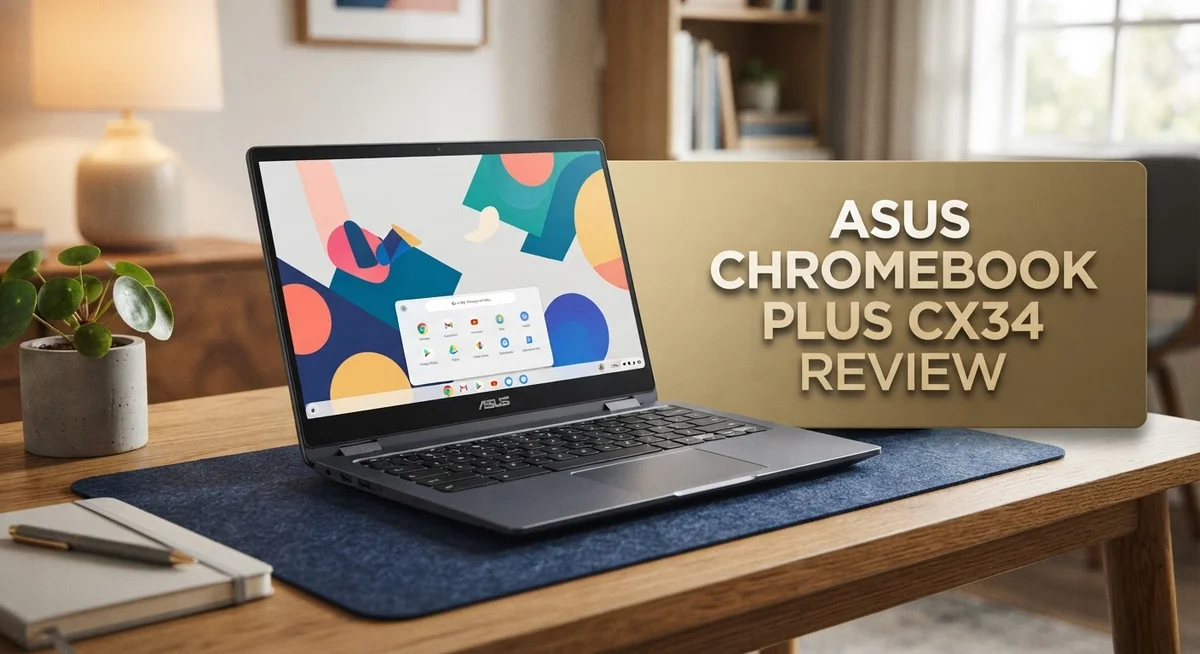
ASUS Chromebook Plus CX34 Review: Live Up To The Hype?
Looking for a reliable Chromebook that handles daily tasks with ease? The ASUS Chromebook Plus CX34 might be your answer.
This laptop packs a punch with its Intel Core i5 processor. You get smooth performance for browsing, streaming, and multitasking.
The 14 inch FHD touchscreen display stands out too. It offers excellent clarity and sharp visuals for work or entertainment.
By the end, you will know if this Chromebook deserves a spot on your desk. Let’s jump right in and explore what makes this device tick.
In a Nutshell
- Battery life falls short. If you need a laptop that lasts all day, this one might disappoint you.
- Storage stays limited. The base model gives you 128GB, though a 128GB SD card option adds extra space.
- Connectivity shines. You get WiFi 6, two USB-A ports, one USB-C port, HDMI 1.4, and a headphone jack.
- Design stays sleek. The keyboard feels solid, and the 180 degree lay-flat hinge adds flexibility for different tasks.
- Competitors cost more. Options like the Lenovo Chromebook Plus 2-in-1 and Lenovo Flex 5i offer similar features at a higher price point.
- Overall performance impresses. This Chromebook handles daily tasks smoothly and keeps up with your workflow.
Key Features and Specifications
The ASUS Chromebook Plus CX34 delivers solid hardware that handles everyday computing tasks without breaking a sweat. Its Intel Core i5 processor brings real power to this device, making multitasking smooth and app launches quick.
The display is where this Chromebook really shines. You get a 14 inch FHD touchscreen with an anti-glare coating that reduces eye strain during long work sessions. The screen stays crisp and clear whether you’re browsing, streaming, or working on documents. The 180 degree lay-flat hinge lets you flip the display all the way back, giving you flexibility for presentations or sharing content with others.
Memory and storage come in practical amounts. The device includes 8GB of RAM, which handles multiple browser tabs and light productivity work without slowdowns. Base storage sits at 128GB, though you can expand it with a 128GB SD card if you need more room for files and apps.
Connectivity options are generous on this model. WiFi 6 keeps your internet speeds fast and stable. You get two USB-A ports, one USB-C port, HDMI 1.4, and a headphone/mic jack. This port selection means you can connect external monitors, transfer files easily, and use older accessories without adapters.
The keyboard feels responsive and comfortable for daily typing. The overall design maintains a sleek, professional appearance that works well in classrooms, offices, or coffee shops. The device doesn’t feel bulky or cheap.
Google Gemini AI integration adds modern functionality to your workflow. You can use AI features for writing help, research, and other smart tasks right within the Chromebook experience.
One thing to note: battery life doesn’t match the all day performance you might expect. Plan for regular charging sessions if you work away from outlets for extended periods. Additionally, the base 128GB storage may feel tight if you download lots of files or apps, though the SD card option solves this problem affordably.

Last update on 2026-10-21 / Affiliate links / Images from Amazon Product Advertising API Some of the links on this website are affiliate links, which means that at no additional cost to you, I earn a commission if you click through and make a purchase. I only recommend products and services that I believe will add value to my readers. Thank you for your support!
Design, Build Quality, and Display
The ASUS Chromebook Plus CX34 presents a clean, modern aesthetic that appeals to professionals and students alike. The chassis feels sturdy without being heavy, making it easy to carry between classes or meetings.
The 14 inch FHD anti-glare touchscreen is the real standout here. Colors appear vibrant and text stays crisp even from wider viewing angles. The anti-glare coating reduces reflections, so you can work comfortably near windows or under bright lighting. This display handles both productivity tasks and media consumption well.
One feature that sets this model apart is the 180 degree lay-flat hinge. You can flip the screen all the way back for tent mode, stand mode, or full tablet mode. This flexibility lets you adapt the laptop to different situations. Whether you’re presenting to a group or watching content, the hinge responds smoothly without wobbling.
The keyboard delivers a satisfying typing experience. Keys have good travel distance and responsive feedback. The trackpad feels precise and responsive to gestures. Both components make extended work sessions comfortable.
Build quality feels solid throughout. The lid doesn’t flex excessively, and the hinge mechanism operates smoothly after repeated use. The overall construction suggests this Chromebook can handle daily wear and tear.
Connectivity remains generous on this model. You get two USB-A ports for legacy devices, one USB-C port for modern peripherals, HDMI 1.4 for external displays, and a headphone/mic jack. WiFi 6 support ensures fast wireless speeds when you need them.
The base configuration includes 128GB of storage, though an optional 128GB SD card slot provides expansion if needed. RAM sits at 8GB, which handles multitasking smoothly in Chrome OS.
One minor consideration: the display does reflect some light despite the anti-glare coating. In very bright environments, you may need to adjust your viewing angle slightly. This is a small trade-off for having such a bright, clear screen overall.
Performance and Processing Power
The Intel Core i5 processor powers this Chromebook with a 10-core setup that handles multitasking smoothly. You can run multiple browser tabs, streaming apps, and productivity software at the same time without lag.
The 8GB of RAM ensures smooth performance when you switch between applications. This amount of memory is solid for everyday computing. You won’t experience stuttering when opening documents, editing spreadsheets, or working with Google Workspace apps.
Real world performance shines when you’re doing typical Chromebook tasks. Web browsing feels snappy and responsive. Video calls on Google Meet run without dropping frames. Streaming content plays smoothly without buffering issues. The processor handles these activities without breaking a sweat.
Heavy lifting like video editing or 3D rendering is not what this machine was built for. Chromebooks run Chrome OS, which focuses on web-based applications and cloud computing. The CX34 excels at what it’s designed to do: cloud work, online collaboration, and everyday browsing.
Google Gemini AI integration adds a modern computing layer to your experience. You can use AI features directly in Chrome for writing assistance, research help, and quick information retrieval. This integration works seamlessly with the processor’s capabilities.
The processor stays cool and quiet during normal use. You won’t hear the fan spinning up unless you’re pushing the system hard. This makes the CX34 suitable for libraries, offices, and quiet study environments.
Processing speed matters when you’re jumping between tabs and applications. The 10-core Intel Core i5 keeps pace with your workflow demands. Opening applications takes seconds, not minutes. Files load quickly from cloud storage.
Compared to older Chromebook models, this processor delivers noticeably faster performance. Tasks that took longer on previous generations now complete instantly. The upgrade to current generation hardware shows real benefits in daily use.
The combination of processor power and 8GB RAM creates a capable machine for professionals and students. Your productivity tools respond immediately to your commands. The system rarely needs you to wait for anything to load or process.
Top 3 Alternatives
Lenovo IdeaPad Flex

Last update on 2026-10-21 / Affiliate links / Images from Amazon Product Advertising API Some of the links on this website are affiliate links, which means that at no additional cost to you, I earn a commission if you click through and make a purchase. I only recommend products and services that I believe will add value to my readers. Thank you for your support!
The Lenovo IdeaPad Flex offers a solid alternative for users seeking flexibility and performance. This device features a convertible design that lets you switch between laptop and tablet modes. The display quality impresses with vibrant colors and sharp text. Battery life runs strong throughout your workday, keeping you productive without constant charging.
The keyboard feels responsive and comfortable for long typing sessions. Storage options give you enough space for documents, photos, and applications. The build quality feels sturdy, and the hinge mechanism works smoothly. Processing power handles everyday tasks like browsing, video calls, and document editing with ease.
HP Pavilion x360

Last update on 2026-10-18 / Affiliate links / Images from Amazon Product Advertising API Some of the links on this website are affiliate links, which means that at no additional cost to you, I earn a commission if you click through and make a purchase. I only recommend products and services that I believe will add value to my readers. Thank you for your support!
The HP Pavilion x360 brings versatility to your daily computing needs. This convertible laptop transforms into different positions for various uses. The touchscreen responds quickly and accurately to your inputs. Display brightness adapts well to different lighting conditions, making it suitable for indoor and outdoor use.
Performance handles multitasking without lag or stuttering. The cooling system keeps temperatures down during extended use. Ports include USB options for connecting external devices and peripherals. The trackpad is spacious and precise, making navigation smooth and intuitive.
Dell Inspiron 14

Last update on 2026-10-18 / Affiliate links / Images from Amazon Product Advertising API Some of the links on this website are affiliate links, which means that at no additional cost to you, I earn a commission if you click through and make a purchase. I only recommend products and services that I believe will add value to my readers. Thank you for your support!
The Dell Inspiron 14 provides a straightforward computing experience for everyday needs. This device focuses on reliability and consistent performance. The 14-inch screen offers plenty of viewing space for work and entertainment. The processor handles standard applications smoothly without overheating issues.
Battery endurance supports a full day of light to moderate use. The design feels lightweight and portable for moving between locations. Sound quality from the speakers is clear and adequate for video meetings. Connectivity options include modern ports for charging and data transfer, keeping you connected to your essential devices and accessories.
Battery Life and Portability
The ASUS Chromebook Plus CX34 weighs just under 3.5 pounds, making it genuinely easy to carry between classes or meetings. The 14-inch screen size strikes a nice balance between usability and portability without feeling bulky in your backpack.
The 180-degree lay-flat hinge adds real flexibility to how you use this machine. You can fold it completely flat for presentations or collaborative work sessions. This design choice makes the Chromebook feel more versatile than competitors offering standard hinges.
Battery life is the one area where this model falls short of expectations. You’ll get roughly 7 to 9 hours of mixed use, depending on screen brightness and what applications you’re running. This means you might need to charge it during a full school day or workday if you’re using it heavily. Streaming video and having many tabs open drains the battery faster than lighter tasks.
The Intel Core i5 processor runs efficiently, which helps maximize the battery performance you do get. ChromeOS itself is lightweight and power-conscious compared to Windows laptops. Still, the battery capacity doesn’t quite match what you’d find in some competing Chromebooks at this size.
For travel and daily commutes, the weight and thickness work in your favor. The machine fits easily into standard laptop bags. The slim profile means it won’t take up much space in your backpack alongside books or other essentials.
If you plan to work away from outlets for extended periods, you’ll want to bring a charger or portable power bank. The USB-C port supports fast charging when you do plug in, which is helpful during quick breaks.
The portability makes this Chromebook suitable for students and remote workers who move between locations frequently. The lightweight design doesn’t sacrifice build quality or screen real estate. Just factor in the battery limitations when planning your day away from power sources.
Connectivity and Ports
The ASUS Chromebook Plus CX34 gives you a solid port selection that covers most daily needs. You get two USB-A ports, which means you can connect older peripherals without hunting for adapters.
A single USB-C port handles charging and data transfer. This is your modern connection point for faster external drives and compatible devices. The HDMI 1.4 output lets you project to an external monitor or TV without extra equipment.
The headphone and microphone jack remains useful if you prefer wired audio. Many people still rely on this for headsets during video calls or listening to music.
WiFi 6 connectivity is the standout here. You’ll experience faster wireless speeds compared to older WiFi standards, which matters when you’re streaming video or downloading files. This technology also handles multiple connected devices better, so your Chromebook won’t slow down if other people are using your network.
The 128GB SD card slot deserves attention if you work with lots of files. You can expand storage without relying solely on cloud services. This gives you flexibility for offline work or backing up important documents locally.
What works well is the balance between modern and traditional ports. You’re not forced to buy a bunch of adapters just to use existing equipment. The USB-A ports alone make this practical for connecting mice, keyboards, and external storage devices you might already own.
The port placement feels thoughtful too. Nothing is crammed awkwardly on the edges where your hands naturally rest while typing. This reduces frustration when you’re connecting cables during active work sessions.
One thing to note: the HDMI port uses version 1.4, which handles standard displays well but won’t support the latest 8K resolutions. For typical office work, presentations, and media consumption, this limitation rarely matters.
Overall, the connectivity setup strikes a good balance. You get enough ports for productivity without excessive redundancy. Whether you’re in a classroom, office, or coffee shop, you’ll find the port array meets typical daily demands without leaving you searching for adapters.
Pros and Cons
Pros
- Intel Core i5 processor handles multitasking smoothly with its 10-core setup
- 14″ FHD anti-glare touchscreen delivers crisp visuals and sharp text clarity
- 180-degree lay-flat hinge gives you flexibility in how you position and use the screen
- Strong port selection includes USB-A, USB-C, HDMI 1.4, and a headphone jack so you skip most adapters
- WiFi 6 connectivity keeps your internet speeds fast and reliable
- Google Gemini AI integration brings modern computing features to your daily work
Cons
- Battery life falls short at 7 to 9 hours of mixed use, so you’ll want a charger for longer trips
- Base storage of 128GB feels tight if you work with large files or media projects
- HDMI 1.4 port doesn’t support the newest 8K displays, though it handles standard monitors just fine
Who Should Buy It
The ASUS Chromebook Plus CX34 works best for students and professionals who need a reliable everyday laptop. If you spend most of your time in Google’s ecosystem (Gmail, Docs, Sheets, Drive), this machine shines. Chrome OS handles these tasks with ease.
Content creators will appreciate the touchscreen and lay-flat hinge. You can sketch, annotate, or take notes in tent mode. The 14″ display gives you enough screen real estate without feeling bulky. Google Gemini AI integration makes content work smoother too.
Teachers benefit from the built-in flexibility. You can present slides in tent mode, then flip back to laptop mode for grading. The keyboard quality ensures comfortable typing during long work sessions.
Remote workers find value here. The Intel Core i5 processor handles video calls, document editing, and light multitasking without lag. WiFi 6 keeps your connection stable during back-to-back meetings. USB-A ports let you connect older peripherals without hunting for adapters.
However, this Chromebook isn’t ideal if you need specific Windows software. If your work requires Photoshop, specialized accounting tools, or industry-specific applications, you’ll hit a wall. Chrome OS simply doesn’t support these programs.
Battery life matters for your decision. With 7 to 9 hours of mixed use, you’ll need access to power outlets for full workdays away from home. If you’re constantly traveling between locations, bring a charger. This limitation doesn’t disqualify the machine but requires planning.
Storage needs matter too. The base 128GB fills up quickly if you download movies, store large project files, or keep extensive photo libraries. The SD card slot helps, but it’s not as seamless as built-in storage.
Casual users and light productivity workers get the most satisfaction. If you browse the web, attend video calls, write documents, and manage email, this Chromebook handles everything comfortably. The design feels premium, the keyboard responds well, and the display stays clear even in bright rooms.
Skip this model if you need gaming performance or heavy software applications. Otherwise, it’s a solid choice for everyday computing needs.
Final Verdict
The ASUS Chromebook Plus CX34 stands out as a smart pick for anyone who wants a smooth Chromebook experience. Its build quality feels solid, and the keyboard offers a comfortable typing feel for long work sessions.
Compared to the Lenovo Chromebook Plus 2-in-1 14″, the CX34 holds its own with similar flexibility and a sharp display. It also competes well against the Lenovo Flex 5i Chromebook Plus, offering comparable performance in a sleek body.
This laptop shines when you need speed and reliability for everyday tasks. The processor keeps things running fast, and the display makes every task look clear and crisp.
Design matters too. The CX34 feels modern and slim, making it easy to carry between classes or meetings. It doesn’t feel bulky or outdated, which adds to its overall appeal.
If you’re someone who values a clean, no-fuss laptop, this model delivers. It skips the clutter and focuses on what most users actually need each day.
However, the battery limitations mean you should plan your day around charging opportunities. This isn’t a deal breaker, but it’s worth keeping in mind before you buy.
Storage constraints also deserve one more thought. If you already know you’ll need more space, plan to use the SD card slot from day one instead of waiting until you run out of room.
Overall, the ASUS Chromebook Plus CX34 earns its spot as a strong ChromeOS option. It blends solid performance, a great screen, and thoughtful design into one package.
Students, teachers, and remote workers will likely find this laptop meets their daily needs. Heavy gamers or software developers should look elsewhere, but everyday users will appreciate what this machine offers.
In short, the CX34 delivers a well rounded package. It doesn’t try to be everything for everyone, but it succeeds at being a dependable everyday companion for people who need simple, effective computing.
Frequently Asked Questions
Does the ASUS Chromebook Plus CX34 work for video editing and content creation?
Yes, it can handle basic video editing. The touchscreen and 180° lay-flat hinge make it easy to interact with creative software. The Intel Core i5 processor delivers solid speed for light editing tasks.
However, heavy video projects with 4K files may slow things down. The 128GB base storage fills up quickly with media files. Consider adding the optional 128GB SD card if you work with large video libraries regularly.
Can I use Windows software on this Chromebook?
No. The ASUS Chromebook Plus CX34 runs Chrome OS, not Windows. You cannot install traditional Windows programs like Microsoft Office or Adobe Creative Suite directly.
Chrome OS alternatives work well instead. Google Docs, Sheets, and Slides handle most office tasks. Canva and Pixlr work for design. If you need specific Windows software, this Chromebook isn’t the right choice.
How long does the battery last during a full workday?
The battery delivers 7 to 9 hours of mixed use. This covers a typical school day or office shift if you have steady internet access.
For longer trips or all-day events away from outlets, bring a charger. Battery life depends on screen brightness and what apps you’re running. Heavy multitasking drains it faster than light browsing.
Is the touchscreen responsive and worth using?
Yes. The 14″ FHD touchscreen feels responsive and accurate. The anti-glare coating reduces reflections in bright rooms.
The lay-flat hinge means you can fold the screen all the way back. This works great for presentations, sketching, or sharing content with others. The touchscreen adds real value for interactive tasks.
What makes this Chromebook different from the Lenovo Chromebook Plus 2-in-1 14″?
Both offer similar flexibility and sharp displays. The ASUS CX34 features strong processor performance and a clean design. The Lenovo model provides a true 2-in-1 convertible form factor.
Your choice depends on your workflow. Pick the ASUS if you want a traditional laptop with touchscreen features. Choose the Lenovo if you prefer a fully convertible tablet mode.

Hi, my name is Lily you can say i am a gadget hunter at this point. Welcome to Gadget Gallery The Gallery of Gadget Reviews