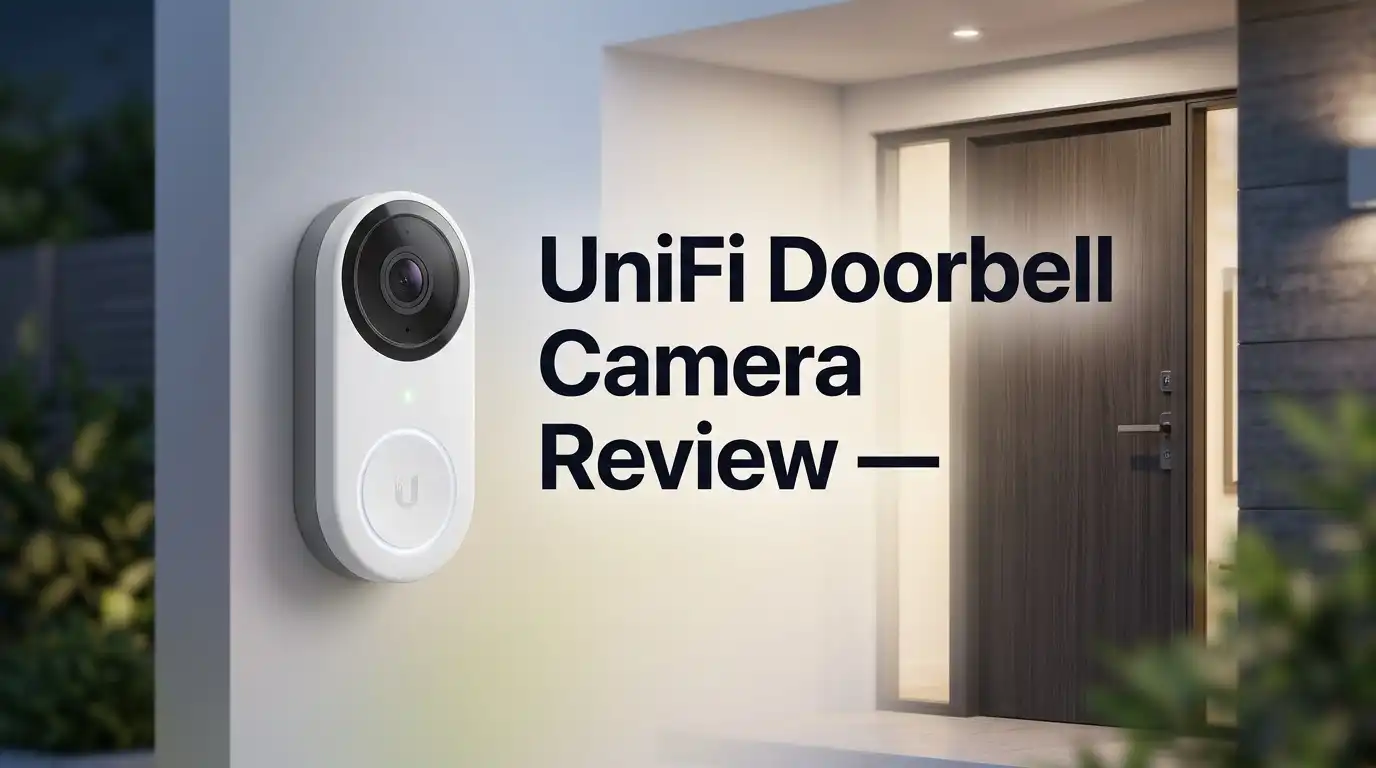
UniFi Doorbell Camera Review 2026: Worth It?
Your doorbell says a lot about your home network. The UniFi doorbell camera says you take video quality and privacy seriously. Ubiquiti built this device for people who hate monthly fees and love local control.
I spent months living with this doorbell. I watched delivery drivers drop packages. I answered visitors from my phone. I also hit a few frustrating bugs along the way.
This review covers everything. You get the unboxing experience, the real world video quality, the setup pain points, and the honest flaws. No fluff. No marketing speak.
In A Nutshell:
- No subscription fees ever. The UniFi doorbell records to your own UniFi Protect console. You pay once for hardware. You never pay a monthly cloud bill. This saves roughly $60 to $150 per year compared to Ring or Nest.
- You need a UniFi Protect console first. This is the biggest barrier. The doorbell will not work alone. You need a Cloud Gateway, a Dream Machine, or a UNVR. Budget an extra $200 to $500 if you do not own one yet.
- Two cameras beat one. The G4 Doorbell Pro packs a 5MP main sensor plus an 8MP package camera pointed at your doorstep. You see faces and parcels at the same time. Very few doorbells do this well.
- Video quality impresses in daylight, struggles at night. The main camera delivers sharp, fast, 30 FPS footage. The package camera turns nearly useless after dark. Owners complain about this constantly.
- Installation takes patience. You get a 16V to 24V AC transformer requirement, or a PoE version with a proper ethernet run. Renters and casual users should look elsewhere.
- Reliability is strong but not perfect. Firmware bugs have caused stuck night vision modes. Ubiquiti patches these, though updates arrive on their schedule.
What Is The UniFi Doorbell Camera?

Last update on 2026-10-13 / Affiliate links / Images from Amazon Product Advertising API Some of the links on this website are affiliate links, which means that at no additional cost to you, I earn a commission if you click through and make a purchase. I only recommend products and services that I believe will add value to my readers. Thank you for your support!
The UniFi doorbell camera is a wired video doorbell made by Ubiquiti. It belongs to the UniFi Protect ecosystem. That system runs on hardware you own and control.
Most doorbells send your footage to a company server. UniFi does the opposite. Video stays inside your house on a hard drive or SD card you choose.
Ubiquiti currently sells three main models. The standard G4 Doorbell uses WiFi and a single camera. The G4 Doorbell Pro adds a second package camera and a small display. The G4 Doorbell Pro PoE Kit swaps WiFi for a wired ethernet connection and includes a PoE chime.
The Pro version is the one most buyers want. It offers the widest feature set for a home.
This device targets a specific person. That person already runs UniFi networking gear. They want cameras that live inside one clean app.
The doorbell is not a plug and play gadget for a first time smart home owner. It behaves more like professional security equipment shrunk into a doorbell shell.
Think of it as a security camera that happens to ring a bell. That framing explains most of its strengths and most of its frustrations.
UniFi G4 Doorbell Pro
The G4 Doorbell Pro is the flagship model for homes. It measures 160.6 x 51.7 x 28.7 mm, which makes it taller than a Ring doorbell but slimmer than you expect.
The body uses polycarbonate and aluminium alloy. It feels solid in hand. The weight surprised me at 253 grams. This does not feel like a plastic toy.
The main camera uses a 5MP CMOS sensor with a 138 degree horizontal field of view. The package camera uses an 8MP sensor aimed downward at your doorstep.
Both cameras output 2MP video at 1600 x 1200 in a 4:3 ratio. That vertical shape matters. You see a visitor from head to toe instead of a cropped chest shot.
Frame rate hits 30 FPS. Motion looks smooth rather than choppy. Delivery drivers walking fast still appear clear.
A small LCD display sits on the front. You program custom messages there. Mine reads “Leave packages by the door” during work hours.
The doorbell supports NFC cards and keyfobs when paired with UniFi Access. That feature turns a doorbell into a door entry system for small offices.
Weatherproofing carries an IPX4 rating. It handles rain and splashes. It does not handle pressure washing or full submersion.
Power comes from a 16V to 24V AC transformer at 1.25A. A USB C option exists for testing.
Unboxing Experience And First Impressions
Ubiquiti packaging always feels premium, and this box continues that streak. The outer sleeve is plain white with a product photo. No loud graphics. No sales copy.
Sliding the sleeve off reveals a dense foam tray. The doorbell sits recessed in the centre. It looks like a phone in a display case.
Under the tray you find the accessories. My box included the flat wall mount, the 20 degree wedge mount, mounting screws, a wall anchor set, a security screwdriver bit, and the chime power kit.
The security bit deserves a mention. Keep it somewhere safe. You cannot remove the doorbell without it, and replacements are annoying to source.
The first thing I noticed was the finish. The aluminium faceplate has a fine brushed texture. Fingerprints show up, though they wipe off easily.
The ring button feels excellent. It presses with a firm click and lights up with a clean white ring. No mushy travel like cheaper doorbells.
The display is small and sits below the button. In photos it looks like a gimmick. In person it looks purposeful.
Setup instructions come as a folded card with pictograms. Ubiquiti assumes you know what you are doing. There is no hand holding here.
Total unboxing time took four minutes. Installation took considerably longer, and I cover that next.
Top 3 Alternatives For UniFi G4 Doorbell Pro

Last update on 2026-10-11 / Affiliate links / Images from Amazon Product Advertising API Some of the links on this website are affiliate links, which means that at no additional cost to you, I earn a commission if you click through and make a purchase. I only recommend products and services that I believe will add value to my readers. Thank you for your support!
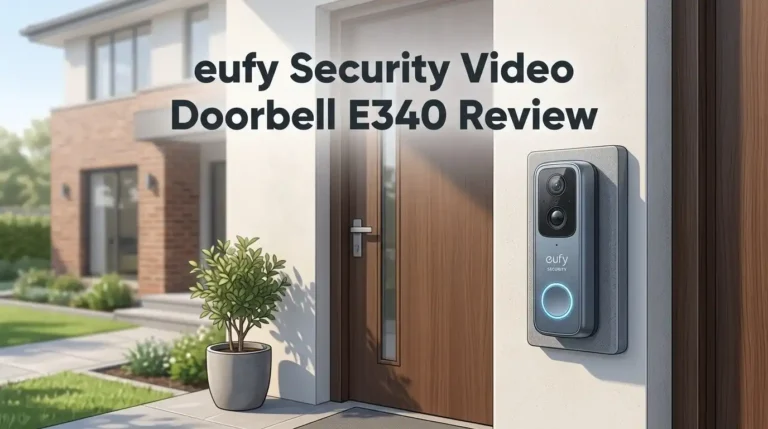
eufy Security Video Doorbell E340

Last update on 2026-10-13 / Affiliate links / Images from Amazon Product Advertising API Some of the links on this website are affiliate links, which means that at no additional cost to you, I earn a commission if you click through and make a purchase. I only recommend products and services that I believe will add value to my readers. Thank you for your support!
REOLINK Video Doorbell PoE 2K

Last update on 2026-10-13 / Affiliate links / Images from Amazon Product Advertising API Some of the links on this website are affiliate links, which means that at no additional cost to you, I earn a commission if you click through and make a purchase. I only recommend products and services that I believe will add value to my readers. Thank you for your support!
Aqara Doorbell Camera G400
Installation And Setup Process
Installation separates UniFi buyers from everyone else. This is not a fifteen minute job for most homes.
First, check your transformer. The doorbell needs 16V to 24V AC at 1.25A. Older homes often run 10V or 8V transformers. Those will not work.
I replaced my transformer before starting. That job took an hour and required access to my electrical panel. Hire an electrician if you are unsure.
Next comes the chime power kit. This small module wires into your existing mechanical chime. It manages the power draw so your bell still rings.
Ubiquiti lists compatible chimes in the specs. Broan NuTone and Heath Zenith models appear on that list. Digital chimes have narrower support.
The physical mounting went smoothly. The wall plate uses two screws. The 20 degree wedge helps if your door sits at an angle to your walkway.
Adoption inside UniFi Protect took two minutes. The console found the doorbell instantly and pulled firmware automatically.
The PoE Kit version simplifies everything if you can run ethernet. One cable delivers power and data. No transformer. No chime wiring. No voltage guesswork.
I recommend the PoE version for new builds and renovations. I recommend the standard version for retrofits where cable running is impossible.
Total setup time for me was three hours. Experienced installers finish faster.
Video Quality In Daylight
Daylight performance is where this doorbell earns its price. The main camera produces genuinely sharp footage.
Faces stay readable at three to four metres. I can identify a delivery driver’s uniform badge. License plates on the street stay unreadable, which is normal for this lens.
The 4:3 aspect ratio is the star feature. Standard 16:9 doorbells cut off the ground. This one shows the full doorstep and the full visitor.
Colour reproduction leans neutral. Reds look accurate. Skin tones do not turn orange like some competitors.
Dynamic range handles backlighting well. My door faces west, so late afternoon sun hits the lens directly. Faces remain visible instead of turning into silhouettes.
The 30 FPS output matters more than people think. Someone running past a 15 FPS doorbell becomes a blur. Here the motion stays clean enough for identification.
The package camera adds real value during the day. It sits low and looks straight down. You see exactly what was left and exactly who took it.
I caught a courier placing a box behind a plant pot. The main camera missed it. The package camera caught it perfectly.
Latency in the live view is fast. Streams open in roughly one second on local WiFi. Remote viewing over cellular adds another second or two.
Night Vision Performance And Its Limits
Night performance is the weakest part of this product, and honest reviews must say so.
The main camera includes infrared LEDs rated for six metres, or roughly twenty feet. Inside that range, faces are visible in monochrome.
Beyond twenty feet, detail collapses fast. A person standing at the end of my driveway becomes a grey shape. You will know someone is there. You will not know who.
The IR illumination also creates hotspots. Anything close to the lens, like a doorframe edge, reflects light and washes out.
Now the bigger problem. The package camera is close to useless at night. Owners complain about this in Ubiquiti community threads constantly.
That downward facing lens receives almost no IR light. Footage comes out near black until motion triggers the main IR array. By then the moment often passed.
If night time package theft is your main concern, this doorbell will disappoint you. Add a separate porch light or a floodlight camera.
There is also a documented firmware bug worth knowing. Some units get stuck in night vision mode during the day. The camera stops sensing light and stays monochrome.
Ubiquiti released fixes in Protect camera firmware updates. A reboot clears it temporarily. Some owners still report the issue returning after major updates.
This is the reality of buying into a platform that ships frequent firmware.
UniFi Protect App Experience
The UniFi Protect app is clean, fast, and far better than most manufacturer apps. It also assumes some technical comfort.
Your camera list loads on the home screen. Tapping a camera opens a live stream almost immediately.
The timeline scrubber is excellent. You drag through the day and see coloured motion markers. Finding an event takes seconds.
Smart detections work reliably. The doorbell separates people, vehicles, and animals. I get person alerts without getting alerts for every passing car.
Notification setup offers deep control. You choose detection types, time schedules, and specific zones. You can silence the driveway at night while keeping the porch active.
Two way audio works well. Volume is loud enough for outdoor conversation. There is a short delay of roughly half a second, which takes a little practice.
The custom display messages live in the app too. You type text and it appears on the doorbell instantly.
Now the criticisms. The app has no true widget support on par with Ring. Apple HomeKit integration is missing natively.
Home Assistant users get around this with community integrations. Those work well, though they require setup effort.
Remote access requires a Ubiquiti account and their relay service. It works reliably, but it does route through Ubiquiti infrastructure. Fully offline operation means fully local viewing only.
Storage, Recording And Zero Subscription Costs
This section explains why people tolerate the setup complexity.
UniFi Protect records everything to storage you own. That means a hard drive inside your console or an SD card inside the doorbell.
There is no monthly fee. There is no annual fee. There is no paywalled feature. Smart detections, timeline scrubbing, and clip downloads all come free forever.
Compare that to competitors. Ring Protect plans start around $5 monthly per device. Nest Aware costs more. Over five years those fees exceed the doorbell price.
Storage capacity depends entirely on your hardware. A 2TB drive holds weeks of continuous footage from several cameras.
Recording modes include always on, detections only, and scheduled. Always on recording is a genuine advantage over battery doorbells that only capture triggered clips.
You never miss the three seconds before an event. Every second exists on disk.
Clip export is straightforward. You select a time range and download an MP4 file. Police reports become much easier.
The doorbell also supports local SD card recording as a backup. If your console goes offline, footage continues saving on the device.
Here is the honest tradeoff. Your recordings are only as safe as your hardware. A house fire or a stolen console destroys your footage.
Cloud services survive that scenario. UniFi does not, unless you build your own offsite backup.
Pros And Cons Of The UniFi Doorbell Camera
Every product has tradeoffs. Here are mine after months of daily use.
Pros
- Zero subscription costs. You buy the hardware once and keep every feature forever. This saves real money over five years.
- Dual camera design. The 8MP package camera shows your doorstep from above. Parcel monitoring works far better than single lens doorbells.
- Excellent daylight video. The 5MP sensor with 4:3 framing captures visitors head to toe with sharp detail and accurate colour.
- Smooth 30 FPS footage. Fast moving people stay identifiable instead of turning into motion blur.
- Local recording and privacy. Footage stays on your own drive. No third party company holds your video library.
- Programmable display. Custom text messages let you talk to visitors without answering.
- Premium build quality. Aluminium and polycarbonate construction feels durable and looks sharp on a wall.
- Deep smart detection controls. People, vehicle, and animal filtering reduces false alerts dramatically.
Cons
- Requires a UniFi Protect console. You cannot use this doorbell standalone. The extra hardware cost is significant.
- Weak night vision at distance. IR reaches only twenty feet, and detail beyond that disappears.
- Package camera fails after dark. This is the most common owner complaint and Ubiquiti has not fully solved it.
- Complex installation. Transformer requirements and chime wiring make this a poor fit for beginners or renters.
- No native HomeKit support. Apple users need workarounds through Home Assistant.
- Occasional firmware bugs. Stuck night vision modes have affected multiple firmware releases.
- IPX4 rating only. Adequate for rain, not for extreme exposure without a sheltered mount.
Who Should Buy This Doorbell?
Not everyone should buy this product. Matching it to the right person matters more than the spec sheet.
Buy it if you already own UniFi networking gear. If a Dream Machine or Cloud Gateway sits in your rack, this doorbell is an easy addition. Adoption takes minutes and everything lives in one app.
Buy it if you hate subscriptions. The long term savings are real and the feature set never gets paywalled.
Buy it if package theft concerns you during daylight hours. The second camera genuinely helps here.
Buy it if you want continuous recording. Battery doorbells cannot match always on footage.
Now the other side.
Skip it if you rent your home. Transformer work and permanent mounting create problems with landlords.
Skip it if you want a fifteen minute installation. This device demands planning and sometimes an electrician.
Skip it if night time monitoring is your priority. A Reolink PoE doorbell or a eufy E340 with colour night vision performs better after dark.
Skip it if you live inside Apple HomeKit. The missing native support will annoy you daily.
Skip it if you only need one camera. The full UniFi stack costs far more than a standalone WiFi doorbell.
Be honest about your situation. The best doorbell is the one that matches your house and your patience level.
UniFi Protect Chime Accessory

Last update on 2026-10-13 / Affiliate links / Images from Amazon Product Advertising API Some of the links on this website are affiliate links, which means that at no additional cost to you, I earn a commission if you click through and make a purchase. I only recommend products and services that I believe will add value to my readers. Thank you for your support!
The chime deserves its own mention because many buyers forget it.
Your existing mechanical chime works with the doorbell through the chime power kit. That covers most homes. But mechanical chimes only ring where they are installed.
The UniFi Smart Chime solves that. It plugs into any wall socket and rings wherever you place it.
The unit is small at roughly 62mm across. It looks like a fabric covered puck. It blends into a shelf far better than most plastic chimes.
Setup takes under two minutes. You plug it in, open UniFi Protect, and pair it to your doorbell.
You choose from several ringtones inside the app. Volume adjusts across a wide range. The loudest setting carries through two closed doors in my house.
A PoE version also exists for people running structured cabling. That model draws power and data from one ethernet run.
Here is the honest criticism. The chime costs more than competing options. A eufy or Ring chime does the same job for less money.
Ubiquiti also limits pairing flexibility in some configurations. Households with multiple doorbells have complained about needing more chimes than expected.
Buy one if your mechanical chime is missing or too quiet. Skip it if your existing bell already works.
Long Term Reliability Over Time
Reliability is where UniFi earns loyalty from its owner base.
Community reports from long term owners are largely positive. Many people report years of operation without hardware failure.
The ring button holds up well. Mine shows no wear after heavy daily use. Cheaper doorbells develop sticky or faded buttons within a year.
The aluminium faceplate resists sun damage. No yellowing. No chalking.
Weather resistance has held through heavy rain and freezing temperatures. Operating range covers minus 10 to 40 degrees Celsius. Very cold climates approach that lower limit.
Network stability depends on your setup. WiFi models occasionally drop if signal strength is marginal at the door.
The PoE version eliminates that risk entirely. Wired connections simply do not drop.
Firmware is the mixed area. Ubiquiti ships updates frequently. Most improve stability. Some introduce new bugs.
The night vision issue is the clearest example. It appeared after a Protect update and required a later patch to fix.
My advice is simple. Wait a week before installing major Protect updates. Let community forums surface problems first.
Support quality varies. Ubiquiti relies heavily on community forums rather than phone support. Technical users find answers quickly. Casual users sometimes feel stranded.
Overall the hardware feels built to last many years, provided you accept the software update rhythm.
Frequently Asked Questions
Does the UniFi doorbell need a subscription?
No. UniFi Protect charges nothing for recording, smart detections, or remote viewing. You own the storage and you own the footage. This is the single biggest selling point of the platform.
Can I use the UniFi doorbell without a UniFi console?
No. The doorbell requires a UniFi Protect console such as a Cloud Gateway, Dream Machine Pro, or UNVR. Budget for this hardware before buying the doorbell. There is no standalone mode.
Does it work with Apple HomeKit?
Not natively. Ubiquiti does not ship HomeKit support. Many owners bridge the camera through Home Assistant instead. That works well but requires extra setup and a separate device running Home Assistant.
What transformer do I need?
You need a 16V to 24V AC transformer rated at 1.25A. Older 8V and 10V transformers will not power the doorbell. Check your existing transformer before ordering.
Is the package camera worth it?
During the day, yes. It shows your doorstep from directly above and catches parcels the main camera misses. At night it performs poorly. Add a porch light if night coverage matters to you.
How far does night vision reach?
The infrared LEDs are rated for six metres, or about twenty feet. Faces stay identifiable inside that range. Beyond it, people appear as grey shapes without usable detail.
Should I buy the WiFi version or the PoE Kit?
Choose PoE if you can run ethernet to your door. It delivers better stability and simpler wiring. Choose WiFi if cable running is impossible in your home.
Is the video quality better than Ring?
In daylight and frame rate, yes. The UniFi doorbell delivers sharper, smoother footage with a taller field of view. At night, several Ring and eufy models with colour night vision perform better.
Final Verdict
The UniFi doorbell camera is a specialist tool, not a mass market gadget.
It rewards people who already run UniFi gear with excellent daylight video, real package monitoring, and zero ongoing costs. The build quality and 30 FPS footage feel genuinely premium.
It punishes casual buyers with transformer requirements, console dependencies, and a package camera that gives up after sunset.
My honest recommendation is simple. If a UniFi console already sits in your home, buy the G4 Doorbell Pro and enjoy it. If it does not, price the full system first and compare it fairly against a eufy or Reolink alternative.
Match the tool to your house. That decision matters more than any spec sheet.

Hi, my name is Lily you can say i am a gadget hunter at this point. Welcome to Gadget Gallery The Gallery of Gadget Reviews