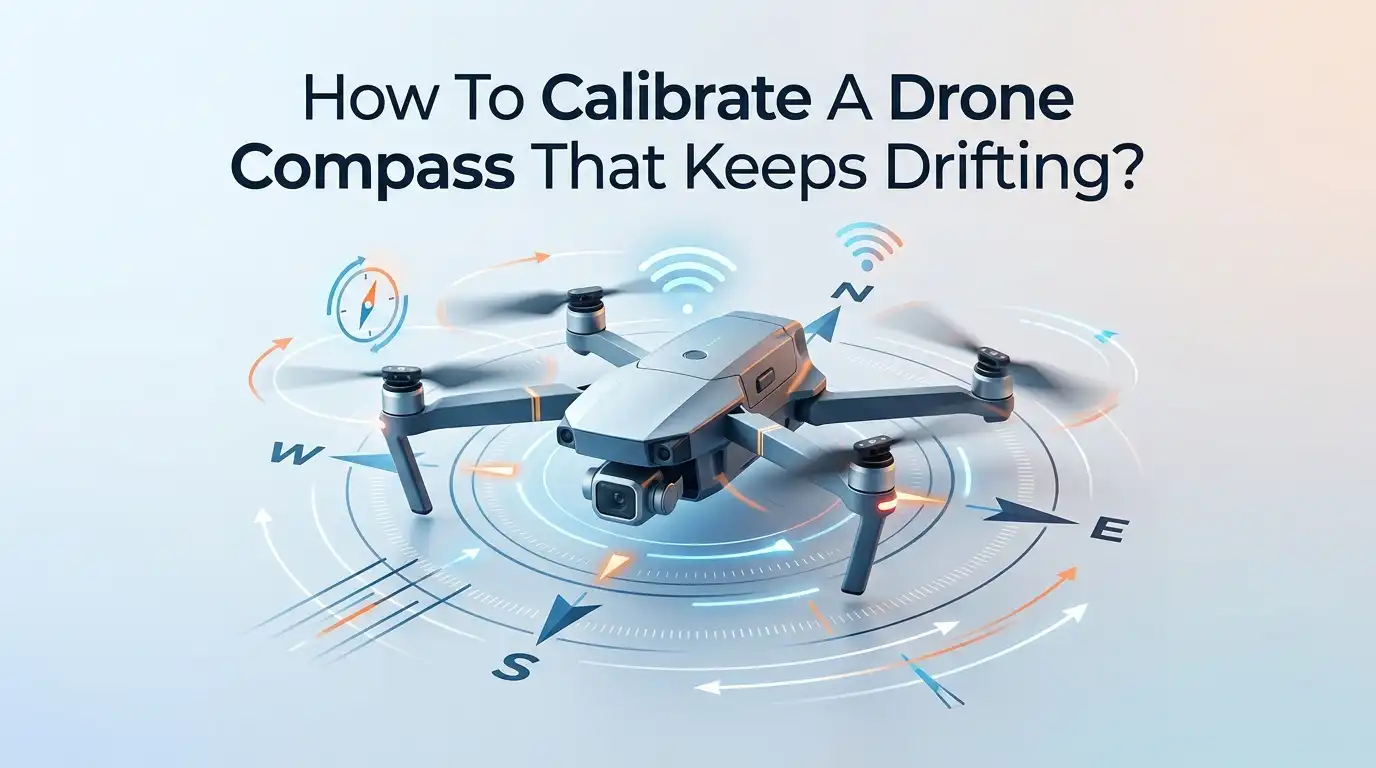
How To Calibrate A Drone Compass That Keeps Drifting?
Your drone lifts off, hovers for a moment, then starts sliding sideways on its own. The screen flashes a compass warning. Your stomach drops. You worry about a flyaway.
This problem frustrates new and experienced pilots alike, and it almost always points to one thing. Your drone compass needs help.
A drifting compass is more than an annoyance. It can cause the dreaded toilet bowl effect, where your drone circles in wide loops instead of holding steady. Left unchecked, it can lead to crashes or lost aircraft.
Key Takeaways
- The compass drifts because of magnetic interference. Metal objects, power lines, rebar in concrete, and even your phone can confuse the sensor and cause drift.
- Calibration resets the compass to your current location. You spin the drone horizontally and then vertically while the app records magnetic readings. This is the single most effective fix.
- Location matters more than you think. Always calibrate in an open field, away from cars, buildings, and underground metal. A bad spot ruins a good calibration.
- Do not over calibrate. Calibrate only when the app prompts you, when you move a long distance, or after the drone sits unused for 30 days. Frequent calibration in poor spots adds risk.
- Compass and IMU are different. The compass handles direction. The IMU handles balance and motion. Each needs its own separate calibration process.
- Prevention beats repair. Keep magnets, phones, and metal away from your drone before takeoff. A clean launch site stops most drift problems before they start.
What Makes A Drone Compass Drift In The First Place
Your drone compass is a tiny magnetometer. It reads the Earth’s magnetic field to know which way the drone faces. When something else creates a magnetic pull, the compass reads the wrong direction. This is called interference.
Interference comes from many everyday sources. Steel rebar in concrete, parked cars, metal fences, speaker magnets, and high voltage power lines all push the compass off course. Even the metal in your own phone or keys can affect it during calibration.
The result is drift. The drone thinks it points one way while it actually points another. This mismatch between the compass and the GPS confuses the flight controller. Your drone then slides, wobbles, or refuses to hold position. Understanding this root cause helps every fix below make sense.
How To Spot The Warning Signs Of A Bad Compass
You should learn to recognize compass trouble before it becomes dangerous. The clearest sign is the toilet bowl effect. Your drone circles in slow, widening loops even when you let go of the sticks. This is the number one warning of compass failure.
Other signs are easy to catch too. Your app may show a “Compass Error” or “Strong Magnetic Interference” message. The drone might drift sideways during a stable hover. It may also struggle to hold its heading or yaw on its own.
Watch the sensor status in your app. Many drones show colored bars for compass health. Green means good. Yellow or red means interference. If you see anything but green, stop and find a cleaner spot before you fly. Catching these signs early saves your aircraft.
How To Choose The Right Location For Calibration
Location is the most important part of a successful calibration. A perfect calibration in a bad spot still gives you a bad result. You must move away from anything that creates a magnetic field.
Find a wide open area. A grassy park or an empty field works best. Stay far from buildings, cars, metal fences, manhole covers, and underground pipes. Avoid concrete surfaces because they often hide steel rebar that throws off the compass.
Empty your pockets before you start. Remove your phone, keys, watch, and any magnetic items from near the drone. Stand a few steps away from your launch case if it has metal parts.
Pros: A clean spot gives accurate readings and stable flight. Cons: You may need to walk or drive to find open ground, which costs time. The trade off is always worth it.
How To Calibrate The Compass Step By Step
Now for the main fix. The process is the same on most drones, including DJI models. Open your flight app and find the compass calibration option in the safety or sensor settings. Tap it to begin.
First, the horizontal spin. Hold the drone level in front of you. Rotate it slowly in a full circle, keeping it flat like a plate. Turn it 360 degrees and pause when you return to the start.
Then, the vertical spin. The app will prompt you to point the nose down. Rotate the drone again in a full circle while it stays pointed at the ground.
Move slowly and do not overshoot the first spin. Stop gently as you reach the starting point. The app shows a green confirmation when calibration succeeds. That clean result is your goal.
How To Calibrate The IMU When The Compass Alone Does Not Help
Sometimes the compass calibration does not fix the drift. In that case, your IMU may need attention. The IMU measures balance, tilt, and motion. It works alongside the compass but is a separate sensor. IMU calibration does not calibrate the compass, and the reverse is also true.
Place the drone on a flat, level surface. A table or hard floor works well. Open the app and find the IMU calibration option, usually in the same safety menu.
Follow the on screen steps exactly. The app guides you to set the drone in several positions, such as flat, on its side, and nose up. Keep it completely still during each step. Any movement ruins the reading.
This process takes longer than compass calibration. Pros: It fixes drift caused by tilt and balance errors. Cons: It needs a truly level surface and patience, and a rushed IMU calibration can make flight worse.
How To Fix A Compass That Refuses To Calibrate
Sometimes calibration fails again and again. This is common and fixable. The most frequent cause is hidden interference you did not notice. Move to a completely different open area, far from any structures, and try once more.
Restart both the drone and the controller. A simple power cycle clears software glitches that block calibration. Turn everything off, wait a moment, then power back on and retry the steps.
Check your firmware next. Outdated firmware can cause stubborn compass errors. Update the drone and controller through the official app before you fly.
If the error stays even in a perfect spot, you may have a hardware fault. A broken wire or damaged compass module sometimes hides in the landing gear or arm. In that case, contact the manufacturer for repair rather than forcing more failed calibrations.
How To Stop Phones And Electronics From Causing Drift
Your own gear often causes the very interference you are fighting. Phones, tablets, smartwatches, and wireless earbuds all contain magnets and emit fields. These devices sit close to the drone during calibration and skew the readings.
Set up a simple habit. Before calibration, place your phone and any spare electronics at least a few steps away. Keep only the controller in your hands. Remove magnetic phone mounts and metal cases from the area.
Watch your launch pad too. Some landing pads use metal stakes or weights. These sit right under the drone and pull on the compass.
Pros: This costs nothing and prevents many failed calibrations. Cons: It takes a little discipline to remember every time. Once it becomes routine, you will forget you ever had drift problems.
How To Calibrate After Traveling To A New Location
The Earth’s magnetic field changes from place to place. Your compass remembers the field where you last calibrated. When you travel far, the saved data no longer matches your new surroundings. This mismatch causes drift right after takeoff.
A good rule guides you here. If you move more than 60 to 100 miles from your last calibration spot, calibrate again before you fly. Crossing into a new region or country always calls for a fresh calibration.
You do not need to recalibrate for short trips. Flying a few miles from home rarely changes the magnetic field enough to matter. Over calibrating wastes time and adds risk if you pick a poor spot.
Pros: Calibrating after long travel gives you stable, accurate flight in the new area. Cons: You must plan a few extra minutes on arrival, ideally in an open field away from the airport or hotel.
How To Know How Often You Should Calibrate
Many pilots calibrate far too often, and that habit creates new problems. You do not need to calibrate before every single flight. In fact, frequent calibration in less than ideal spots can introduce errors instead of fixing them.
Calibrate in these clear situations. Do it when the app prompts you with a warning. Do it when you travel a long distance. Do it after the drone sits unused for more than 30 days. Do it after you add or change any accessory near the body.
Otherwise, leave a healthy compass alone. If your sensor status shows green and the drone hovers steady, no calibration is needed.
Pros: This balanced approach keeps your compass accurate without adding risk. Cons: You must trust the app and your sensor readings rather than calibrating out of habit or worry.
How To Test Your Drone After Calibration
A calibration is not complete until you confirm it works. Never assume a green checkmark means perfect flight. A short test hover reveals any leftover drift before you commit to a real flight.
Take off and bring the drone to a safe height, above any ground sensors. Let it hover without touching the sticks. Watch closely for 10 to 15 seconds. A healthy drone holds its spot like it is nailed in the air.
Then test the yaw. Gently rotate the drone in place and watch for smooth, even turning. Add a few small movements and check that it returns to a stable hover.
If it holds rock solid, your calibration succeeded. If it starts circling or sliding, land at once and recalibrate in a cleaner location. This quick check protects you from a costly flyaway.
How To Prevent Compass Drift Before It Starts
Prevention is easier than any fix. A few simple habits stop most drift problems before they ever appear. Build these into your routine and you will rarely see a compass warning again.
Always launch from a clean, open surface. Grass and dirt are far safer than concrete or metal. Keep your phone, keys, and other electronics away from the drone during setup and calibration.
Store your drone away from strong magnets. Speakers, motors, and magnetic tool holders can affect the compass over time. Keep firmware updated so the software stays accurate.
Pros: These steps cost nothing and dramatically reduce drift, failed calibrations, and crash risk. Cons: They require steady, consistent habits on every flight. Once these become second nature, your flights stay smooth and your compass stays healthy for years.
How To Handle Persistent Drift That Will Not Go Away
Sometimes drift survives every fix you try. You calibrate the compass, calibrate the IMU, move locations, and update firmware, yet the drone still slides. At this point, the problem is likely hardware, not setup.
A bent arm, a loose internal connection, or a damaged compass module can all cause permanent drift. A past crash often triggers this kind of fault. Inspect the drone for cracks, loose parts, or anything that looks out of place.
Do not keep flying a drone with unfixable drift. A persistent compass fault is the leading cause of flyaways and total losses.
Contact the manufacturer or an authorized repair service. Pros: A professional repair fixes the true root cause and restores safe flight. Cons: It costs money and time, and you lose use of the drone during the repair. Still, it beats losing the aircraft entirely.
Frequently Asked Questions
Why does my drone keep circling in the air on its own?
This is the toilet bowl effect, and it almost always means your compass is miscalibrated or facing interference. The compass and GPS disagree about direction, so the drone loops. Land it safely, then recalibrate the compass in a clean, open area away from metal.
How long does a compass calibration take?
A compass calibration usually takes one to two minutes. You complete a horizontal spin and a vertical spin while the app records readings. The IMU calibration takes longer, often five minutes or more, because the drone must rest still in several positions.
Do I need to calibrate my drone before every flight?
No. You only need to calibrate when the app prompts you, after long distance travel, after 30 days of no use, or after adding accessories. Calibrating too often in poor locations can actually introduce errors instead of fixing them.
Can my phone really mess up the calibration?
Yes. Phones contain magnets and emit magnetic fields that confuse the compass. Keep your phone and other electronics a few steps away from the drone during calibration. Magnetic phone mounts and metal cases cause the same problem.
What is the difference between compass and IMU calibration?
The compass tells the drone which direction it faces. The IMU measures balance, tilt, and motion. They are separate sensors with separate calibration steps. Compass drift needs compass calibration, while wobble or tilt issues often need IMU calibration.
My compass will not calibrate no matter what. What do I do?
First, move to a completely open area and remove all electronics. Then restart the drone and controller and update the firmware. If it still fails, you likely have a hardware fault, such as a broken wire or damaged module, and you should contact the manufacturer.
Is it safe to fly with a compass warning showing?
No. A compass warning means the drone may not know its true heading, which can lead to drift or a flyaway. Always resolve the warning before takeoff. Land immediately if the warning appears mid flight and the drone behaves unpredictably.

Hi, my name is Lily you can say i am a gadget hunter at this point. Welcome to Gadget Gallery The Gallery of Gadget Reviews