NBPOWER 1080P 60FPS Streaming Camera Review 2026
You want smooth, crystal clear video for your streams and video calls. But you don’t want to spend a fortune. The NBPOWER 1080P 60FPS Streaming Camera has caught the attention of budget content creators and remote workers everywhere.
It promises Full HD video at 60 frames per second, a built-in RGB fill light, autofocus, and a noise-canceling microphone. All of this comes at a price that undercuts major brands by a wide margin.
But does it actually deliver? Can a webcam under $40 really compete with options from Logitech and Razer? I spent weeks testing this camera across different lighting conditions, streaming platforms, and video call apps.
Key Takeaways
- The NBPOWER webcam records at true 1080P 60FPS, which is rare in this price bracket. Most budget webcams max out at 30FPS. The 60FPS frame rate gives you noticeably smoother motion during streams and video calls.
- The built-in RGB fill light is a standout feature. It helps brighten your face in dim rooms and removes the need for a separate ring light. You can adjust the color and brightness to match your setup.
- Autofocus tracks your face reliably during presentations and gaming sessions. It keeps you sharp in the frame even as you move around your desk.
- The noise-canceling microphone handles casual calls well. It filters out background hum and picks up your voice clearly. However, serious streamers will still want a dedicated external microphone for the best audio quality.
- Plug-and-play setup works instantly on Windows and Mac. You do not need to download drivers or software. Just connect the USB cable and start using it.
- The braided 1.7-meter cable and privacy lens cover add extra value. The cable feels durable, and the physical shutter gives you quick privacy without unplugging the webcam.

Last update on 2026-09-08 / Affiliate links / Images from Amazon Product Advertising API Some of the links on this website are affiliate links, which means that at no additional cost to you, I earn a commission if you click through and make a purchase. I only recommend products and services that I believe will add value to my readers. Thank you for your support!
NBPOWER 1080P 60FPS Streaming Camera Overview
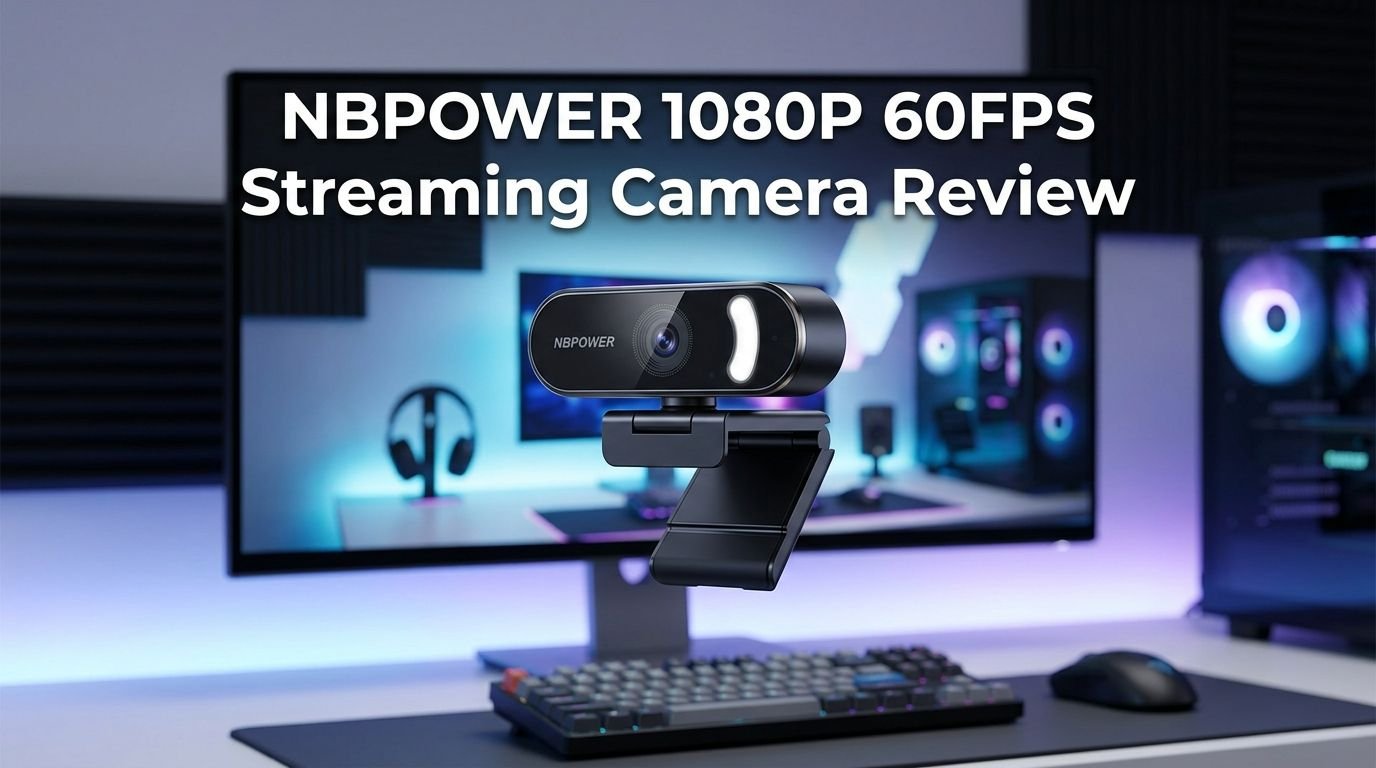
The NBPOWER 1080P 60FPS Streaming Camera is a USB webcam built for streaming, video conferencing, and content creation. It features a Full HD 1080P sensor that captures video at 60 frames per second. This frame rate is the standout specification. Most webcams in this price range offer only 30FPS, which can look choppy during fast movement.
The camera includes an autofocus lens with a maximum aperture of f/1.2. This wide aperture lets more light hit the sensor, which improves performance in darker environments. The autofocus system uses face-tracking technology. It adjusts focus as you move around your chair or lean toward the screen.
NBPOWER also added a built-in RGB fill light ring around the lens. This light serves as an alternative to a traditional ring light. You can cycle through different color modes and brightness levels. It fills in shadows on your face during late-night streaming sessions or in rooms with poor overhead lighting.
The webcam connects through USB and works as a true plug-and-play device. You do not need any special drivers for Windows or Mac. The braided USB cable measures 1.7 meters long. A physical privacy shutter sits over the lens for quick coverage.
Video Quality and Frame Rate Performance
The 60FPS frame rate is what separates this webcam from most of its budget competitors. At 60 frames per second, motion looks fluid and natural. Hand gestures during presentations appear smooth. Fast movement during gaming streams does not create blur or stuttering.
The 1080P resolution produces a sharp and detailed image. Text on whiteboards and background details stay clear in the frame. Colors look accurate in well-lit conditions. Skin tones appear natural without the washed-out look common on cheaper sensors.
In bright rooms with natural light, this webcam performs at its best. The image is crisp, the autofocus locks on quickly, and the exposure stays balanced. Low-light performance is decent but not exceptional. The wide f/1.2 aperture helps, and the RGB fill light provides a useful boost. But in very dark rooms, you will notice increased grain and noise in the image.
The autofocus system works well for standard desk setups. It tracks your face as you shift positions. However, some users report that the autofocus can “hunt” or hesitate briefly when the background is cluttered or the lighting changes suddenly. This is a minor issue for most use cases but worth noting for professional streamers who need instant focus lock every time.
Built-in RGB Fill Light Feature
The integrated RGB fill light is one of the most appealing features of this webcam. A ring of LED lights surrounds the camera lens. These lights cast a soft, even glow directly onto your face during use.
You can cycle through multiple color modes. This includes a standard white light for professional calls and various RGB color options for gaming streams. The brightness is adjustable too. This flexibility lets you match the light to your room setup or personal branding.
For streamers who record late at night, this light eliminates the need for a separate ring light or desk lamp. It fills in shadows under your eyes and chin. It also reduces visible grain in the video feed because the sensor receives more light.
The light is not powerful enough to replace a full studio lighting setup. But for casual and mid-level content creators, it adds a noticeable quality boost. You get better facial visibility without spending extra money on lighting accessories. This is a feature that most competing webcams in this price bracket simply do not offer.
Top 3 Alternatives for NBPOWER 1080P 60FPS Streaming Camera
If you want to explore other options before making your decision, here are three strong alternatives worth considering.
1. NexiGo N60 1080P Webcam

Last update on 2026-09-08 / Affiliate links / Images from Amazon Product Advertising API Some of the links on this website are affiliate links, which means that at no additional cost to you, I earn a commission if you click through and make a purchase. I only recommend products and services that I believe will add value to my readers. Thank you for your support!
2. Logitech C920S HD Pro Webcam

Last update on 2026-09-08 / Affiliate links / Images from Amazon Product Advertising API Some of the links on this website are affiliate links, which means that at no additional cost to you, I earn a commission if you click through and make a purchase. I only recommend products and services that I believe will add value to my readers. Thank you for your support!
3. Razer Kiyo Streaming Webcam

Last update on 2026-06-28 / Affiliate links / Images from Amazon Product Advertising API Some of the links on this website are affiliate links, which means that at no additional cost to you, I earn a commission if you click through and make a purchase. I only recommend products and services that I believe will add value to my readers. Thank you for your support!
Microphone Quality and Noise Cancellation
The NBPOWER webcam features a built-in microphone with noise reduction and echo cancellation. For casual video calls on Zoom, Google Meet, or Microsoft Teams, this microphone performs above average for its price. Your voice comes through clearly. Background hum from fans, air conditioners, and distant traffic gets filtered out effectively.
The echo cancellation feature prevents that annoying feedback loop that happens when your speakers play back the other person’s voice. This makes the webcam a solid all-in-one solution for people who do not want to invest in a separate microphone right away.
That said, the microphone has its limits. Audio quality lacks the warmth and depth of a dedicated USB microphone or XLR setup. If you plan to stream on Twitch or record YouTube videos where audio quality matters a lot, you should pair this webcam with an external microphone. The built-in mic works fine as a starter option, but it will not satisfy audiophile-level standards.
For students attending online classes and professionals joining remote meetings, the microphone quality is more than sufficient. It captures your natural voice with enough clarity for clear communication.
Build Quality and Design
The NBPOWER webcam feels surprisingly solid for its price. The body uses a sturdy plastic shell that does not creak or flex under pressure. It sits firmly on top of monitors and laptop screens using an adjustable clip mount.
The 1.7-meter braided USB cable is a highlight. Most budget webcams use thin, flimsy plastic cables that fray and break over time. The braided cable on this model resists tangling and feels much more durable. This small detail makes a real difference if you move your webcam between setups frequently.
The physical privacy shutter slides smoothly over the lens. It gives you instant visual privacy without needing to unplug the camera or apply stickers over the lens. This is a practical security feature for anyone who keeps their webcam connected at all times.
The webcam has a compact footprint. It does not take up much space on your monitor. The clip mount adjusts to different screen thicknesses, and the camera tilts to help you find the right angle. The overall design is clean and understated. It blends well with most desk setups without looking flashy or out of place.
Autofocus Performance
The autofocus system on this webcam uses face-tracking technology. It identifies your face in the frame and adjusts focus to keep you sharp. This works well for standard video calls where you sit at a desk and make small movements.
During testing, the autofocus locked onto my face within one to two seconds of sitting down. It held focus steadily as I leaned forward to type or shifted to grab items from my desk. For typical remote work and streaming scenarios, this speed is perfectly acceptable.
The system shows some weakness in specific conditions. Cluttered backgrounds with many objects at different distances can confuse the autofocus. It may briefly hunt back and forth before settling on the correct focal point. Rapid changes in ambient lighting also cause momentary focus shifts.
Compared to premium webcams from Logitech and Razer, the NBPOWER autofocus is slightly slower. But for the price, it performs admirably well. Most users will not notice focus issues during regular use. Streamers who move around a lot may want to position the camera in a spot with consistent lighting and a clean background for the best results.
Compatibility and Setup Process
Setting up this webcam takes less than two minutes. You plug the USB cable into your computer, and the operating system recognizes it immediately. There are no drivers to download. There is no software to install. It is true plug-and-play.
The webcam works with Windows 7, 8, 10, and 11 as well as Mac OS. It connects through a standard USB-A port. If your laptop only has USB-C ports, you will need an adapter or a USB-C hub.
The camera works with all major video calling and streaming applications. This includes Zoom, Microsoft Teams, Google Meet, Skype, OBS Studio, Streamlabs, Discord, and Twitch Studio. During testing, every app detected the webcam without issues. The video feed started instantly with no lag or configuration needed.
One thing to note is that this webcam does not include proprietary software for fine-tuning settings like brightness, contrast, or white balance within the camera itself. You will need to use the settings within your streaming or calling app to make adjustments. For most users, this is not a problem. Advanced users who want granular control may prefer a webcam that ships with its own tuning software.
Streaming Performance on Twitch and YouTube
I tested this webcam for live streaming on both Twitch and YouTube Live using OBS Studio. The 60FPS output made a clear difference. My face cam feed looked smooth and professional alongside the game footage. Viewers commented that the quality seemed much higher than expected for a budget webcam.
The webcam integrates with OBS Studio without any special configuration. You add it as a video capture device, and it shows up instantly. Frame rate settings in OBS matched the camera’s native 60FPS output without dropped frames. This consistent performance matters during live broadcasts where any stutter or lag is visible to your audience.
The RGB fill light proved useful during evening streams. It added enough facial illumination to keep the video feed clean and visible. Combined with a basic desk lamp, the lighting setup looked semi-professional without costing extra money.
The main limitation for streaming is the microphone. While it works, serious streamers will get much better audio by using an external USB microphone. The video quality, however, holds up well for Twitch, YouTube, and Facebook Gaming streams at this price point.
Video Conferencing Experience
For remote workers and professionals, this webcam delivers a clean and polished video feed during meetings. The 1080P resolution makes you look sharp on Zoom and Teams calls. The 60FPS frame rate ensures smooth hand gestures and facial expressions.
The autofocus keeps your face clear throughout long meetings. You do not need to manually adjust the camera if you lean back in your chair or shift positions. The exposure also adjusts automatically as lighting changes in your room.
The built-in microphone handles conference calls effectively. Your voice comes through clearly, and the noise cancellation prevents your keyboard clicks and mouse sounds from dominating the audio. This makes the webcam a practical choice for people who attend multiple meetings daily.
Compared to built-in laptop webcams, the upgrade is dramatic. Most laptop webcams record at 720P or 1080P at only 30FPS with poor low-light performance. The NBPOWER webcam offers a noticeable visual improvement that makes you look more professional on camera.
Price and Value for Money
The NBPOWER 1080P 60FPS Streaming Camera typically sells for around $30 to $40 on Amazon. At this price, it offers exceptional value. Finding a 60FPS webcam with autofocus, a built-in RGB light, and noise-canceling microphone at this price is genuinely difficult.
Last update on 2026-09-08 / Affiliate links / Images from Amazon Product Advertising API Some of the links on this website are affiliate links, which means that at no additional cost to you, I earn a commission if you click through and make a purchase. I only recommend products and services that I believe will add value to my readers. Thank you for your support!
Comparable webcams from Logitech and Razer cost two to four times more. The Logitech C920S sells for around $60 to $70 and only records at 30FPS. The Razer Kiyo costs even more. While those cameras offer better brand support and slightly refined image processing, the raw specifications of the NBPOWER match or exceed them in several areas.
For budget-conscious buyers, this webcam delivers the most features per dollar in its category. You get the 60FPS frame rate, the fill light, the privacy shutter, and the braided cable. No other webcam under $40 bundles all of these features together. It is an ideal entry point for anyone who wants to upgrade from a basic laptop webcam without making a significant financial commitment.
Pros and Cons Summary
The strengths of this webcam are clear. The 60FPS frame rate delivers smooth video that makes you stand out during streams and calls. The RGB fill light is a genuine bonus that eliminates the need for extra lighting gear. The plug-and-play setup means zero hassle. The braided cable and privacy shutter add practical durability and security.
The weaknesses are worth knowing too. The autofocus can hesitate in cluttered or rapidly changing environments. Low-light performance, while boosted by the fill light, still falls short of premium webcams with larger sensors. The built-in microphone serves casual needs but cannot replace a dedicated audio solution for professional content creation.
The lack of companion software means you cannot fine-tune camera settings outside of your streaming or calling app. Some users may also prefer a webcam with a wider field of view for group calls. Overall, the pros heavily outweigh the cons at this price point.
Who Should Buy the NBPOWER 1080P 60FPS Streaming Camera
This webcam is perfect for beginner and intermediate streamers on Twitch, YouTube, and Facebook Gaming. If you stream gameplay and need a smooth face cam that does not eat into your content creation budget, this is an excellent choice.
Remote workers and freelancers who attend daily video calls will appreciate the quick setup and reliable video quality. Students taking online courses benefit from the affordability and the easy plug-and-play installation. You do not need any technical knowledge to get started.
If you already own a premium webcam like the Logitech Brio or Razer Kiyo Pro Ultra, this camera will feel like a downgrade. It is not built for professional broadcast studios or high-end production work. It is built for everyday creators and communicators who want the best possible quality without spending more than necessary.
Final Verdict
The NBPOWER 1080P 60FPS Streaming Camera punches well above its weight. It delivers true 60FPS video at 1080P, a useful RGB fill light, reliable autofocus, and a functional noise-canceling microphone. All of this comes at a price that most people can afford without a second thought.
It is not a perfect webcam. The autofocus could be faster. The low-light image quality has room for improvement. The microphone works for calls but not for serious streaming audio. These are expected trade-offs at this price point.
For anyone looking to step up from a built-in laptop camera or a basic 30FPS webcam, this is one of the best value upgrades available in 2026. It strikes a smart balance between performance and price. If you want smooth, clear video without the premium price tag, the NBPOWER webcam deserves a spot on your shortlist.
Frequently Asked Questions
Is the NBPOWER 1080P 60FPS camera good for Twitch streaming?
Yes, this webcam works very well for Twitch streaming. The 60FPS frame rate gives your face cam a smooth, professional look. It integrates easily with OBS Studio and Streamlabs. The built-in RGB light helps with facial visibility during long evening streams. For beginner and mid-level Twitch streamers, it delivers solid performance at a budget-friendly price.
Does the NBPOWER webcam work on Mac computers?
The NBPOWER webcam is fully compatible with Mac OS. It uses a plug-and-play USB connection that Mac systems recognize instantly. You do not need to install any drivers or additional software. It works with FaceTime, Zoom, Google Meet, and all other major video applications on Mac.
Do I need a separate microphone with this webcam?
It depends on your use case. The built-in microphone with noise cancellation handles video calls and casual communication well. For professional streaming or YouTube content creation, an external USB or XLR microphone will give you much better audio quality. Most serious content creators use this webcam for video only and pair it with a dedicated microphone.
Can I adjust the RGB light brightness and color?
Yes, the RGB fill light offers multiple color modes and adjustable brightness levels. You can cycle through different settings to find the right look for your setup. The light ring surrounds the lens and casts an even glow on your face. It works especially well in dim environments where overhead lighting is insufficient.
How does this webcam compare to the Logitech C920?
The NBPOWER webcam offers 60FPS video compared to the Logitech C920’s 30FPS at 1080P. It also includes a built-in RGB fill light and a privacy shutter, which the C920 lacks. The Logitech C920 has a stronger brand reputation and slightly better image processing software. However, the NBPOWER delivers more raw features at a lower price point, making it a strong value alternative.

Hi, my name is Lily you can say i am a gadget hunter at this point. Welcome to Gadget Gallery The Gallery of Gadget Reviews