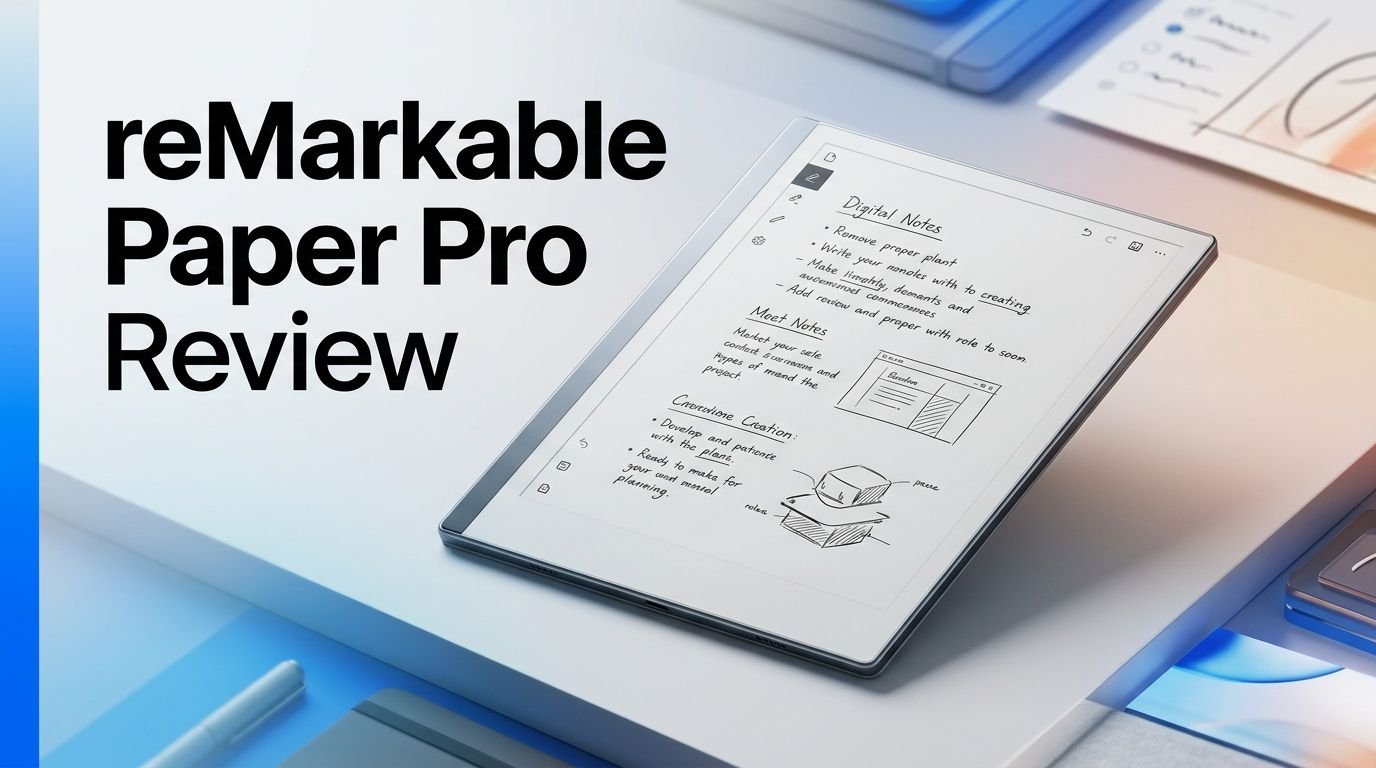
reMarkable Paper Pro Review 2026: Worth Your Money?
Are you thinking about buying a digital notebook that actually feels like paper? The reMarkable Paper Pro has been one of the most talked about e-ink tablets since its launch. It promises a distraction free writing experience with a beautiful 11.8 inch color display. But does it deliver on that promise in 2026?
This review covers everything you need to know. We tested the build quality, writing feel, display performance, battery life, software features, and overall value.
Whether you are a student, a professional, or a creative thinker, this guide will help you decide if the reMarkable Paper Pro deserves a spot on your desk.
Key Takeaways
- The reMarkable Paper Pro features an 11.8 inch Canvas Color display that uses Gallery 3 E Ink technology. It supports nine writing colors and an adjustable reading light for comfortable use in any environment.
- Writing on this tablet feels remarkably close to real paper. The Marker Plus stylus has zero lag under most conditions, and the screen texture adds a satisfying friction that mimics pen on paper.
- 64 GB of internal storage gives you plenty of room for thousands of notebooks, PDFs, and ePub files. That is eight times more storage than the reMarkable 2.
- Battery life lasts up to two weeks on a single charge with normal use. The 5,030 mAh battery is a major upgrade over the previous model.
- The Connect subscription costs $3.99 per month (recently increased from $2.99). It unlocks cloud sync, handwriting search, and cross device editing. You can use the tablet without it, but with limited cloud features.
- The starting price of around $579 to $679 depending on the bundle makes this a premium investment. It is one of the most expensive e-ink tablets on the market right now.

Last update on 2026-08-23 / Affiliate links / Images from Amazon Product Advertising API Some of the links on this website are affiliate links, which means that at no additional cost to you, I earn a commission if you click through and make a purchase. I only recommend products and services that I believe will add value to my readers. Thank you for your support!
reMarkable Paper Pro Overview
The reMarkable Paper Pro is the third tablet from the Norwegian company reMarkable. It launched in September 2024 as a major upgrade over the popular reMarkable 2. The biggest change is the addition of a color E Ink display.
This tablet is built for one purpose. It wants to replace your paper notebooks with a digital alternative that feels just as natural. It runs a custom operating system that focuses only on reading, writing, and organizing documents.
The Paper Pro is not an iPad or Android tablet. You will not find app stores, web browsers, or social media here. That is by design. reMarkable built this device to remove distractions and help you focus on your work.
It ships in several bundle options. The basic bundle includes the tablet and Marker Plus stylus. Premium bundles add folio covers in materials like leather and woven fabric. Prices range from $579 for the base configuration to over $800 for the full Type Folio bundle.
Display and Color Quality
The 11.8 inch Canvas Color display is the headline feature. It uses E Ink Gallery 3 technology to show color content. This is a big deal because the reMarkable 2 was limited to black and white.
Colors appear soft and muted. Think of pastel tones rather than the vivid colors you see on an iPad. This is normal for color E Ink displays. The colors work well for highlighting notes, annotating PDFs, and organizing information visually.
The display has a resolution of 229 PPI for color content. Black and white content looks even sharper. Text appears crisp and easy to read for long periods without eye strain.
An adjustable front light lets you work in dim environments. The light is warm and subtle. It does not produce harsh blue light like a standard tablet or laptop screen. This makes late night reading and note taking much more comfortable.
The screen does have a slightly slower refresh rate compared to LCD displays. You will notice a brief flash during full page transitions. This is a known trait of E Ink technology and does not affect the writing experience.
Writing Experience and Stylus Performance
This is where the reMarkable Paper Pro truly shines. The writing experience is the best you will find on any E Ink tablet today. The screen has a textured surface that creates friction against the stylus tip, just like real paper.
The Marker Plus stylus has a built in eraser on the back end. It does not need charging or Bluetooth pairing. The stylus connects through electromagnetic resonance, so it is always ready to use.
Input lag is extremely low. reMarkable claims the Paper Pro is 40% more responsive than the reMarkable 2. In daily use, the pen strokes appear on screen almost instantly. This makes the writing experience feel natural and fluid.
You get access to nine different writing tools. These include pencil, ballpoint pen, fineliner, marker, highlighter, calligraphy pen, and more. Each tool has adjustable thickness levels. You can also write in nine distinct colors and blend them to create additional shades.
The pressure sensitivity is excellent. Light strokes produce thin lines. Firm pressure creates thicker, bolder strokes. This gives your handwriting a natural, organic quality that digital devices often lack.
Top 3 Alternatives for reMarkable Paper Pro
1. Kindle Scribe Colorsoft


Last update on 2026-08-23 / Affiliate links / Images from Amazon Product Advertising API Some of the links on this website are affiliate links, which means that at no additional cost to you, I earn a commission if you click through and make a purchase. I only recommend products and services that I believe will add value to my readers. Thank you for your support!
2. Boox Note Air 4C

Last update on 2026-08-23 / Affiliate links / Images from Amazon Product Advertising API Some of the links on this website are affiliate links, which means that at no additional cost to you, I earn a commission if you click through and make a purchase. I only recommend products and services that I believe will add value to my readers. Thank you for your support!
3. Kindle Scribe (2024)

Last update on 2026-08-23 / Affiliate links / Images from Amazon Product Advertising API Some of the links on this website are affiliate links, which means that at no additional cost to you, I earn a commission if you click through and make a purchase. I only recommend products and services that I believe will add value to my readers. Thank you for your support!
Build Quality and Design
The reMarkable Paper Pro has a premium aluminum and glass construction. It weighs approximately 520 grams and measures just 5.1 mm thin. The device feels solid in your hands without being too heavy for extended use.
The front is dominated by the large display with slim bezels on three sides. A wider bezel on the left provides a comfortable grip area. The back panel has a smooth, slightly textured finish that resists fingerprints.
Build quality is outstanding. Every edge and surface feels polished and well manufactured. The power button sits on the top edge. A USB C port on the bottom handles charging and data transfer.
The tablet pairs with optional folio covers that attach magnetically. The Book Folio protects both the front and back. The Type Folio adds a full keyboard that turns the Paper Pro into a portable writing station. These accessories add to the overall cost but improve the daily usability.
One concern some users report is that the device feels a bit heavy for single hand use during long reading sessions. A folio cover adds more weight. This is worth considering if portability is a top priority for you.
Software and User Interface
The reMarkable Paper Pro runs reMarkable OS, a custom Linux based operating system. The interface is clean, minimal, and fast. You will learn your way around in minutes.
The home screen shows your notebooks, folders, and documents. You can create new notebooks from dozens of templates. Options include lined paper, dot grids, weekly planners, music sheets, and more.
File organization works through folders and tags. You can move documents between folders with drag and drop. Tags let you add custom labels for quick filtering. Search works across document titles and, with a Connect subscription, within your handwritten notes.
PDF and ePub support is solid. You can import documents through email, the desktop app, or cloud storage integrations. Dropbox, Google Drive, and OneDrive all work through the Connect subscription.
The handwriting to text conversion feature works reasonably well. It handles clean handwriting with good accuracy. Messy or cursive handwriting sometimes produces errors. This feature is useful but not yet a full replacement for typed text.
Battery Life and Charging
Battery life is a strong point. The 5,030 mAh battery delivers up to two weeks of use on a single charge. Standby time extends to approximately 90 days. This is a massive improvement over most tablets.
Your actual battery life will depend on how you use the device. Heavy use of the front light and Wi Fi will drain the battery faster. Writing and reading with the light off and Wi Fi disabled gives the longest battery life.
Charging happens through the USB C port on the bottom. A full charge from 0% to 90% takes about 90 minutes. This is not the fastest charging speed, but the long battery life means you will not charge it often.
The Paper Pro does not support wireless charging. This would have been a nice convenience feature. However, the extended battery life makes this a minor issue for most users.
Power management is handled well by the software. The device enters sleep mode quickly and wakes up almost instantly. You will rarely think about battery life during a normal work week.
Storage and Memory
The reMarkable Paper Pro comes with 64 GB of internal storage and 2 GB of LPDDR4 RAM. This is a huge upgrade from the reMarkable 2, which had only 8 GB of storage and 1 GB of RAM.
64 GB can hold thousands of notebooks and documents. A typical handwritten notebook uses very little storage. Even users who import large PDF files will find plenty of room.
There is no microSD card slot for expandable storage. Everything must fit on the internal drive. For most users, 64 GB will be more than enough. Professionals who work with hundreds of large PDF files may need to manage their library more carefully.
The 2 GB of RAM helps the device run smoothly. Page turns feel fast. Switching between notebooks and documents happens without noticeable delay. The 1.8 GHz quad core Cortex A53 processor handles daily tasks with ease.
Cloud storage through the Connect subscription gives you additional backup space. Your documents sync across the tablet, phone app, and desktop app. This adds a layer of security for your important notes.
Connect Subscription: Is It Worth It?
The reMarkable Connect subscription is an optional paid service. It recently increased in price from $2.99 to $3.99 per month. An annual plan costs $39.90, which saves you about two months of fees.
With Connect, you get unlimited cloud storage, cross device syncing, handwriting search, and integrations with Dropbox, Google Drive, and OneDrive. You can also view and edit your notes through the reMarkable mobile and desktop apps.
Without a subscription, your notes stay stored on the device. Files synced to the cloud will stop updating in the apps after 50 days of inactivity. This is a significant limitation for users who rely on accessing their notes from multiple devices.
The subscription model is controversial. Many users feel that cloud sync should be free for a device that costs $579 or more. Others argue that $3.99 per month is reasonable for continuous cloud storage and software updates.
For most users, the Connect subscription adds real value. If you work across multiple devices or need your notes accessible on your phone, the subscription is hard to skip. If you only use the tablet at your desk and rarely need external access, you can work without it.
Performance in Daily Use
Day to day, the reMarkable Paper Pro works well as a digital notebook replacement. Opening the device, writing a note, and saving it takes seconds. The simplicity of the experience is refreshing compared to a full featured tablet.
Meeting notes are a standout use case. You can write freely during meetings, organize notes by project, and search them later. The handwriting conversion feature lets you share typed versions with colleagues.
PDF annotation is another strength. Import contracts, research papers, or reports and mark them up with the stylus. Color highlights make key sections easy to find. You can export annotated PDFs back to cloud storage for sharing.
The reading experience is comfortable for long sessions. The E Ink display is gentle on the eyes. The adjustable front light makes the device usable at any time of day. However, the lack of a web browser or app store means you cannot use it for casual browsing or media consumption.
One weakness is the limited file format support. The device handles PDF and ePub files well. It does not support Word documents, PowerPoint files, or Kindle ebooks natively. You must convert unsupported formats before importing them.
Who Should Buy the reMarkable Paper Pro?
This tablet fits a specific type of user. If you take a lot of handwritten notes and want to go digital, the reMarkable Paper Pro is a top choice. Students, writers, researchers, and business professionals will benefit the most.
It is ideal for people who value distraction free productivity. There are no notifications, social media apps, or web browsers to pull your attention away from work. You sit down, write, and focus.
Creative professionals like illustrators and designers may find the color features useful for sketching and brainstorming. The writing tools offer enough variety for concept work and visual planning.
This device is not a good fit for everyone. If you want a general purpose tablet for media consumption, gaming, or web browsing, look elsewhere. If you prefer typed notes over handwritten ones, a laptop or iPad with a keyboard serves you better.
Budget conscious buyers should also think carefully. At $579 to $829 depending on the bundle, plus a monthly subscription, the total cost of ownership adds up quickly. There are cheaper e-ink tablets that offer similar note taking capabilities.
reMarkable Paper Pro vs reMarkable 2
The reMarkable 2 is still available at a lower price point of around $399. It remains a solid device for basic note taking. But the Paper Pro offers several meaningful upgrades.
The biggest difference is the color display. The reMarkable 2 only shows black and white content. The Paper Pro adds nine writing colors and can display color PDFs. This is a game changer for annotations and visual organization.
Storage jumps from 8 GB to 64 GB. RAM doubles from 1 GB to 2 GB. The processor is faster. The screen grows from 10.3 inches to 11.8 inches. The front light is new to the Paper Pro and absent on the reMarkable 2.
Battery capacity increases from 3,000 mAh to 5,030 mAh. Both devices claim two weeks of battery life, but the Paper Pro handles the larger color screen and front light with its bigger battery.
If you already own a reMarkable 2 and love it, the upgrade is worth considering but not essential. If you are buying your first reMarkable device, the Paper Pro delivers a better overall experience for the higher price.
Pros and Cons of the reMarkable Paper Pro
The biggest strengths of this device are the writing experience, display quality, and battery life. The paper like feel of the stylus on screen is unmatched. The color display adds useful functionality without the distractions of a full tablet.
The 64 GB storage and 2 GB RAM provide smooth performance. The build quality feels premium. The minimal software interface keeps you focused on your work.
On the downside, the price is high. The base bundle starts at $579. Adding a folio and the Connect subscription pushes the total cost well over $700 in the first year. The subscription price increase to $3.99 per month has frustrated some loyal customers.
Limited app support is another drawback. You cannot install third party apps. There is no web browser. File format support is restricted to PDF and ePub. The screen refresh rate is slower than LCD or OLED displays.
The device also lacks waterproofing, speakers, and a microphone. These omissions keep it firmly in the notebook category rather than a multi purpose device.
Final Verdict on the reMarkable Paper Pro
The reMarkable Paper Pro is the best digital paper tablet you can buy in 2026 for pure handwriting and note taking. The writing experience alone justifies its existence in the market.
Last update on 2026-08-23 / Affiliate links / Images from Amazon Product Advertising API Some of the links on this website are affiliate links, which means that at no additional cost to you, I earn a commission if you click through and make a purchase. I only recommend products and services that I believe will add value to my readers. Thank you for your support!
The color display, long battery life, generous storage, and clean software make it a powerful productivity tool. It excels at its core mission of replacing paper notebooks with a digital alternative.
The price remains the biggest barrier. Not everyone can justify spending $579 or more on a single purpose device. The Connect subscription adds ongoing costs. But for users who value focused, distraction free writing, the investment pays off over time.
If you write daily for work, study, or creative projects, this device will change your workflow. If you need a general purpose tablet, this is not the right fit. The reMarkable Paper Pro knows exactly what it is, and it does that one thing exceptionally well.
Frequently Asked Questions
Is the reMarkable Paper Pro worth the price in 2026?
The value depends on your needs. If you take handwritten notes daily and want a distraction free device, it offers an unmatched writing experience. The price is high at $579 and up, but the quality of the hardware and the paper like feel justify the cost for dedicated note takers. Budget buyers should consider the reMarkable 2 or the Kindle Scribe as more affordable options.
Does the reMarkable Paper Pro need a subscription to work?
No. The tablet works fully offline without a Connect subscription. You can write, organize notebooks, and read documents without paying monthly fees. However, the subscription unlocks cloud sync, handwriting search, and cross device access. Without it, files stop syncing to apps after 50 days of inactivity.
Can I read Kindle books on the reMarkable Paper Pro?
No. The reMarkable Paper Pro does not support Kindle ebooks due to DRM restrictions. It reads PDF and ePub files. You can convert some ebook formats to PDF or ePub using third party tools before importing them to the device.
How long does the reMarkable Paper Pro battery last?
The 5,030 mAh battery lasts up to two weeks with normal use. Standby time reaches approximately 90 days. Heavy use of the front light and Wi Fi connection will reduce battery life. Charging from 0% to 90% takes about 90 minutes through USB C.
What is the difference between the reMarkable Paper Pro and the Paper Pro Move?
The reMarkable Paper Pro Move is a smaller, more portable version with a 7.3 inch color display. It is designed for on the go use. The standard Paper Pro has the larger 11.8 inch screen for full size note taking. Both run the same software and support the same stylus accessories. The Move is better for travel, while the Pro is better for desk work.

Hi, my name is Lily you can say i am a gadget hunter at this point. Welcome to Gadget Gallery The Gallery of Gadget Reviews