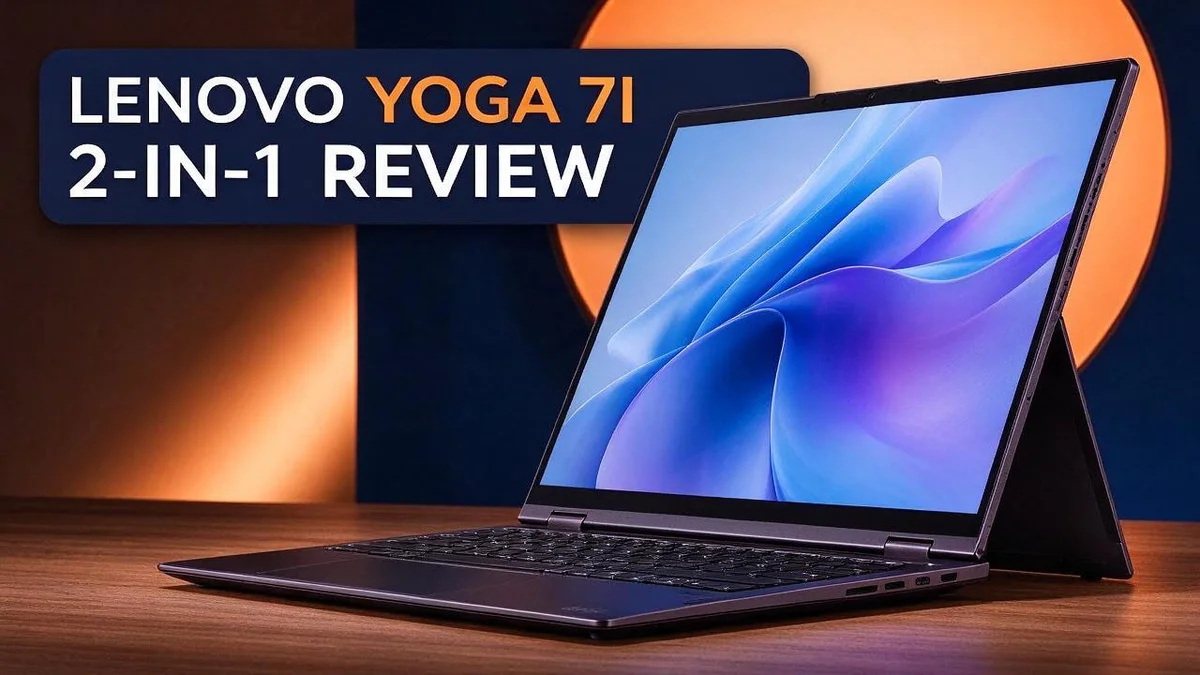
Lenovo Yoga 7i 2-in-1 Review: The Ultimate Guide
Looking for a laptop that also works as a tablet? The Lenovo Yoga 7i 2 in 1 could be the answer. It pairs a sturdy build with a touchscreen that folds all the way back.
Many people want one device for work, school, and fun. This model aims to cover all three. It runs on an Intel Core Ultra 5 chip and includes 16GB of RAM for smooth multitasking.
Here is the good news. The chassis feels solid, and the keyboard is comfortable for long typing sessions. One tester even reported about 15 hours of battery life on a single charge.
Still, no laptop is perfect. Some reviewers found the display dim, and a few felt the speakers lacked punch. In this review, we look at what works, what does not, and who should buy it.
In a Nutshell
-
Strong everyday power: The Intel Core Ultra 5 chip pairs with 16GB of RAM. Multitasking feels smooth across browsing, documents, and streaming.
-
Long battery endurance: One user reports about 15 hours of battery life. That kind of runtime can carry you through long classes or travel days.
-
Big screen for touch use: The large touchscreen flips into tablet mode. You can sketch, take notes, or watch videos up close.
-
Mixed sound quality: Some reviewers praise the Dolby Atmos speakers. Others call the audio weak, so test the sound yourself if possible.
-
Dim display concerns: A 2024 review called the screen underwhelming and not very bright. Bright rooms may make the picture harder to enjoy.
-
Know the closest rivals: The AMD based Yoga 7 shares the same design and lasted 8h 2m in one test. The older Gen 9 model earned advice to skip it, so the Gen 10 model is the better pick.
Design and Build

Last update on 2026-11-06 / Affiliate links / Images from Amazon Product Advertising API Some of the links on this website are affiliate links, which means that at no additional cost to you, I earn a commission if you click through and make a purchase. I only recommend products and services that I believe will add value to my readers. Thank you for your support!
Metal sets the tone for the Lenovo Yoga 7i 2 in 1. Its aluminium chassis gives the laptop a clean and premium look.
Aluminium feels cool and smooth under your hands. The surface also looks sharp on a desk, in a classroom, or at a coffee shop. The metal finish also looks good in photos. Clean lines help the laptop stand out in a meeting.
The build feels firm when you use it. The lid resists bending, so the screen stays steady. You can type or tap without worrying about wobble.
A convertible hinge carries most of the work. It must hold the screen at many angles without drifting or sagging.
This design supports four modes. You can use laptop mode for email, stand mode for videos, tent mode for shared viewing, or tablet mode for reading.
Each mode suits a different task. Students can take notes in laptop mode. Families can share a movie in tent mode. Readers can scroll through articles in tablet mode.
Daily carrying feels easy. Metal frames handle everyday knocks well. The laptop slides into most bags with room for a charger.
Build quality matters most over time. A sturdy frame can last through years of school, work, and travel.
Design choices also shape how the laptop feels in use. Keep this in mind when you pick a model.
Who should pick this design? People who switch between typing and touch will benefit most. Buyers who want a firm, flexible body should look closely.
Compare the frame with rivals before you decide. The Yoga 7 shares this look, so check the finish and feel in person.
Testing in a store reveals how the lid moves and how solid the base feels.
Good design makes daily use simple. The Lenovo Yoga 7i 2 in 1 offers a sturdy, versatile shell that suits many lifestyles.
Performance and Battery Life
Performance feels steady for everyday work. You can keep many browser tabs open at once. Documents, spreadsheets, and video calls can run side by side. Most tasks feel quick and smooth.
Heavy tasks ask more from the system. Photo editing and video export take extra effort. Plug in your charger before you start these jobs. This keeps the laptop working at full speed for longer.
Battery life depends on your habits. Screen brightness has a big impact on how long each charge lasts. Lower brightness helps you stretch your time away from a power outlet. Closing unused apps also helps save energy.
Power settings give you more control. Your system settings let you choose different power modes. Balanced mode suits most days. Power saving mode helps when you need extra hours on the go.
The dim screen affects outdoor use. Because the display is not very bright, sunny rooms can make text hard to read. Raising the brightness helps, but it uses more power. Plan your charging around outdoor work sessions.
Tablet mode changes how you use power. Touch controls replace the trackpad in many moments. Simple tasks like reading or watching videos tend to use less power than heavy multitasking. Stand mode and tent mode make these tasks more relaxed.
Results vary from person to person. One user shared a strong result, but your own results depend on settings and daily tasks. Reviewers also test under different conditions. Compare your own habits before you decide.
Who gets the most from this performance? Students, office workers, and creators with light editing needs will feel at home. Gamers who want top frame rates may prefer a dedicated gaming machine instead.
Overall, this laptop balances power and portability. It handles daily work with ease. Heavier tasks need a charger nearby. Good habits keep it running smoothly for longer.
Display and Speakers
Sound matters more than many people expect. Video calls depend on clear voices. Built in speakers on any laptop can sound thin when you need to hear every word.
The setup changes how sound reaches you. In tent mode, the speakers may point toward the desk. A small stand or a soft surface can help the audio travel up to your ears.
Headphones make a strong partner. Wired or wireless headphones often bring out voices and bass better than built in audio. They work well for late night movies or quiet shared sessions.
Screen position shapes what you see, too. Tilt the display slightly for the cleanest view. Tilting it too far back can make colors look faded on some panels.
Try the sound settings first. Your system audio panel lets you choose output devices and adjust levels. Small changes can make dialogue easier to hear without raising the volume.
Brightness settings also help in different rooms. Raise the level in a bright space, then lower it at night. This keeps the picture comfortable and reduces eye strain.
Streaming and gaming feel different. Action scenes need punchy audio, while talk shows need clear voices. Test a few videos to learn which settings suit your favorite content.
Keep the volume at moderate levels during long sessions. Loud sound over many hours can tire your ears. A steady, comfortable level keeps you focused and relaxed.
Sound and picture both depend on your setup. Pick the right angle, use headphones when needed, and adjust settings often. Your viewing experience will feel smoother and more enjoyable.
Top 3 Alternatives
Looking for a different convertible laptop? These three options deserve a close look. Each one blends smart design, sharp screens, and everyday performance in its own way.
HP Spectre x360

Last update on 2026-11-06 / Affiliate links / Images from Amazon Product Advertising API Some of the links on this website are affiliate links, which means that at no additional cost to you, I earn a commission if you click through and make a purchase. I only recommend products and services that I believe will add value to my readers. Thank you for your support!
The HP Spectre x360 stands out with a sleek metal body and a bright touchscreen. It bends back into tent and tablet modes, so you can sketch, watch videos, or type in whatever position feels right.
Battery life lasts through a full workday for most people. The keyboard feels comfortable during long writing sessions, too.
Dell XPS 13

Last update on 2026-11-06 / Affiliate links / Images from Amazon Product Advertising API Some of the links on this website are affiliate links, which means that at no additional cost to you, I earn a commission if you click through and make a purchase. I only recommend products and services that I believe will add value to my readers. Thank you for your support!
The Dell XPS 13 packs a compact frame with a nearly borderless display. Many people love its thin profile and crisp screen colors.
It slips easily into a backpack, which makes it a great pick for students and frequent travelers. Its clamshell design does not fold flat, so it works best for users who mainly type and browse.
Microsoft Surface Laptop


Last update on 2026-11-06 / Affiliate links / Images from Amazon Product Advertising API Some of the links on this website are affiliate links, which means that at no additional cost to you, I earn a commission if you click through and make a purchase. I only recommend products and services that I believe will add value to my readers. Thank you for your support!
The Microsoft Surface Laptop offers a clean, simple design with a lightweight build. Its smooth keyboard and comfortable palm rest make typing feel natural.
Windows works well for school and office tasks, and the touchscreen version gives you extra flexibility. It suits anyone who wants a familiar, dependable laptop for daily use.
Choose the option that matches your daily routine best. Each laptop offers a strong alternative to the Lenovo Yoga 7i.
Keyboard and Touchscreen Use
Typing feels smooth on the Lenovo Yoga 7i. The keys offer a clear press and a steady return. Your fingers settle in quickly, even during long writing sessions.
Key spacing matters more than many people think. Comfortable gaps help you hit the right letter on the first try. Fewer typos mean less time spent fixing mistakes.
Your wrists stay relaxed on a firm base. The area around the keys stays steady under your palms. You can type for longer blocks without feeling much strain.
Keyboard shortcuts speed up daily work. Copy, paste, and undo work with familiar key combinations. Learning a few shortcuts can cut down on mouse use.
The touchscreen handles simple gestures well. Tap to open files and swipe to scroll through pages. Pinch with two fingers to zoom in on maps or photos.
Drag and drop feels natural on the glass. You can move a file into a folder with one finger. This action saves time when you sort downloads or notes.
Touch input suits quick browsing on the couch. You can hold the device and tap links with ease. Scrolling through long articles feels light and direct.
Screen taps can feel light at first. Some people press harder than needed. A few minutes of practice helps your touch feel more natural.
Fingerprints appear on the screen after heavy use. Wipe the glass with a soft, dry cloth. Clean screens keep text sharp and easy to read.
Mixing keys and touch creates a smooth workflow. Type your message with the keyboard. Then tap the screen to pick options fast.
Who gains the most from this mix? Students can take notes by typing and scroll lecture slides by touch. Writers can draft with the keys and make quick edits with taps.
Test the keys before you commit to a long session. Write a short paragraph and check how the keys feel. Small tests show whether the layout suits your hands.
Long-Term Reliability
Lasting strength starts with the body of the Lenovo Yoga 7i. The aluminium chassis feels solid in your hands. Reviewers note no chassis or lid flex, which matters over years of daily use.
Hinges take the most stress in a convertible laptop. Every time you flip the screen into tablet mode, the hinge works hard. A firm hinge keeps the screen steady when you tilt it.
Constant flipping wears parts down over time. A sturdy build resists that wear better than a thin shell. Reviewers praise the sturdy build for good reason. The Yoga 7i feels planted on a desk, even when you type with force.
Memory also shapes how long a laptop stays useful. The 16GB of RAM gives the system room to grow. Your apps can update and run new tools without slowing down right away.
Software support adds to the lifespan. Newer models often receive updates for a longer period. Check the update policy before you choose a model, so you know how long fixes will arrive.
Generation matters too. The Gen 9 model came before this version, and one reviewer advises against it. Picking the newest generation gives you updated parts and better design for the years ahead.
The AMD sibling shares the same design but differs under the hood. Choosing between models means looking at the chip, the cooling, and the build quality together.
Dust and airflow shape the lifespan too. Keep the vents clear and avoid soft blankets under the laptop. Good airflow keeps the chips cooler and protects the inner parts over time.
Heavy use tests the frame. Carrying the laptop daily adds small bumps and drops. A compact, solid frame handles that wear better than a flimsy one.
Closing the lid gently also helps. Avoid pressing on the corners when the laptop sits in a bag. Simple habits like these help the Lenovo Yoga 7i last for years. Good habits add years to any laptop.
Overall, the Lenovo Yoga 7i shows strong signs of staying power. Its build, memory, and update window all point to years of use.
Pros and Cons
Pros
– Long battery life keeps you working through a full day.
– The big screen gives you extra room for multitasking.
– The sleek design looks great in meetings and cafes.
– Dolby Atmos speakers deliver a fuller sound for movies.
– The Yoga 7i feels dependable for everyday work.
Cons
– The display can look dim in bright rooms.
– Speaker reviews are mixed, so results may vary.
– The AMD version lasted longer in one battery test.
– Skip the older Gen 9 model since reviewers advise against it.
Who Should Buy It
Students who juggle notes, reading, and video lectures often fit this laptop well. One device can handle the whole school day smoothly.
Remote workers who spend long hours on video calls also gain a lot here. The processor and 16GB of memory keep several apps running at once.
Frequent travelers may appreciate the flexible design. You can use it on an airplane tray, a sofa, or a flat desk.
Small business owners need a dependable machine for invoices, emails, and spreadsheets. This model handles those daily tasks well.
Creative hobbyists who like to doodle or sketch can enjoy the screen too. Use your finger for simple drawing apps and quick photo edits.
Families sharing one computer can use the flip screen for shows and homework. Everyone can switch between laptop and tablet modes quickly.
People new to laptops often want a simple setup. This model feels friendly and easy to learn from day one.
Commuters who work on trains or buses can keep notes and documents open during the ride. Quick note taking fits right into those short trips.
People who want one laptop for everything get the most from it. Work, school, and play all live on the same device.
Who should look elsewhere? Shoppers who need a very bright screen for sunny rooms may feel let down. Serious gamers may want a machine built for heavy graphics work. This laptop focuses on everyday tasks and media.
Anyone who needs maximum battery life may also want to compare models first. Test drive the options before you commit.
Bottom line: if you want a sturdy, friendly companion for daily life, this laptop fits the bill. Compare it with your daily habits, then decide with confidence.
Final Verdict
The Yoga 7i earns a strong recommendation for most everyday users. It pairs a solid build with a capable Intel Core Ultra 5 chip.
Its strengths are easy to see. The chassis feels premium, and the keyboard gives a comfortable typing experience.
Trade offs are part of the picture. Some 2024 reviews called the screen underwhelming, so try it in person first.
Think of the AMD Yoga 7 as a close alternative. It shares the same design, so your choice comes down to chip preference and battery needs.
Who should look elsewhere? Buyers who want the best screen or sharp audio may want a different model. People who need top tier graphics for heavy editing may want a stronger machine.
A good test is your daily routine. Open your usual apps, join a video call, and watch a short clip. This shows how the machine handles real work.
Hands on time reveals the truth. Spec sheets only tell part of the story, so use the laptop for a while before you decide.
Think about where you will use it most. A desk user and a backpack user will judge the same laptop in different ways.
Overall, the Yoga 7i delivers balance. It covers school, office work, and light creative tasks well.
Before you commit, check three things. Look at the screen angle, test the keyboard feel, and confirm the specs match your workload. Ask for a demo unit if the store allows it.
Buy with confidence if your needs match. Choose this model when you want a flexible machine for work, school, and streaming.
Our final take is clear. The Yoga 7i suits people who want a sturdy, flexible laptop for daily life. Skip it only if screen quality tops your list.
Frequently Asked Questions
Can I use the Yoga 7i as a tablet?
Yes, the screen folds all the way back. The touchscreen then works like a tablet for reading, notes, or streaming. Hold it in tablet mode while you wait in a lobby or a waiting room.
Does the keyboard handle long typing sessions?
Reviewers call the keyboard strong and comfortable. Typing feels firm, so long emails and reports feel less tiring. Type a few paragraphs during a quick test to see how it feels to you.
Is the body strong enough for daily carrying?
The aluminium body shows no chassis or lid flex. The laptop stays steady when you open it with one hand. Slipping it into a backpack every morning is a common use.
Should I check the model year before buying?
Yes, this step matters. Shop listings sometimes mix model years. Look for Gen 10 and 2025 on the label so you get the newest version.
Is it good for gaming?
The research does not include gaming tests. Light games may run well, but check dedicated gaming reviews before you rely on it for demanding titles.

Hi, my name is Lily you can say i am a gadget hunter at this point. Welcome to Gadget Gallery The Gallery of Gadget Reviews