InnoView Portable Monitor Review 2026: Complete Guide
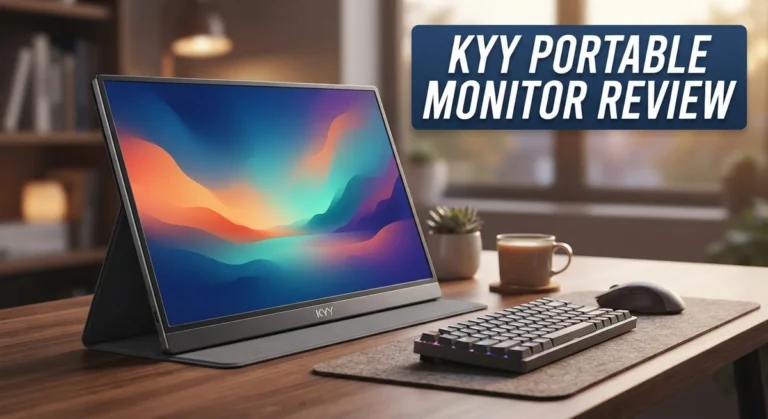
Do you need a second screen for work or travel? The InnoView Portable Monitor might be your answer. This 15.6 inch display packs Full HD 1080p resolution into a slim, light frame. It weighs just 2.7 lbs and fits easily into a backpack.
Setup is simple. You just plug in an HDMI cable and start working. No drivers or apps are needed. The adjustable stand rotates 90 or 180 degrees. This lets you switch between portrait and landscape views in seconds. It is perfect for reading documents or watching videos.
Many users praise its crisp image quality and sturdy build. The scratch resistant material also helps it survive daily travel and handling. But is it the right fit for your setup? Some buyers report a plasticky feel. Others mention needing a stronger power adapter for full performance.
In a Nutshell
- Plug and play design: The InnoView Portable Monitor connects through HDMI. You do not need drivers or extra software.
- Featherlight build: It weighs just 2.7 lbs. This makes it easy to slide into a backpack or laptop bag.
- Slim profile: At 0.26 inches thick, it fits neatly beside a laptop on any desk or tray table.
- Power needs matter: The monitor does not include a power adapter. You will need a 15W or higher charger to run it properly.
- Mixed real world feedback: Some users report minor compatibility hiccups with certain laptops or gaming consoles.
- Stacks up against rivals: Compared to brands like Arzopa or HP, this monitor holds its own for casual use and travel setups.
- Best for on the go users: If you need a reliable second screen without extra bulk, this monitor checks that box well.
Display Quality and Resolution
The InnoView Portable Monitor delivers a crisp and clear viewing experience with its 15.6 inch Full HD 1080p display. Colors appear vibrant, and text remains sharp even when you’re working from different angles. The screen performs well for everyday tasks like spreadsheets, emails, and web browsing.
The 1920×1080 resolution gives you plenty of screen real estate for a portable device. You get enough pixels to display multiple windows side by side without excessive squinting. This resolution strikes a good balance between detail and practicality for travel use.
Image quality sits in the middle ground when compared to premium alternatives. The display handles standard office work and streaming without complaint. However, if you’re a photo editor or video colorist, you may notice the color accuracy isn’t quite professional grade. The brightness level works fine indoors but struggles in very bright outdoor settings.
The adjustable stand supports both 90 and 180 degree rotation. This flexibility lets you switch between landscape and portrait modes instantly. The rotation sensor automatically adjusts the display orientation, so you don’t need to fiddle with settings manually.
One thing to note: the panel uses an IPS technology approach, which means viewing angles are decent. You can see the screen clearly even when sitting at an angle. The anti glare coating reduces reflections, though some users report a slight haze that softens the image slightly.
Build materials feel somewhat plastic to the touch, which is typical for this price range. The scratch resistant surface protects against minor scuffs during transport. The overall construction feels sturdy enough for frequent travel without worrying about damage.
The display connects via standard HDMI, so compatibility with laptops, tablets, and gaming devices is straightforward. No special drivers or apps are needed to get started. Just plug in your cable and the monitor springs to life instantly.
For everyday portable computing needs, this display performs reliably. It won’t blow you away with cutting edge technology, but it delivers consistent results for work and entertainment on the move.

Last update on 2026-10-06 / Affiliate links / Images from Amazon Product Advertising API Some of the links on this website are affiliate links, which means that at no additional cost to you, I earn a commission if you click through and make a purchase. I only recommend products and services that I believe will add value to my readers. Thank you for your support!
Design, Build Quality, and Portability
The InnoView Portable Monitor combines practical engineering with everyday usability. Its physical form factor makes it genuinely portable without sacrificing screen real estate.
The 15.6 inch display sits in a slim chassis measuring just 0.26 inches thick. This thinness means it slides easily into laptop bags or backpacks. The monitor weighs 2.7 lbs, so carrying it feels effortless during commutes or business travel. You won’t feel weighed down when moving between offices or coffee shops.
The stand deserves special attention. It rotates a full 90 degrees for portrait mode and 180 degrees for complete flexibility. A built in rotation sensor detects your preferred orientation automatically. This adaptability works well for spreadsheets, documents, or video content. You get genuine control over how you view your content.
Build materials lean toward plastic construction, which is typical at this price point. The scratch resistant coating protects the panel during transport. The frame feels sturdy enough for regular travel, though some users note a slightly hollow quality when handling it. The overall durability seems solid for occasional to moderate use.
Connectivity relies on standard HDMI, which keeps things straightforward. No special drivers or software installations are needed. Simply plug it in and your laptop or device recognizes the display. This plug and play approach saves time and frustration during setup.
One practical consideration: the monitor requires external power via a separate adapter. The device needs at least 15W of power to operate. You’ll need to source your own power adapter, which adds a small extra step to your setup routine.
The adjustable stand provides multiple viewing angles for different work scenarios. Whether you’re presenting to others or working solo, you can position the screen comfortably. The stand holds the panel securely without wobbling or shifting during use.
Overall, the InnoView prioritizes function over premium materials. It delivers the core features you need for a secondary display without unnecessary bulk or complexity. The design choices reflect what matters most for portable use: lightweight construction, reliable connectivity, and flexible positioning.
Connectivity and Compatibility
The InnoView Portable Monitor connects through standard HDMI ports. This means you can plug it into most laptops, tablets, and gaming devices without any fuss. The setup is straightforward. You don’t need to install drivers or download an app to get started.
Compatibility works smoothly with Windows and Mac systems. The monitor recognizes these devices automatically. Your laptop or tablet will detect it as a second display right away. This plug and play approach saves you time during setup.
The HDMI connection also works with gaming consoles. You can connect PlayStation or Xbox devices if you want a portable second screen for gaming. The display responds quickly to input, so lag is minimal during gameplay or video streaming.
One thing to keep in mind: some users report minor compatibility issues with certain laptop models. These cases are rare, but they do happen. If you use an older device or a less common brand, test the connection before relying on it for important work. Most people experience zero problems, though.
The monitor needs external power to run. You’ll need a separate adapter with at least 15W output. The power cable connects through USB C or a proprietary port, depending on your model. This means you must bring the adapter when you travel. It’s not included in the box, so factor that into your setup.
The lightweight design makes it easy to carry alongside your laptop. At 2.7 pounds, it won’t weigh you down in a bag or backpack. The slim 0.26 inch thickness means it fits in tight spaces. You can position it on a desk, lap, or travel tray without taking up much room.
The adjustable stand rotates 90 to 180 degrees. This flexibility lets you switch between portrait and landscape modes. You can angle it to match your work style, whether you’re typing at a desk or reviewing documents while traveling.
Overall, connectivity is one of the InnoView’s strengths. The HDMI input keeps things simple and compatible with most devices you already own.
Top 3 Alternatives
ASUS ProArt Display


Last update on 2026-10-06 / Affiliate links / Images from Amazon Product Advertising API Some of the links on this website are affiliate links, which means that at no additional cost to you, I earn a commission if you click through and make a purchase. I only recommend products and services that I believe will add value to my readers. Thank you for your support!
The ASUS ProArt Display offers professional-grade color accuracy for content creators. This monitor delivers exceptional image quality with wide color gamut support. You get precise color reproduction that matches industry standards.
The display features an ergonomic stand. You can adjust height, tilt, and pivot to match your workspace. Built-in USB-C connectivity simplifies cable management and powers compatible devices. The screen resolution provides sharp details for detailed work.
ViewSonic VG Series

Last update on 2026-10-06 / Affiliate links / Images from Amazon Product Advertising API Some of the links on this website are affiliate links, which means that at no additional cost to you, I earn a commission if you click through and make a purchase. I only recommend products and services that I believe will add value to my readers. Thank you for your support!
ViewSonic VG Series monitors focus on productivity and comfort. These displays include eye-care technology that reduces strain during long work sessions. The screens offer clear visuals for office tasks and creative projects.
The VG Series provides multiple connectivity options. You connect via HDMI, DisplayPort, and USB. Adjustable stands let you customize your viewing angle. The monitors suit professionals who spend hours at their desks daily.
Dell P-Series Monitor

Last update on 2026-10-06 / Affiliate links / Images from Amazon Product Advertising API Some of the links on this website are affiliate links, which means that at no additional cost to you, I earn a commission if you click through and make a purchase. I only recommend products and services that I believe will add value to my readers. Thank you for your support!
Dell P-Series delivers reliable performance for business environments. These monitors feature consistent color accuracy and brightness levels. You get dependable displays for spreadsheets, presentations, and design work.
The P-Series includes practical features like USB hub functionality. This allows you to connect peripherals directly to your monitor. Multiple input ports give you flexibility with different devices. The sturdy build quality ensures long-term durability in office settings.
Each option serves different needs. ASUS ProArt works best for color-critical tasks. ViewSonic VG Series suits everyday productivity. Dell P-Series handles general business use well. Consider your specific workflow when choosing between them.
Stand Functionality and Adjustability
The stand on the InnoView Portable Monitor is where practical design meets real-world usage. This feature makes a genuine difference when you’re working on the go or setting up at a desk.
The stand rotates through both 90 and 180 degree angles. This means you can flip the monitor from portrait mode to landscape mode depending on your task. The rotation sensor automatically detects which way you’re holding it, so the display adjusts without manual intervention.
Portrait mode works great for reading documents, scrolling through emails, or viewing spreadsheets. Landscape mode gives you the traditional widescreen view for videos, presentations, or side by side work. You get flexibility without needing separate equipment.
The stand itself feels sturdy during travel. It doesn’t wobble excessively when you tap the screen or adjust your viewing angle. The plastic construction keeps weight down, which matters when you’re carrying this alongside a laptop and other gear. At 2.7 pounds, the entire monitor stays light enough for daily commutes or business trips.
One important detail: the stand connects to the back of the monitor with a simple hinge mechanism. You can fold it flat against the display for storage. This compact design fits easily into bags or backpacks without taking up much space.
Adjustability has practical limits. The stand works best on flat surfaces like desks or tables. If you’re working on uneven terrain or your lap, stability becomes less reliable. The stand doesn’t offer infinite angle positions, so you might need to experiment to find your ideal viewing height.
The rotation sensor adds convenience but occasionally needs a moment to respond. Some users report the transition between portrait and landscape isn’t always instant. This rarely causes problems during normal work, though.
Overall, the stand delivers solid functionality for a portable monitor at this level. It handles everyday adjustments well and keeps the monitor stable during typical use. The rotation feature eliminates the need for manual orientation changes, which saves time and effort when switching between tasks.
Power Requirements and Setup
The InnoView Portable Monitor runs on external power, which is an important detail for anyone planning to use it regularly. You will need a separate power adapter to operate this display. The manufacturer recommends using a 15W or higher adapter to ensure stable performance. This setup differs from some premium portable monitors that include adapters in the box.
Setting up power is straightforward. You simply connect the adapter to the monitor’s power port and plug it into any standard outlet. The process takes seconds. Once connected, the display powers on immediately without requiring software installation or driver downloads.
The power requirement matters for your workflow. If you plan to use this monitor away from outlets, you’ll need to factor in adapter availability. Some users pair it with portable power banks rated for 15W output. This option gives you flexibility when traveling or working in different locations.
The no driver setup is a major advantage for quick deployment. You connect the HDMI cable, and the monitor recognizes your device automatically. Windows and Mac systems both work without additional software. This plug and play approach saves time when you’re switching between different computers or devices.
One practical consideration involves power stability. Using an adapter below 15W may cause flickering or performance issues. Using a higher wattage adapter is perfectly safe and actually improves reliability. Many users find that standard phone chargers with USB C output work well if they meet the wattage requirements.
The lightweight design pairs well with portable power solutions. At 2.7 pounds, the monitor itself adds minimal weight to your travel setup. When combined with a compact adapter, the total package remains easy to carry. This makes the InnoView suitable for professionals who move between offices, coffee shops, or client locations.
Overall, power requirements are minimal but essential to understand. The external adapter approach means you have control over your power solution. You can choose adapters based on your specific travel needs or workspace setup. This flexibility actually works in your favor for long term use.
Pros and Cons
Pros
- Delivers crisp, clear image quality on the 15.6″ FHD display
- Weighs just 2.7 pounds, making it genuinely easy to pack and carry
- Plug and play setup with no drivers or software installation needed
- Adjustable stand rotates 90 to 180 degrees for portrait or landscape viewing
- Scratch resistant material holds up well during frequent travel
Cons
- Build feels plasticky despite being durable for the price range
- Power adapter not included in the box, requiring separate purchase of 15W or higher
- Some users report compatibility hiccups with specific laptop models
- Image quality is solid but not exceptional compared to premium portable monitors
Who Should Buy It
The InnoView Portable Monitor works best for specific user groups. Let’s break down who gets the most value from this device.
Remote workers and digital nomads benefit greatly from this monitor. You travel frequently and need a second screen. The 2.7 pound weight makes it easy to pack into your laptop bag. Setup takes seconds with no drivers required. You simply plug in HDMI and power, then start working.
Students and researchers find real advantages here. Portrait mode is perfect for reading documents and taking notes. You can view research papers on one screen while typing on your laptop. The adjustable stand keeps the display at comfortable angles for long study sessions.
Content creators on the go appreciate the 1080p resolution. Photographers reviewing images get crisp, clear visuals. Video editors doing quick cuts and edits benefit from the extra screen space. The scratch resistant material protects your investment during transport.
Business travelers who attend meetings and presentations gain flexibility. You can mirror your laptop screen for client presentations. The 90 to 180 degree rotation works for different viewing needs in hotels or conference rooms.
Casual users should proceed carefully. If you rarely leave your desk, a regular monitor makes more sense. If you only need occasional portability, the setup hassle might outweigh benefits.
Consider compatibility first. Some laptop models report connection issues. Check your specific device before purchasing. HDMI connectivity is straightforward for most computers, but older machines might need adapters.
Power planning matters. You need a 15W or higher adapter, which isn’t included. If you already own compatible power supplies, great. If not, budget for this separate purchase. Portable power banks work well for extended use away from outlets.
This monitor fits people who value practicality. You want something lightweight and functional. You don’t need cutting edge display technology. You appreciate simple, no fuss setup. You travel with your work regularly.
The InnoView suits professionals and students who move between locations frequently. It’s less ideal for stationary setups or users needing premium display quality.
Final Verdict
The InnoView Portable Monitor stands as a smart pick for anyone who needs a second screen on the move. It handles daily tasks well and keeps your workflow smooth.
This monitor shines brightest for people who value practicality over flash. It skips fancy extras and focuses on what matters most: a clear screen and simple setup.
Compared to competitors like the Espresso Pro 15 or HP Series 5 Pro, this monitor takes a different path. It does not chase premium materials or top-tier color accuracy. Instead, it delivers dependable performance for everyday use.
The Arzopa Z1FC and similar rivals often match this monitor on paper. But InnoView keeps things simple, which appeals to users who want a no-fuss experience.
Should you buy it? If you travel often and need a reliable extra screen, yes. If you attend client meetings or work from coffee shops, this monitor fits your life well.
Freelancers who juggle multiple projects will appreciate the extra screen space. Writers, coders, and designers can spread their work across two displays instead of squinting at one.
However, think twice if you expect flagship level performance. The screen quality is good, not outstanding. Someone chasing perfect color depth for photo editing might want to look elsewhere.
Gamers and video editors who need fast refresh rates should also explore other options first. This monitor serves general productivity better than specialized creative work.
For most people though, this monitor checks the right boxes. It travels well, sets up fast, and handles daily multitasking without complaints.
The bottom line: this monitor rewards users who want function over form. It does its job quietly and efficiently, day after day.
Pack it, connect it, and get to work. That simplicity is exactly what makes this monitor worth considering for your next purchase.
Frequently Asked Questions
Does the InnoView need software or drivers to work?
No. This monitor uses plug and play setup. You connect it via HDMI and it works immediately. No apps or driver installations required. This makes setup fast and hassle free.
Can I rotate the screen between portrait and landscape?
Yes. The adjustable stand rotates 90 to 180 degrees. You can flip it to portrait mode for documents or spreadsheets. The rotation sensor detects the change automatically. This flexibility helps different work tasks.
What power adapter do I need?
The power adapter does not come in the box. You need a separate 15W or higher adapter to run it. Check what you already have at home before ordering. Many people have compatible chargers lying around.
Will this work with my laptop?
Most laptops connect fine via HDMI. However, some users report occasional connection issues with specific models. Test compatibility before purchasing if possible. Contact the seller with your exact laptop model for confirmation. This prevents frustration after arrival.
Is this monitor good for gaming or video editing?
Not really. The 1080p resolution works fine for basic tasks. However, gamers need faster refresh rates. Video editors prefer higher resolution screens. This monitor shines for work tasks, spreadsheets, and browsing. It excels as a second screen for remote workers and students. Casual content viewing also works well. Save this for productivity, not entertainment.

Hi, my name is Lily you can say i am a gadget hunter at this point. Welcome to Gadget Gallery The Gallery of Gadget Reviews