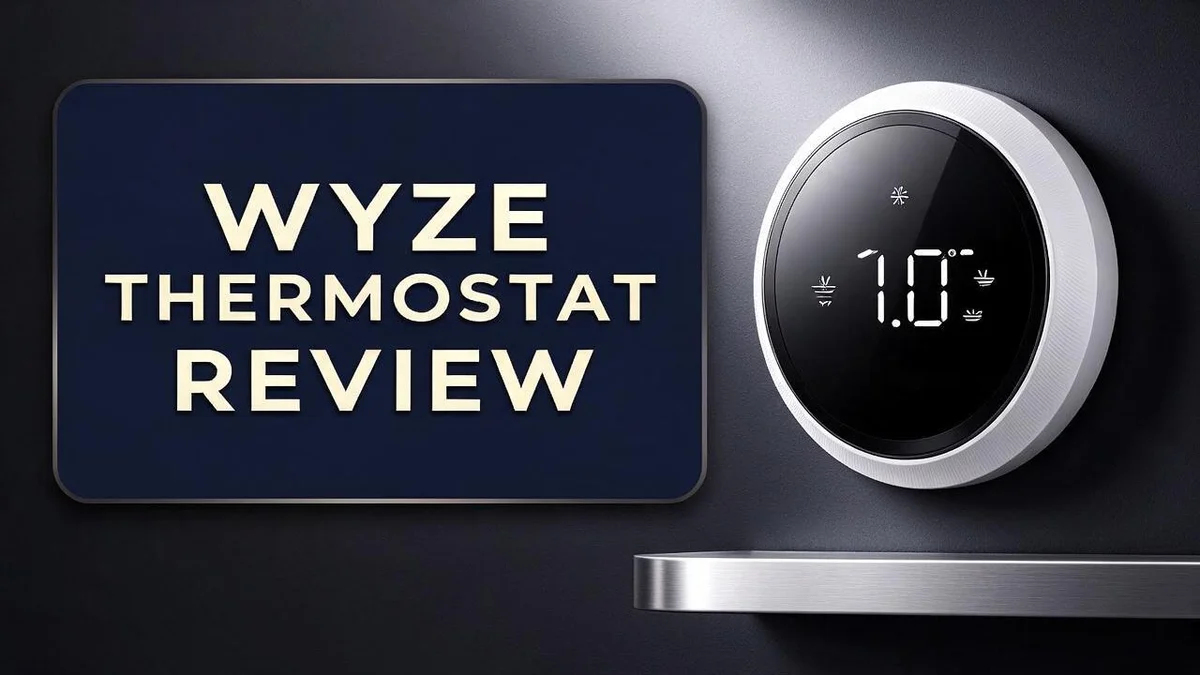
Wyze Thermostat Review 2026: Everything You Need to Know
Is your home feeling too hot or too cold? A smart thermostat can fix that. The Wyze Thermostat promises simple control from your phone, and it works with Alexa and Google Assistant.
Many people want a device that just works. This review looks at what the Wyze Thermostat does well and where it falls short.
It supports most heating and cooling systems in North America. That includes gas, oil, electric, and dual fuel setups.
Installation is easy for most homes. The app is clear and friendly, and changing the temperature takes only a few taps.
Still, some users say the device feels a little too basic. Others report that it overshoots the set temperature by three to five degrees.
Read on to see if this thermostat fits your home.
In a Nutshell
- Voice control works well: The Wyze Thermostat pairs with Alexa and Google Assistant. You can adjust the temperature without touching the wall.
- Schedules repeat each week: You can set different temperatures for each day. This helps you save energy when nobody is home.
- Temperature may overshoot: Some owners report the system goes 3 to 5 degrees past the target. Keep an eye on comfort during the first few weeks.
- Changing settings can take time: Some forum members must rerun the full setup to change certain options. Plan your preferences before you begin.
- Auxiliary heat may not respond: One user could not get auxiliary heat to work, even though the device lists compatibility. Confirm your system setup before you commit.
- Strong rivals exist: Competitors include Amazon Smart Thermostat, Ecobee, Honeywell Home T9, Google Nest Learning Thermostat, and Sensi. Compare features side by side to find your best match.
Key Features and Scheduling


Last update on 2026-11-04 / Affiliate links / Images from Amazon Product Advertising API Some of the links on this website are affiliate links, which means that at no additional cost to you, I earn a commission if you click through and make a purchase. I only recommend products and services that I believe will add value to my readers. Thank you for your support!
The Wyze Thermostat offers a programmable schedule for each day of the week. This helps you plan comfort around your real routine.
Start by mapping your day. Write down when you wake up, leave for work, return home, and go to bed. Those four moments make a strong starting point.
Next, open the app and build your time blocks. Pick a start time for each block. Then choose a target temperature that suits that part of the day.
Many people use a cooler setting while they are away. They set a warmer or cooler temperature before they return. This pattern can help you avoid running heat or cooling all day.
Check your system type first. The thermostat works with gas, oil, electric, and dual fuel systems. Knowing your setup helps you choose settings that match your equipment.
Changing the temperature on the fly is simple. You can adjust the set point in the app when plans change. This works well for a chilly evening or a warm afternoon.
A simple paper chart can help, too. Sketch your week and mark each block. Then copy those times into the app.
Give the schedule a few days. Watch how your home feels during each time block. Small tweaks often bring the best comfort.
Fine-tuning comes next. Note which blocks feel too warm or too cool. Then adjust only that block. Small changes make the biggest difference.
Think of the schedule as a living plan. Your habits may shift with seasons, school breaks, or work hours. Review your blocks every few weeks to keep them accurate.
Families with kids often need more blocks. Retirees may prefer a steadier setting through the day. Either way, a clear plan keeps your home comfortable.
Good scheduling takes a little patience. Once it runs smoothly, you can relax and let the thermostat do the work.
Installation and Setup
Safety comes first. Turn off the power to your heating and cooling system before you start. Switch off the breaker that feeds your furnace or air handler.
Take a photo of your old wiring first. Each wire usually has a letter or a color. Matching these labels makes the new setup much smoother.
Check whether your home has a common wire, often called a C wire. Certain setups need this wire to keep the device powered. Look for it before you order any extra parts.
Next, choose a spot for the thermostat. Pick a wall away from direct sunlight, drafts, and vents. Also avoid kitchens, since heat from cooking can throw off the readings.
Remove the old unit and mount the new backplate. Keep the wires clear of the opening. Level the plate before you tighten the screws.
Connect each wire to its matching terminal. Push any extra wire back into the wall so it does not fall inside. Then snap the front cover into place.
Turn the power back on at the breaker. If the screen stays dark, recheck the wire connections. A loose wire is often the cause.
Next, open the Wyze app on your phone. Create an account or sign in. Then follow the steps to add the thermostat to your home network.
Keep your phone close to the unit during pairing. A strong signal at the install spot helps the connection stay steady. Weak signals can cause delays.
Run a short system test before you finish. Let the heater and air conditioner cycle on and off. Listen for the fan and compressor sounds. Confirm that each mode responds to the app.
Store your wiring photo and the old unit’s manual in one folder. A clear record saves time if you move or replace the device later. A careful setup now prevents headaches later.
App and Voice Assistant Control
The Wyze app puts control in your pocket. You can check the current temperature from anywhere.
Changing the temperature is quick. Tap the up or down arrow and the new target saves right away. Most changes show up within seconds. This helps when you feel chilly after dinner or warm during an afternoon nap.
Many people adjust the thermostat from the couch or the office. Remote control saves you from walking back to the wall unit.
Voice control adds another layer of convenience. The Wyze Thermostat works with Alexa and Google Assistant. Simply speak a command and the system responds.
Try phrases like “Alexa, set the thermostat to 70 degrees” or “Hey Google, raise the temperature.” Voice commands shine when your hands are full.
Linking your accounts takes only a few minutes. Open the Alexa or Google Home app, choose the Wyze option, and sign in. Once linked, the thermostat appears in your device list.
Voice commands can also check status. Ask, “What is the temperature inside?” and the assistant reads back the answer.
Everyone in the house can share control. Anyone with the app or a linked speaker can make changes. Still, agree on a comfort range together to avoid constant tweaks.
Voice control also helps guests. Visitors can ask the speaker for a warmer room without touching the wall panel. Guests often appreciate that simple option.
Keep the app updated for the best results. Updates often bring fixes, performance improvements, and new features.
Check your speaker’s language and region settings, too. A mismatch can stop commands from working.
Test each command after setup. Say each phrase once and confirm the change on screen. This quick check saves frustration later.
Voice and app control make daily comfort simpler. Spend less time at the wall and more time enjoying your home.
Top 3 Alternatives
Ecobee Smart Thermostat

Last update on 2026-11-04 / Affiliate links / Images from Amazon Product Advertising API Some of the links on this website are affiliate links, which means that at no additional cost to you, I earn a commission if you click through and make a purchase. I only recommend products and services that I believe will add value to my readers. Thank you for your support!
The Ecobee Smart Thermostat has a bright touchscreen. It is easy to read and use.
It comes with a room sensor for better comfort. The sensor checks the temperature in each room. Your whole home stays comfortable from one floor to the next.
Ecobee also works with popular voice assistants. You can ask for temperature changes without touching a single button. Many homeowners enjoy this simple daily control.
Google Nest Thermostat

Last update on 2026-10-13 / Affiliate links / Images from Amazon Product Advertising API Some of the links on this website are affiliate links, which means that at no additional cost to you, I earn a commission if you click through and make a purchase. I only recommend products and services that I believe will add value to my readers. Thank you for your support!
The Google Nest Thermostat has a slim, round design. It fits nicely on most walls and blends into your home.
It learns your daily habits over time. Then it adjusts heating and cooling on its own. This can help you save energy without extra effort.
You can manage it with the Google Home app. Setup is quick and simple. Most people finish it in just a few minutes.
Honeywell Home T9

Last update on 2026-11-04 / Affiliate links / Images from Amazon Product Advertising API Some of the links on this website are affiliate links, which means that at no additional cost to you, I earn a commission if you click through and make a purchase. I only recommend products and services that I believe will add value to my readers. Thank you for your support!
The Honeywell Home T9 uses a smart sensor system. It checks the temperature in several rooms at once.
This thermostat works well with many smart home devices. You can set schedules that fit your routine. Changes are easy to make from your phone, even when you are away.
Its clear display shows your settings at a glance. It suits families who want precise control room by room.
HVAC System Compatibility
Most homes can use this thermostat without trouble. It supports most residential heating and cooling systems in North America. That wide reach covers many common setups.
Compatibility lists tell only part of the story. Real results depend on how your equipment actually runs in your home. Every system has small differences that matter.
Start by reading the labels on your current equipment. Look for model numbers and check the manufacturer website for details. This quick step saves time later.
If your home has only heating or only cooling, confirm that the thermostat matches that setup. Ask yourself which mode you use most. Your answer helps you focus your testing.
Auxiliary heat needs extra attention. One user could not get the unit to control auxiliary heat, even though compatibility was listed. Test this function soon after setup.
Test every heating stage on a cold day. Watch whether the furnace or heating unit starts when it should. Note any delays, clicks, or odd behavior.
Cooling needs a full check too. Run the air conditioner for one complete cycle. Confirm that the house cools down and holds the set temperature steady.
Your daily routine matters as well. A system that runs long cycles at night may react differently than one that runs short bursts during the day. Watch both times closely.
Overshooting can happen. One reviewer saw temperatures climb three to five degrees past the set point. If you notice this, adjust the schedule and watch the results again.
Keep a simple log of each test. Write down which modes work and which ones fail. Clear notes make it easier to talk with support or an installer.
Do not guess when something seems wrong. Contact support with your model details and a short description of the problem. Specific information leads to faster fixes.
Good compatibility starts with good checks. Take your time, test each mode, and trust what your home tells you.
Temperature Accuracy and Comfort
Comfort starts with an accurate reading of your home. The Wyze Thermostat measures air with its sensor inside the unit. That reading guides every heating and cooling decision.
Placement plays a big role here. A spot near a sunny window or a supply vent can read too high or too low. Choose a wall in a central room, away from direct sunlight.
Think about how you use each room. If you spend most evenings in the family room, place the thermostat nearby. This helps the system respond to the spaces you actually use.
Drafts can also throw off comfort. Gaps around doors and windows let cold air in during winter. Seal these gaps with weatherstripping so the thermostat can hold a steady reading.
Humidity changes how warm a room feels. Dry air can feel cooler than damp air at the same temperature. Keep an eye on both numbers when you judge comfort.
Schedules shape daily comfort, too. You can lower the heat overnight and warm the house before you wake up. These small changes reduce the need for manual adjustments.
Temperature swings are another thing to watch. Some homes feel uneven from one room to the next. Keep a short log of spots that feel too warm or too cold. Then move furniture, close a vent, or adjust the schedule.
Good airflow helps every room receive the same treatment. Clean filters keep air moving freely, so readings stay consistent across the house.
Give the system a few days to settle. Most homes need time to show their true comfort pattern. Keep the schedule steady during that period so you can judge the results fairly.
Check comfort at different times of day. A chilly morning or a hot afternoon points to a clear fix. Patience helps. Small tweaks often bring the best comfort over time.
Pros and Cons
Pros
- Installation feels simple for most DIY homeowners.
- The app design suits people new to smart devices.
- Your household can set up a daily routine with little effort.
- It works with many heating and cooling setups, including dual fuel systems.
- Clear controls make the thermostat easy to understand.
Cons
- The feature set can feel too basic for advanced users.
- Changing settings may require running the full setup again.
- Power users may miss deeper customization options.
- Some users want more detailed control over how the system responds.
Who Should Buy It
This thermostat fits a specific type of homeowner best. It suits people who want a simple smart upgrade without a long learning curve.
New smart home buyers often feel the most relief here. They can start with one device and grow their setup over time.
Renters with standard systems may also find it useful. Ask your landlord before you replace any equipment.
Families who share one home also gain something useful. Everyone can adjust the temperature from a phone, so fewer debates happen at the thermostat.
Households that already use Alexa or Google Assistant are a strong match. The thermostat connects with voice control, so you can ask for a warmer room from the couch.
Tinkerers who enjoy adjusting every setting may feel boxed in. They might prefer a model with more options.
Shoppers who plan to move soon might skip it. Smart devices earn their benefits over months, so a short stay leaves less time to enjoy them.
Older adults and family members who prefer simple routines often feel at ease. The schedule runs in the background, so daily attention stays low.
Energy savvy homeowners can use the weekly schedule to trim heating and cooling time when nobody is home. Set away periods before leaving for the day.
Buyers with unusual or complex heating setups should plan extra time. A careful check before purchase can prevent frustration later.
Who should look elsewhere? Anyone who wants deep automation or advanced tuning may want a stronger option.
Models like the Ecobee or Google Nest Learning Thermostat offer more advanced paths. Compare them side by side before you choose.
A quick self check helps too. Think about your daily routine, your voice assistant, and how much hands-on control you enjoy. Take a few minutes to list your must-have features. That list makes the final decision far easier.
Final Verdict
Our overall take is that the Wyze Thermostat earns a solid spot on any shortlist of smart thermostats. It handles everyday heating and cooling with very little fuss. It does not, however, try to be the most advanced option on the market. Those limits matter most for your household.
Check your system before you buy. Compatibility lists are a helpful starting point, but they do not guarantee every feature will work. One buyer found that auxiliary heat would not respond, even though the listing showed support. Confirm your wiring and equipment type before you order.
If you want deeper tools, compare the main rivals. Ecobee, Google Nest Learning Thermostat, and Honeywell Home T9 each bring extra features to the table. Sensi is another option worth a look. Put these side by side with your own goals, because your final choice should match how you live.
Think of this device as a dependable everyday tool. It fits people who want a clear app, voice control, and simple routines. It is less ideal for anyone who wants to tune every detail.
Who should choose it? Most shoppers who want reliable basics will feel satisfied. Shoppers who expect advanced control should look elsewhere. Keep your expectations realistic from the start.
Long term use reveals the real story. Daily taps and small adjustments add up over time. Track how often you open the app and whether the routine still feels easy after several months. That experience tells you more than any spec sheet.
The bottom line: pick this thermostat when ease and dependable daily comfort matter more than advanced features. It delivers on its core promise. Overall, it is a sensible choice for most homes, and it will serve you well when you go in with clear expectations.
Frequently Asked Questions
How easy is the Wyze Thermostat to install?
Most people find the installation simple and clear. The app guides you through each step. Many owners finish the setup without outside help.
Will it work with my heating and cooling system?
It works with many setups, including dual fuel systems. Still, you should check your system first. Compatibility lists help, but they do not guarantee every feature works. One user could not control auxiliary heat, so confirm your needs before you buy.
Can I control it with my voice?
Yes. It works with Alexa and Google Assistant. You can change the temperature with a short voice command.
Does it hold the exact temperature I set?
Not always. One user reported that the room ran three to five degrees past the set temperature. Check your comfort for a few days and adjust your routine if needed.
Can it help me save energy?
Yes. You can use the weekly schedule to cut heating and cooling when nobody is home. Small changes add up over time.

Hi, my name is Lily you can say i am a gadget hunter at this point. Welcome to Gadget Gallery The Gallery of Gadget Reviews