Sensi Touch 2 Review: Smart Features, Setup, and Verdict
Are you tired of a thermostat that feels outdated? Many homeowners want a smart device that is easy to use. The Sensi Touch 2 could be the answer you need.
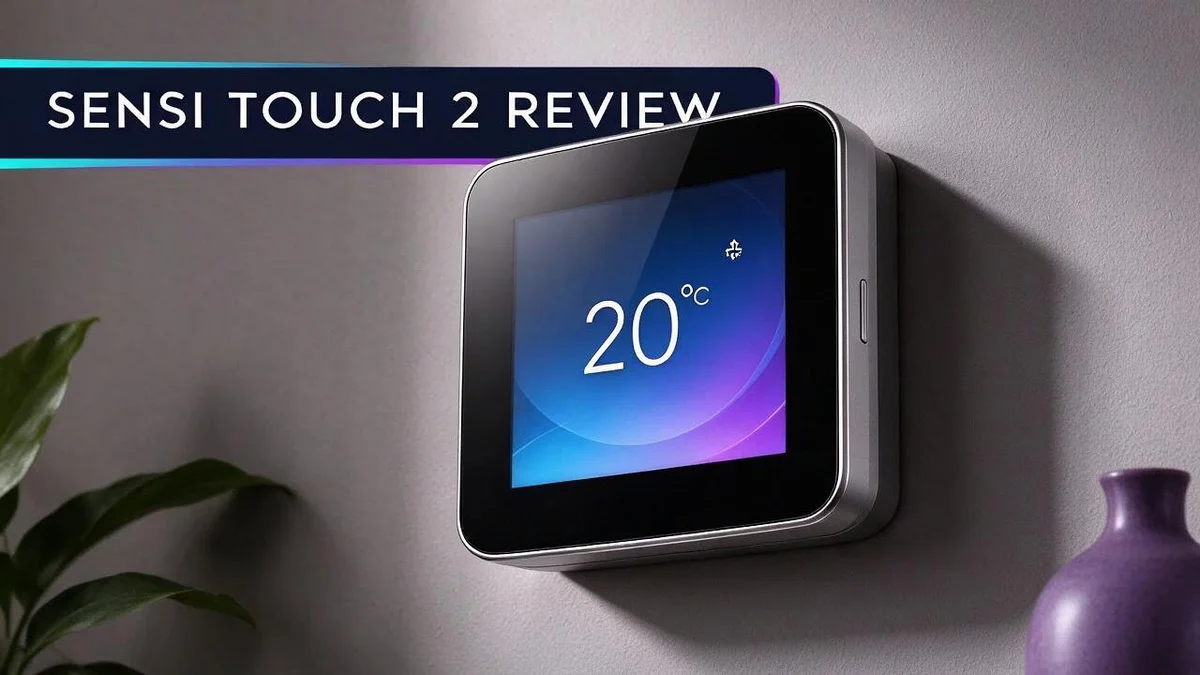
This smart thermostat has a sleek glass touchscreen. Its ultra thin design fits right into modern homes. It also works like a traditional programmable thermostat, so setup feels simple.
You can control your home from your phone. Geofencing and remote access let you adjust settings from anywhere. You can also check usage reports to see how your system runs.
Room sensors are optional. They help reduce hot and cold spots in your home. The thermostat is ENERGY STAR certified, so it supports energy savings.
In this review, we explore the key features, pros, and possible drawbacks. Keep reading to see if this model fits your home.
In a Nutshell
-
Works like a classic thermostat: You can still set schedules by hand on the screen. This makes the switch easy for people who prefer simple controls.
-
Up to 8 periods each day: You can build a detailed schedule for workdays and weekends. The auto heat and cool changeover handles the rest.
-
Keypad lockout keeps settings safe: Kids or guests cannot change the temperature by accident. Bluetooth Low Energy also supports easy local setup.
-
Dual band WiFi connection: The device supports both 2.4 GHz and 5 GHz networks. This helps it stay connected in homes with many devices.
-
Usage reports show energy habits: You can review how your system runs over time. These insights can help you spot ways to save energy.
-
Check your system first: One user reports that dual fuel systems need extra care. Confirm compatibility with a professional before you install, and compare the options with the Sensi Lite or Honeywell models.
Design and Touchscreen Display


Last update on 2026-11-04 / Affiliate links / Images from Amazon Product Advertising API Some of the links on this website are affiliate links, which means that at no additional cost to you, I earn a commission if you click through and make a purchase. I only recommend products and services that I believe will add value to my readers. Thank you for your support!
The first thing you notice is the slim profile. The body sits flat against the wall. It looks neat in hallways, living rooms, and bedrooms alike.
The glass face gives the panel a smooth, polished finish. Dust and light smudges stay visible on the surface.
Color choice matters more than many people expect. You can pick white or black. White suits bright rooms with light walls. Black blends well with darker walls and modern décor.
Touch controls feel simple after a few minutes. You tap icons to move between menus. Changing the temperature usually takes only a few taps.
Reading the screen at a glance is what most people need. Your current temperature stays front and center on the main page. You can check it from across the room without squinting.
Layout also plays a big role in daily use. Menus group related settings in a clear order. New users can find schedules and modes without digging through pages.
Fingerprints can show on glossy glass over time. A soft, dry cloth keeps the face looking fresh. Clean the screen every few weeks for the best look.
Mounting goes smoothly on a flat wall. Check that the wall is level before you start. Uneven surfaces can make the thermostat look crooked.
Design also affects how long a device feels fresh in your home. A clean face and simple lines help it age well over the years. Many people replace older units because they look dated, so a timeless style helps it last longer in your eyes.
Pairing the screen with a neutral wall color makes the thermostat almost disappear. Subtle shades keep focus on the display instead of the frame.
Who benefits most from this look? Homeowners who dislike clutter will appreciate the simple face. Modern households often prefer a device that blends in rather than stands out.
Overall, the design balances style and everyday function. The touchscreen feels modern without being hard to learn. It fits well into most homes.
Installation and System Compatibility
Installing a smart thermostat can feel like a big job, but many homeowners finish it in one afternoon. The Sensi Touch 2 works with a wide range of heating and cooling setups. Before you start, confirm what your system needs.
Gather a few basic tools first. A screwdriver, a voltage tester, and a small flashlight make the job easier. Check the box contents so you know what is included.
Begin by turning off the power at the breaker box. Next, remove the old thermostat cover and take a clear photo of the wiring. Label each wire with a small piece of tape so you can match it later.
Then compare your wire labels with the terminals on the new base. Common terminal letters include R, W, Y, G, and C. Matching each wire to the correct terminal is the most important step.
The C wire deserves extra attention. Many smart thermostats need a common wire to stay powered all the time. Older homes often lack one, so you may need an adapter kit or a licensed electrician.
Heat pumps and multi stage systems need a closer look. Their wiring often differs from a basic furnace setup. Check the equipment label or the owner manual before you connect anything.
Your home network matters during setup too. Place the thermostat within range of your router so it can join the network without trouble. A steady connection keeps app control and remote access working well.
Once everything is wired, restore the power and follow the on screen prompts. The setup process guides you through the time, date, and system type. Set the system type carefully, since it controls how the heat and cooling run. Take your time here, because correct selections prevent odd behavior later.
Finally, test each function on its own. Turn the heat on, then the cooling, and confirm that each one responds. If anything seems off, switch the power back off and call a qualified HVAC technician.
Scheduling and Remote Control
Scheduling feels easier when the thermostat knows when you leave. The Sensi Touch 2 offers geofencing, which uses your phone’s location to spot when you head out. The system can then shift into an energy saving mode without any extra steps from you.
Life rarely follows the same pattern each week. Your Tuesday might look nothing like your Saturday. The app lets you adjust the plan from almost anywhere, so you never feel stuck with an old routine.
Remote access also helps when plans change at the last minute. A friend might arrive early, or a trip might run late. A quick tap on your phone keeps the house comfortable without wasting heating or cooling.
Many people use the wall screen for small changes at home. The app handles bigger updates while you are away. Pick the tool that fits the moment, and both stay in sync.
Auto heat and cool changeover adds another layer of convenience. The thermostat switches modes on its own when the room drifts away from your target. You rarely need to touch the controls when the weather shifts.
Room sensors can improve the plan too. Place a sensor in the room where your family spends the most time. The schedule then reacts to the space you actually use, which helps reduce hot and cold spots across the house.
A morning warm up is a popular choice for many households. Set that block in the app, and the house can heat before the alarm sounds. Everyone wakes up to a comfortable room without waiting.
Remote control depends on a steady home network. If your connection drops, you may lose access from the app for a while. The thermostat still follows the saved schedule, so your home stays on track until the connection returns.
Try this simple habit each month. Open the app, review your weekday and weekend blocks, and remove any times you no longer need. A few minutes of review keeps your schedule fresh and your remote settings accurate.
Top 3 Alternatives
Google Nest Thermostat

Last update on 2026-10-13 / Affiliate links / Images from Amazon Product Advertising API Some of the links on this website are affiliate links, which means that at no additional cost to you, I earn a commission if you click through and make a purchase. I only recommend products and services that I believe will add value to my readers. Thank you for your support!
The Google Nest Thermostat works well for people who want a simple setup. It learns your daily habits and builds a schedule on its own. You can control it from your phone or with your voice.
It fits most common heating and cooling systems. Many homeowners also like its clean look and easy-to-use app.
Ecobee Smart Thermostat

Last update on 2026-11-04 / Affiliate links / Images from Amazon Product Advertising API Some of the links on this website are affiliate links, which means that at no additional cost to you, I earn a commission if you click through and make a purchase. I only recommend products and services that I believe will add value to my readers. Thank you for your support!
The Ecobee Smart Thermostat stands out because of its room sensors. Each sensor checks the temperature in a different room. Your whole home stays comfortable.
Many models include Alexa, so you can give voice commands. The app also shows clear energy reports that help you track your usage.
Honeywell Home T9

Last update on 2026-11-04 / Affiliate links / Images from Amazon Product Advertising API Some of the links on this website are affiliate links, which means that at no additional cost to you, I earn a commission if you click through and make a purchase. I only recommend products and services that I believe will add value to my readers. Thank you for your support!
The Honeywell Home T9 uses wireless room sensors to balance heat across your house. Those sensors help the system focus on the rooms you use most.
It also supports geofencing, so it adjusts when you leave or return home. This feature can save energy without extra effort. It works with popular voice assistants too. Installation may take a little more time, but the daily control feels smooth.
Comfort, Room Sensors and Energy Use
Comfort is about how a room feels. A thermostat can show the right number and still leave some rooms chilly or stuffy.
The Sensi Touch 2 helps close that gap. It supports optional room sensors that read temperatures in other spaces across the home.
Room sensors help reduce hot and cold spots. Place one in a bedroom, office, or nursery where comfort matters most.
A sunny living room often runs warmer than a shaded hallway. Sensor readings let the system respond to those differences instead of guessing.
Comfort also affects sleep and focus. A bedroom that stays cool at night can support deeper rest, while a steady office temperature helps people concentrate.
With sensor data, the thermostat builds a fuller picture of your home. It can then direct heating and cooling where people actually spend time.
Energy use depends on daily habits. Even a smart device saves energy only when its settings match real life.
The Sensi Touch 2 carries ENERGY STAR certification. That label shows the device meets efficiency guidelines set for home products.
Up to 8 program periods per day give you detailed control. You can set gentler temperatures during sleep hours or when the house sits empty.
Usage reports show how your system actually runs. Review them every few weeks to spot patterns. Look for times when the system works hard for little benefit.
Small adjustments often add up over time. Lowering the temperature setting a few degrees overnight can reduce wasted energy.
Room sensors and schedules work best as a team. Sensors guide comfort in each space, while the schedule handles timing.
Consistency matters as much as the exact number. Frequent large temperature swings make a home feel uneven, so gentle changes often work better.
Test the feel of each room before you trust the schedule.
Check comfort after every season change. Note which rooms feel off, then move or add a sensor if needed. A simple check keeps both comfort and energy use on track.
Pros and Cons
Pros
– The glass touchscreen looks sleek on any wall.
– Keypad lockout keeps settings safe from curious kids.
– Dual band Wi Fi on 2.4 GHz and 5 GHz helps it stay connected.
– Up to eight program periods per day give you detailed control.
– Available in white or black to match your home decor.
Cons
– Dual fuel systems need extra care before you install it.
– Only two colors are offered, white or black.
– Room sensors are sold separately, so you must add them yourself.
Who Should Buy It
Not every home needs the same thermostat. The Sensi Touch 2 suits certain people especially well.
Busy households are a great match. Schedules change often in busy homes. This model lets everyone set a plan that fits.
Parents with kids in sports or school can plan around hectic evenings. Shift workers can also set times that match their daily routine.
Fans of modern design will feel at home. Some people want a current look with simple controls they already know. This model delivers both.
Homeowners with a standard setup are strong candidates. Wide system compatibility means many common heating and cooling setups work with it.
People new to smart devices can ease in. The touchscreen works like a standard thermostat, so you can use the wall display before trying the app.
Data lovers can enjoy the reports. Usage reports show patterns over time. They help you spot habits worth changing at home.
Work from home teams gain flexibility. A daily schedule can shift when the office moves to the living room. You can adjust the plan without rewriting every program.
Older adults often prefer clear controls. Simple menus can feel less stressful than complex apps. Familiar buttons make daily changes quick and easy.
Do research on a few other options. People who want a basic thermostat without app features may prefer a simpler model like the Sensi Lite.
Shoppers who compare features often find the right fit faster. Honeywell thermostats also offer another path to explore.
Think about your daily routine first. A thermostat works best when its features match how your home runs. Ask which functions you will use each week.
Households that want fewer surprises will appreciate the setup. The scheduling tools let you plan each day ahead. Calm routines make a home feel more comfortable.
In short, the Sensi Touch 2 suits people who want flexibility without a complicated system. Think about your schedule, your comfort needs, and your comfort with apps before you choose. That way, you pick the right model for your life.
Final Verdict
Our final verdict is positive. The Sensi Touch 2 earns a spot on many walls. It suits people who want smart features without a steep learning curve.
The biggest strength is balance. It looks current, yet it still works like the thermostat you already know. That mix makes it easy to live with every day.
Compare it with the Sensi Lite first. The Sensi Lite is a common alternative from the same family of products. Shoppers who want a simpler setup may prefer that model.
Honeywell thermostats are another strong option. Line up features like scheduling, app control, and sensor support side by side. Pick the model that matches your daily routine best.
The research did not list any clear drawbacks. That does not mean every home is a perfect fit. Confirm your heating and cooling system type before you start, so you avoid surprises later.
Plan a short setup session before you begin. Have your home network password ready and locate your current thermostat wiring. A few minutes of preparation makes installation smoother and less stressful.
Knowing the maker can also help. The Sensi Touch 2 is made by Copeland, and it also appears under the Emerson name. Searching with both names can lead you to more reviews and support pages.
Ask yourself one simple question. How often do you change your thermostat settings? If you adjust it often, the app and flexible schedule will likely help. If you rarely touch it, a simpler model may serve you better.
Long term use matters most. A thermostat stays on your wall for years, so pick one you enjoy seeing every day. The Sensi Touch 2 offers a clean look that many people find pleasant.
Our recommendation is clear. Choose the Sensi Touch 2 if you want a modern look, flexible scheduling, and a familiar touch layout. It also works well for people who want a middle ground between basic and advanced controls. Take a moment to check compatibility, then enjoy a more comfortable home.
Frequently Asked Questions
Does the Sensi Touch 2 save energy?
It carries the ENERGY STAR certification. That label shows the device meets strict energy efficiency standards. Your heating and cooling can run only when you need them.
Can I change the temperature when I am away?
Yes, you can. Geofencing uses your phone’s location to adjust settings as you leave or return home. Remote access also lets you check and change settings from anywhere through the app.
Do I need to switch between heating and cooling by hand?
No, you do not. The auto heat and cool changeover picks the right mode for you. This helps during seasons when the weather shifts often and you want comfort without extra effort.
Is it hard to learn if I already own a thermostat?
It feels familiar. The screen works much like a standard wall unit. You get modern app features while keeping the simple controls you already know.

Hi, my name is Lily you can say i am a gadget hunter at this point. Welcome to Gadget Gallery The Gallery of Gadget Reviews