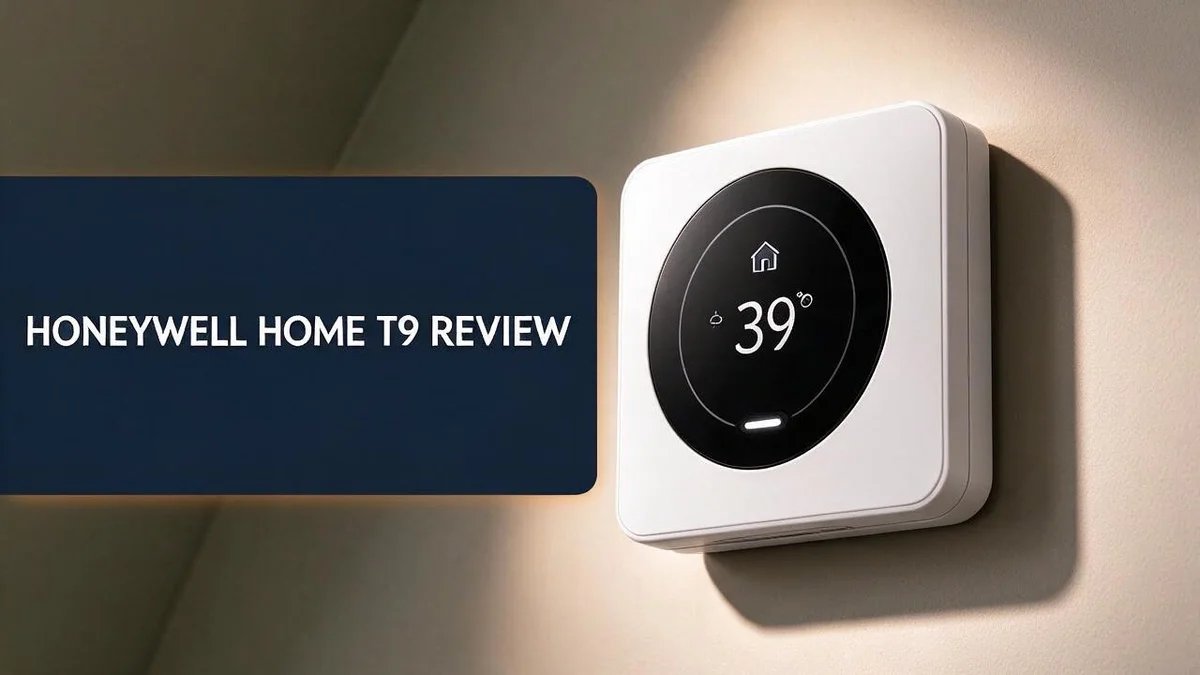
Honeywell Home T9 Review: The Only Guide You’ll Need
Is your home always too hot or too cold in different rooms? The Honeywell Home T9 might be the fix you need. This smart thermostat puts control right on your wall with a clear touchscreen.
Setup feels simple, and the app works well. You can manage your heating and cooling from anywhere. Geofencing even adjusts the temperature when you leave the house.
Here is the best part. The T9 pairs with room sensors that balance temperatures across your home. Each sensor can reach up to 200 feet, so you can place them where you need them most.
It also works with Alexa and Google Assistant. You can ask for a warmer bedroom with just your voice.
In this review, we cover the good, the bad, and how the T9 compares to top rivals. Keep reading to see if it fits your home.
In a Nutshell
-
Room sensors fix uneven rooms. Sensors reach up to 200 feet from the thermostat. You can add up to 20 of them to track temperature, humidity, and occupancy.
-
Native sensors balance heat. The thermostat uses room data to even out temperatures across the house. Cold bedrooms and hot offices become easier to manage.
-
Geofencing saves energy. The system senses when you leave and adjusts settings. Your heating or cooling rests while the house sits empty. Many homes waste less energy as a result.
-
Touchscreen control keeps things simple. A clear touchscreen lets you change settings right on the wall. You do not always need your phone. Quick changes take only a few taps.
-
Wiring may need a check. Some owners report wiring issues during installation. Check your system compatibility before you start. Hiring a pro can help avoid problems.
-
Smart home fans may need extra work. Home Assistant integration has some quirks. Ecobee currently offers a smoother connection for that setup.
Key Features and Specs

Last update on 2026-11-04 / Affiliate links / Images from Amazon Product Advertising API Some of the links on this website are affiliate links, which means that at no additional cost to you, I earn a commission if you click through and make a purchase. I only recommend products and services that I believe will add value to my readers. Thank you for your support!
Every smart thermostat promises comfort, but the specs tell the real story. The Honeywell Home T9 brings several useful features to one wall unit.
Smart sensors are the core of the design. Each sensor tracks temperature, humidity, and occupancy. You can add up to twenty sensors across your home.
Sensor count shapes your results. A few sensors work well in a small home. More sensors help larger homes with rooms that run hot or cold.
Place sensors in spaces that often feel different from the rest of the house. A sunroom or upstairs bedroom are good examples. This gives the thermostat better data to work with.
Humidity tracking gives you extra insight. Many basic thermostats only read heat. The T9 also watches moisture levels, so you can spot a damp room early.
Occupancy sensing adds another layer. The sensors notice when people sit in a room. The system can focus comfort on the spaces your family actually uses.
You also choose how to buy it. The T9 comes with or without a room sensor. Small homes can start with the thermostat alone. Larger homes can start with a full kit and add sensors later.
The Wi-Fi connection keeps everything in sync. Your thermostat links to your home network, so you can check settings from your phone while you travel. Remote access also helps you keep an eye on a vacation home.
The Honeywell T6 is a related model that uses Z-Wave, a different wireless standard. The T9 relies on Wi-Fi instead. That difference affects which devices you can pair.
Rivals like the Google Nest Learning Thermostat and Ecobee Smart Thermostat Premium offer their own feature sets. Comparing specs side by side helps you pick the right match.
Overall, the specs suit homes with several rooms. Good sensor coverage and flexible buying options make the T9 a strong contender.
Room Sensors and Comfort Balancing
Uneven rooms make daily life less comfortable. A bedroom can feel stuffy while the living room feels chilly. Room sensors give the T9 a clearer view of these gaps.
Think about where you spend the most time. Put a sensor in the room where you sleep or work. That spot tells the system what your comfort really looks like.
Sensor placement matters more than most people expect. Keep each sensor away from direct sunlight, vents, and exterior doors. These spots can give false readings and push the system in the wrong direction.
Consider the rooms that give you trouble. A sunny room on the west side often heats up in the afternoon. A basement or upstairs office may stay cool even when the main floor feels warm. Those are good candidates for a sensor.
Sensor count shapes your results. A few sensors cover a small home well. Larger homes or homes with several floors usually need more sensors to track each zone. You can start small and add sensors later as needs change.
Think about the people in your home too. A nursery or a home office often needs steadier temperatures than a guest room. Assigning sensors to these spaces helps the system prioritize comfort where it matters most.
Dust can build up on sensors over time. A quick wipe every few months keeps readings accurate. Clean sensors help the system respond faster to real changes.
Comfort balancing works best with a little patience. The system learns patterns over several days. Give it time before you judge the results. Small changes in schedules can make a big difference.
Review your settings every few weeks. Check whether any room still feels off. Move a sensor or adjust its position if something seems wrong. Small tweaks keep the whole house feeling even.
Installation and Wiring
Start with safety first. Turn off the power at your breaker before you touch any wires. This step protects you and your heating or cooling system.
Next, remove your old thermostat. Take a clear photo of the wiring before you loosen anything. This photo becomes your best guide later.
Label each wire with tape or a marker. Many people skip this step, then they guess wrong. Matching labels makes reconnecting much easier.
Check for a C wire. The C wire, also called the common wire, gives the thermostat steady power. Many smart models need it to run well. Some older homes do not have this wire, so check before you start.
Look at your heating and cooling setup too. Furnaces, heat pumps, and boilers use different wiring layouts. Compare your system type with the included instructions before you connect anything.
Mount the base plate next. Keep it level so the screen looks neat on the wall. Then push each labeled wire into the matching terminal.
Tighten every terminal gently. Loose connections can cause odd behavior later. Give each wire a small tug to confirm it sits firmly in place.
Attach the display to the base plate. Restore power at the breaker once everything feels secure. The touchscreen should wake up shortly after power returns.
Connect the thermostat to your home internet network next. Open the Resideo app and follow the prompts on screen. The app walks you through account setup step by step.
Let the thermostat finish any updates before you change settings. Patience at this stage prevents confusion later on.
Test each mode before you leave. Run the heating, cooling, and fan settings for a short time. This quick check confirms that your equipment responds correctly.
Call a licensed electrician if wires look damaged or the system acts strange. Safety always comes before a quick do it yourself finish.
A careful install sets a strong foundation. Your comfort and energy savings depend on a clean setup. Take your time, and your T9 will serve you well for years.
Top 3 Alternatives
If you want a smart thermostat that saves energy and offers easy control, these three options are worth a look.
ecobee Smart Thermostat

Last update on 2026-11-04 / Affiliate links / Images from Amazon Product Advertising API Some of the links on this website are affiliate links, which means that at no additional cost to you, I earn a commission if you click through and make a purchase. I only recommend products and services that I believe will add value to my readers. Thank you for your support!
The ecobee Smart Thermostat has a large touchscreen display. It works with popular voice assistants, so you can adjust the temperature hands-free. It also includes a remote sensor for each room. This helps balance heat in busy spaces.
Google Nest Thermostat


Last update on 2026-11-04 / Affiliate links / Images from Amazon Product Advertising API Some of the links on this website are affiliate links, which means that at no additional cost to you, I earn a commission if you click through and make a purchase. I only recommend products and services that I believe will add value to my readers. Thank you for your support!
The Google Nest Thermostat has a sleek, compact design. It learns your schedule over time and adjusts heating and cooling on its own. Its Eco mode helps you save energy when no one is home.
Emerson Sensi Touch

Last update on 2026-11-04 / Affiliate links / Images from Amazon Product Advertising API Some of the links on this website are affiliate links, which means that at no additional cost to you, I earn a commission if you click through and make a purchase. I only recommend products and services that I believe will add value to my readers. Thank you for your support!
The Emerson Sensi Touch features a simple color touchscreen. It works with many heating and cooling systems, which makes it a good match for older homes. Its geofencing feature lowers the temperature when you leave. Many homeowners like its easy app and clear weekly schedules.
Smart Home Integration
The Honeywell Home T9 fits well into a connected home. It works with Alexa and Google Assistant, so you can adjust the temperature without touching the wall. This makes daily life simpler.
Voice control adds real convenience. Ask your speaker to warm up the bedroom before bedtime. You can also check the current setting while you cook or work in another room.
Geofencing adds another helpful layer. The thermostat uses your phone location to decide when to change modes. When everyone leaves the house, the system can ease off heating or cooling. When you head home, your space starts to feel comfortable again.
Smart home hubs can connect the thermostat to other devices. Through compatible platforms, you can build simple routines. A bedtime routine might lower the temperature while another device handles your lights. Setup takes a little time, but the results feel worth the effort.
Home Assistant users should plan ahead. Some owners report quirks with this platform. Ecobee models generally offer tighter integration with Home Assistant. If that platform matters most to you, compare your options carefully.
Check your existing devices before you begin. Confirm that your speaker or hub supports the thermostat. Open the Resideo app and link your accounts. Then test each voice command, one at a time.
Take a few days to learn the system. Watch how it responds to your routines. Adjust your routines and settings as needed. Good integration keeps your home comfortable with less effort, and that makes everyday living easier for the whole family.
Energy Savings and App Control
Small daily habits can lower your energy use. The Honeywell Home T9 makes those habits easy to keep. You do not need to walk to the wall every time you want a change.
The Resideo app puts control in your hand. You can adjust the temperature from work, from a store, or from your couch. This remote control is one of the simplest ways to avoid heating or cooling an empty house. Many owners find the app easy to use from day one.
Build your energy plan around your daily routine. Lower the temperature during hours when everyone sleeps. Raise it again shortly before people wake up or come home. Clear schedules keep the system from working harder than it needs to.
Trips need special attention too. Before you leave town, open the app and lower the setting for the days you will be gone. When you return, a quick tap brings the house back to a comfortable level.
Small adjustments add up over time. A change of just a few degrees can make a real difference across a full season.
Check the app every week for a while. Look for patterns in your own habits. Are you heating rooms nobody uses? Are you cooling the house at night for no reason?
Honest answers lead to better settings. Think about your schedule for weekdays and weekends too. Many families wake up later on weekends, so the schedule can shift. Adjust it once and the thermostat follows the same plan each week.
Thermostat settings work best when they match real life, not a guess. Start with moderate changes so you stay comfortable. Then adjust in small steps until your home feels right and uses less energy. Comfort and efficiency can grow together.
Energy savings come from consistency, not perfection. Make a few changes, then watch how the house responds. Small wins build habits that last.
Pros and Cons
Pros
– Easy setup makes installation less stressful for most people.
– The Resideo app works smoothly on your phone.
– Room sensors help balance temperatures across rooms.
– Geofencing and remote control help you save energy.
– Voice control works with Alexa and Google Assistant.
Cons
– Some owners report wiring issues during installation.
– Home Assistant users may run into integration quirks.
– Ecobee offers better built-in integration for some setups.
Who Should Buy It
The Honeywell Home T9 fits best in homes with uneven temperatures. Upstairs bedrooms often run warmer in summer. Basements can feel chilly all winter. This thermostat gives you a clear way to track those differences.
Busy families will find it useful. Kids come home at different times, and pets need steady air. The schedule and sensors keep comfort on track without constant changes. Parents often want one device that handles the daily routine.
People who work from home should take a close look. A home office can stay cold while the rest of the house stays warm. A sensor placed in that room helps the system respond to the space you actually use.
Those who prefer touchscreens will feel at ease. Some people dislike using a phone for every small change. Tapping the screen on the wall gives a direct way to adjust settings. Direct taps make daily use feel natural.
Simple upgraders may be pleased with the core features. Many buyers want a few strong basics that work every day. This model covers schedules, sensors, and remote access in one package. Many shoppers want the basics handled well from day one.
Some buyers should compare other options first. The Google Nest Learning Thermostat is worth a look if your home already runs on Google devices. Ecobee is another choice for people who want many smart home connections.
Renters should ask first. Wiring changes may need permission from a landlord or property manager. Getting approval early avoids trouble later.
Homeowners should check their heating and cooling system. Confirm that the system matches this thermostat before you order. A quick check saves time on installation day.
In short, the right buyer wants comfort across many rooms. This thermostat suits busy homes, mixed room temperatures, and anyone who wants clear controls. Compare your daily needs first, then decide with confidence.
Final Verdict
The Honeywell Home T9 earns a strong spot on your shortlist. It handles everyday heating and cooling with a calm, steady hand.
Think of it as a practical tool, not a flashy gadget. It focuses on comfort and control. That focus suits most households well.
Before you commit, take a moment to check your wiring. A quick look at your existing system can save time later. If you feel unsure, a local installer can confirm everything.
Ask yourself what you need most from a thermostat. If you want steady comfort and remote control, this model fits the job. If you want deep smart home links, look at other choices first.
Think about how you live each day. Your schedule shapes which features matter. A thermostat that matches your routine will feel natural from the first week. Small touches on the screen can build good habits over time.
Give the system a fair trial. Live with it for a few weeks before you judge it. Notice how your rooms feel at night and during work hours. Then decide whether it earns a permanent place on your wall.
Consider how much you plan to change settings. Some people like to tweak temperatures often. Others prefer to set it once and forget it. This model suits both styles, though frequent tweakers will enjoy the quick controls most.
Keep your expectations realistic. No thermostat fixes drafty windows or poor insulation. It works best when the home already holds heat well. Pair it with simple sealing tips for the best results.
Our overall take is simple. The Honeywell Home T9 offers dependable comfort, clear controls, and sensible features. It may not win every category, but it covers the basics well. For many homes, that is exactly enough.
In short, this thermostat suits people who want a dependable everyday partner. Pick it if you value straightforward control. Skip it if you need a deep tie to other smart systems.
Frequently Asked Questions
Can I buy the Honeywell Home T9 without a room sensor?
Yes. The T9 comes with or without a room sensor. Pick the version that fits your home. One main room may be enough for simple setups.
How far can the room sensors reach?
The sensors reach up to 200 feet. You can add up to 20 sensors. Each one tracks temperature, humidity, or occupancy.
What should I check before I place the sensors?
Place sensors in the rooms you use most. Focus on bedrooms, offices, and living areas. This helps the system react to the spaces that matter most to you.
How is the T9 different from the Honeywell T6?
The T6 is a separate Honeywell model with its own connection type. Compare the features side by side before you choose. This step helps you match the right model to your setup.

Hi, my name is Lily you can say i am a gadget hunter at this point. Welcome to Gadget Gallery The Gallery of Gadget Reviews