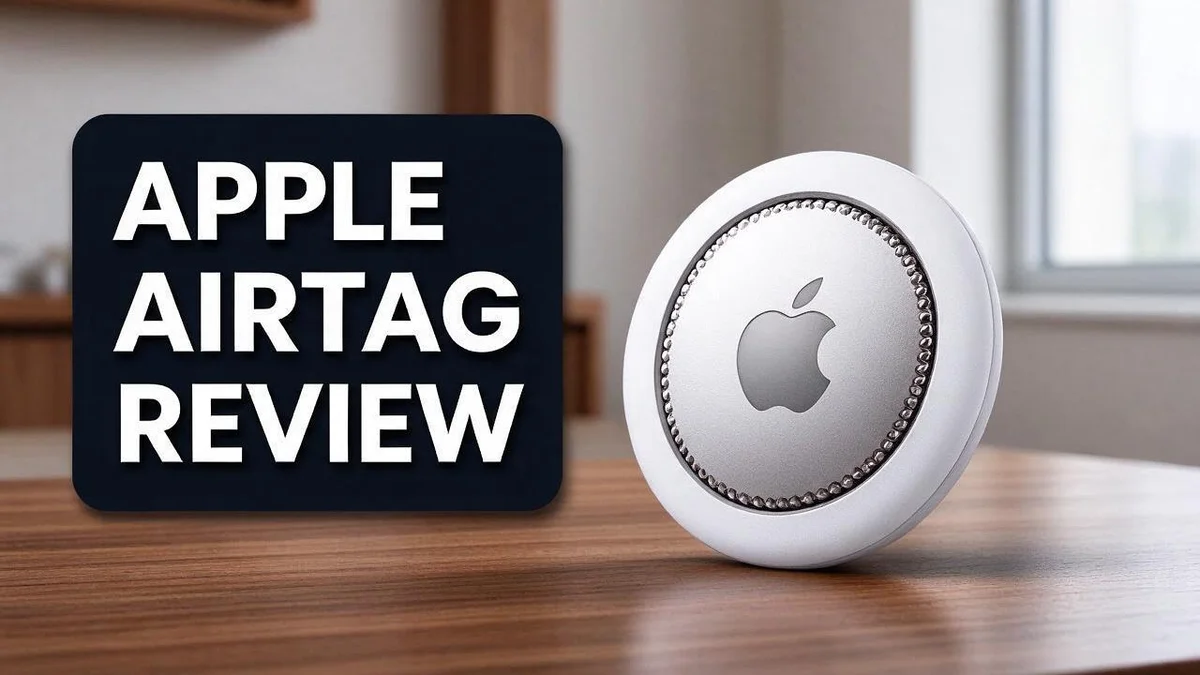
Apple AirTag Review 2026: Don’t Buy Until You See This
Losing your keys always seems to happen at the worst time. Have you ever searched your whole house for your bag, only to find it by the door? You are not alone.
That is where the Apple AirTag comes in. This small, round tracker is about the size of a quarter. It pairs with your iPhone and works through the Find My app. You can attach it to keys, bags, luggage, or cameras.
Keep in mind that the AirTag has no GPS and no direct internet connection. It relies on nearby Apple devices to locate your item. Its battery lasts about one year, and you can swap it out when needed.
In this review, we explain what the AirTag does well. We also cover its limits, so you know if it fits your needs.
In a Nutshell
-
Small size fits almost anywhere. The round tag is about the size of a quarter. It slips easily into a wallet, a backpack pocket, or a camera bag.
-
Works through the Find My network. The tag connects to nearby Apple devices. Those devices help you find a lost item, even when you are far away.
-
Best with a recent iPhone. You get the most from the tag when you pair it with a newer iPhone. Older models may limit some features.
-
Battery lasts about one year. You replace the battery when it runs low. The tag itself cannot be recharged, so plan for that swap.
-
Sharing has limits. Family members cannot see the location, even with Family Sharing turned on. Only the owner tracks the item.
-
Not built for pets or theft. Pet tracking falls outside its purpose. It is also not meant to stop theft, so treat it as a finding tool instead.
Key Features


Last update on 2026-11-04 / Affiliate links / Images from Amazon Product Advertising API Some of the links on this website are affiliate links, which means that at no additional cost to you, I earn a commission if you click through and make a purchase. I only recommend products and services that I believe will add value to my readers. Thank you for your support!
Apple AirTag offers several handy features beyond basic tracking. Each one helps in a different way.
The tag has a built-in speaker. When you cannot see your item, you can make it play a sound. This helps you find things hiding under couches or inside a dark bag.
Precision Finding gives extra help on supported iPhones. Your phone shows direction and distance. You can walk straight to your item.
Lost Mode works when an item goes missing. Turn it on, and anyone who finds the item can see a message. You can include a phone number for contact.
You can also engrave a short message on the back. Try your name, an emoji, or a contact detail. This makes your tag easy to spot in a pile of keys.
Tag names help you stay organized. Name each tag after the item, such as backpack or car keys. The name appears in the Find My app, so you always know which tag is which.
Your privacy stays protected too. The tag sends changing signals instead of a fixed identifier. This makes it harder for strangers to follow your movements.
Separation alerts keep you informed. If you leave an item behind, your iPhone can notify you. You can decide how and when these alerts appear.
You can keep a tag in your suitcase on trips. Your iPhone can show when the bag is nearby. This simple habit can save time and stress at busy airports.
Setup takes only a few minutes. Hold the tag near your iPhone and follow the prompts. Then you can name the tag and attach it to your item.
Each feature works through your Apple ID. Your settings sync across your devices, so changes apply everywhere.
Overall, these features make the tag practical. They offer quick help when something goes missing. They also keep your information private.
Design and Build
The design of the AirTag feels simple and clean. Apple built it to slip onto a keyring without fuss. Its build matters too, because the tag must handle daily life.
The front side looks smooth and white. The back uses a stainless steel panel that gives the tag a polished finish. This metal back also helps it hold up to everyday wear.
Weight plays a big role in daily use. The tag weighs about 11 grams. You will barely notice it in a pocket, a backpack, or a purse zipper. Its light weight never weighs down a keyring.
The tag is also quite thin. At roughly 8 millimeters thick, it slides into tight spaces. It sits flat inside a wallet or a small bag pocket without adding bulk.
Apple made the surface easy to clean. Dirt and dust wipe off in seconds. Its smooth surface also avoids snagging on fabric lining, and a soft cloth keeps it looking fresh over time.
Attaching the tag is simple thanks to its built-in hole. You can add a split ring, a lanyard, or a small strap. Many people choose a leather loop for extra style and comfort.
Many owners also use cases from other makers. Cases add grip, color, and extra protection. Some clear cases let the white front show through.
The tag shows solid build quality in small details. The seam between the front and back feels tight. Nothing rattles when you shake it, which signals good assembly.
Daily use tests any product. The tag can take bumps in a bag and drops onto hard floors. Still, a case adds peace of mind on rough trips or busy days. Owners who carry keys every day will appreciate that durability.
Overall, the design balances style and function well. The tidy shape hides easily in a bag. The build feels solid enough for everyday routines, so you can rely on it.
Tracking Performance
Tracking performance depends on where you are. Busy streets and crowded cafes give the best results. Many nearby Apple devices can pass along a signal. In quiet areas, updates slow down. Fewer devices nearby means fewer chances to report a location. Rural trips may need more patience.
Walls, metal, and thick bags can block Bluetooth signals. Keep the tag in an open spot when you search. Small changes often help a lot.
Location updates do not happen in real time. The map shows the last place a nearby device spotted the tag. Think of it as a helpful clue, not a live feed.
Your own iPhone plays a big role too. When the tag is close, the phone connects fast. A quick check of the Find My app often shows the tag right away.
Results also vary by setting. Inside a parking garage or basement, the signal may bounce around. Outdoor spaces with open sky usually give cleaner readings.
Crowd size matters a lot in cities. A busy train station may offer many quick updates. A quiet farm may offer very few. Plan your search based on the setting.
Close range searches go faster when you move slowly. Step by step, watch the distance change on screen. Small moves often reveal the spot.
Items that move often need extra checks. A backpack in a moving car may update less often than a bag on a desk. Expect some delay when things travel fast.
Many users test the tag before a trip. Walk a few rooms away and watch how the map responds. This quick test builds confidence in daily use.
Good habits make tracking more reliable. Keep your iPhone updated. Turn on Bluetooth and Find My. Check the map often when something goes missing.
Tracking works best as a team effort between your phone and nearby devices. Each update adds a little more detail. Over time, the map becomes clearer.
Top 3 Alternatives
Tile Mate

Last update on 2026-11-04 / Affiliate links / Images from Amazon Product Advertising API Some of the links on this website are affiliate links, which means that at no additional cost to you, I earn a commission if you click through and make a purchase. I only recommend products and services that I believe will add value to my readers. Thank you for your support!
Tile Mate is a simple tracker with a loud speaker. Press the button on the Tile app, and your lost item starts to ring. It works well for keys, bags, and other everyday items.
Tile works with its own app on both iPhone and Android devices. The battery is replaceable, so you can keep the tag in use for years.
Samsung Galaxy SmartTag2

Last update on 2026-11-04 / Affiliate links / Images from Amazon Product Advertising API Some of the links on this website are affiliate links, which means that at no additional cost to you, I earn a commission if you click through and make a purchase. I only recommend products and services that I believe will add value to my readers. Thank you for your support!
This tracker works best with Samsung phones. It connects to the SmartThings Find network, which lets nearby Galaxy users help locate your item.
Newer Galaxy phones can use Ultra Wideband for precise directions. The tag also has a built-in speaker and a small light.
Chipolo ONE Spot

Last update on 2026-11-04 / Affiliate links / Images from Amazon Product Advertising API Some of the links on this website are affiliate links, which means that at no additional cost to you, I earn a commission if you click through and make a purchase. I only recommend products and services that I believe will add value to my readers. Thank you for your support!
Chipolo ONE Spot works with both Apple Find My and Google Find My Device. That makes it a good choice for homes with mixed phones.
The tag has a loud speaker and a simple button. Its battery is easy to replace when it runs low.
Battery Life and Replacement
Battery life is one of the main reasons people choose the AirTag. The tag runs on a standard coin cell battery. Most owners get about one year from each battery.
The tag does not charge with a cable. Once the battery runs low, you simply replace it. This keeps the process quick and simple.
Your iPhone can warn you before the battery dies. When the battery gets low, the Find My app shows a notice on the item. Check this alert often so you never get caught off guard.
Swapping the battery takes less than a minute. Start by pressing down on the top cover and twisting it counterclockwise.
Lift off the cover, then remove the old battery. Place the new one with the positive side facing up, put the cover back, and twist it closed.
Pick a fresh battery from a trusted store. Many people keep a spare in a drawer at home. This habit saves time when a tag warns you during a busy week.
Used batteries need proper disposal. Do not throw them in regular household trash. Check local recycling rules or ask a store that accepts button cells.
Battery use depends on how often the tag connects. Items in a busy place send more signals than items sitting in a closed drawer.
Frequent movement and frequent location checks can shorten the life a bit. Keeping an eye on the battery date helps you plan ahead.
Battery life also depends on the tag’s surroundings. Hot cars and freezing winters can drain power faster than mild rooms. Store spare batteries at room temperature to keep them fresh.
Always test the new battery right after installing it. Move the tag near your phone and check that it responds.
Write a note in your calendar when you install a new battery. Set the reminder for about ten months later. This gives you time to buy a replacement before the tag goes quiet.
Privacy and Security Features
Privacy sits at the core of the AirTag design. Each tag broadcasts a changing Bluetooth identifier. Strangers cannot easily link that signal to one owner.
Location data stays protected through encryption that scrambles the information. Only the owner can read where the tag was last seen. Apple cannot view those locations either.
The tag registers to your Apple ID in iCloud. That link ties the device to your account, so only you manage its settings.
Unwanted tracking alerts protect people who never bought the tag. If an AirTag travels with someone for a while, a nearby iPhone can warn them. Android phones also show alerts for unknown tags.
The tag can also play a sound when it sits away from its owner for a while. This helps a nearby person spot a hidden tag. Clear signals like this add real protection.
The AirTag has no GPS, so it cannot track exact spots on its own. It depends on nearby Apple devices to pass along signals. This design limits constant location logging.
Sharing also stays limited by design. The location cannot be shared with others, even through Family Sharing. That rule protects people who might otherwise be watched.
Owners still have a part to play. Use a strong passcode on the iPhone, and keep your Apple ID sign in secure. Review alerts quickly when they appear.
Finally, remember that the tag is not meant for anti theft use. Its strengths lie in finding lost items, not stopping thieves. Clear expectations keep everyone safer.
Good privacy starts with knowing the basics. Read the alerts, respect other people, and check the tag settings often. Small habits keep the device useful and respectful.
Parents and caregivers can also benefit from these features. Keep the tag away from young children, since small parts pose a choking risk. Store spare tags somewhere out of reach.
Pros and Cons
Pros
- Small and light enough to fit in a pocket or bag
- Works well on keys, bags, luggage, and cameras
- Easy to set up with an iPhone and an Apple ID
- Uses the Find My app for simple, familiar searches
- Does the basics well without extra gadgets
Cons
- Needs a recent iPhone for the best results
- Location cannot be shared with others, even through Family Sharing
- Not built for pet tracking
Who Should Buy It
The AirTag suits people who lose small things often. Keys, wallets, and remote controls slip out of sight fast. This tag helps you find them again in minutes.
Busy households gain a lot from it. Each family member can attach a tag to personal belongings. Everyone keeps track of their own items without digging through every drawer.
Frequent travelers make a strong match. Suitcases and hand bags often get lost or delayed at airports. A tag tucked inside a bag offers quick answers when you need them most.
Students and commuters benefit too. Backpacks, laptop cases, and transit cards disappear in crowded campuses and busy buses. A quick search in the Find My app can save a lot of stress during a rushed morning.
Seniors who misplace daily items may appreciate it. Reading glasses, house keys, and TV remotes often vanish from sight. The tag offers a calm way to search without stress.
Gift givers can find a practical present. A tag for a forgetful grandparent or a college student makes a thoughtful gift. Pair it with a short note explaining how to use the Find My app.
Apple device owners get the smoothest experience. The tag works best inside Apple’s ecosystem, so iPhone users enjoy the simplest setup. Android users should explore other trackers instead, since this tag relies on an Apple device.
Pet owners should look elsewhere. This tag was never built for animals. A dedicated pet tracker offers the right features for a dog or cat that roams outdoors.
People who need live location updates may prefer GPS trackers. The tag shows last known spots through nearby devices rather than real time GPS. Buyers who need constant movement data may find a GPS tag a better fit.
Ask one simple question before buying. Do you misplace small items often, and do you use an iPhone every day? If the answer is yes, this tag fits your daily life well.
Final Verdict
The Apple AirTag earns a solid spot in the Apple ecosystem. It does one job well. It helps people find everyday items without fuss.
Buyers should weigh the tag against their daily habits. Someone who misplaces things every week will gain the most. A person who needs live location or pet tracking should look at other options instead.
Ask a simple question before buying. Do most lost items stay within your home or travel bag? If so, the tag fits the need. If the goal is to guard a parked car or a bike, another tool suits the job better.
Many owners find success with a short routine. Attach the tag to a keyring or a backpack. Check the Find My app once a week. This habit keeps the tag useful and the battery on your radar.
Overall, the AirTag suits people who want a low effort way to recover small belongings. It asks little from owners and gives quick results.
The battery story matters too. The cell lasts about one year before a simple swap. That quick change keeps the tag ready for daily use. Owners should set a yearly reminder so the tag never goes quiet.
Shoppers who use Android phones should compare options first. The Samsung SmartTag2 fits people who already rely on Samsung devices. Tile Mate and Tile Pro offer other strong choices, and the Momax Pintag carries Find My certification for Apple users who want another path.
Here is the bottom line. The AirTag works best as a finder for small, everyday things. Keep expectations realistic and it will likely please you. Pair it with a simple habit, like tagging keys before leaving home, and it turns into a daily time saver.
Give it a fair test for a month and judge the results for yourself. Your own experience will tell you if it earns a place in your bag.
Frequently Asked Questions
Does the AirTag have GPS built in?
No, it does not. The tag uses Bluetooth to connect with your iPhone, and it has no direct internet connection. This means it shows a last known location rather than a live map position.
Can I use an AirTag to track my pet?
Not really. The tag is not designed for pet tracking. A dog or cat that roams far needs a dedicated GPS pet tracker instead.
Is an AirTag useful for tracking a car?
It fits poorly for this job. Since the tag has no GPS, it cannot follow a moving vehicle in real time. Built-in car tracking systems or a separate GPS device work better for this purpose.
Which other tags compete with the AirTag?
Several strong options exist. Samsung SmartTag2 suits Galaxy phone owners, while Tile Mate and Tile Pro work well with a wider range of phones. The Momax Pintag also works with Find My, so it offers another choice for Apple users.

Hi, my name is Lily you can say i am a gadget hunter at this point. Welcome to Gadget Gallery The Gallery of Gadget Reviews