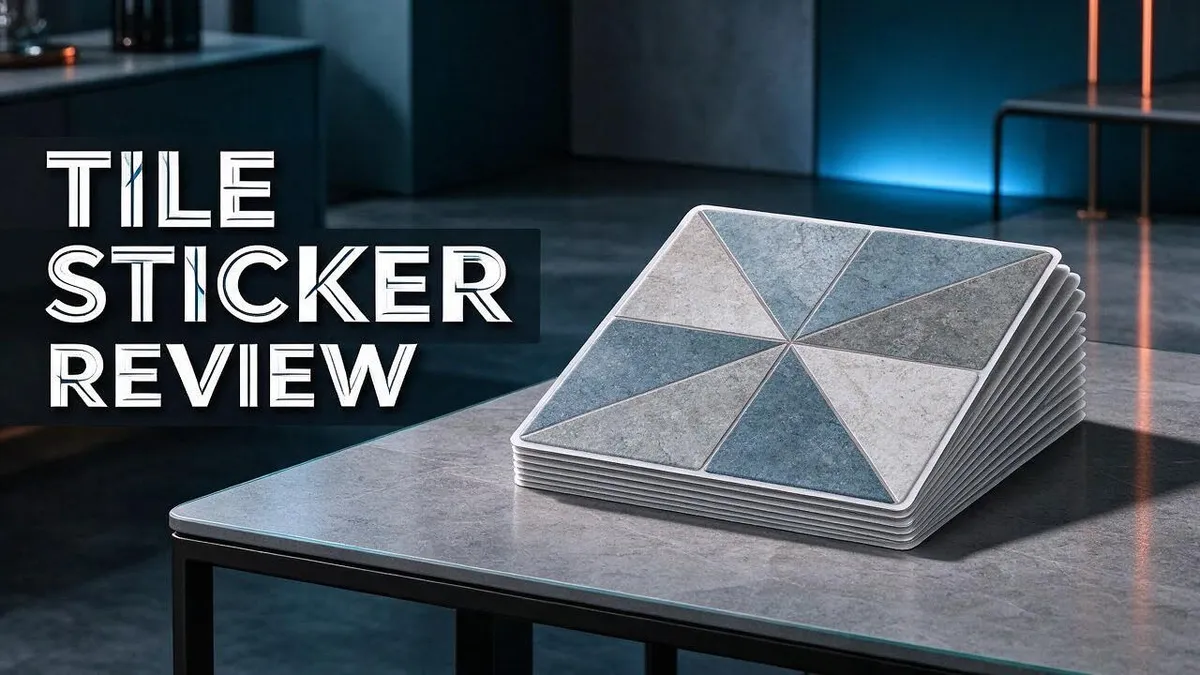
Tile Sticker Review 2026: Features, Tracking & Top Alternatives
Losing your keys is frustrating. Losing your wallet or backpack can feel even worse. The Tile Sticker offers a simple way to keep track of everyday items with a small, adhesive tracker.
This Bluetooth tracker is the smallest one in the Tile line. It works with both iOS and Android phones. You can stick it on almost anything you own.
Battery life is another strong point. The Sticker can run for up to three years before it needs replacing. That means less fuss and fewer worries.
In this review, we look at the main features, daily use, and how it compares to rivals like the Apple AirTag and Samsung Galaxy SmartTag2. Let’s see if this tiny tag earns a spot on your keychain.
In a Nutshell
-
Works with iOS and Android. You can pair this tag with an iPhone or an Android phone. That flexibility suits households with mixed devices.
-
Sticks to almost anything. The adhesive back lets you attach it to bags, remotes, or bike seats. Reviewers describe the setup as easy to use.
-
Plenty of tag styles to choose from. The Tile line offers many Bluetooth tag options. You can match each style to the items you own.
-
Bundles cover several belongings. Tile sells this tracker in two packs and alongside Tile Mate or Tile Slim. These bundles help you track more than one item at a time.
-
Rivals deserve a look. Apple AirTag and Samsung Galaxy SmartTag2 compete directly. Chipolo One Spot earns praise as a strong AirTag alternative. Each option has its own strengths, so compare them before you decide.
-
Read the fine print. One Reddit user says many basic features sit behind a paywall. Another reports a very poor customer experience. Check what each plan includes before you commit.
Key Features and Design


Last update on 2026-11-04 / Affiliate links / Images from Amazon Product Advertising API Some of the links on this website are affiliate links, which means that at no additional cost to you, I earn a commission if you click through and make a purchase. I only recommend products and services that I believe will add value to my readers. Thank you for your support!
The Tile Sticker design keeps things simple. It is a thin, flat tag that looks more like a sticker than a gadget. This slim profile helps it stay out of sight.
A flat shape matters in everyday life. The tag can slide between a phone case and the phone, or sit inside a wallet. It rarely gets in the way of what you carry.
Placement is where the design really shines. Think about where you lose things most. You might stick it inside a backpack pocket or under the lid of a laptop bag. Hidden spots protect the tag from scratches and wear.
The adhesive back needs a little care. Clean and dry surfaces hold the tag best. Wipe the spot first, because dust or oil can weaken the grip over time.
Weight and size matter too. A thin tag adds very little bulk to a bag. You barely notice it when you carry your things all day.
The app is part of the design. Most of the tracking work happens in the Tile app on your phone. The app shows where your items were last seen, so you can search faster. Simple controls make the process feel quick and clear.
Who is this design best for? It suits people who want a quiet tracker with no extra bulk. Small items like cards, earbud cases, and house keys benefit most. Heavy or bulky items may need a different approach.
Plan your tags before you need them. Start with the items you lose most often. Then add tags to spare items as you go. This habit saves time on busy mornings and keeps your routine simple.
Overall, the design feels practical. The Tile Sticker fits into daily habits without much effort. Its low profile and easy placement make it a good choice for people who want a discreet helper.
Tracking Performance and Range
Tracking performance decides whether a tag earns its place on your keys. The Tile Sticker uses Bluetooth, so your phone must be nearby to connect with it. When the tag is in range, the Tile app shows you where it sits.
Range works best in open spaces. Walls, metal shelves, and thick furniture can weaken the signal. Bluetooth signals travel less far through solid objects. Expect the best results in a home or office with clear paths.
Your phone matters too. A phone that stays in your pocket or bag picks up the tag more easily than one left across the room. Keep Bluetooth turned on and the Tile app running in the background, so the connection stays steady.
Good news comes with the tag’s small size. The Sticker does not need a bulky body to send its signal. Its flat build fits on a bag strap or a card holder without blocking much. Still, placement matters. Stick it on the side of an object that faces outward when you carry it.
Set up alerts early. Notifications in the app warn you when a tag falls out of range. This habit helps you spot a missing item before it disappears.
Testing your setup helps a lot. Walk around your house with the item and check the app. Notice where the signal drops. Then move the tag or change your routine to improve the link.
Expect some gaps. No Bluetooth tag can track a lost item in every location. If your item stays far away from your phone, the app may show only the last place it connected.
Use the map and the last seen time to guide your search. These details often point you to the right room or street.
Overall, the Tile Sticker works well for nearby searches. It helps you find items around the house, in the car, or at the office. For searches far from home, compare it with rivals like the Apple AirTag before you decide.
Battery Life and Maintenance
The Tile Sticker can last up to 3 years on a single battery. That long life means you rarely think about it. Once you attach the tag, it keeps working quietly in the background.
Some trackers need frequent attention, so this is a real relief. You do not need to build a battery swap routine. Your keys, wallet, and bag stay covered over time.
Plan for the end of battery life. The Sticker is not designed for simple battery swaps. When the battery runs low, you will likely replace the whole tag. Set a calendar reminder about 3 years after setup.
Note your setup date in your phone’s calendar. This small habit helps you act before the tag goes quiet.
Watch for low battery alerts in the app. If a warning appears, do not wait. Replace the tag soon so your tracking keeps working. A dead tag cannot send a location.
Your phone matters too. Keep Bluetooth turned on so the tag can reach your phone. Turning Bluetooth off stops all tracking.
Keep the tag clean. Dust, lint, and grime can build up on the surface over time. Wipe it with a soft, dry cloth every few months. Avoid harsh cleaners that could damage the case.
Protect it from extreme heat and cold. Hot cars and freezing winters can shorten battery life. Keep the tag out of direct sun when possible.
If you keep spare tags, store them in a dry drawer at room temperature. Moisture and heat can wear out the battery before you ever use the tag.
Update the app regularly. Software updates can improve how the tag reports its status. Turn on automatic updates on your phone so you never miss a fix.
Try a simple check every 6 months. Look at battery alerts, wipe the tag, and confirm it still connects. This short routine keeps your tags ready for the day you need them most.
Top 3 Alternatives
Smart Tiles
No products found.
Smart Tiles offer a simple way to track everyday items. You attach the tracker to keys, bags, or remotes. The app shows the last known location on a map, and you can ring the tracker to find it nearby.
Smart Tiles work best for people who want easy setup. Most users connect their trackers within minutes. The app guides you through each step.
Tic Tac Tiles

Last update on 2026-11-04 / Affiliate links / Images from Amazon Product Advertising API Some of the links on this website are affiliate links, which means that at no additional cost to you, I earn a commission if you click through and make a purchase. I only recommend products and services that I believe will add value to my readers. Thank you for your support!
Tic Tac Tiles take a small and light approach. They slip easily into a pocket or clip onto a backpack zipper. Many people like them for keeping track of bags they use every day.
Tic Tac Tiles suit anyone who needs a discreet tracker. Their compact size makes them easy to hide inside a wallet or case.
Aspect Peel Stick

Last update on 2026-11-04 / Affiliate links / Images from Amazon Product Advertising API Some of the links on this website are affiliate links, which means that at no additional cost to you, I earn a commission if you click through and make a purchase. I only recommend products and services that I believe will add value to my readers. Thank you for your support!
Aspect Peel Stick trackers focus on flat, hard-to-carry items. You peel the backing and press the tracker onto a surface. This method works well for laptops, tablets, and important documents.
Aspect Peel Stick fits people who want a permanent solution. The adhesive keeps the tracker in place. You can then check its location from your phone whenever you need it.
Compatibility and Ecosystem
The Tile Sticker works with both iOS and Android phones. This matters if your household mixes devices. Different family members can still use the same tracker setup.
The Tile Sticker sits inside a wider Tile family. The line also includes the Tile Mate and Tile Slim. You can mix tag types for keys, bags, and cases. One app manages them all.
Bundles make the choice simpler. Tile sells the Sticker in two packs with the Mate or Slim. This helps you cover more belongings without buying each tag alone.
Compare it with other Bluetooth trackers. Apple AirTag is the rival most people mention first. Samsung Galaxy SmartTag2 and Chipolo One Spot also compete in this space. Google Nest Locator Tag appears in the same conversation too.
Ecosystem loyalty deserves a closer look. AirTag fits best with Apple devices. Samsung tags suit Galaxy owners most. Tile suits people who want one brand that works across many phones.
Check your phone before you set up. Confirm that your phone runs a current operating system. Older devices may miss some features or updates. A quick check saves time later.
Think about who shares your space. A tag works best when the owner’s phone stays nearby. If a partner or roommate uses the same phone type, setup feels easier. Keep that in mind when you plan your tags.
Plan a mixed device home carefully. If one person uses an iPhone and another uses an Android phone, Tile covers both. This flexibility helps many households.
Bluetooth support is the key requirement. Every tag in this line depends on Bluetooth. Your phone needs Bluetooth turned on for the best results.
Overall, the Tile Sticker fits well into most mixed device homes. Choose a tracker that matches your phone and your daily habits. Compatibility often decides the winner.
Subscription Plans and Long-Term Value
Subscription plans can shape your experience over the long haul. Some owners report that many basic features sit behind a paywall. Read the feature list carefully before you commit to the tag.
Why does this matter? A tracker only helps when the right features work at the right time. A locked feature can leave you searching without the tools you expected.
Start by listing the features you use most. Write down alerts, location history, and sharing options. Then check which items need a paid plan. This simple step keeps surprises low.
Features can also shift over time. A tool that feels included today may move behind a paywall later. Keep notes on what you used during setup, so you can spot changes quickly.
Think about how often you lose items. A person who misplaces keys every week needs different features than someone who only tracks a backpack on trips. Your habits guide the decision more than any single feature list.
Customer experience matters as much as features. One user review describes a very poor experience with support. Before you buy, search for recent feedback about help requests and account issues. Good support saves time when something goes wrong.
Your account also affects your long term benefit. The tag connects to the Tile app, so your login must stay active. Keep your password in a safe place, and update your contact details. This habit prevents lockouts later.
App updates often bring new options. Read the release notes when they arrive. Some changes add helpful tools, while others change how existing features work.
Review your plan once a year. Set a reminder in your calendar to check the app settings. Look for new features or changes to current ones. A quick check helps you avoid keeping tools you never open.
If you want more options, compare the Samsung SmartTag2 or Chipolo One Spot. Each one offers a different mix of features and support. Read their terms before you decide, so you know what you get over several years. Choose the option that fits your routine. The right pick feels simple to use every day.
Pros and Cons
Pros
– Its small size hides well on everyday items.
– The adhesive back sticks to bags, keys, and other belongings.
– Plenty of Bluetooth tag choices give you room to pick.
– Setup feels simple for most people.
– It fits well with many daily routines.
Cons
– Bluetooth range only helps when your items stay nearby.
– The adhesive may not hold well on rough or curved surfaces.
– Its small size also makes it easy to misplace.
– Results depend on your phone staying close by.
Who Should Buy It
Students and busy commuters often fit this tag best. Backpacks, laptops, and transit cards change hands fast. A small sticker on each item can save time during a rushed morning.
Mixed phone households can also benefit. This tracker supports both major phone systems. Everyone in the home can join in, no matter which phone they carry.
Frequent travelers may find it useful too. Luggage and hotel keys often vanish in busy airports. Placing a sticker inside a suitcase pocket may help you spot a lost bag quickly.
Seniors who manage many household items may find it helpful. Remote controls, glasses cases, and keys can hide in plain sight. A tag on these items gives quick help when searching.
Shoppers who want to test the system first should start small. Place one sticker on a single item before adding more. This approach lets you learn the app before you commit to a full set.
People who hate changing batteries may appreciate this tag. The battery can last up to three years. Fewer battery swaps mean less hassle over time.
New tracker users may feel comfortable with this option. Many beginners find the process approachable. Keep your expectations realistic from day one.
Careful shoppers should read the feature list closely. Some basic tools may require extra access. This matters most if you depend on alerts every single day.
Anyone who misplaces small belongings each week should test it. A short trial shows how the app fits your routine. Watch for weak spots before you rely on it.
Your daily habits decide the answer. If you lose small things often, this tag deserves a close look. Think about your routine before you make a choice. Write down the items you want to protect first. Then decide whether a small sticker fits that list.
Final Verdict
The Tile Sticker earns a solid place on your shortlist. It works well for many people. It also offers plenty of Bluetooth tag choices.
The final decision depends on what you need most. If you want a small tracker for everyday items, this option fits nicely. If you need advanced tools, check the details first.
Compare it with rivals before you buy. Apple AirTag, Samsung Galaxy SmartTag2, and Chipolo One Spot all compete in this space. Many reviewers call the Chipolo One Spot a strong AirTag alternative.
The Tile line also includes Tile Mate and Tile Slim. Google Nest Locator Tag adds another option to consider. Each choice suits a different phone setup and lifestyle.
Watch for the paywall. Some users report that many basic features sit behind a subscription. Read the fine print before you rely on those tools.
Customer support deserves attention too. One user described a very poor experience. Think about how you would get help if something goes wrong.
A simple checklist makes the decision easier. Ask which phone system you use, which features you need, and how often you misplace items. Your answers point toward the right choice.
Think of this tracker as a strong starting point. Its core tracking feels dependable for most people. Add more tags later if the system earns your trust.
Final thoughts come down to fit and expectations. Pick the option that matches your daily routine. Then review your setup every few months so nothing slips through the cracks.
Read recent reviews before you finalize your pick. Product features can change, so fresh information helps you decide with confidence.
Our verdict is simple. The Tile Sticker suits people who want an easy, lightweight tracker. It handles keys, bags, and daily items well. A short test run can show whether it fits your routine.
Frequently Asked Questions
Does the Tile Sticker work with iPhone and Android?
Yes. The Tile Sticker works with iOS and Android phones. You can set it up with the phone you already use.
What makes the Tile Sticker different from other Tile trackers?
The Tile Sticker is the smallest Tile tracker in the line. Its adhesive back lets you attach it flat to items that have no loop or clip.
Can I buy the Tile Sticker in a bundle?
Yes. Bundles often pair it with the Tile Mate or Tile Slim. Some bundles come as two packs, so you can cover more items at once.
Which rivals should I compare before buying?
Check the Apple AirTag, Samsung Galaxy SmartTag2, and Chipolo One Spot. Chipolo One Spot is often called the best AirTag alternative. The Google Nest Locator Tag is another option to review.

Hi, my name is Lily you can say i am a gadget hunter at this point. Welcome to Gadget Gallery The Gallery of Gadget Reviews