Tobii Eye Tracker 5 Review: Complete Buyer’s Guide
Tired of reaching for the mouse? Your eyes and head could do more of the work. The Tobii Eye Tracker 5 makes that possible.
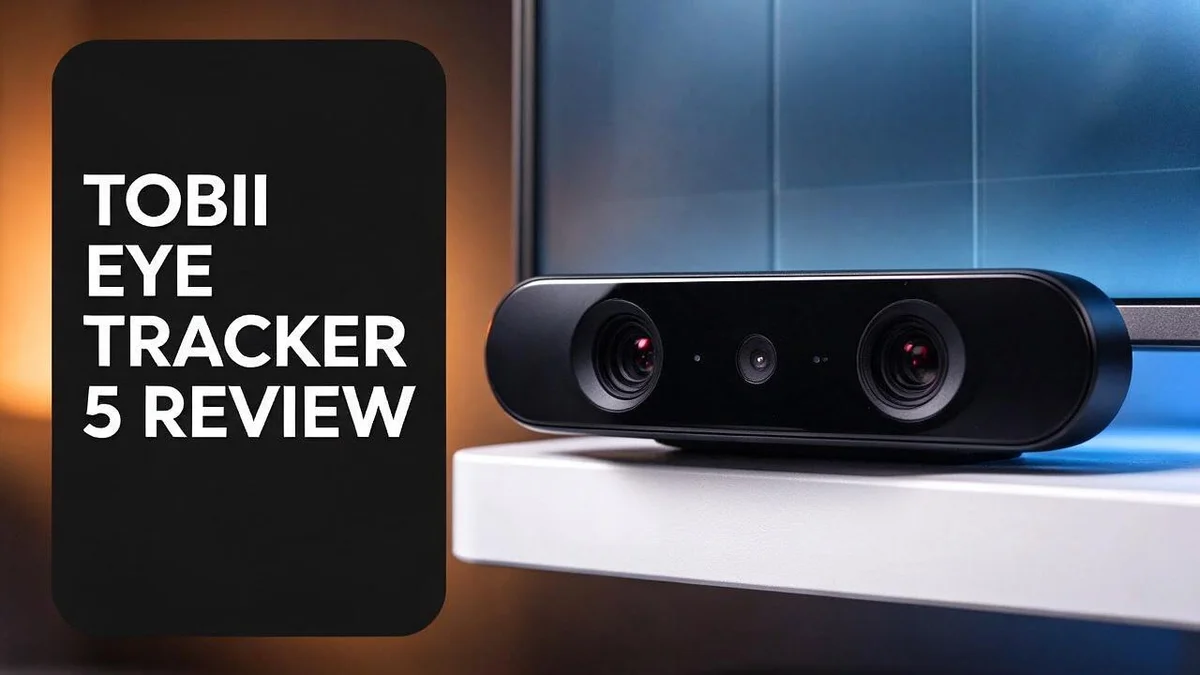
This small device sits on the bottom edge of your screen. It plugs into a USB port and starts tracking your head and eye movement. No headset needed. No wearable gear on your face.
Gamers, sim racers, and creators all find something to love here. It works with flat, curved, and ultrawide displays. It also works with glasses, so you do not need to swap frames.
In this review, we look at real performance, setup steps, and where it shines. We also cover the downsides you should know about.
In a Nutshell
-
No headset or hat needed. Nothing sits on your head or face, so long sessions feel lighter and less fussy. You simply sit and use the tracker.
-
Glasses wearers can use it too. Your current frames work with the tracker. You do not need special gear or extra accessories to get started.
-
It fits many screen types. The tracker supports flat, curved, and ultrawide displays. You can adjust the mount position to match your desk and your seating height.
-
The build feels solid. Many reviewers praise how sturdy the unit feels in hand. It seems ready for regular daily use without worry.
-
Settings need some tuning. Most people adjust a few options before everything feels natural. Plan a short setup session so you can dial in the best results.
-
Future upgrades remain unclear. Some users ask whether the hardware feels dated and if an Eye Tracker 6 is coming. No official confirmation exists yet, so check for news before you decide.
Hardware and Mounting

Last update on 2026-10-13 / Affiliate links / Images from Amazon Product Advertising API Some of the links on this website are affiliate links, which means that at no additional cost to you, I earn a commission if you click through and make a purchase. I only recommend products and services that I believe will add value to my readers. Thank you for your support!
Mounting the tracker takes only a few minutes. You place it on the bottom edge of your screen and clamp it firmly. Take your time here, because a level position matters. A crooked placement can throw off the readings.
Center the unit under your face, not off to one side. A centered spot helps the sensors read your eyes and head more cleanly.
Next, run the USB cable from the tracker to your computer. Pick a port near the desk. Short cable runs reduce tangles and keep your desk neat. Plan the cable route before you start. Mark where the cable will run along the desk edge. A little planning saves time later.
Your desk layout also affects results. Keep the tracker away from direct sunlight and bright windows behind you. Strong backlight can confuse the sensors.
Sit about an arm length from the screen. This distance gives the tracker a clear view of your face without strain.
Light your face from the front. A soft desk lamp works well. Dim rooms make tracking less stable, so avoid them.
Some users tilt the mount slightly to match their seated height. Small changes can shift the sensor angle. Test a few positions before you settle.
Monitor frames matter too. Thick bezels or a curved stand may need a slightly different placement. Check the fit before you tighten the clamp.
Tip: Leave some slack in the cable behind the monitor. This stops the unit from pulling when you shift your chair or move your desk.
If you switch monitors later, remount the unit on the new screen. Repeat the centering check each time.
Keep the mount area clean. Dust on the sensor can blur the view, so wipe it with a soft cloth now and then.
Think of mounting as the foundation for everything else. A solid start makes the next steps feel much easier.
Tracking Performance
Tracking performance decides whether this device feels useful every day. Good tracking feels smooth, quick, and calm. Poor tracking feels jumpy and tiring.
The Tobii Eye Tracker 5 follows both your head and your eyes. That combination gives you two inputs at once. Your eyes pick the target, and your head shifts the view.
In games, this approach works well. You can look at an enemy, and the camera follows your gaze. Then you can nudge your head to peek around a corner.
Extended View in On The Road shows this idea clearly. Head and eye movement blend together for six degrees of freedom camera control. The result feels more natural than a single input method.
Creators also benefit from this kind of tracking. Video editors and streamers can move the view without grabbing the mouse. Smooth motion makes scenes easier to follow.
Latency matters a lot. Quick response keeps the screen in sync with your movement. Small delays can cause a floaty feeling. Fast tracking helps you aim and react without delay, and most users notice this first in fast action games.
Background light also shapes accuracy. A bright window behind you can confuse the sensor. Watch for a view that drifts or jumps, and shift your seat slightly.
Expect some trial and error. Tracking often improves after a short calibration session. Take a few minutes to test different positions. Small changes can make a big difference.
Compared with other options, the Tobii Eye Tracker 5 focuses on a clean hardware setup. TrackIR is a commercial alternative that many sim fans know well. Free tools like Opentrack, FaceTrackNoIR, FreeTrack, and VSeeFace also exist. Each one takes a different approach, so results vary.
Overall, the tracking feels responsive for most everyday use. Your comfort and your games will decide the final verdict.
Software Setup and Configuration
Software is where the Tobii Eye Tracker 5 really comes alive. Install the Tobii Experience software on your Windows computer first. Open the app and follow the setup prompts. The software checks that the tracker is connected and ready.
Take your time with each step. It keeps the process simple.
Confirm your display setup. Pick the screen you use most often. Tell the software whether your screen is flat, curved, or ultrawide.
Next, run a quick calibration inside the app. Follow the dots that appear on the screen with your eyes. Keep your head still during this step.
Create separate profiles for different activities. Many users keep one profile for games and another for everyday work. Each profile stores its own preferred settings. Switch between them with a few clicks.
Head and eye tracking can be turned on or off. Use eye tracking for quick screen control. Use head tracking when a game needs camera movement.
Adjust sensitivity in small steps. Large changes can make the view feel jumpy. Move one slider at a time and test each change. Smoothing options can soften small shakes in your movement.
Save your settings before closing the app. That way you never lose your work. Check for software updates now and then. Updates can bring fixes and new features.
Think of software as the second half of setup. Hardware gets you started, but software shapes the daily feel. Spend a few sessions testing your settings in real use. Try a light task like browsing or writing first. Then move on to a fast game or a video editing timeline.
Notice which settings feel smooth and which feel off. Write down your best values so you can restore them later. Some people prefer a slightly slower response for calm viewing. Others want quick reactions for action games. Your preference matters more than any default.
Top 3 Alternatives
Tobii Eye Tracker 4C
Last update on 2026-10-13 / Affiliate links / Images from Amazon Product Advertising API Some of the links on this website are affiliate links, which means that at no additional cost to you, I earn a commission if you click through and make a purchase. I only recommend products and services that I believe will add value to my readers. Thank you for your support!
This device suits gamers and streamers who want a simple setup. It connects with one USB cable and sits under your monitor.
It tracks your eyes at a fast refresh rate, so games respond smoothly. Head movement stays supported, so you can shift your position without losing tracking.
Gazepoint GP3 HD

Last update on 2026-10-28 / Affiliate links / Images from Amazon Product Advertising API Some of the links on this website are affiliate links, which means that at no additional cost to you, I earn a commission if you click through and make a purchase. I only recommend products and services that I believe will add value to my readers. Thank you for your support!
This option fits researchers and user experience testers. It records eye movement data during studies on screens, websites, and apps.
It exports detailed data for analysis tools. Many teams choose it when they need precise results for reports and academic work.
Pupil Labs Neon


Last update on 2026-10-28 / Affiliate links / Images from Amazon Product Advertising API Some of the links on this website are affiliate links, which means that at no additional cost to you, I earn a commission if you click through and make a purchase. I only recommend products and services that I believe will add value to my readers. Thank you for your support!
This system uses lightweight glasses instead of a desk unit. You can wear it while you walk, shop, or work in different places.
It records what you see in the real world, not just on a monitor. Teams often use it for field studies, sports research, and everyday behavior tracking.
Game and Sim Compatibility
Many players wonder if this device fits their favorite games. The good news is that it works with a wide range of titles. Game support depends on how each title handles input. Some games read head movement well, while others need extra tweaks.
Racing and flight sims often give the best results. Head tracking lets you lean into corners or look over your shoulder. Cockpit views feel more natural when the screen follows your gaze. Check each sim for tracking options before you start.
Shooters and open world games also benefit. Looking around with your eyes can feel quick and direct. The view shifts as you move, which adds a sense of depth. Some players still prefer a mouse for aiming, so it helps to test both.
Free tools open more doors. Opentrack, FaceTrackNoIR, FreeTrack, and VSeeFace can work with many games through software bridges. These tools take more setup time, but they give you flexibility. Try a few to see which one suits the games you play most.
Commercial options also exist. TrackIR is a popular name in head tracking. The Tobii TD I-Series is another path, and some users see the Tobii Eye Tracker 5 as a possible alternative to it. Think about your favorite genres before you decide.
Sim racing fans should test each game before a long session. Run a few laps or a short flight first. This quick check shows how well the view responds in each title. It also helps you spot any settings that need changing.
Glasses wearers will find this helpful. The device works with glasses, so you do not need a special headset. Your gaming setup stays simple and comfortable. That matters most during long play sessions.
Some Reddit users ask whether a newer model is coming. No confirmation exists yet, so current compatibility is the best guide. Focus on the games you already own and enjoy.
Future Outlook and Upgrade Questions
Many fans want to know what comes next for this device. At the moment, no official confirmation exists about a successor. Staying informed helps, but your current setup still deserves attention today.
Some people feel the hardware looks dated. A simple test answers that question better than any rumor. Play your favorite games for a full session and watch how smooth the tracking feels. If it stays calm and quick, there is little reason to rush.
Should I upgrade right now?
Start with a few honest questions. Does the tracking still feel steady? Do you spend more time fixing settings than enjoying your games? If the answer is yes, it may be time to explore other options.
Alternatives fall into a few groups. TrackIR is a commercial choice that many players already know. Free tools like Opentrack, FaceTrackNoIR, FreeTrack, and VSeeFace let you test head tracking without a big commitment. The Tobii TD I Series also appears in user discussions as another path. Each option has its own strengths, so compare them side by side.
What should I check before switching?
Look closely at how each option handles your setup. Glasses wearers should confirm compatibility first. Check whether your monitor type, whether flat, curved, or ultrawide, works well with the new hardware. Read about lighting needs too, since room light affects accuracy.
Support matters as much as hardware. Make sure your favorite games support the tool you pick. Test the software in short sessions before you commit to long play. Notice how each option feels during the first hour, because that early impression tells you a lot.
Keep your current profiles saved before you try anything new. That way you can return to your best settings in seconds. Waiting for clear news from Tobii often makes sense, but you do not need to wait to enjoy what you own now.
Pros and Cons
Pros
- No headset or wearable needed.
- Your head stays free with no hat or clip to wear.
- The build feels solid during daily use.
- Extended View in On The Road blends head and eye tracking for camera control.
- Setup stays clean with fewer parts to manage.
Cons
- The configuration software runs only on Windows.
- Support varies by game, so check titles first.
- Users who want the latest technology may look elsewhere.
Who Should Buy It
Some players gain more from this device than others. Think about how you play and where you sit before you decide.
Sim racing fans often see the biggest benefit. Looking through a corner feels natural when your eyes lead the view.
Flight sim pilots also gain a lot. Head and eye movement can shift the cockpit view without extra controls.
Sim racing and flight sim players who sit close to the screen should check the mount fit first. A quick measure of your desk depth can prevent surprises.
Shooters and open world players can benefit too. Quick glances to the side can feel smoother than a mouse drag.
Desk users who want hands free control may enjoy this setup most. You stay seated at your usual monitor, and nothing touches your body.
Single screen users can mount the unit with little fuss. Curved and ultrawide owners also fit well here, since the mount adjusts to each panel type.
Your room setup matters too. Strong glare or a bright window behind you can make tracking less steady, so check your lighting first.
Beginners who enjoy learning new tools will likely have fun. Each small change teaches you what your setup needs.
Players who want less hand strain may appreciate an extra input option. Head and eye movement can add another way to look around.
Who may want to skip it? Buyers who expect instant results may need extra time. Tuning sensitivity and profiles takes a short session before the view feels right.
Players who mostly chase the newest hardware may feel let down. Their wishlist may include features that newer models could bring later.
Before you buy, list your top three games. Check each title for support, then decide if the setup effort fits your style.
Keep a short list of games, and test each one before a long session. That habit saves time and keeps expectations realistic.
Honest expectations lead to happier owners. This device suits patient players who enjoy tweaking settings and testing new games.
Final Verdict
The Tobii Eye Tracker 5 earns a strong place on the desk. It sits under the screen, connects by USB, and frees your head from any wearable gear. For many players, that alone makes the choice easy.
The build feels solid during daily use. Glasses wearers can also use it without trouble. Setup stays clean because there are fewer parts to manage.
Still, the setup takes patience. Expect to adjust settings before the results feel right. Save your current profiles first so you can return to your best settings in seconds.
Sim racing fans often see the biggest benefit. Flight sim pilots also gain a lot from head and eye control. Shooters and open world players can benefit too.
Some buyers may want the latest technology. Reddit users ask whether an Eye Tracker 6 is coming, but no confirmation exists yet. Keep that in mind before you commit.
The configuration software runs only on Windows. Check each game for support because results vary by title. Test your favorite games before a long session to see how well it fits your habits.
Players who want less hand strain may appreciate an extra input option. Desk users who want hands free control may enjoy this setup most. Your room setup matters too, so measure the space before buying. Single screen users can mount the unit with little fuss.
Our verdict is simple. If you want hands free control and you use Windows, this device is a smart pick.
If you need brand new hardware, you may want to wait or compare alternatives like TrackIR or free tools such as Opentrack.
Buyers who expect instant results need extra time. Beginners who enjoy learning new tools will likely have fun with it. Give it a fair trial and you may find a new way to play.
Frequently Asked Questions
Does the Tobii Eye Tracker 5 work with glasses?
Yes, it works with glasses. Some reviewers say it tracks well for people who wear them. Run a few test sessions first so you can see how the sensor reads your face.
Can I mount it on a curved or ultrawide screen?
Yes, the mount position adjusts. This helps the unit fit flat, curved, and ultrawide displays. Check the angle before you start a game, because good placement helps the sensor follow your head movement.
What free alternatives can I try?
Several free tools handle head tracking. Opentrack, FaceTrackNoIR, FreeTrack, and VSeeFace are common picks. TrackIR is the main commercial rival. Free tools may take more time to configure, so plan for extra setup time.
Will a newer model replace it soon?
Some Reddit users ask whether an Eye Tracker 6 is coming. No official confirmation has appeared yet. If you want the newest hardware, check Tobii news before you decide.

Hi, my name is Lily you can say i am a gadget hunter at this point. Welcome to Gadget Gallery The Gallery of Gadget Reviews