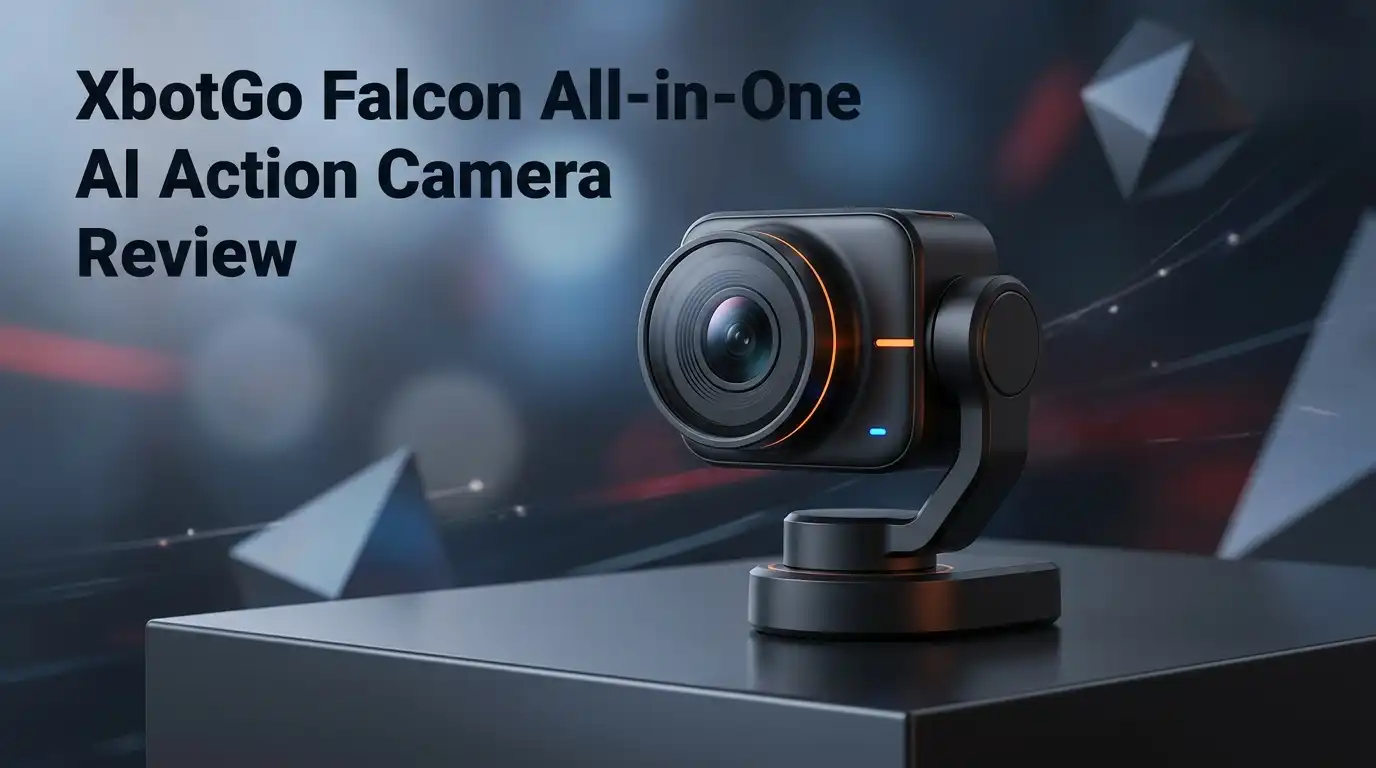
XbotGo Falcon All-in-One AI Action Camera Review: Worth It?
You drove ninety minutes to the tournament, and then you watched the whole match through a phone screen. Your kid scored. You saw it in 6 inches of glass, shaking.
That specific frustration is what the XbotGo Falcon is built to remove. It is a standalone 4K camera that pans, tracks the ball, and records the game while your hands stay free.
The pitch sounds perfect. No subscription, no phone clamped to a gimbal, no $1,000 annual cloud bill. Reality is messier.
In a Nutshell
- The hardware is genuinely good. A Sony sensor, native 4K/30fps, a 6 TOPS AI chip, and a brushless motor that pans 360 degrees on its own base. Build quality feels solid in the hand, not cheap.
- No subscription is the real selling point. One payment of $699 buys the camera outright, plus free live streaming and 20GB of AWS cloud storage. Veo and Trace charge yearly fees that pass $1,000 fast.
- Tracking is reliable, zoom is not. Ball tracking on a full 11v11 pitch holds up around 95% of the time after recent firmware. The auto zoom behaves erratically and uses digital zoom, which softens distant action.
- The app is the weak link. No tablet mode, duplicated video files that eat 15GB per game on your phone, and YouTube RTMP streams that cut out for many users.
- Best for coaches and parents in team sports. Basketball, hockey, futsal, and indoor courts get the strongest results because the action stays compact.
- Not ready for serious full-field analysis. No 60fps, a burned in watermark, audible motor noise, and weak audio hold it back.
XbotGo Falcon AI Action Camera

Last update on 2026-07-26 / Affiliate links / Images from Amazon Product Advertising API Some of the links on this website are affiliate links, which means that at no additional cost to you, I earn a commission if you click through and make a purchase. I only recommend products and services that I believe will add value to my readers. Thank you for your support!
The Falcon is a dual lens, standalone unit. One lens records, the second feeds the AI tracking engine, and the whole body rotates on a motorized base.
That separation matters. Older XbotGo Chameleon owners had to sacrifice their phone to the mount for the entire game.
Core numbers are straightforward. It weighs 815g, holds a 9,600 mAh battery rated near four hours, and carries an IPX5 splash resistance rating.
Recording tops out at 4K, 2.7K, and 2K at 30fps, with 1080p at 60fps on current firmware. Storage runs through a microSD card up to 1TB, sold separately.
XbotGo calls the tracking engine Xbot Vision 3.0 and advertises support for 10+ sports, including soccer, basketball, football, hockey, volleyball, and handball.
In plain terms, you set field boundaries once, press record, and walk away. The camera decides where to point.
That promise holds more often than it fails. The gap between “records the game” and “produces usable analysis footage” is where opinions split hard.
Unboxing, Build, and Case Design
The Falcon ships in a molded protective case that shuts firmly and survives a car trunk. It fits into a backpack without a fight.
That alone separates it from bulkier rigs. One soccer parent described his club’s Veo case as a fort knox box by comparison.
The camera body feels dense and well machined. Buttons click cleanly, and the finish does not read as budget plastic.
Then you open the manual. Typos scatter across the pages, and misspellings show up inside the app settings too.
Owners repeatedly describe the same sensation: quality hardware wrapped in unfinished software presentation. It does not break anything. It does dent your confidence.
The case has one real design miss. There is no dedicated slot for the tripod mount, so the metal mount rattles loose against the camera body.
Scratches are the predictable result. A small foam cutout would fix this for pennies.
Nothing in the box gets you shooting, either. You supply the microSD card and the tripod.
Top 3 Alternatives for the XbotGo Falcon
XbotGo Chameleon AI Auto Sports Action Camera

Last update on 2026-06-06 / Affiliate links / Images from Amazon Product Advertising API Some of the links on this website are affiliate links, which means that at no additional cost to you, I earn a commission if you click through and make a purchase. I only recommend products and services that I believe will add value to my readers. Thank you for your support!
OBSBOT Tail Air 4K AI Tracking PTZ Camera

Last update on 2026-07-26 / Affiliate links / Images from Amazon Product Advertising API Some of the links on this website are affiliate links, which means that at no additional cost to you, I earn a commission if you click through and make a purchase. I only recommend products and services that I believe will add value to my readers. Thank you for your support!
MOVE’N SEE PIXEM 2 Auto Follow Robot Camera

Last update on 2026-07-26 / Affiliate links / Images from Amazon Product Advertising API Some of the links on this website are affiliate links, which means that at no additional cost to you, I earn a commission if you click through and make a purchase. I only recommend products and services that I believe will add value to my readers. Thank you for your support!
Sideline Setup and Zone Mapping
Setup is the Falcon’s strongest practical feature. Mount it, power on, connect the app, draw your field boundaries, hit record.
Experienced owners report being live in under 60 to 90 seconds. That is faster than almost anything in this category.
Zone mapping is the step people skip, and skipping it causes most tracking complaints. You trace the playing surface on your phone screen before recording begins.
Miss that step and the camera will happily lock onto a warmup drill behind you. Owners who mapped the field properly report far fewer wandering shots.
Tripod choice matters more than the marketing suggests. Mounting height changes everything about framing on a full pitch.
Users running 4 meter tripods get noticeably better composition than those on a standard 6 foot stand. The camera cannot tilt intelligently once recording starts, so your initial angle is locked in.
Third party tripods need an Arca Swiss clamp because XbotGo uses a proprietary connector on its own NT4 stand. Budget for that adapter.
AI Tracking Across Soccer, Basketball, and Hockey
Tracking accuracy depends heavily on your sport. This is the single most important thing to understand before buying.
Basketball and hockey are where the Falcon shines. Action stays inside a compact surface, and the pan speed keeps up with fast breaks.
Futsal and indoor 5v5 improved substantially once owners discovered a workaround: switch the mode to handball. Multiple users report noticeably better results after that change.
Full field 11v11 soccer is the harder test. Recent firmware updates fixed most of the wandering, and tracking now holds around 95% accuracy on a standard pitch.
It still hesitates. The camera occasionally loses the ball, pauses, then swings back a beat late.
Adjacent fields cause the worst failures. If another game runs perpendicular to yours, the Falcon sometimes locks onto the wrong ball for several seconds.
One reported quirk deserves a mention. The tracking struggles with black soccer balls, which is an odd blind spot for a 2026 product.
The Auto Zoom Is the Weakest Link
If one feature stops this camera from being a clear recommendation, it is the zoom. Owner after owner lands on the same complaint.
The behavior feels arbitrary. It stays too wide when action is far away, then zooms in hard on the near sideline while the ball sits on the opposite touchline.
Sometimes it zooms in and refuses to zoom back out. You can disable auto zoom in settings, but only before you start recording.
Worse, it is digital zoom, not optical. Cropping into a 4K frame throws away detail exactly when you need it most.
The consequence is practical. Watching a match from across the field, you often cannot find the ball on screen.
There is no manual zoom override. You cannot correct framing live, and you cannot correct it in post inside the app either.
For casual highlights and sideline memories, this is annoying. For coaches doing tactical review, it is close to disqualifying on a large pitch.
XbotGo pushes firmware updates regularly, and the zoom has improved. It has not been solved.
Video Quality, Audio, and the Burned In Logo
Image quality is legitimately good and gets consistent praise. Colors look vibrant, players stay distinguishable, and footage holds up on a television.
Several owners who run both systems say the Falcon’s raw image beats their club’s Veo footage. Grain is minimal in daylight, and low light performance surprised people shooting at dusk.
The 30fps ceiling at 4K is a real limitation for analysis. Fast motion smears, and coaches wanting frame accurate review want 60fps.
Audio is the honest disaster here. Owners describe it as hollow, metallic, muffled, and overwhelmed by wind noise.
You can hear the pan motor whirring in the recording. At $699, that should not happen.
There is no microphone input yet. XbotGo says one is coming, which is a familiar phrase in this product’s history.
Then there is the watermark. An XbotGo Falcon logo is burned into the bottom right corner of every video with no option to disable it.
Paying customers reasonably object to advertising in footage they own. This is the complaint that generates the most anger in owner forums.
Live Streaming, Cloud, and the App Workflow
Streaming through XbotGo’s own platform works well. You tap Live during recording, generate a share link, and send it to parents who could not make the drive.
Those streams are stable, and users report taking calls and texts without dropping the feed. For a free feature, it delivers.
YouTube RTMP streaming is a different story. A widespread bug cuts streams at roughly three and a half minutes for many users.
The recording continues on the card. The stream simply dies.
Some of that traces back to YouTube’s advanced features approval, which takes 24 hours to enable. Some of it is a genuine Falcon firmware issue that XbotGo has acknowledged.
The app itself needs work. There is no tablet mode, so text scales badly and buttons drift off screen on iPads and foldables.
On screen scoreboard and pan controls sit in the middle of your live monitor view. You cannot move them.
The scoreboard is manual too. You tap a plus button for every goal.
Battery, Storage, and File Transfer Reality
Battery performance is a genuine strength. The 9,600 mAh cell is rated for four hours, and real world results back that up.
One hockey parent recorded a full game in 4K and used 40% of the battery. Another ran a nine hour tournament on permanent power without issues.
File sizes vary widely by resolution. Expect roughly 22GB per game at 4K/30, around 10GB at 2.7K, and about 6GB per hour at 1080p.
A 1TB Samsung card runs about $150 and holds a dozen games plus training sessions comfortably. Many owners recommend shooting 1080p purely to keep files manageable.
The app’s file handling is the real problem. Videos download into the app, then download again into your phone gallery for editing.
That means roughly 15GB of phone storage consumed per match. Owners resort to clearing app data every few games.
The fix most people miss: pull the microSD card and read it directly on a computer. Files are standard .mp4 in dated folders.
Who This Camera Is Not For
Be honest with yourself about your sport and your patience level before spending $699 plus accessories.
Skip it if you coach full field 11v11 and need tactical analysis. The zoom limitations and 30fps ceiling will frustrate you within two matches.
Skip it if you expected individual player tracking. That feature was advertised broadly, then quietly narrowed to basketball only, which several early buyers found genuinely misleading.
Skip it if audio matters. Wind noise, motor whine, and no mic input make the sound unusable for anything published.
Skip it if you want automatic highlights. The camera does not detect goals on its own. You mark moments manually during play, then generate clips from those markers.
Skip it if the watermark bothers you. There is no removal option at any price.
The advertised AI Analysis with heatmaps and player movement data is still an unreleased add-on with undetermined pricing. Do not buy today expecting it tomorrow.
Rain adds another wrinkle. The IPX5 body survives fine, but droplets sit on the exposed lens because there is no hood. Owners are 3D printing their own.
Price, Subscription Math, and Final Verdict
At $699 for the standard bundle, the Falcon is not cheap. Add a microSD card and a tall tripod and you are near $900 all in.
Last update on 2026-07-26 / Affiliate links / Images from Amazon Product Advertising API Some of the links on this website are affiliate links, which means that at no additional cost to you, I earn a commission if you click through and make a purchase. I only recommend products and services that I believe will add value to my readers. Thank you for your support!
The math still favors it over the alternatives. Veo runs roughly $1,200 upfront plus annual subscription fees exceeding $1,000, and Trace requires ongoing payments too.
Across three seasons, the Falcon costs a fraction of either. You own the hardware and the footage, permanently.
That last part drives many purchases. Parents tired of clubs gatekeeping access to game film buy this specifically to control their own recordings.
My verdict is a qualified yes. Buy it for basketball, hockey, futsal, and youth soccer memories. It performs well and saves you from filming every match yourself.
Wait on it for serious full field analysis. The zoom needs another year of development.
XbotGo ships firmware updates frequently and does respond to feedback, which counts for something. Support gets consistently positive marks from frustrated owners, which is rare.
Score: 7 out of 10. Excellent hardware, unfinished software.
Frequently Asked Questions
Does the XbotGo Falcon need a subscription?
No. The camera is a one time purchase with lifetime access to tracking, recording, live streaming, and 20GB of cloud storage. No monthly or annual fee exists for core features. The upcoming AI Analysis add-on will likely be paid, but nothing you buy today gets locked behind a paywall later.
Do I need my phone during the game?
Yes, though not mounted to the camera. The app must run on a connected phone while recording, and your hotspot needs to be active for live streaming. You can still text and take calls, but leaving the app can interrupt a stream.
What microSD card should I buy?
Any high endurance card up to 1TB works. A 256GB card handles several games at 2.7K, and 1TB covers a full season. The card is not included, and the camera will not record without one installed.
Is it waterproof?
It carries an IPX5 splash resistance rating and handles rain without damage. The exposed lens collects droplets because there is no hood, so a DIY or 3D printed rain cap is worth having.
Can I edit videos inside the XbotGo app?
Only minimally. You mark moments during or after a match and the app stitches them into a reel. Real editing requires exporting to CapCut or similar. Adjust the clip marker to 15 seconds before and 5 seconds after for better highlight timing.
Falcon or Chameleon?
Choose the Falcon if you want your phone free and prefer SD card storage. Choose the Chameleon if budget matters more and you already stream reliably from your phone’s cellular connection.

Hi, my name is Lily you can say i am a gadget hunter at this point. Welcome to Gadget Gallery The Gallery of Gadget Reviews